Please make an apitrace. Please also post a screenshot of what those elements look like.
You can see a "joker radio signal" look like here: https://i.ytimg.com/vi/tEBJ9-N7WD8/maxresdefault.jpg
Apitrace here: https://drive.google.com/file/d/1rvD1b5DQ9Fwk2rDvwxrtcVndOOIeacY-/view?usp=sharing
Note that by doing apitrace the game runs very slowly and so I can't determine if the bug is occurring at that time nor move quickly to look for troublesome areas.
Note that by doing apitrace the game runs very slowly
That's normal. As long as the Joker radio signal or any of the other problematic things are on screen, it should be fine.
I just ran (or rather flew) around through Arkham City in detective mode and I can't reproduce the problem. Make sure you're not running out of VRAM. You could check that by using either MangoHUD or the DXVK hud.
I'm not out of vram, game uses about 1100-1200mb of 2048 available (I check it trough nvidia-settings).
The joker radio signal is a couple of missions after the game starts, maybe you could find time to get there to reproduce the bug.
Anyway not sure about the problematic objects, I tried to figure out what was on the screen at the time of the framedrops by rotating the camera or by switching the detective mode, can't be 100% sure about the cause.
I generated another apitrace at a time when a consistent framedrops occurs regardless of what is on the screen: https://drive.google.com/file/d/1QhG_180KqxlpwC-l_hTWeJlSPUyXt1Er/view?usp=sharing
I hope this can be fixed.
I hope this can be fixed.
The occasional slowdowns could simply be caused by log spamming (I saw a bunch of repeating error messages in your d3d11 log which led me to think this is the case). Have you tried using DXVK_LOG_LEVEL=none?
Slowdowns occur even when d3d11 is disabled in the game settings. Anyway I've tried with DXVK_LOG_LEVEL=none and didn't make any difference.
If it helps I tried wrapping the game through dgvodoo2 and it seems to work exactly the same way as in dxvk, so maybe the problem is not in d3d9.dll but somewhere else.
Is it that the fps drops consistently while these elements are on screen? Like when joker meter is on it's around 40 always till it disappears or is it stutter and occasional drops?
My fps can be very wobbly in this game when i run it without gamemode. But with it's relatively consistant. Dunno if it's to do with me running tlinux from a external ssd through usb 3.0.
This is on a R9 380 btw. I can try too on a nvidia 960 when i have time.
This is probably just an issue with the game itself.
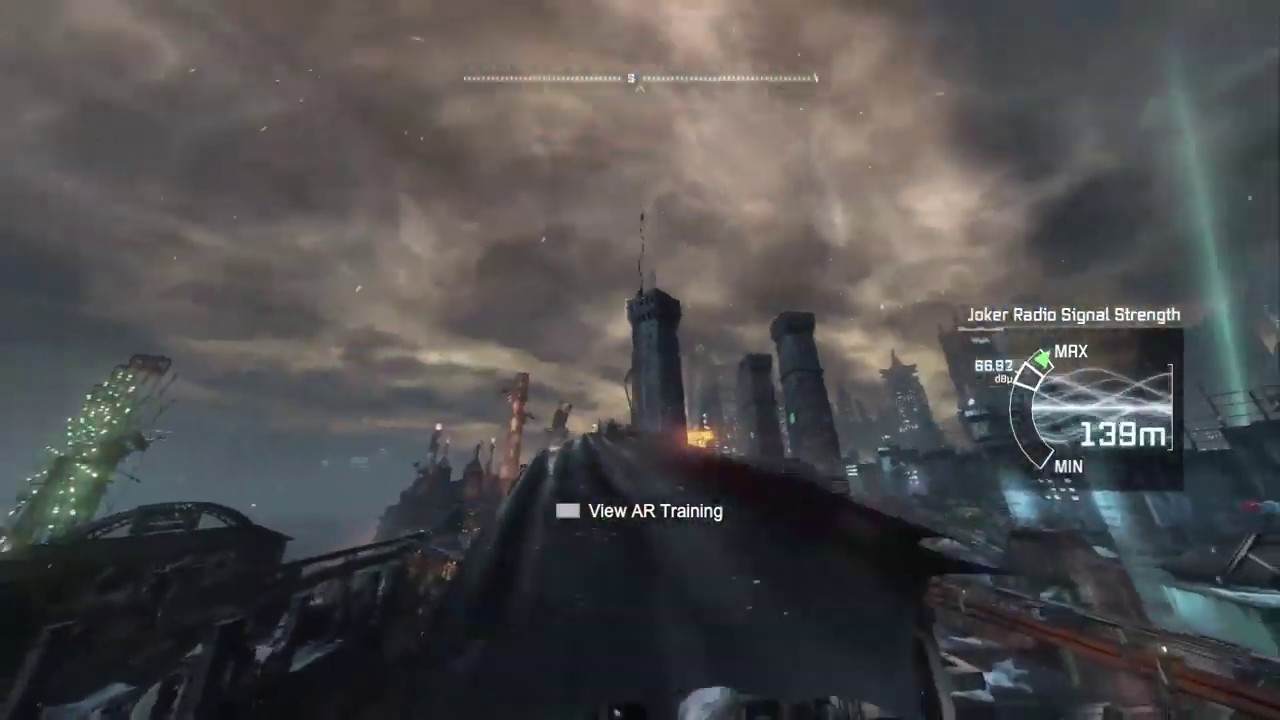
Batman Arkham City GOTY drop fps from 60 to 30-40 when certain elements such enemies trough walls in detective mode and information tips like enemies status or "joker radio signal" are displayed, even with the lowest possible settings.
System information
Log files