Banished: blocky shadows
Your apitrace is extremely short so I don't know if it even shows the issue. Is there anything wrong with how this looks:
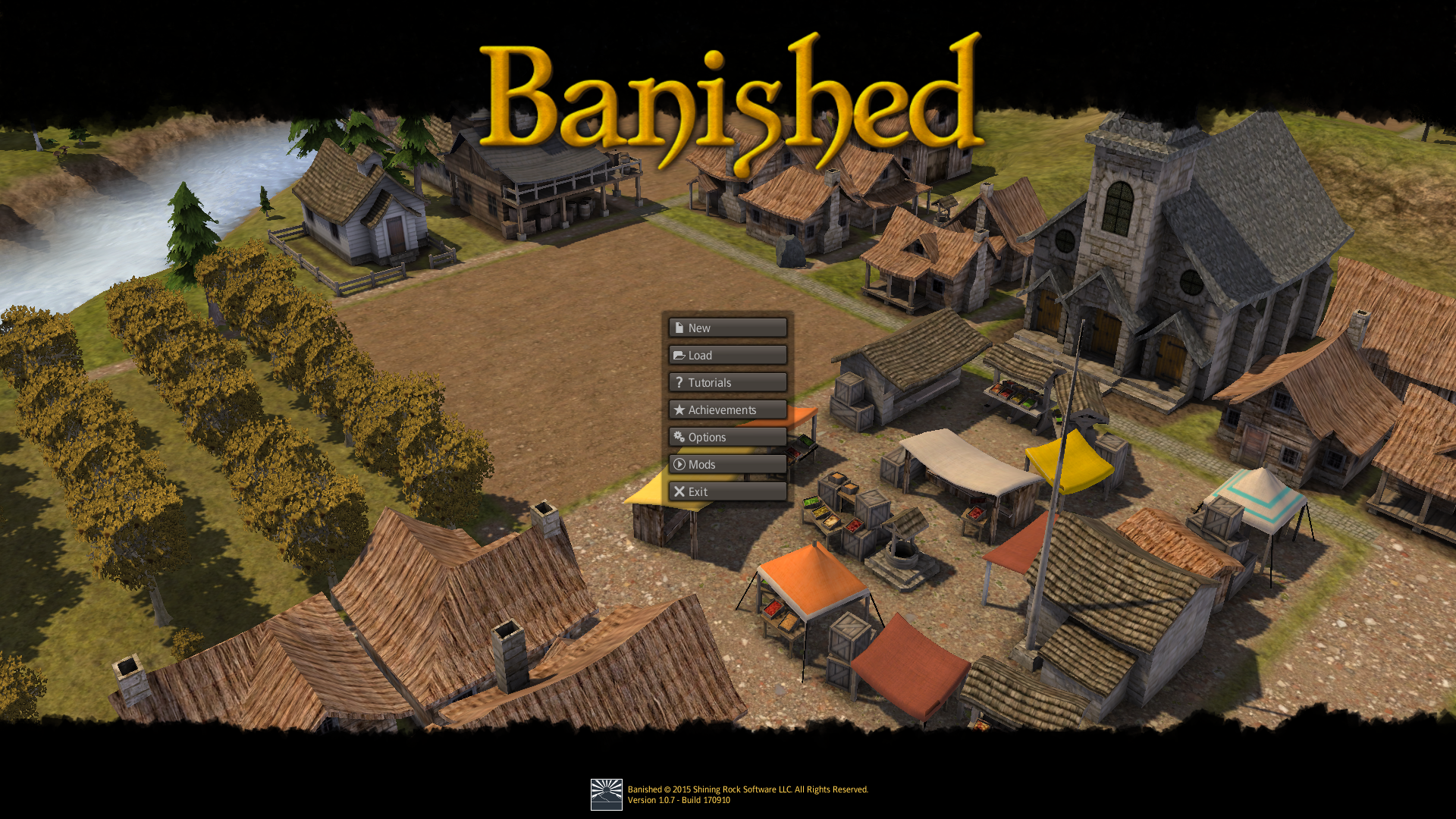
Also, which LLVM version did you use? Did you test with latest dxvk-master?
Sorry it was so short, apitrace is extremely slow. I uploaded longer trace under the same link, it's still a couple of second long, counts 444 frames, and took 45 minutes to generate.
I tested with both Mesa-stable (LLVM 6.0) and Mesa-git (LLVM 7.0). There was no difference. I also compiled dxvk-master and issue still persists.
I think your screenshot looks fine, what I see are blocks like this:
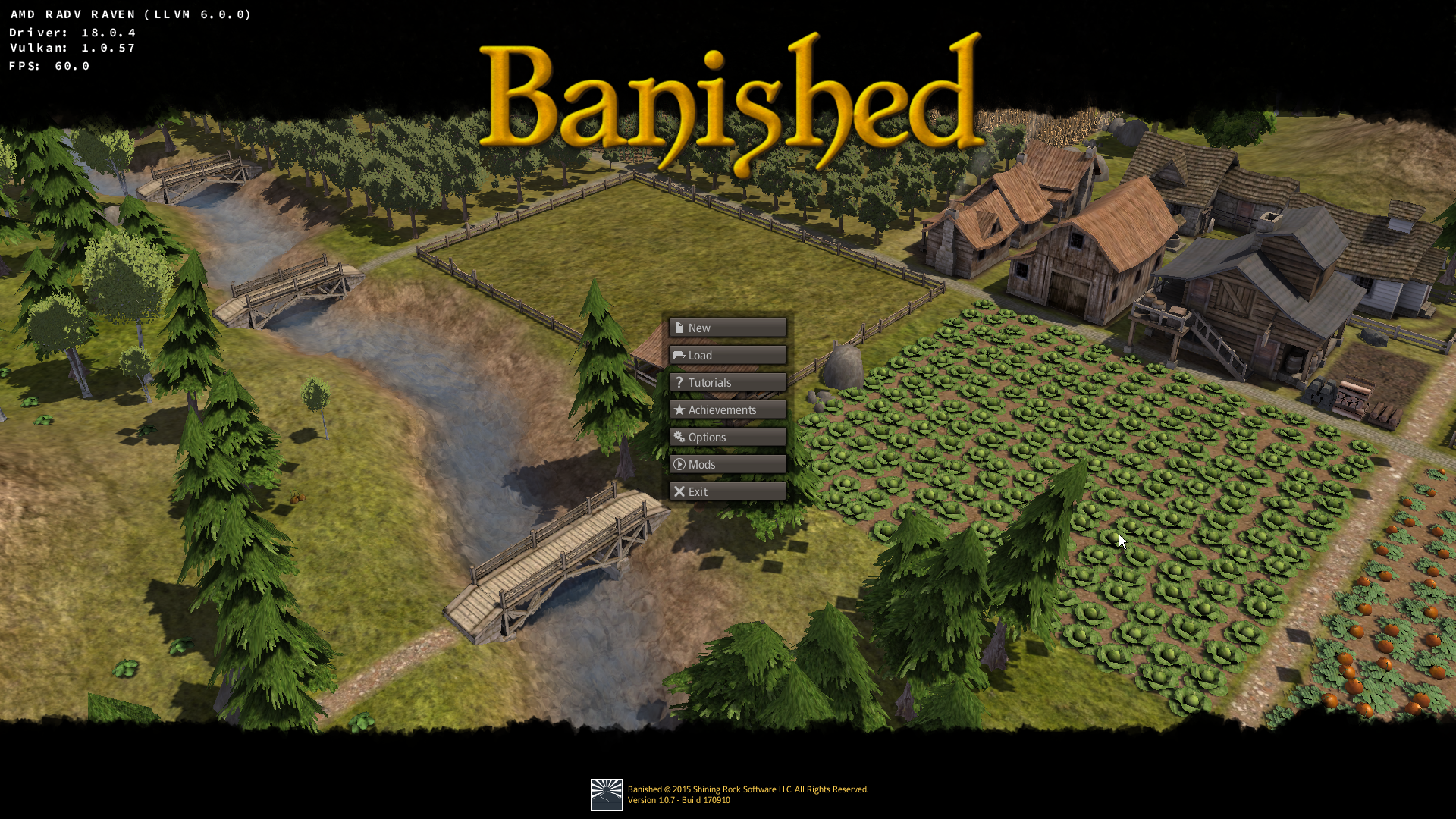 They are visible in the video I linked.
I cannot reproduce the issue even with the longer trace. This looks like a Vega/Raven-specific issue.
I haven't tested AMDVLK yet but it also renders correctly with the AMDGPU PRO Vulkan driver. Can you check if it works with those?
Yeah, looks like only GFX9 is affected. Please try to launch the game with RADV_DEBUG=nohiz
Yeah, looks like only GFX9 is affected. Please try to launch the game with RADV_DEBUG=nohiz
That worked!
I haven't tested AMDVLK yet but it also renders correctly with the AMDGPU PRO Vulkan driver. Can you check if it works with those?
AMDGPU PRO I haven't tried, because the version in AUR is outdated, but I have tried AMDVLK. It avoids the entire shadow issue by not rendering most objects that actually cast shadows! Pretty clever.
Here's a video. And here's RADV without RADV_DEBUG=nohiz flag for comparison. AMDVLK also doesn't render weather effects, so I've disabled them for RADV as well.
What do I do now? Should I file a bug report to RADV issue tracker?
No need to fill a new ticket, I'm one of the RADV devs and this problem is well know. We will fix it at some point, I will let you know.
Great, thanks.
https://patchwork.freedesktop.org/patch/228364/ This fixes the rendering issue for me on Vega, can you confirm?
I can, the issue is gone. Thank you very much, I didn't expect this to be fixed so quickly.
On a unrelated note, do you happen to know what's the status of seemingly random system freezes caused by GPU on Raven Ridge? I just had one while writing this comment. I know the issue had been reported, but it seems like there's no progress.
Thanks for confirming. Unfortunately I don't have a Raven.
Launch options
RADV_DEBUG=nohizx2 2018-06RADV_DEBUG=nohiz`x1 2018-06
Description
Some of shadows in Banished appear as blocks that move around in time. It looks like this. Issue is gone when shadows are disabled, or when running the game without DXVK. It works well with wined3d, but I couldn't record full apitrace with it.
Software information
Banished (32 bit build)
System information
Apitrace file(s)
Log files
d3d11.log: Application-x32_d3d11.log
dxgi.log: Application-x32_dxgi.log