Deep Rock Galactic
Some terminal error readouts from this game, no special debug flags used.
Created OPUS PLC voice encoder
warning: The VAD has been replaced by a hack pending a complete rewrite
AL lib: (WW) GetSymbol: Failed to load jack_error_callback: /home/theriddick/.local/share/Steam/ubuntu12_32/steam-runtime/pinned_libs_64/libjack.so.0: undefined symbol: jack_error_callback
AL lib: (WW) jack_msg_handler: Cannot connect to server socket err = No such file or directory
AL lib: (WW) jack_msg_handler: Cannot connect to server socket
AL lib: (WW) jack_msg_handler: jack server is not running or cannot be started
AL lib: (WW) ALCjackBackendFactory_init: jack_client_open() failed, 0x11
AL lib: (WW) alc_initconfig: Failed to initialize backend "jack"
Not sure if this jack thing is the cause of the slow down but could be responsible for the audio stutters.
Problem is not related to JACK. I've read reports of it working for people on 1060 cards so not exactly sure what the problem is.
Tested this with DXVK 0.71 and the issue is even worse there. So it looks like the developer might have updated the game and in the process caused something to break. I'll look into getting this looked at again sometime in the future.
Feel free to provide your own data on the issue, I do know SOME people are not having any issues and that could be due to using a older version of dxvk, something I will need to test.
To me settings didn't work until restart, nothing worked with audio volumes. had to go to the sound settings and lower the volume of the game separately. (So I dont really listen to it as it was so loud...)
I have had problems in shooting with minigun where some bullets wont even spawn and the ammunition is running out a lot faster than when using windows.
The best performance I've gotten is using lowest settings and resolution scale 100%, still lags but I can play it.
under dxvk I get below 5fps (often 2) and with proton via wine it seems to pulse between 2fps and 60fps depending on where I'm looking. Quite odd.. I have done quite a bit of testing and can't seem to figure anything out..
Seems UE4 game, disable nvapi or fake AMD card can help https://github.com/ValveSoftware/Proton/issues/165 .
Yes perhaps just disabling it via lutris no longer works, however I don't think I can edit any source to fix the issue? I'll look into it more.
EDIT: Nothing seems to help with my issue here, perhaps I'm doing something wrong. Steam info still claims my card is a nvidia 1080ti even thought I try and trick it into thinking its amd with those variables.. odd.
Seems I need to use the per game config file now.. sigh
Update:
Ok faking AMD card seems to have worked (via conf file) even thought it was not fooling steam, the game launched via steam does appear to work without the horrid slowdown now, so yay :)
For proton you can use following command:
DXVK_CONFIG_FILE=/path/to/dxvk.conf %command%
You can use the example given on https://github.com/doitsujin/dxvk/wiki/Configuration
UPDATE: Some further testing is required, still sound issue remains and it seems possible missions don't work. This is a odd one!
For audio try this workaround https://github.com/ValveSoftware/Proton/issues/943#issuecomment-417854312
The game fails to load into missions, often zombies the process. Damn, so close yet so far :(
As for AUDIO fix, yes that did appear to allow me to change volume and get audio controls to work however it did make it worse as it now crashes and has more crackling then before. Perhaps more is needed to resolve that.
To fix audio fully you need to install xact. The exact command I used without edits, as example ONLY (one whole line)
env WINEPREFIX="/mnt/GamesSSD/SteamLibrary/steamapps/compatdata/548430/pfx" WINEPATH="/mnt/GamesSSD/SteamLibrary/steamapps/common/Proton 3.7 Beta/dist/bin" winetricks xact
Game still goes to black screen when trying to launch down into a mission, hangar works fine now... baby steps it seems. It's possible it doesn't like something about the vendor override,...
I can confirm game runs better with AMD vendor override for NVIDIA users, and that the mission load sequence black screens (process freeze) regardless of vendor settings.
(I tried just nvapi64 disabling, still black screen on mission load and it had lower fps)
Update:
Game works fine via Lutris and DXVK 0.71 with the AMD override, the missions launch. Not sure whats going on with proton but there ya go. Maybe disabling esync will resolve the issue.
Yep was esync.
So you need the following to get this game working decently.
- AMD override via dxvk custom config file (if you have NVIDIA card), this will give you a nice performance boost over just disabling nvapi alone!
- xact via winetricks to have proper sound emulation and possibly PULSE_LATENCY_MSEC=60 or other tweaks to remove sound distortion (can also try killall pulseaudio before launching game).
- Increase open files limit so ESYNC can work...
@jarrard What ulimit -aH says on your system? Esync usually do not works because of low open files limit.
core file size (blocks, -c) unlimited
data seg size (kbytes, -d) unlimited
scheduling priority (-e) 0
file size (blocks, -f) unlimited
pending signals (-i) 63277
max locked memory (kbytes, -l) 1024
max memory size (kbytes, -m) unlimited
open files (-n) 4096
pipe size (512 bytes, -p) 8
POSIX message queues (bytes, -q) 819200
real-time priority (-r) 0
stack size (kbytes, -s) unlimited
cpu time (seconds, -t) unlimited
max user processes (-u) 63277
virtual memory (kbytes, -v) unlimited
file locks (-x) unlimited
open files (-n) 4096
Too low, needs to raise. It's described in doc https://github.com/zfigura/wine/blob/esync/README.esync
Ok I made the edits and will give that a shot.
Yep that fixed it. Cheers,
I have increased open file limit to 65535.
I installed xact before, didn't notice change in performance. Thanks @jarrard for the script :+1:
Updating nvapi fixed the problem with minigun bullets and fps. Used the process in https://github.com/ValveSoftware/Proton/issues/1374#issuecomment-420547987
My audio codec didn't like pulseaudio module-suspend-on-idle so I disabled it and enabled module-echo-cancel in /etc/pulse/default.pa. It caused frequent freezes when I had mic switch on when playing windowed CS:GO)
Currently I have small frame freezes once in a while in Deep Rock Space, but not as frequent as before. I play Deep Rock Space on windowed mode and max settings.
I disabled ESYNC from proton, I think it helped a little with the freezes, don't really look at it now.
Do you think changing that PULSE_LATENCY_MSEC=60? Where do I add it?
PULSE_LATENCY_MSEC=60 %command% should work with steam. It may not help, there are pulseaudio configuration files you can tweak timings and such with also.
Deep Rock Galactic doesn't start anymore
Issue transferred from https://github.com/ValveSoftware/Proton/issues/1751.
@DerBunman posted on 2018-10-15T17:48:40:
Compatibility Report
- Name of the game with compatibility issues: Deep Rock Galactic
- Steam AppID of the game: 548430
System Information
- GPU: GTX980ti
- Driver/LLVM version: 396.54
- Kernel version: 4.18.0
- Link to full system information report as Gist: https://gist.github.com/DerBunman/2cc98b29464caf7585d65fddd635908f
- Proton version: 3.16-1
I confirm:
- [x] that I haven't found an existing compatibility report for this game.
- [x] that I have checked whether there are updates for my system available.
Symptoms
The game wont start since updating to 3.16-1.
It only displays the (non fullscreen) splash screen, after that the screen goes black and the game crashes back to desktop.
The game worked fine with 3.7-8 after installing xact and raising ulimits as described here:
https://github.com/ValveSoftware/Proton/issues/284
Reproduction
Start the game with proton 3.16-1 enabled.
@DerBunman posted on 2018-10-15T17:48:40:
Compatibility Report
* Name of the game with compatibility issues: Deep Rock Galactic

* Steam AppID of the game: 548430
Symptoms
The game wont start since updating to 3.16-1.
It only displays the (non fullscreen) splash screen, after that the screen goes black and the game crashes back to desktop.
The game worked fine with 3.7-8 after installing xact and raising ulimits as described here:
#284
Using proton 3.16-3 the game works fine again.
The audio issues are fixed with 3.16-5 Beta. Are there any other remaining issues with this title?
I can't start the game on 3.16-6 Beta. It shows as running but nothing happens.
System Information
GPU: 1080Ti
Driver/LLVM version: 415.25
Kernel version: 4.19.10
Proton version: 3.16-6 Beta
Actually it does appear to work if I force use of 3.16-6 Beta under Settings -> Steam Play -> Advanced -> Use this tool -> Select 3.16-6 Beta.
It appears that otherwise, this game uses a different tool instead, though I don't know which.
@kisak-valve
Whitelist Request
- Deep Rock Galactic
- 548430
System Information
- GPU: RX 570
- Driver/LLVM version: Mesa 18.3.1 & LLVM 7.0.0
- Distro: Solus
- Link to full system information report as Gist
- Proton version: 3.16-6
I confirm:
- [✔] that pressing the
Playbutton in the Steam client is sufficient.
Issues
- [✔] I haven't experienced any issues.
- [⌛] There are no issues left open for this game. Needs retest from other players...
Is anyone else seeing an issue with this game and Proton 3.16-6 that would block it from being whitelisted?
Sorry haven't played the game for 6months, I should probably give it another go sometime :)
Just tested using GTX 1060 6GB, nvidia driver 415.25 and proton 3.16-6 beta. After updating proton, deleting game folder 548430 from compatdata the game made the first installation again and started to work well without additional parameters or settings. :+1:
Fresh install XFCE Antergos and game doesn't launch for me, probably fixable but that isn't the point. If you need to dig into the dirt of it to fix problems then it isn't working.
GameAction [AppID 548430, ActionID 3] : LaunchApp changed task to ProcessingInstallScript with ""
installscript_posix.cpp (355) : Assertion Failed: strCommonRedistForeignInstallPath != ""
installscript_posix.cpp (355) : Assertion Failed: strCommonRedistForeignInstallPath != ""
installscript_posix.cpp (355) : Assertion Failed: strCommonRedistForeignInstallPath != ""
installscript_posix.cpp (355) : Assertion Failed: strCommonRedistForeignInstallPath != ""
Proton: Missing or invalid openvrpaths.vrpath file! [Errno 2] No such file or directory: '/home/riddick/.config/openvr/openvrpaths.vrpath'
wine: /mnt/GamesSSD/SteamLibrary/steamapps/compatdata/548430/pfx is not owned by you
GameAction [AppID 548430, ActionID 3] : LaunchApp changed task to SynchronizingCloud with ""
Proton: Missing or invalid openvrpaths.vrpath file! [Errno 2] No such file or directory: '/home/riddick/.config/openvr/openvrpaths.vrpath'
wine: /mnt/GamesSSD/SteamLibrary/steamapps/compatdata/548430/pfx is not owned by you
GameAction [AppID 548430, ActionID 3] : LaunchApp changed task to SiteLicenseSeatCheckout with ""
GameAction [AppID 548430, ActionID 3] : LaunchApp changed task to CreatingProcess with ""
GameAction [AppID 548430, ActionID 3] : LaunchApp waiting for user response to CreatingProcess ""
GameAction [AppID 548430, ActionID 3] : LaunchApp continues with user response "CreatingProcess"
Game update: AppID 548430 "", ProcID 29226, IP 0.0.0.0:0
>>> Adding process 29226 for game ID 548430
GameAction [AppID 548430, ActionID 3] : LaunchApp changed task to WaitingGameWindow with ""
ERROR: ld.so: object '/home/riddick/.local/share/Steam/ubuntu12_32/gameoverlayrenderer.so' from LD_PRELOAD cannot be preloaded (wrong ELF class: ELFCLASS32): ignored.
ERROR: ld.so: object '/home/riddick/.local/share/Steam/ubuntu12_32/gameoverlayrenderer.so' from LD_PRELOAD cannot be preloaded (wrong ELF class: ELFCLASS32): ignored.
ERROR: ld.so: object '/home/riddick/.local/share/Steam/ubuntu12_32/gameoverlayrenderer.so' from LD_PRELOAD cannot be preloaded (wrong ELF class: ELFCLASS32): ignored.
GameAction [AppID 548430, ActionID 3] : LaunchApp changed task to Completed with ""
>>> Adding process 29227 for game ID 548430
Proton: Missing or invalid openvrpaths.vrpath file! [Errno 2] No such file or directory: '/home/riddick/.config/openvr/openvrpaths.vrpath'
ERROR: ld.so: object '/home/riddick/.local/share/Steam/ubuntu12_32/gameoverlayrenderer.so' from LD_PRELOAD cannot be preloaded (wrong ELF class: ELFCLASS32): ignored.
wine: /mnt/GamesSSD/SteamLibrary/steamapps/compatdata/548430/pfx is not owned by you
ERROR: ld.so: object '/home/riddick/.local/share/Steam/ubuntu12_64/gameoverlayrenderer.so' from LD_PRELOAD cannot be preloaded (wrong ELF class: ELFCLASS64): ignored.
ERROR: ld.so: object '/home/riddick/.local/share/Steam/ubuntu12_64/gameoverlayrenderer.so' from LD_PRELOAD cannot be preloaded (wrong ELF class: ELFCLASS64): ignored.
wine: /mnt/GamesSSD/SteamLibrary/steamapps/compatdata/548430/pfx is not owned by you
>>> Adding process 29228 for game ID 548430
>>> Adding process 29229 for game ID 548430
Game removed: AppID 548430 "", ProcID 29226
No cached sticky mapping in ActivateActionSet.
Probably easy fix, but again fresh install, and this shouldn't be happening.
Could be corrupt files also, seems the update is downloaded corrupt so I can't test the game at this time. Not sure the issue.
EDIT: Yeah I forgot to setup my NTFS drives correctly, forgot you need uid=1000,gid=1000,umask=000 problems be had, also big_writes helps a big with performance.
Seems the game does nothing when you go into the drop ship to do a mission. Just does %0 process and stalls forever? anyone experiencing this?
XFCE Latest Proton beta and Nvidia Vulkan beta drivers.
Uggg, you know what it is, that damn open file limit... Biggest pitfall of steamplay, requiring people to do these adjustments to drive mounts and file limit sizes.
a̶̶m̶̶d̶̶ ̶̶g̶̶r̶̶a̶̶p̶̶h̶̶i̶̶c̶̶s̶̶ ̶̶c̶̶a̶̶r̶̶d̶̶s̶̶ ̶̶h̶̶a̶̶v̶̶e̶̶ ̶̶g̶̶p̶̶u̶̶ ̶̶h̶̶a̶̶n̶̶g̶̶s̶̶ ̶̶w̶̶h̶̶e̶̶n̶̶ ̶̶p̶̶l̶̶a̶̶y̶̶e̶̶r̶̶s̶̶ ̶̶f̶̶i̶̶g̶̶h̶̶t̶̶ ̶̶a̶̶g̶̶a̶̶i̶̶n̶̶s̶̶t̶̶ ̶̶s̶̶u̶̶c̶̶h̶̶ ̶̶o̶̶p̶̶p̶̶o̶̶n̶̶e̶̶n̶̶t̶̶s̶̶.̶
̶f̶̶r̶̶o̶̶m̶̶ ̶̶t̶̶h̶̶e̶̶ ̶̶p̶̶r̶̶o̶̶t̶̶o̶̶n̶̶ ̶̶p̶̶o̶̶i̶̶n̶̶t̶̶ ̶̶o̶̶f̶̶ ̶̶v̶̶i̶̶e̶̶w̶̶,̶̶ ̶̶i̶̶t̶̶ ̶̶r̶̶u̶̶n̶̶s̶̶ ̶̶o̶̶u̶̶t̶̶ ̶̶o̶̶f̶̶ ̶̶t̶̶h̶̶e̶̶ ̶̶b̶̶o̶̶x̶̶ ̶̶b̶̶u̶̶t̶̶ ̶̶t̶̶h̶̶e̶̶ ̶̶m̶̶e̶̶s̶̶a̶̶ ̶̶d̶̶r̶̶i̶̶v̶̶e̶̶r̶̶ ̶̶o̶̶n̶̶f̶̶o̶̶r̶̶ ̶̶a̶̶m̶̶d̶̶ ̶̶g̶̶r̶̶a̶̶p̶̶h̶̶i̶̶c̶̶s̶̶ ̶̶c̶̶a̶̶r̶̶d̶̶s̶̶ ̶̶c̶̶a̶̶u̶̶s̶̶e̶̶s̶̶ ̶̶g̶̶p̶̶u̶̶ ̶̶h̶̶a̶̶n̶̶g̶̶s̶̶ ̶̶s̶̶o̶̶ ̶̶t̶̶h̶̶a̶̶t̶̶ ̶̶t̶̶h̶̶e̶̶ ̶̶w̶̶h̶̶o̶̶l̶̶e̶̶ ̶̶p̶̶c̶̶ ̶̶c̶̶o̶̶m̶̶e̶̶s̶̶ ̶̶t̶̶o̶̶ ̶̶a̶̶ ̶̶s̶̶t̶̶a̶̶n̶̶d̶̶s̶̶t̶̶i̶̶l̶̶l̶̶ ̶̶f̶̶o̶̶r̶̶ ̶̶i̶̶t̶̶ ̶̶t̶̶h̶̶e̶̶r̶̶e̶̶ ̶̶i̶̶s̶̶ ̶̶o̶̶n̶̶e̶̶ ̶̶w̶̶a̶̶l̶̶k̶̶a̶̶r̶̶o̶̶u̶̶n̶̶d̶̶:̶
Edit: Fixed
Deep Rock Galactic's Update 21 doesn't seem to start. The game doesn't save logs at all, just crash dump files. It shows the splash image(normal), then goes to a black screen(normal) for a time before it crashes.
I'm using AMDVLK to handle Vulkan, though I have tested it with and without launch options just to be certain.
I can confirm it even withouit dxvk the game wont start so its maybe a proton issue.
The developer updated the engine from Unreal Engine 4.19 to 4.21. Is there a bug report just for Unreal Engine 4? Perhaps some references could be made so we can all work together.
The game works fine in wine 4.0

and works in proton too

@megatog615 if you enter the game just wait..a bit. This is what i did :smiley:
It should be noted here that the developer put out a hotfix which fixes the problem.
https://steamcommunity.com/games/DeepRockGalactic/announcements/detail/1750114627268690376
I wonder if the crash only occurred on wine and they fixed it just for us?
Hopefully one day they decide to just make a native port, since Unreal Engine 4 can be compiled for Linux.
@kisak-valve you can remove "mesa drivers" this bug got fixed with Mesa 18.3.3
Unfortunately I think update 21 killed ingame voice chat. I can hear others using it(presumably from Windows) but it does not function for me or my friend(who also plays with Steam Play).
Same issue with voice transmit here. PulseAudio is showing the input stream and it responds to audio, but the game does not transmit.
cant seem to get this working anymore. just shuts down.
Seems the latest proton beta is broken. 3.16-4 appears to work.
Can't even uninstall -8 beta, complains about missing shared content... whatever
Hello @jarrard, please add PROTON_LOG=1 %command% to the game's launch options and drag and drop the generated $HOME/steam-$APPID.log into the comment box.
ok,
I had it run once, but now it won't again. I think proton is gutting itself somehow.
Get lots of these
OSError: [Errno 22] Invalid argument: '/' -> '/mnt/GamesSSD/SteamLibrary/steamapps/common/Proton 3.16 Beta/dist/./share/default_pfx/dosdevices/z:'
Think I know whats going on, it might be failing to create the wine sub system... odd, the drives are mounted correctly. AND it works via lutris wine dxvk...
I'll reset steam play, maybe I closed steam before it was finished creating the wine subsystem which can sometimes take a while if its installing loads of stuff.
it only creates a empty steam log file, nothing to post.
Ok got it working, what I did was disable steamplay, delete all the compat folders and proton folders and installed proton tools in steam.
Then started steam runtime (native probably works also) and enabled steamplay again with latest proton selected, THEN I had to download redistrubution stuff and THEN manually installed proton 3.16-8 tool (otherwise it would not install it for me), THEN it started installed the directx stuff as it should and the game launched fine...
what a bother... :)
Reviewing recent history of this issue report, the whitelist request is blocked pending evaluation of the voice chat transmission issue.
Yes I will be testing that out tomorrow sometime. Will let you know, however its sometimes hard to find people who also use voice.
I was just playing this game for 4 hours straight, though I didn't actually use the in-game voice chat so I can't say anything about it, but besides that one possible failure point, the game ran perfectly. I installed, played, got 100+fps the entire time, no problems with alt-tabbing either, everything was silky smooth from top to bottom.
I also wanted to confirm the issue with the in-game voice chat (I'm on ubuntu 18.04) . I was playing with a friend (he's on windows). I was able to hear him on my end just fine, but he could not hear me.
Apart from that everything seems to work really well.
I have used voice chat in this game before but that was quite a way back in early access. Been a while.
It has not worked since the developers upgraded to the latest version of UE4.
Any progress on fixing the non working voice chat? if needed I can provide logs or whatever, just ask.
Since Proton 4.11-1, the game will crash when hitting enter key to bring up in-game chat. Proton 4.2-9 works fine
Same here.
Hello @aport, @Zorrototo, please add PROTON_LOG=1 %command% to the game's launch options, reproduce the regression, and drag and drop the generated $HOME/steam-$APPID.log into the comment box.
Here is log after I force close the game which is frozen:
steam-548430.zip
Here is log with previous version of Proton 4.2-9:
steam-548430_proton429.log
I did exactly the same in both instances, I opened game, loaded into game, and pressed the Enter key to bring up text chat. It instantly crashes on proton 4.11
@aport @Zorrototo @kisak-valve I'm not sure if it is necessary to gather more information at this time. It seems to be the same failure as MORDHAU text boxes described here: #2629
One of the additions to 4.11-2 caused certain things that were previously getting stuck and working by default to now get farther and then fail with a new unimplemented feature. This regression seems to mainly have affected text boxes in games with new steamclient apis. We hope to fix this very soon.
by the way, the intro video do not play at all since forever, not sure it is a known issue.
Hey, I was upgrading my Ubuntu from 16.04 to 18.04 and afterwards Deep Rock (I played it 81 hours before) wouldn't work properly any more. At first I could go into the hunger and select a mission, but after starting the mission I got a blackscreen freeze.
The strange this is, that once the game was in the update queue. I started it (there wasn't really an update downloaded) and I was able to play again. I did on mission with a friend (Windows), we failed and than we both got stuck at the mission lost screen, but sound and animations were still normal, so no real crash. We both force closed it.
After that the game won't start again. Non of the proton versions that steam has to offer work for me.
(the exact same thing happened with Mordhau -> didn't work -> update queue -> crash -> not starting anymore ... and as far as I know from this threat, both games have something like the same issue, is that right?)
The upgrade probably reset some of your settings such as max open files etc..
Here is my log:
The upgrade probably reset some of your settings such as max open files etc..
Can I do something about it ?
Hello @MrJakob99, err:winediag:FILE_CreateFile Too many open files, ulimit -n probably needs to be increased and eventfd: Too many open files are the lines of interest in your log. There's some documentation at https://github.com/zfigura/wine/blob/esync/README.esync that should help.
Thanks for the help, I will be looking into this deeper tomorrow.
The in-game chat regression should be fixed in Proton 4.11-3. Please retest.
Indeed it seems to be fixed.
Still remaining issues:
- no intro video playing, just black screen
- no voice chat
Thanks for the help, both games are working perfectly fine now.
I also can say that the chat box bug is fixed
voice chat use to work. so odd
It never worked for me.
It never worked for me.
I think last time I tried it was back in proton 3.7 days, quite far back now. Maybe it still works for me, but I can't test it atm due to no GPU.
I get this weird graphical glitch sometimes. It only seems to appear when you look in direction between west and south. I mostly have it on eliminations, though there was one during a mining expedition too. I don't know if this is a Proton-specific bug or not.
I'm on GTX 1050 with the latest driver (430.40-5).


reminds me of when nvidia switched to the new compiler, this sort of thing happened until it was fixed..
@NheelYolis You can see if its a proton bug if you try the game over lutris (without tkg-protonified)
The problem is, this bug isn't easy to reproduce. It appears randomly in certain (unknown to me) rare circumstances. In gaps between 20-30 missions or so. I'll try to reproduce, but I don't play the game too often. I use PROTON_LOG=1 now, so if it pops up again, at least I can provide some logs.
I'm not even sure if it exists in Proton 4.11-3 at all, I was playing the game with 4.2-9 until the text input was just recently fixed.
Does it happen on specific missions near specific objects like reflective crystals etc..
Does it happen on specific missions near specific objects like reflective crystals etc..
Like I said, I mostly had it on eliminations. And it only seems to appear when you look in direction between south and west. If you look at the second screenshot, you can see a glitched selection (which probably was a Glyphid Brood Nexus).
Yeah probably compiler flipping out. Not sure if you can switch to the older compiler any more but might be worth a test. Also you could try turning graphics details off or to low.
Also you could try turning graphics details off or to low
I'll try to do that next time I encounter this bug.
I'm having issues with this game, where when I click the continue button in the newsletter screen, the game will show a black screen and then crash. I've been able to play plenty of other proton and native games.
Just played a game then, will confirm MIC does not work. Other then that it ran pretty good at 4k with high settings.
MIC works under windows. Also windows gives %36 better framerate, I wonder if its possible to improve this sometime down the line for Unreal 4 engine games (which this game is).
Good Afternoon, i've bought this game yesterday but i can't run this game with proton. I've tested proton 3.7, 3.16 and 4.11. I open the game and load the title screen but it freezes my system.
Here is the log running with proton 4.11
@rodrigoale I open the game and load the title screen but it freezes my system.
If it freezes your system, it probably has to do something with video card drivers. Check journalctl for any errors. If you use NVIDIA, try the Vulkan beta driver (it is available in AUR if you use an Arch-based distro).
You could try to record an apitrace and share DXVK logs to provide more info.
@rodrigoale I open the game and load the title screen but it freezes my system.
If it freezes your system, it probably has to do something with video card drivers. Check
journalctlfor any errors. If you use NVIDIA, try the Vulkan beta driver (it is available in AUR if you use an Arch-based distro).You could try to record an
apitraceand shareDXVKlogs to provide more info.
my videocard is intel hd620 (notebook). i run perfectly with windows 10 but unfortunately it crashes with linux. I will try to logthe apitrace and share it. thnx
You may want to try the Intel Gallium3D drivers, the latest version as I hear their quite good.
There is not much experience here with getting these games working on Intel iGPU's because performance of those chips are often quite low and not desirable.
BUT I hear the Gallium3D drivers perform better then under Windows intel drivers.
I would search up howto get them installed for your iGPU and distro.
Here is a recent article about it.
https://www.phoronix.com/scan.php?page=article&item=mesa193-iris-september
You may want to try the Intel Gallium3D drivers, the latest version as I hear their quite good.
There is not much experience here with getting these games working on Intel iGPU's because performance of those chips are often quite low and not desirable.
BUT I hear the Gallium3D drivers perform better then under Windows intel drivers.I would search up howto get them installed for your iGPU and distro.
Here is a recent article about it.
https://www.phoronix.com/scan.php?page=article&item=mesa193-iris-september
I fix the problem using the launch option PROTON_USE_WINED3D=1 %command%
The game is running without problem now but i will check the link you send me. Thanks for your help.
PROTON_USE_WINED3D=1, this bypasses DXVK so you may not get the best performance in this configuration.
It would be worth trying to get a log with DXVK enabled, chances are your desktop isn't 100% crashed and might be recoverable by switching terminal ie. Alt-F2, or doing a tty login via your mobile or laptop to kill the xorg desktop process /restart it.
Also try running the game in a smaller window mode so you can still see the desktop.
Any news on having the microphone to work in this game soon? The game relies on cooperation and not being able to communicate is really annoying in this game. Would be glad to provide any needed relevant information @kisak-valve just tell me.
It is a tad annoying, the game doesn't have a mic active indicator to make things worse.
I see the mic icon for people on Windows speaking in game, are you talking about a bug in Proton or something else?
You won't see a mic icon for YOURSELF, the game does not have one.
OK yes but that is not a proton issue.
Yes, but it does make it very hard to test this sort of issue since many people will not even respond even if it did work. You need to actually type in chat, get them to say I CANT HEAR YOU in order to verify it does not work.
You can have the intro video to play if you apply this fix <Link removed by moderator> Point to the game prefix as explained in the read me.
Yes that is also needed for games like The Outer Worlds. I think there is some legal issues with MF which is why wine/dxvk/proton does not install it for you, even tho MANY games require it for ingame media playback. Real pickle!
Hello @Zorrototo, the workaround you suggested is legally problematic and has been removed.
Ho OK. I didn't know.
I'm not sure if I should open a new issue or not but I've found a problem with Deep Rock Galactic and the latest version of Proton. When running the game with Proton 4.11-10 after about 20 minutes the mouse will bug out such that looking around becomes very jittery and stuttery. Restarting the game temporarily fixes the issue. I'm guessing this is related to the changes in mouse handling that came out in the latest patch. Forcing Steam to use Proton 4.2-9 fixes the issue.
Hello @Adam-Cass, this is the right place to discuss issues with Deep Rock Galactic running on Proton. Also sounds like you've encountered #3316.
Yeah the mouse issue is a new bug that affects several games from what I've read.
Yep. Same issue. Would a log be helpful?
Any plans to fix a broken microphone?
Guess we'll have to keep roll playing as the mute dwarf.
Deep Rock Galactic, can't click on the menu and mouse not captured
Issue transferred from https://github.com/ValveSoftware/Proton/issues/3538.
@Linko-3D posted on 2020-02-17T17:46:31:
Compatibility Report
- Name of the game with compatibility issues: Deep Rock Galactic
- Steam AppID of the game: 548430
System Information
- GPU: GTX 1070
- Driver/LLVM version: Nvidia 418.74
- Kernel version:4.19.0-6-amd64
- Proton version: 5.0-2
I confirm:
- [X] that I haven't found an existing compatibility report for this game.
- [X] that I have checked whether there are updates for my system available.
Symptoms
We can't click on the buttons of the menus, I must hover the mouse en press enter on the keyboard. When entering the game the mouse isn't captured so we can't look around and shoot.
Reproduction
You can directly see the bug after starting the game on the menu. You must use Enter key to valide the button your are hovering. Once you enter the game the mouse is still visible like if it was on the menu, so you can't look arround. But you can use the keyboard to walk and jump.
The menus that opens in our base for example to equip our character or select a mission aren't clickable too.
@Linko-3D
This happens with me too, when using AwesomeWM. Most likely a bug that manifests itself in many games. My solution is to minimize the game to the panel (minimize the window), then expand it by clicking on the program in the menu. After that, the mouse is captured in DRG and everything works.
It work for me now since I have relaunched the game. It did that after receiving the message that my perks points were reset after an update.
Is there anything I can do to help with the microphone situation? Everything else works great for me.
No.
I'm having an issue where alt-tabbing doesn't work. I'll press alt-tab and I lose control of the game, but it doesn't switch to my desktop, and when I alt-tab again, I regain control.
This has been an issue on many games and it affects people 'randomly' because of the many possible combination regarding desktop environment and windows manager, driver version an so on.. I guess.
To avoid alt tabbing issues in any proton games I use virtual desktops and send games on the secondary virtual desktop, and switch virtual desktop if needed.
The game is now crashes. How to dump logs?
Ok, here is UE logs from ~/.steam/steam/steamapps/common/Deep Rock Galactic/Engine/Programs/CrashReportClient/Saved/Logs/
[2020.05.25-14.20.45:650][  0]LogStandaloneRenderer: SlateD3DShaders::CompileShader() - D3DCompilerFunc Result: DXGI_ERROR_88760B59 [88760B59]
[2020.05.25-14.20.45:652][  0]LogStandaloneRenderer: GammaCorrectionCommon.hlsl:6:11: error: syntax error, unexpected NEW_IDENTIFIER
 Result: DXGI_ERROR_88760B59 [88760B59]
[2020.05.25-14.20.45:655][  0]LogStandaloneRenderer: SlateD3DShaders::CompileShader() - D3DCompilerFunc Result: DXGI_ERROR_88760B59 [88760B59]
[2020.05.25-14.20.45:657][  0]LogStandaloneRenderer: GammaCorrectionCommon.hlsl:6:11: error: syntax error, unexpected NEW_IDENTIFIER
 Result: DXGI_ERROR_88760B59 [88760B59]
From Steam logs error
23133.119:0120:0124:warn:seh:OutputDebugStringA "[2020.05.25-14.20.45:652][  0]LogStandaloneRenderer: GammaCorrectionCommon.hlsl:6:11: error: syntax error, unexpected NEW_IDENTIFIER\n Result: DXGI_ERROR_88760B59 [88760B59]\r\n"
23133.119:0120:0124:trace:seh:raise_exception code=40010006 flags=0 addr=0x7b00fc3e ip=7b00fc3e tid=0124
23133.119:0120:0124:trace:seh:raise_exception  info[0]=00000000000000af
23133.119:0120:0124:trace:seh:raise_exception  info[1]=00000000009bf850
23133.119:0120:0124:trace:seh:raise_exception  rax=00000000005fbfa0 rbx=00000000009bf850 rcx=00000000005fbf80 rdx=0000000000000000
Full logs see here:
rarogcmex.zip
$ glxinfo -B
name of display: :0
display: :0  screen: 0
direct rendering: Yes
Extended renderer info (GLX_MESA_query_renderer):
    Vendor: X.Org (0x1002)
    Device: Radeon RX 560 Series (POLARIS11, DRM 3.36.0, 5.6.14, LLVM 10.0.0) (0x67ff)
    Version: 20.1.0
    Accelerated: yes
    Video memory: 2048MB
    Unified memory: no
    Preferred profile: core (0x1)
    Max core profile version: 4.6
    Max compat profile version: 4.6
    Max GLES1 profile version: 1.1
    Max GLES[23] profile version: 3.2
Memory info (GL_ATI_meminfo):
    VBO free memory - total: 1039 MB, largest block: 1039 MB
    VBO free aux. memory - total: 2884 MB, largest block: 2884 MB
    Texture free memory - total: 1039 MB, largest block: 1039 MB
    Texture free aux. memory - total: 2884 MB, largest block: 2884 MB
    Renderbuffer free memory - total: 1039 MB, largest block: 1039 MB
    Renderbuffer free aux. memory - total: 2884 MB, largest block: 2884 MB
Memory info (GL_NVX_gpu_memory_info):
    Dedicated video memory: 2048 MB
    Total available memory: 5120 MB
    Currently available dedicated video memory: 1039 MB
OpenGL vendor string: X.Org
OpenGL renderer string: Radeon RX 560 Series (POLARIS11, DRM 3.36.0, 5.6.14, LLVM 10.0.0)
OpenGL core profile version string: 4.6 (Core Profile) Mesa 20.1.0-rc4
OpenGL core profile shading language version string: 4.60
OpenGL core profile context flags: (none)
OpenGL core profile profile mask: core profile

OpenGL version string: 4.6 (Compatibility Profile) Mesa 20.1.0-rc4
OpenGL shading language version string: 4.60
OpenGL context flags: (none)
OpenGL profile mask: compatibility profile

OpenGL ES profile version string: OpenGL ES 3.2 Mesa 20.1.0-rc4
OpenGL ES profile shading language version string: OpenGL ES GLSL ES 3.20
Ok, I've found the error: the game does NOT compatible with AMDVLK. After switching to RADV it starts
Anyone have a workaround for the voice chat issue?
No.
As far as I know, its unfix-able atm. Requires the attention of a developer.
You could directly contact the game dev and see if they can look into it. It's not hard to spin up a linux install and test these things.
If two people got together and made a private server for testing and tried tweaking wine 'things' then maybe someone could be figured out also, inc looking at logs while activating the voice chat function. But that could take well over a day of messing about, and yield no results.
A work around would be to enable steam voice chat? is that still a thing?
Anyone else get an apparent game freeze when trying to join someones game?
EDIT: Nevermind, I deleted the gamedata folder and reloaded steam and tried again, works now.
@jarrard I've been getting freezes at mission start too - how exactly did you fix it? I see the issue on proton 5.0.9 but not 4.11-13
Well make sure your proton is in the user .steam path and not on a separate drive somewhere. I did check the file integrity but it found nothing. Perhaps you didn't delete the prefix?
EDIT: Nevermind, I deleted the gamedata folder and reloaded steam and tried again, works now.
This, He's asking what did you exactly do because deleting 'gamedata' doesn't really mean anything, as well as 'reloading steam', everyone can think of different things for both.
prefix folder that steam creates for this game under its ID number, and reloading steam was mainly just restarting steam, be sure steam is loaded in runtime mode, if that doesn't work you can try native mode but I hear that can cause problems for other games.
I use steam-manjaro and use proton 5.13-1 as a result I can't open the game at all. I have tried to switch to native & runtime but it doesn't work at all. Can you guys help me?
My setting and report in protondb :

Try that:
- Clear protonprefix of the game.
- Switch to wayland (important, I have 4x fps drop in xorg)
- Check if Steam Runtime -- Soldier is installed.
I can play that game in KDE wayland session only :)
Try that:
- Clear protonprefix of the game.
- Switch to wayland (important, I have 4x fps drop in xorg)
- Check if Steam Runtime -- Soldier is installed.
i think is the proton problem, because when I tried with the proton 5.0-9 and proton 4.13-11 the game it works.
Indeed there are still many problems such as with proton 5.0-9 with not having a sound, Proton 4.13-11 cannot switch applications when Alt + Tab.
and I also tried it with other games like Risk of Rain 2 & Temtem with Proton 5.13-1 and it works perfectly.
- Check if Steam Runtime -- Soldier is installed.
How to check Steam Runtime -- Soldier ?
thanks for advice.
@AnasR7
See there
https://github.com/ValveSoftware/Proton/issues/4289
I can play that game in KDE wayland session only :)
you right about switching to wayland session, and fps is more stable.
thanks for advice.
I'm not running the game under wayland, and I'm using Proton 5.13, on Manjaro KDE with Nvidia 455 drivers, and it works perfectly fine.
I'm not running the game under wayland, and I'm using Proton 5.13, on Manjaro KDE with Nvidia 455 drivers, and it works perfectly fine.
maybe is amd problem ?
I'm not really sure. Maybe if you enable the proton log, and if you run steam from terminal you can have relevant error in one of both logs.
I'm not really sure. Maybe if you enable the proton log, and if you run steam from terminal you can have relevant error in one of both logs.
I get the same error
Failed to load module: /usr/lib/gio/modules/libgvfsdbus.so
what that's mean?
gvfs is (GNOME Virtual file system) , I'm not sure how much of consequence it is.
How to check Steam Runtime -- Soldier ?
Uninstall the normal steam runtime, then install Soldier. Its in your library tools section which is hidden by default.
I get a crash every time I try to launch the game for the first time.
`Failed to load module: /usr/lib/x86_64-linux-gnu/gio/modules/libgiolibproxy.so
pressure-vessel-launch[2719]: Can't connect to peer socket: Could not connect: No such file or directory
Adding process 2699 for game ID 548430
Adding process 2718 for game ID 548430
Adding process 2719 for game ID 548430
Game removed: AppID 548430 "", ProcID 2692
Uploaded AppInterfaceStats to Steam
Exiting app 548430
No cached sticky mapping in ActivateActionSet.
`
I found the following issue: in X session Proton 5.13 (DXVK) connects to Intel instead of AMD, so performance of game is awful.
Workaround: variable
DXVK_FILTER_DEVICE_NAME="AMD RADV" in game launch options
And I found the issue:
The changes in proton 5.13 have changed the preferred gpu for dxvk, so the following options should work for games that use dxvk. (Previously, of igpu and dgpu, dgpu was preferred.)
DXVK_FILTER_DEVICE_NAME="GTX 1050" %command%

Also previously, to use dgpu in vulkan games like doom 2016,
I was using options like VK_ICD_FILENAMES="/usr/share/vulkan/icd.d/nvidia_icd.json", but with the steam runtime soldier won't work. (It worked by Editing _v2-entry-point to disable soldier.)
https://github.com/ValveSoftware/Proton/issues/4289#issuecomment-727137300
I'm reporting an issue I encountered last night with the game crashing involving (so far) the Drilldozer missions. Symptoms include graphics and audio freezing for several seconds (~5-10), then a brief return of audio, then the whole application dies moments later. This happens for me 100% of the time, thus far, at the moment of activating the Drilldozer or when joining a multiplayer game when it's already running. I'm fairly sure this points to something about the graphics (shaders maybe?) of a running Drilldozer being a problem.
I've seen a few bug reports on this exact issue both on reddit and protondb, but no solutions yet. Nor have I seen anyone post a similar bug report here for Proton. Given the severity of the issue (total crash, progression impeding, high repeatability (at least for me)), I thought it would be best to give it some more attention.
I've attached the proton log below, along with some system information. (first time I've reported an issue here, so let me know if I can do more)
Kernel: 4.8.0-2-amd64
GPU: NVIDIA GTX 1070
NVIDIA drivers: 435.21
Proton Versions tried: 4.11-13, 5.0-10
Note: I was unable to successfully launch the game with Proton experimental or Proton 5.13-4. Additionally, if the shader pre-caching option was enabled in steam settings, my success rate of launching the game was very low. When this option was enabled, it regularly hung at the initial launch window. I do not know if this is related to the crashing issue or not, but I thought it was useful to pass along. I can provide separate logs for the Proton experimental and 5.13-4 crashes, if desired. The attached logs are for both 4.11-13 and 5.0-10.
NVIDIA drivers: 435.21
Those seem like VERY old drivers, why not try the 450 / 455.xx ones?
Also kernel 4.8 is quite old also, its up to 5.10 now but I don't know if NVIDIA supports it in their driver yet.
Hmmm, I suppose they are. I generally am pretty slow to move on these kinds of core updates, since it usually comes along with a bunch stability problems completely unrelated to the issue I'm trying to solve by upgrading. But perhaps it's time to bump everything up again. I'll try with the NVIDIA drivers first and see what happens. This might explain why this bug isn't seeing more attention though, if it's related to my older drivers and kernel.
Okay. I can confirm that upgrading the NVIDIA drivers to 460 has solved my problem. Where between my old 435 and the current 460 drivers it gets fixed, I can't say. But for anyone else experiencing this problem, the current solution I suppose is to not use outdated stuff like I was.
I'm running the game in a very good state. But I believe the in-game microphone won't work, does anybody have any success with it? I'm using Pipewire 0.3.21!
@eth0OS We're hoping to have a fix for the in-game voice chat issue very soon...
@aeikum That would be fine. Good luck with this endeavor!
@eth0OS We're hoping to have a fix for the in-game voice chat issue very soon...
:heart: and that would fix a so long issue! amazing!
@eth0OS We're hoping to have a fix for the in-game voice chat issue very soon...
That will be interesting to see happen. Really wondering what the real issue is.
The build which will hopefully fix voice chat in Deep Rock Galactic is live now on the "next" branch of the Proton 5.13 application. If you'd like to try it out, see #4604 . If all goes well, this build will be set live on the default branch in a few days.
(If you're curious, this is the commit which fixed it: https://github.com/ValveSoftware/wine/commit/f19f65ed074b258cca31ac90b6bb46852aad78a1 )
The build which will hopefully fix voice chat in Deep Rock Galactic is live now on the "next" branch of the Proton 5.13 application. If you'd like to try it out, see #4604 . If all goes well, this build will be set live on the default branch in a few days.
(If you're curious, this is the commit which fixed it: ValveSoftware/wine@f19f65e )
Great work you all! I've just tested and now my microphone is working flawlessly!
Rock and stone!
Nice! It's working! It's working!!!
Proton 5.13-6 was released, so voice chat should be working now for all 5.13 users.
I works for me! Thanks everyone =]
Vsync seems broken for me, I always get tearing. Not sure if this is game related, or just a proton/ OS issue.
is the tearing happening in a specific region of the screen or is more or less random?
There is a bug with freesync on AMDGPU drivers that can cause a region of the screen to be tearing. I suffer it often and the fix was to switch refresh rate down then back up again.
Most likely properly configure your system and video drivers.
is the tearing happening in a specific region of the screen or is more or less random?
There is a bug with freesync on AMDGPU drivers that can cause a region of the screen to be tearing. I suffer it often and the fix was to switch refresh rate down then back up again.
Actually I think vsync is broken on multimonitor setups, as you say, tearing seems near the top, other games I play like Halo do 500fps so the tear lines are almost invisible since it's consistently in the vblank region.
Setting both my monitors to 60hz with a modeline hack didn't fix the issue.
Who would I even report this bug to? amdgpu or xorg?
mesa github I guess.
Description: Opening character selection, hovering over different characters, changing loadout in bottom right, and then edit: pressing Esc returning to the world, by esc, accepting the character, etc. crashes the game.
Log: https://pastebin.com/7hZ5YnQh
Proton: Experimental 2021-03-11 fsync on, futex2 on (with extra testing: same issue with futex2 turned off, and then with esync, fsync, futex2 turned off)
Computer: R9 3900X, RX5700 Mesa 21.1.0, 16GB@2400
uname -a: Linux anarchy-k 5.11.6-137-tkg-upds #1 TKG SMP PREEMPT Fri, 12 Mar 2021 11:12:53 +0000 x86_64 GNU/Linux
linux-tkg customisation.cfg: https://pastebin.com/DYgRaWby
linux-tkg kernel patches: 0007-v5.11-fsync.patch
Edit 2: Workaround was found on this site detailing a similar error for Civ V https://rtfm.co.ua/en/steam-civilization-v-arch-linux-and-errorinvalid-resolutions-constraints-0x0-must-not-be-greater-than-0x0/
I changed the names of all the videos using the command for m in `find . -name \*.mp4 -type f`; do mv "$m" "$m"_bak; done, but two of the files didn't change due to them having a space in them, so they were renamed manually. Now the game doesn't crash and I managed to play a full multiplayer session without any errors, except a potentially missing movie.
6.3-1 has regression, multiplayer games crash the game now. 5.13-6 works fine, i guess "mfplat" at fault here?
With the new Proton 6.3 Deep Rock Galactic freezes in the loading screen to the mission, I have to kill the process. Switching back to 5.13 and the game loads successfully into the mining mission again.
Hello @Lucki, these may be some lines of interest from the log:
err:   D3D11DXGIResource::GetSharedHandle: Stub
[...]
[0402/144928.404:ERROR:angle_platform_impl.cc(36)] rx::SwapChain11::resetOffscreenColorBuffer(278): Could not get offscreen texture shared handle, HRESULT: 0x80004001
warn:  D3D11Texture2D::QueryInterface: Unknown interface query
warn:  9d8e1289-d7b3-465f-8126-250e349af85d
[...]
warn:debugstr:OutputDebugStringA "[0402/144928.907:ERROR:mf_helpers.cc(12)] Error in dxva_video_decode_accelerator_win.cc on line 355\n"
I can confirm the issue going from Proton 5 to 6 makes the game crash on launch.
Renaming ~/.local/share/Steam/steamapps/compatdata/548430/ to ~/.local/share/Steam/steamapps/compatdata/548430_OLD/ will force Steam to recreate the Proton prefix for this game and it launches properly (with the test pattern seen before game starts).
There is still no intro video, it was requiring the external MF patch before, it probably still needs it.
- The game froze when I join an online game.
- The game froze when I started a solo game.
- Proton log after I forcefully close the frozen unresponsive game steam-548430.log
@Zorrototo @Lucki Thanks folks :) I'm seeing the freeze when loading into a mission too. Hopefully it will be an easy fix :)
I get a black screen when I'd get into the lobby. Only the videos/loading screens at the startup work. (only the "mfplay regression" works)
steam-548430.log
Still freezing when joining a game with Proton 6.3 NEXT
@Zorrototo right - that is a different regression :) You should be able to fix Deep Rock Galactic in the interim by disabling mfplay with the launch option: WINEDLLOVERRIDES="mfplay.dll=d" %command%
Indeed I can join game with the mfplay.dll override. Thanks.
However I noticed an issue since the Proton 6 release and can't fix it. I have invisible wall randomly on maps which appear when I'm getting closer. I tried verifying the game file, Proton file, switching Proton version, recreating the Proton prefix for the game, disabling and enabling Shader Pre-Caching, deleting the various DXVK cache files in the game folders, and I'm kinda out of ideas now. Is it only me or do you guys also notice the issue in game? See some screenshot for an idea of the issue:
https://steamcommunity.com/sharedfiles/filedetails/?id=2449830123 and getting closer https://steamcommunity.com/sharedfiles/filedetails/?id=2449830123
https://steamcommunity.com/sharedfiles/filedetails/?id=2449830304 and closer https://steamcommunity.com/sharedfiles/filedetails/?id=2449830395
//EDIT: I think I found the culprit, it seems that before Proton 6 the DX12 Experimental graphic mode in game couldn't be enabled, but Proton 6 may have allowed it to be enabled properly as I found out it was enabled now on Proton 6, what I couldn't do before I think.
Disabling this DX 12 Experimental mode in Graphics options of the game solved the issue apparently.. so far so good.
If you have a Intel or AMD card then delete the mesa files in .cache also.
Additionally try toggling LLVM instead of ACO (default) compiler.
Atm UE4 DX12 runs slower then DX11 for me, even under windows. Shame they don't do vulkan implementation.
To me dx12 was faster in one case, but the terrain was loading slowly, as in things did not load as I was walking around.
Like two messages above?
Deep Rock Galactic, all long hold actions broken
Issue transferred from https://github.com/ValveSoftware/Proton/issues/4773.
@bensechrist posted on 2021-04-22T22:55:58:
Steam AppID: 548430
System Information
- GPU: GTX 1080
- Driver/LLVM version: 460.67
- Kernel version: 5.11.0-7612-generic
- Proton version: 5.13-6
All hold actions (revive, call for drop pod, etc.) start but immediately start repeating and do not progress. The other hold actions (ex. repair pipeline) work but also repeat the animation. It seems the key is being repeated.
I can't verify that holding issue, that worked just fine (5.13-6).
But the game now defaults to DX12 and changes existing configurations after the first start after updating.
Using DX12 with my GTX660 results in a single colored screen. The color is depending of what would be visible on screen.
I've also seen this for the GTX680 on Reddit with a video.
Workaround is to get back to DX11 by setting EnableDx12ByDefault to False in steamapps/common/Deep Rock Galactic/FSD/Saved/Config/WindowsNoEditor/GameUserSettings.ini or by setting the launch option -dx11.
I assume my issue is isolated to my machine but I can't think of anything that I've changed that would have caused this regression. Does anyone have any ideas or what I could check?
Your keyboard key repetition settings in the OS?
Using Pop OS I disabled "Repeat Keys" under Accessibility but that changed nothing. Just tested another game that uses Proton (Star Wars Battlefront II [1237950]) and I'm seeing the same issue. Both of these games were working fine before. I'm really not sure what has changed.
Figured it out...
It was the keyboard set to 2x turbo mode. I have a two-year-old who likes to play with the keyboard when the computer is off but the keyboard is still powered. He must have set it to turbo mode. Sorry for the spam.
There is a long time problem that currently is extremely annoying as it often crashes the game now when it happens.
The ALT key is stuck despite it not being pressed at all. This makes the game crash half of the time when I try to write in game because it thinks I input an ALT+ENTER key combination. You can try to avoid the issue by spamming some ALT+TAB key combination before pressing ENTER to chat. I found similar issue reported for EVE Online on ProtonDB or EVE forum.
Issue is sometimes not present when you first spawn in game, but almost 100% guaranteed the issue is there once you start and load a mission.
Seems like this is an old issue in Proton.
I'll use Proton-GE builds for now see if the issue exists or not in these builds.
System info: https://gist.github.com/Zorrototo/40b93370334a36a9f3e39b00a50e2c40
Proton version 6 (was also on older Proton version)
@Zorrototo fwiw, this usually happens to me when i alt-tab in/out of the game; just tapping alt once always fixes it for me.
Still there is an issue. Maybe that would be good to give system info too, now I reported issue and you confirmed it on your side too.
I switched to latest Proton-GE, did some tests to try to reproduce the issue, I was unable to reproduce the issue (started the game multiple time and creating/joining games). I then switched back to normal Proton 6.3, and since then I'm unable to reproduce the issue. Maybe switching to Proton-GE modified something in the game prefix (I kept the prefix while switching Proton versions), and it automagically fixed something.. weird..
same problem here...
specs: gist
tried fresh prefix: game still freeze on mission loading
tried to swith to DX11: game still freeze on mission loading
tried to override DDL mfplay.dll: game working
tried play with proton 5.13: game working
logs attached:
steam-548430-proton5.13.6.log
steam-548430-proton6.3.2.log
I've tried this with latest proton-GE-6.5-2 and it seems to work fine. Haven't tried normal proton or experimental yet, but perhaps people with these continuous crash issues can try proton-GE and see if it solves their problem. If not then we know it's probably not a proton specific issue.
Allot of these issues do seem to be mfplay related.
My problem is definietly not dx12, or I'd go as far as anything normal. The config file are missing/incomplete, as if the engine just crashed extremely early on, before it could fully initialize itself. Checked under manjaro and pop-os, the latter notifies me that the game is frozen.
In the config folder, I only have an engine.ini that to me seems to be much shorter than what it was in the past./Deep Rock Galactic/FSD/Saved/Config/WindowsNoEditor/Engine.ini:
The game's own log is interesting:(Deep Rock Galactic/FSD/Saved/Logs/cef3.log)
Fresh install of manjaro linux, and the pc itself:
The old laptop that produced the exact same result was this:
The maximum amount of rendering I managed to squeeze out of it:
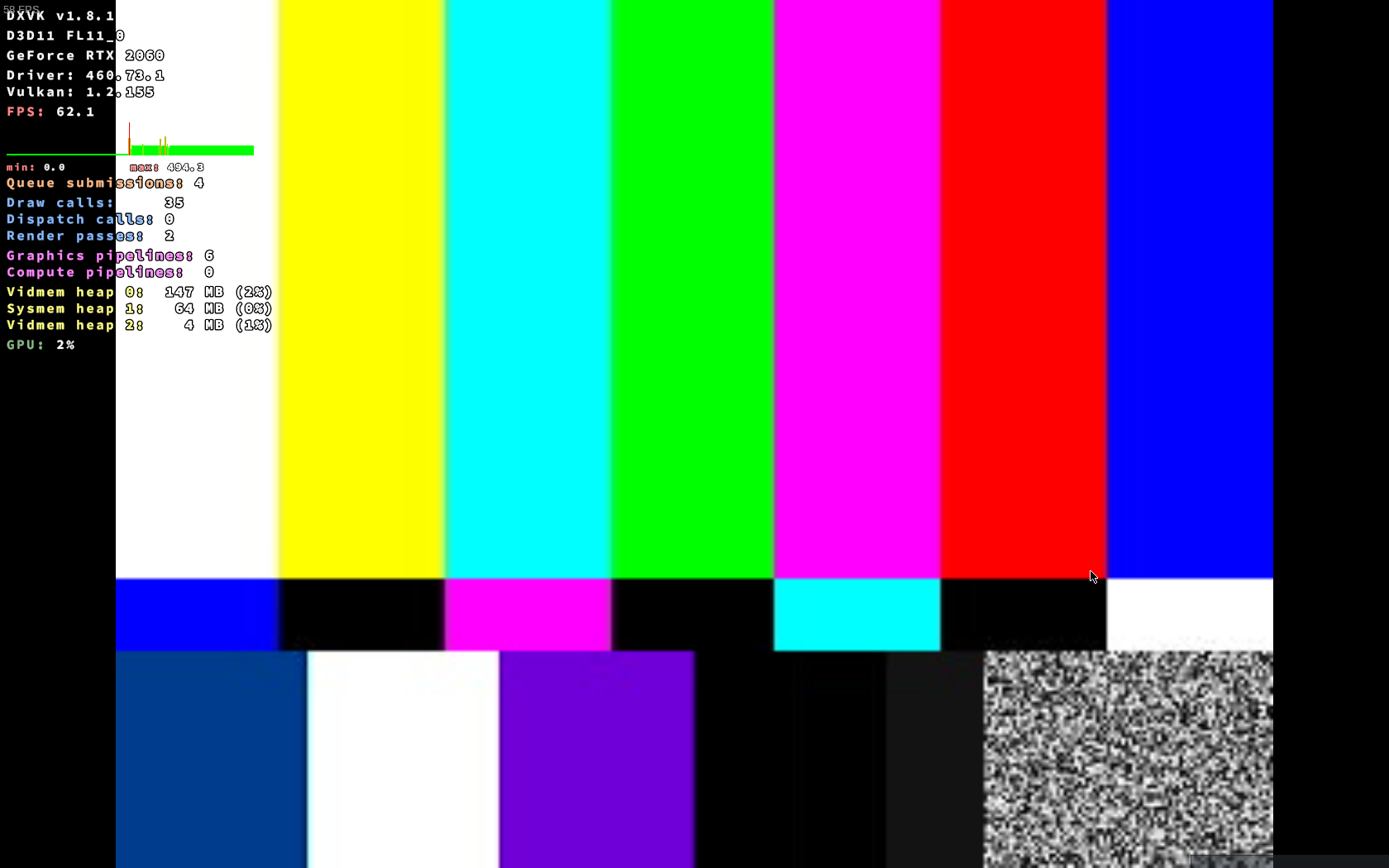
Hello @Frontrider, did you give https://github.com/ValveSoftware/Proton/issues/284#issuecomment-814450435 a try?
Hello @Frontrider, did you give [#284 (comment)](https://github.com/ValveSoftware/Proton/issues/284#issuecomment-814450435) a try?
With each available proton version coming from steam, and with the last 3 proton-ge versions. Doing that, makes me go to the black screen I have otherwise by default. I still get that after a few seconds.
The maximum amount of rendering I managed to squeeze out of it:
I think all UE4 games give this screen for mf content when it doesn't load correctly. I sometimes get same screen on other UE4 games like Mortal 2.
I guess I'll bite the dust and try getting a windows partition up and running.
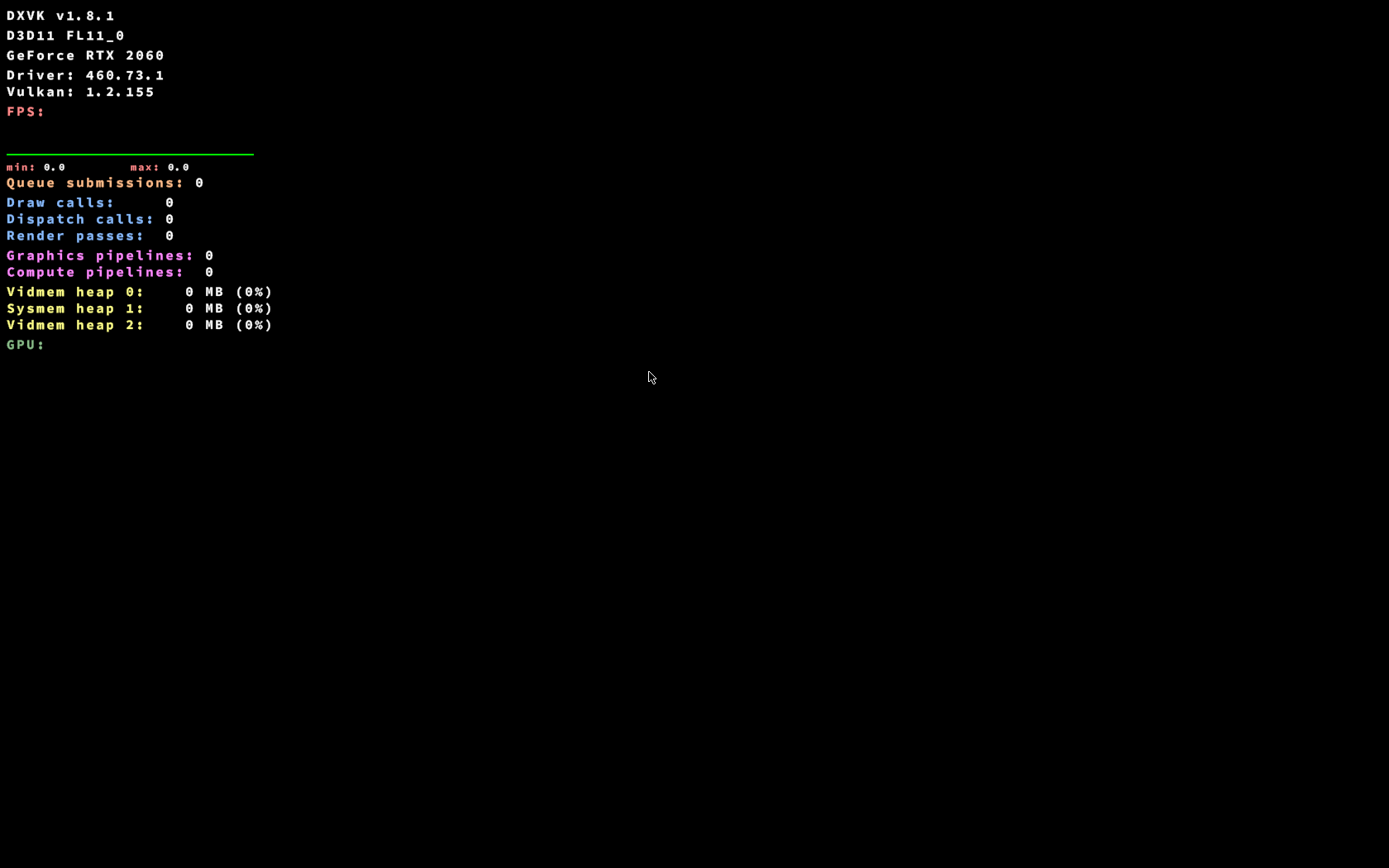
Any proton under 4.2 runs the game instead of a black screen but they will fail to connect to steam.
Proton 6 has been working perfect with DRG, you need to apply the mfplay workaround that's all.
WINEDLLOVERRIDES="mfplay.dll=d" %command% -nosplash
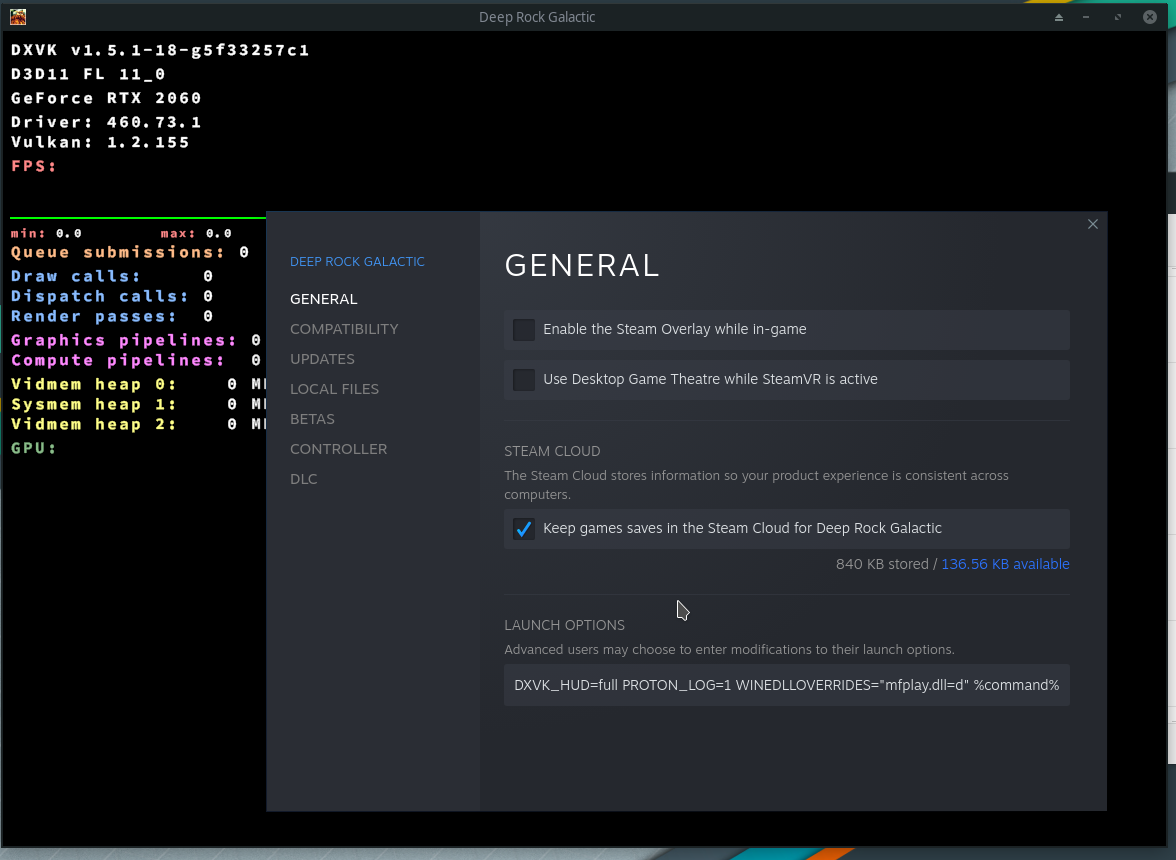
Reset you game prefix then, start fresh:
delete (or rename for safe keeping) the folder ~/.local/share/Steam/steamapps/compatdata/548430/
then start Steam and try if the game works. It should.
I think my only mistake is not making a mark somewhere every single time I tried doing what you said. (this is not intended to be a an attack)
If the extremely basic stuff worked, I would not be here. :/
I suggest the obvious, I'm not you so I can't know everything you know and/or you tried.
What if you use the steam startup parameter I suggested?
//EDIT: also verify your Proton and Soldier files in Steam, if it downloads something then reset the prefix.
Also be aware if games or steam files are on NTFS partition then problems can occur in rare instances, as I discovered with Star Citizen recently, the only game that hates running from NTFS (even when configured correctly).
I also run Xanmod kernel 5.11.xx for manjaro (its in the AUR I think), doubt that's the issue. Just trying to find differences between my setup, but I run Mesa-dev with a 6800XT which isn't helpful for helping out people with NVIDIA cards. (I use to run a 1080TI)
I would suggest using protons debug feature and getting a log file to happen, and even running steam via terminal with some debug output so you can monitor in real time whats going on. Compare to proton-GE which you say works, see if there is any clues.
Let's see if I can remember what I tried on 2 different computers:
- force d3d, PROTON_USE_WINED3D11=1
- disable esync, and fsync separately and together
- DXVK_FILTER_DEVICE_NAMES=GeForce (nvidia card, did not expect any results as the same happened with an amd card as well)
- protontricks install/update dxvk, and network drivers
- dxgi.nvapiHack = False inside dxvk.conf
- a variety of different settings I found on other unreal engine 4 games I can no longer recall.
- clear the prefix/the game at least ~50 times in the last 2 months
Copying the c drive of a different prefix into what drg has, actually removed the 0-s from the last picture, and it shows 60fps black screen now.
I'm putting my bets on this bug.
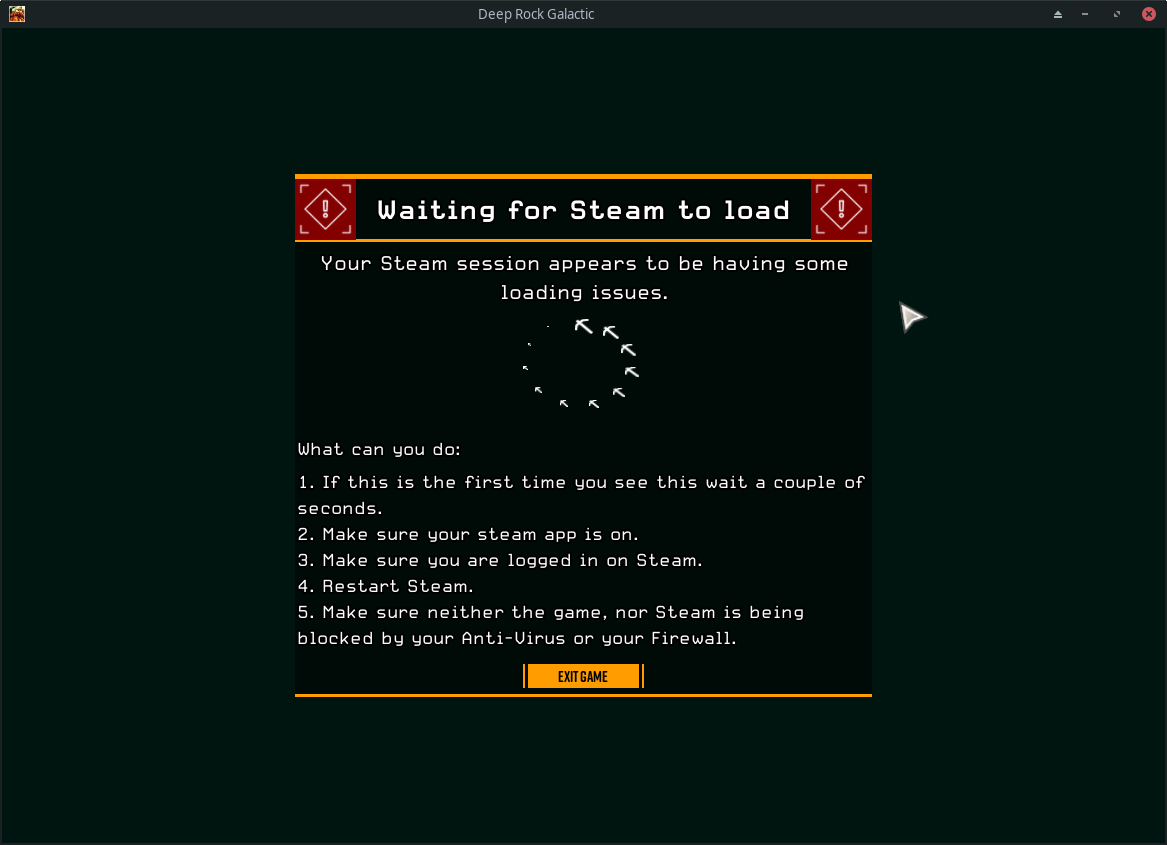
https://ghostshipgames.atlassian.net/browse/DRG-2907
The bug it is, if old proton runs the game as administrator that reproduces the "waiting for steam to load" screen that windows users seem to be getting.
Try to see if there is a way to invoke DX12 mode (UE4 has a -dx12 option or something but not all games allow arguments).
Game does DX11 as default but has DX12.
Going to be that bug, because I can easily get this out of it (-dx11, does nothing, the game detects that I do not have dx12):
Try to reset your Steam then?
steam --reset
You might want to backup things like screenshots maybe, not sure if it keeps them (for sure games will be kept)
Try to reset your Steam then?
steam --resetYou might want to backup things like screenshots maybe, not sure if it keeps them (for sure games will be kept)
Was hoping but no.
Noticed that Vulkan was using internal GPU instead of dedicated one. After filtering vulkan to use dedicated GPU, the game launches only to show a black screen. I am using Proton 6.3-3
Launch options:
PROTON_LOG=1 DXVK_FILTER_DEVICE_NAME="AMD" DXVK_HUD=1 WINEDLLOVERRIDES="mfplay.dll=d" %command% -dx11
Logging until I stop the game. The file became gigantic if I let the game run even for a few minutes.
steam-548430.log
The game works and runs with reduced performance when enforcing d3d with launch option PROTON_USE_WINED3D11=1
Hello @ArktinenSieni, info: Device name: : AMD Radeon RX 5700 XT info: Driver version : 2.0.184 looks like AMDVLK is being used by the game. Please test if you get the same behavior with mesa/RADV.
Hello @ArktinenSieni,
info: Device name: : AMD Radeon RX 5700 XTinfo: Driver version : 2.0.184looks like AMDVLK is being used by the game. Please test if you get the same behavior with mesa/RADV.
Thankyou for rapid response. I made Vulkan to point to the mesa-drivers, and the game seems to work flawlessly.
Now my complete launch options are following:
VK_ICD_FILENAMES="/usr/share/vulkan/icd.d/radeon_icd.i686.json:/usr/share/vulkan/icd.d/radeon_icd.x86_64.json" DXVK_HUD=1 WINEDLLOVERRIDES="mfplay.dll=d" %command% -dx11
on Navi10 with Mesa, after a period of time playing DRG, amdgpu crashes and causes my kernel crash to as well.
kernel 5.7.6.
Mesa 21.1.0
Proton 6.3-5 (Valve's official build).
due to an unrelated bug with kdump, i cannot get crash logs of this.
Hello, game still crashes after mission on load screen, whole system hangs and kernel crashes. I tried Proton 6, 5 (from Steam game settings), DX11, DX12, mfplay.dll tweak - no result. Any ideas how to fix?
Specs:
Arch linux + XMonad
GTX 1080 with drivers from nvidia paclage
It could be anything, provide at least logs so that people can look for errors, else read the whole thread and troubleshoot.
Deep Rock Galactic (548430)
Issue transferred from https://github.com/ValveSoftware/Proton/issues/4953.
@iSaluki posted on 2021-07-07T09:03:12:
Whitelist Request
- Name of the game to be whitelisted: Deep Rock Galactic
- Steam AppID of the game: 548430
System Information
- GPU: GTX 1060 6GB
- Driver/LLVM version: NVIDIA 460.80
- Distro version: Ubuntu 21.04
- Link to full system information report as Gist: https://gist.github.com/iSaluki/c874cc2cc0cd9a69609f7c7d9f281a03
- Proton version: 6.3-5
I confirm:
- [✓ ] that pressing the
Playbutton in the Steam client is sufficient. - [ ✓] that runtime config options are necessary to run the game.
- [ ✓] that no workarounds other than PROTON_* env variables are necessary.
Issues
- [ ] I haven't experienced any issues.
- [ ] There are no issues left open for this game.
- [ ✓] Although I consider the gaming experience equal to Windows there are remaining issues:
There are no issues that have any real impact on your experience, so I think that, in its current state the game is ready to be whitelisted.
The one issue that I am still experiencing is during the game loading screen. Audio stutters badly and sounds very robotic, however this resolves itself before the first interactible menu loads up. None of the actual gameplay is impacted, and this only occurs once per session for several seconds.
I can confirm a native like experience, I do not have audio issues.
Get issues with DX12 and both the current Proton Experimental (1627075293 experimental-6.3-20210723b) and Proton-6.13-GE-1. It works fine with Proton-6.10-GE-1 but in the other two I get strange pixelated artifact in places, with it being the most obvious on the character when you go into the menu (Esc). I assume this is an issue with an updated VKD3D but can't be sure.
What about the non experimental Proton, and NOT a non Valve Proton? Can't report customized Proton here this is non sense, go to their respective GitHub.
Also make sure to reset the Proton prefix when you switch version to avoid issue caused by switching versions.
Works in 6.3-5. Where would I report issues for Proton Experimental? I'm just trying to make sure the issue is known.
Hello @Rhiyo, can you be more specific with what issue you're seeing with the game and Proton Experimental?
Please add PROTON_LOG=1 %command% to the game's launch options, reproduce the issue you're seeing with Proton Experimental, and attach the generated $HOME/steam-$APPID.log to this issue report as a file. (Proton logs compress well if needed.) Also, please copy your system information from Steam (Steam -> Help -> System Information) and put it in a gist, then include a link to the gist in this issue report.
My system info and the log is attached to this post. A screenshot showing what is happening is also on this post. The large square artifacts outlining the character, these will continuously scatter around him and other objects in the game.
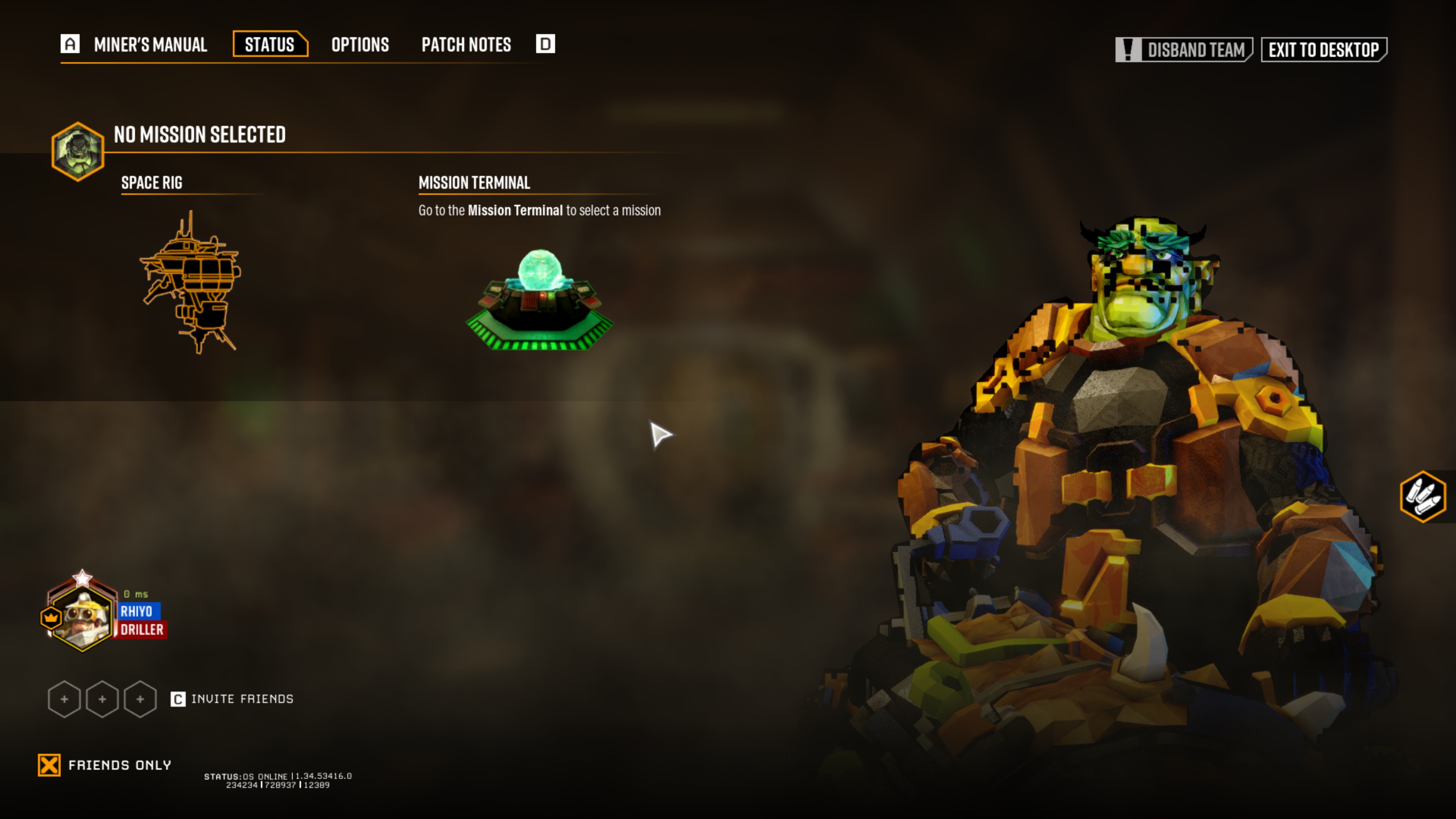
Thanks, that looks like it might be a video driver issue of some kind. Are you able to test a newer version of mesa from a PPA like oibaf or kisak-mesa?
Possibly fixed by https://gitlab.freedesktop.org/mesa/mesa/-/commit/1ea156f44c7ce8d6880217ef4d46692cc7ac0219, which should be in the oibaf PPA build, and mesa 21.1.6 when that is released.
That was it! I thought I was using kisak already anyway, but it turns out Pop OS gives it's own repositories priority so it wasn't being used and instead using an old mesa (21.0.1). Fixed that and changed to Oibaf (Mesa 21.3.0-devel) and everything is working. Thank you.
Using proton-6.3-5. Nvidia 960 with latest driver. The issue is intermittant. Some days I can get all the way through a mission. Days like today it crashed twice in 15 min. I have attached the steam log file any my system info is located at the gist below.
I have deleted and re-downloaded the game. Deleted the proton prefix and shader cache. It has been stable on some proton releases in the past but I think that the nvidia driver has more to do with this than proton. I have tried GE versions of proton and sometimes I get good results... It's just a mess. Any help would be appreciated. I enjoy this game.
Hello @cwylie08, I've heard of high system ram usage with the nVidia 470 series driver. It might be interesting to test the game's behavior with an older driver series.
Hey @kisak-valve, thanks for the feedback. I will look into downgrading my nvidia packages and kernel to see if that helps any. I will report back either way. Again thanks for the feedback.
The ALT key is stuck despite it not being pressed at all.
This is not unique to Proton, it happens on Windows as well, the problem is the game registers the key-down event, looses focus, and then never sees, or ignores the key-up event because it doesn't have focus. It's just a race condition most games don't handle very well. There's no real fix on Proton end I don't think.
I usually get this playing GTA, so I just tap alt and it fixes it.
I think I'm supposed to put this in here, apologies if it's incorrect, please correct me if I'm wrong.
I'm getting a bug where the game runs fine after loading up and getting into a mission, averaging around 60 FPS, but after the mission completes the frame rate drops to 10-20 FPS as soon as the lobby area reloads and it stays that way. The issue doesn't seem to be related to CPU or GPU temperature, both are within normal ranges and it doesn't seem to matter how long the missions is, 2 minutes or 20 performance is good until you're back in the lobby.
Not sure if it's related, but changing the graphics sliders also crashes the frame rate and requires the game to be restarted to restore performance.
Here's a Proton Experimental log of a game where I entered and exited a mission right away to trigger the bug and then exited.
steam-548430.log
Steam System Info: https://gist.github.com/Atrixium/6050e257b9b4d992bdc278dfa02df5c0
The issue is present on the Nvidia 460 and 470 driver versions, and I tested on Proton 5.13-6, 6.3-6 and Experimental
I'll happily provide any other needed info!
In the game settings you can enable or disable DirectX 12, did you try that? I didn't play the game for a long time and there was a recent update so it may be related too. Game used to work properly before. Will try to play it in the next days to see if I can reproduce your issue.
Hello @Atrixium, not specific to this game, but as a generalization, you've described what can happen when a video card runs out of vram and the video driver pushes something in the hot path to system ram. After entering the quirk state, it would be interesting to monitor PCIe Bandwidth Utilization in nVidia's X settings utility. If the driver moved something to system ram, then that should spike to close to 100% utilization while giving you the compromized framerate.
Thanks for the feedback!
@Zorrototo I tried DX12 mode and all I got was a black screen, I could hear the game was running but nothing was being displayed and I had to force close it.
@kisak-valve
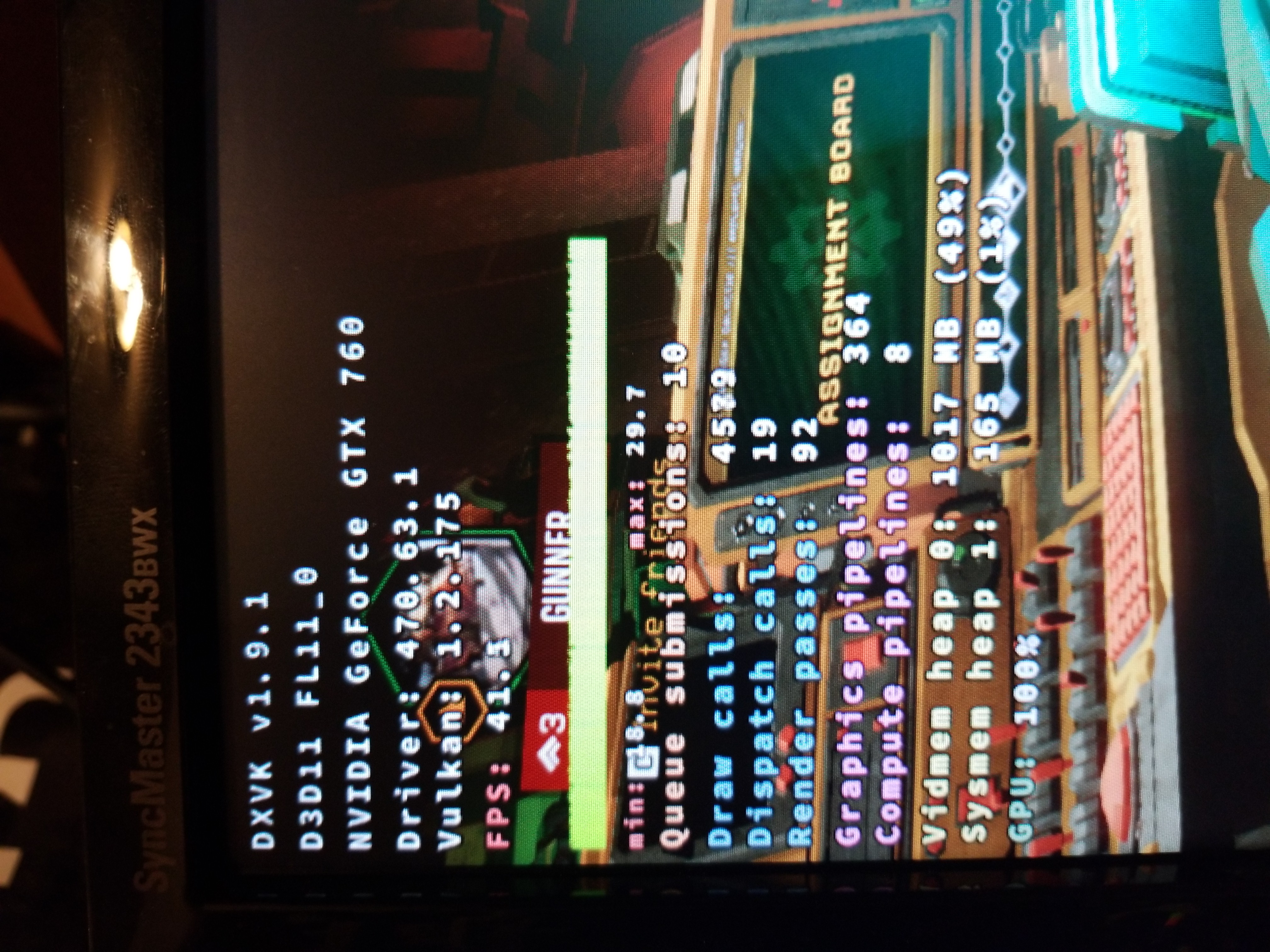
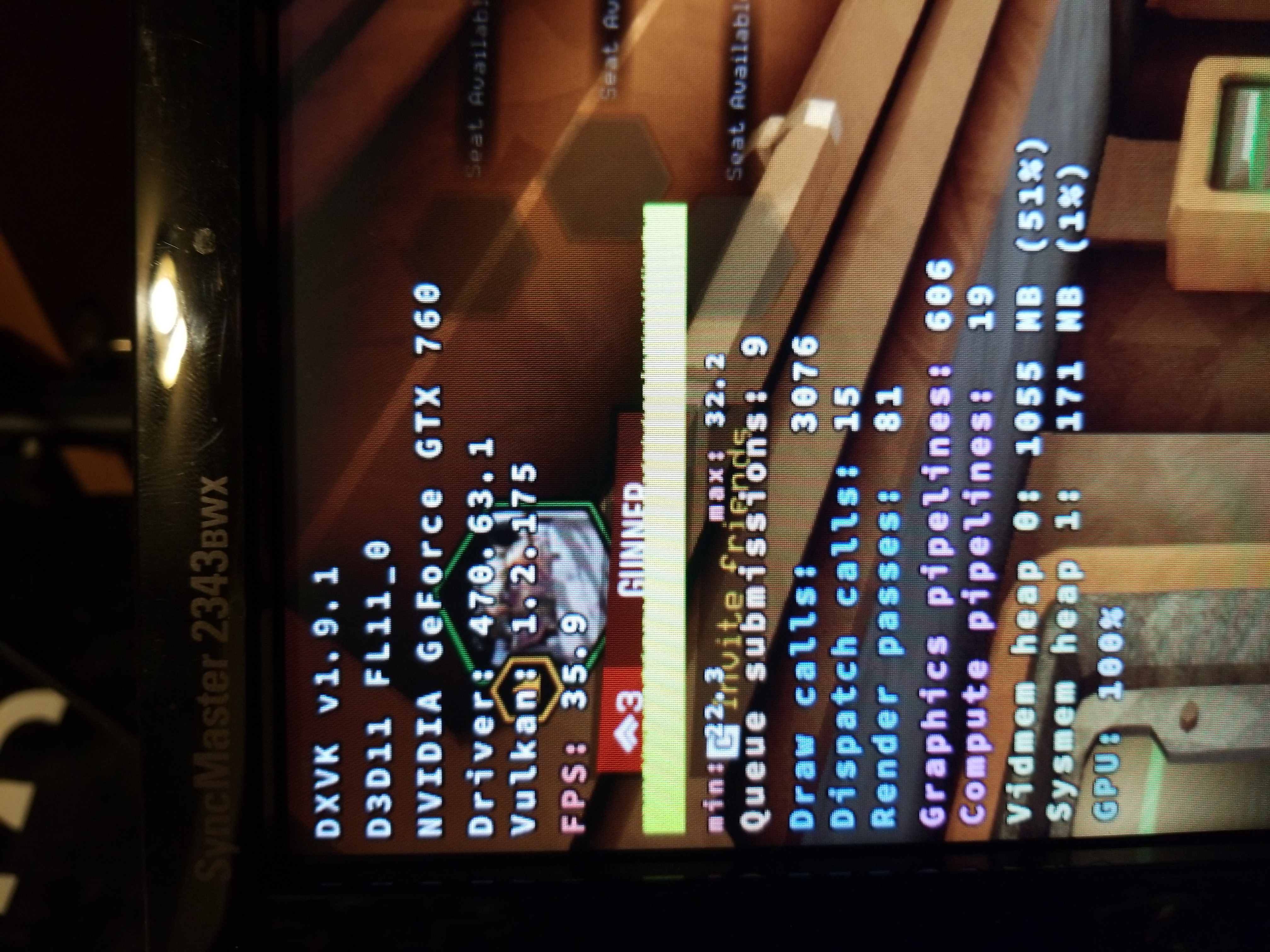
I forgot to mention I ran it a few times with DXVK HUD enabled for troubleshooting and it was reporting the following:
Before the event:
vidmem heap 0: 1017MB (49%)
sysmem heap 1: 165 MB (1%)
GPU: 100%
After the event:
vidmem heap 0: 1055MB (51%)
sysmem heap 1: 171 MB (1%)
GPU: 100%
My GTX 760 has 2048 MB of VRAM so it doesn't seem like it ran out, but maybe DXVK isn't telling me everything.
I've attached the original pictures of the HUD here as well:
I will try again with the Nvidia utility open and report back what I find.
Edit
@kisak-valve you were right on the money, I just ran it again and monitored the Nvidia settings utility
Before:
User Dedicated Memory: 99% (1970MB)
PCIe bandwidth: 7%
After:
User Dedicated Memory: 100% (1984MB)
PCIe bandwidth: 70%
Interestingly, this happens regardless of the texture quality setting. Is there anything I can do here or is this just a case of not enough hardware? Minimum spec for the game is 1GB of VRAM so I suspect there's something going on with the DXVK translation that's causing excessive overhead, especially since it seems to think it's only using ~50% of my VRAM.
I played three games in a row without issues on my side, but I have a 6GB video card.
The driver you're using has a known memory leak issue (fixed in 470.74), but it should be related to DX12 only so I don't know.
I did some more testing and the issue doesn't present in WINED3D mode, only DXVK; in WINED3D mode my VRAM utilization never got over 80%, though the image quality was awful and the performance was maybe 40 FPS at best.
@Zorrototo I'll try upgrading to Nvidia 470.74 when I get an opportunity and see if that changes anything, I'll report back.
edit
No luck, exact same performance and issue with 470.74, I don't think DXVK likes cards with less than 4GB of VRAM. I have a GTX 960 coming with 4GB of VRAM that I can test out, not exactly apples to apples since it's a different generation, but it should still be interesting to see what it does with VRAM consumption.
So after testing a few different nvidia driver versions I am still seeing the same crash randomly. I have a nvidia 960 with 4gb of memory. The memory use never goes over 55 % used on the card according nvidia-smi dmon. I am seeing errors though or what I "think" are errors that could be causing the crash. Along the lines of
Warning: SlateD3DShaders::CompileShader() - D3DCompilerFunc Result: DXGI_ERROR_80004005 [80004005]\r\n
LogStandaloneRenderer: Warning: GammaCorrectionCommon.hlsl:6:11: error: syntax error, unexpected NEW_IDENTIFIER\n Result: DXGI_ERROR_80004005 [80004005]\r\n"
ERROR:angle_platform_impl.cc(36)] rx::SwapChain11::resetOffscreenColorBuffer(278): Could not get offscreen texture shared handle, HRESULT: 0x80004001\n
I have attached logs and info below.
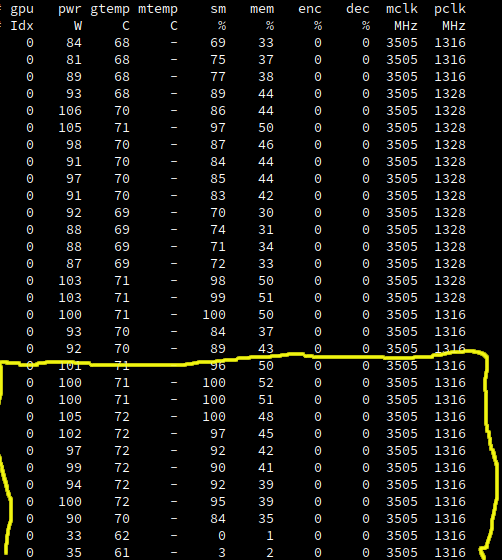
The attached image is of the smi log the yellow shows the status of the card up to the last moments before the freeze and crash.
Any assistance would greatly appreciated as I believe my machine is more that capable of running this game.
Hi all,
I'm getting an occasional stack overflow when play DRG which seems to cause the main game thread to freeze. The game then hangs for about 2 minutes and then crashes. It happens once every 10 hours I'd guess. I'm using Proton 6.3-7 and the launch options I'm using are strangle 112 PROTON_LOG=1 %command%.
Here's my system information. Here's a trimmed proton log around the exception from the crash (search for "stack overflow") and here's a log of the first 500 lines. The original was about 370mb so I couldn't upload it.
Hi everyone,
I need help with understanding of the errors and freezes with the following crashing in DRG. I've tried using different Proton versions, as well as few latest Glorious Eggroll versions, however, the problem still exists. Basically, at some random moment of the game, my game freezes and automatically closes without any error notification. I've tried to check the errors in my Steam Log, but I didn't find any particular information on my problem. Can you help me understand what the issue is if you have a spare minute? Thank you so much in advance.
Here's my system info
I have Nvidia Geforce GTX1060 6GB
And that's the log of the game
I'm a newbie and apologize if I've missed some important information. Please guide me a little if you see some obvious mistakes here.
How do you run the game? I see you have dual GPU system so make sure to run the game on the Nvidia card. It seems you are using the Nvidia card but how is it using the card by default, as I also see you don't seem to force the video card in startup options (but I see the Large Address Memory Proton switch is used, did you add it?)
Hi Zorrototo!
Thank you so much for quick response. I'm sure that my Nvidia card is used when I run the games, I've used Proton for many other games and they're working fine, just seldom getting similar freezes as in DRG (They happen once in 10-15 hours of gameplay). As for how it's working, I honestly don't remember it very clearly, I just remember that I somehow managed to set it in the terminal of Ubuntu 20.04 :D (I know that's terrible answer, I'll try to check what I've done. I did it because I had some problems on the initial setup of Steam and Proton on my laptop). I defenitely don't remember adding Large Address Memory Proton switch, so I'm pretty sure I didn't do it.
Do you think the problem lays somewhere there? Would you recommend me reinstall Nvidia drivers and Steam along with Proton to solve this problem?
Thank you for you time.
I can't recommend what to do as I don't know Ubuntu well, I didn't use this driver version you currently use (I have a more recent driver, I know a previous version had memory leak issue with DirectX 12), and I don't think reinstalling Proton would do anything (you can still force files verification in Steam for Proton, in your Library enable showing Tools, and right click on Proton and Steam Soldier, click on Properties, Local Files, and then click Verify Integrity. You can also do that for the game).
Check the resources usage maybe your system memory, or the video card memory, is getting full for whatever reason and when it is, it may crash the game. I mean in 10 to 15 hours in one gaming session this could be possible.
For the Large Address Awareness setting if you didn't add it, probably Proton is adding it automatically to all games now.
I think I've confused you a bit, I meant that freezes happen once in 10-15 hours of gameplay in other games, while in DRG they may happen even every 10 minutes, what makes it quite difficult to play and enjoy the game.
I've tried verifying files integrity before, and all files were successfully validated. I'll try checking my video card memory then.
Thanks a lot for looking into my issue.
I don't know then I play without issue with same card. Do you start the game with Directx11 or Directx12 (when launched from Library it asks you)? Try the other one. Also try resetting video settings in game. I can crash the game easily by pressing Enter key on my side (it thinks I pressed ALT-ENTER and tries to window the game out of fullscreen, and crashes), if there is this 'bug' where game thinks the ALT key is pressed (happens when you ALT-TAB out of the game, you need to press ALT once in game to avoid the issue). Try fullscreen/borderless see if one works.
//EDIT: Now that I think of it, I had an issue like that before, if before starting the game I disabled my second monitor, then the game would randomly crash. Now if I disable my second monitor I restart to make sure it doesn't randomly crash. Game is pretty stable on my side. Do you have multiple monitors enabled?
I've just tried playing with fullscreen, and I managed to play around an hour or so, however, the game crashed again. I usually play on Directx11, I tried using Directx12 but the result was pretty same. Maybe there's an issue with the ALT button, I'll check that suggestion. Also I'll try resetting video settings. I keep watching my log after each crash, and every time I see this error ([644]LogStandaloneRenderer: Warning: SlateD3DShaders::CompileShader() - D3DCompilerFunc Result: DXGI_ERROR_80004005 [80004005]\r\n"), but I didn't find any info on the origin of this error and what to do with it.
I'm playing on my laptop, don't have the second monitor and never connected one at the time of playing.
I don't know what the issue is. Something I also have enabled in Steam Settings is the Shader Pre Caching, but beware, it will use bandwidth to regularly download shaders for your game (so if you have a ton installed it can get problematic if you have low bandwidth), and use CPU to compile them in the background (if you enable this setting, which I do), or have you wait before your game start to compile shaders if you don't enable background shader processing (and depending on the game and your CPU, it can be along time, hence why I enable background processing of shaders).
Oh, I didn't know about that function. I'll try that as well. For now my bandwith is pretty good, I'll give this a shot. Thank you.
Anyone else has the issue where the game goes from ~80 fps to ~30 average whenever i go into menu and back?
Arch - Nvidia - Proton 6.3
Anyone else has the issue where the game goes from ~80 fps to ~30 average whenever i go into menu and back? Arch - Nvidia - Proton 6.3
My goes from 60 fps to 30 fpm(frames per minute) after opening menu Dx11/12.
Manjaro - AMD(amdgpu-experimental) - Proton experimental - i5 760 - R9 270x
i am also seeing significant performance issues. Proton 6.3 AMD Navi10 MESA 21.2.1
Hello @mathew2214, mesa 21.2.1 has an on-disk shader cache bug which was fixed in 21.2.2. Please update mesa.
still having severe underperformance with proton 6.3. Navi10 MESA 21.2.5. Linux 5.14-Xanmod.
as of Proton 6.3-8, the game is no longer playable. just a black screen.
proton log:
https://gist.github.com/mathew2214/eb98b05e2d42ef768e575323cf3dd598
the problem seems to be:
Could not get offscreen texture shared handle, HRESULT: 0x80004001\n"
4507.001:02cc:02d0:trace:seh:call_vectored_handlers calling handler at 0000000359145F10 code=40010006 flags=0
Everything OK here.
https://gist.github.com/Zorrototo/7c7f4d808e562fd7bc68ffc18f3e27f5
how careless of me to forget system info.
https://gist.github.com/mathew2214/fb4da214f7fcba504cf8bf149aefbc5f
I just noticed, did you try with a non beta kernel?
reverting to an official kernel makes it work again.
Hello @mathew2214, can you test if the newer kernel and having the game's launch options set to PROTON_NO_FSYNC=1 %command% is a working configuration?
yes! that seems to allow it to run fine.
Game runs pretty well on DX11, there's a lot of random lag spikes in game when using DX12.
The game has been working perfectly in the past, but since a few days ago, the games doesn't start anymore. I think there was a small game update, but I'm not sure what caused it.
I can run other games via steam perfectly (Doom 2016, Borderlands 3, others), but DRG is failing. I'm not even getting a title screen, and the steam interface is saying that the game is running. Starting steam in the console and subsequently the game looks similar to other games, except for this:
munmap_chunk(): invalid pointer
Any idea?
I'm on Arch Linux, RX6900XT, mesa-21.3.1-1, kernel-5.15.10.
I just tested, works for me. Fedora 35, RX 6800 XT, mesa 21.3.2, kernel 5.15.8-200, running the game in DX11 mode, tested with both Proton Experimental and 6.3-8.
@1player Thanks for testing! I will try to see what the problem is, although I have no idea where to start... Anyway, thanks for the fast reply!
@t1nux I've had a similar problem before on a previous install of Kubuntu (using an RTX 2070 and an Ryzen 5 1600). I found it would work one in every 10 or so attempts but never found the cause unfortunately. When I switched distros to Void, it worked fine. This generally indicates that something that's persistent (configuration, dependencies, caches etc.) is causing the breakage. I don't suggest moving to another distro or even reinstalling unless you have to.
If you can provide the log file, I can have a bit of a look for you when I get some time (and maybe others can too). It will also help if someone from Valve takes a look.
Uninstalling and reinstalling the game in steam did the trick. If find this strange, since I did the "verify local files" several times, but hey, now it's working. Thanks everyone.
Possible that uninstalling the game removes the Proton prefix too, which would probably fix most Proton related issues.
Game randomly freezes and I have to kill it and all proton processes to get back to system. No idea if it's proton or game issue. I keep getting same error:
python3.9[26191]: segfault at 68 ip 00007f1e527baa5c sp 00007ffe7bf729a0 error 4 in radeonsi_dri.so[7f1e51d68000+1799000]
sysinfo:
https://gist.github.com/f1ow03/7fb9b73c1a6a138e27cf7cb848db171d
Hello @f1ow03, radeonsi_dri.so is part of your video driver, not the game. Mesa 21.2.6 has reached its end of life, so it would be good to test a newer version of mesa. If the same issue happens with a current point release, then report the issue to the mesa developers.
The game doesn't play videos anymore by the way. Intro video or in game in the starting room the character/class selection computer show the video-test pattern. Proton 6.3
The game doesn't play videos anymore by the way. Intro video or in game in the starting room the character/class selection computer show the video-test pattern. Proton 6.3
Oh right, I've seen the video test pattern as well. Did you try with Proton-GE? I seem to remember there are issues with some video codecs on the standard Proton that should be fine with the Glorious-Eggroll version.
In any case, there's just an initial cutscene, so gameplay isn't affected that much.
Proton GE works but I report official Proton issue. Yes there is only an intro video, and in menu here and there, you have video playing too like in the character selection menu.
seem to remember there are issues with some video codecs on the standard Proton that should be fine with the Glorious-Eggroll version.
yes the GE versions probably do fix it but the issue is that this is a regression as Valve had the videos working perfectly until last week
Did the latest patch to remove Christmas event break the game for anyone else?
Did the latest patch to remove Christmas event break the game for anyone else?
No, not at all. Other than the recently mentioned video regression nothing has changed when they removed the event. I have four or five hours in the game since then and haven't noticed any issues new issues whatsoever.
Possibly try verifying the game files and deleting the prefix.
my game hangs on loading screen (that I didn't even know existed before now), I recently upgraded to kernel 5.15.12, and had some file system issues.
I tried turning off FSYNC, reinstalled all of the game, deleted compatdata, nothing in the proton log, or the game logs.
Could be your Proton builds or Steam Soldier Runtimes corrupted or installed in wrong place. (they pretty picky about install location sometimes)
i think latest experimental proton fixed issue with non-functional video playback?
Aand it's again generic blank videos instead of real ones
Deep Rock Galactic / 548430. Fails to start. Failed to load ThirdParty.
Issue transferred from https://github.com/ValveSoftware/Proton/issues/5532.
@MainDallasCL posted on 2022-01-31T22:35:55:
Compatibility Report
- Deep Rock Galactic
- Steam ID: 548430
System Information
- AMD R9 390x / Hawaii Pro / GCN 2.0
- Drivers: llvm 13.0.0-6, mesa 21.3.5-1, vulkan-radeon 21.3.5-1, xf86-video-amdgpu 21.0.0-2
- Kernel version: 5.16.4-arch1-1 (Tried zen as well, same thing)
- Link to full system information report as Gist: here
- Proton version: Tried every single one, with through reinstalls
- Proton logs: here
- Using 2x SSD RAID 0 using MDADM for root partition. Steamlibrary resides on a HDD with NTFS that is properly mounted.
I confirm:
- [ ] that I haven't found an existing compatibility report for this game.
- [x] that I have checked whether there are updates for my system available.
Symptoms
Installs, creates a Windows sub-directory, prepares it for the game, then tries really hard to do anything but crash.
Then crashes.
Reproduction
Reinstall the game.
Additional information
Logs are talking about:
LogWindows: Failed to load '../../../Engine/Binaries/ThirdParty/PhysX3/Win64/VS2015/APEXFramework_x64.dll
And many more .dll files from the same directory. Those fail right before:
LogCore: Engine exit requested (reason: EngineExit() was called)
It seems that the physics engine is unable to load up since the files seem to be missing, so calls the game to shut down. Even though all the other files are clearly loading up as expected.
Yes, the files are indeed where they should be when I checked for them.
And yes, I did reinstall/verify the game.
Every other game using Proton/Vulkan works happily and well.
I have uninstalled this game a week ago, yet reinstalled when the update dropped, which wasn't supposed to change much.
Replying to https://github.com/ValveSoftware/Proton/issues/284#issuecomment-1026300730
Fixed. The problem was simply bad luck with updates. System auto-updated a completely unrelated package, and now everything works perfectly well.
Lesson learned, will never update again.
DRG has a peculiar problem where sometimes the game freezes in a mission. These freezes force you to manually shut down the game. When reconnecting to the same server, the game keeps crashing until you get back to the space station. The freezes will not happen again until something specific in the mission causes it to freeze again and they happen less in than 1/10 of the missions I've done.
steam-548430-freeze.zip
If you trim the log file of everything other then Warn/Warning/Err/Error: etc then maybe it will give some insight.
Looked like it was having some issues reading certain files or something. Did you verify the gamefiles? does it happen to be running off a NTFS partition? ... (you can also try deleting the game and reinstalling it)
(you can also try deleting the game and reinstalling it)
Verifying the game files pretty much does the same thing. However deleting/recreating the prefix could fix issues. Also using a LTS kernel and/or a stable version of Proton can change things.
Verifying the game files pretty much does the same thing.
I've done a verify before and still had corrupt files. Its not perfect it seems.
You probably see a very small download aren't you? this is common in some games, it can download tiny files but that doesn't mean you have corrupted files, and if you really have corrupted file often in your game there might be another deeper issue in my opinion.
The freeze happened after verifying game files. I'm going to try deleting compatdata next
EDIT: That didn't help either.
I left the game to exit on it's own and the proton log spat out something new like 9330.347:0130:0134:trace:loaddll:build_module Loaded L"C:\\windows\\system32\\api-ms-win-appmodel-runtime-l1-1-2.dll" at 0000000205950000: builtin at the moment of it exited. Don't know if this is useful but I'll dump this anyways
steam-548430.zip
Probably this:
err:   DxvkSubmissionQueue: Failed to sync fence: VK_ERROR_DEVICE_LOST
err:   DxvkDevice: waitForIdle: Operation failed
err:   DxvkSubmissionQueue: Failed to sync fence: VK_ERROR_DEVICE_LOST
err:   DxvkDevice: waitForIdle: Operation failed
err:   DxvkSubmissionQueue: Failed to sync fence: VK_ERROR_DEVICE_LOST
err:   DxvkDevice: waitForIdle: Operation failed
err:   DxvkSubmissionQueue: Failed to sync fence: VK_ERROR_DEVICE_LOST
err:   DxvkSubmissionQueue: Command submission failed: VK_ERROR_DEVICE_LOST
9187.561:0140:0144:warn:seh:OutputDebugStringA "[2022.02.22-04.24.41:724][888]LogD3D11RHI: Timed out while waiting for GPU to catch up. (0.5 s) (ErrorCode 00000001)\r\n"
Try to run the game in DX12 mode if possible for test.
Also monitor your temperature. Try other kernel if possible (linux-lts for kernel 5.15 on Arch).
steam-548430_1.zip
Here's DX12 with the same problem. Didn't notice any abnormal temps.
Maybe provide your system info too. Any overclock?
Hi everyone. I have a weird issue here. Seems like the game is working normally for everyone but it isn't working at all for me. It doesn't even launch using any of Steam's Proton versions (all the way up the the latest 7.0-1. And Custom Proton (GloriousEggRoll) launches the game but I get stuck at the loading screen, the game freezes then crashes.
I'm on Kubuntu 20.04 LTS and the game is installed in my /home directory.
If there's any further info you need to know or any logs, please let me know.
Thank you.
Do the basics, verify the game files through Steam in the game properties, delete the prefix located at ~/.local/share/Steam/steamapps/compatdata/548430/, provide full system info and relevant logs in a separate gist for each one (info from command inxi --admin --verbosity=7 --filter --width for example, anf after verifying/cleaning the game files/prefix, start the game to generate the crash if it still crashes, and give the Proton log, the game log, everything else you can think is relevant information too).
With that it would give a start for everyone to asses your issue.
EDIT: To generate a Proton log, add PROTON_LOG=1 %command% to the game's launch options, start the game, close or crash it, and put the generated ~/steam-548430.log in a gist. The game log is located at ~/.local/share/Steam/steamapps/common/Deep Rock Galactic/FSD/Saved/Logs/FSD.log put it also in a separate gist.
EDIT2: You can also verify the files for Steam Runtime Soldiers in your library -> Tools (not listed in the Games)
it actually worked when I stopped running Steam through Split tunneling from my VPN. Weird.
Also only worked on GE-7.2. Didn't work on Standard Proton.
Thank you for the help.
I have two issues with Deep Rock Galactic, currently. I seem to have similar issue with @Managor lately: the game would freeze and then crash after playing a couple of missions. I don't have overclock (but I do have coolbits set to 12 to adjust fan speed and enabled maximum performance mode in nvidia-settings).
I could not find a workaround, and I'm not sure why this is happening. I did a fresh reinstall of the game (and the OS itself) and yet the issue persists. I'm on Arch Linux with zen kernel with proprietary NVIDIA drivers. I tried several commands such as gamemode, disable ESYNC, to no avail. The FPS is fine, however, and the issue only happens after a few missions, and rarely, the game would also crash when I open Steam overlay.
Another issue is the game does not render the graphics or screen when I launch it with DX12 through Steam. The game runs fine with audio working, but the whole screen is either black or green, and it even flickers at times. Using mangohud indicates that the game runs in VKD3D or Vulkan, and I have vulkan and other dependencies installed, but still the graphics won't work. I tried to load vulkan driver manually, but it gave me wine error, saying my system does not support DX12, even though it does.
These issue never occur on Windows, so does anyone know what's the cause of these issues? And according to reports in ProtonDB, it looks like I'm not the only one with this issue.
Any help would be appreciated, especially regarding DX12.
I recently did a pure fresh install of Arch and I no longer encounter these freezes.
@Managor. I did that too yesterday. I'll try testing again, but would you mind telling me what launch options and Proton version you use, and do you use coolbits option for your GPU? (assuming you use NVIDIA)
I'm having the same freezing issue. GTX 1070, 8700k, 510.54 NVIDIA driver and Linux kernel 5.16.11 on Pop os 21.10.
I'm on proton 7.2-GE-2, might try experimental or official and see if that helps. Only tested DX11 because DX12 with vkd3d is slow on my generation of video card.
Journalctl shows that NVIDIA is throwing an "EXTRA_ MACRO_DATA" exception.
Temperatures are normal, never above 70 degrees celcius, tried verifying game files but there seems to be no rhyme or reason as to why it freezes. Sometimes it happens during a mission, sometimes when just browsing servers or looking at cosmetics.
I'll try and get a log but as i said it's hard to reproduce.
I switched to Proton Experimental from GE, and there were no crashes nor freezes whatsoever. I did a deep dive run multiplayer, and it went smooth. But then I reinstalled Arch again, and the game itself, so I couldn't exactly determine what caused those issues.
I believe it's Proton-GE, though, since the game froze when it tried to install mods with it after I reinstalled the game, but then the freezes went away when I switched back to Experimental
However, I still have the DX12 issue. I tried both Native and Flatpak versions of Steam, but the game still won't render the graphics with DX12. Does anyone know if this is missing dependencies or hardware-related issue? I have 750Ti so it could be driver related, but I'm not certain.
@zensei-n7 I am unable to say. I've always used Proton Experimental. Maybe it has something to do with the fact that I turned off DXVK_HUD=full and mangohud when reinstalling but I have yet to test if turning them back on causes any more freezes.
@zensei-n7 @Managor
I also switched from GE to experimental and i also turned off mangohud.
Since then i've experienced no freezes, played for about 4 hours straight yesterday.
Played some matches on and off today, no freezes.
I'm starting to think maybe mangohud was causing this? It happened to me with World War Z: Aftermath before.
Mangohud would freeze the game on startup seemingly at random, disabling it caused WWZ to work properly again.
It has to be either mangohud or GE that is causing it.
Let's hope it's fixed now, if i get anymore freezes i'll update my post with a relevant log.
I did not have Mangohud, but the freeze remained persistent before switching to Experimental, so I believe it is related to Proton.
------- Original Message -------
On Friday, March 11th, 2022 at 2:18 AM, plastic-fork @.***> wrote:
@.(https://github.com/zensei-n7) @.(https://github.com/Managor)
I also switched from GE to experimental and i also turned off mangohud.
Since then i've experienced no freezes, played for about 4 hours straight yesterday.
Played some matches on and off today, no freezes.
I'm starting to think maybe mangohud was causing this? It happened to me with World War Z: Aftermath before.
Mangohud would freeze the game on startup seemingly at random, disabling it caused WWZ to work properly again.It has to be either mangohud or GE that is causing it,
Let's hope it's fixed now, if i get anymore freezes i'll update my post with a relevant log.—
Reply to this email directly, view it on GitHub, or unsubscribe.
Triage notifications on the go with GitHub Mobile for iOS or Android.
You are receiving this because you were mentioned.Message ID: @.***>
I'm fairly certain my freezes were caused by mangohud. I re-enabled it today and was able to get another freeze
My suspicion leads towards Proton version or might be because I did a fresh install of the game. I played with Proton Experimental in Elite Deep Dive earlier--no crashes at all. There were some stutters on the loading, which is likely expected.
Also, I like to note that, while mods can work in this game, installing it for the first time may freeze or break the game. They do work after, though, just not a smooth installation.
I just use -disablemodding launch option to disable them.
-------- Original Message --------
On Mar 12, 2022, 3:35 AM, Managor wrote:
I'm fairly certain my freezes were caused by mangohud. I re-enabled it today and was able to get another freeze
—
Reply to this email directly, view it on GitHub, or unsubscribe.
Triage notifications on the go with GitHub Mobile for iOS or Android.
You are receiving this because you were mentioned.Message ID: @.***>
I just got a fresh install in my ArtixLinux and I got a black screen and crash.
- my Spec
OS: Artix LinuxKERNEL: 5.16.14-247-tkg-pdsCPU: AMD Ryzen 5 3550H with Radeon Vega Mobile GfxGPU: AMD Radeon RX 560 (POLARIS11, DRM 3.44.0, 5.16.14-247-tkg-pds, LLVM 13.0.1)GPU DRIVER: 4.6 Mesa 21.3.7RAM: 16 GB
- ERROR LOG from running steam in terminal
LogD3D11RHI: Error: D3DRHI->GetFactory()->CreateSwapChain(DXGIDevice, &SwapChainDesc, SwapChain.GetInitReference()) failed
 at C:/BuildAgent/work/DRG-release/UnrealEngine/Engine/Source/Runtime/Windows/D3D11RHI/Private/Windows/WindowsD3D11Viewport.cpp:212
 with error E_INVALIDARG
Fossilize INFO: Overriding serialization path: "/home/anasr7/Games/Steam/steamapps/shadercache/548430/fozpipelinesv6/steamapprun_pipeline_cache".
LogWindows: Error: === Critical error: ===
LogWindows: Error:
LogWindows: Error: Fatal error: [File:Unknown] [Line: 258]
LogWindows: Error: D3DRHI->GetFactory()->CreateSwapChain(DXGIDevice, &SwapChainDesc, SwapChain.GetInitReference()) failed
LogWindows: Error:  at C:/BuildAgent/work/DRG-release/UnrealEngine/Engine/Source/Runtime/Windows/D3D11RHI/Private/Windows/WindowsD3D11Viewport.cpp:212
LogWindows: Error:  with error E_INVALIDARG
LogWindows: Error:
LogWindows: Error:
LogWindows: Error: [Callstack] 0x000000007b0124be kernelbase.dll!RaiseException() []
LogWindows: Error: [Callstack] 0x000000014139f866 FSD-Win64-Shipping.exe!Modio::UnsubscribeFromModAsync() []
LogWindows: Error: [Callstack] 0x00000001413a1956 FSD-Win64-Shipping.exe!Modio::UnsubscribeFromModAsync() []
LogWindows: Error: [Callstack] 0x000000014135b75d FSD-Win64-Shipping.exe!Modio::UnsubscribeFromModAsync() []
LogWindows: Error: [Callstack] 0x000000014185cfc2 FSD-Win64-Shipping.exe!Modio::UnsubscribeFromModAsync() []
LogWindows: Error: [Callstack] 0x0000000141834e4c FSD-Win64-Shipping.exe!Modio::UnsubscribeFromModAsync() []
LogWindows: Error: [Callstack] 0x0000000141851576 FSD-Win64-Shipping.exe!Modio::UnsubscribeFromModAsync() []
LogWindows: Error: [Callstack] 0x00000001423f3e04 FSD-Win64-Shipping.exe!Modio::UnsubscribeFromModAsync() []
LogWindows: Error: [Callstack] 0x000000014240c107 FSD-Win64-Shipping.exe!Modio::UnsubscribeFromModAsync() []
LogWindows: Error: [Callstack] 0x0000000141692d0c FSD-Win64-Shipping.exe!Modio::UnsubscribeFromModAsync() []
LogWindows: Error: [Callstack] 0x00000001428f7771 FSD-Win64-Shipping.exe!src_strerror() []
LogWindows: Error: [Callstack] 0x000000014213b3c4 FSD-Win64-Shipping.exe!Modio::UnsubscribeFromModAsync() []
LogWindows: Error: [Callstack] 0x00000001405f60f5 FSD-Win64-Shipping.exe!png_get_uint_16() []
LogWindows: Error: [Callstack] 0x00000001405ee636 FSD-Win64-Shipping.exe!png_get_uint_16() []
I tried everything with different proton and proton-ge like experimental, proton-7, and proton 6.3 and I'm still crashing.
I think is DXDVK Problem?
Replying to https://github.com/ValveSoftware/Proton/issues/284#issuecomment-1065948107
I think I got the problem is my monitor problem to be honest.
Hello
I played game for a while and had perfectly fine experience so far, but recently it got much worse
Basically, game feels like it didn't have shaders precompiled, which is understandable, but...
Even after couple of games, i got consistent performance drop, and it feels like almost 2x performance difference compared to before
I didn't change proton nor game settings before at all, so something either in my system or in game caused this
Can someone relate to same issue?
Archlinux, 5.16.14-arch1-1, proton exp/7.0/7.1-ge-2(originally i was using it), RX 6600 XT
Try KILLING the x11_kwin process (not disable compositing) and test again. I'm using picom with new experimental backend and unredirection due to issues with kwin. Mutter does this automatically under GNOME DE also, if you want to test that.
I use Picom on xfce and plasma, works surprising well with a few minor hickups/cfg adjustments.
KWIN imo needs a complete rewrite.
Try KILLING the x11_kwin process (not disable compositing) and test again. I'm using picom with new experimental backend and unredirection due to issues with kwin. Mutter does this automatically under GNOME DE also, if you want to test that.
I use Picom on xfce and plasma, works surprising well with a few minor hickups/cfg adjustments.
KWIN imo needs a complete rewrite.
Nothing changed, fps stays the same
I tried checking out fps in awesomewm with picom, it seems a bit higher (on max fps) but it's average is still pretty much the same, so i assume it's not related to kwin nor compositing.
I just tried launching game with dx11 (dxvk) and got signifficant uplift, from jumping 45-90 to pretty stable 70-90
before, dxvk would always be worse than vkd3d
The game is fine now with no issues with Proton Experimental. I do have KWin/KDE Plasma and always disable compositor automatically. But the fps remains smooth and well above 60fps and no freezing issues even when it's on. However, installing mods will freeze still the game for several minutes on my end. They will work after, but this never happens on Windows.
My guess is the freezes were related to my powermizer settings, which was set to adaptive and not maximum performance. Since then, I never experienced crashes or freezes, only small hiccups during loading, but this is expected.
Edit: I always run the game with DX11 (DXVK). I asked a question on Reddit about DX12 for the game since I don't seem to get an answer here, and people answered Vulkan may not support my GPU/750ti yet, so DX12 does not work for me.
I just tried launching game with dx11 (dxvk) and got signifficant uplift, from jumping 45-90 to pretty stable 70-90 before, dxvk would always be worse than vkd3d
I launched the game from flatpak steam with proton (the same one that i used for native/runtime client, game is the same too) and i got signifficant uplift in fps in vkd3d, it returned to normal fps that i had before.
I suspect this is a mesa regression...
Methodology for testings is important, without any proper testing environment all you baseless assumption over supposedly best performance, are useless. You need controlled environment to be able to test most of stuff and the rendering performance. It is possible with deep dives for example, with specific same crew/perk you can achieve somewhat proper test environment. Remember the so called "fix" for Cyberpunk game, everyone believed it, everyone was doing it, everyone was wrong eventually the settings they all changed were doing exactly NOTHING as not used in the game at all, and it was all baseless assumption because of run to run variation in results.
I don't doubt there is possible variation is specific cases, with specific hardware, with specific in game settings, but this kind of "doing this will gain you this" is most of the time just BS based on just one user assumption, when no proper real tests are done multiple times in specific closed environment.
Replying to https://github.com/ValveSoftware/Proton/issues/284#issuecomment-1072889249
It's not entirely baseless
I tried launching before using vkd3d/dxvk, various proton versions, runtime/native steam
Only thing changed that I noticed so far is having mods (in flatpak instance), even if they are all purely sounds
^ I will test if having mods affects performance or not
In any case, flatpak gives at least some stable environment for testing game
Also, in my case performance difference is quite obvious and really easy to spot. From unstable 25-75 fps in station to pretty stable 80-100 fps
Replying to https://github.com/ValveSoftware/Proton/issues/284#issuecomment-1072948070
Using mods doesnt change anything, and even using the same prefix with the same proton, flatpak steam clearly runs much better compared to native/runtime
I will investigate recent changes in mesa and try to check different versions to see if it's really a regression on it's part or it's something else
I feel a bit stupid but issues with fps may very well be a result of using amdvlk instead of radv
I had installed amdvlk system-wide (for space engineers) and i thought that i globally changed env var to override vulkan driver. Once i started using flatpak(which uses radv by default), issues are gone. Now, when i removed amdvlk (mostly accidentally), i see that DRG (in runtime steam) works pretty much the same as flatpak.
Yeah bit of a common problem with the amdvlk package taking priority over radv. I use the below package/method instead.
The game won't start for me. I'm on Proton 7.0-3, i7-1260P, Fedora 36 (also happened on 35).
Log: steam-548430.zip
System info
Computer Information:
Manufacturer: Dell Inc.
Model: 0CW9KM
Form Factor: Laptop
No Touch Input Detected
Processor Information:
CPU Vendor: GenuineIntel
CPU Brand: 12th Gen Intel(R) Core(TM) i7-1260P
CPU Family: 0x6
CPU Model: 0x9a
CPU Stepping: 0x3
CPU Type: 0x0
Speed: 4700 Mhz
16 logical processors
12 physical processors
HyperThreading: Supported
FCMOV: Supported
SSE2: Supported
SSE3: Supported
SSSE3: Supported
SSE4a: Unsupported
SSE41: Supported
SSE42: Supported
AES: Supported
AVX: Supported
AVX2: Supported
AVX512F: Unsupported
AVX512PF: Unsupported
AVX512ER: Unsupported
AVX512CD: Unsupported
AVX512VNNI: Unsupported
SHA: Supported
CMPXCHG16B: Supported
LAHF/SAHF: Supported
PrefetchW: Unsupported
Operating System Version:
Fedora Linux 36 (KDE Plasma) (64 bit)
Kernel Name: Linux
Kernel Version: 5.17.14-300.fc36.x86_64
X Server Vendor: The X.Org Foundation
X Server Release: 12014000
X Window Manager: KWin
Steam Runtime Version: steam-runtime_0.20220315.0
Video Card:
Driver: Intel Mesa Intel(R) Graphics (ADL GT2)
Driver Version: 4.6 (Compatibility Profile) Mesa 22.1.1
OpenGL Version: 4.6
Desktop Color Depth: 24 bits per pixel
Monitor Refresh Rate: 60 Hz
VendorID: 0x8086
DeviceID: 0x46a6
Revision Not Detected
Number of Monitors: 1
Number of Logical Video Cards: 1
Primary Display Resolution: 3456 x 2160
Desktop Resolution: 3456 x 2160
Primary Display Size: 11.34" x 7.09" (13.35" diag)
28.8cm x 18.0cm (33.9cm diag)
Primary VRAM Not Detected
Sound card:
Audio device: Intel Alderlake-P HDMI
Memory:
RAM: 31612 MB
VR Hardware:
VR Headset: None detected
Miscellaneous:
UI Language: English
LANG: en_AU.UTF-8
Total Hard Disk Space Available: 975121 MB
Largest Free Hard Disk Block: 909312 MB
Storage:
Number of SSDs: 0
Number of HDDs: 0
"LD_* scout runtime" information:
{
"can-write-uinput" : true,
"steam-installation" : {
"path" : "/home/alex/.local/share/Steam",
"data_path" : "/home/alex/.local/share/Steam",
"bin32_path" : "/home/alex/.local/share/Steam/ubuntu12_32",
"steamscript_path" : "/usr/bin/steam",
"steamscript_version" : "1.0.0.74",
"issues" : [
]
},
"runtime" : {
"path" : "/home/alex/.local/share/Steam/ubuntu12_32/steam-runtime",
"version" : "0.20220315.0",
"issues" : [
],
"pinned_libs_32" : {
"list" : [
"pinned_libs_32/has_pins",
"pinned_libs_32/libcurl.so.3 -> libcurl.so.4",
"pinned_libs_32/libcurl.so.4 -> $STEAM_RUNTIME/usr/lib/i386-linux-gnu/libcurl.so.4.2.0",
"pinned_libs_32/libdbus-1.so.3 -> $STEAM_RUNTIME/lib/i386-linux-gnu/libdbus-1.so.3.5.8",
"pinned_libs_32/libdbusmenu-glib.so.4 -> $STEAM_RUNTIME/usr/lib/i386-linux-gnu/libdbusmenu-glib.so.4.0.13",
"pinned_libs_32/libgtk-x11-2.0.so.0 -> $STEAM_RUNTIME/usr/lib/i386-linux-gnu/libgtk-x11-2.0.so.0.2400.10",
"pinned_libs_32/system_libcurl.so.4",
"pinned_libs_32/system_libdbus-1.so.3",
"pinned_libs_32/system_libdbusmenu-glib.so.4",
"pinned_libs_32/system_libgtk-x11-2.0.so.0"
]
},
"pinned_libs_64" : {
"list" : [
"pinned_libs_64/has_pins",
"pinned_libs_64/libGLU.so.1 -> $STEAM_RUNTIME/usr/lib/x86_64-linux-gnu/libGLU.so.1.3.08004",
"pinned_libs_64/libcurl.so.3 -> libcurl.so.4",
"pinned_libs_64/libcurl.so.4 -> $STEAM_RUNTIME/usr/lib/x86_64-linux-gnu/libcurl.so.4.2.0",
"pinned_libs_64/libdbusmenu-glib.so.4 -> $STEAM_RUNTIME/usr/lib/x86_64-linux-gnu/libdbusmenu-glib.so.4.0.13",
"pinned_libs_64/system_libGLU.so.1",
"pinned_libs_64/system_libcurl.so.4",
"pinned_libs_64/system_libdbusmenu-glib.so.4"
]
}
},
"os-release" : {
"id" : "fedora",
"name" : "Fedora Linux",
"pretty_name" : "Fedora Linux 36 (KDE Plasma)",
"version_id" : "36",
"version_codename" : "",
"variant_id" : "kde",
"variant" : "KDE Plasma"
},
"container" : {
"type" : "none"
},
"driver_environment" : [
"DISPLAY=:0",
"LD_LIBRARY_PATH=/home/alex/.local/share/Steam/ubuntu12_32:/home/alex/.local/share/Steam/ubuntu12_32/panorama:/home/alex/.local/share/Steam/ubuntu12_32/steam-runtime/pinned_libs_32:/home/alex/.local/share/Steam/ubuntu12_32/steam-runtime/pinned_libs_64:/usr/lib64/pipewire-0.3/jack:/usr/lib64/qt5-qtwebengine-freeworld:/usr/lib/wine:/usr/lib64/wine:/lib:/lib64:/home/alex/.local/share/Steam/ubuntu12_32/steam-runtime/lib/i386-linux-gnu:/home/alex/.local/share/Steam/ubuntu12_32/steam-runtime/usr/lib/i386-linux-gnu:/home/alex/.local/share/Steam/ubuntu12_32/steam-runtime/lib/x86_64-linux-gnu:/home/alex/.local/share/Steam/ubuntu12_32/steam-runtime/usr/lib/x86_64-linux-gnu:/home/alex/.local/share/Steam/ubuntu12_32/steam-runtime/lib:/home/alex/.local/share/Steam/ubuntu12_32/steam-runtime/usr/lib",
"SDL_GAMECONTROLLERCONFIG=03000000de280000ff11000001000000,Steam Virtual Gamepad,a:b0,b:b1,back:b6,dpdown:h0.4,dpleft:h0.8,dpright:h0.2,dpup:h0.1,guide:b8,leftshoulder:b4,leftstick:b9,lefttrigger:a2,leftx:a0,lefty:a1,rightshoulder:b5,rightstick:b10,righttrigger:a5,rightx:a3,righty:a4,start:b7,x:b2,y:b3,platform:Linux\n03000000de280000fc11000001000000,Steam Controller,a:b0,b:b1,back:b6,dpdown:b14,dpleft:b15,dpright:b13,dpup:b12,guide:b8,leftshoulder:b4,leftstick:b9,lefttrigger:a2,leftx:a0,lefty:a1,rightshoulder:b5,rightstick:b10,righttrigger:a5,rightx:a3,righty:a4,start:b7,x:b2,y:b3,platform:Linux",
"SDL_VIDEO_MINIMIZE_ON_FOCUS_LOSS=0",
"XDG_RUNTIME_DIR=/run/user/1000"
],
"architectures" : {
"i386-linux-gnu" : {
"can-run" : true,
"libdl-LIB" : "lib",
"libdl-PLATFORM" : "i686",
"runtime-linker" : {
"path" : "/lib/ld-linux.so.2",
"resolved" : "/usr/lib/ld-linux.so.2"
},
"library-issues-summary" : [
],
"graphics-details" : {
"x11/vulkan" : {
"messages" : [
"MESA-INTEL: warning: Performance support disabled, consider sysctl dev.i915.perf_stream_paranoid=0",
"WARNING: lavapipe is not a conformant vulkan implementation, testing use only."
],
"renderer" : null,
"version" : null,
"issues" : [
"cannot-load",
"timeout",
"cannot-draw"
],
"exit-status" : 124,
"devices" : [
]
},
"x11/vdpau" : {
"messages" : [
"Failed to open VDPAU backend libvdpau_va_gl.so: cannot open shared object file: No such file or directory",
"vdp_device_create_x11 (display, screen, &device, &vdp_get_proc_address) failed: 1"
],
"renderer" : null,
"version" : null,
"issues" : [
"cannot-draw"
],
"exit-status" : 1
},
"x11/vaapi" : {
"messages" : [
"libva info: VA-API version 1.14.0",
"libva info: Trying to open /usr/lib/dri/iHD_drv_video.so",
"libva info: va_openDriver() returns -1",
"libva info: Trying to open /usr/lib/dri/i965_drv_video.so",
"libva info: va_openDriver() returns -1",
"vaInitialize (va_display, &major_version, &minor_version) failed: unknown libva error (-1)"
],
"renderer" : null,
"version" : null,
"issues" : [
"cannot-draw"
],
"exit-status" : 1
},
"glx/gl" : {
"renderer" : "Mesa Intel(R) Graphics (ADL GT2)",
"version" : "4.6 (Compatibility Profile) Mesa 22.1.1",
"library-vendor" : "glvnd"
},
"egl_x11/gl" : {
"renderer" : "Mesa Intel(R) Graphics (ADL GT2)",
"version" : "4.6 (Compatibility Profile) Mesa 22.1.1",
"library-vendor" : "glvnd"
},
"egl_x11/glesv2" : {
"messages" : [
"libGL: Can't open configuration file /etc/drirc: No such file or directory.",
"libGL: Can't open configuration file /home/alex/.drirc: No such file or directory.",
"libGL: Can't open configuration file /etc/drirc: No such file or directory.",
"libGL: Can't open configuration file /home/alex/.drirc: No such file or directory.",
"libGL: Can't open configuration file /etc/drirc: No such file or directory.",
"libGL: Can't open configuration file /home/alex/.drirc: No such file or directory.",
"libGL: Can't open configuration file /etc/drirc: No such file or directory.",
"libGL: Can't open configuration file /home/alex/.drirc: No such file or directory.",
"libGL: Can't open configuration file /etc/drirc: No such file or directory.",
"libGL: Can't open configuration file /home/alex/.drirc: No such file or directory.",
"Wflinfo error: failed to get function pointer for glGetError"
],
"renderer" : null,
"version" : null,
"library-vendor" : "glvnd",
"issues" : [
"cannot-load"
],
"exit-status" : 1
}
},
"dri_drivers" : [
{
"library_path" : "/usr/lib/dri/crocus_dri.so"
},
{
"library_path" : "/usr/lib/dri/iris_dri.so"
},
{
"library_path" : "/usr/lib/dri/kms_swrast_dri.so"
},
{
"library_path" : "/usr/lib/dri/nouveau_dri.so"
},
{
"library_path" : "/usr/lib/dri/r300_dri.so"
},
{
"library_path" : "/usr/lib/dri/r600_dri.so"
},
{
"library_path" : "/usr/lib/dri/radeonsi_dri.so"
},
{
"library_path" : "/usr/lib/dri/swrast_dri.so"
},
{
"library_path" : "/usr/lib/dri/virtio_gpu_dri.so"
},
{
"library_path" : "/usr/lib/dri/vmwgfx_dri.so"
},
{
"library_path" : "/usr/lib/dri/zink_dri.so"
}
],
"va-api_drivers" : [
{
"library_path" : "/usr/lib/dri/nouveau_drv_video.so"
},
{
"library_path" : "/usr/lib/dri/r600_drv_video.so"
},
{
"library_path" : "/usr/lib/dri/radeonsi_drv_video.so"
},
{
"library_path" : "/home/alex/.local/share/Steam/ubuntu12_32/steam-runtime/usr/lib/i386-linux-gnu/dri/dummy_drv_video.so"
}
],
"vdpau_drivers" : [
],
"glx_drivers" : [
{
"library_soname" : "libGLX_mesa.so.0",
"library_path" : "/usr/lib/libGLX_mesa.so.0.0.0"
}
]
},
"x86_64-linux-gnu" : {
"can-run" : true,
"libdl-LIB" : "lib64",
"libdl-PLATFORM" : "haswell",
"runtime-linker" : {
"path" : "/lib64/ld-linux-x86-64.so.2",
"resolved" : "/usr/lib64/ld-linux-x86-64.so.2"
},
"library-issues-summary" : [
],
"graphics-details" : {
"x11/vulkan" : {
"messages" : [
"MESA-INTEL: warning: Performance support disabled, consider sysctl dev.i915.perf_stream_paranoid=0",
"WARNING: lavapipe is not a conformant vulkan implementation, testing use only."
],
"renderer" : "Intel(R) Graphics (ADL GT2)",
"version" : "Mesa 22.1.1",
"devices" : [
{
"name" : "Intel(R) Graphics (ADL GT2)",
"api-version" : "1.3.211",
"vulkan-driver-id" : 6,
"driver-name" : "Intel open-source Mesa driver",
"driver-version" : "Mesa 22.1.1",
"vendor-id" : "0x8086",
"device-id" : "0x46a6",
"type" : "integrated-gpu"
},
{
"name" : "llvmpipe (LLVM 14.0.0, 256 bits)",
"api-version" : "1.3.211",
"vulkan-driver-id" : 13,
"driver-name" : "llvmpipe",
"driver-version" : "Mesa 22.1.1 (LLVM 14.0.0)",
"vendor-id" : "0x10005",
"device-id" : "0",
"type" : "cpu",
"issues" : [
"software-rendering"
]
}
]
},
"x11/vdpau" : {
"messages" : [
"Failed to open VDPAU backend libvdpau_va_gl.so: cannot open shared object file: No such file or directory",
"vdp_device_create_x11 (display, screen, &device, &vdp_get_proc_address) failed: 1"
],
"renderer" : null,
"version" : null,
"issues" : [
"cannot-draw"
],
"exit-status" : 1
},
"x11/vaapi" : {
"messages" : [
"libva info: VA-API version 1.14.0",
"libva info: Trying to open /usr/lib64/dri/iHD_drv_video.so",
"libva info: Found init function __vaDriverInit_1_14",
"libva info: va_openDriver() returns 0",
"Testing H264Main decoding",
"vaCreateBuffer (va_display, context, VAPictureParameterBufferType, in_pic_param_size, 1, in_pic_param, &pic_param_buf) failed: invalid VAContextID (5)",
"Testing MPEG2Simple decoding",
"vaCreateBuffer (va_display, context, VAPictureParameterBufferType, in_pic_param_size, 1, in_pic_param, &pic_param_buf) failed: invalid VAContextID (5)",
"Testing post-processing with VAProfileNone",
"vaCreateBuffer (va_display, context, VAEncMiscParameterBufferType, sizeof (VAEncMiscParameterBuffer) + sizeof (VAEncMiscParameterBufferQualityLevel), 1, NULL, &misc_buf_id) failed: invalid parameter (18)"
],
"renderer" : null,
"version" : null,
"issues" : [
"cannot-draw"
],
"exit-status" : 1
},
"glx/gl" : {
"renderer" : "Mesa Intel(R) Graphics (ADL GT2)",
"version" : "4.6 (Compatibility Profile) Mesa 22.1.1",
"library-vendor" : "glvnd"
},
"egl_x11/gl" : {
"renderer" : "Mesa Intel(R) Graphics (ADL GT2)",
"version" : "4.6 (Compatibility Profile) Mesa 22.1.1",
"library-vendor" : "glvnd"
},
"egl_x11/glesv2" : {
"renderer" : "Mesa Intel(R) Graphics (ADL GT2)",
"version" : "OpenGL ES 3.2 Mesa 22.1.1",
"library-vendor" : "glvnd"
}
},
"dri_drivers" : [
{
"library_path" : "/usr/lib64/dri/crocus_dri.so"
},
{
"library_path" : "/usr/lib64/dri/iris_dri.so"
},
{
"library_path" : "/usr/lib64/dri/kms_swrast_dri.so"
},
{
"library_path" : "/usr/lib64/dri/nouveau_dri.so"
},
{
"library_path" : "/usr/lib64/dri/r300_dri.so"
},
{
"library_path" : "/usr/lib64/dri/r600_dri.so"
},
{
"library_path" : "/usr/lib64/dri/radeonsi_dri.so"
},
{
"library_path" : "/usr/lib64/dri/swrast_dri.so"
},
{
"library_path" : "/usr/lib64/dri/virtio_gpu_dri.so"
},
{
"library_path" : "/usr/lib64/dri/vmwgfx_dri.so"
},
{
"library_path" : "/usr/lib64/dri/zink_dri.so"
}
],
"va-api_drivers" : [
{
"library_path" : "/usr/lib64/dri/i965_drv_video.so"
},
{
"library_path" : "/usr/lib64/dri/iHD_drv_video.so"
},
{
"library_path" : "/usr/lib64/dri/nouveau_drv_video.so"
},
{
"library_path" : "/usr/lib64/dri/r600_drv_video.so"
},
{
"library_path" : "/usr/lib64/dri/radeonsi_drv_video.so"
},
{
"library_path" : "/home/alex/.local/share/Steam/ubuntu12_32/steam-runtime/usr/lib/x86_64-linux-gnu/dri/dummy_drv_video.so"
}
],
"vdpau_drivers" : [
],
"glx_drivers" : [
{
"library_soname" : "libGLX_mesa.so.0",
"library_path" : "/usr/lib64/libGLX_mesa.so.0.0.0"
}
]
}
},
"locale-issues" : [
"i18n-supported-missing",
"i18n-locales-en-us-missing"
],
"locales" : {
"<default>" : {
"resulting-name" : "en_AU.UTF-8",
"charset" : "UTF-8",
"is_utf8" : true
},
"C" : {
"resulting-name" : "C",
"charset" : "ANSI_X3.4-1968",
"is_utf8" : false
},
"C.UTF-8" : {
"resulting-name" : "C.UTF-8",
"charset" : "UTF-8",
"is_utf8" : true
},
"en_US.UTF-8" : {
"resulting-name" : "en_US.UTF-8",
"charset" : "UTF-8",
"is_utf8" : true
}
},
"egl" : {
"icds" : [
{
"json_path" : "/usr/share/glvnd/egl_vendor.d/50_mesa.json",
"library_path" : "libEGL_mesa.so.0",
"issues" : [
]
}
],
"external_platforms" : [
]
},
"vulkan" : {
"icds" : [
{
"json_path" : "/usr/share/vulkan/icd.d/intel_icd.x86_64.json",
"library_path" : "/usr/lib64/libvulkan_intel.so",
"api_version" : "1.3.211",
"issues" : [
]
},
{
"json_path" : "/usr/share/vulkan/icd.d/lvp_icd.x86_64.json",
"library_path" : "/usr/lib64/libvulkan_lvp.so",
"api_version" : "1.1.211",
"issues" : [
]
},
{
"json_path" : "/usr/share/vulkan/icd.d/radeon_icd.x86_64.json",
"library_path" : "/usr/lib64/libvulkan_radeon.so",
"api_version" : "1.3.211",
"issues" : [
]
},
{
"json_path" : "/usr/share/vulkan/icd.d/intel_icd.i686.json",
"library_path" : "/usr/lib/libvulkan_intel.so",
"api_version" : "1.3.211",
"issues" : [
]
},
{
"json_path" : "/usr/share/vulkan/icd.d/lvp_icd.i686.json",
"library_path" : "/usr/lib/libvulkan_lvp.so",
"api_version" : "1.1.211",
"issues" : [
]
},
{
"json_path" : "/usr/share/vulkan/icd.d/radeon_icd.i686.json",
"library_path" : "/usr/lib/libvulkan_radeon.so",
"api_version" : "1.3.211",
"issues" : [
]
}
],
"explicit_layers" : [
],
"implicit_layers" : [
{
"json_path" : "/home/alex/.local/share/vulkan/implicit_layer.d/steamfossilize_i386.json",
"name" : "VK_LAYER_VALVE_steam_fossilize_32",
"description" : "Steam Pipeline Caching Layer",
"type" : "GLOBAL",
"api_version" : "1.2.136",
"implementation_version" : "1",
"library_path" : "/home/alex/.local/share/Steam/ubuntu12_32/libVkLayer_steam_fossilize.so",
"issues" : [
]
},
{
"json_path" : "/home/alex/.local/share/vulkan/implicit_layer.d/steamfossilize_x86_64.json",
"name" : "VK_LAYER_VALVE_steam_fossilize_64",
"description" : "Steam Pipeline Caching Layer",
"type" : "GLOBAL",
"api_version" : "1.2.136",
"implementation_version" : "1",
"library_path" : "/home/alex/.local/share/Steam/ubuntu12_64/libVkLayer_steam_fossilize.so",
"issues" : [
]
},
{
"json_path" : "/home/alex/.local/share/vulkan/implicit_layer.d/steamoverlay_i386.json",
"name" : "VK_LAYER_VALVE_steam_overlay_32",
"description" : "Steam Overlay Layer",
"type" : "GLOBAL",
"api_version" : "1.2.136",
"implementation_version" : "1",
"library_path" : "/home/alex/.local/share/Steam/ubuntu12_32/steamoverlayvulkanlayer.so",
"issues" : [
]
},
{
"json_path" : "/home/alex/.local/share/vulkan/implicit_layer.d/steamoverlay_x86_64.json",
"name" : "VK_LAYER_VALVE_steam_overlay_64",
"description" : "Steam Overlay Layer",
"type" : "GLOBAL",
"api_version" : "1.2.136",
"implementation_version" : "1",
"library_path" : "/home/alex/.local/share/Steam/ubuntu12_64/steamoverlayvulkanlayer.so",
"issues" : [
]
},
{
"json_path" : "/usr/share/vulkan/implicit_layer.d/VkLayer_MESA_device_select.json",
"name" : "VK_LAYER_MESA_device_select",
"description" : "Linux device selection layer",
"type" : "GLOBAL",
"api_version" : "1.3.211",
"implementation_version" : "1",
"library_path" : "libVkLayer_MESA_device_select.so",
"issues" : [
]
}
]
},
"desktop-entries" : [
{
"id" : "steam.desktop",
"commandline" : "/usr/bin/steam %U",
"filename" : "/usr/share/applications/steam.desktop",
"default_steam_uri_handler" : true,
"steam_uri_handler" : true
}
],
"xdg-portals" : {
"details" : {
"interfaces" : {
"org.freedesktop.portal.OpenURI" : {
"available" : true,
"version" : 3
},
"org.freedesktop.portal.Email" : {
"available" : true,
"version" : 3
}
},
"backends" : {
"org.freedesktop.impl.portal.desktop.gtk" : {
"available" : true
},
"org.freedesktop.impl.portal.desktop.kde" : {
"available" : true
}
}
},
"issues" : [
]
},
"cpu-features" : {
"x86-64" : true,
"sse3" : true,
"cmpxchg16b" : true
}
}
"scout runtime container" is not installed.
"soldier runtime container" information:
{
"can-write-uinput" : true,
"steam-installation" : {
"path" : "/home/alex/.local/share/Steam",
"data_path" : "/home/alex/.local/share/Steam",
"bin32_path" : "/home/alex/.local/share/Steam/ubuntu12_32",
"steamscript_path" : "/usr/bin/steam",
"steamscript_version" : "1.0.0.74",
"issues" : [
"missing-steam-uri-handler",
"unexpected-steam-uri-handler"
]
},
"runtime" : {
"path" : "/",
"version" : "0.20220509.0",
"issues" : [
],
"overrides" : {
"list" : [
"overrides/lib/",
"overrides/lib/i386-linux-gnu/",
"overrides/lib/i386-linux-gnu/aliases/",
"overrides/lib/i386-linux-gnu/aliases/libOSMesa.so.6 -> /usr/lib/i386-linux-gnu/libOSMesa.so.8",
"overrides/lib/i386-linux-gnu/aliases/libXaw7.so.7 -> /usr/lib/i386-linux-gnu/libXaw.so.7",
"overrides/lib/i386-linux-gnu/aliases/libbz2.so.1 -> /usr/lib/i386-linux-gnu/libbz2.so.1.0",
"overrides/lib/i386-linux-gnu/aliases/libcurl-gnutls.so.3 -> /usr/lib/i386-linux-gnu/libcurl-gnutls.so.4",
"overrides/lib/i386-linux-gnu/dri/",
"overrides/lib/i386-linux-gnu/dri/crocus_dri.so -> /run/host/usr/lib/dri/crocus_dri.so",
"overrides/lib/i386-linux-gnu/dri/iris_dri.so -> /run/host/usr/lib/dri/iris_dri.so",
"overrides/lib/i386-linux-gnu/dri/kms_swrast_dri.so -> /run/host/usr/lib/dri/kms_swrast_dri.so",
"overrides/lib/i386-linux-gnu/dri/nouveau_dri.so -> /run/host/usr/lib/dri/nouveau_dri.so",
"overrides/lib/i386-linux-gnu/dri/nouveau_drv_video.so -> /run/host/usr/lib/dri/nouveau_drv_video.so",
"overrides/lib/i386-linux-gnu/dri/r300_dri.so -> /run/host/usr/lib/dri/r300_dri.so",
"overrides/lib/i386-linux-gnu/dri/r600_dri.so -> /run/host/usr/lib/dri/r600_dri.so",
"overrides/lib/i386-linux-gnu/dri/r600_drv_video.so -> /run/host/usr/lib/dri/r600_drv_video.so",
"overrides/lib/i386-linux-gnu/dri/radeonsi_dri.so -> /run/host/usr/lib/dri/radeonsi_dri.so",
"overrides/lib/i386-linux-gnu/dri/radeonsi_drv_video.so -> /run/host/usr/lib/dri/radeonsi_drv_video.so",
"overrides/lib/i386-linux-gnu/dri/swrast_dri.so -> /run/host/usr/lib/dri/swrast_dri.so",
"overrides/lib/i386-linux-gnu/dri/virtio_gpu_dri.so -> /run/host/usr/lib/dri/virtio_gpu_dri.so",
"overrides/lib/i386-linux-gnu/dri/vmwgfx_dri.so -> /run/host/usr/lib/dri/vmwgfx_dri.so",
"overrides/lib/i386-linux-gnu/dri/zink_dri.so -> /run/host/usr/lib/dri/zink_dri.so",
"overrides/lib/i386-linux-gnu/libBrokenLocale.so.1 -> /run/host/usr/lib/libBrokenLocale.so.1",
"overrides/lib/i386-linux-gnu/libEGL.so.1 -> /run/host/usr/lib/libEGL.so.1.1.0",
"overrides/lib/i386-linux-gnu/libEGL_mesa.so.0 -> /run/host/usr/lib/libEGL_mesa.so.0.0.0",
"overrides/lib/i386-linux-gnu/libGL.so.1 -> /run/host/usr/lib/libGL.so.1.7.0",
"overrides/lib/i386-linux-gnu/libGLX.so.0 -> /run/host/usr/lib/libGLX.so.0.0.0",
"overrides/lib/i386-linux-gnu/libGLX_mesa.so.0 -> /run/host/usr/lib/libGLX_mesa.so.0.0.0",
"overrides/lib/i386-linux-gnu/libGLdispatch.so.0 -> /run/host/usr/lib/libGLdispatch.so.0.0.0",
"overrides/lib/i386-linux-gnu/libLLVM-14.so -> /run/host/usr/lib/libLLVM-14.so",
"overrides/lib/i386-linux-gnu/libVkLayer_MESA_device_select.so -> /run/host/usr/lib/libVkLayer_MESA_device_select.so",
"overrides/lib/i386-linux-gnu/libX11-xcb.so.1 -> /run/host/usr/lib/libX11-xcb.so.1.0.0",
"overrides/lib/i386-linux-gnu/libX11.so.6 -> /run/host/usr/lib/libX11.so.6.4.0",
"overrides/lib/i386-linux-gnu/libXau.so.6 -> /run/host/usr/lib/libXau.so.6.0.0",
"overrides/lib/i386-linux-gnu/libXext.so.6 -> /run/host/usr/lib/libXext.so.6.4.0",
"overrides/lib/i386-linux-gnu/libXfixes.so.3 -> /run/host/usr/lib/libXfixes.so.3.1.0",
"overrides/lib/i386-linux-gnu/libXxf86vm.so.1 -> /run/host/usr/lib/libXxf86vm.so.1.0.0",
"overrides/lib/i386-linux-gnu/libanl.so.1 -> /run/host/usr/lib/libanl.so.1",
"overrides/lib/i386-linux-gnu/libc.so.6 -> /run/host/usr/lib/libc.so.6",
"overrides/lib/i386-linux-gnu/libcrypt.so.1 -> /run/host/usr/lib/libcrypt.so.1.1.0",
"overrides/lib/i386-linux-gnu/libdl.so.2 -> /run/host/usr/lib/libdl.so.2",
"overrides/lib/i386-linux-gnu/libdrm.so.2 -> /run/host/usr/lib/libdrm.so.2.4.0",
"overrides/lib/i386-linux-gnu/libdrm_amdgpu.so.1 -> /run/host/usr/lib/libdrm_amdgpu.so.1.0.0",
"overrides/lib/i386-linux-gnu/libdrm_nouveau.so.2 -> /run/host/usr/lib/libdrm_nouveau.so.2.0.0",
"overrides/lib/i386-linux-gnu/libdrm_radeon.so.1 -> /run/host/usr/lib/libdrm_radeon.so.1.0.1",
"overrides/lib/i386-linux-gnu/libedit.so.0 -> /run/host/usr/lib/libedit.so.0.0.68",
"overrides/lib/i386-linux-gnu/libelf.so.1 -> /run/host/usr/lib/libelf-0.187.so",
"overrides/lib/i386-linux-gnu/libexpat.so.1 -> /run/host/usr/lib/libexpat.so.1.8.7",
"overrides/lib/i386-linux-gnu/libffi.so.8 -> /run/host/usr/lib/libffi.so.8.1.0",
"overrides/lib/i386-linux-gnu/libgbm.so.1 -> /run/host/usr/lib/libgbm.so.1.0.0",
"overrides/lib/i386-linux-gnu/libgcc_s.so.1 -> /run/host/usr/lib/libgcc_s-12-20220507.so.1",
"overrides/lib/i386-linux-gnu/libglapi.so.0 -> /run/host/usr/lib/libglapi.so.0.0.0",
"overrides/lib/i386-linux-gnu/libidn2.so.0 -> /run/host/usr/lib/libidn2.so.0.3.7",
"overrides/lib/i386-linux-gnu/libm.so.6 -> /run/host/usr/lib/libm.so.6",
"overrides/lib/i386-linux-gnu/libmemusage.so -> /run/host/usr/lib/libmemusage.so",
"overrides/lib/i386-linux-gnu/libnsl.so.1 -> /run/host/usr/lib/libnsl.so.1",
"overrides/lib/i386-linux-gnu/libnss_compat.so.2 -> /run/host/usr/lib/libnss_compat.so.2",
"overrides/lib/i386-linux-gnu/libnss_dns.so.2 -> /run/host/usr/lib/libnss_dns.so.2",
"overrides/lib/i386-linux-gnu/libnss_files.so.2 -> /run/host/usr/lib/libnss_files.so.2",
"overrides/lib/i386-linux-gnu/libpcprofile.so -> /run/host/usr/lib/libpcprofile.so",
"overrides/lib/i386-linux-gnu/libpcre2-8.so.0 -> /run/host/usr/lib/libpcre2-8.so.0.11.0",
"overrides/lib/i386-linux-gnu/libpthread.so.0 -> /run/host/usr/lib/libpthread.so.0",
"overrides/lib/i386-linux-gnu/libresolv.so.2 -> /run/host/usr/lib/libresolv.so.2",
"overrides/lib/i386-linux-gnu/librt.so.1 -> /run/host/usr/lib/librt.so.1",
"overrides/lib/i386-linux-gnu/libselinux.so.1 -> /run/host/usr/lib/libselinux.so.1",
"overrides/lib/i386-linux-gnu/libstdc++.so.6 -> /run/host/usr/lib/libstdc++.so.6.0.30",
"overrides/lib/i386-linux-gnu/libthread_db.so.1 -> /run/host/usr/lib/libthread_db.so.1",
"overrides/lib/i386-linux-gnu/libtinfo.so.6 -> /run/host/usr/lib/libtinfo.so.6.2",
"overrides/lib/i386-linux-gnu/libunistring.so.2 -> /run/host/usr/lib/libunistring.so.2.2.0",
"overrides/lib/i386-linux-gnu/libutil.so.1 -> /run/host/usr/lib/libutil.so.1",
"overrides/lib/i386-linux-gnu/libva-drm.so.2 -> /run/host/usr/lib/libva-drm.so.2.1400.0",
"overrides/lib/i386-linux-gnu/libva-glx.so.2 -> /run/host/usr/lib/libva-glx.so.2.1400.0",
"overrides/lib/i386-linux-gnu/libva-x11.so.2 -> /run/host/usr/lib/libva-x11.so.2.1400.0",
"overrides/lib/i386-linux-gnu/libva.so.2 -> /run/host/usr/lib/libva.so.2.1400.0",
"overrides/lib/i386-linux-gnu/libvdpau.so.1 -> /run/host/usr/lib/libvdpau.so.1.0.0",
"overrides/lib/i386-linux-gnu/libvulkan.so.1 -> /run/host/usr/lib/libvulkan.so.1.3.204",
"overrides/lib/i386-linux-gnu/libwayland-client.so.0 -> /run/host/usr/lib/libwayland-client.so.0.20.0",
"overrides/lib/i386-linux-gnu/libwayland-server.so.0 -> /run/host/usr/lib/libwayland-server.so.0.20.0",
"overrides/lib/i386-linux-gnu/libxcb-dri2.so.0 -> /run/host/usr/lib/libxcb-dri2.so.0.0.0",
"overrides/lib/i386-linux-gnu/libxcb-dri3.so.0 -> /run/host/usr/lib/libxcb-dri3.so.0.0.0",
"overrides/lib/i386-linux-gnu/libxcb-glx.so.0 -> /run/host/usr/lib/libxcb-glx.so.0.0.0",
"overrides/lib/i386-linux-gnu/libxcb-present.so.0 -> /run/host/usr/lib/libxcb-present.so.0.0.0",
"overrides/lib/i386-linux-gnu/libxcb-randr.so.0 -> /run/host/usr/lib/libxcb-randr.so.0.1.0",
"overrides/lib/i386-linux-gnu/libxcb-shm.so.0 -> /run/host/usr/lib/libxcb-shm.so.0.0.0",
"overrides/lib/i386-linux-gnu/libxcb-sync.so.1 -> /run/host/usr/lib/libxcb-sync.so.1.0.0",
"overrides/lib/i386-linux-gnu/libxcb-xfixes.so.0 -> /run/host/usr/lib/libxcb-xfixes.so.0.0.0",
"overrides/lib/i386-linux-gnu/libxcb.so.1 -> /run/host/usr/lib/libxcb.so.1.1.0",
"overrides/lib/i386-linux-gnu/libxshmfence.so.1 -> /run/host/usr/lib/libxshmfence.so.1.0.0",
"overrides/lib/i386-linux-gnu/libz.so.1 -> /run/host/usr/lib/libz.so.1.2.11",
"overrides/lib/i386-linux-gnu/vulkan/",
"overrides/lib/i386-linux-gnu/vulkan/libvulkan_intel.so -> /run/host/usr/lib/libvulkan_intel.so",
"overrides/lib/i386-linux-gnu/vulkan/libvulkan_lvp.so -> /run/host/usr/lib/libvulkan_lvp.so",
"overrides/lib/i386-linux-gnu/vulkan/libvulkan_radeon.so -> /run/host/usr/lib/libvulkan_radeon.so",
"overrides/lib/i386-linux-gnu/vulkan_imp_layer/",
"overrides/lib/i386-linux-gnu/vulkan_imp_layer/libVkLayer_steam_fossilize.so -> $HOME/.local/share/Steam/ubuntu12_32/libVkLayer_steam_fossilize.so",
"overrides/lib/i386-linux-gnu/vulkan_imp_layer/steamoverlayvulkanlayer.so -> $HOME/.local/share/Steam/ubuntu12_32/steamoverlayvulkanlayer.so",
"overrides/lib/platform-haswell -> x86_64-linux-gnu",
"overrides/lib/platform-i386 -> i386-linux-gnu",
"overrides/lib/platform-i486 -> i386-linux-gnu",
"overrides/lib/platform-i586 -> i386-linux-gnu",
"overrides/lib/platform-i686 -> i386-linux-gnu",
"overrides/lib/platform-x86_64 -> x86_64-linux-gnu",
"overrides/lib/platform-xeon_phi -> x86_64-linux-gnu",
"overrides/lib/x86_64-linux-gnu/",
"overrides/lib/x86_64-linux-gnu/aliases/",
"overrides/lib/x86_64-linux-gnu/aliases/libOSMesa.so.6 -> /usr/lib/x86_64-linux-gnu/libOSMesa.so.8",
"overrides/lib/x86_64-linux-gnu/aliases/libXaw7.so.7 -> /usr/lib/x86_64-linux-gnu/libXaw.so.7",
"overrides/lib/x86_64-linux-gnu/aliases/libbz2.so.1 -> /usr/lib/x86_64-linux-gnu/libbz2.so.1.0",
"overrides/lib/x86_64-linux-gnu/aliases/libcurl-gnutls.so.3 -> /usr/lib/x86_64-linux-gnu/libcurl-gnutls.so.4",
"overrides/lib/x86_64-linux-gnu/dri/",
"overrides/lib/x86_64-linux-gnu/dri/crocus_dri.so -> /run/host/usr/lib64/dri/crocus_dri.so",
"overrides/lib/x86_64-linux-gnu/dri/i965_drv_video.so -> /run/host/usr/lib64/dri/i965_drv_video.so",
"overrides/lib/x86_64-linux-gnu/dri/iHD_drv_video.so -> /run/host/usr/lib64/dri/iHD_drv_video.so",
"overrides/lib/x86_64-linux-gnu/dri/iris_dri.so -> /run/host/usr/lib64/dri/iris_dri.so",
"overrides/lib/x86_64-linux-gnu/dri/kms_swrast_dri.so -> /run/host/usr/lib64/dri/kms_swrast_dri.so",
"overrides/lib/x86_64-linux-gnu/dri/nouveau_dri.so -> /run/host/usr/lib64/dri/nouveau_dri.so",
"overrides/lib/x86_64-linux-gnu/dri/nouveau_drv_video.so -> /run/host/usr/lib64/dri/nouveau_drv_video.so",
"overrides/lib/x86_64-linux-gnu/dri/r300_dri.so -> /run/host/usr/lib64/dri/r300_dri.so",
"overrides/lib/x86_64-linux-gnu/dri/r600_dri.so -> /run/host/usr/lib64/dri/r600_dri.so",
"overrides/lib/x86_64-linux-gnu/dri/r600_drv_video.so -> /run/host/usr/lib64/dri/r600_drv_video.so",
"overrides/lib/x86_64-linux-gnu/dri/radeonsi_dri.so -> /run/host/usr/lib64/dri/radeonsi_dri.so",
"overrides/lib/x86_64-linux-gnu/dri/radeonsi_drv_video.so -> /run/host/usr/lib64/dri/radeonsi_drv_video.so",
"overrides/lib/x86_64-linux-gnu/dri/swrast_dri.so -> /run/host/usr/lib64/dri/swrast_dri.so",
"overrides/lib/x86_64-linux-gnu/dri/virtio_gpu_dri.so -> /run/host/usr/lib64/dri/virtio_gpu_dri.so",
"overrides/lib/x86_64-linux-gnu/dri/vmwgfx_dri.so -> /run/host/usr/lib64/dri/vmwgfx_dri.so",
"overrides/lib/x86_64-linux-gnu/dri/zink_dri.so -> /run/host/usr/lib64/dri/zink_dri.so",
"overrides/lib/x86_64-linux-gnu/libBrokenLocale.so.1 -> /run/host/usr/lib64/libBrokenLocale.so.1",
"overrides/lib/x86_64-linux-gnu/libEGL.so.1 -> /run/host/usr/lib64/libEGL.so.1.1.0",
"overrides/lib/x86_64-linux-gnu/libEGL_mesa.so.0 -> /run/host/usr/lib64/libEGL_mesa.so.0.0.0",
"overrides/lib/x86_64-linux-gnu/libGL.so.1 -> /run/host/usr/lib64/libGL.so.1.7.0",
"overrides/lib/x86_64-linux-gnu/libGLESv1_CM.so.1 -> /run/host/usr/lib64/libGLESv1_CM.so.1.2.0",
"overrides/lib/x86_64-linux-gnu/libGLESv2.so.2 -> /run/host/usr/lib64/libGLESv2.so.2.1.0",
"overrides/lib/x86_64-linux-gnu/libGLX.so.0 -> /run/host/usr/lib64/libGLX.so.0.0.0",
"overrides/lib/x86_64-linux-gnu/libGLX_mesa.so.0 -> /run/host/usr/lib64/libGLX_mesa.so.0.0.0",
"overrides/lib/x86_64-linux-gnu/libGLdispatch.so.0 -> /run/host/usr/lib64/libGLdispatch.so.0.0.0",
"overrides/lib/x86_64-linux-gnu/libLLVM-14.so -> /run/host/usr/lib64/libLLVM-14.so",
"overrides/lib/x86_64-linux-gnu/libOpenCL.so.1 -> /run/host/usr/lib64/libOpenCL.so.1.0.0",
"overrides/lib/x86_64-linux-gnu/libOpenGL.so.0 -> /run/host/usr/lib64/libOpenGL.so.0.0.0",
"overrides/lib/x86_64-linux-gnu/libVkLayer_MESA_device_select.so -> /run/host/usr/lib64/libVkLayer_MESA_device_select.so",
"overrides/lib/x86_64-linux-gnu/libX11-xcb.so.1 -> /run/host/usr/lib64/libX11-xcb.so.1.0.0",
"overrides/lib/x86_64-linux-gnu/libX11.so.6 -> /run/host/usr/lib64/libX11.so.6.4.0",
"overrides/lib/x86_64-linux-gnu/libXau.so.6 -> /run/host/usr/lib64/libXau.so.6.0.0",
"overrides/lib/x86_64-linux-gnu/libXext.so.6 -> /run/host/usr/lib64/libXext.so.6.4.0",
"overrides/lib/x86_64-linux-gnu/libXfixes.so.3 -> /run/host/usr/lib64/libXfixes.so.3.1.0",
"overrides/lib/x86_64-linux-gnu/libXxf86vm.so.1 -> /run/host/usr/lib64/libXxf86vm.so.1.0.0",
"overrides/lib/x86_64-linux-gnu/libanl.so.1 -> /run/host/usr/lib64/libanl.so.1",
"overrides/lib/x86_64-linux-gnu/libc.so.6 -> /run/host/usr/lib64/libc.so.6",
"overrides/lib/x86_64-linux-gnu/libcrypt.so.1 -> /run/host/usr/lib64/libcrypt.so.1.1.0",
"overrides/lib/x86_64-linux-gnu/libdl.so.2 -> /run/host/usr/lib64/libdl.so.2",
"overrides/lib/x86_64-linux-gnu/libdrm.so.2 -> /run/host/usr/lib64/libdrm.so.2.4.0",
"overrides/lib/x86_64-linux-gnu/libdrm_amdgpu.so.1 -> /run/host/usr/lib64/libdrm_amdgpu.so.1.0.0",
"overrides/lib/x86_64-linux-gnu/libdrm_intel.so.1 -> /run/host/usr/lib64/libdrm_intel.so.1.0.0",
"overrides/lib/x86_64-linux-gnu/libdrm_nouveau.so.2 -> /run/host/usr/lib64/libdrm_nouveau.so.2.0.0",
"overrides/lib/x86_64-linux-gnu/libdrm_radeon.so.1 -> /run/host/usr/lib64/libdrm_radeon.so.1.0.1",
"overrides/lib/x86_64-linux-gnu/libedit.so.0 -> /run/host/usr/lib64/libedit.so.0.0.68",
"overrides/lib/x86_64-linux-gnu/libelf.so.1 -> /run/host/usr/lib64/libelf-0.187.so",
"overrides/lib/x86_64-linux-gnu/libexpat.so.1 -> /run/host/usr/lib64/libexpat.so.1.8.7",
"overrides/lib/x86_64-linux-gnu/libffi.so.8 -> /run/host/usr/lib64/libffi.so.8.1.0",
"overrides/lib/x86_64-linux-gnu/libgbm.so.1 -> /run/host/usr/lib64/libgbm.so.1.0.0",
"overrides/lib/x86_64-linux-gnu/libgcc_s.so.1 -> /run/host/usr/lib64/libgcc_s-12-20220507.so.1",
"overrides/lib/x86_64-linux-gnu/libglapi.so.0 -> /run/host/usr/lib64/libglapi.so.0.0.0",
"overrides/lib/x86_64-linux-gnu/libidn2.so.0 -> /run/host/usr/lib64/libidn2.so.0.3.7",
"overrides/lib/x86_64-linux-gnu/libigdgmm.so.12 -> /run/host/usr/lib64/libigdgmm.so.12.1.0",
"overrides/lib/x86_64-linux-gnu/libm.so.6 -> /run/host/usr/lib64/libm.so.6",
"overrides/lib/x86_64-linux-gnu/libmemusage.so -> /run/host/usr/lib64/libmemusage.so",
"overrides/lib/x86_64-linux-gnu/libmvec.so.1 -> /run/host/usr/lib64/libmvec.so.1",
"overrides/lib/x86_64-linux-gnu/libnsl.so.1 -> /run/host/usr/lib64/libnsl.so.1",
"overrides/lib/x86_64-linux-gnu/libnss_compat.so.2 -> /run/host/usr/lib64/libnss_compat.so.2",
"overrides/lib/x86_64-linux-gnu/libnss_dns.so.2 -> /run/host/usr/lib64/libnss_dns.so.2",
"overrides/lib/x86_64-linux-gnu/libnss_files.so.2 -> /run/host/usr/lib64/libnss_files.so.2",
"overrides/lib/x86_64-linux-gnu/libpciaccess.so.0 -> /run/host/usr/lib64/libpciaccess.so.0.11.1",
"overrides/lib/x86_64-linux-gnu/libpcprofile.so -> /run/host/usr/lib64/libpcprofile.so",
"overrides/lib/x86_64-linux-gnu/libpcre2-8.so.0 -> /run/host/usr/lib64/libpcre2-8.so.0.11.0",
"overrides/lib/x86_64-linux-gnu/libpthread.so.0 -> /run/host/usr/lib64/libpthread.so.0",
"overrides/lib/x86_64-linux-gnu/libresolv.so.2 -> /run/host/usr/lib64/libresolv.so.2",
"overrides/lib/x86_64-linux-gnu/librt.so.1 -> /run/host/usr/lib64/librt.so.1",
"overrides/lib/x86_64-linux-gnu/libselinux.so.1 -> /run/host/usr/lib64/libselinux.so.1",
"overrides/lib/x86_64-linux-gnu/libstdc++.so.6 -> /run/host/usr/lib64/libstdc++.so.6.0.30",
"overrides/lib/x86_64-linux-gnu/libthread_db.so.1 -> /run/host/usr/lib64/libthread_db.so.1",
"overrides/lib/x86_64-linux-gnu/libtinfo.so.6 -> /run/host/usr/lib64/libtinfo.so.6.2",
"overrides/lib/x86_64-linux-gnu/libunistring.so.2 -> /run/host/usr/lib64/libunistring.so.2.2.0",
"overrides/lib/x86_64-linux-gnu/libutil.so.1 -> /run/host/usr/lib64/libutil.so.1",
"overrides/lib/x86_64-linux-gnu/libva-drm.so.2 -> /run/host/usr/lib64/libva-drm.so.2.1400.0",
"overrides/lib/x86_64-linux-gnu/libva-glx.so.2 -> /run/host/usr/lib64/libva-glx.so.2.1400.0",
"overrides/lib/x86_64-linux-gnu/libva-x11.so.2 -> /run/host/usr/lib64/libva-x11.so.2.1400.0",
"overrides/lib/x86_64-linux-gnu/libva.so.2 -> /run/host/usr/lib64/libva.so.2.1400.0",
"overrides/lib/x86_64-linux-gnu/libvdpau.so.1 -> /run/host/usr/lib64/libvdpau.so.1.0.0",
"overrides/lib/x86_64-linux-gnu/libvulkan.so.1 -> /run/host/usr/lib64/libvulkan.so.1.3.204",
"overrides/lib/x86_64-linux-gnu/libwayland-client.so.0 -> /run/host/usr/lib64/libwayland-client.so.0.20.0",
"overrides/lib/x86_64-linux-gnu/libwayland-server.so.0 -> /run/host/usr/lib64/libwayland-server.so.0.20.0",
"overrides/lib/x86_64-linux-gnu/libxcb-dri2.so.0 -> /run/host/usr/lib64/libxcb-dri2.so.0.0.0",
"overrides/lib/x86_64-linux-gnu/libxcb-dri3.so.0 -> /run/host/usr/lib64/libxcb-dri3.so.0.0.0",
"overrides/lib/x86_64-linux-gnu/libxcb-glx.so.0 -> /run/host/usr/lib64/libxcb-glx.so.0.0.0",
"overrides/lib/x86_64-linux-gnu/libxcb-present.so.0 -> /run/host/usr/lib64/libxcb-present.so.0.0.0",
"overrides/lib/x86_64-linux-gnu/libxcb-randr.so.0 -> /run/host/usr/lib64/libxcb-randr.so.0.1.0",
"overrides/lib/x86_64-linux-gnu/libxcb-shm.so.0 -> /run/host/usr/lib64/libxcb-shm.so.0.0.0",
"overrides/lib/x86_64-linux-gnu/libxcb-sync.so.1 -> /run/host/usr/lib64/libxcb-sync.so.1.0.0",
"overrides/lib/x86_64-linux-gnu/libxcb-xfixes.so.0 -> /run/host/usr/lib64/libxcb-xfixes.so.0.0.0",
"overrides/lib/x86_64-linux-gnu/libxcb.so.1 -> /run/host/usr/lib64/libxcb.so.1.1.0",
"overrides/lib/x86_64-linux-gnu/libxshmfence.so.1 -> /run/host/usr/lib64/libxshmfence.so.1.0.0",
"overrides/lib/x86_64-linux-gnu/libz.so.1 -> /run/host/usr/lib64/libz.so.1.2.11",
"overrides/lib/x86_64-linux-gnu/vulkan/",
"overrides/lib/x86_64-linux-gnu/vulkan/libvulkan_intel.so -> /run/host/usr/lib64/libvulkan_intel.so",
"overrides/lib/x86_64-linux-gnu/vulkan/libvulkan_lvp.so -> /run/host/usr/lib64/libvulkan_lvp.so",
"overrides/lib/x86_64-linux-gnu/vulkan/libvulkan_radeon.so -> /run/host/usr/lib64/libvulkan_radeon.so",
"overrides/lib/x86_64-linux-gnu/vulkan_imp_layer/",
"overrides/lib/x86_64-linux-gnu/vulkan_imp_layer/libVkLayer_steam_fossilize.so -> $HOME/.local/share/Steam/ubuntu12_64/libVkLayer_steam_fossilize.so",
"overrides/lib/x86_64-linux-gnu/vulkan_imp_layer/steamoverlayvulkanlayer.so -> $HOME/.local/share/Steam/ubuntu12_64/steamoverlayvulkanlayer.so",
"overrides/share/",
"overrides/share/egl/",
"overrides/share/egl/egl_external_platform.d/",
"overrides/share/glvnd/",
"overrides/share/glvnd/egl_vendor.d/",
"overrides/share/glvnd/egl_vendor.d/0.json -> /run/host/usr/share/glvnd/egl_vendor.d/50_mesa.json",
"overrides/share/vulkan/",
"overrides/share/vulkan/explicit_layer.d/",
"overrides/share/vulkan/icd.d/",
"overrides/share/vulkan/icd.d/0-x86_64-linux-gnu.json",
"overrides/share/vulkan/icd.d/1-x86_64-linux-gnu.json",
"overrides/share/vulkan/icd.d/2-x86_64-linux-gnu.json",
"overrides/share/vulkan/icd.d/3-i386-linux-gnu.json",
"overrides/share/vulkan/icd.d/4-i386-linux-gnu.json",
"overrides/share/vulkan/icd.d/5-i386-linux-gnu.json",
"overrides/share/vulkan/implicit_layer.d/",
"overrides/share/vulkan/implicit_layer.d/0-i386-linux-gnu.json",
"overrides/share/vulkan/implicit_layer.d/1-x86_64-linux-gnu.json",
"overrides/share/vulkan/implicit_layer.d/2-i386-linux-gnu.json",
"overrides/share/vulkan/implicit_layer.d/3-x86_64-linux-gnu.json",
"overrides/share/vulkan/implicit_layer.d/4.json -> /run/host/usr/share/vulkan/implicit_layer.d/VkLayer_MESA_device_select.json"
]
}
},
"os-release" : {
"id" : "steamrt",
"id_like" : [
"debian"
],
"name" : "Steam Runtime",
"pretty_name" : "Steam Runtime 2 (soldier)",
"version_id" : "2",
"version_codename" : "soldier",
"build_id" : "0.20220509.0",
"variant_id" : "com.valvesoftware.steamruntime.platform-amd64_i386-soldier",
"variant" : "Platform"
},
"container" : {
"type" : "pressure-vessel",
"host" : {
"path" : "/run/host",
"os-release" : {
"id" : "fedora",
"name" : "Fedora Linux",
"pretty_name" : "Fedora Linux 36 (KDE Plasma)",
"version_id" : "36",
"version_codename" : "",
"variant_id" : "kde",
"variant" : "KDE Plasma"
}
}
},
"driver_environment" : [
"DISPLAY=:99.0",
"LD_LIBRARY_PATH=/usr/lib/pressure-vessel/overrides/lib/x86_64-linux-gnu/aliases:/usr/lib/pressure-vessel/overrides/lib/i386-linux-gnu/aliases",
"PULSE_CLIENTCONFIG=/run/pressure-vessel/pulse/config",
"PULSE_SERVER=unix:/run/pressure-vessel/pulse/native",
"SDL_GAMECONTROLLERCONFIG=03000000de280000ff11000001000000,Steam Virtual Gamepad,a:b0,b:b1,back:b6,dpdown:h0.4,dpleft:h0.8,dpright:h0.2,dpup:h0.1,guide:b8,leftshoulder:b4,leftstick:b9,lefttrigger:a2,leftx:a0,lefty:a1,rightshoulder:b5,rightstick:b10,righttrigger:a5,rightx:a3,righty:a4,start:b7,x:b2,y:b3,platform:Linux\n03000000de280000fc11000001000000,Steam Controller,a:b0,b:b1,back:b6,dpdown:b14,dpleft:b15,dpright:b13,dpup:b12,guide:b8,leftshoulder:b4,leftstick:b9,lefttrigger:a2,leftx:a0,lefty:a1,rightshoulder:b5,rightstick:b10,righttrigger:a5,rightx:a3,righty:a4,start:b7,x:b2,y:b3,platform:Linux",
"SDL_VIDEO_MINIMIZE_ON_FOCUS_LOSS=0",
"VK_DRIVER_FILES=/usr/lib/pressure-vessel/overrides/share/vulkan/icd.d/0-x86_64-linux-gnu.json:/usr/lib/pressure-vessel/overrides/share/vulkan/icd.d/1-x86_64-linux-gnu.json:/usr/lib/pressure-vessel/overrides/share/vulkan/icd.d/2-x86_64-linux-gnu.json:/usr/lib/pressure-vessel/overrides/share/vulkan/icd.d/3-i386-linux-gnu.json:/usr/lib/pressure-vessel/overrides/share/vulkan/icd.d/4-i386-linux-gnu.json:/usr/lib/pressure-vessel/overrides/share/vulkan/icd.d/5-i386-linux-gnu.json",
"VK_ICD_FILENAMES=/usr/lib/pressure-vessel/overrides/share/vulkan/icd.d/0-x86_64-linux-gnu.json:/usr/lib/pressure-vessel/overrides/share/vulkan/icd.d/1-x86_64-linux-gnu.json:/usr/lib/pressure-vessel/overrides/share/vulkan/icd.d/2-x86_64-linux-gnu.json:/usr/lib/pressure-vessel/overrides/share/vulkan/icd.d/3-i386-linux-gnu.json:/usr/lib/pressure-vessel/overrides/share/vulkan/icd.d/4-i386-linux-gnu.json:/usr/lib/pressure-vessel/overrides/share/vulkan/icd.d/5-i386-linux-gnu.json",
"XDG_RUNTIME_DIR=/run/user/1000",
"__EGL_VENDOR_LIBRARY_FILENAMES=/usr/lib/pressure-vessel/overrides/share/glvnd/egl_vendor.d/0.json"
],
"architectures" : {
"i386-linux-gnu" : {
"can-run" : true,
"libdl-LIB" : "lib",
"libdl-PLATFORM" : "i686",
"runtime-linker" : {
"path" : "/lib/ld-linux.so.2",
"resolved" : "/run/host/usr/lib/ld-linux.so.2"
},
"library-issues-summary" : [
],
"graphics-details" : {
"x11/vulkan" : {
"messages" : [
"MESA-INTEL: warning: Performance support disabled, consider sysctl dev.i915.perf_stream_paranoid=0",
"WARNING: lavapipe is not a conformant vulkan implementation, testing use only."
],
"renderer" : null,
"version" : null,
"issues" : [
"cannot-load",
"timeout",
"cannot-draw"
],
"exit-status" : 124,
"devices" : [
]
},
"x11/vdpau" : {
"messages" : [
"Failed to open VDPAU backend libvdpau_va_gl.so: cannot open shared object file: No such file or directory",
"vdp_device_create_x11 (display, screen, &device, &vdp_get_proc_address) failed: 1"
],
"renderer" : null,
"version" : null,
"issues" : [
"cannot-draw"
],
"exit-status" : 1
},
"x11/vaapi" : {
"messages" : [
"libva info: VA-API version 1.14.0",
"libva info: Trying to open /usr/lib/pressure-vessel/overrides/lib/x86_64-linux-gnu/dri/iHD_drv_video.so",
"libva error: dlopen of /usr/lib/pressure-vessel/overrides/lib/x86_64-linux-gnu/dri/iHD_drv_video.so failed: /usr/lib/pressure-vessel/overrides/lib/x86_64-linux-gnu/dri/iHD_drv_video.so: wrong ELF class: ELFCLASS64",
"libva info: Trying to open /usr/lib/pressure-vessel/overrides/lib/i386-linux-gnu/dri/iHD_drv_video.so",
"libva info: va_openDriver() returns -1",
"libva info: Trying to open /usr/lib/pressure-vessel/overrides/lib/x86_64-linux-gnu/dri/i965_drv_video.so",
"libva error: dlopen of /usr/lib/pressure-vessel/overrides/lib/x86_64-linux-gnu/dri/i965_drv_video.so failed: /usr/lib/pressure-vessel/overrides/lib/x86_64-linux-gnu/dri/i965_drv_video.so: wrong ELF class: ELFCLASS64",
"libva info: Trying to open /usr/lib/pressure-vessel/overrides/lib/i386-linux-gnu/dri/i965_drv_video.so",
"libva info: va_openDriver() returns -1",
"vaInitialize (va_display, &major_version, &minor_version) failed: unknown libva error (-1)"
],
"renderer" : null,
"version" : null,
"issues" : [
"cannot-draw"
],
"exit-status" : 1
},
"glx/gl" : {
"renderer" : "Mesa Intel(R) Graphics (ADL GT2)",
"version" : "4.6 (Compatibility Profile) Mesa 22.1.1",
"library-vendor" : "glvnd"
},
"egl_x11/gl" : {
"renderer" : "Mesa Intel(R) Graphics (ADL GT2)",
"version" : "4.6 (Compatibility Profile) Mesa 22.1.1",
"library-vendor" : "glvnd"
},
"egl_x11/glesv2" : {
"messages" : [
"libGL: Can't open configuration file /etc/drirc: No such file or directory.",
"libGL: Can't open configuration file /home/alex/.drirc: No such file or directory.",
"libGL: Can't open configuration file /etc/drirc: No such file or directory.",
"libGL: Can't open configuration file /home/alex/.drirc: No such file or directory.",
"libGL: Can't open configuration file /etc/drirc: No such file or directory.",
"libGL: Can't open configuration file /home/alex/.drirc: No such file or directory.",
"libGL: Can't open configuration file /etc/drirc: No such file or directory.",
"libGL: Can't open configuration file /home/alex/.drirc: No such file or directory.",
"libGL: Can't open configuration file /etc/drirc: No such file or directory.",
"libGL: Can't open configuration file /home/alex/.drirc: No such file or directory.",
"Wflinfo error: failed to get function pointer for glGetError"
],
"renderer" : null,
"version" : null,
"library-vendor" : "glvnd",
"issues" : [
"cannot-load"
],
"exit-status" : 1
}
},
"dri_drivers" : [
{
"library_path" : "/usr/lib/pressure-vessel/overrides/lib/i386-linux-gnu/dri/crocus_dri.so"
},
{
"library_path" : "/usr/lib/pressure-vessel/overrides/lib/i386-linux-gnu/dri/iris_dri.so"
},
{
"library_path" : "/usr/lib/pressure-vessel/overrides/lib/i386-linux-gnu/dri/kms_swrast_dri.so"
},
{
"library_path" : "/usr/lib/pressure-vessel/overrides/lib/i386-linux-gnu/dri/nouveau_dri.so"
},
{
"library_path" : "/usr/lib/pressure-vessel/overrides/lib/i386-linux-gnu/dri/r300_dri.so"
},
{
"library_path" : "/usr/lib/pressure-vessel/overrides/lib/i386-linux-gnu/dri/r600_dri.so"
},
{
"library_path" : "/usr/lib/pressure-vessel/overrides/lib/i386-linux-gnu/dri/radeonsi_dri.so"
},
{
"library_path" : "/usr/lib/pressure-vessel/overrides/lib/i386-linux-gnu/dri/swrast_dri.so"
},
{
"library_path" : "/usr/lib/pressure-vessel/overrides/lib/i386-linux-gnu/dri/virtio_gpu_dri.so"
},
{
"library_path" : "/usr/lib/pressure-vessel/overrides/lib/i386-linux-gnu/dri/vmwgfx_dri.so"
},
{
"library_path" : "/usr/lib/pressure-vessel/overrides/lib/i386-linux-gnu/dri/zink_dri.so"
},
{
"library_path" : "/run/host/usr/lib/dri/crocus_dri.so",
"is_extra" : true
},
{
"library_path" : "/run/host/usr/lib/dri/iris_dri.so",
"is_extra" : true
},
{
"library_path" : "/run/host/usr/lib/dri/kms_swrast_dri.so",
"is_extra" : true
},
{
"library_path" : "/run/host/usr/lib/dri/nouveau_dri.so",
"is_extra" : true
},
{
"library_path" : "/run/host/usr/lib/dri/r300_dri.so",
"is_extra" : true
},
{
"library_path" : "/run/host/usr/lib/dri/r600_dri.so",
"is_extra" : true
},
{
"library_path" : "/run/host/usr/lib/dri/radeonsi_dri.so",
"is_extra" : true
},
{
"library_path" : "/run/host/usr/lib/dri/swrast_dri.so",
"is_extra" : true
},
{
"library_path" : "/run/host/usr/lib/dri/virtio_gpu_dri.so",
"is_extra" : true
},
{
"library_path" : "/run/host/usr/lib/dri/vmwgfx_dri.so",
"is_extra" : true
},
{
"library_path" : "/run/host/usr/lib/dri/zink_dri.so",
"is_extra" : true
}
],
"va-api_drivers" : [
{
"library_path" : "/usr/lib/pressure-vessel/overrides/lib/i386-linux-gnu/dri/nouveau_drv_video.so"
},
{
"library_path" : "/usr/lib/pressure-vessel/overrides/lib/i386-linux-gnu/dri/r600_drv_video.so"
},
{
"library_path" : "/usr/lib/pressure-vessel/overrides/lib/i386-linux-gnu/dri/radeonsi_drv_video.so"
},
{
"library_path" : "/run/host/usr/lib/dri/nouveau_drv_video.so",
"is_extra" : true
},
{
"library_path" : "/run/host/usr/lib/dri/r600_drv_video.so",
"is_extra" : true
},
{
"library_path" : "/run/host/usr/lib/dri/radeonsi_drv_video.so",
"is_extra" : true
}
],
"vdpau_drivers" : [
],
"glx_drivers" : [
{
"library_soname" : "libGLX_mesa.so.0",
"library_path" : "/usr/lib/pressure-vessel/overrides/lib/i386-linux-gnu/libGLX_mesa.so.0"
},
{
"library_soname" : "libGLX_mesa.so.0",
"library_path" : "/run/host/usr/lib/libGLX_mesa.so.0.0.0"
}
]
},
"x86_64-linux-gnu" : {
"can-run" : true,
"libdl-LIB" : "lib64",
"libdl-PLATFORM" : "haswell",
"runtime-linker" : {
"path" : "/lib64/ld-linux-x86-64.so.2",
"resolved" : "/run/host/usr/lib64/ld-linux-x86-64.so.2"
},
"library-issues-summary" : [
],
"graphics-details" : {
"x11/vulkan" : {
"messages" : [
"MESA-INTEL: warning: Performance support disabled, consider sysctl dev.i915.perf_stream_paranoid=0",
"WARNING: lavapipe is not a conformant vulkan implementation, testing use only."
],
"renderer" : "Intel(R) Graphics (ADL GT2)",
"version" : "Mesa 22.1.1",
"devices" : [
{
"name" : "Intel(R) Graphics (ADL GT2)",
"api-version" : "1.3.211",
"vulkan-driver-id" : 6,
"driver-name" : "Intel open-source Mesa driver",
"driver-version" : "Mesa 22.1.1",
"vendor-id" : "0x8086",
"device-id" : "0x46a6",
"type" : "integrated-gpu"
},
{
"name" : "llvmpipe (LLVM 14.0.0, 256 bits)",
"api-version" : "1.3.211",
"vulkan-driver-id" : 13,
"driver-name" : "llvmpipe",
"driver-version" : "Mesa 22.1.1 (LLVM 14.0.0)",
"vendor-id" : "0x10005",
"device-id" : "0",
"type" : "cpu",
"issues" : [
"software-rendering"
]
}
]
},
"x11/vdpau" : {
"messages" : [
"Failed to open VDPAU backend libvdpau_va_gl.so: cannot open shared object file: No such file or directory",
"vdp_device_create_x11 (display, screen, &device, &vdp_get_proc_address) failed: 1"
],
"renderer" : null,
"version" : null,
"issues" : [
"cannot-draw"
],
"exit-status" : 1
},
"x11/vaapi" : {
"messages" : [
"libva info: VA-API version 1.14.0",
"libva info: Trying to open /usr/lib/pressure-vessel/overrides/lib/x86_64-linux-gnu/dri/iHD_drv_video.so",
"libva info: Found init function __vaDriverInit_1_14",
"libva info: va_openDriver() returns 0",
"Testing H264Main decoding",
"vaCreateBuffer (va_display, context, VAPictureParameterBufferType, in_pic_param_size, 1, in_pic_param, &pic_param_buf) failed: invalid VAContextID (5)",
"Testing MPEG2Simple decoding",
"vaCreateBuffer (va_display, context, VAPictureParameterBufferType, in_pic_param_size, 1, in_pic_param, &pic_param_buf) failed: invalid VAContextID (5)",
"Testing post-processing with VAProfileNone",
"vaCreateBuffer (va_display, context, VAEncMiscParameterBufferType, sizeof (VAEncMiscParameterBuffer) + sizeof (VAEncMiscParameterBufferQualityLevel), 1, NULL, &misc_buf_id) failed: invalid parameter (18)"
],
"renderer" : null,
"version" : null,
"issues" : [
"cannot-draw"
],
"exit-status" : 1
},
"glx/gl" : {
"renderer" : "Mesa Intel(R) Graphics (ADL GT2)",
"version" : "4.6 (Compatibility Profile) Mesa 22.1.1",
"library-vendor" : "glvnd"
},
"egl_x11/gl" : {
"renderer" : "Mesa Intel(R) Graphics (ADL GT2)",
"version" : "4.6 (Compatibility Profile) Mesa 22.1.1",
"library-vendor" : "glvnd"
},
"egl_x11/glesv2" : {
"renderer" : "Mesa Intel(R) Graphics (ADL GT2)",
"version" : "OpenGL ES 3.2 Mesa 22.1.1",
"library-vendor" : "glvnd"
}
},
"dri_drivers" : [
{
"library_path" : "/usr/lib/pressure-vessel/overrides/lib/x86_64-linux-gnu/dri/crocus_dri.so"
},
{
"library_path" : "/usr/lib/pressure-vessel/overrides/lib/x86_64-linux-gnu/dri/iris_dri.so"
},
{
"library_path" : "/usr/lib/pressure-vessel/overrides/lib/x86_64-linux-gnu/dri/kms_swrast_dri.so"
},
{
"library_path" : "/usr/lib/pressure-vessel/overrides/lib/x86_64-linux-gnu/dri/nouveau_dri.so"
},
{
"library_path" : "/usr/lib/pressure-vessel/overrides/lib/x86_64-linux-gnu/dri/r300_dri.so"
},
{
"library_path" : "/usr/lib/pressure-vessel/overrides/lib/x86_64-linux-gnu/dri/r600_dri.so"
},
{
"library_path" : "/usr/lib/pressure-vessel/overrides/lib/x86_64-linux-gnu/dri/radeonsi_dri.so"
},
{
"library_path" : "/usr/lib/pressure-vessel/overrides/lib/x86_64-linux-gnu/dri/swrast_dri.so"
},
{
"library_path" : "/usr/lib/pressure-vessel/overrides/lib/x86_64-linux-gnu/dri/virtio_gpu_dri.so"
},
{
"library_path" : "/usr/lib/pressure-vessel/overrides/lib/x86_64-linux-gnu/dri/vmwgfx_dri.so"
},
{
"library_path" : "/usr/lib/pressure-vessel/overrides/lib/x86_64-linux-gnu/dri/zink_dri.so"
},
{
"library_path" : "/run/host/usr/lib64/dri/crocus_dri.so",
"is_extra" : true
},
{
"library_path" : "/run/host/usr/lib64/dri/iris_dri.so",
"is_extra" : true
},
{
"library_path" : "/run/host/usr/lib64/dri/kms_swrast_dri.so",
"is_extra" : true
},
{
"library_path" : "/run/host/usr/lib64/dri/nouveau_dri.so",
"is_extra" : true
},
{
"library_path" : "/run/host/usr/lib64/dri/r300_dri.so",
"is_extra" : true
},
{
"library_path" : "/run/host/usr/lib64/dri/r600_dri.so",
"is_extra" : true
},
{
"library_path" : "/run/host/usr/lib64/dri/radeonsi_dri.so",
"is_extra" : true
},
{
"library_path" : "/run/host/usr/lib64/dri/swrast_dri.so",
"is_extra" : true
},
{
"library_path" : "/run/host/usr/lib64/dri/virtio_gpu_dri.so",
"is_extra" : true
},
{
"library_path" : "/run/host/usr/lib64/dri/vmwgfx_dri.so",
"is_extra" : true
},
{
"library_path" : "/run/host/usr/lib64/dri/zink_dri.so",
"is_extra" : true
}
],
"va-api_drivers" : [
{
"library_path" : "/usr/lib/pressure-vessel/overrides/lib/x86_64-linux-gnu/dri/i965_drv_video.so"
},
{
"library_path" : "/usr/lib/pressure-vessel/overrides/lib/x86_64-linux-gnu/dri/iHD_drv_video.so"
},
{
"library_path" : "/usr/lib/pressure-vessel/overrides/lib/x86_64-linux-gnu/dri/nouveau_drv_video.so"
},
{
"library_path" : "/usr/lib/pressure-vessel/overrides/lib/x86_64-linux-gnu/dri/r600_drv_video.so"
},
{
"library_path" : "/usr/lib/pressure-vessel/overrides/lib/x86_64-linux-gnu/dri/radeonsi_drv_video.so"
},
{
"library_path" : "/run/host/usr/lib64/dri/i965_drv_video.so",
"is_extra" : true
},
{
"library_path" : "/run/host/usr/lib64/dri/iHD_drv_video.so",
"is_extra" : true
},
{
"library_path" : "/run/host/usr/lib64/dri/nouveau_drv_video.so",
"is_extra" : true
},
{
"library_path" : "/run/host/usr/lib64/dri/r600_drv_video.so",
"is_extra" : true
},
{
"library_path" : "/run/host/usr/lib64/dri/radeonsi_drv_video.so",
"is_extra" : true
}
],
"vdpau_drivers" : [
],
"glx_drivers" : [
{
"library_soname" : "libGLX_mesa.so.0",
"library_path" : "/usr/lib/pressure-vessel/overrides/lib/x86_64-linux-gnu/libGLX_mesa.so.0"
},
{
"library_soname" : "libGLX_mesa.so.0",
"library_path" : "/run/host/usr/lib64/libGLX_mesa.so.0.0.0"
}
]
}
},
"locale-issues" : [
"i18n-supported-missing",
"i18n-locales-en-us-missing"
],
"locales" : {
"<default>" : {
"resulting-name" : "en_AU.UTF-8",
"charset" : "UTF-8",
"is_utf8" : true
},
"C" : {
"resulting-name" : "C",
"charset" : "ANSI_X3.4-1968",
"is_utf8" : false
},
"C.UTF-8" : {
"resulting-name" : "C.UTF-8",
"charset" : "UTF-8",
"is_utf8" : true
},
"en_US.UTF-8" : {
"resulting-name" : "en_US.UTF-8",
"charset" : "UTF-8",
"is_utf8" : true
}
},
"egl" : {
"icds" : [
{
"json_path" : "/usr/lib/pressure-vessel/overrides/share/glvnd/egl_vendor.d/0.json",
"library_path" : "libEGL_mesa.so.0",
"issues" : [
]
}
],
"external_platforms" : [
]
},
"vulkan" : {
"icds" : [
{
"json_path" : "/usr/lib/pressure-vessel/overrides/share/vulkan/icd.d/0-x86_64-linux-gnu.json",
"library_path" : "/usr/lib/pressure-vessel/overrides/lib/x86_64-linux-gnu/vulkan/libvulkan_intel.so",
"api_version" : "1.3.211",
"issues" : [
]
},
{
"json_path" : "/usr/lib/pressure-vessel/overrides/share/vulkan/icd.d/1-x86_64-linux-gnu.json",
"library_path" : "/usr/lib/pressure-vessel/overrides/lib/x86_64-linux-gnu/vulkan/libvulkan_lvp.so",
"api_version" : "1.1.211",
"issues" : [
]
},
{
"json_path" : "/usr/lib/pressure-vessel/overrides/share/vulkan/icd.d/2-x86_64-linux-gnu.json",
"library_path" : "/usr/lib/pressure-vessel/overrides/lib/x86_64-linux-gnu/vulkan/libvulkan_radeon.so",
"api_version" : "1.3.211",
"issues" : [
]
},
{
"json_path" : "/usr/lib/pressure-vessel/overrides/share/vulkan/icd.d/3-i386-linux-gnu.json",
"library_path" : "/usr/lib/pressure-vessel/overrides/lib/i386-linux-gnu/vulkan/libvulkan_intel.so",
"api_version" : "1.3.211",
"issues" : [
]
},
{
"json_path" : "/usr/lib/pressure-vessel/overrides/share/vulkan/icd.d/4-i386-linux-gnu.json",
"library_path" : "/usr/lib/pressure-vessel/overrides/lib/i386-linux-gnu/vulkan/libvulkan_lvp.so",
"api_version" : "1.1.211",
"issues" : [
]
},
{
"json_path" : "/usr/lib/pressure-vessel/overrides/share/vulkan/icd.d/5-i386-linux-gnu.json",
"library_path" : "/usr/lib/pressure-vessel/overrides/lib/i386-linux-gnu/vulkan/libvulkan_radeon.so",
"api_version" : "1.3.211",
"issues" : [
]
}
],
"explicit_layers" : [
],
"implicit_layers" : [
{
"json_path" : "/usr/lib/pressure-vessel/overrides/share/vulkan/implicit_layer.d/0-i386-linux-gnu.json",
"name" : "VK_LAYER_VALVE_steam_fossilize_32",
"description" : "Steam Pipeline Caching Layer",
"type" : "GLOBAL",
"api_version" : "1.2.136",
"implementation_version" : "1",
"library_path" : "/usr/lib/pressure-vessel/overrides/lib/i386-linux-gnu/vulkan_imp_layer/libVkLayer_steam_fossilize.so",
"issues" : [
]
},
{
"json_path" : "/usr/lib/pressure-vessel/overrides/share/vulkan/implicit_layer.d/1-x86_64-linux-gnu.json",
"name" : "VK_LAYER_VALVE_steam_fossilize_64",
"description" : "Steam Pipeline Caching Layer",
"type" : "GLOBAL",
"api_version" : "1.2.136",
"implementation_version" : "1",
"library_path" : "/usr/lib/pressure-vessel/overrides/lib/x86_64-linux-gnu/vulkan_imp_layer/libVkLayer_steam_fossilize.so",
"issues" : [
]
},
{
"json_path" : "/usr/lib/pressure-vessel/overrides/share/vulkan/implicit_layer.d/2-i386-linux-gnu.json",
"name" : "VK_LAYER_VALVE_steam_overlay_32",
"description" : "Steam Overlay Layer",
"type" : "GLOBAL",
"api_version" : "1.2.136",
"implementation_version" : "1",
"library_path" : "/usr/lib/pressure-vessel/overrides/lib/i386-linux-gnu/vulkan_imp_layer/steamoverlayvulkanlayer.so",
"issues" : [
]
},
{
"json_path" : "/usr/lib/pressure-vessel/overrides/share/vulkan/implicit_layer.d/3-x86_64-linux-gnu.json",
"name" : "VK_LAYER_VALVE_steam_overlay_64",
"description" : "Steam Overlay Layer",
"type" : "GLOBAL",
"api_version" : "1.2.136",
"implementation_version" : "1",
"library_path" : "/usr/lib/pressure-vessel/overrides/lib/x86_64-linux-gnu/vulkan_imp_layer/steamoverlayvulkanlayer.so",
"issues" : [
]
},
{
"json_path" : "/usr/lib/pressure-vessel/overrides/share/vulkan/implicit_layer.d/4.json",
"name" : "VK_LAYER_MESA_device_select",
"description" : "Linux device selection layer",
"type" : "GLOBAL",
"api_version" : "1.3.211",
"implementation_version" : "1",
"library_path" : "libVkLayer_MESA_device_select.so",
"issues" : [
]
}
]
},
"desktop-entries" : [
],
"xdg-portals" : {
"details" : {
"interfaces" : {
"org.freedesktop.portal.OpenURI" : {
"available" : true,
"version" : 3
},
"org.freedesktop.portal.Email" : {
"available" : true,
"version" : 3
}
},
"backends" : {
"org.freedesktop.impl.portal.desktop.gtk" : {
"available" : true
},
"org.freedesktop.impl.portal.desktop.kde" : {
"available" : true
}
}
},
"issues" : [
]
},
"cpu-features" : {
"x86-64" : true,
"sse3" : true,
"cmpxchg16b" : true
}
}
Similarly to eiglow, the DX11 version of this game won't start with Proton 7.0-3 and Proton Experimental on my device but does start with Proton 6.3-8. The DX12 version starts without issues in all these Proton versions.
System info: https://gist.github.com/renatopereyra/238b85041f132aef55f213368adf1a3d
Logs: steam-548430.zip
I think that only happens for me on the i7-1260P graphics, I think it works fine on Radeon RX 6900XT. Will need to revisit though
I am seeing similar issues to @eiglow and @renatopereyra . I have attached proton experimental for DX11 and DX12.
Nvidia GTX960 with latest drivers 515.65
For some reason DRG works well for the majority of the game (80-120 fps on average), but on hazard 4 and 5, when the wave starts the fps plummets all the way down to 12 to 30. My system (r3 2200G+GTX1650+16GB of RAM) is well above the recommended requirements, it probably shouldn't perform so bad as it does. I've tried many different versions of Proton on both DX11 and DX12 versions, as well as tweaking the graphics settings, including playing with DLSS and FSR, which didn't have an effect on the performance, strangely enough.
System information: https://gist.github.com/MELONumVXA/557f430efef54fcdf4e45031edfe1099
Indeed that's strange, with my GTX 1060 and FSR 2.0 IN GAME setting (highest quality), resolution of 1920x1200 I have good performance on Hazard 4 or 5. I can measure the difference with or without FSR. I have a Ryzen 5 3600 though, so maybe the amount of enemies on these difficulties make your computer struggle because of the CPU.
Watch the resources usage and see if your CPU struggles, or your GPU.
If your framerate isn't changing with the graphics settings changes, then that would indicate a bottleneck outside of the GPU. As @Zorrototo says, it could be an indication of a CPU bottleneck.
I've played with mangohud enabled for a while, and yes, the CPU seems to be the bottleneck here, the GPU usage would just drop at swarms, which is strange. However, my CPU should be dealing with the game no problem since the recommended is 2.5GHz quadcore, and the ProtonDB reports with the same CPU show good results in the game with little to no tinkering.
Game requirements should be taken with a grain of salt, especially when it comes to clock speed. A quad core Intel CPU performing at 2.5GHz will not perform the same as an AMD CPU performing at 2.5GHz. The 2200g is a Zen 1 AMD CPU without SMT. It's not only an ageing CPU but it also didn't have the best IPC (instructions per clock) for it's time. The only other reports I see on protonDB with CPUs of the same gen are for the 2700x and 2600x, which have SMT and higher clocks, and the 2400g, which reported instability. None of those reports mentioned playing on Hazard 4 or above.
Edit: I forgot to mention the 2600x and 2700x also have higher core counts.
Yeah and the recommended is most likely for 1080p @60 fps, on medium graphics, at least it used to be the "rule".
PS: try to run the game with GameMode (see ProtonDB "HELP" menu) and see if it helps.
Well I figured that if it runs well on Steam Deck then it would run well on my desktop, but alas. I guess I'll have to play the game in 720p just to see if it's even possible to make it run without the fps drops (I doubt that lowering the graphics would help reduce the CPU load tho).
PS: the latest ProtonDB review with my specific CPU is from a year ago, and with DRG's rapid growth a lot has changed. https://www.protondb.com/app/548430#k-YT3k_mxa
PPS: I run all my games with gamemode anyway
The steam decks runs a Zen 2 APU, a significant architectural bump up from your 2200g which is a Zen 1 CPU, but it also runs at a lower clock being a lower TDP mobile APU. I tried it on my deck a while ago and I think it ran pretty well , in the 50 to 60 range, but I think it was on hazard 2 because I'm not good at shooters with a controller. Did you play on hazard 4 or 5 on your deck? You're probably right about playing at 720p not making a difference, especially if you already tried with FSR which would lower the internal resolution.
Again, that protonDB report doesn't mention framerate or anything about hazard 4 and up.
Voice chat does still not seem to work. Also, maybe they added it since this original post, but it does show an icon down in the right corner when you speak. So it does pick up sound, but nobody hears me and I don't hear anybody else.
Got an interesting problem on Arch Linux. When running the game with fsync OR esync enabled, opening the Steam overlay eventually freezes the game with the audio buffer still playing. Sometimes it will freeze on close, sometimes it will freeze on open, and sometimes it will take a couple times to freeze. Running with both esync and fsync disabled prevents this from happening, and allows the overlay to open and close normally. Steam notifications that pop up on the bottom right do not cause the game to freeze.
I've tried the Steam client beta and release versions, the game's DX11 and DX12 backends, Proton 7.0-4 and Experimental, cleared my cloud save, cleared the compatdata folder, verified game files, reinstalled the game, verified the files of the Steam Linux Runtime and both Proton versions, reinstalled all packages on my system, and downgraded my graphics drivers to two prior versions. The problem persisted regardless of all of these.
I've been playing this on Arch for a while without this problem, so this seems to be a new issue. Unfortunately, none of the people I've asked have been able to reproduce this on a fully updated Arch.
System Info
https://gist.github.com/serebit/06bcabab588ef4bf0746ac0dd1d13587
Proton Logs
fsync enabled, esync enabled (froze): steam-548430.log
fsync disabled, esync enabled (froze): steam-548430.log
Both fsync and esync disabled (worked correctly): steam-548430.log
Debian Bookworm.
Linux 6.0
AMD Navi 10
MESA 22.2.0
the game runs acceptably stable with very few crashes and zero artifacting. however the performance is still sub-par.
I have an issue on the deck where if I install the game and and run it using the default proton version, the game gives me an error message like the picture below. Now if I swap to Experimental, launch the game and then return to the original proton version the game runs fine.
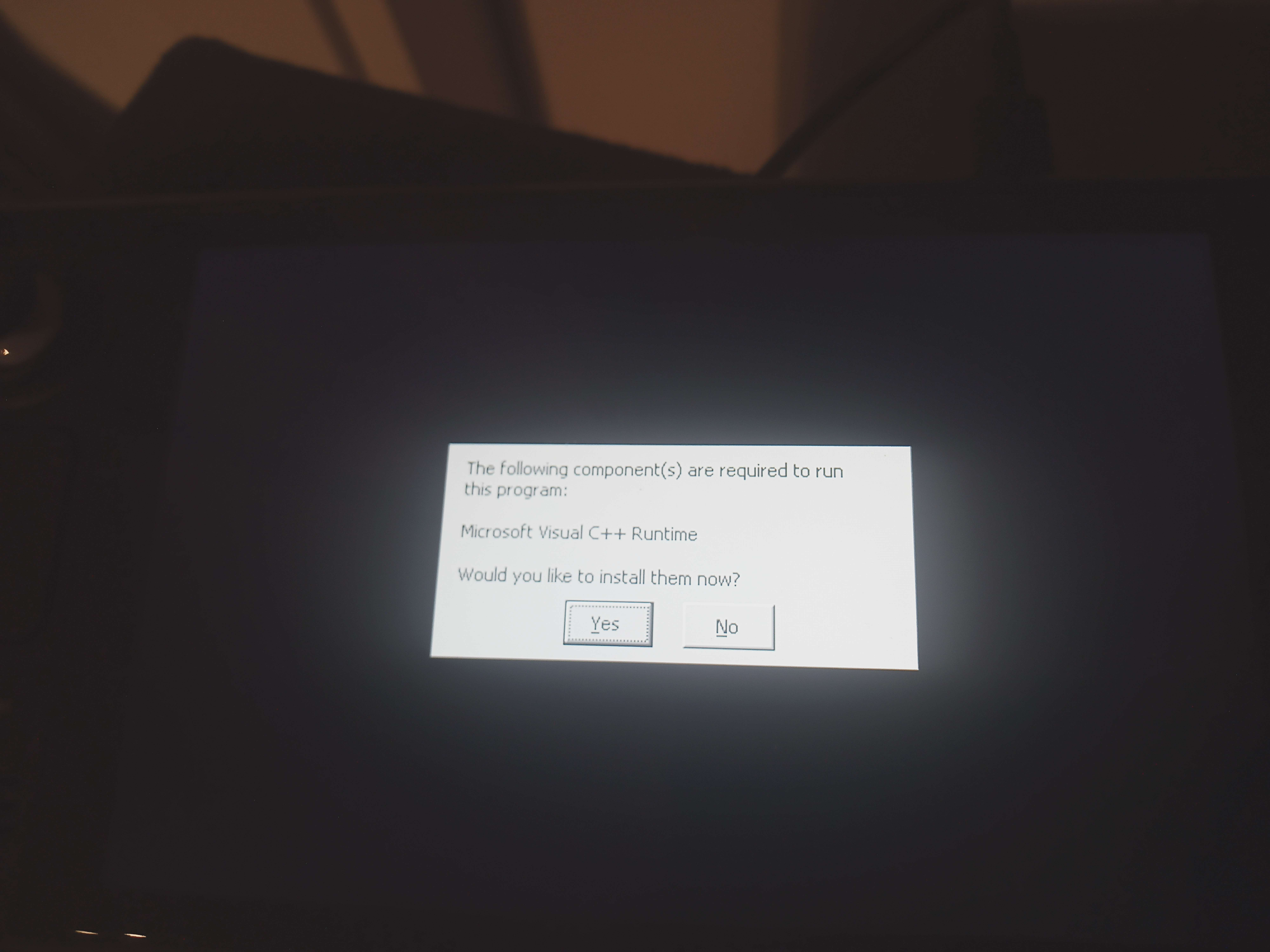
the default proton version
This doesn't exist. The question is WHAT VERSION is selected in Steam Settings (look, Default doesn't exist here)?
Also when you switch version of Proton, you can/will create oddities in the Proton prefix folder. I always delete the prefix folder at ~/.local/share/Steam/steamapps/compatdata/XXX/ (replace XXX with the Steam AppID of the game you want to delete the prefix, for Deep Rock it is 548430) when I switch Proton version (or troubleshoot) to discard any possible oddity that I would have created myself by switching versions. Beware that some game don't have Steam Cloud and doing so will also delete savegames, but for Deep Rock it's OK there is Steam Cloud, and you can keep the folder too somewhere instead of deleting it anyway, for safe keeping.
On a clean prefix, I highly doubt you wouldn't start with the current Proton version (which is 7.0 for now).
From your screenshot I would say you have an old Proton version selected in Steam Settings (which is the one used when you don't Force a specific Proton version in the game properties).
If the game info says "Runs on this computer via Steam Play. Proton 7.0-4 selected by Valve testing.", would you not consider that "default"?
For anyone else running into on this there does seem to be an nvidia driver bug present in the current version 525.60.11 which prevents this game (and others) running in DirectX12 mode in combination with the latest vkd3d-proton included in e.g. GE-Proton7-42. Reported on https://github.com/HansKristian-Work/vkd3d-proton/issues/1317 which mentions the workaround adding VKD3D_DISABLE_EXTENSIONS=VK_KHR_present_id,VK_KHR_present_wait to the start options, this worked for me. Proton Experimental sadly never worked for me on this game, it just closes itself.
@tgurr There's a bug in vkd3d-proton that this game runs into and which was fixed very recently (so plain Experimental doesn't have the fix yet). You can tell you're affected if you see a line like Assertion failed: 1 <= count && count <= VKD3D_VEC4_SIZE, file ../src-vkd3d-proton/libs/vkd3d-shader/vkd3d_shader_private.h, line 868 in the log created by PROTON_LOG=1. If you do, you can try if Experimental Bleeding Edge works for you, that one should have this bug fixed.
Faced a black screen issue when starting the game on Ubuntu 22.04 with Nvidia 525.60.11, GE-Proton7-42, and DirectX 12 mode. The sound is present, but the screen goes completely black from the beginning. DirectX 11 mode runs just fine.
This workaround fixed the issue for me, though you need to disable gamemode for this to work. With gamemode (v1.6.1) the black screen is still present somehow.
With
gamemode(v1.6.1) the black screen is still present somehow.
Works for me, (using gamemode 1.7 though) with:
VKD3D_DISABLE_EXTENSIONS=VK_KHR_present_id,VK_KHR_present_wait gamemoderun %command% -nosplash
The workaround will most likely not be needed anymore soon once Proton Experimental (and GE-Proton) pull in a more recent vkd3d-proton including the recent commit implementing the workaround directly in vkd3d-proton itself.
~Seems like the latest patches from yesterday broke the game. The game will freeze a few seconds into a mission.~
~Starting the game in safe mode seems to keep it running, for now...~
Works fine now.
Since updating to nvidia-drivers >= 525.60.13 including the latest official release 525.78.01 I run into the following issue https://github.com/HansKristian-Work/vkd3d-proton/issues/1365 either right on starting the game or shortly after being into a mission - I am however getting the popup error message mentioned at the bug report and not just a plain freeze. And it already happened before the latest update. Also so far no comments or ractions so I'm not sure if someone is able to reproduce it or if it's just me.
Voice chat does still not seem to work. Also, maybe they added it since this original post, but it does show an icon down in the right corner when you speak. So it does pick up sound, but nobody hears me and I don't hear anybody else.
I can't use voice chat on my steam deck, the input option is grayed out.
I have repeatable, freqvent crashes with DRG on a Deck (stable, 512gb model).
I have to use google drive because the log is 2.4mb https://drive.google.com/file/d/1uZvePYX2if7ChiJl25PVgz5eFKQ9ywOH/view?usp=share_link
Community suggested that I post it here, accoridng to them this is some sort of Vulkan error:
"err: DxvkSubmissionQueue: Command submission failed: VK_ERROR_DEVICE_LOST"
Game hangs then crashes in the tutorial, specifically after I kill all the spiders. Tried Experimental, GE, and latest Proton 6.X. I'm also unable to launch the game with DX11 - it never launches.
Sysinfo: https://cdn.discordapp.com/attachments/586858803212058625/1089158389180944454/sysinfo.txt
Log: https://cdn.discordapp.com/attachments/586858803212058625/1089157141711036456/steam-548430.log
Had to upload the log to somewhere else because it's like 3mb and pastebin had a tantrum over it
Hello @mudkipscience, there's a good chance you're seeing a mesa/ANV specific issue. In general, VKD3D-Proton + mesa/ANV is not well tested upstream and there can be Glyphids lurking in the shadows.
As a reference point, I'd test running the game's DirectX 11 backend with the game's launch options set to PROTON_USE_WINED3D=1 %command% to see if the game can run with wine's DirectX to OpenGL render path and also mention how the game behaves to the mesa devs. The game running through DXVK (DirectX 11 to Vulkan) and VKD3D-Proton (DirectX 12 to Vulkan) should be treated as separate issues on the video driver's side.
As a side note, you can attach logs directly to this issue report as a file (logs compress well if needed).
On latest, experimental, and GE Proton, I see incorrect frame timings when vsync is disabled, on an AMD RX 6700. It is almost as if most of my monitor is only repainting every other frame, with constant tearing that is more severe than you'd normally see without vsync. Perceptually, it feels as if the framerate is halved, yet the GPU is still doing all the additional work, as if there is a sync issue. Any software used to inspect the framerate will claim it is running at full speed. e.g., if you set 60, it will report 60, but the game will look as if every other frame is repeated.
This has only been happening on Proton with my RX 6700, and does not happen on Windows 10 1809. I have tried an Nvidia RTX 2060 and Intel Arc A770, and neither of those exhibit the same behavior. The graphics card and driver package were the only parts of the system I changed while testing. I am launching DRG in D3D11 mode, and no dxvk settings solve the issue, as far as I am aware.
On latest, experimental, and GE Proton,
What about official Proton?
On latest, experimental, and GE Proton,
What about official Proton?
Sorry for any lack of clarity, my "latest" was referring to Valve's most recent one in the Compatibility dialog (currently 7.0-6).
vkd3d crashes Deep Rock Galactic and Katana Zero
Issue transferred from https://github.com/ValveSoftware/Proton/issues/6836.
@ardishco-the-great posted on 2023-06-09T13:06:24:
Compatibility Report
- Name of the game with compatibility issues:
Deep Rock Galactic & Katana Zero - Steam AppID of the game:
DRG: 548430
Katana Zero: 460950
System Information
- GPU AMD Radeon 6900 XT
- Driver/LLVM version: Mesa 23.1.1-1
- Kernel version: Linux Arch 6.3.6
- Link to full system information report as Gist: https://gist.github.com/ardishco-the-great/ee53981803700f28a433d969a24c1d2f
- Proton version:(8.0-2)
I confirm:
- [ X ] that I haven't found an existing compatibility report for this game.
- [ X ] that I have checked whether there are updates for my system available.
Symptoms
Deep Rock Galactic, Katana Zero and some other games crash and/or hang (when looking at the logs when the game hangs, nothing seems wrong, so it might be a WM issue) on Proton 8.0-2 and higher. I am not able to attach a Katana Zero log because after running it for 10 seconds I generated a 700mb file which is way too big for me to distribute but If it would be helpful, then I would be happy to provide it one way or the other.
Keep in mind that the reason I am not submitting 2 separate bug reports is because it is related to the same thing on both games (vkd3d-proton)
The error seems related to the new vkd3d implementation, as you can see in the log.
Reproduction
For DRG:
1 - Launch Deep Rock Galactic
2 - Get past info screen
3 - Wait
4 - After a few seconds, the game will crash
For Katana Zero
1 - Launch game
2 - See start card for a second
3 - The game will crash right after that.
(For some reason, this generates a huge log file)
Proton logfile for DRG: https://n0paste.tk/Jea1qoK/
@kisak-valve commented on 2023-06-09T13:47:47:
Hello @ardishco-the-great, you've indicated that there's a common error, but also that you couldn't find a common hint to ponder. This makes it difficult to evaluate if there's a single issue or multiple issues with coincidental symptoms. If you're confident that the issue is scoped to VKD3D-Proton, then that should be reported upstream (https://github.com/HansKristian-Work/vkd3d-proton).
Setting that aside, please copy the output of Steam Runtime Diagnostics from Steam (Steam -> Help -> Steam Runtime Diagnostics) and put it in a gist, then include a link to the gist in this issue report. Also, if this a regression, please clearly indicate the newest Proton version you know is unaffected with the games.
@mbriar commented on 2023-06-09T13:50:35:
I don't see anything in the log that indicates that it's a problem with vkd3d-proton. Certainly for Katana Zero it won't be, because this game doesn't use d3d12 at all.
I have done some more testing and I have found that Katana Zero crashing and/or hanging has to do with something looping, seeing as the logfile I generated was 700mb when I ran the game for 10 seconds or so and the logfile having repeats of segments.
This is not related to vkd3d as you suggested and only a deep rock galactic issue
I don't see anything in the log that indicates that it's a problem with vkd3d-proton. Certainly for Katana Zero it won't be, because this game doesn't use d3d12 at all.
Yes, my bad, I had thought before the D3D11 translation layer was also called vkd3d when writing the report. I do think however that this is a regression as I can run Katana Zero perfectly fine with Proton 7.0-6 or experimental
as for DRG I can only run it with 7.0-6
Gist for Steam Runtime Diagnostics: https://gist.github.com/ardishco-the-great/9c600203f3e3151abc690204c93cf0dc
steam-548430-proton7-06.log
steam-548430-proton8-02.log
steam-548430-proton-8.0-2d.log
Been seeing pretty consistent crashing. Game starts just fine and I am able to get into missions as expected. Though sometime it crashes 5 min in sometime 20. I am lucky if I am able to complete a mission. The latest errors I have been seeing are related to DXVK I believe but the log is mentioning vkd3d shader comp. I don't have dx12 enabled. Which i find strange. Also have no mods installed and have modding disabled by command line at launch time. Hope it helps.
I can upload more logs if needed or do some testing. I have disabled fsync and esync in these logs. I find that if either is enabled it seems to crash regardless so I just leave them disabled. Doesn't seem to affect performance which is wonderful when the game is running.
I also am under the intuition that it's an unreal related engine issue. Though that might be just my observations as Rocket League runs stable on my system and it's an unreal engine game. I have multiple games that run on other engines that don't have any issues at all on the surface. Certainly not crashing.
It does seem like the game runs longer under proton 8 for what that's worth.
Any pointers would be appreciated.
Cheers
Hello @cwylie08, these look like some lines of interest from your log:
4076.254:0464:0468:err:d3dcompiler:D3DCompile2 Failed to compile shader, vkd3d result -5.
4076.254:0464:0468:err:d3dcompiler:D3DCompile2 Shader log:
4076.254:0464:0468:err:d3dcompiler:D3DCompile2     <anonymous>:38:8: E5017: Aborting due to not yet implemented feature: Ternary operator.
4076.254:0464:0468:err:d3dcompiler:D3DCompile2     <anonymous>:51:18: E5005: Function "LinearToSrgbBranching" is not defined.
4076.254:0464:0468:err:d3dcompiler:D3DCompile2
4076.256:0464:0468:fixme:d3dcompiler:D3DCompile2 Ignoring flags 0x8800.
vkd3d:fixme:find_function_call Search for compatible overloads.
4076.256:0464:0468:err:d3dcompiler:D3DCompile2 Failed to compile shader, vkd3d result -5.
4076.256:0464:0468:err:d3dcompiler:D3DCompile2 Shader log:
4076.256:0464:0468:err:d3dcompiler:D3DCompile2     <anonymous>:7:1: W4300: Redefinition of ESlateShader.
4076.256:0464:0468:err:d3dcompiler:D3DCompile2     <anonymous>:8:1: W4300: Redefinition of ESlateShader.
4076.256:0464:0468:err:d3dcompiler:D3DCompile2     <anonymous>:9:1: W4300: Redefinition of ESlateShader.
4076.256:0464:0468:err:d3dcompiler:D3DCompile2     <anonymous>:10:1: W4300: Redefinition of ESlateShader.
4076.256:0464:0468:err:d3dcompiler:D3DCompile2     <anonymous>:38:8: E5017: Aborting due to not yet implemented feature: Ternary operator.
4076.256:0464:0468:err:d3dcompiler:D3DCompile2     <anonymous>:51:18: E5005: Function "LinearToSrgbBranching" is not defined.
4076.256:0464:0468:err:d3dcompiler:D3DCompile2
Looks like this game would benefit from https://gitlab.winehq.org/wine/vkd3d/-/merge_requests/139.
Hello @ardishco-the-great, It might be interesting to test if rebooting onto a 6.1 series kernel has an effect.
Hey @kisak-valve So my assumption is the game should be running in DX11 mode. I specify that when I launch the game. Is it reasonable to assume that the game is still using DX12 in some fashion? Or maybe using vkd3d in some fashion for shader compilation?
Further is there a way to disable vkd3d completely? To see what the result might be.
Cheers
My understanding is that d3dcompiler in Proton is backed by vkd3d/vkd3d-shader (https://gitlab.winehq.org/wine/vkd3d/-/tree/master/libs/vkd3d-shader), which is separate from the VKD3D-Proton project that you're familiar with translating D3D12 to Vulkan.
Hey @kisak-valve So my assumption is the game should be running in DX11 mode. I specify that when I launch the game. Is it reasonable to assume that the game is still using DX12 in some fashion? Or maybe using vkd3d in some fashion for shader compilation?
Further is there a way to disable vkd3d completely? To see what the result might be.
Cheers
you can use DX11 for deep rock galactic, my report was for the dx12 option and I can confirm that the game does not use vkd3d when using dx11 on deep rock
Hello @ardishco-the-great, It might be interesting to test if rebooting onto a 6.1 series kernel has an effect.
Sure, I'll try that. However, 2 of the modules that I use on a daily basis are only available for higher versions of the kernel so even if that fixes the issue it will not be a sustainable solution in my use-case. However, It would point to something at, at least.
Also, a few days ago I said this was related to vkd3d on deep rock and I would like demonstrate why I thought that.
39563.513:013c:0140:err:x11drv:update_net_wm_fullscreen_monitors hwnd 0x20084 at (-4,-23)-(2564,1444) is outside of monitor 0x1 at (0,0)-(2560,1440), ignoring
39563.514:013c:0140:err:x11drv:update_net_wm_fullscreen_monitors hwnd 0x20084 at (-4,-23)-(2564,1444) is outside of monitor 0x1 at (0,0)-(2560,1440), ignoring
39563.514:013c:0140:err:x11drv:update_net_wm_fullscreen_monitors hwnd 0x20084 at (-4,-23)-(2564,1444) is outside of monitor 0x1 at (0,0)-(2560,1440), ignoring
39563.514:013c:0140:err:x11drv:update_net_wm_fullscreen_monitors hwnd 0x20084 at (-4,-23)-(2564,1444) is outside of monitor 0x1 at (0,0)-(2560,1440), ignoring
warn:  D3D11Texture2D::QueryInterface: Unknown interface query
warn:  9d8e1289-d7b3-465f-8126-250e349af85d
err:   D3D11VideoDevice::GetVideoDecoderProfileCount: Stub
It was because of these lines that I got suspicious. Upon further examination though on another machine I have I saw the same lines, (which can run the game under 8.0-2) so I'm not sure what the cause of the crash is now. When I try it out on a 6.1 kernel, I'll post logs here, It just depends on whether or not I get the time to test.
Also, @cwylie08 are you running the game under Wayland? Maybe It's related, there seem to be some x11 errors and some people I know that are using the Cinnamon desktop environment can run it fine under proton 8.0-2. I currently don't have any X11 desktop environment/window manager set up on my system so I will test that later.
Thanks for your attention @kisak-valve, cheers
Last proton experimental broke Deep Rock Galactic
Issue transferred from https://github.com/ValveSoftware/Proton/issues/6841.
@Alexandre-Fernandez posted on 2023-06-11T14:15:21:
Compatibility Report
- Name of the game with compatibility issues: Deep Rock Galactic
System Information
- GPU: RTX 3090
- Driver/LLVM version:r nvidia 525
- Link to full system information report as Gist: ubuntu
- Proton version: last
I confirm:
- [X ] that I haven't found an existing compatibility report for this game.
- [ X] that I have checked whether there are updates for my system available.
Symptoms
Game can't go past the start screen.
Visual glitches can be seen on the start screen.
I changed the proton version to 8.0.2 and it works again.
I started getting an 'Out of video memory' error after Season 4 at the end of the mission. No settings changed from S3, and the game was working well before.
Same problem here since today, except I can get that mid-game or in the starting lobby.
Replying to https://github.com/ValveSoftware/Proton/issues/284#issuecomment-1595178306
Use experimental (bleeding-edge), works for me, old releases including atm GE bugging it with many games.
Probably resetting the prefix would work. This should be tested anyway before reporting because sometimes updating Proton version in the prefix creates issues. Starting with fresh prefix clears that out.
System Information
- GPU: AMD Radeon™ RX 7900 XTX
- Driver/LLVM version: AMD AMD Radeon RX 7900 XTX (gfx1100, LLVM 15.0.7, DRM 3.52, 6.4.2-zen1)
- Kernel version: Linux 6.4.2-zen1
- Link to full system information report as Gist:
- Proton version: 7 and 8
I confirm:
- [X] that I haven't found an existing compatibility report for this game.
- [X] that I have checked whether there are updates for my system available.
This issue is ported over from issue 6859, here is the link to it.
The game cannot start with Proton 8 at all, that was tested on Fedora 38, PopOS, Arch Linux and NixOS.
Here are the details about it:
DRG - Proton 7.0-6 - No extra parameters the game without gamemode is a lag fest when all in Ultra, absolutely terrible performance, but playable.
DRG - Proton 8.0-2 - No extra parameters unlike the version with 7.0-6 that has virtually no loading screen as they are extremely fast, the one with 8.0-2 actually takes approximately one entire minute after which it crashes to desktop (never managing to give me an actual playable character). After that for another minute Steam thinks I am actually still in-game despite the game being already crashed, it's only after this extra time that the option to "Play" the game comes available again! (so the process remains open despite the crash for some time)
These are the launch settings I used
@Plarpoon Thank you again for transferring the issue here :) Just to clarify - where exactly are you getting the crash; it sounds like it is after clicking "continue" to load into the character selection hallway, while you are loading into the hallway (before you finish loading in) -- is that accurate?
Also - could you please try getting a log with the following in launch options: WINEDLLOVERRIDES="vcruntime140=b;msvcp140=b;concrt140=b" PROTON_LOG="+vulkan" %command%
@Plarpoon Thank you again for transferring the issue here :) Just to clarify - where exactly are you getting the crash; it sounds like it is after clicking "continue" to load into the character selection hallway, while you are loading into the hallway (before you finish loading in) -- is that accurate?
Also - could you please try getting a log with the following in launch options: WINEDLLOVERRIDES="vcruntime140=b;msvcp140=b;concrt140=b" PROTON_LOG="+vulkan" %command%
For starters don't thank me, I am the one that is very grateful and thanks you instead. It's only thanks to people like you that I could finally ditch Windows months ago and moved entirely to a pure Linux setup. I can now enjoy my freedom but also get to play video-games! Thanks enormously for that!
Having said that, you are absolutely correct, as soon as you boot the game you get first a splash-screen with art, you click on it, then you have a screen with a button "continue" at the bottom right (click here to see the picture). I can see that, I can press that button. It's just that once pressed it will die mid loading-screen and the loading screen itself is extremely long. Which is odd considering that with proton 7.0 it's less than a second long.

Here is the requested log:
steam-548430.zip
Let me know if I can do more to be useful in any way, I would be glad doing so!
P.s.
I had to stop the process manually after it crashed again, informing in case that disturbs the logs.
@Plarpoon While you are testing Remnant: From the Ashes, could you also see if disabling those same 2 pieces of hardware (Trust QHD Webcam and Game Capture HD60S+) also fixes this failure? Then we can just focus on one title :)
I will as soon as I can boot the PC, will report more ASAP :)
I am having similar issues with video memory allocation failures even though I clearly have a lot left on my GPU (gtx1080). Closing more applications does help (ex: firefox) but isn't a surefire workaround either. I'm using proton experimental and am otherwise equipped with 16GB of RAM, an i7-8700k and two monitors (if that matters). I can provide additional information if need be.
Spun up a fresh install of Kubuntu on my HP Power Pavilion laptop.
Set up Steam to use Proton Experimental, installed and tried playing the game.
It seems to cause the system to soft shutdown (On screen: Broadcast: system is now shutting down!) within a few seconds after loading onto the title screen.
Proton 8 works with seemingly no issues. Can't really test for perf when you're on a 150W laptop, ha.
Replying to https://github.com/ValveSoftware/Proton/issues/284#issuecomment-1585157214
@kisak-valve From what I can tell this has been merged in the wine project. Is there any way to be able to tell if the proton project is tracking a version of wine that incorporates it? I have been digging in github without much luck.
You can go to https://github.com/ValveSoftware/Proton, select a release branch, then scroll down to the git submodule you're interested in. For example, Proton 8.0-3 (https://github.com/ValveSoftware/Proton/tree/proton_8.0) currently bundles vkd3d @ 28c93a4.
Having a strange problem where the game will seemingly randomly crash or freeze on random missions at any point, while others are perfectly fine. Playing on an AMD Debian 12 computer, on Proton 8, and using DX12. fsync and esync were disabled as that seems to have reduced the amount of crashing
steam-548430.log
I'm experiencing a rapid memory leak from FSD-Win64-Shipping.exe (close to 5GB consumed a second) when starting DRG with DX11 under Steam Play Proton. Running with DX 12 is not affected. The leak starts after "press any key to continue", otherwise idling at the start screen only consumes about 1.4GB.
I've tried:
Verifying all game files, updating the operating system
Switching Proton to experimental no change, then version 7 which still leaks but does not progress from "initializing".
Removed the related compatdata & shadercache folders to force generation of new copies.
After waiting a couple weeks to see if it would be resolved with an update, the symptoms are still easily reproducible on build 11911576.
System config:
Archlinux - KDE Wayland session running Steam Native
AMD 5950x, AMD RX 6800 XT, 64GB RAM
Replying to https://github.com/ValveSoftware/Proton/issues/284#issuecomment-1709387675
Same issue. The game hangs on the "Initializing..." screen on both DX11 and DX12. Memory leak only happens with DX11.
distro: Arch
kernel: 6.4.12-arch1-1
steam: version 1690583737 (tested both native and flatpak)
proton: 8.0-3
cpu: AMD 3900X
gpu: AMD Radeon RX 6900 XT
I've only noticed this issue today. I played DRG with no issues last week.
MangoHud and obs-vkcapture also both stopped working for all my Steam games.
Same thing here.
At first glance I'm guessing it has something to do with the Arch Mesa drivers for RX 6800/6900. Maybe share Mesa version as well?
Distro: Arch
Kernel: 6.4.12-arch1-1
Mesa: "1:23.1.6-4"
GPU: Radeon RX 6800
CPU: Ryzen 5800X3D
Proton: Experimental, 8.0-3
Steam version: 1690583737
Game build ID: 11911576
It's a know issue in mesa 23.1.6, it will be fixed in 23.1.7.
Do you have a link to the issue tracking this? (or commit/pr)
Hey guys, if you're getting SW CTF shutdowns try underclocking your memory.
CoreCtl will let you choose p-states for your core and memory clocks.
Running comfortably at 76-82'C 60FPS on p-state 1 for both clocks (~650MHz for both), where previously the automatic setting would hammer mclock at p-state 2 (1500MHz for my chipset) and cause the chip to sit at 90'C with only 300MHz on the gpu clock.
Tested on Proton 8, will try switching to proton experimental to check.
And we are solid! No loadscreen instant shutdown, temps are the same as Proton 8.
Game does not even start on Proton 9 beta. 5 seconds after pressing PLAY in the library, it crashes. Not even a window appears.
Forcing the use of Proton 8 fixes it.
Works fine for me when using Porton 9 and Proton experimental with an AMD card.
Make sure to do clean prefix when switching Proton version if you have an issue. Especially on a BETA Proton.
I'm getting regular crashes within about 10 minutes of gameplay on Linux; but the game runs fine on Windows. Crashes on Linux don't seem to output a useful crashlog, and it seems like PROTON_LOG=1 is getting flooded pretty hard.
I've tried disabling Fsync/Esync, I've tried using Proton versions from 6.0-9.0, I've tried using only DX11, tried using safe mode, tried clearing the compatdata, hiding the nvidia GPU, etc. and found no avail.
Seems to run longer before crashing on older proton versions, but that isn't a great fix, because I'd like to use HDR, and newer Proton versions run the game significantly better.
I'm ideally looking for some pointers on troubleshooting this, since I feel like I'm at a dead end.
EDIT: The culprit was gamescope. That's a shame. I wanted to use HDR. Going to test some things and then I'll report an issue over there.
I've recently purchased the game and running it on this system:
  ./o.                  paco@candybox
                   ./sssso-                -------------
                 `:osssssss+-              OS: EndeavourOS Linux x86_64
               `:+sssssssssso/.            Host: MS-7D31 1.0
             `-/ossssssssssssso/.          Kernel: 6.6.60-1-lts
           `-/+sssssssssssssssso+:`        Uptime: 1 hour, 41 mins
         `-:/+sssssssssssssssssso+/.       Packages: 1512 (pacman), 37 (flatpak)
       `.://osssssssssssssssssssso++-      Shell: bash 5.2.37
      .://+ssssssssssssssssssssssso++:     Resolution: 2560x1440
    .:///ossssssssssssssssssssssssso++:    DE: Plasma 6.2.3
  `:////ssssssssssssssssssssssssssso+++.   WM: kwin
`-////+ssssssssssssssssssssssssssso++++-   Theme: Breeze-Dark [GTK2], Breeze [GTK3]
 `..-+oosssssssssssssssssssssssso+++++/`   Icons: breeze-dark [GTK2/3]
   ./++++++++++++++++++++++++++++++/:.     Terminal: konsole
  `:::::::::::::::::::::::::------``       CPU: 12th Gen Intel i7-12700K (20) @ 4.900GHz
                                           GPU: NVIDIA GeForce RTX 3080 Lite Hash Rate
                                           Memory: 8014MiB / 64087MiB
While the first few minutes are fine on this game, suddenly the game becomes extremely angry with fps when I move my mouse. The game can run up to 120fps smoothly and then (after a while, maybe its visible in the logs) any mouse movement makes the game dip fps to 60-70. If I dont touch my mouse the game is 120fps again.
Command to start the game: PROTON_LOG=1 DXVK_FRAME_RATE=144 mangohud %command% (PROTON_LOG only to have the log file, normally not)
Log:
steam-548430.zip
The log file should show a game session where I quit the game after a while due to the issues and then restarting it, reconnecting to a running game session (the issue can happen mid-mission and it will be hard to play that way).
After playing for a while then (which ran just fine) the issue started again and continued to happen until I quit the game.
The youtube video shows how the game ran after the mission was completed with this issue (in the final few minutes), and the loading screen to the "hub ship" happened. (So no loading screen fixes the issue)
This was running on Wayland (to see if it makes a difference), but I had the same on X11. The 120fps cap is enabled from the games setting, but it also happens when set to unlimited fps.
I did not specify any Proton version for the game in steam.
A video of the issue here: https://youtu.be/pkuaqmUweGk
There is a long lasting issue in WINE/Proton with mouse with a high polling rate. Try to reduce the polling rate of the mouse to 250Hz instead of probably currently around 1000Hz. I did this with a kernel setting myself to eliminate this random issue before, but with my new mouse I set the polling rate from the official Logitech tool on Windows and save inside the mouse memory to keep the set polling rate (and there are Linux tools which can also do that depending on the mouse model).
You can look at the Arch WIKI for the tool to check your current polling rate, then you can find a way working for you to set a low polling rate. It could be a kernel parameter, or a dedicated tool for the mouse, or other method. Try with 250Hz polling rate to confirm this is the issue you have. Or try an old low quality mouse (check its polling rate to confirm it is by default 250Hz or lower) and see if you also have the issue with it.
What mouse model is it?
Thanks for explaining @Zorrototo
I have the Roccat Kone AIMO mouse. I havent had a look yet whats the polling rate. Its just wierd that in the video clip in the end I just used the arrow keys to strafe left/right and have the same behaviour (fps drops).
I didnt touch the mouse at all there (not saying that the mouse didnt receive "vibrating" information or something, because I didnt unplug the mouse or hold it up in the air)
For the issue I'm talking about, unplugging the mouse should solve the issue for a test. It is literally receiving some kind of input from the mouse that drops the FPS to hell.
@pquerner I couldn't reproduce your issue, but the symptoms you describe has been noted by other users in other games, if your issue has the same root cause, then adding LD_PRELOAD="" to the start of the game's launch parameter might avoid the issue while it gets sorted out.
@Zorrototo there was no performance difference on my side when using a 1000hz mouse, it's possible that there are other factors required for the performance issue to occur when using one
@simifor Yes, I can confirm your fix helps. I just played 1,5hours without issues.
I let the log file running just in case something different is showing:
steam-548430.zip
This logfile should show a complete gameplay session (~1,5h) without any trouble or restarts.
@simifor
@Zorrototo there was no performance difference on my side when using a 1000hz mouse, it's possible that there are other factors required for the performance issue to occur when using one
Using a 1000Hz mouse doesn't create the issue, using a 250Hz mouse fixes the issues if it occurs. You can have no issues at all with a 1000Hz mouse for a long period, the issue may just occur randomly and only fix is to restart the game, or unplug the mouse and switch to one with lower polling rate (or preventive measure is to simply fix forever the mouse polling rate so the issue does not occur at all sporadically). In @pquerner case it has been established it was not the mouse as unplugging it didn't help at all.
Deep Rock Galactic, Random Crashes, Suspected Hardware Issue
Issue transferred from https://github.com/ValveSoftware/Proton/issues/8938.
@thelyric27 posted on 2025-07-30T21:02:12:
Compatibility Report
- Name of the game with compatibility issues: Deep Rock Galactic
- Steam AppID of the game: 548430
System Information
- GPU: RX 6600 XT
- Video driver version: Mesa 25.1.6
- Kernel version: 6.15.6-105.bazzite.fc42.x86_64
- System Information.txt
- Steam Runtime Diagnostics.txt
- Proton version: Experimental
I confirm:
- [X] that I haven't found an existing compatibility report for this game.
- [X] that I have checked whether there are updates for my system available.
Proton Log:
Symptoms
- DRG Crashes intermittently on this system
- Used to have stuttering while turning the camera after an amount of time similar to the frequency I have crashes now, fixed by setting [LD_PRELOAD=""] launch option?
- Seems to happen in other Unreal Engine games like Abiotic Factor, and seem like they may occur when assets are loaded? Most frequently happens during a level or scene change but has occurred at other times too.
Reproduction
- Play DRG for 30 minutes to an hour with this hardware ig?
Hi,
DRG seems to ignore the primary screen when launched to set the resolution and use the biggest resolution from all available screen. I have a TV and a monitor, when the tv is enabled in KDE, DRG launch on the primary screen (normal 27" 2k computer screen) but with a borked resolution from the TV (4k). Disabling the TV in KDE settings before launching fix the problem
Deep Rock Galactic Missing Join Game Button
Issue transferred from https://github.com/ValveSoftware/Proton/issues/9613.
@WindUpCitrus posted on 2026-03-25T00:05:33:
Compatibility Report
- Name of the game with compatibility issues: Deep Rock Galactic
- Steam AppID of the game:548430
System Information
- GPU: NVIDIA GA107M [GeForce RTX 3050 Ti Mobile
- Video driver version: AMD Cezanne [Radeon Vega Series / Radeon Mobile Series]
- Kernel version: Linux Mint 22.3 Zena
base: Ubuntu 24.04 noble - Link to full system information report as Gist:
- Proton version:9.0-4
I confirm:
- [X] that I haven't found an existing compatibility report for this game.
- [X] that I have checked whether there are updates for my system available.
I cannot find said proton log
Symptoms
I cannot get Join Game to show on Steam. I set everything to public, I set the profile and game to public, I restart the computer, the wifi and the game, and for some reason it just does not show.
Reproduction
I start playing and cannot get the join game button using this current setup of mine. I have attempted steam support, various support discords and reddit but have yet to find anyone who has a solution for my issues. I wish very much if you could look into this matter to see if there is something I could do to remedy this situation. I like my mint linux setup and my laptop, this is just the only major issue I have other than an alt tab freeze situation, but that is for another case.
EDIT: My apologies for messing up the format, I am unused to writing up official bug issues before.
Working well on Fedora 43 + Gnome.
But there is an issue with cursor escaping the window, probably related to mutter. (I'm not using fractional scaling, but possibly this is related as i have 21:9 display)
Fedora 43 Workstation, Gnome 49.5, Mutter (Wayland)
Kernel: Linux 6.19.11-200.fc43.x86_64
Display (Samsung Electric Company 24"): 1080x1920 @ 1.78x in 24", 60 Hz [External]
Display (34M2C6500): 3440x1440 in 34", 60 Hz [External] - Primary
CPU: Intel(R) Core(TM) i7-14700K (28) @ 5.60 GHz
GPU: NVIDIA GeForce RTX 4060 Ti 16GB [Discrete]
Game crashes on startup while the "Coffee Stain Publishing" logo intro plays.
Tested on Proton Experimental/Proton 11 (beta) with both DX11 and DX12 launch options.
The error message that pops up just says Fatal Error!.
Does not occur when using Proton 10.
steam-548430-dx11.log.tar.gz
steam-548430-dx12.log.tar.gz
System info:
- GPU: RX9060XT (16GB)
- Video driver version: Mesa 25.3.3
- Kernel version: 6.14.11
- Proton version: Experimental
- Full info: gist
(this was running on Wayland if that matters, using Sway)
Hello @dastrukar, WARNING: Low file descriptor limit: 4096 (see https://github.com/ValveSoftware/Proton/wiki/File-Descriptors) and err:winediag:NtCreateFile Too many open files, ulimit -n probably needs to be increased are the lines of your log to focus on.
That fixed it, thanks!
I wonder why it doesn't occur on Proton 10 though. Is it because of fsync?
(sorry i'm not very well-versed on fsync and ntsync)
Proton versions
proton experimentalx21 2026-04proton 8.0x1 2023-08proton 8.0-3x1 2023-08proton 7.0x1 2023-07proton 8.0-2x3 2023-07proton 7.0-6x2 2023-07proton 8.0-2dx1 2023-06ge-proton7-42x2 2022-12proton 7.0-4x2 2022-12proton 6.3-8x2 2022-08proton 7.0-3x2 2022-08proton 6.3x10 2022-03proton 7.2x1 2022-03proton 6.3-7x1 2021-10proton 5.13-6x2 2021-09
Launch options
PROTON_LOG=1x7 2024-11DXVK_FRAME_RATE=144x1 2024-11PROTON_LOGx1 2024-11PROTON_LOG=1`x2 2024-05PROTON_LOG="+vulkan"x2 2023-07WINEDLLOVERRIDES="vcruntime140=b;msvcp140=b;concrt140=b"x2 2023-07PROTON_USE_WINED3D=1x2 2023-03VKD3D_DISABLE_EXTENSIONS=VK_KHR_present_id,VK_KHR_present_waitx1 2022-12PROTON_LOG=1`.x1 2022-12VKD3D_VEC4_SIZEx1 2022-12VKD3D_DISABLE_EXTENSIONS=VK_KHR_present_id,VK_KHR_present_wait`x1 2022-12SDL_GAMECONTROLLERCONFIG=03000000de280000ff11000001000000,Steamx1 2022-06SDL_VIDEO_MINIMIZE_ON_FOCUS_LOSS=0",x1 2022-06DXVK_HUD=fullx1 2022-03PROTON_NO_FSYNC=1x1 2021-11
Launch lines
PROTON_LOG=1 DXVK_FRAME_RATE=144 mangohud %command%x1 2024-11WINEDLLOVERRIDES="vcruntime140=b;msvcp140=b;concrt140=b" PROTON_LOG="+vulkan" %command%x2 2023-07PROTON_USE_WINED3D=1 %command%x2 2023-03VKD3D_DISABLE_EXTENSIONS=VK_KHR_present_id,VK_KHR_present_wait gamemoderun %command% -nosplashx1 2022-12PROTON_NO_FSYNC=1 %command%x1 2021-11VK_ICD_FILENAMES="/usr/share/vulkan/icd.d/radeon_icd.i686.json:/usr/share/vulkan/icd.d/radeon_icd.x86_64.json" DXVK_HUD=1 WINEDLLOVERRIDES="mfplay.dll=d" %command% -dx11x1 2021-05PROTON_LOG=1 DXVK_FILTER_DEVICE_NAME="AMD" DXVK_HUD=1 WINEDLLOVERRIDES="mfplay.dll=d" %command% -dx11x1 2021-05WINEDLLOVERRIDES="mfplay.dll=d" %command% -nosplashx1 2021-05WINEDLLOVERRIDES="mfplay.dll=d" %command%x1 2021-04DXVK_FILTER_DEVICE_NAME="GTX 1050" %command%x1 2020-11PULSE_LATENCY_MSEC=60 %command%x1 2018-09DXVK_CONFIG_FILE=/path/to/dxvk.conf %command%x1 2018-09
Upstream links
- ValveSoftware/Proton/issues/9613x1 2026-03
- ValveSoftware/Proton/issues/8938x1 2025-07
- ValveSoftware/Proton/issues/6859x1 2023-07
- ValveSoftware/Proton/issues/6841x1 2023-06
- ValveSoftware/Proton/issues/6836x1 2023-06
- HansKristian-Work/vkd3d-proton/issues/1365x1 2023-01
- HansKristian-Work/vkd3d-proton/issues/1317x1 2022-12
- ValveSoftware/Proton/issues/5532x1 2022-01
- ValveSoftware/Proton/issues/4953x1 2021-07
- ValveSoftware/Proton/issues/4773x1 2021-04
- ValveSoftware/Proton/issues/4289x2 2020-11
- ValveSoftware/Proton/issues/4278x1 2020-10
- ValveSoftware/Proton/issues/3538x1 2020-02
- ValveSoftware/Proton/issues/1751x1 2018-10
- ValveSoftware/Proton/issues/1374x1 2018-09
DLLs
kernelbase.dllx1 2022-03api-ms-win-appmodel-runtime-l1-1-2.dllx1 2022-02apexframework_x64.dllx1 2022-01mfplay.dllx7 2021-06
Error codes
0x80004001x3 2021-11
Updated Info: This game runs quite well for most, however it still suffers from a %36 performance tax compared to Windows which gives 75fps under 4k while Linux only provides 55fps. To resolve this (assuming you have less then 60fps) you may need to run at a slightly lower resolution such as 1800p.
The game can also experience performance drops in certain areas of hectic combat and explosions which affect proton more then windows in comparison. At present MIC or voice chat may not work for you which hopefully is resolved in the future_. (there is no voice chat indicator for yourself ingame, you must ask other players if it works)_
My Configuration: 4k (1800p ingame) with a second 1080p monitor on the side for reference.
System Information: Pop_OS Specs.txt
No special configurations have been attempted at this stage except for setting permissions correctly to my userid and groupid on the NTFS drive this game is installed on. Also ensuring Proton is installed correctly into the .steam folder (don't try and run it via ntfs), and compatdata is symlinked also correctly (refer to documentation).
NOTE: Some users are having issues getting this running correctly, this could be due to incorrect or corrupt proton install, I've encountered this many times myself, its a very easy trap to fall into!