DEATH STRANDING
I have the same error with an Nvidia GPU (RTX 2070 Super) and its proprietary driver (440.100) on Debian (kernel version 5.4.0)
Same here on Arch Linux with kernel 5.7.7 and an Nvidia GTX 760 with driver 450.57.
I've drafted this patch: https://source.winehq.org/patches/data/188960 I don't have the game to test, so it might not work.
Turns out it was already in wine haha (zebediah figura already added it), I just hadn't updated my source tree.
~I've drafted this patch: https://source.winehq.org/patches/data/188960 I don't have the game to test, so it might not work.~
Turns out it was already in wine haha (zebediah figura already added it), I just hadn't updated my source tree.
does that mean you got it working?
@yurgburg No, I have no idea if it works or not with that patch. Just that it turns out that the patch wasn't necessary, as it had already been added a few days prior to wine :) That being said, you'll still need a development build of wine (or a wine with https://source.winehq.org/git/wine.git/commit/37238a74a5fea133b8dbcf55ca62cd0d80dc49f7 patched in) in order for it to work.
@yurgburg No, I have no idea if it works or not with that patch. Just that it turns out that the patch wasn't necessary, as it had already been added a few days prior to wine :) That being said, you'll still need a development build of wine (or a wine with https://source.winehq.org/git/wine.git/commit/37238a74a5fea133b8dbcf55ca62cd0d80dc49f7 patched in) in order for it to work.
Oh alright, do you have any idea how I could add that to my wine?
@yurgburg You'll need to apply this patch to the wine directory:
Patch
commit 37238a74a5fea133b8dbcf55ca62cd0d80dc49f7
Author: Zebediah Figura <[email protected]>
Date:   Tue Jul 7 10:05:59 2020 -0500

    api-ms-win-core-systemtopology-l1-1-0: New DLL.

    Signed-off-by: Zebediah Figura <[email protected]>
    Signed-off-by: Alexandre Julliard <[email protected]>

diff --git a/configure b/configure
index 032f4e3d0f..1eafbace7f 100755
--- a/configure
+++ b/configure
@@ -1030,6 +1030,7 @@ enable_api_ms_win_core_synch_l1_2_1
 enable_api_ms_win_core_sysinfo_l1_1_0
 enable_api_ms_win_core_sysinfo_l1_2_0
 enable_api_ms_win_core_sysinfo_l1_2_1
+enable_api_ms_win_core_systemtopology_l1_1_0
 enable_api_ms_win_core_threadpool_l1_1_0
 enable_api_ms_win_core_threadpool_l1_2_0
 enable_api_ms_win_core_threadpool_legacy_l1_1_0
@@ -20362,6 +20363,7 @@ wine_fn_config_makefile dlls/api-ms-win-core-synch-l1-2-1 enable_api_ms_win_core
 wine_fn_config_makefile dlls/api-ms-win-core-sysinfo-l1-1-0 enable_api_ms_win_core_sysinfo_l1_1_0
 wine_fn_config_makefile dlls/api-ms-win-core-sysinfo-l1-2-0 enable_api_ms_win_core_sysinfo_l1_2_0
 wine_fn_config_makefile dlls/api-ms-win-core-sysinfo-l1-2-1 enable_api_ms_win_core_sysinfo_l1_2_1
+wine_fn_config_makefile dlls/api-ms-win-core-systemtopology-l1-1-0 enable_api_ms_win_core_systemtopology_l1_1_0
 wine_fn_config_makefile dlls/api-ms-win-core-threadpool-l1-1-0 enable_api_ms_win_core_threadpool_l1_1_0
 wine_fn_config_makefile dlls/api-ms-win-core-threadpool-l1-2-0 enable_api_ms_win_core_threadpool_l1_2_0
 wine_fn_config_makefile dlls/api-ms-win-core-threadpool-legacy-l1-1-0 enable_api_ms_win_core_threadpool_legacy_l1_1_0
diff --git a/configure.ac b/configure.ac
index d596422320..4829648c3a 100644
--- a/configure.ac
+++ b/configure.ac
@@ -2946,6 +2946,7 @@ WINE_CONFIG_MAKEFILE(dlls/api-ms-win-core-synch-l1-2-1)
 WINE_CONFIG_MAKEFILE(dlls/api-ms-win-core-sysinfo-l1-1-0)
 WINE_CONFIG_MAKEFILE(dlls/api-ms-win-core-sysinfo-l1-2-0)
 WINE_CONFIG_MAKEFILE(dlls/api-ms-win-core-sysinfo-l1-2-1)
+WINE_CONFIG_MAKEFILE(dlls/api-ms-win-core-systemtopology-l1-1-0)
 WINE_CONFIG_MAKEFILE(dlls/api-ms-win-core-threadpool-l1-1-0)
 WINE_CONFIG_MAKEFILE(dlls/api-ms-win-core-threadpool-l1-2-0)
 WINE_CONFIG_MAKEFILE(dlls/api-ms-win-core-threadpool-legacy-l1-1-0)
diff --git a/dlls/api-ms-win-core-systemtopology-l1-1-0/Makefile.in b/dlls/api-ms-win-core-systemtopology-l1-1-0/Makefile.in
new file mode 100644
index 0000000000..beed9fb9c2
--- /dev/null
+++ b/dlls/api-ms-win-core-systemtopology-l1-1-0/Makefile.in
@@ -0,0 +1 @@
+MODULE    = api-ms-win-core-systemtopology-l1-1-0.dll
diff --git a/dlls/api-ms-win-core-systemtopology-l1-1-0/api-ms-win-core-systemtopology-l1-1-0.spec b/dlls/api-ms-win-core-systemtopology-l1-1-0/api-ms-win-core-systemtopology-l1-1-0.spec
new file mode 100644
index 0000000000..b5365eb930
--- /dev/null
+++ b/dlls/api-ms-win-core-systemtopology-l1-1-0/api-ms-win-core-systemtopology-l1-1-0.spec
@@ -0,0 +1,2 @@
+@ stdcall GetNumaHighestNodeNumber(ptr) kernelbase.GetNumaHighestNodeNumber
+@ stdcall GetNumaNodeProcessorMaskEx(long ptr) kernelbase.GetNumaNodeProcessorMaskEx
diff --git a/tools/make_specfiles b/tools/make_specfiles
index 420d850b73..f60fbbf6d2 100755
--- a/tools/make_specfiles
+++ b/tools/make_specfiles
@@ -323,6 +323,7 @@ my @dll_groups =
   "api-ms-win-appmodel-runtime-l1-1-2",
   "api-ms-win-core-path-l1-1-0",
   "api-ms-win-core-quirks-l1-1-0",
+  "api-ms-win-core-systemtopology-l1-1-0",
   "api-ms-win-security-grouppolicy-l1-1-0",
  ],
  [
As to how to build it, I'm not sure, I've never built proton before (only wine), sorry! I think there are probably some guides available for that though :)
@yurgburg You'll need to apply this patch to the
winedirectory:
PatchAs to how to build it, I'm not sure, I've never built proton before (only wine), sorry! I think there are probably some guides available for that though :)
No problem, you've given enough info to figure it out. Cheers!
I've tested it with the wine patch suggested by @qsniyg. I now get the error message "Death Stranding requires Windows 10 version 1809 or later".

@xythobuz Could you send the proton log? Alternatively, if you don't mind sending a rather large log (though it compresses very well, so please do compress it haha), run it with WINEDEBUG=+all,-heap, to get a full log, which will probably be more helpful in the not unlikely case the proton log doesn't contain enough information :)
Sure, there you go.
6686.111:00c0:00c4:Call ntdll.RtlGetVersion(0051f880) ret=14162ef78
6686.111:00c0:00c4:Ret  ntdll.RtlGetVersion() retval=00000000 ret=14162ef78
6686.111:00c0:00c4:Call user32.MessageBoxA(00000000,143761de8 "Death Stranding requires Windows 10 version 1809 or later.",143761db8 "Death Stranding",00000010) ret=14162efcf
@xythobuz Could you try setting the windows version in winecfg to windows 10? (or protontricks 1190460 win10 I believe)
As far as I can tell (running winecfg with the run script generated in /tmp with PROTON_DUMP_DEBUG_COMMANDS), the windows version is already set to Windows 10.
As you can see in the image, the default is set to Windows 10 and the one listed applications has "Use global settings". But I also get the same error when setting the application to Windows 10 explicitly, too.

@xythobuz Could you check if the following patch fixes it?
diff --git a/dlls/ntdll/version.c b/dlls/ntdll/version.c
index 4fef2b5e43..1c8fe83ffb 100644
--- a/dlls/ntdll/version.c
+++ b/dlls/ntdll/version.c
@@ -181,7 +181,7 @@ static const RTL_OSVERSIONINFOEXW VersionData[NB_WINDOWS_VERSIONS] =
     },
     /* WIN10 */
     {
-        sizeof(RTL_OSVERSIONINFOEXW), 10, 0, 0x42EE, VER_PLATFORM_WIN32_NT,
+        sizeof(RTL_OSVERSIONINFOEXW), 10, 0, 0x4A61, VER_PLATFORM_WIN32_NT,
         {0}, 0, 0, VER_SUITE_SINGLEUSERTS, VER_NT_WORKSTATION, 0
     },
Edit: And Zebediah is one step ahead of me again haha: https://source.winehq.org/patches/data/188498 and https://source.winehq.org/patches/data/188499 (I don't think the second patch should be necessary for getting death stranding running, but it shouldn't hurt to apply either).
I'm guessing he was probably given an early build of the game, considering both these patches and the one before were written a week ago at about the same time.
I tried both your patch and also the two patches you've linked. They don't fix the issue, I still get the same message as above. Here are the logs with the two patches from Zebediah.
@xythobuz Huh weird... could you try the following patch? It won't fix it, but it'll at least print what it's sending to the game so we can get a sense of what's not working.
diff --git a/dlls/ntdll/version.c b/dlls/ntdll/version.c
index 1c8fe83ffb..6984cfb74f 100644
--- a/dlls/ntdll/version.c
+++ b/dlls/ntdll/version.c
@@ -585,6 +585,11 @@ NTSTATUS WINAPI RtlGetVersion( RTL_OSVERSIONINFOEXW *info )
     info->dwMinorVersion = current_version->dwMinorVersion;
     info->dwBuildNumber  = current_version->dwBuildNumber;
     info->dwPlatformId   = current_version->dwPlatformId;
+    ERR("dwMajorVersion=%i, dwMinorVersion=%i, dwBuildNumber=%i, dwPlatformId=%i\n",
+        info->dwMajorVersion,
+        info->dwMinorVersion,
+        info->dwBuildNumber,
+        info->dwPlatformId);
     wcscpy( info->szCSDVersion, current_version->szCSDVersion );
     if(info->dwOSVersionInfoSize == sizeof(RTL_OSVERSIONINFOEXW))
     {
Ok, here you go:
Hey there!
From your log:
dwBuildNumber=17134
Somehow the value returned still matches the value 0x42EE.
Was the change taken into account ? (I believe that version.c patch didn't make it yet in the wine source tree)
I was worried about that, but I took extra care to do a full rebuild in the vagrant VM (deleting the build folder) and made sure the change is in the source tree of the wine subdirectory inside the VM.
What am I missing? How can I force a rebuild of wine? I was just expecting that deleting the build folder would be enough.
Edit:
See the screenshot below, the changes are there. Also, I can see the log-output from the ERR(...) call added by @qsniyg, and if this has been compiled in then the other change has been compiled in as well, for sure!
47468.831:003c:0040:err:ver:RtlGetVersion dwMajorVersion=10, dwMinorVersion=0, dwBuildNumber=17134, dwPlatformId=2

@xythobuz Ahhh right, the issue (I believe) is that the registry hasn't been updated yet. Could you run the winecfg command again, set it to windows 7, click apply, then set it to windows 10, then click apply again? In theory this should update the build number (I should probably note that zebediah's second patch is likely required for this to work).
Not the one you were asking, but after many failed attempts I simply edited registry file in proton pfx (steamapps/compatdata/1190460/pfx/system.reg)
"CurrentBuild"="19041"
"CurrentBuildNumber"="19041"
Now game takes its time and then crashes with following
Build : dso 100/1892587 17:50 - Fri Jul 10 2020

An Access Violation (C0000005h) has occurred in thread 'Main' at instruction location 000000014174E0D8h

CallStack : 417276342

  0. 0x00007BCDB36E    NtRaiseException
  1. 0x00007BCD458A    raise_func_trampoline
  2. 0x00014174E0D8    ds, 0x4174E0D8
  3. 0x0001417586FD    ds, 0x417586FD
  4. 0x0001423D8570    ds, 0x423D8570
  5. 0x0001423D5F1E    ds, 0x423D5F1E
  6. 0x00014169417A    ds, 0x4169417A
  7. 0x0001416944AA    ds, 0x416944AA
  8. 0x00014169433D    ds, 0x4169433D
  9. 0x0001437196B2    ds, 0x437196B2
 10. 0x00007B456C6B    __wine_start_process
 11. 0x000000000000
 12. 0x00015C096020    ds, 0x5C096020
 13. 0x7FFFFFDAF000
 14. 0x000000000000


RAX = 80004002 RBX = 51e640 RCX = 0 RDX = 51e4c0 RSI = ffffffff RDI = ffffffff
R8 = 51e4b8 R9 = f00 R10 = 0 R11 = 3d6ecea0 R12 = 0 R13 = 0
R14 = 0 R15 = 0 RIP = 4174e0d8 RSP = 51e460 RBP = 51e560 EFL = 10246


  0. 0x0001417BEE4E    ds, 0x417BEE4E
  1. 0x0001417C0E31    ds, 0x417C0E31
  2. 0x0001417C1276    ds, 0x417C1276
  3. 0x00007BC776AB    __wine_spec_unimplemented_stub
  4. 0x00007BCDAF72    RtlVirtualUnwind
  5. 0x00007BCDB36E    NtRaiseException
  6. 0x00007BCD458A    raise_func_trampoline
  7. 0x00014174E0D8    ds, 0x4174E0D8
  8. 0x0001417586FD    ds, 0x417586FD
  9. 0x0001423D8570    ds, 0x423D8570
 10. 0x0001423D5F1E    ds, 0x423D5F1E
 11. 0x00014169417A    ds, 0x4169417A
 12. 0x0001416944AA    ds, 0x416944AA
 13. 0x00014169433D    ds, 0x4169433D
 14. 0x0001437196B2    ds, 0x437196B2
 15. 0x00007B456C6B    __wine_start_process
 16. 0x000000000000
 17. 0x00015C096020    ds, 0x5C096020
 18. 0x7FFFFFDAF000
 19. 0x000000000000
I probably need to attach long log file, but haven't figured how to create it through steam yet.
(probably need to think about building wine with d3d12? Or it's too soon to do that?)
@0f3b79350c99d Thank you! To create a log file, prepend: PROTON_LOG=1 to the game's launch arguments. Since it crashes on __wine_spec_unimplemented_stub, I'm pretty sure a full log (WINEDEBUG=+all,-heap) won't be required, we only need to know which function needs to be stubbed out and/or implemented :)
@qsniyg Not the other guy but I did the same thing, got the same error and here is the proton log:
steam-1190460.log
@0none Huh, the unimplemented_stub thing doesn't show up in the log (and unfortunately it doesn't appear like any relevant information as to what caused the crash is displayed, at least from a quick glance):
Crash portion of the log
877.252:00b8:00bc:trace:seh:RtlRestoreContext returning to 7b475c96 stack 51a2b0
877.306:00b8:00bc:trace:loaddll:load_so_dll Loaded L"C:\\windows\\system32\\opengl32.dll" at 0x7a850000: builtin
877.306:00b8:00bc:trace:loaddll:load_so_dll Loaded L"C:\\windows\\system32\\wined3d.dll" at 0x7fb09c200000: builtin
877.306:00b8:00bc:trace:loaddll:load_so_dll Loaded L"C:\\windows\\system32\\dxgi.dll" at 0x7fb09c390000: builtin
877.441:00b8:00bc:fixme:ntdll:NtQuerySystemInformation info_class SYSTEM_PERFORMANCE_INFORMATION
877.466:00b8:00bc:trace:seh:raise_exception code=c0000005 flags=0 addr=0x14174e0d8 ip=14174e0d8 tid=00bc
877.466:00b8:00bc:trace:seh:raise_exception  info[0]=0000000000000000
877.466:00b8:00bc:trace:seh:raise_exception  info[1]=0000000000000000
877.466:00b8:00bc:trace:seh:raise_exception  rax=0000000080004002 rbx=000000000051e640 rcx=0000000000000000 rdx=000000000051e4c0
877.466:00b8:00bc:trace:seh:raise_exception  rsi=00000000ffffffff rdi=00000000ffffffff rbp=000000000051e560 rsp=000000000051e460
877.466:00b8:00bc:trace:seh:raise_exception   r8=000000000051e4b8  r9=0000000000000780 r10=0000000000000000 r11=0000000000000000
877.466:00b8:00bc:trace:seh:raise_exception  r12=0000000000000000 r13=0000000000000000 r14=0000000000000000 r15=0000000000000000
877.466:00b8:00bc:trace:seh:call_vectored_handlers calling handler at 0x1417c11f0 code=c0000005 flags=0
Can you submit a full log then? (PROTON_LOG=1 WINEDEBUG=+all,-heap) Remember to compress it after, otherwise it might be quite big haha :)
@qsniyg
Sorry for the long delay
I could not get it to compress smaller than 20 MiB. Original Log file is about 900 MiB.
I have created a repo for the files now as a work around:
https://github.com/0none/FileDump
I also get the same error message. Here are my logs:
11335.933:00b8:00bc:trace:dxgi:dxgi_output_QueryInterface iface 0x9f3fc0, iid {068346e8-aaec-4b84-add7-137f513f77a1}, object 0x51e4b8.
11335.933:00b8:00bc:warn:dxgi:dxgi_output_QueryInterface {068346e8-aaec-4b84-add7-137f513f77a1} not implemented, returning E_NOINTERFACE.
11335.933:00b8:00bc:trace:seh:raise_exception code=c0000005 flags=0 addr=0x14174e0d8 ip=14174e0d8 tid=00bc
Seems like IDXGIOutput6 (DXGI 1.6) needs to be implemented for this to work. From a quick grep in the wine source tree, it seems like it's not implemented yet. It appears to be implemented in DXVK, but it won't be of much help for us (other than an implementation reference I guess), since it doesn't work with vkd3d, which is needed for dx12.
So that means there is nothing left to do but wait for it to be implemented in Wine?
Or, at least for me, since that task is vastly outside of my abilities.
@0none
Here's a completely untested patch to stub out support for DXGI 1.6: https://gist.github.com/qsniyg/84550f4421c8ee3ff4134ca07d4ad398 (note that I have absolutely zero knowledge about anything relating to directx, I just basically copied what I saw done for DXGI 1.4)
I would be very surprised if it were to actually work, but I guess it's worth a shot :) If it doesn't, please attach a log anyways, it might be possible that we'll be able to progress a bit further.
Hello. The next branch of the Proton app in the Steam client is now available. Death Stranding is playable on this branch. Please see issue #4070 for more details.
Yo?! Is this true
On Wed, Jul 15, 2020, 16:04 Andrew Eikum [email protected] wrote:
Hello. The next branch of the Proton app in the Steam client is now
available. Death Stranding is playable on this branch. Please see issue
#4070 https://github.com/ValveSoftware/Proton/issues/4070 for more
details.—
You are receiving this because you were mentioned.
Reply to this email directly, view it on GitHub
https://github.com/ValveSoftware/Proton/issues/4069#issuecomment-659058750,
or unsubscribe
https://github.com/notifications/unsubscribe-auth/AFLFPNSEVPS4RITFPZYF3JLR3YYW3ANCNFSM4OZUFSMQ
.
@aeikum
The branch is not showing up for me, even after restarting steam. Do I need to refresh the list manually?
@qsniyg
The patch is giving me errors at dlls/dxgi/dxgi_private.h:144 and dlls/dxgi/output.c:569. On what wine branch are you?
@0none Ah sorry, it's written against https://github.com/wine-mirror/wine/commit/54b2a10659871032720df31ae9ca6cba2ff4acf0. If you want to compile from scratch, I'd say just compile https://github.com/ValveSoftware/Proton/tree/proton_5.0-next instead :) (the next branch aeikum mentioned above)
I am compiling that right now and will be reporting shortly :wink:
Funny that, I was just pulling proton when the new branch popped up. "Huh, what's that all about?"
Edit: Compiling fails and it's late, I take the "shortly" back
It does work with the proton 5.0 -Next branch. Playing it right now 144fps
It does build (if it fails -- did you update submodules after switching branches/recreate vagrant? git submodule update --init --recursive)
However it does crash with this message: Error initializing rendering configuration, check video card and drivers\n\nThe details of the error are output in error.txt..
error.txt
CallStack : 3981695165

Error initializing rendering configuration, check video card and drivers

  0. 0x00007BC47CA3    RtlCreateActivationContext
  1. 0x0001417C353F    ds, 0x417C353F
  2. 0x0001417BEE4E    ds, 0x417BEE4E
  3. 0x0001417BAF33    ds, 0x417BAF33
  4. 0x0001423D8C26    ds, 0x423D8C26
  5. 0x0001423D5F1E    ds, 0x423D5F1E
  6. 0x00014169417A    ds, 0x4169417A
  7. 0x0001416944AA    ds, 0x416944AA
  8. 0x00014169433D    ds, 0x4169433D
  9. 0x0001437196B2    ds, 0x437196B2
 10. 0x00007B456C6B    __wine_start_process
 11. 0x000000000000
 12. 0x00015C096020    ds, 0x5C096020
 13. 0x7FFFFFDAF000
 14. 0x000000000000
rt_process
 13. 0x000000000000
 14. 0x00015C096020    ds, 0x5C096020
 15. 0x7FFFFFDAF000
 16. 0x000000000000


RAX = 80004002 RBX = 51e640 RCX = 0 RDX = 51e4c0 RSI = ffffffff RDI = ffffffff
R8 = 0 R9 = a11f0f87 R10 = 0 R11 = 0 R12 = 0 R13 = 0
R14 = 0 R15 = 0 RIP = 4174e0d8 RSP = 51e460 RBP = 51e560 EFL = 10206


  0. 0x00007BC47CA3    RtlCreateActivationContext
  1. 0x0001417C353F    ds, 0x417C353F
  2. 0x0001417BEE4E    ds, 0x417BEE4E
  3. 0x0001417C0E31    ds, 0x417C0E31
  4. 0x0001417C1276    ds, 0x417C1276
  5. 0x00007BC776AB    __wine_spec_unimplemented_stub
  6. 0x00007BCDAF72    RtlVirtualUnwind
  7. 0x00007BCDB36E    NtRaiseException
  8. 0x00007BCD458A    raise_func_trampoline
  9. 0x00014174E0D8    ds, 0x4174E0D8
 10. 0x0001417586FD    ds, 0x417586FD
 11. 0x0001423D8570    ds, 0x423D8570
 12. 0x0001423D5F1E    ds, 0x423D5F1E
 13. 0x00014169417A    ds, 0x4169417A
 14. 0x0001416944AA    ds, 0x416944AA
 15. 0x00014169433D    ds, 0x4169433D
 16. 0x0001437196B2    ds, 0x437196B2
 17. 0x00007B456C6B    __wine_start_process
 18. 0x000000000000
 19. 0x00015C096020    ds, 0x5C096020
 20. 0x7FFFFFDAF000
 21. 0x000000000000
Is there a minimum version of nvidia drivers? Currently I have 435.
Edit: nevermind, I actually read in the link above that I need at least 440 or 450.
I got to the point of building proton with the patches @qsniyg proposed and got to the same crash.
Hopefully the recent changes on the next branch of Proton 5 on the steam client announced by @aeikum, let me play the game 3 hours straight through a few chapters. Stutters as hell to initially compile shaders but then it's pretty smooth except some massive loading times, if it looks like it froze, give it time, be ex-tre-me-ly patient, you likely ran out of memory but the game will catch up. This sometimes can cause some brief audio buffers corruption.
I just tested the game for roughly an hour with 5.0-10 RC, I could launch the game and start playing but there are some major issues.
- Game crashes when messing around in the options menu. I only went into it from the main menu so I don't know if it's different in game.
- Objects will spawn in random places in the environment, there will be things like grass patches and rocks in the air and on the ground with no collision. There will also be invisible objects with collision (see attached pictures)
- There seems to be quite a bit of stuttering and drops in framerate
- Got up to the truck cutscene half hour in but then the framerate tanked to the point of crashing. Started the game up again and skipped it. Game was fine until the cut scene with the president another half hour later where the same happened.
### System information:
- GPU: RTX 2060
- Driver version: 4.6.0 NVIDIA 440.82
- Kernal version: 5.6.15-1-MANJARO
- Full system information report: https://gist.github.com/SevgiZ/c7e846279f4ced6a9ae61d0ca3a2a65a
Crash logs:
President cutscene:
https://gist.github.com/SevgiZ/db2b351cb54e783b171c628b69131321
Options menu:
https://gist.github.com/SevgiZ/8d5a10d4186b947baf52cdfdec96e5b6
Hopefully I'm not missing anything, I'm pretty new to this stuff
Screenshots


I actuslly dont have any of these issues when I play and I played for 3 hours straight. Only stuttering I saw was in the beginning and nothing since
With 5.0-10-rc2 working flawlessly on my hardware in 4K with maximum graphics quality.
steam-1190460.log
Screenshots


I also am getting the random flying textures. Playing on Medium settings.
Edit: restarting game solved it.
I think it has to do with changing the settings.
@NTMan on screenshot no. 2 you can see some sky rendering issues; that's a known problem with RADV at the moment.
I run into the game visuals freezing after making the first delivery. The cutscene continues but the visuals are completely frozen. If I force-close the game and try pressing "continue" in the game the loading screen too freezes. If I on the other hand load an autosave from just before making the delivery, the game again freezes during the cutscene. My thinking is that something in the next area is being loaded, and the game doesn't like something about it.
Update: gave it another try and this time it didn't freeze. I avoided touching any input this time, but don't know if it's related or a coincidence.
The game seems to be launching fine now, but after a few minutes of gameplay it seems to freeze and not recover.
Sound is unaffected.
steam-1190460.log
Edit: Game seems to freeze pretty much instantly if I attach a controller for some reason.
The log above has no controller.
The log doesn't really update at the time of the freeze, and my GPU seems fine (using radeontop for monitoring).
Regarding my last comment:
I switched from KDE Plasma to openbox, just to check, and the game lasted a lot longer. I was actually able to complete the first mission playing on default settings. So for me, it surely has to do with either me DE or Hardware consumption (memory maybe?)
I'm seeing the exact same stuff that @SevgiZ mentioned and showcased in those screenshots: floating rocks, patches of grass in the sky, invisible walls, etc. Performance is close to 40% of Windows (doesn't bother me too much, though). Running the latest NVIDIA drivers on Arch Linux, with the current latest stable kernel (5.7.8), GTX 1070, 16GB DDR4, AMD Ryzen 5 1600.
First of all want to say thank you to everyone involved, it's incredible to be able to play DS two days after release. Thank you for your hard work!
Game runs okay, in 4k, without crashes. Occasionally I see random chunk of stone textures in the sky.
Performance, however, could probably be better: ryzen 3900x, gtx1080ti, 2160p resolution, 450.57 driver, fps bounces between 30 and 40 fps. Occasional drops down to 1 fps, audio is not affected. Driver issue? Proton/wine implementation issue? It's not gamebreakingly bad though for me.
I'm finding that the game tends to freeze when I start a new game and I'm prompted to change brightness settings.
error.log
steam-1190460.log
system specs.log
Hello again,
I am getting a consistent crash on the same cutscene, regardless of DE used.
The cutscene shortly after the opening Title where Porter falls into a body of water crashes after exactly 3 seconds.
It ends up killing my Xorg and ending my user session.
No Idea if this is a game Issue or my drivers, but maybe someone else understands the logs better than me.
If I read this correctly, the game somehow causes my GPU (5700XT) to crash, my GPU tries to recover and kills Xorg in the process.
Hello after today's patch the game no longer starts. it gives error.
Build : dso 102/1901735 22:46 - Thu Jul 16 2020

Internal system error occured.

An Access Violation (C0000005h) has occurred in thread 'Background 4' at instruction location 00000001416A1C35h

CallStack : 3932796059

  0. 0x00007BCDB36E    NtRaiseException
  1. 0x00007BCD458A    raise_func_trampoline
  2. 0x0001416A1C35    ds, 0x416A1C35
  3. 0x00014173DBE5    ds, 0x4173DBE5
  4. 0x000141700A65    ds, 0x41700A65
  5. 0x0001417525F1    ds, 0x417525F1
  6. 0x0001487537DF    ds, 0x487537DF
  7. 0x00014183F59C    ds, 0x4183F59C
  8. 0x00014183A45D    ds, 0x4183A45D
  9. 0x000141838E4C    ds, 0x41838E4C
 10. 0x0001417B0B74    ds, 0x417B0B74
 11. 0x0001417B0C6D    ds, 0x417B0C6D
 12. 0x0001417B1C9B    ds, 0x417B1C9B
 13. 0x0001417AD08D    ds, 0x417AD08D
 14. 0x00007BCD6BDD    DbgUserBreakPoint
 15. 0x000000000000
 16. 0x0001417ACF80    ds, 0x417ACF80
 17. 0x0789E68125E0
 18. 0x000000000000


RAX = f1c30290 RBX = f1c30290 RCX = 4d0f4f8 RDX = 8f3fe720 RSI = 0 RDI = f1c50660
R8 = 0 R9 = 0 R10 = 550000 R11 = 0 R12 = f2450088 R13 = e69c4090
R14 = 0 R15 = 1 RIP = 416a1c35 RSP = 4d0f4d0 RBP = 4d0f5b9 EFL = 10206

Dx12-ErrorCode : 0x80004005
DeviceRemovedReason: 0x0
VMEM: Used 0.00 MB / Budget 8192.00 MB
VMEM: Video 8192.00 MB / Shared 8009.63 MB / System 0.00 MB
MEM: Used 4569.70 MB / Total 16019.25 MB


  0. 0x0001417C0068    ds, 0x417C0068
  1. 0x0001417C1F41    ds, 0x417C1F41
  2. 0x0001417C2256    ds, 0x417C2256
  3. 0x00007BC776AB    __wine_spec_unimplemented_stub
  4. 0x00007BCDAF72    RtlVirtualUnwind
  5. 0x00007BCDB36E    NtRaiseException
  6. 0x00007BCD458A    raise_func_trampoline
  7. 0x0001416A1C35    ds, 0x416A1C35
  8. 0x00014173DBE5    ds, 0x4173DBE5
  9. 0x000141700A65    ds, 0x41700A65
 10. 0x0001417525F1    ds, 0x417525F1
 11. 0x0001487537DF    ds, 0x487537DF
 12. 0x00014183F59C    ds, 0x4183F59C
 13. 0x00014183A45D    ds, 0x4183A45D
 14. 0x000141838E4C    ds, 0x41838E4C
 15. 0x0001417B0B74    ds, 0x417B0B74
 16. 0x0001417B0C6D    ds, 0x417B0C6D
 17. 0x0001417B1C9B    ds, 0x417B1C9B
 18. 0x0001417AD08D    ds, 0x417AD08D
 19. 0x00007BCD6BDD    DbgUserBreakPoint
 20. 0x000000000000
 21. 0x0001417ACF80    ds, 0x417ACF80
 22. 0x0789E68125E0
 23. 0x000000000000
Same issue, here's my proton error.log:
error.log
This is with RADV, Mesa 20.2.0-devel (git-c36aac5 2020-07-17 focal-oibaf-ppa).
Note the suspicious "movl $0xdeadca7,0x0000000000000000".
edit: It's probably 0x0deadca7 as in "dead cat". No idea what that means. I bet the devs know.
edit: I'd expect it always cuts off the front for an int literal. compare movl $0xf, bla.
0xdeadca7 looks like a 0xdeadbeef marker of something dead, but it's missing a character, it should always be only 8 characters of hex, something's missing after the 7 perhaps?
EDIT: Yeah 0x0deadca7 would make more sense, but generally hex digits are always specified in set of 2 for such things, so it would be weird to be cutting off the front as well?
0xdeadca7looks like a0xdeadbeefmarker of something dead, but it's missing a character, it should always be only 8 characters of hex, something's missing after the7perhaps?EDIT: Yeah
0x0deadca7would make more sense, but generally hex digits are always specified in set of 2 for such things, so it would be weird to be cutting off the front as well?
I believe their most recent patch was to fix the access violation message for windows users. Based off what I read on the steam discussions page....
So the access violation is in the game itself?! How'd they mess up that pointer ownership.... >.>
Did they only fix the message, or fix the ownership violation in the code to fix the bug as well?
i just tested on win10 on the same pc / dual boot there the game works just fine with latest AMD drivers. windows is not on the 2004 version though.
i have 5700xt & ryzen 3600x
So the access violation is in the game itself?! How'd they mess up that pointer ownership.... >.>
Did they only fix the message, or fix the ownership violation in the code to fix the bug as well?
unsure they just said this "I'm receiving an Access Violation or black screen crash when launching DEATH STRANDING.
Certain third-party antivirus software, ransomware/malware monitoring apps, streaming software, and other system/performance tools can result in Access Violation crashes. Please try disabling these applications one-by-one to see if you can pinpoint which, if any, programs are causing the error." then many people said that didn't fix anything. Then the update came and I cannot see any patch notes anywhere for that 5gb update.
All the crashes I've seen under Windows had a different instruction pointer. I think this is a new one.
the 5gb patch addressed this
This post launch patch includes added AVX judgement to CPU check at startup, stability improvements and general bug fixes.
the 5gb patch addressed this
This post launch patch includes added AVX judgement to CPU check at startup, stability improvements and general bug fixes.
Yeah just found that^. People are saying the AVX was causing the accesss violations as i go through more of the discussion. Wondering if that can be related to our new found problem?
I have AVX. Not the issue.
edit: Maybe Proton doesn't report it right? In any case, it shouldn't lead to a segfault.
Tried some of the solutions that windows users did y'know verify integ, add a dll file, use launch options. I even edited the cfg a bit. Still not result always get the same error with varying background numbers 1-6. Hope valve RC testing finds a fix or if the next patch changes anything.
error.txt
Does someone wanna try downloading the original unpatched game? You can download it via steam console by getting the id from steamdb. Im not sure if it'll work because I am unsure if the game is 100% online required
Yep, game definitely broken now, many can't start it even in Windows. Some people speculate that they implemented version check for gpu drivers/cpu and it somehow broke the game. There's no way to do a "diff" between old and new executable? I know it's encrypted, but still. Or maybe compare long logs with executed syscalls.

The game started crashing again :(
Does someone wanna try downloading the original unpatched game?
Copy the following files from V1.0 depot:
ds.exe
nvngx_dlss.dll
oo2core_7_win64.dll
steam_api64.dll
dxcompiler.dll
bink2w64.dll
d3dcompiler_47.dll
data/7017f9bb9d52fc1c4433599203cc51b1.bin

Please be aware that Denuvo might make this not viable for everybody.
I have copied the 8 files you listed over from the 1.0 depot, and the error is still observed. Are you sure you didn't copy any other files over as well?
I got it working. Though I witness the rocks in the sky corruption I didn't have before when initially playing on the V1.0.
Because the foliage is procedurally generated for gameplay reasons which I won't spoil, I believe this is all done in shaders and therefore might be a shader cache issue. But that's just a theory.
On the downgrade though, the dlls should have stayed the same according to SteamDB. Here's the hashes of the old and new files:
V1.0:
$ md5sum ds.exe data/7017f9bb9d52fc1c4433599203cc51b1.bin
f182885a0915a61fd7733d8b0b19af67  ds.exe
4359f55ba138b40342f57f7594fc0330  data/7017f9bb9d52fc1c4433599203cc51b1.bin
V1.01:
$ md5sum ds.exe data/7017f9bb9d52fc1c4433599203cc51b1.bin
a5a4c499453bc96d9615e0380f608d28  ds.exe
e48b5ae1f23255499df04c62b0b6cb85  data/7017f9bb9d52fc1c4433599203cc51b1.bin
Edit:
First tried using the old executable on the most recent data there was a dx12 error code and then the crash everyone is having so far.
BUT then trying the other way around, it appears the most recent executable (ds.exe v1.01) works reliably with the old data (7017f9bb9d52fc1c4433599203cc51b1.bin v1.0). I'm still seeing the corruption though, I'll try clearing my cache and start a fresh game.
Does someone wanna try downloading the original unpatched game?
Copy the following files from V1.0 depot:
ds.exe
nvngx_dlss.dll
oo2core_7_win64.dll
steam_api64.dll
dxcompiler.dll
bink2w64.dll
d3dcompiler_47.dll
data/7017f9bb9d52fc1c4433599203cc51b1.bin
Please be aware that Denuvo might make this not viable for everybody.
When I tried didnt work. Did you remove the new files and just paste the old ones? Because I replaced and merged and still got access violation
When I tried didnt work. Did you remove the new files and just paste the old ones? Because I replaced and merged and still got access violation
I was able to get it running, still have the frequent freezing issues and such that I was having before, but at least it is getting past the error now.
When I tried didnt work. Did you remove the new files and just paste the old ones? Because I replaced and merged and still got access violation
I was able to get it running, still have the frequent freezing issues and such that I was having before, but at least it is getting past the error now.
May I ask how you got it working with the old depot? Id rather have it atleaat without the access violation because before the patch it was running smooth as butter except slight stutter in cutscenes for me.
Confirm! With data/7017f9bb9d52fc1c4433599203cc51b1.bin from the 1.0 depot, the game runs again.
When I tried didnt work. Did you remove the new files and just paste the old ones? Because I replaced and merged and still got access violation
I was able to get it running, still have the frequent freezing issues and such that I was having before, but at least it is getting past the error now.
May I ask how you got it working with the old depot? Id rather have it atleaat without the access violation because before the patch it was running smooth as butter except slight stutter in cutscenes for me.
I used DepotDownloader via mono DepotDownloader.dll -app 1190460 -depot 1190461 -manifest 2484036362698851165 as well as using -filelist to only pull down data/7017f9bb9d52fc1c4433599203cc51b1.bin (You can do this by creating an empty text file and then putting only data/7017f9bb9d52fc1c4433599203cc51b1.bin inside the file and then putting the files name after the -filelist switch), I then backed up the v1.01 data/7017f9bb9d52fc1c4433599203cc51b1.bin and put in the one from the depot.
I apologize if the DepotDownloader instructions are not needed, but I know documentation on some of that can be difficult to locate. If you need more instruction, please do let me know.
When I tried didnt work. Did you remove the new files and just paste the old ones? Because I replaced and merged and still got access violation
I was able to get it running, still have the frequent freezing issues and such that I was having before, but at least it is getting past the error now.
May I ask how you got it working with the old depot? Id rather have it atleaat without the access violation because before the patch it was running smooth as butter except slight stutter in cutscenes for me.
I used DepotDownloader via
mono DepotDownloader.dll -app 1190460 -depot 1190461 -manifest 2484036362698851165as well as using -filelist to only pull downdata/7017f9bb9d52fc1c4433599203cc51b1.bin(You can do this by creating an empty text file and then putting onlydata/7017f9bb9d52fc1c4433599203cc51b1.bininside the file and then putting the files name after the -filelist switch), I then backed up the v1.01data/7017f9bb9d52fc1c4433599203cc51b1.binand put in the one from the depot.I apologize if the DepotDownloader instructions are not needed, but I know documentation on some of that can be difficult to locate. If you need more instruction, please do let me know.
Ah I'll try that tonight, when I tried it basically downloaded the original game without the patch and then I copied those files and merged into the original game folder.
I copied just 7017f9bb9d52fc1c4433599203cc51b1.bin from my backup and did not work.
New 5,3 GB (5.257.521.033 bytes)
Original 5,3 GB (5.257.135.152 bytes)
Also copying the other files after did not make it work again either
ds.exe
nvngx_dlss.dll
oo2core_7_win64.dll
steam_api64.dll
dxcompiler.dll
bink2w64.dll
d3dcompiler_47.dll
And previewing this before posting the comment I saw that for whatever reason the screen capture is dated from 2 days ago. Very odd, I made it just before writing this.

That error will always say jul 16th
On Sat, Jul 18, 2020, 16:25 Marcelo dos Santos Mafra <
[email protected]> wrote:
I copied just 7017f9bb9d52fc1c4433599203cc51b1.bin from my backup and did
not work.New 5,3 GB (5.257.521.033 bytes)
Original 5,3 GB (5.257.135.152 bytes)
Also copying the other files after did not make it work again either
ds.exe
nvngx_dlss.dll
oo2core_7_win64.dll
steam_api64.dll
dxcompiler.dll
bink2w64.dll
d3dcompiler_47.dll
And previewing this before posting the comment I saw that for whatever
reason the screen capture is dated from 2 days ago. Very odd, I made it
just before writing this.
[image: Captura de tela de 2020-07-18 19-52-19]
https://user-images.githubusercontent.com/1005457/87863572-9eeb7400-c932-11ea-92fc-bf4c0bf9932a.png—
You are receiving this because you were mentioned.
Reply to this email directly, view it on GitHub
https://github.com/ValveSoftware/Proton/issues/4069#issuecomment-660556853,
or unsubscribe
https://github.com/notifications/unsubscribe-auth/AFLFPNXVZGLO634QWSSHW7LR4IVMXANCNFSM4OZUFSMQ
.
I copied just 7017f9bb9d52fc1c4433599203cc51b1.bin from my backup and did not work.
What is the md5sum of the 7017f9bb9d52fc1c4433599203cc51b1.bin that you are currently using?
v1.0 is 4359f55ba138b40342f57f7594fc0330
v1.01 is e48b5ae1f23255499df04c62b0b6cb85
I copied just 7017f9bb9d52fc1c4433599203cc51b1.bin from my backup and did not work.
New 5,3 GB (5.257.521.033 bytes)
Original 5,3 GB (5.257.135.152 bytes)
Also copying the other files after did not make it work again either
ds.exe
nvngx_dlss.dll
oo2core_7_win64.dll
steam_api64.dll
dxcompiler.dll
bink2w64.dll
d3dcompiler_47.dll
And previewing this before posting the comment I saw that for whatever reason the screen capture is dated from 2 days ago. Very odd, I made it just before writing this.
And after doing another test and thanks for MangoHUD, I saw that it's not starting DS with my GTX1050, despite other games working (tested with No Man's Sky and Metal Gear Solid V).
I copied just 7017f9bb9d52fc1c4433599203cc51b1.bin from my backup and did not work.
What is the md5sum of the 7017f9bb9d52fc1c4433599203cc51b1.bin that you are currently using?
v1.0 is 4359f55ba138b40342f57f7594fc0330
v1.01 is e48b5ae1f23255499df04c62b0b6cb85
❯ md5sum /mnt/480GB/Games/steamapps/common/Death\ Stranding/data/7017f9bb9d52fc1c4433599203cc51b1.bin
e48b5ae1f23255499df04c62b0b6cb85  /mnt/480GB/Games/steamapps/common/Death Stranding/data/7017f9bb9d52fc1c4433599203cc51b1.bin

❯ md5sum /run/media/marcelo/THEGREY/SteamLibrary/Death\ Stranding/data/7017f9bb9d52fc1c4433599203cc51b1.bin
4359f55ba138b40342f57f7594fc0330  /run/media/marcelo/THEGREY/SteamLibrary/Death Stranding/data/7017f9bb9d52fc1c4433599203cc51b1.bin
i can confirm that by just downloading the .bin file and replacing /delete the old one the game runs.
For people with Ryzen CPU and Navi GPU, which performance do you have ?
For people with Ryzen CPU and Navi GPU, which performance do you have ?
i am getting about 55fps at 2440x1080 windowed mode max settings
here a short video
i use amdvlk cause with mesa the game freezes after a few seconds.
enabling CAS gives about 20 fps more but it has graphical bugs with amdvlk.
im in Manjaro with mesa 20.0.7
3600x RX5700XT
There does appear to be some crashing issues in chapter 4, I am using amdvlk atm, when it freezes up, the entire display stops responding and then blacks out and then I have to hard reset to get it back up.
There does appear to be some crashing issues in chapter 4, I am using amdvlk atm, when it freezes up, the entire display stops responding and then blacks out and then I have to hard reset to get it back up.
Well unfortunately not many people can try to reproduce this. Many such as myself aren't able to play the previous patch even after copying over the all the files from the manifest. Hopefully Valve fixes this with a proton update, or a 505 update reverts whatever they did.
There does appear to be some crashing issues in chapter 4, I am using amdvlk atm, when it freezes up, the entire display stops responding and then blacks out and then I have to hard reset to get it back up.
Well unfortunately not many people can try to reproduce this. Many such as myself aren't able to play the previous patch even after copying over the all the files from the manifest. Hopefully Valve fixes this with a proton update, or a 505 update reverts whatever they did.
Same here, copying file over didn't help.
running Nvidia 440.82
When I tried didnt work. Did you remove the new files and just paste the old ones? Because I replaced and merged and still got access violation
I was able to get it running, still have the frequent freezing issues and such that I was having before, but at least it is getting past the error now.
May I ask how you got it working with the old depot? Id rather have it atleaat without the access violation because before the patch it was running smooth as butter except slight stutter in cutscenes for me.
I used DepotDownloader via
mono DepotDownloader.dll -app 1190460 -depot 1190461 -manifest 2484036362698851165as well as using -filelist to only pull downdata/7017f9bb9d52fc1c4433599203cc51b1.bin(You can do this by creating an empty text file and then putting onlydata/7017f9bb9d52fc1c4433599203cc51b1.bininside the file and then putting the files name after the -filelist switch), I then backed up the v1.01data/7017f9bb9d52fc1c4433599203cc51b1.binand put in the one from the depot.I apologize if the DepotDownloader instructions are not needed, but I know documentation on some of that can be difficult to locate. If you need more instruction, please do let me know.
I downloaded only the .exe and the bin file copying either over didn't fix the issues even installed a protontricks denuvo dependency just in case. Is there something I am missing? I just wanna finish the game
I did this command instead since it got me the binfile still and the .exe "download_depot 1190460 1190461 -manifest 2484036362698851165" Running Arch nvidia 450
When I tried didnt work. Did you remove the new files and just paste the old ones? Because I replaced and merged and still got access violation
I was able to get it running, still have the frequent freezing issues and such that I was having before, but at least it is getting past the error now.
May I ask how you got it working with the old depot? Id rather have it atleaat without the access violation because before the patch it was running smooth as butter except slight stutter in cutscenes for me.
I used DepotDownloader via
mono DepotDownloader.dll -app 1190460 -depot 1190461 -manifest 2484036362698851165as well as using -filelist to only pull downdata/7017f9bb9d52fc1c4433599203cc51b1.bin(You can do this by creating an empty text file and then putting onlydata/7017f9bb9d52fc1c4433599203cc51b1.bininside the file and then putting the files name after the -filelist switch), I then backed up the v1.01data/7017f9bb9d52fc1c4433599203cc51b1.binand put in the one from the depot.
I apologize if the DepotDownloader instructions are not needed, but I know documentation on some of that can be difficult to locate. If you need more instruction, please do let me know.I downloaded only the .exe and the bin file copying either over didn't fix the issues even installed a protontricks denuvo dependency just in case. Is there something I am missing? I just wanna finish the game
I did this command instead since it got me the binfile still and the .exe "download_depot 1190460 1190461 -manifest 2484036362698851165" Running Arch nvidia 450
Did you check the MD5 to make sure they match what was listed earlier for v1.0? The .bin was the only thing I needed. I didn't need to make any other changes to my proton environment other than running the RC. I am running Arch on a RX5700XT using amdvlk primarily and sometimes using radv depending on if amdvlk is being too unstable. Aside from the random crashing sometimes causing the graphics to lock up and require a hard boot, and the relatively low performance, I haven't seen any other major issues getting it running.
When I tried didnt work. Did you remove the new files and just paste the old ones? Because I replaced and merged and still got access violation
I was able to get it running, still have the frequent freezing issues and such that I was having before, but at least it is getting past the error now.
May I ask how you got it working with the old depot? Id rather have it atleaat without the access violation because before the patch it was running smooth as butter except slight stutter in cutscenes for me.
I used DepotDownloader via
mono DepotDownloader.dll -app 1190460 -depot 1190461 -manifest 2484036362698851165as well as using -filelist to only pull downdata/7017f9bb9d52fc1c4433599203cc51b1.bin(You can do this by creating an empty text file and then putting onlydata/7017f9bb9d52fc1c4433599203cc51b1.bininside the file and then putting the files name after the -filelist switch), I then backed up the v1.01data/7017f9bb9d52fc1c4433599203cc51b1.binand put in the one from the depot.
I apologize if the DepotDownloader instructions are not needed, but I know documentation on some of that can be difficult to locate. If you need more instruction, please do let me know.I downloaded only the .exe and the bin file copying either over didn't fix the issues even installed a protontricks denuvo dependency just in case. Is there something I am missing? I just wanna finish the game
I did this command instead since it got me the binfile still and the .exe "download_depot 1190460 1190461 -manifest 2484036362698851165" Running Arch nvidia 450Did you check the MD5 to make sure they match what was listed earlier for v1.0? The .bin was the only thing I needed. I didn't need to make any other changes to my proton environment other than running the RC. I am running Arch on a RX5700XT using amdvlk primarily and sometimes using radv depending on if amdvlk is being too unstable. Aside from the random crashing sometimes causing the graphics to lock up and require a hard boot, and the relatively low performance, I haven't seen any other major issues getting it running.
Could you clarify what MD5 is? I am not sure what you mean by that (sorry new to steam proton)
Could you clarify what MD5 is?
When I tried didnt work. Did you remove the new files and just paste the old ones? Because I replaced and merged and still got access violation
I was able to get it running, still have the frequent freezing issues and such that I was having before, but at least it is getting past the error now.
May I ask how you got it working with the old depot? Id rather have it atleaat without the access violation because before the patch it was running smooth as butter except slight stutter in cutscenes for me.
I used DepotDownloader via
mono DepotDownloader.dll -app 1190460 -depot 1190461 -manifest 2484036362698851165as well as using -filelist to only pull downdata/7017f9bb9d52fc1c4433599203cc51b1.bin(You can do this by creating an empty text file and then putting onlydata/7017f9bb9d52fc1c4433599203cc51b1.bininside the file and then putting the files name after the -filelist switch), I then backed up the v1.01data/7017f9bb9d52fc1c4433599203cc51b1.binand put in the one from the depot.
I apologize if the DepotDownloader instructions are not needed, but I know documentation on some of that can be difficult to locate. If you need more instruction, please do let me know.I downloaded only the .exe and the bin file copying either over didn't fix the issues even installed a protontricks denuvo dependency just in case. Is there something I am missing? I just wanna finish the game
I did this command instead since it got me the binfile still and the .exe "download_depot 1190460 1190461 -manifest 2484036362698851165" Running Arch nvidia 450Did you check the MD5 to make sure they match what was listed earlier for v1.0? The .bin was the only thing I needed. I didn't need to make any other changes to my proton environment other than running the RC. I am running Arch on a RX5700XT using amdvlk primarily and sometimes using radv depending on if amdvlk is being too unstable. Aside from the random crashing sometimes causing the graphics to lock up and require a hard boot, and the relatively low performance, I haven't seen any other major issues getting it running.
Could you clarify what MD5 is? I am not sure what you mean by that (sorry new to steam proton)
In the Death Standing game directory run this md5sum ds.exe data/7017f9bb9d52fc1c4433599203cc51b1.bin
the output should be f182885a0915a61fd7733d8b0b19af67 ds.exe 4359f55ba138b40342f57f7594fc0330 data/7017f9bb9d52fc1c4433599203cc51b1.bin if you have the v1.0 files.
Hello everybody, friendly note that using a third party depot downloader, older versions of the game, and the troubleshooting involved in using that tool is off topic here, however, given the current state of the game I'm not going to step in right now.
Just be aware that the troubleshooting should probably be done on some other medium and the entirety of the current digression will be hidden as off-topic if/when the situation improves.
I have the bin starting with 7017 but I do not Have f18 or 435 here is my output "a5a4c499453bc96d9615e0380f608d28 ds.exe
e48b5ae1f23255499df04c62b0b6cb85 data/7017f9bb9d52fc1c4433599203cc51b1.bin" Since thread is going to be off-topic would you mind helping over discord or steam prodigy?
When I tried didnt work. Did you remove the new files and just paste the old ones? Because I replaced and merged and still got access violation
I was able to get it running, still have the frequent freezing issues and such that I was having before, but at least it is getting past the error now.
May I ask how you got it working with the old depot? Id rather have it atleaat without the access violation because before the patch it was running smooth as butter except slight stutter in cutscenes for me.
I used DepotDownloader via
mono DepotDownloader.dll -app 1190460 -depot 1190461 -manifest 2484036362698851165as well as using -filelist to only pull downdata/7017f9bb9d52fc1c4433599203cc51b1.bin(You can do this by creating an empty text file and then putting onlydata/7017f9bb9d52fc1c4433599203cc51b1.bininside the file and then putting the files name after the -filelist switch), I then backed up the v1.01data/7017f9bb9d52fc1c4433599203cc51b1.binand put in the one from the depot.
I apologize if the DepotDownloader instructions are not needed, but I know documentation on some of that can be difficult to locate. If you need more instruction, please do let me know.I downloaded only the .exe and the bin file copying either over didn't fix the issues even installed a protontricks denuvo dependency just in case. Is there something I am missing? I just wanna finish the game
I did this command instead since it got me the binfile still and the .exe "download_depot 1190460 1190461 -manifest 2484036362698851165" Running Arch nvidia 450Did you check the MD5 to make sure they match what was listed earlier for v1.0? The .bin was the only thing I needed. I didn't need to make any other changes to my proton environment other than running the RC. I am running Arch on a RX5700XT using amdvlk primarily and sometimes using radv depending on if amdvlk is being too unstable. Aside from the random crashing sometimes causing the graphics to lock up and require a hard boot, and the relatively low performance, I haven't seen any other major issues getting it running.
Could you clarify what MD5 is? I am not sure what you mean by that (sorry new to steam proton)
In the Death Standing game directory run this
md5sum ds.exe data/7017f9bb9d52fc1c4433599203cc51b1.binthe output should be
f182885a0915a61fd7733d8b0b19af67 ds.exe 4359f55ba138b40342f57f7594fc0330 data/7017f9bb9d52fc1c4433599203cc51b1.binif you have the v1.0 files.
I have the bin starting with 7017 but I do not Have f18 or 435 here is my output "a5a4c499453bc96d9615e0380f608d28 ds.exe
e48b5ae1f23255499df04c62b0b6cb85 data/7017f9bb9d52fc1c4433599203cc51b1.bin" Since thread is going to be off-topic would you mind helping over discord or steam prodigy?
Was able to get it working with the correct bin file. I had to use a third party software on github depotdownloader at: https://github.com/SteamRE/DepotDownloader
Then I had to extract it and download only the one bin file by setting up a text file instructions given by sil3ntprodigy above.
don't use steam console like I did at first, use depotdownloader. Haven't noticed any performance degradation.
@kisak-valve do you know if fixes here are being actively worked on?
wine devs made a sticky saying they were interested in getting this game working. Yes they're working on it. Lots of moving parts right now, I would be patient for a good month or so.
After a hard crash where I had to reset my computer, I encountered floating textures. This can be fixed by deleting the shader cache in the steamapps folder. Just make sure you're deleting the one with the same app ID as Death Stranding.
V1.0.1 works on Proton 5.0.10-rc3
V1.0.1 works on Proton 5.0.10-rc3
How is the performance? Any noticeable differences?
UPDATE: Can confirm that the new proton update allows v1.0.1 to work without any tinkering. After moving back the v1.0.1 7017f9bb9d52fc1c4433599203cc51b1.bin it launches without issue. In fact, performance seems to have improved slightly. I will do some additional testing to confirm if this is in fact the case.
Anyway game crashes very often. Gamepad disabled. Using amdvlk.
V1.0.1 works on Proton 5.0.10-rc3
How is the performance? Any noticeable differences?
UPDATE: Can confirm that the new proton update allows v1.0.1 to work without any tinkering. After moving back the v1.0.1 7017f9bb9d52fc1c4433599203cc51b1.bin it launches without issue. In fact, performance seems to have improved slightly. I will do some additional testing to confirm if this is in fact the case.
Can you tell me, how did you download 7017f9bb9d52fc1c443359999203cc51b1.bin? Encountered error downloading manifest for depot 1190461 2484036362698851165: An error occurred while sending the request. I have this error.
Can you tell me, how did you download
7017f9bb9d52fc1c443359999203cc51b1.bin?
You don't need to download it already. v1.0.1 works now.

Black screen, v1.01
Black screen, v1.01
Were you ever able to get the game to launch with v1.0?
What is your GPU/Drivers?
What FPS counter are you using?
What are your launch commands?
Black screen, v1.01
where you ever able to get the game to launch with v1.0?
What is your GPU/Drivers?
What FPS counter are you using?
What are your launch commands?
GTX 1060, 440.100, Xeon E5 2689, Without launch commands
GTX 1060, 440.100, Xeon E5 2689, Without launch commands
Do you have any time in game yet? Meaning were you able to play the game at all before V1.0.1?
GTX 1060, 440.100, Xeon E5 2689, Without launch commands
Do you have any time in game yet? Meaning were you able to play the game at all before V1.0.1?
Yes, I played for 7 hours
What can be done to beat often crashes? I tried to use lightweight DE, as mentioned before, no luck.
Hello @brainrom, the AMD note in https://github.com/ValveSoftware/Proton/issues/4070#issuecomment-663693971 applies to your system.
I'm using AMDVLK 2.0.152 and it seems so far to be more stable with better performance.
Wow! New Proton update makes it work again. I'm going to test more. Used to get floating rocks and stuff, but that looks to have gone away. FPS is much better sitting at around 35ish as opposed to 20-25 on average. Early reporting, but I thought it was interesting. Cloud saves still don't work, so I just copy them over manually.
EDIT: Just ran into floating rocks again after loading a windows save file, so I deleted my shader cache and it went away. Now I get major stutters, but I guess that'll go away after using it for some time.
So far these are my findings:
- radv/mesa: crash before game loads
- amdvlk: crash on cutscene (when you climb into the vehicle containing the body)
- amdgpu-pro: crash on cutscene (when you climb into the vehicle containing the body)
Really excited to try this game, I just can't get past that cutscene (had the same issue with v1.00 on the last update). Also I don't think amdvlk has better performance for me, I think it's slightly worse.
Mind you, I'm using KDE, not a lightweight DM.
Can someone with NVIDIA confirm whether they're also affected by the crash in the vehicle cutscene after the prologue?
I don't think it's anything specific to the cutscene. If you skip ahead (press escape) it'll get stuck in another sequence. I've also observed that the time to crash is variable, both when measured from game launch and cutscene start. Lastly, I've seen a steady increase of allocated system memory - about 4-6 megabytes per second as measured by htop. That is not the case with video RAM which fluctuated around the 4 gigabytes mark.
Really excited to try this game, I just can't get past that cutscene (had the same issue with v1.00 on the last update).
Are you using the default graphics settings? I found changing them made cutscenes more unstable and more prone to crashes and freezes.
1060 on 440.100, no launch commands, newest proton release and newest DS patch: Almost seems like it's going to launch, then tells me that Windows 10 Version 1809 is required. Saw this mentioned earlier but no solution.
On the previous DS patch it didn't even get that far before crashing silently, so it's progress!
@isengard are you on Proton 5.0-10 RC? "newest" is not helpful.
@Sil3ntPr0digy I'm on pretty high settings, I'll try turning them down. Thanks!
Edit: No difference on AMDVLK, haven't tested AMDGPU-PRO yet.
@Herbstein Thanks! I'll see if it's possible for me to watch the cutscenes on YouTube or something. I like testing the game, but I also want to learn the story. I've also found crashes to be variable.
Edit: After skipping 2 cutscenes in a row, crash on AMDVLK, haven't tested AMDGPU-PRO yet.

30 FPS, many drops and stutters, flying grass and rocks
<Reply to one comment ago>
try deleting your shadercache in steamapps make sure you select the folder the same as the appid of DS
<Reply to one comment ago>
Thanks, it helped with flying grass and rocks, but not with stutters and drops, also the game often does not respond to mouse clicks. But the game works nice with gamepad
Hello @brainrom, the AMD note in [#4070 (comment)](https://github.com/ValveSoftware/Proton/issues/4070#issuecomment-663693971) applies to your system.
So, just wait for an update or try to use AMDGPU-PRO?
Upgraded to Proton 5.0.10-rc3 and it works fine for 1.01 games, but there are material bugs.


I can't press next button
I can't press next button
try to delete the shadercache
/home/YOURNAME/.steam/steam/steamapps/shadercache/1190460
delete everything in that folder.
I can't press next button
try to delete the shadercache
/home/YOURNAME/.steam/steam/steamapps/shadercache/1190460
delete everything in that folder.
Actually check ${HOME}/.local/share/Steam/steamapps/shadercache/ if it's your only or main library or the other libraries if you have more than one. In my case /mnt/480GB/Games/steamapps/shadercache/
Interestingly, I got the original DLL issue when running proton 5.0.9.
I tested 5.0-10 RC2 with downgraded bin and additionally RC3 today with the v1.0.1 bin, both show a different "Windows" error as seen below;

Full log;
steam-1190460.log.gz
System info;
sysinfo.txt
Interestingly, I got the original DLL issue when running proton 5.0.9.
I tested 5.0-10 RC2 with downgraded bin and additionally RC3 today with the v1.0.1 bin, both show a different "Windows" error as seen below;
What version is your nvidia driver?
Interestingly, I got the original DLL issue when running proton 5.0.9.
I tested 5.0-10 RC2 with downgraded bin and additionally RC3 today with the v1.0.1 bin, both show a different "Windows" error as seen below;What version is your nvidia driver?
I just updated the sysinfo to the info steam provides, I'm running 440.100.
I've upgraded to proton-5.0-10-rc3 and game still crashes on startup with the same message as before. I'm using navi with Mesa 20.2.0.
Mine worked with Intel Core i5-7300HQ, 16GB RAM, 5.0.9-next, NVIDIA drivers 450.57, kernel 5.7.8-fsync, mesa-dri-drivers 20.1.4. Just tested few minutes since it seems that my poor GTX1050 4GB mobile won't cut it.
Have there been any tests using ACO as Vulkan renderer on Radeon cards?
Or maybe I should just buy the game and test myself.
Have there been any tests using ACO as Vulkan renderer on Radeon cards?
Yes. ACO is broken. LLVM is broken. Mesa is just broken right now. It works if you use the 1.0 version of the bin, but it still crashes almost every cutscene and occasionally during regular gameplay.
I’m afraid for Horizon in 2 weeks 😂
Have there been any tests using ACO as Vulkan renderer on Radeon cards?
Yes. ACO is broken. LLVM is broken. Mesa is just broken right now. It works if you use the 1.0 version of the bin, but it still crashes almost every cutscene and occasionally during regular gameplay.
Then I'll wait for next month. Also I hope that Debian packages mesa 20.1.4 by then.
This probably needs to be copied here since many people seem very confused:
Plagman commented 2 days ago •
The "next" branch has now been updated with a vkd3d fix for the new compute shaders in 1.01. It appears to work on NVIDIA, but currently crashes on radv+ACO, pending a driver fix. Will post more info when we have it, but in the meantime NVIDIA users should be able to play the game again after getting the Proton update on the "next" branch.

Update: It also works on AMDGPU-PRO 20.20 on AMD GPUs. The current radv crash is caused by remaining vkd3d issues and will need additional Proton updates, will post an update next week when we know more.
In short:
-AMDVLK works
-Nvida works
-RADV/ACO does not work, needs more work to be done
-You do not need to downgrade the game.
I've tested the build using AMDVLK on Fedora 32 and played 2 hours without issue.
Is anyone NOT encountering a memory leak? Like after playing for 2 hours the game will use about 20gb of ram.
Is anyone NOT encountering a memory leak? Like after playing for 2 hours the game will use about 20gb of ram.
yes i had this issue. after 2 hours the computer froze completely. first there was a massive fps drop from 60 - 70 to 1 -2 then everything was unresponsive. had to do hard reset.
Manjaro, amdvlk, 3600x 5700xt
Death Stranding works on my system, and I didn't get a crash during the motorbike scene at the beginning of the game.
I did encounter the game freezing a few times after going to the options menu. In the end I managed to change game options.
Unfortunately, I am affected by the floating rocks and grass bug as well. Deleting the shadercache folder or its contents didn't help.
Every time I launch the game, the files in that folder get recreated.
I use Nvidia, driver version: 450.56.02, vulkan-loader version installed on system 1.2.141
edit:
I've tried disabling shader caching in Steam options - it didn't help with the floating objects problem.
Death Stranding works on my system, and I didn't get a crash during the motorbike scene at the beginning of the game.
I did encounter the game freezing a few times after going to the options menu. In the end I managed to change game options.
Unfortunately, I am affected by the floating rocks and grass bug as well. Deleting the shadercache folder or its contents didn't help.
Every time I launch the game, the files in that folder get recreated.
I use Nvidia, driver version: 450.56.02, vulkan-loader version installed on system 1.2.141
I am not sure if it's viable, but you can disable the shader cache on Steam Client. I am going to do it later to test it. Probably won't do any relevant improvement for me, because of my modest configuration, but I'll try it.
Death Stranding works on my system, and I didn't get a crash during the motorbike scene at the beginning of the game.
I did encounter the game freezing a few times after going to the options menu. In the end I managed to change game options.
Unfortunately, I am affected by the floating rocks and grass bug as well. Deleting the shadercache folder or its contents didn't help.
Every time I launch the game, the files in that folder get recreated.
I use Nvidia, driver version: 450.56.02, vulkan-loader version installed on system 1.2.141
edit:
I've tried disabling shader caching in Steam options - it didn't help with the floating objects problem.
It is supposed to be recreated. I have constant recreation of the floating rocks, I first, try to clear cache. If that doesn't work I make sure my system is up to date. Finally I try to exit steam and reenter I actually just had that glitch and it was fixed by exiting steam and relaunching it.
Death Stranding gets past the launch crash on 1.01 with the 27-July update of proton 5 next on Mesa RADV/ACO.
edit: Got maybe 30 seconds in and the UI hangs. So that's still a thing.
edit: Turn ACO off and the game hangs outside after a few steps.
Since the July 27th update I can now load in again using Mesa/RADV, with more stability. Specifically, I can skip cutscenes, and play the game (with intermittent freezes/crashes). The game seems to play the same as my report here.
Video Card:
    Driver:  X.Org AMD Radeon (TM) RX 480 Graphics (POLARIS10, DRM 3.36.0, 5.6.19-2-MANJARO, LLVM 10.0.0)
    Driver Version:  4.6 (Compatibility Profile) Mesa 20.1.3
    OpenGL Version: 4.6
    Desktop Color Depth: 24 bits per pixel
    Monitor Refresh Rate: 59 Hz
    VendorID:  0x1002
    DeviceID:  0x67df
Since the July 27th update I can now load in again using Mesa/RADV, with more stability. Specifically, I can skip cutscenes, and play the game (with intermittent freezes/crashes). The game seems to play the same as my report here.
Video Card:
    Driver:  X.Org AMD Radeon (TM) RX 480 Graphics (POLARIS10, DRM 3.36.0, 5.6.19-2-MANJARO, LLVM 10.0.0)
    Driver Version:  4.6 (Compatibility Profile) Mesa 20.1.3
    OpenGL Version: 4.6
    Desktop Color Depth: 24 bits per pixel
    Monitor Refresh Rate: 59 Hz
    VendorID:  0x1002
    DeviceID:  0x67df
the same does not work for me however.
same gpu
ryzen 7
popOS
I'm getting consistent hard locks during the loading of a cutscene following completing Episode 9, it happens so quickly I don't even get a chance to skip. After the loading screen, clicking continue leads to an instant crash. Using AMDVLK 2.0.152.
Update 1: I was able to get past the hard lock point by switching to RADV 20.1.4.
Update 2: I'm getting consistent crashes every time I try to use AMDVLK in Episode 10. I have gone into different zones, saved, restarted the game using AMDVLK instead of RADV, and it will hard lock. RADV will load, but is not very stable and is still prone to random freezes that require the game to be closed.
Update 3: It appears that AMDVLK (currently using 2.0.152) is causing crashes that result in hard locks after Episode 9, I've been using RADV to finish things up, but I am having issues with the credits in Episode 14, as it isn't skippable and the game is freezing before it completes.
Update 4: I was able to get past the Episode 14 credits and into Episode 15 by just trying enough times that it eventually managed to get through all of the credits without crashing. Took a while, but it is possible.
Update 5: AMDVLK appears to no longer cause crashes once Episode 15 has started. So the issue is just during Episodes 10-14.
After proton update I was able to start and play the game. Initially I was unable to get pass the first cutscene, but after setting max FPS to 60 and turning off vsync I get it to work.
Game by itself appears to run smoothly, although it crashed at the end of the "trailer" move sequence.
The game hangs on my system with the latest Proton next (rc4). I can get to the start menu and select a new game.
The game hangs somewhere between 42% of the first loading screen and I've gotten as far as the first cut scene with the skeleton guy on the moon for about a second. But that took a lot of retries.
htop (1) shows that as soon as the game hangs, that 1 cores goes to 100% CPU load. The rest have no load.
I use the default start option and settings.
Summary system info:
Kernel version: SMP Debian 5.7.6-1 (2020-06-24)
Driver: X.Org AMD Radeon RX 5700 XT (NAVI10, DRM 3.37.0, 5.7.0-1-amd64, LLVM 10.0.1)
Distribution: Debian Bullseye (Testing)
Mesa: 20.1.4 (from Unstable)
Renderer: "AMD RADV NAVI10 (LLVM 10.0.1)"
Proton: 1595878477 proton-5.0-10-rc4
Desktop environment: KDE Plasma 5.17
More specific information here:
steam_system_info.txt
If people want more information, I can provide that.
The game seems to run fine with shader caching disabled (still had the floating rocks occur once, though). Unfortunately the memory leaking means I have to reset the game every hour or so. Using Proton 5.0-next
https://gist.github.com/jclc/b21a9bd7d8e7f198385e298bf8e1663c
After playing a bit more, disabling shader cache really doesn't fix the floating rocks issue, just makes it a little less frequent. Haven't had any crashes besides running out of memory either way.
Disabling the Shader Caching doesn't help in my case. I still can't play the game.
The issue remains the same. https://github.com/ValveSoftware/Proton/issues/4069#issuecomment-666202990
Disabling the Shader Caching doesn't help in my case. I still can't play the game.
The issue remains the same. [#4069 (comment)](https://github.com/ValveSoftware/Proton/issues/4069#issuecomment-666202990)
RADV is for me also a no go, sometimes it will load into the game but it will freeze after 30 secs or so.
only AMDVLK works for me but it has memory leak,
im on Manjaro testing
3600x RX5700xt.
Disabling the Shader Caching doesn't help in my case. I still can't play the game.
The issue remains the same. [#4069 (comment)](https://github.com/ValveSoftware/Proton/issues/4069#issuecomment-666202990)
Are you running default graphics settings? I had a lot of issues with crashes when using non default graphics settings. Also try out AMDVLK, it seems to be far more stable except during specific episodes.
Are you running default graphics settings? I had a lot of issues with crashes when using non default graphics settings. Also try out AMDVLK, it seems to be far more stable except during specific episodes.
I run the default graphic settings.
Compiling and trying out AMDVLK did the trick. I can now run the game. But due to the memory leak I need to restart every 45 minutes.
I now have everything setup that my other games use the RADV / Mesa Vulkan driver and only Death Stranding uses AMDVLK.
The shell variable VK_ICD_FILENAMES really helps in this case. As you can see in this posting. https://www.reddit.com/r/linux_gaming/comments/h8b7zv/amd_gpu_vulkan_driver_how_to_easily_switch/furvsmr/
Even with shaders cache disable I've had the floating rocks, however re-enabling share cache and deleting the cache every time I play seems to work the best.
@Llorrin wrote:
only AMDVLK works for me but it has memory leak,
im on Manjaro testing
Is there an issue in the AMDVLK repository, or should I write one?
I've got it working perfectly on Manjaro, Kernel 5.4.52-1 with Nvidia 440 drivers. I was getting very little lag and had no issues with the floating rocks or foliage.
However today I upgraded to kernel 5.7 because I heard it had FSync support built in for proton which was supposed to improve performance. I booted up Death Stranding and got the floating rocks and bad stuttering in the city. I then tried deleting my shader cache and still had the floating rocks and stuttering. Deleting shader cache and also restarting steam showed no difference. I then restarted back into the LTS kernel 5.4 that I had been using and the floating rock issue disappeared, along with my stuttering issues. Could there be a correlation between FSync or the kernel version and the floating rocks?
I've got it working perfectly on Manjaro, Kernel 5.4.52-1 with Nvidia 440 drivers. I was getting very little lag and had no issues with the floating rocks or foliage.
However today I upgraded to kernel 5.7 because I heard it had FSync support built in for proton which was supposed to improve performance. I booted up Death Stranding and got the floating rocks and bad stuttering in the city. I then tried deleting my shader cache and still had the floating rocks and stuttering. Deleting shader cache and also restarting steam showed no difference. I then restarted back into the LTS kernel 5.4 that I had been using and the floating rock issue disappeared, along with my stuttering issues. Could there be a correlation between FSync or the kernel version and the floating rocks?
I'm running 5.7.10-arch-1 and never encountered floating rocks or artifacts of any kind on my RX 5700XT using either RADV or AMDVLK.
Hello @SpamHamwich, you should be able to test that by adding PROTON_NO_FSYNC=1 %command% to the game's launch options. This should block Proton from using futex wait multiple on kernels that have a patch set to support it.
@kisak-valve I loaded back into 5.7 and pulled up the affected save file and the issue wasn't present any longer. I also loaded up the last save file i made in 5.4 and it was unaffected, which means the kernel version switch must have been coincidental. Based on what I saw, the issue could be either coincidental or based on some sort of cached elements outside of shader cache, considering the restart might have been instrumental to the fix.
I should also mention that after I restarted and was playing successfully in 5.4 for a while, I found one area outside of Capitol Knot City where the rocks and foliage were floating, but upon walking away from that area I found that all of the rocks are in the correct position everywhere else. When I returned some time later (after reaching the first western outpost), I found that the rocks in the affected area had been fixed.
I should also mention that the rocks are physical objects, not just floating textures that you can walk through. You can actually climb onto them. It could be possible that shader cache isn't the location that needs to be cleared in order to fix the issue, although I would need to encounter the issue another time to tell for sure. I'll also test the PROTON_NO_FSYNC command next time I see it.
I should also mention that the rocks are physical objects, not just floating textures that you can walk through. You can actually climb onto them.
This has been confirmed by other users, the floating rocks aren't just a floating texture, they are actually solid. I believe some people encountered situations where that made it near impossible to progress due to how bad it can be sometimes.
@Llorrin wrote:
only AMDVLK works for me but it has memory leak,
im on Manjaro testingIs there an issue in the AMDVLK repository, or should I write one?
Memory leak occurs with Nvidia as well.
My memory seems to fill up extremely quickly (90% of RAM used within 3 minutes of gameplay causing freezes and crashes) when playing Death Stranding on Linux 5.6.19-2-MANJARO with AMDVLK 2020.Q3.1-1 and proton-5.0-10-rc4. System was so starved for memory I could barely quit the app by switching to another TTY; even the login to the CLI was slow!
On Mesa/RADV 20.1.3-1 I get the "July 16" DX12 crash others have reported
My memory seems to fill up extremely quickly (90% of RAM used within 3 minutes of gameplay causing freezes and crashes) when playing Death Stranding on Linux 5.6.19-2-MANJARO with AMDVLK 2020.Q3.1-1 and proton-5.0-10-rc4. System was so starved for memory I could barely quit the app by switching to another TTY; even the login to the CLI was slow!
On Mesa/RADV 20.1.3-1 I get the "July 16" DX12 crash others have reported
The game has, at least on my pc, a memory leak ratio of 2,5MB sec, it reaches 7GB used ram very fast, so if your system has only 8gb RAM it will lock really fast.
I'm now able to play a little bit but with extreme artifacting...was I supposed to delete the shader cache switching from AMDVLK to RADV back to AMDVLK?


EDIT: Deleting shadercache seemed to get rid of the artifacts but as soon as I opened the 'Garage' menu I got the a crash (on AMDVLK)
error.txt
I'm noticing that there is 3. 0x00007BC776AB __wine_spec_unimplemented_stub in the error.txt...I think I will try to get a full log and figure out which function it is missing like what was done higher up in this thread.
EDIT 2: The full log swelled to 26GB just idling on the main menu which was running at 1 FPS on AMDVLK, will try again on RADV.
EDIT 3: Did the same thing on RADV, I can't get past the main menu. With logging disabled game behaves very similarly to AMDVLK-- I get 2-3 minutes of flawless gameplay and then artifacts show up and the game freezes. My memory didn't fill up though, I was just reading top incorrectly the first time. Also made rookie mistakes before by not putting %command% at the end of the Steam launch options but I am pretty confident I did it correctly this time.
I did an update of Debian testing today. It looks that with a new kernel 5.7.10 packaged with Debian that the memory leak is smaller. I will do some testing to see if this is the case.
Testing with Debian Testing, Mesa 20.1.4, AMDVLK, RAdeon 5700 XT.
On Manjaro with a Vega 64 I was getting the same random freezing: screen stopping, but sound continuing. I switched to AMDVLK and I thought I had gotten the game to work fine . . . although I did have the stutters and the memory leak, I was able to play without the totally random game freezes. In fact, I was able to play from the beginning up to the start of Episode 3. Now I get total system lockup (requiring hard reboot) at EXACTLY the same point every time: at 43% of the loading screen right after the cutscene where Sam gets his dreamcatcher.
I have tried switching back to RadV--and get the same freeze. Without clearing shader cache--same issue. Clearing shader cache--same issue. Turning off shader caching totally--same issue. Fsync kernel--same issue, 5.7 kernel--same issue. 5.6 kernel--same issue. 5.4 kernel--same issue. Different savegame--same issue.
Always at 43% in that one loading screen at the beginning of Episode 3--hard system freeze requiring hardware reboot.
Obviously I have no idea if this is related to the original issue, but without the AMDVLK fix I wouldn't have gotten to this point in the game to find the issue.
EDIT: I upgraded to the testing branch which gave me kernel 5.7.12-1 and AMDVLK 2020.Q3.2-1
Same freezing problems occurs at 43% loading of the cutscene, leaving the game unplayable.
EDIT 2: [WORKAROUND] I got past the problem not by loading earlier and earlier saves, as @FaithLV suggested--no matter how far back I went, when I got back to episode 3, I would have the lockup. Instead, I booted into the hated Windows, downloaded the game there, played it past the intro to episode 3, and then saved the game. Next, I rebooted into linux, downloaded that save-game file from steam cloud, and put it in the right place for linux steam to find it. Then I just loaded the save and played on. This is not a fix, but a really crappy workaround. At least I don't have to use windows again until I hit another freeze point and have to do it all again. Hopefully the problem will be fixed in the next release of proton.
I have a GTX 1070 and I found that with driver version 450.57, the floating rocks and grass workaround works (when I disable the shader precaching and delete the shadercache folder contents), however oftentimes the objects start floating again after playing for a bit.
On the Nvidia beta developer driver (version 450.56.02), the workaround doesn't work at all.
On Manjaro with a Vega 64 I was getting the same random freezing: screen stopping, but sound continuing. I switched to AMDVLK and I thought I had gotten the game to work fine . . . although I did have the stutters and the memory leak, I was able to play without the totally random game freezes. In fact, I was able to play from the beginning up to the start of Episode 3. Now I get total system lockup (requiring hard reboot) at EXACTLY the same point every time: at 43% of the loading screen right after the cutscene where Sam gets his dreamcatcher.
I now have the same problem. After the animation where Sam receives his dreamcatcher, while loading Episode 3 "Fragile", the system totally locks up. Although the progress bar can reach to 99%. But then it's game over for my machine.
Even the reset button doesn't work in some cases.
Running Debian Testing with kernel 5.7.10
AMDVLK from August 1.
GFX driver: Mesa 20.1.4.
Card: AMD Radeon RX5700 XT
The game never has run using libvulkan_radeon.so shipped with Mesa 20.1.4
So, I'm stuck here.
Same freezing problems occurs at 43% loading of the cutscene, leaving the game unplayable.
I've had similar issues, seems like the save game gets corrupted, try loading from an earlier save.
Edit: I've also noticed that cloud saves do not work properly on Proton, probably for the better.
I recently switched my desktop over to Linux (KDE Neon) from Windows 10, and noticed that my Steam Cloud saves for Death Stranding did not transfer over. I then tried to troubleshoot the issue by installing Death Stranding on my Windows 10 laptop, and lo and behold my saves transferred over to that computer just fine.
Hello @SpamHamwich, you should be able to test that by adding
PROTON_NO_FSYNC=1 %command%to the game's launch options. This should block Proton from using futex wait multiple on kernels that have a patch set to support it.
I can confirm that it eliminates all these issues related to random stuff appearing on restarts and FPS is also more consistent without FSYNC right now.
UPD: oh, well, displaced foliage can still appear with fsync disabled, but it anyway is a much rarer thing to occur.
I recently switched my desktop over to Linux (KDE Neon) from Windows 10, and noticed that my Steam Cloud saves for Death Stranding did not transfer over. I then tried to troubleshoot the issue by installing Death Stranding on my Windows 10 laptop, and lo and behold my saves transferred over to that computer just fine.
You can download the save files directly from steam website, and copy it into the save folder. That's how I "fixed" that issue.
Steam doesn't officially support this, so files aren't shared between Linux and Windows yet.
Might come in a future update
So is it still happening this error code or did we find a workaround? It's still happening to me with 1.0.2
and 440.100 under fedora 32 with 5.7.12 kernel
Or is it related to the version driver also as I've seen on some posts here
So is it still happening this error code or did we find a workaround? It's still happening to me with 1.0.2
and 440.100 under fedora 32 with 5.7.12 kernel
Or is it related to the version driver also as I've seen on some posts here
I changed to Negativo17 (450.57) on Fedora 32 with 5.7.xx and it's working with Fedora's kernel and with GloriousEggRoll's one. I did not try to return to RPMFusion's one (440.100)
So for those who need cuda and so the rpmfusion we are screwed 😁
So for those who need cuda and so the rpmfusion we are screwed
There are CUDS packages in Netgativo17's repo:
❯ doas dnf repoquery --repo fedora-nvidia
Last metadata expiration check: 0:53:16 ago on Wed Aug 12 09:49:05 2020.
akmod-nvidia-3:450.57-1.fc32.x86_64
compat-nvidia-repo-3:450.57-1.fc32.noarch
cuda-1:10.2.89-2.fc32.x86_64
cuda-cli-tools-1:10.2.89-2.fc32.x86_64
cuda-cublas-1:10.2.89-2.fc32.x86_64
cuda-cublas-devel-1:10.2.89-2.fc32.x86_64
cuda-cudart-1:10.2.89-2.fc32.x86_64
cuda-cudart-devel-1:10.2.89-2.fc32.x86_64
cuda-cudnn-1:7.6.5.32-1.fc32.x86_64
cuda-cudnn-devel-1:7.6.5.32-1.fc32.x86_64
cuda-cudnn-samples-1:7.6.5.32-1.fc32.x86_64
cuda-cufft-1:10.2.89-2.fc32.x86_64
cuda-cufft-devel-1:10.2.89-2.fc32.x86_64
cuda-cupti-1:10.2.89-2.fc32.x86_64
cuda-cupti-devel-1:10.2.89-2.fc32.x86_64
cuda-curand-1:10.2.89-2.fc32.x86_64
cuda-curand-devel-1:10.2.89-2.fc32.x86_64
cuda-cusolver-1:10.2.89-2.fc32.x86_64
cuda-cusolver-devel-1:10.2.89-2.fc32.x86_64
cuda-cusparse-1:10.2.89-2.fc32.x86_64
cuda-cusparse-devel-1:10.2.89-2.fc32.x86_64
cuda-devel-1:10.2.89-2.fc32.x86_64
cuda-docs-1:10.2.89-2.fc32.noarch
cuda-extra-libs-1:10.2.89-2.fc32.x86_64
cuda-gcc-0:8.3.0-1.fc32.x86_64
cuda-gcc-c++-0:8.3.0-1.fc32.x86_64
cuda-gcc-gfortran-0:8.3.0-1.fc32.x86_64
cuda-libs-1:10.2.89-2.fc32.x86_64
cuda-npp-1:10.2.89-2.fc32.x86_64
cuda-npp-devel-1:10.2.89-2.fc32.x86_64
cuda-nsight-1:10.2.89-2.fc32.x86_64
cuda-nsight-compute-1:10.2.89-2.fc32.x86_64
cuda-nsight-systems-1:10.2.89-2.fc32.x86_64
cuda-nvgraph-1:10.2.89-2.fc32.x86_64
cuda-nvgraph-devel-1:10.2.89-2.fc32.x86_64
cuda-nvjpeg-1:10.2.89-2.fc32.x86_64
cuda-nvjpeg-devel-1:10.2.89-2.fc32.x86_64
cuda-nvml-devel-1:10.2.89-2.fc32.x86_64
cuda-nvrtc-1:10.2.89-2.fc32.x86_64
cuda-nvrtc-devel-1:10.2.89-2.fc32.x86_64
cuda-nvtx-1:10.2.89-2.fc32.x86_64
cuda-nvtx-devel-1:10.2.89-2.fc32.x86_64
cuda-nvvp-1:10.2.89-2.fc32.x86_64
cuda-samples-1:10.2.89-2.fc32.x86_64
dkms-nvidia-3:450.57-1.fc32.x86_64
kmod-nvidia-3:450.57-1.fc32.x86_64
nvenc-1:10.0.26-1.fc32.noarch
nvenc-samples-1:10.0.26-1.fc32.noarch
nvidia-driver-3:450.57-1.fc32.x86_64
nvidia-driver-NVML-3:450.57-1.fc32.i686
nvidia-driver-NVML-3:450.57-1.fc32.x86_64
nvidia-driver-NvFBCOpenGL-3:450.57-1.fc32.i686
nvidia-driver-NvFBCOpenGL-3:450.57-1.fc32.x86_64
nvidia-driver-cuda-3:450.57-1.fc32.x86_64
nvidia-driver-cuda-libs-3:450.57-1.fc32.i686
nvidia-driver-cuda-libs-3:450.57-1.fc32.x86_64
nvidia-driver-devel-3:450.57-1.fc32.i686
nvidia-driver-devel-3:450.57-1.fc32.x86_64
nvidia-driver-libs-3:450.57-1.fc32.i686
nvidia-driver-libs-3:450.57-1.fc32.x86_64
nvidia-kmod-common-3:450.57-1.fc32.noarch
nvidia-libXNVCtrl-3:450.57-1.fc32.x86_64
nvidia-libXNVCtrl-devel-3:450.57-1.fc32.x86_64
nvidia-modprobe-3:450.57-1.fc32.x86_64
nvidia-persistenced-3:450.57-1.fc32.x86_64
nvidia-settings-3:450.57-1.fc32.x86_64
nvidia-xconfig-3:450.57-1.fc32.x86_64
There is massive artifacting in Death Stranding like rocks spawning in the air and such, though I don't get this issue. I already mentioned this issue here, but I will also post here just in case if other people don't see my other comment. I am also running the "next" build to even get Death Stranding running.
Some images of the artifacting:


I would also like to point out that if I launch Death Stranding via big picture mode, the artifacting issue almost completely fixes its self. From time to time it would artifact again, but that is easily solvable by restarting the game via big picture.
Video of the artifacting: https://youtu.be/UPjAUvgXQco?t=459
It's made for Windows 10.....
Working on an emulator cuz I won't leave 7....
It came with my 2070 Super from New Egg
It's made for Windows 10.....
Working on an emulator cuz I won't leave 7....
It came with my 2070 Super from New Egg
Interesting.
It's made for Windows 10.....
Working on an emulator cuz I won't leave 7....
It came with my 2070 Super from New Egg
Try Linux if you are gonna stick to 7. You can run a Windows 10 bare-metal VM using KVM/QEMU via VFIO passthrough. A Windows 10 KVM preforms way better than your run-of-the-mill Windows 10 VM like Virtual Box or VMware,
(If you actually are going to try Linux, I can link you to a couple of great distros) @MrBiggreg.
https://www.youtube.com/watch?v=mi4B_nRHhSc Test on GTX 750 Ti
https://www.youtube.com/watch?v=mi4B_nRHhSc Test on GTX 750 Ti
I am running on a GTX 1080 and I am running the same drivers as you though (standard not server). Are you running the "server" drivers or just the standard drivers, @Asketi4? Did you launch into big picture or no?
https://www.youtube.com/watch?v=mi4B_nRHhSc Test on GTX 750 Ti
I am running on a GTX 1080 and I am running the same drivers as you though (standard not server). Are you running the "server" drivers or just the standard drivers, @Asketi4? Did you launch into big picture or no?
Standard drivers, installed in Linux Mint distribution. I launched the game without big picture
Huh that's weird. I am running the same distro too...
I will post gameplay and log files for both when I launch the game regularly and in big picture.
Are you running 7 or 10
On Tuesday, August 25, 2020, 03:08:51 PM EDT, David [email protected] wrote:
https://www.youtube.com/watch?v=mi4B_nRHhSc Test on GTX 750 Ti
I am running on a GTX 1080. I have the same drivers as you though. Are you running the "server" drivers or just the standard drivers, @Asketi4?
—
You are receiving this because you were mentioned.
Reply to this email directly, view it on GitHub, or unsubscribe.
OK I uploaded a video with both big picture and with a regular launch: https://youtu.be/UPjAUvgXQco?t=459
Start at the beginning for the big picture game play.
Thanks man.....I always get this message can't load some .dll.....
I'll re download the game. I'm running a 2070 K) and 32 gigs of ram I read they required Winders 10 which I won't upgrade to period. I can control 7 but you loose all your rights and privacy with 10....New monitor....
Have a great Friday
Hello @MrBiggreg, friendly note that Proton is a compatibility layer which lets users run Windows games on Linux.
You're looking for help running this game with a system that doesn't meet the minimum requirements on a Windows system and that's out-of-scope for this project and issue tracker.
With 5.10 next branch proton of steam it works. But very low FPS level. Like 20 outside with a 1080 Ti. How many god do you have ?
@boistordu I get around 40 FPS with a 1080 on default settings @ 2.5k res. Check the video above that I posted for my gameplay.
Well I don't know why I m so low then
The game doesn't work for me. I tried 5.0.10rc4 and the latest gloriouseggroll proton. I'm using nvidia with the latest drivers, amd cpu, 16gb ram. The same log gets repeated infinitely: https://pastebin.com/PGpS6RjN only one CPU core is used at 100%. I'm also using the flatpak steam version.
Dont use the flatpak version maybe for a try
The same thing happens on ubuntu 20.04, even with the previous driver.
The only way i can launch the game is with this custom build of proton using https://github.com/Frogging-Family/wine-tkg-git/tree/master/proton-tkg
(proton-tkg-git-5.16.r10.g0505562a)
- First launch OK
- freeze before the first cinematic
- second launch ok
- first cinematic loaded successfully
- play mode after the cinecmatic ok
- first delivery done
- second cinematic when Sam meet BB. After a few second cinematic freeze and i cant load the auto-saved game anymore
Video Card:
    Driver:  X.Org AMD Radeon RX 5700 (NAVI10, DRM 3.37.0, 5.7.17-2-MANJARO, LLVM 10.0.1)
    Driver Version:  4.6 (Compatibility Profile) Mesa 20.1.6
    OpenGL Version: 4.6
    Desktop Color Depth: 24 bits per pixel
    Monitor Refresh Rate: 60 Hz
Using Proton next branch with latest AMDVLK makes the game playable for a few minutes then I get:
error.txt
Those crashes repeat randomly.
System info gist
The only way i can launch the game is with this custom build of proton using https://github.com/Frogging-Family/wine-tkg-git/tree/master/proton-tkg
(proton-tkg-git-5.16.r10.g0505562a)* First launch OK * freeze before the first cinematic * second launch ok * first cinematic loaded successfully * play mode after the cinecmatic ok * first delivery done * second cinematic when Sam meet BB. After a few second cinematic freeze and i cant load the auto-saved game anymoreVideo Card: Driver: X.Org AMD Radeon RX 5700 (NAVI10, DRM 3.37.0, 5.7.17-2-MANJARO, LLVM 10.0.1) Driver Version: 4.6 (Compatibility Profile) Mesa 20.1.6 OpenGL Version: 4.6 Desktop Color Depth: 24 bits per pixel Monitor Refresh Rate: 60 Hz
Same exact issue with latest Glorious eggroll version of proton. Random freezes either in loading screens or cinematics. Sound remains in the background. as well.
OpenGL renderer string: AMD Radeon RX 5700 XT (NAVI10, DRM 3.35.0, 5.4.0-7642-generic, LLVM 10.0.1)
OpenGL core profile version string: 4.6 (Core Profile) Mesa 20.2.0-rc3
I updated my system with Debian Testing last week and tested Death Stranding again. The problem has lessened somewhat.
The game runs fine during normal gameplay except for the memory leak.
It still crashes when leaving Port Knot City towards Episode 3. Instead of crashing during the loading of the 4th animation (at the dock), it now crashes while playing the animation. Also the sound continues for a while. It looks like my system is still running instead of hanging. But I still performs a reboot afterwards to know for sure.
I run:
distribution: Debian Testing
mesa 20.1.7
Vulkan: AMDVLK: v-2020.Q3.5
Kernel: 5.8.7
Xorg: 7.7
The only way i can launch the game is with this custom build of proton using https://github.com/Frogging-Family/wine-tkg-git/tree/master/proton-tkg
(proton-tkg-git-5.16.r10.g0505562a)* First launch OK * freeze before the first cinematic * second launch ok * first cinematic loaded successfully * play mode after the cinecmatic ok * first delivery done * second cinematic when Sam meet BB. After a few second cinematic freeze and i cant load the auto-saved game anymoreVideo Card: Driver: X.Org AMD Radeon RX 5700 (NAVI10, DRM 3.37.0, 5.7.17-2-MANJARO, LLVM 10.0.1) Driver Version: 4.6 (Compatibility Profile) Mesa 20.1.6 OpenGL Version: 4.6 Desktop Color Depth: 24 bits per pixel Monitor Refresh Rate: 60 HzSame exact issue with latest Glorious eggroll version of proton. Random freezes either in loading screens or cinematics. Sound remains in the background. as well.
OpenGL renderer string: AMD Radeon RX 5700 XT (NAVI10, DRM 3.35.0, 5.4.0-7642-generic, LLVM 10.0.1)
OpenGL core profile version string: 4.6 (Core Profile) Mesa 20.2.0-rc3
So For those interested after updating to the mainline 5.8.11 kernel and using the latest Glorious Eggroll proton version the crashes have stopped ann the game is not only playable but really smooth as well (on Pop 20.04). Just make sure you keep the "FidelityFX CAS" option off. It crashes the GPU completely after 10-20 seconds or so.
So For those interested after updating to the mainline 5.8.11 kernel and using the latest Glorious Eggroll proton version the crashes have stopped ann the game is not only playable but really smooth as well (on Pop 20.04). Just make sure you keep the "FidelityFX CAS" option off. It crashes the GPU completely after 10-20 seconds or so.
Have you experienced the memory leak using this setup?
Hi,
Same kind of freeze as reported above. The game runs for a few minutes and then freezes.
My setup :
Debian stable with NVidia blob 450.66 (Kernel 4.19.146)
KDE
LOCALE FR
GeForce 2070 SUPER
Proton 5.13-1
Same freeze for me with Nvidia 455.28 on kernel 5.9.1.
The log right after it freezes shows:
248:warn:vkd3d_create_vk_buffer_view: Failed to create Vulkan buffer view, vr -2.
248:warn:vkd3d_create_vk_buffer_view: Failed to create Vulkan buffer view, vr -2.
248:warn:vkd3d_create_vk_buffer_view: Failed to create Vulkan buffer view, vr -2.
248:warn:vkd3d_create_vk_buffer_view: Failed to create Vulkan buffer view, vr -2.
248:warn:vkd3d_create_vk_buffer_view: Failed to create Vulkan buffer view, vr -2.
EDIT: After reading vkd3d/libs/vkd3d/resource.c, it appears a call to vkCreateBufferView() is failing with code -2, which translates to VK_ERROR_OUT_OF_DEVICE_MEMORY according to include/vulkan/vulkan_core.h:111.
https://github.com/HansKristian-Work/vkd3d-proton/pull/349 should fix this issue on NV. Same issue as Horizon Zero Dawn.
Hi,
I just faced another freeze with latest Proton release, 5.13-1 with latest dxvk.
Sadly did not have the logs. :-(
Using Debian 10 w/ NVidia blob 450.80
Le vendredi 6 novembre 2020 à 18:24:25 UTC+1, Jacob Millner [email protected] a écrit :
Just kidding, found the answer to my dumb question by reading the latest proton release: Updated to latest vkd3d-proton..
—
You are receiving this because you commented.
Reply to this email directly, view it on GitHub, or unsubscribe.
Steam is targeting the wrong directory for cloud saves. According to cloud_logs.txt it's looking in
pfx/drive_c/users/steamuser/Local Settings/Application Data/KojimaProductions/DeathStranding/32457855
however the saves are actually located at pfx/drive_c/users/steamuser/AppData/Local/KojimaProductions/DeathStranding/32457855.
This does not appear to affect Windows. My saves from Windows were correctly uploaded to the cloud, they're just downloaded to the incorrect location in Proton/Linux.
(forgive my ignorance; is a comment the right place to put this or should I create a new issue?)
(forgive my ignorance; is a comment the right place to put this or should I create a new issue?)
I believe if it's game-specific, it's preferred to consolidate issues from 1 game into a singular location.
Is this a Proton/Steam problem or am I not allowed to use my game anymore?

Hi,
Same kind of error there after latest Proton update, 5.13-2 (my GPU is a RTX 2070 SUPER) :
Hello @msmafra, @jaubin, can one of you please add PROTON_LOG=1 %command% to the game's launch options and attach the generated $HOME/steam-$APPID.log to this issue report as a file. (Proton logs compress well if needed.) Also, please confirm what the newest Proton version that worked fine with the game and for @msmafra, that you're seeing a regression with Proton 5.13-2.
My logs. I noticed this exception :
Unhandled exception: page fault on read access to 0x00000068 in 64-bit code (0x00007f13be3a3815).
Register dump:
rip:00007f13be3a3815 rsp:000000000051dde0 rbp:000000000051dfc0 eflags:00010246 ( R- -- I Z- -P- )
rax:0000000000000000 rbx:0000000000000001 rcx:0000000000000000 rdx:0000000000000000
rsi:0000000000000000 rdi:000000000007ffb4 r8:0000000000000000 r9:000000007f0e8f30 r10:0000000000000000
r11:00000000ffffffff r12:0000000000000000 r13:000000000001ffed r14:000000000051dfc0 r15:000000000051dfc0
Stack dump:
0x000000000051dde0: 0000000000000000 000000000051dfe0
0x000000000051ddf0: 0000000000000001 0000000000000000
0x000000000051de00: 0000000000000000 0000000000000001
0x000000000051de10: 000000000051dfe0 0000000000000000
0x000000000051de20: 0000000000000000 00007f13be3cdab3
0x000000000051de30: 0000000000000000 0000000001c3b4d0
0x000000000051de40: 000000000051df50 00007f13bc8d5946
0x000000000051de50: 00000000080cfcd0 0000000000000000
0x000000000051de60: 0000000000000000 0000000000000000
0x000000000051de70: 0000000000000000 0000000000000000
0x000000000051de80: 0000000000000000 0000000000000000
0x000000000051de90: 0000000000000000 0000000000000000
Note that with 5.13-1 I faced many freezes (about one every 10 minutes) but at least the game started. However the crash rate was far too high to make it playable.
PS : if this can help you can already rule out Vulkan. I tried with both WINED3D and Vulkan and the result is the same.
PROTON_LOG=1 %command%
Logs with two versions of Proton.
5.13-2 takes longer to finish.
5.0-10 gives another error dialogue
. Attached

I'm also getting similar errors to the above on proton 5.13-2:

Log:
steam-1190460.log
Is anyone experiencing crashes when opening the map? It doesn't happen everytime but it seems to happen fairly often
@TheGreatestJannet
I'm also getting crashes when opening the map semi-regularly.
@Nightmayr
I started getting this crash pop-up yesterday or 2 days ago, never seen it before that. I'm also on Proton 5.13-2.
Glad it isn’t only me. I guess we need to wait for a proton patch to resolve it.
While Proton 5.13-2 is broken, for me manual installation of old version of Proton is works:
wget https://github.com/GloriousEggroll/proton-ge-custom/releases/download/5.9-GE-7-ST/Proton-5.9-GE-7-ST.tar.gz

mkdir -p ~/.steam/root/compatibilitytools.d/

tar xvf Proton-5.9-GE-7-ST.tar.gz -C ~/.steam/root/compatibilitytools.d/
Or, for Steam Flatpak:
mkdir -p ~/.var/app/com.valvesoftware.Steam/data/Steam/compatibilitytools.d/

tar xvf Proton-5.9-GE-7-ST.tar.gz -C ~/.var/app/com.valvesoftware.Steam/data/Steam/compatibilitytools.d/
Source: https://www.addictivetips.com/ubuntu-linux-tips/death-stranding-linux/
Proton 5.13-2 is working for me. Did you try a fresh prefix?
Welp, looks like I can't play the game anymore, I have the access violation error every time i reach 99% on loading a save. :(
I tried different saves, Proton 5.13-2, Proton 5.21-GE-1, creating a new wineprefix and nuking the pfx, but no dice. Here are the logs, hoping someone can help :
Pop!_OS 20.04
RX5700XT
For those of you still having the access violation you might be running the beta for steam runtime soldier. If so as of Nov 27th you should turn the beta off. Once I did both the access violation and "your gpu doesn't support dx12" problems went away and I can launch the game using more than one version of proton. (Proton 5.13-2 and Proton-5.21-GE-1)
Getting same violation as @Nightmayr here with Proton 5.13-2 and "stable" steam runtime soldier on a clean prefix in the stable steam client.
My system info: https://gist.github.com/sysms/34a906a82324182fee584ed99fe6bf0e
@BillFleming
Unfortunately, like @sysms , I'm not using the beta. For the sake of thoroughness I tried all possible combinationss of Soldier runtime stable/previous release/beta and Proton 5.13 stable/next/debug. Any combination with Soldier beta crashes instantly without launching the game, and all the others throw the access violation.
I can only run the game now with Proton-5.9-GE-8-ST. The rest doesn't work at all.
Proton 5.13 is also a big problem with other games.
Proton 5.9-GE-8-ST didn't work either, but the latest MESA update made the game run with Proton 5.13-2 again. I haven't had time to test extensively to see if it's not broken in some other way but at least I can load a save again.
The game has stopped crashing in the map for me now but it is now crashing when accessing the options menu. Anyone else experiencing this?
To fix cloud save run this command ln -s /mnt/sdb1/Steam_Games_Linux/steamapps/compatdata/1190460/pfx/drive_c/users/steamuser/AppData/Local/KojimaProductions/DeathStranding /mnt/sdb1/Steam_Games_Linux/steamapps/compatdata/1190460/pfx/drive_c/users/steamuser/Local\ Settings/Application\ Data/KojimaProductions/ change /mnt/sdb1/Steam_Games_Linux to the directory storing your games.
@TheGreatestJannet Do you compile vkd3d-proton from master branch? Have a look at this https://github.com/HansKristian-Work/vkd3d-proton/issues/398. You could try to disable the workaround to see if the game still crash.
@ngoquang2708 I am running 2.0.0 the version that is included in proton.
Hello there.
For me still not working with proton 5.10-x, 5.12-x, Proton-5.21-GE-1, Proton-5.9-GE-7-ST nor Proton-5.9-GE-8-ST.
I get the message that my GTX 1050 is not supported because it doesn't have DirectX 12 features or I get the other common errors already posted here by me and others.
Is GTX 1050 not supported anymore? Anyone else with the same issue?
@msmafra
Maybe this can help you ?
https://github.com/ValveSoftware/Proton/issues/4289#issuecomment-727137300
Not on NVIDIA, but for me at the moment it only works with "previous" version for Soldier under "beta" in the properties, and "next" for Proton 5.13. I also added "PRESSURE_VESSEL_IMPORT_VULKAN_LAYERS=0" as an env variable in Lutris, as suggested here :
https://github.com/ValveSoftware/steam-runtime/issues/306#issuecomment-738031804
Hi,
Still crashing with the very same error on NVidia 450.82 and Proton 5.13-3. However if I check protondb reports I can see that the issues seem to be gone with 455.xx driver line. Maybe there's a fix on NVidia side ?
https://www.protondb.com/app/1190460
Is anyone experiencing crashes when opening the map? It doesn't happen everytime but it seems to happen fairly often
I can repro this fairly easily on Proton 5.13-3 but not Proton-5.21-GE-1
QUOTE FROM PREVIOUS COMMENTS:
Is this a Proton/Steam problem or am I not allowed to use my game anymore?
Hey guys,
four days ago I started to get the same error message, but for my RX 5700. I'm not quite sure what has changed, because I didn't play the game for almost two weeks. In that time I updated mesa to 20.3.0-3 and I am still using Proton-5.9-GE-8-ST. Although it used to work with Proton 5.13. Currently I am using arch.
I also tried the steam beta client.
Someone have any idea?
EDIT:
With 5.13-4 it works again.
I've been trying to get Proton-5.21-GE-1 to work for Death Stranding for a few days now but I haven't had any luck with it whatsoever. Also hopefully it's not a problem to ask about this here because I can't find anywhere on the GloriousEggroll fork to leave a comment. Anyways, the game works alright with 5.13, but I really want to fix the artifacting issue, and apparently the GE fork fixes that. However, I can't get it to work at all, which apparently many others were successful with. I've got it in the right folder, it's detected by Steam, and it tries to launch the game, but it only gets as far as a black screen, then it crashes.
I'm running up-to-date Arch with the standard kernel, Nvidia drivers 455.45, all the Vulkan stuff installed, and the standard Proton distributions work, but GE does not (seemingly for any game I've tried, but this is the only one I really need it for).
Unhandled exception screenshot
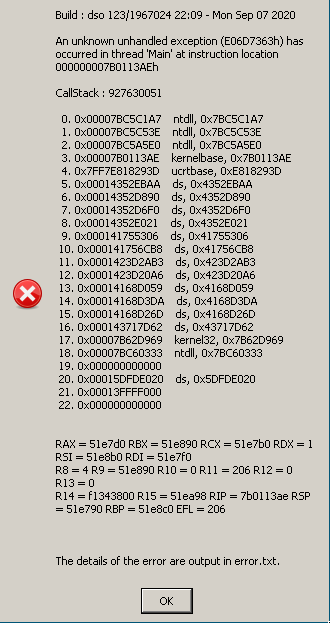
With the latest update to Proton 5.13 (from this morning) the startup issue is gone for me.
Hello there.
For me still not working with proton 5.10-x, 5.12-x, Proton-5.21-GE-1, Proton-5.9-GE-7-ST nor Proton-5.9-GE-8-ST.
I get the message that my GTX 1050 is not supported because it doesn't have DirectX 12 features or I get the other common errors already posted here by me and others.Is GTX 1050 not supported anymore? Anyone else with the same issue?
I have the same problem when trying to start with proton-5.13-4:
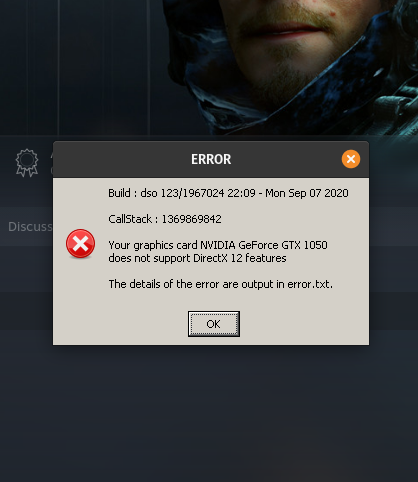
Here's is my log file:
steam-1190460.log
Hello @guilhemSmith, 228:err:vkd3d_bindless_state_init: Insufficient descriptor indexing support. looks like a line of interest from the log. What video driver version are you using?
I am using the driver version 455.38
I tried various combination of Proton and mesa to run the game with a Radeon RX570, but it always crashes right after the first cinematic with "Access violation (C0000005h)".
I tried Proton 5.13-2, 5.13-3, 5.13-2, 5.13-experimental and Proton 5.21-GE-1, mesa-git and mesa 20.3 so far. Graphics options are set to "low".
Details for one of the crashes:
-
GPU: RX 570
-
Driver: mesa-git 21.0.0_devel.132267.d7911f9c6b0
-
Kernel version: 5.9.14-zen1
-
Link to full system information report: steam_system_information.log
-
Proton version: proton-5.13-4
-
Death Stranding log file: steam-1190460.log
Error message
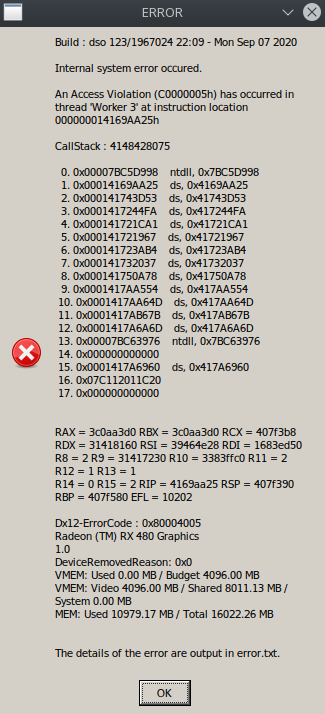
Hello @sebastian-de, your log contains:
204:info:vkd3d_get_vk_version: vkd3d-proton - applicationVersion: 2.0.0.
204:info:vkd3d_instance_init: vkd3d-proton - build: e2185df7de871cd.
204:info:vkd3d_instance_apply_application_workarounds: Detected game ds.exe, adding config 0x2, removing masks 0x0.
WARNING: lavapipe is not a conformant vulkan implementation, testing use only.
Can you try temporarily disabling lavapipe with something like sudo mv /usr/share/vulkan/icd.d/lvp_icd.x86_64.json /usr/share/vulkan/icd.d/lvp_icd.x86_64.json.disabled and retest?
@msmafra
Maybe this can help you ?
[#4289 (comment)](https://github.com/ValveSoftware/Proton/issues/4289#issuecomment-727137300)
Not on NVIDIA, but for me at the moment it only works with "previous" version for Soldier under "beta" in the properties, and "next" for Proton 5.13. I also added "PRESSURE_VESSEL_IMPORT_VULKAN_LAYERS=0" as an env variable in Lutris, as suggested here :
That didn't help, but I am not sure if it was the game or PressureVessel. What worked was adding __NV_PRIME_RENDER_OFFLOAD=1 __VK_LAYER_NV_optimus=NVIDIA_only __GLX_VENDOR_LIBRARY_NAME=nvidia this in the launch parameters in the Steam client. So my lauch parameters got like:
ENABLE_VKBASALT=0 MANGOHUD=0 __NV_PRIME_RENDER_OFFLOAD=1 __VK_LAYER_NV_optimus=NVIDIA_only __GLX_VENDOR_LIBRARY_NAME=nvidia gamemoderun %command%
Thanks @kisak-valve for your quick reply. I totally missed that lavapipe gets built by default in mesa-git from AUR now, I disabled it, as you suggested. However, the game still crashes at the same position (without showing an error message).
Log with lavapipe disabled (Driver: mesa-git 21.0.0_devel.132267.d7911f9c6b0):
steam-1190460.log
@HansKristian-Work I think this might be a vkd3d issue?
Hello there.
For me still not working with proton 5.10-x, 5.12-x, Proton-5.21-GE-1, Proton-5.9-GE-7-ST nor Proton-5.9-GE-8-ST.
I get the message that my GTX 1050 is not supported because it doesn't have DirectX 12 features or I get the other common errors already posted here by me and others.
Is GTX 1050 not supported anymore? Anyone else with the same issue?I have the same problem when trying to start with proton-5.13-4:
Here's is my log file:
steam-1190460.log
@msmafra
Maybe this can help you ?
[#4289 (comment)](https://github.com/ValveSoftware/Proton/issues/4289#issuecomment-727137300)
Not on NVIDIA, but for me at the moment it only works with "previous" version for Soldier under "beta" in the properties, and "next" for Proton 5.13. I also added "PRESSURE_VESSEL_IMPORT_VULKAN_LAYERS=0" as an env variable in Lutris, as suggested here :
ValveSoftware/steam-runtime#306 (comment)That didn't help, but I am not sure if it was the game or PressureVessel. What worked was adding __NV_PRIME_RENDER_OFFLOAD=1 __VK_LAYER_NV_optimus=NVIDIA_only __GLX_VENDOR_LIBRARY_NAME=nvidia this in the launch parameters in the Steam client. So my lauch parameters got like:
ENABLE_VKBASALT=0 MANGOHUD=0 __NV_PRIME_RENDER_OFFLOAD=1 __VK_LAYER_NV_optimus=NVIDIA_only __GLX_VENDOR_LIBRARY_NAME=nvidia gamemoderun %command%
Thanks @msmafra, this worked for me as aswell
@kisak-valve after todays update the game starts up successfully without crashing (maybe because of the Denuvo-removal).
I get a lot of graphical corruptions, though. Most prominent are wrong vegetation colors and vertical grey glitches in the sky (screenshots below).
This is on recent mesa-git (e384476d1e9) on a Radeon RX 570. Should I report these on the vkd3d issue tracker?
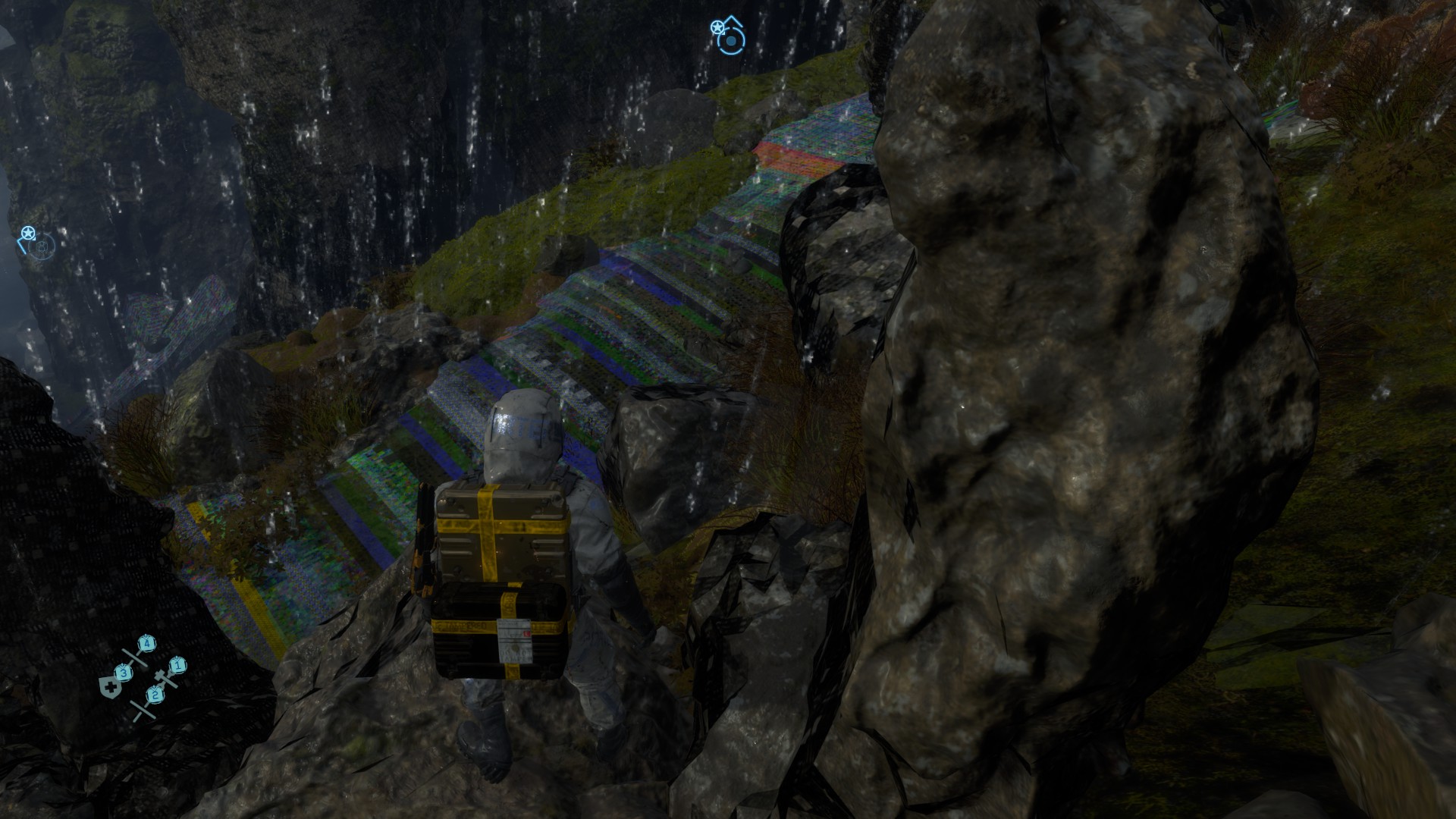
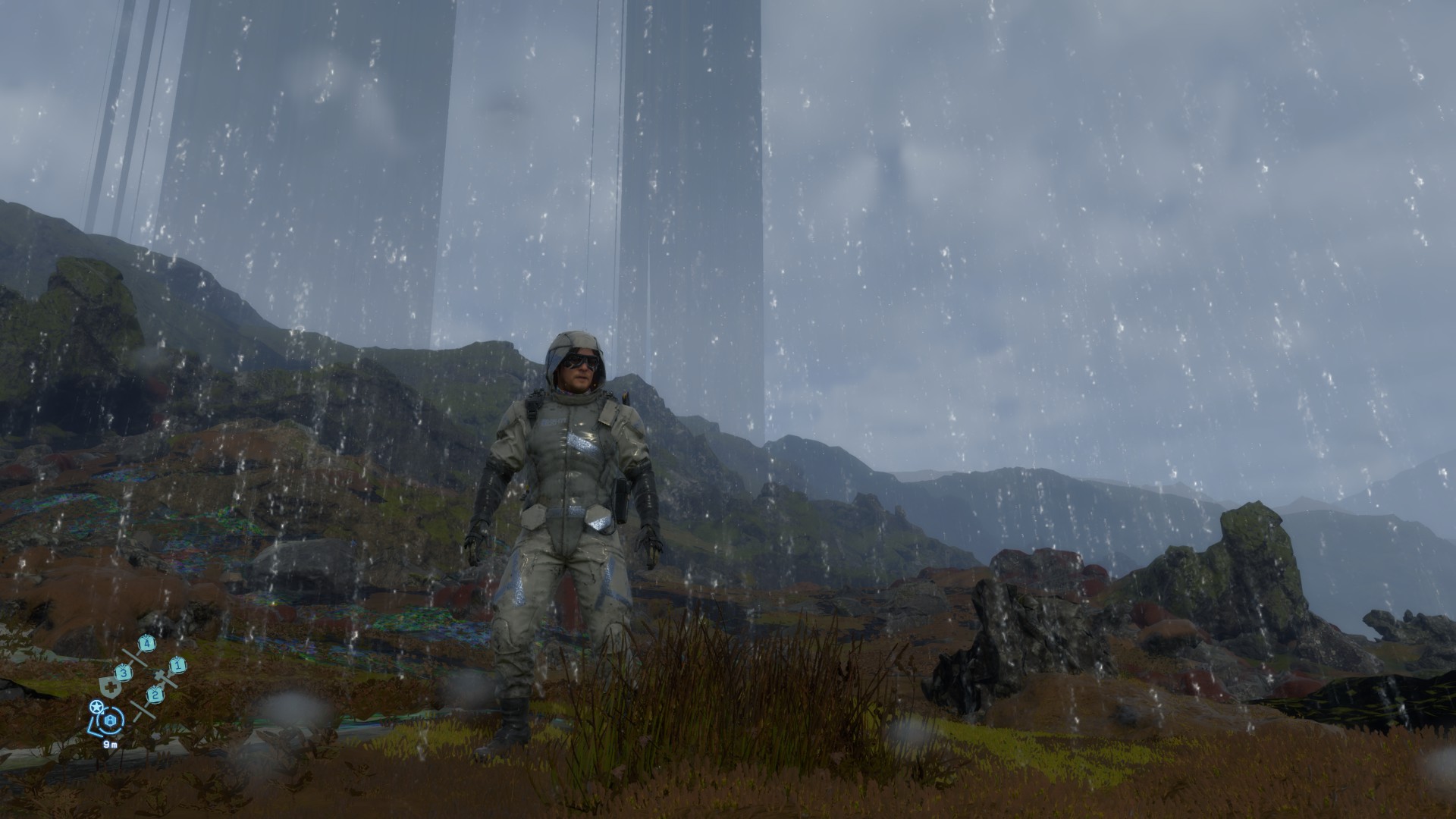
Hello @sebastian-de, it may be best to let the mesa/RADV devs take a look first and go from there.
Well, after todays update I have a weird bug, my Xbox controller sticks won't go to the right, be it the left stick for movement or the right stick for camera control, other button work fine. I plugged/unplugged the controller and restarted the game but no luck and the controller is working fine in other games.
Hello @Chipsse, sounds like https://github.com/ValveSoftware/steam-for-linux/issues/7553.
I also get "Your graphics card NVIDIA GeForce GTX 1050 does not support DirectX 12 features", even using DXVK_FILTER_DEVICE_NAME="GTX 1050". Using __NV_PRIME_RENDER_OFFLOAD=1 alone fixes the issue (though framerate is still too low to be enjoyable, and stutters are frequent).
I also have the DirectX 12 message, with proton 5.13-4, except my GPU is AMD, R9 270x. Anything I can try or is my GPU just not good enough?
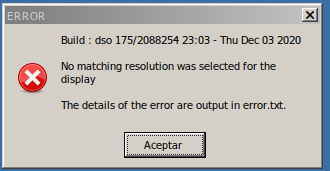
my screen is 1080p, the game does not start ... but directly it throws me the following message on the screen
I got a crash similar to @sebastian-de after finishing Chapter 1, on the cutscene after taking a shower
Build : dso 176/2099797 22:56 - Thu Dec 17 2020
An Access Violation (C0000005h) has occurred in thread 'Worker 4' at instruction location 00000001421FF6D4h
Here's the generated error.txt
error.txt
Proton 5.13 Experimental
Manjaro 20.2
Mesa: mesa-git 21.0.0_devel.132192.04c7fce799a-1
CPU: R7 2700X
GPU: RX 6800 XT
Thanks @kisak-valve, that did the trick !
I tried various combination of Proton and mesa to run the game with a Radeon RX570, but it always crashes right after the first cinematic with "Access violation (C0000005h)".
@AniLeo, So I had a similar crash with RX 570 (probably just like @sebastian-de) and was not able to advance past these cutscenes.
After upgrading to RX 6800 the crash and all the visual issues are gone. But that sounds strange considering you have it with RX 6800 XT - maybe mesa update did the trick? I think mine is a bit more fresh.
Proton: 1608325607 experimental-5.13-20201218c
    Kernel Version:  5.10.2-zen1-1-zen
Video Card:
    Driver:  AMD AMD SIENNA_CICHLID (DRM 3.40.0, 5.10.2-zen1-1-zen, LLVM 11.0.0)
    Driver Version:  4.6 (Compatibility Profile) Mesa 21.0.0-devel (git-fdcb03c2d7)
    OpenGL Version: 4.6
@derlaft I never had visual issues, I got occasional crashing throughout the game but not that frequent. I've already finished the game. I can try building newest mesa, but I don't think that's it. Maybe you'll find the crash after playing for more time.
Hello, I got an error that doesn't seem covered in this thread. When I started up Death Stranding, I was shown with this error:
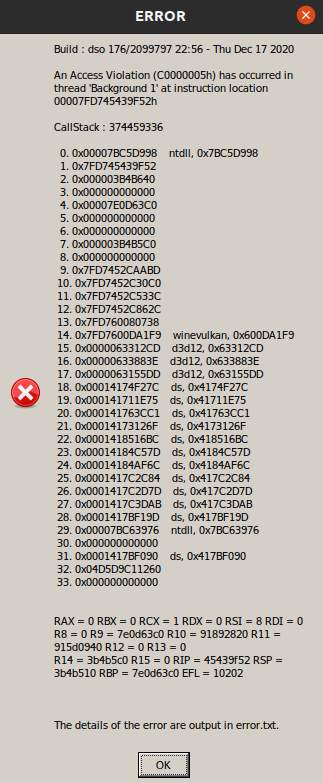
After closing this error, it results into a blank screen and closes thereafter. I have no idea what to do, and after contacting Steam Support, I was told that this game was not Whitelisted and was told to post here regarding my issue.
GPU: RX 570
RAM: 16GB
CPU: AMD Ryzen 5 2600X Six-Core Processor x 12
Driver/LLVM version: Mesa 20.0.8
Kernel: Ubuntu 20.04 LTS
Kernel version: 5.4.0-58-generic
Link to full system information report as [Gist](https://gist.github.com/wiivessel/f30f431e8f5440d565113a4be48bfcca):
Proton version: 5.13-4Death stranding here works perfectly, but it seems like my save games aren't synced to the cloud. For other games played via Steam Play syncing to the cloud work just fine, but for some reason my save games aren't synced for death stranding. The option "Keep games saves in the Steam Cloud for DEATH STRANDING" option is enabled, yet 0 bytes are stored despite me already having played for over 10 hours (which were flawless btw!). Anyone else seeing the same thing? And more importantly, how do I get the sync to work?
Death stranding here works perfectly, but it seems like my save games aren't synced to the cloud. For other games played via Steam Play syncing to the cloud work just fine, but for some reason my save games aren't synced for death stranding. The option "Keep games saves in the Steam Cloud for DEATH STRANDING" option is enabled, yet 0 bytes are stored despite me already having played for over 10 hours (which were flawless btw!). Anyone else seeing the same thing? And more importantly, how do I get the sync to work?
For games that use Proton cloud synq is not supported. Only between native versions. You need to move the saves manually between installations.
For games that use Proton cloud synq is not supported
That is not true
how do I get the sync to work?
@Mushoz, there's a quickfix: https://github.com/ValveSoftware/Proton/issues/4069#issuecomment-735422905
For games that use Proton cloud synq is not supported
That is not true
Valve's words:
"Steam supports cross-platform integration of cloud data between different operating systems.
However, not all games make use of this feature. You would want to check with the community or the developer to confirm the details of cross-platform cloud integration."
The support relies on the developer - so unless the developer makes sure the proton save games synq there is no support for it. And most games do not account for proton at all. So it either happens to work or the community fixes it. That is not "support"
Hey,
someone got a fix for this error?:
Your graphics card AMD RADV POLARIS10 (ACO)
does not support DirectX 12 features
Replying to https://github.com/ValveSoftware/Proton/issues/4069#issuecomment-778603072
you need to run amdvlk instead of radvk, apparently radeon vulkan still does not implement the instructions that the game needs. Greetings
Replying to https://github.com/ValveSoftware/Proton/issues/4069#issuecomment-778823803
Hey thanks!
Can you tell me how I could do this? I use Lutris
Reg
Replying to https://github.com/ValveSoftware/Proton/issues/4069#issuecomment-778825633
what distribution do you use?
Replying to [#4069 (comment)](https://github.com/ValveSoftware/Proton/issues/4069#issuecomment-778825633)
what distribution do you use?
I use Ubuntu 21.04 with an custom 5.10 kernel
Replying to [#4069 (comment)](https://github.com/ValveSoftware/Proton/issues/4069#issuecomment-778825633)
what distribution do you use?
I use Ubuntu 21.04 with an custom 5.10 kernel
Ok, try download lasted pre build binaries 32 and 64 bit from here
or add repo and then:
sudo wget -qO - http://repo.radeon.com/amdvlk/apt/debian/amdvlk.gpg.key | sudo apt-key add - sudo sh -c 'echo deb [arch=amd64,i386] http://repo.radeon.com/amdvlk/apt/debian/ bionic main > /etc/apt/sources.list.d/amdvlk.list' sudo apt-get remove amdvlk /* If old version is installed on the machine, remove it first */ sudo apt update sudo apt-get install amdvlk
then in lutris configure in system options > Vulkan ICD loader amd_icd64.json

Replying to [#4069 (comment)](https://github.com/ValveSoftware/Proton/issues/4069#issuecomment-778825633)
what distribution do you use?
I use Ubuntu 21.04 with an custom 5.10 kernel
Ok, try download lasted pre build binaries 32 and 64 bit from here
or add repo and then:
sudo wget -qO - http://repo.radeon.com/amdvlk/apt/debian/amdvlk.gpg.key | sudo apt-key add - sudo sh -c 'echo deb [arch=amd64,i386] http://repo.radeon.com/amdvlk/apt/debian/ bionic main > /etc/apt/sources.list.d/amdvlk.list' sudo apt-get remove amdvlk /* If old version is installed on the machine, remove it first */ sudo apt update sudo apt-get install amdvlk
then in lutris configure in system options > Vulkan ICD loader amd_icd64.json
Thanks!
For everyone that has the same issue than me:
- open Software & Updates in Ubuntu
- open the "Other Software" tab
- click on add and insert this text:
- type: Binary, URI: "http://repo.radeon.com/amdvlk/apt/debian/", distribution: "bionic", components: "main"
- install amdvlk in the terminal or in the Ubuntu Software tool
- In Lutris edit this: right click on the game/configure/System options/Vulkan ICD loader and select the amd_icd64.json (depends on the system you are on)
So the game is now starting but after I pressed "New Game" It took 25 minutes to load.
After the loading the game started with a few cut scenes which worked perfectly fine but after the cut scenes end the game just crashes :(
Regarding the loading time, I have a similar experience (it takes about 4 ~ 5 minutes). I don't have any stability problems ... try updating to the latest stable version of mesa.
sudo add-apt-repository ppa:kisak/kisak-mesa
sudo apt update
sudo apt install mesa
regards
Regarding the loading time, I have a similar experience (it takes about 4 ~ 5 minutes). I don't have any stability problems ... try updating to the latest stable version of mesa.
sudo add-apt-repository ppa:kisak/kisak-mesa
sudo apt update
sudo apt install mesa
regards
Thanks (quick edit you dont have to run apt update after adding a repository)
So after the second start the game took only a minute to load and it works now
The game has poor performance and after changing the graphical settings the game crashed too!
@iMonZ RADV has graphical gliches with certain GPU (RX570 580 590) but with AMDVLK the game just crashes
What is your GPU ?
@iMonZ RADV has graphical gliches with certain GPU (RX570 580 590) but with AMDVLK the game just crashes
What is your GPU ?
RX 580 nitro + 8GB from Sapphire
RX 580 nitro + 8GB from Sapphire
RADV works fine just get an updated version of mesa rn the stable version is 20.3.3 (20.2.x might also work)
just try to launch the game again it crashes changing some options while in game try changing them in the main menu but i can play ~60 fps minus cut scenes and i don't think i changed important options
also if you get graphical gliches please post a comment here Mesa issue
RX 580 nitro + 8GB from Sapphire
RADV works fine just get an updated version of mesa rn the stable version is 20.3.3 (20.2.x might also work)
just try to launch the game again it crashes changing some options while in game try changing them in the main menu but i can play ~60 fps minus cut scenes and i don't think i changed important options
also if you get graphical gliches please post a comment here Mesa issue
Thanks!
I only played this game for a minute so in my current state i dont have anything to report but we will see later!
So what is exactly better on this update and how do I get it? And what is the difference compared to Death Stranding?
RX 580 nitro + 8GB from Sapphire
RADV works fine just get an updated version of mesa rn the stable version is 20.3.3 (20.2.x might also work)
just try to launch the game again it crashes changing some options while in game try changing them in the main menu but i can play ~60 fps minus cut scenes and i don't think i changed important options
also if you get graphical gliches please post a comment here Mesa issue
@iMonZ You might already have it if you followed
sudo add-apt-repository ppa:kisak/kisak-mesa
sudo apt update
sudo apt install mesa
Type this command in terminal glxinfo | grep Mesa it will show you the version number
Edit: sorry I didn't reply to all the questions you had so there is a fix for a cut scenes that causes GPU hangs and some other fixes for death stranding that I don't know much the details but here are the changelogs for Mesa
Started getting crashes myself. I am near Timefall Farm.
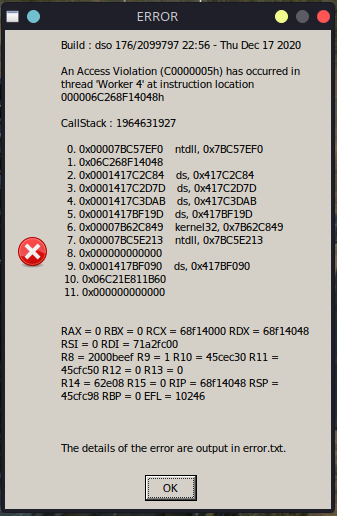
Error:
An Access Violation (C0000005h) has occurred in thread 'Worker 4' at instruction location 000006C268F14048h

CallStack : 1964631927

  0. 0x00007BC57EF0    ntdll, 0x7BC57EF0
  1. 0x06C268F14048
  2. 0x0001417C2C84    ds, 0x417C2C84
  3. 0x0001417C2D7D    ds, 0x417C2D7D
  4. 0x0001417C3DAB    ds, 0x417C3DAB
  5. 0x0001417BF19D    ds, 0x417BF19D
  6. 0x00007B62C849    kernel32, 0x7B62C849
  7. 0x00007BC5E213    ntdll, 0x7BC5E213
  8. 0x000000000000
  9. 0x0001417BF090    ds, 0x417BF090
 10. 0x06C21E811B60
 11. 0x000000000000


RAX = 0 RBX = 0 RCX = 68f14000 RDX = 68f14048 RSI = 0 RDI = 71a2fc00
R8 = 2000beef R9 = 1 R10 = 45cec30 R11 = 45cfc50 R12 = 0 R13 = 0
R14 = 62e08 R15 = 0 RIP = 68f14048 RSP = 45cfc98 RBP = 0 EFL = 10246


  0. 0x0001417D2188    ds, 0x417D2188
  1. 0x0001417D4071    ds, 0x417D4071
  2. 0x0001417D4386    ds, 0x417D4386
  3. 0x00007BC27C5E    ntdll, 0x7BC27C5E
  4. 0x00007BC5A3A3    ntdll, 0x7BC5A3A3
  5. 0x00007BC57EF0    ntdll, 0x7BC57EF0
  6. 0x06C268F14048
  7. 0x0001417C2C84    ds, 0x417C2C84
  8. 0x0001417C2D7D    ds, 0x417C2D7D
  9. 0x0001417C3DAB    ds, 0x417C3DAB
 10. 0x0001417BF19D    ds, 0x417BF19D
 11. 0x00007B62C849    kernel32, 0x7B62C849
 12. 0x00007BC5E213    ntdll, 0x7BC5E213
 13. 0x000000000000
 14. 0x0001417BF090    ds, 0x417BF090
 15. 0x06C21E811B60
 16. 0x000000000000
System information (Steam):
Processor Information:
CPU Vendor: AuthenticAMD
CPU Brand: AMD Ryzen 7 3700X 8-Core Processor
CPU Family: 0x17
CPU Model: 0x71
CPU Stepping: 0x0
CPU Type: 0x0
Speed: 4050 Mhz
16 logical processors
8 physical processors
HyperThreading: Supported
FCMOV: Supported
SSE2: Supported
SSE3: Supported
SSSE3: Supported
SSE4a: Supported
SSE41: Supported
SSE42: Supported
AES: Supported
AVX: Supported
AVX2: Unsupported
AVX512F: Unsupported
AVX512PF: Unsupported
AVX512ER: Unsupported
AVX512CD: Unsupported
AVX512VNNI: Unsupported
SHA: Unsupported
CMPXCHG16B: Supported
LAHF/SAHF: Supported
PrefetchW: Unsupported
Operating System Version:
Ubuntu 20.04.2 LTS (64 bit)
Kernel Name: Linux
Kernel Version: 5.11.6-051106-generic
X Server Vendor: The X.Org Foundation
X Server Release: 12009000
X Window Manager: KWin
Steam Runtime Version: steam-runtime_0.20210317.0
Video Card:
Driver: AMD AMD Radeon RX 5700 XT (NAVI10, DRM 3.40.0, 5.11.6-051106-generic, LLVM 11.0.1)
Driver Version: 4.6 (Compatibility Profile) Mesa 21.0.1 - kisak-mesa PPA
OpenGL Version: 4.6
Desktop Color Depth: 24 bits per pixel
Monitor Refresh Rate: 164 Hz
VendorID: 0x1002
DeviceID: 0x731f
Revision Not Detected
Number of Monitors: 2
Number of Logical Video Cards: 1
Primary Display Resolution: 2560 x 1440
Desktop Resolution: 4480 x 1440
Primary Display Size: 23.50" x 13.23" (26.97" diag)
59.7cm x 33.6cm (68.5cm diag)
Primary VRAM: 8192 MB
Sound card:
Audio device: ATI R6xx HDMI
Memory:
RAM: 15974 Mb
VR Hardware:
VR Headset: None detected
Miscellaneous:
UI Language: English
LANG: en_SI.UTF-8
Total Hard Disk Space Available: 468426 Mb
Largest Free Hard Disk Block: 305524 Mb
Storage:
Number of SSDs: 0
SSD sizes: %s1
Number of HDDs: 0
HDD sizes: %s1
"LD_* scout runtime" information:
{
"can-write-uinput" : true,
"steam-installation" : {
"path" : "/home/even/.steam/debian-installation",
"data_path" : "/home/even/.steam/debian-installation",
"bin32_path" : "/home/even/.steam/debian-installation/ubuntu12_32",
"steamscript_path" : null,
"steamscript_version" : null,
"issues" : [
"steamscript-not-in-environment"
]
},
"runtime" : {
"path" : "/home/even/.steam/debian-installation/ubuntu12_32/steam-runtime",
"version" : "0.20210317.0",
"issues" : [
],
"pinned_libs_32" : {
"list" : [
" 27531919 4 drwxrwxr-x 2 even even 4096 Apr 1 17:05 pinned_libs_32",
" 27531921 4 -rw-rw-r-- 1 even even 83 Apr 1 17:05 pinned_libs_32/system_libSDL2-2.0.so.0",
" 27531922 0 -rw-rw-r-- 1 even even 0 Apr 1 17:05 pinned_libs_32/has_pins",
" 27531920 4 lrwxrwxrwx 1 even even 108 Apr 1 17:05 pinned_libs_32/libSDL2-2.0.so.0 -> /home/even/.steam/debian-installation/ubuntu12_32/steam-runtime/usr/lib/i386-linux-gnu/libSDL2-2.0.so.0.14.0",
" 27531923 4 lrwxrwxrwx 1 even even 107 Apr 1 17:05 pinned_libs_32/libvulkan.so.1 -> /home/even/.steam/debian-installation/ubuntu12_32/steam-runtime/usr/lib/i386-linux-gnu/libvulkan.so.1.2.170",
" 27531928 4 -rw-rw-r-- 1 even even 80 Apr 1 17:05 pinned_libs_32/system_libdbus-1.so.3",
" 27531924 4 -rw-rw-r-- 1 even even 80 Apr 1 17:05 pinned_libs_32/system_libvulkan.so.1",
" 27531926 4 -rw-rw-r-- 1 even even 72 Apr 1 17:05 pinned_libs_32/system_libGLU.so.1",
" 27531925 4 lrwxrwxrwx 1 even even 106 Apr 1 17:05 pinned_libs_32/libGLU.so.1 -> /home/even/.steam/debian-installation/ubuntu12_32/steam-runtime/usr/lib/i386-linux-gnu/libGLU.so.1.3.08004",
" 27531927 4 lrwxrwxrwx 1 even even 101 Apr 1 17:05 pinned_libs_32/libdbus-1.so.3 -> /home/even/.steam/debian-installation/ubuntu12_32/steam-runtime/lib/i386-linux-gnu/libdbus-1.so.3.5.8"
]
},
"pinned_libs_64" : {
"list" : [
" 27656193 4 drwxrwxr-x 2 even even 4096 Apr 1 17:05 pinned_libs_64",
" 27656198 4 -rw-rw-r-- 1 even even 87 Apr 1 17:05 pinned_libs_64/system_libSDL2-2.0.so.0",
" 27656226 4 -rw-rw-r-- 1 even even 78 Apr 1 17:05 pinned_libs_64/system_libcurl.so.4",
" 27656194 4 lrwxrwxrwx 1 even even 115 Apr 1 17:05 pinned_libs_64/libdbusmenu-glib.so.4 -> /home/even/.steam/debian-installation/ubuntu12_32/steam-runtime/usr/lib/x86_64-linux-gnu/libdbusmenu-glib.so.4.0.13",
" 27656231 0 lrwxrwxrwx 1 even even 12 Apr 1 17:05 pinned_libs_64/libcurl.so.3 -> libcurl.so.4",
" 27656196 0 -rw-rw-r-- 1 even even 0 Apr 1 17:05 pinned_libs_64/has_pins",
" 27656197 4 lrwxrwxrwx 1 even even 110 Apr 1 17:05 pinned_libs_64/libSDL2-2.0.so.0 -> /home/even/.steam/debian-installation/ubuntu12_32/steam-runtime/usr/lib/x86_64-linux-gnu/libSDL2-2.0.so.0.14.0",
" 27656195 4 -rw-rw-r-- 1 even even 97 Apr 1 17:05 pinned_libs_64/system_libdbusmenu-glib.so.4",
" 27656199 4 lrwxrwxrwx 1 even even 114 Apr 1 17:05 pinned_libs_64/libdbusmenu-gtk.so.4 -> /home/even/.steam/debian-installation/ubuntu12_32/steam-runtime/usr/lib/x86_64-linux-gnu/libdbusmenu-gtk.so.4.0.13",
" 27656225 4 lrwxrwxrwx 1 even even 105 Apr 1 17:05 pinned_libs_64/libcurl.so.4 -> /home/even/.steam/debian-installation/ubuntu12_32/steam-runtime/usr/lib/x86_64-linux-gnu/libcurl.so.4.2.0",
" 27656227 4 lrwxrwxrwx 1 even even 109 Apr 1 17:05 pinned_libs_64/libvulkan.so.1 -> /home/even/.steam/debian-installation/ubuntu12_32/steam-runtime/usr/lib/x86_64-linux-gnu/libvulkan.so.1.2.170",
" 27656228 4 -rw-rw-r-- 1 even even 84 Apr 1 17:05 pinned_libs_64/system_libvulkan.so.1",
" 27656230 4 -rw-rw-r-- 1 even even 76 Apr 1 17:05 pinned_libs_64/system_libGLU.so.1",
" 27656229 4 lrwxrwxrwx 1 even even 108 Apr 1 17:05 pinned_libs_64/libGLU.so.1 -> /home/even/.steam/debian-installation/ubuntu12_32/steam-runtime/usr/lib/x86_64-linux-gnu/libGLU.so.1.3.08004",
" 27656210 4 -rw-rw-r-- 1 even even 95 Apr 1 17:05 pinned_libs_64/system_libdbusmenu-gtk.so.4"
]
}
},
"os-release" : {
"id" : "ubuntu",
"id_like" : [
"debian"
],
"name" : "Ubuntu",
"pretty_name" : "Ubuntu 20.04.2 LTS",
"version_id" : "20.04",
"version_codename" : "focal"
},
"container" : {
"type" : "none"
},
"driver_environment" : [
"DISPLAY=:0",
"LD_LIBRARY_PATH=/home/even/.steam/debian-installation/ubuntu12_32:/home/even/.steam/debian-installation/ubuntu12_32/panorama:/home/even/.steam/debian-installation/ubuntu12_32/steam-runtime/pinned_libs_32:/home/even/.steam/debian-installation/ubuntu12_32/steam-runtime/pinned_libs_64:/usr/lib/x86_64-linux-gnu/libfakeroot:/lib/i386-linux-gnu:/usr/local/lib:/lib/x86_64-linux-gnu:/lib32:/libx32:/lib:/lib/i386-linux-gnu/sse2:/lib/i386-linux-gnu/i686:/lib/i386-linux-gnu/i686/sse2:/home/even/.steam/debian-installation/ubuntu12_32/steam-runtime/lib/i386-linux-gnu:/home/even/.steam/debian-installation/ubuntu12_32/steam-runtime/usr/lib/i386-linux-gnu:/home/even/.steam/debian-installation/ubuntu12_32/steam-runtime/lib/x86_64-linux-gnu:/home/even/.steam/debian-installation/ubuntu12_32/steam-runtime/usr/lib/x86_64-linux-gnu:/home/even/.steam/debian-installation/ubuntu12_32/steam-runtime/lib:/home/even/.steam/debian-installation/ubuntu12_32/steam-runtime/usr/lib",
"SDL_GAMECONTROLLERCONFIG=03000000de280000ff11000001000000,Steam Virtual Gamepad,a:b0,b:b1,back:b6,dpdown:h0.4,dpleft:h0.8,dpright:h0.2,dpup:h0.1,guide:b8,leftshoulder:b4,leftstick:b9,lefttrigger:a2,leftx:a0,lefty:a1,rightshoulder:b5,rightstick:b10,righttrigger:a5,rightx:a3,righty:a4,start:b7,x:b2,y:b3,\n03000000de280000fc11000001000000,Steam Controller,a:b0,b:b1,back:b6,dpdown:b14,dpleft:b15,dpright:b13,dpup:b12,guide:b8,leftshoulder:b4,leftstick:b9,lefttrigger:a2,leftx:a0,lefty:a1,rightshoulder:b5,rightstick:b10,righttrigger:a5,rightx:a3,righty:a4,start:b7,x:b2,y:b3,",
"XDG_RUNTIME_DIR=/run/user/1000"
],
"architectures" : {
"i386-linux-gnu" : {
"can-run" : true,
"runtime-linker" : {
"path" : "/lib/ld-linux.so.2",
"resolved" : "/usr/lib/i386-linux-gnu/ld-2.31.so"
},
"library-issues-summary" : [
],
"graphics-details" : {
"x11/vulkan" : {
"messages" : [
"WARNING: lavapipe is not a conformant vulkan implementation, testing use only."
],
"renderer" : "AMD RADV NAVI10 (ACO)",
"version" : "1.2.145 (device 0x1002:0x731f) (driver 21.0.1)",
"devices" : [
{
"name" : "AMD RADV NAVI10 (ACO)",
"api-version" : "1.2.145",
"driver-version" : "21.0.1",
"vendor-id" : "0x1002",
"device-id" : "0x731f",
"type" : "discrete-gpu"
},
{
"name" : "llvmpipe (LLVM 11.0.1, 256 bits)",
"api-version" : "1.0.2",
"driver-version" : "0.0.1",
"vendor-id" : "0x10005",
"device-id" : "0",
"type" : "cpu",
"issues" : [
"software-rendering"
]
}
]
},
"x11/vdpau" : {
"renderer" : "G3DVL VDPAU Driver Shared Library version 1.0\n",
"version" : null
},
"x11/vaapi" : {
"messages" : [
"libva info: VA-API version 1.7.0",
"libva info: Trying to open /usr/lib/i386-linux-gnu/dri/radeonsi_drv_video.so",
"libva info: Found init function __vaDriverInit_1_7",
"libva info: va_openDriver() returns 0"
],
"renderer" : "Mesa Gallium driver 21.0.1 - kisak-mesa PPA for AMD Radeon RX 5700 XT (NAVI10, DRM 3.40.0, 5.11.6-051106-generic, LLVM 11.0.1)\n",
"version" : null
},
"glx/gl" : {
"messages" : [
"libGL: Can't open configuration file /etc/drirc: No such file or directory.",
"libGL: Can't open configuration file /home/even/.drirc: No such file or directory.",
"libGL: using driver amdgpu for 4",
"libGL: Can't open configuration file /etc/drirc: No such file or directory.",
"libGL: Can't open configuration file /home/even/.drirc: No such file or directory.",
"libGL: pci id for fd 4: 1002:731f, driver radeonsi",
"libGL: MESA-LOADER: dlopen(/usr/lib/i386-linux-gnu/dri/radeonsi_dri.so)",
"libGL: Can't open configuration file /etc/drirc: No such file or directory.",
"libGL: Can't open configuration file /home/even/.drirc: No such file or directory.",
"libGL: Can't open configuration file /etc/drirc: No such file or directory.",
"libGL: Can't open configuration file /home/even/.drirc: No such file or directory.",
"libGL: Can't open configuration file /etc/drirc: No such file or directory.",
"libGL: Can't open configuration file /home/even/.drirc: No such file or directory.",
"/usr/share/libdrm/amdgpu.ids version: 1.0.0",
"libGL: Using DRI3 for screen 0"
],
"renderer" : "AMD Radeon RX 5700 XT (NAVI10, DRM 3.40.0, 5.11.6-051106-generic, LLVM 11.0.1)",
"version" : "4.6 (Compatibility Profile) Mesa 21.0.1 - kisak-mesa PPA",
"library-vendor" : "glvnd",
"issues" : [
"cannot-draw"
],
"terminating-signal" : 6,
"terminating-signal-name" : "Aborted"
},
"egl_x11/gl" : {
"messages" : [
"Waffle error: 0x1 WAFFLE_ERROR_FATAL: dlopen("libEGL.so.1") failed: libEGL.so.1: wrong ELF class: ELFCLASS64"
],
"renderer" : null,
"version" : null,
"library-vendor" : "unknown",
"issues" : [
"cannot-load"
],
"exit-status" : 1
},
"egl_x11/glesv2" : {
"messages" : [
"Waffle error: 0x1 WAFFLE_ERROR_FATAL: dlopen("libEGL.so.1") failed: libEGL.so.1: wrong ELF class: ELFCLASS64"
],
"renderer" : null,
"version" : null,
"library-vendor" : "unknown",
"issues" : [
"cannot-load"
],
"exit-status" : 1
}
},
"dri_drivers" : [
{
"library_path" : "/usr/lib/i386-linux-gnu/dri/i915_dri.so"
},
{
"library_path" : "/usr/lib/i386-linux-gnu/dri/i965_dri.so"
},
{
"library_path" : "/usr/lib/i386-linux-gnu/dri/iris_dri.so"
},
{
"library_path" : "/usr/lib/i386-linux-gnu/dri/kms_swrast_dri.so"
},
{
"library_path" : "/usr/lib/i386-linux-gnu/dri/nouveau_dri.so"
},
{
"library_path" : "/usr/lib/i386-linux-gnu/dri/nouveau_vieux_dri.so"
},
{
"library_path" : "/usr/lib/i386-linux-gnu/dri/r200_dri.so"
},
{
"library_path" : "/usr/lib/i386-linux-gnu/dri/r300_dri.so"
},
{
"library_path" : "/usr/lib/i386-linux-gnu/dri/r600_dri.so"
},
{
"library_path" : "/usr/lib/i386-linux-gnu/dri/radeon_dri.so"
},
{
"library_path" : "/usr/lib/i386-linux-gnu/dri/radeonsi_dri.so"
},
{
"library_path" : "/usr/lib/i386-linux-gnu/dri/swrast_dri.so"
},
{
"library_path" : "/usr/lib/i386-linux-gnu/dri/virtio_gpu_dri.so"
},
{
"library_path" : "/usr/lib/i386-linux-gnu/dri/vmwgfx_dri.so"
},
{
"library_path" : "/usr/lib/i386-linux-gnu/dri/zink_dri.so"
}
],
"va-api_drivers" : [
{
"library_path" : "/usr/lib/i386-linux-gnu/dri/i965_drv_video.so"
},
{
"library_path" : "/usr/lib/i386-linux-gnu/dri/iHD_drv_video.so"
},
{
"library_path" : "/usr/lib/i386-linux-gnu/dri/nouveau_drv_video.so"
},
{
"library_path" : "/usr/lib/i386-linux-gnu/dri/r600_drv_video.so"
},
{
"library_path" : "/usr/lib/i386-linux-gnu/dri/radeonsi_drv_video.so"
},
{
"library_path" : "/home/even/.steam/debian-installation/ubuntu12_32/steam-runtime/usr/lib/i386-linux-gnu/dri/dummy_drv_video.so"
}
],
"vdpau_drivers" : [
{
"library_path" : "/usr/lib/i386-linux-gnu/vdpau/libvdpau_nouveau.so",
"library_link" : "libvdpau_nouveau.so.1.0.0"
},
{
"library_path" : "/usr/lib/i386-linux-gnu/vdpau/libvdpau_nouveau.so.1",
"library_link" : "libvdpau_nouveau.so.1.0.0"
},
{
"library_path" : "/usr/lib/i386-linux-gnu/vdpau/libvdpau_r300.so",
"library_link" : "libvdpau_r300.so.1.0.0"
},
{
"library_path" : "/usr/lib/i386-linux-gnu/vdpau/libvdpau_r300.so.1",
"library_link" : "libvdpau_r300.so.1.0.0"
},
{
"library_path" : "/usr/lib/i386-linux-gnu/vdpau/libvdpau_r600.so",
"library_link" : "libvdpau_r600.so.1.0.0"
},
{
"library_path" : "/usr/lib/i386-linux-gnu/vdpau/libvdpau_r600.so.1",
"library_link" : "libvdpau_r600.so.1.0.0"
},
{
"library_path" : "/usr/lib/i386-linux-gnu/vdpau/libvdpau_radeonsi.so",
"library_link" : "libvdpau_radeonsi.so.1.0.0"
},
{
"library_path" : "/usr/lib/i386-linux-gnu/vdpau/libvdpau_radeonsi.so.1",
"library_link" : "libvdpau_radeonsi.so.1.0.0"
},
{
"library_path" : "/usr/lib/i386-linux-gnu/vdpau/libvdpau_trace.so.1",
"library_link" : "libvdpau_trace.so.1.0.0"
}
],
"glx_drivers" : [
{
"library_soname" : "libGLX_indirect.so.0",
"library_path" : "/usr/lib/i386-linux-gnu/libGLX_mesa.so.0.0.0"
},
{
"library_soname" : "libGLX_mesa.so.0",
"library_path" : "/usr/lib/i386-linux-gnu/libGLX_mesa.so.0.0.0"
}
]
},
"x86_64-linux-gnu" : {
"can-run" : true,
"runtime-linker" : {
"path" : "/lib64/ld-linux-x86-64.so.2",
"resolved" : "/usr/lib/x86_64-linux-gnu/ld-2.31.so"
},
"library-issues-summary" : [
],
"graphics-details" : {
"x11/vulkan" : {
"messages" : [
"WARNING: lavapipe is not a conformant vulkan implementation, testing use only."
],
"renderer" : "AMD RADV NAVI10 (ACO)",
"version" : "1.2.145 (device 0x1002:0x731f) (driver 21.0.1)",
"devices" : [
{
"name" : "AMD RADV NAVI10 (ACO)",
"api-version" : "1.2.145",
"driver-version" : "21.0.1",
"vendor-id" : "0x1002",
"device-id" : "0x731f",
"type" : "discrete-gpu"
},
{
"name" : "llvmpipe (LLVM 11.0.1, 256 bits)",
"api-version" : "1.0.2",
"driver-version" : "0.0.1",
"vendor-id" : "0x10005",
"device-id" : "0",
"type" : "cpu",
"issues" : [
"software-rendering"
]
}
]
},
"x11/vdpau" : {
"renderer" : "G3DVL VDPAU Driver Shared Library version 1.0\n",
"version" : null
},
"x11/vaapi" : {
"messages" : [
"libva info: VA-API version 1.7.0",
"libva info: Trying to open /usr/lib/x86_64-linux-gnu/dri/radeonsi_drv_video.so",
"libva info: Found init function __vaDriverInit_1_7",
"libva info: va_openDriver() returns 0"
],
"renderer" : "Mesa Gallium driver 21.0.1 - kisak-mesa PPA for AMD Radeon RX 5700 XT (NAVI10, DRM 3.40.0, 5.11.6-051106-generic, LLVM 11.0.1)\n",
"version" : null
},
"glx/gl" : {
"renderer" : "AMD Radeon RX 5700 XT (NAVI10, DRM 3.40.0, 5.11.6-051106-generic, LLVM 11.0.1)",
"version" : "4.6 (Compatibility Profile) Mesa 21.0.1 - kisak-mesa PPA",
"library-vendor" : "glvnd"
},
"egl_x11/gl" : {
"renderer" : "AMD Radeon RX 5700 XT (NAVI10, DRM 3.40.0, 5.11.6-051106-generic, LLVM 11.0.1)",
"version" : "4.6 (Compatibility Profile) Mesa 21.0.1 - kisak-mesa PPA",
"library-vendor" : "glvnd"
},
"egl_x11/glesv2" : {
"renderer" : "AMD Radeon RX 5700 XT (NAVI10, DRM 3.40.0, 5.11.6-051106-generic, LLVM 11.0.1)",
"version" : "OpenGL ES 3.2 Mesa 21.0.1 - kisak-mesa PPA",
"library-vendor" : "glvnd"
}
},
"dri_drivers" : [
{
"library_path" : "/usr/lib/x86_64-linux-gnu/dri/d3d12_dri.so"
},
{
"library_path" : "/usr/lib/x86_64-linux-gnu/dri/i915_dri.so"
},
{
"library_path" : "/usr/lib/x86_64-linux-gnu/dri/i965_dri.so"
},
{
"library_path" : "/usr/lib/x86_64-linux-gnu/dri/iris_dri.so"
},
{
"library_path" : "/usr/lib/x86_64-linux-gnu/dri/kms_swrast_dri.so"
},
{
"library_path" : "/usr/lib/x86_64-linux-gnu/dri/nouveau_dri.so"
},
{
"library_path" : "/usr/lib/x86_64-linux-gnu/dri/nouveau_vieux_dri.so"
},
{
"library_path" : "/usr/lib/x86_64-linux-gnu/dri/r200_dri.so"
},
{
"library_path" : "/usr/lib/x86_64-linux-gnu/dri/r300_dri.so"
},
{
"library_path" : "/usr/lib/x86_64-linux-gnu/dri/r600_dri.so"
},
{
"library_path" : "/usr/lib/x86_64-linux-gnu/dri/radeon_dri.so"
},
{
"library_path" : "/usr/lib/x86_64-linux-gnu/dri/radeonsi_dri.so"
},
{
"library_path" : "/usr/lib/x86_64-linux-gnu/dri/swrast_dri.so"
},
{
"library_path" : "/usr/lib/x86_64-linux-gnu/dri/virtio_gpu_dri.so"
},
{
"library_path" : "/usr/lib/x86_64-linux-gnu/dri/vmwgfx_dri.so"
},
{
"library_path" : "/usr/lib/x86_64-linux-gnu/dri/zink_dri.so"
}
],
"va-api_drivers" : [
{
"library_path" : "/usr/lib/x86_64-linux-gnu/dri/i965_drv_video.so"
},
{
"library_path" : "/usr/lib/x86_64-linux-gnu/dri/iHD_drv_video.so"
},
{
"library_path" : "/usr/lib/x86_64-linux-gnu/dri/nouveau_drv_video.so"
},
{
"library_path" : "/usr/lib/x86_64-linux-gnu/dri/r600_drv_video.so"
},
{
"library_path" : "/usr/lib/x86_64-linux-gnu/dri/radeonsi_drv_video.so"
},
{
"library_path" : "/home/even/.steam/debian-installation/ubuntu12_32/steam-runtime/usr/lib/x86_64-linux-gnu/dri/dummy_drv_video.so"
}
],
"vdpau_drivers" : [
{
"library_path" : "/usr/lib/x86_64-linux-gnu/vdpau/libvdpau_nouveau.so",
"library_link" : "libvdpau_nouveau.so.1.0.0"
},
{
"library_path" : "/usr/lib/x86_64-linux-gnu/vdpau/libvdpau_nouveau.so.1",
"library_link" : "libvdpau_nouveau.so.1.0.0"
},
{
"library_path" : "/usr/lib/x86_64-linux-gnu/vdpau/libvdpau_r300.so",
"library_link" : "libvdpau_r300.so.1.0.0"
},
{
"library_path" : "/usr/lib/x86_64-linux-gnu/vdpau/libvdpau_r300.so.1",
"library_link" : "libvdpau_r300.so.1.0.0"
},
{
"library_path" : "/usr/lib/x86_64-linux-gnu/vdpau/libvdpau_r600.so",
"library_link" : "libvdpau_r600.so.1.0.0"
},
{
"library_path" : "/usr/lib/x86_64-linux-gnu/vdpau/libvdpau_r600.so.1",
"library_link" : "libvdpau_r600.so.1.0.0"
},
{
"library_path" : "/usr/lib/x86_64-linux-gnu/vdpau/libvdpau_radeonsi.so",
"library_link" : "libvdpau_radeonsi.so.1.0.0"
},
{
"library_path" : "/usr/lib/x86_64-linux-gnu/vdpau/libvdpau_radeonsi.so.1",
"library_link" : "libvdpau_radeonsi.so.1.0.0"
},
{
"library_path" : "/usr/lib/x86_64-linux-gnu/vdpau/libvdpau_trace.so.1",
"library_link" : "libvdpau_trace.so.1.0.0"
}
],
"glx_drivers" : [
{
"library_soname" : "libGLX_indirect.so.0",
"library_path" : "/usr/lib/x86_64-linux-gnu/libGLX_mesa.so.0.0.0"
},
{
"library_soname" : "libGLX_mesa.so.0",
"library_path" : "/usr/lib/x86_64-linux-gnu/libGLX_mesa.so.0.0.0"
}
]
}
},
"locale-issues" : [
"default-missing"
],
"locales" : {
"" : {
"error-domain" : "srt-locale-error-quark",
"error-code" : 0,
"error" : "No such file or directory"
},
"C" : {
"resulting-name" : "C",
"charset" : "ANSI_X3.4-1968",
"is_utf8" : false
},
"C.UTF-8" : {
"resulting-name" : "C.UTF-8",
"charset" : "UTF-8",
"is_utf8" : true
},
"en_US.UTF-8" : {
"resulting-name" : "en_US.UTF-8",
"charset" : "UTF-8",
"is_utf8" : true
}
},
"egl" : {
"icds" : [
{
"json_path" : "/usr/share/glvnd/egl_vendor.d/50_mesa.json",
"library_path" : "libEGL_mesa.so.0",
"issues" : [
]
}
]
},
"vulkan" : {
"icds" : [
{
"json_path" : "/usr/share/vulkan/icd.d/lvp_icd.x86_64.json",
"library_path" : "/usr/lib/x86_64-linux-gnu/libvulkan_lvp.so",
"api_version" : "1.1.107",
"issues" : [
]
},
{
"json_path" : "/usr/share/vulkan/icd.d/lvp_icd.i686.json",
"library_path" : "/usr/lib/i386-linux-gnu/libvulkan_lvp.so",
"api_version" : "1.1.107",
"issues" : [
]
},
{
"json_path" : "/usr/share/vulkan/icd.d/radeon_icd.i686.json",
"library_path" : "/usr/lib/i386-linux-gnu/libvulkan_radeon.so",
"api_version" : "1.2.145",
"issues" : [
]
},
{
"json_path" : "/usr/share/vulkan/icd.d/intel_icd.x86_64.json",
"library_path" : "/usr/lib/x86_64-linux-gnu/libvulkan_intel.so",
"api_version" : "1.2.145",
"issues" : [
]
},
{
"json_path" : "/usr/share/vulkan/icd.d/intel_icd.i686.json",
"library_path" : "/usr/lib/i386-linux-gnu/libvulkan_intel.so",
"api_version" : "1.2.145",
"issues" : [
]
},
{
"json_path" : "/usr/share/vulkan/icd.d/radeon_icd.x86_64.json",
"library_path" : "/usr/lib/x86_64-linux-gnu/libvulkan_radeon.so",
"api_version" : "1.2.145",
"issues" : [
]
}
],
"explicit_layers" : [
{
"json_path" : "/usr/share/vulkan/explicit_layer.d/VkLayer_MESA_overlay.json",
"name" : "VK_LAYER_MESA_overlay",
"description" : "Mesa Overlay layer",
"type" : "GLOBAL",
"api_version" : "1.1.73",
"implementation_version" : "1",
"library_path" : "libVkLayer_MESA_overlay.so",
"issues" : [
]
}
],
"implicit_layers" : [
{
"json_path" : "/usr/share/vulkan/implicit_layer.d/MangoHud.json",
"name" : "VK_LAYER_MANGOHUD_overlay",
"description" : "Vulkan Hud Overlay",
"type" : "GLOBAL",
"api_version" : "1.2.135",
"implementation_version" : "1",
"library_path" : "/usr/lib/mangohud/$LIB/libMangoHud.so",
"issues" : [
]
},
{
"json_path" : "/usr/share/vulkan/implicit_layer.d/VkLayer_MESA_device_select.json",
"name" : "VK_LAYER_MESA_device_select",
"description" : "Linux device selection layer",
"type" : "GLOBAL",
"api_version" : "1.2.73",
"implementation_version" : "1",
"library_path" : "libVkLayer_MESA_device_select.so",
"issues" : [
]
},
{
"json_path" : "/home/even/.local/share/vulkan/implicit_layer.d/steamfossilize_i386.json",
"name" : "VK_LAYER_VALVE_steam_fossilize_32",
"description" : "Steam Pipeline Caching Layer",
"type" : "GLOBAL",
"api_version" : "1.2.136",
"implementation_version" : "1",
"library_path" : "/home/even/.steam/debian-installation/ubuntu12_32/libVkLayer_steam_fossilize.so",
"issues" : [
]
},
{
"json_path" : "/home/even/.local/share/vulkan/implicit_layer.d/steamfossilize_x86_64.json",
"name" : "VK_LAYER_VALVE_steam_fossilize_64",
"description" : "Steam Pipeline Caching Layer",
"type" : "GLOBAL",
"api_version" : "1.2.136",
"implementation_version" : "1",
"library_path" : "/home/even/.steam/debian-installation/ubuntu12_64/libVkLayer_steam_fossilize.so",
"issues" : [
]
},
{
"json_path" : "/home/even/.local/share/vulkan/implicit_layer.d/steamoverlay_i386.json",
"name" : "VK_LAYER_VALVE_steam_overlay_32",
"description" : "Steam Overlay Layer",
"type" : "GLOBAL",
"api_version" : "1.2.136",
"implementation_version" : "1",
"library_path" : "/home/even/.steam/debian-installation/ubuntu12_32/steamoverlayvulkanlayer.so",
"issues" : [
]
},
{
"json_path" : "/home/even/.local/share/vulkan/implicit_layer.d/steamoverlay_x86_64.json",
"name" : "VK_LAYER_VALVE_steam_overlay_64",
"description" : "Steam Overlay Layer",
"type" : "GLOBAL",
"api_version" : "1.2.136",
"implementation_version" : "1",
"library_path" : "/home/even/.steam/debian-installation/ubuntu12_64/steamoverlayvulkanlayer.so",
"issues" : [
]
}
]
},
"desktop-entries" : [
{
"id" : "steam.desktop",
"commandline" : "/usr/games/steam %U",
"filename" : "/usr/share/applications/steam.desktop",
"default_steam_uri_handler" : true,
"steam_uri_handler" : true
}
],
"xdg-portals" : {
"details" : {
"interfaces" : {
"org.freedesktop.portal.OpenURI" : {
"available" : true,
"version" : 3
},
"org.freedesktop.portal.Email" : {
"available" : true,
"version" : 3
}
},
"backends" : {
"org.freedesktop.impl.portal.desktop.gtk" : {
"available" : false
},
"org.freedesktop.impl.portal.desktop.kde" : {
"available" : true
}
}
},
"issues" : [
]
},
"cpu-features" : {
"x86-64" : true,
"sse3" : true,
"cmpxchg16b" : true
}
}
"scout runtime container" is not installed.
"soldier runtime container" information:
{
"can-write-uinput" : true,
"steam-installation" : {
"path" : "/home/even/.steam/debian-installation",
"data_path" : "/home/even/.steam/debian-installation",
"bin32_path" : "/home/even/.steam/debian-installation/ubuntu12_32",
"steamscript_path" : null,
"steamscript_version" : null,
"issues" : [
"steamscript-not-in-environment",
"missing-steam-uri-handler"
]
},
"runtime" : {
"path" : "/",
"version" : "0.20210309.0",
"issues" : [
],
"overrides" : {
"list" : [
" 79 0 drwxr-xr-x 4 even even 80 Apr 5 19:07 overrides",
" 89 0 drwxr-xr-x 4 even even 220 Apr 5 19:07 overrides/lib",
" 324 0 lrwxrwxrwx 1 even even 16 Apr 5 19:07 overrides/lib/platform-xeon_phi -> x86_64-linux-gnu",
" 323 0 lrwxrwxrwx 1 even even 14 Apr 5 19:07 overrides/lib/platform-i686 -> i386-linux-gnu",
" 322 0 lrwxrwxrwx 1 even even 16 Apr 5 19:07 overrides/lib/platform-x86_64 -> x86_64-linux-gnu",
" 321 0 lrwxrwxrwx 1 even even 14 Apr 5 19:07 overrides/lib/platform-i586 -> i386-linux-gnu",
" 320 0 lrwxrwxrwx 1 even even 14 Apr 5 19:07 overrides/lib/platform-i386 -> i386-linux-gnu",
" 202 0 drwxr-xr-x 6 even even 1620 Apr 5 19:07 overrides/lib/x86_64-linux-gnu",
" 319 0 lrwxrwxrwx 1 even even 57 Apr 5 19:07 overrides/lib/x86_64-linux-gnu/libpciaccess.so.0 -> /run/host/usr/lib/x86_64-linux-gnu/libpciaccess.so.0.11.1",
" 318 0 lrwxrwxrwx 1 even even 49 Apr 5 19:07 overrides/lib/x86_64-linux-gnu/libGL.so.1 -> /run/host/usr/lib/x86_64-linux-gnu/libGL.so.1.7.0",
" 317 0 lrwxrwxrwx 1 even even 50 Apr 5 19:07 overrides/lib/x86_64-linux-gnu/libpcprofile.so -> /run/host/usr/lib/x86_64-linux-gnu/libpcprofile.so",
" 316 0 lrwxrwxrwx 1 even even 56 Apr 5 19:07 overrides/lib/x86_64-linux-gnu/libdrm_intel.so.1 -> /run/host/usr/lib/x86_64-linux-gnu/libdrm_intel.so.1.0.0",
" 315 0 lrwxrwxrwx 1 even even 55 Apr 5 19:07 overrides/lib/x86_64-linux-gnu/libxcb-dri3.so.0 -> /run/host/usr/lib/x86_64-linux-gnu/libxcb-dri3.so.0.0.0",
" 314 0 lrwxrwxrwx 1 even even 57 Apr 5 19:07 overrides/lib/x86_64-linux-gnu/libdrm_amdgpu.so.1 -> /run/host/usr/lib/x86_64-linux-gnu/libdrm_amdgpu.so.1.0.0",
" 304 0 drwxr-xr-x 2 even even 220 Apr 5 19:07 overrides/lib/x86_64-linux-gnu/vdpau",
" 313 0 lrwxrwxrwx 1 even even 63 Apr 5 19:07 overrides/lib/x86_64-linux-gnu/vdpau/libvdpau_r600.so -> /run/host/usr/lib/x86_64-linux-gnu/vdpau/libvdpau_r600.so.1.0.0",
" 312 0 lrwxrwxrwx 1 even even 63 Apr 5 19:07 overrides/lib/x86_64-linux-gnu/vdpau/libvdpau_r300.so.1 -> /run/host/usr/lib/x86_64-linux-gnu/vdpau/libvdpau_r300.so.1.0.0",
" 311 0 lrwxrwxrwx 1 even even 63 Apr 5 19:07 overrides/lib/x86_64-linux-gnu/vdpau/libvdpau_r300.so -> /run/host/usr/lib/x86_64-linux-gnu/vdpau/libvdpau_r300.so.1.0.0",
" 310 0 lrwxrwxrwx 1 even even 66 Apr 5 19:07 overrides/lib/x86_64-linux-gnu/vdpau/libvdpau_nouveau.so -> /run/host/usr/lib/x86_64-linux-gnu/vdpau/libvdpau_nouveau.so.1.0.0",
" 309 0 lrwxrwxrwx 1 even even 66 Apr 5 19:07 overrides/lib/x86_64-linux-gnu/vdpau/libvdpau_nouveau.so.1 -> /run/host/usr/lib/x86_64-linux-gnu/vdpau/libvdpau_nouveau.so.1.0.0",
" 308 0 lrwxrwxrwx 1 even even 67 Apr 5 19:07 overrides/lib/x86_64-linux-gnu/vdpau/libvdpau_radeonsi.so -> /run/host/usr/lib/x86_64-linux-gnu/vdpau/libvdpau_radeonsi.so.1.0.0",
" 307 0 lrwxrwxrwx 1 even even 63 Apr 5 19:07 overrides/lib/x86_64-linux-gnu/vdpau/libvdpau_r600.so.1 -> /run/host/usr/lib/x86_64-linux-gnu/vdpau/libvdpau_r600.so.1.0.0",
" 306 0 lrwxrwxrwx 1 even even 64 Apr 5 19:07 overrides/lib/x86_64-linux-gnu/vdpau/libvdpau_trace.so.1 -> /run/host/usr/lib/x86_64-linux-gnu/vdpau/libvdpau_trace.so.1.0.0",
" 305 0 lrwxrwxrwx 1 even even 67 Apr 5 19:07 overrides/lib/x86_64-linux-gnu/vdpau/libvdpau_radeonsi.so.1 -> /run/host/usr/lib/x86_64-linux-gnu/vdpau/libvdpau_radeonsi.so.1.0.0",
" 303 0 lrwxrwxrwx 1 even even 51 Apr 5 19:07 overrides/lib/x86_64-linux-gnu/libzstd.so.1 -> /run/host/usr/lib/x86_64-linux-gnu/libzstd.so.1.4.4",
" 302 0 lrwxrwxrwx 1 even even 55 Apr 5 19:07 overrides/lib/x86_64-linux-gnu/libva-x11.so.2 -> /run/host/usr/lib/x86_64-linux-gnu/libva-x11.so.2.700.0",
" 298 0 drwxr-xr-x 2 even even 100 Apr 5 19:07 overrides/lib/x86_64-linux-gnu/vulkan_imp_layer",
" 301 0 lrwxrwxrwx 1 even even 79 Apr 5 19:07 overrides/lib/x86_64-linux-gnu/vulkan_imp_layer/libVkLayer_steam_fossilize.so -> /home/even/.steam/debian-installation/ubuntu12_64/libVkLayer_steam_fossilize.so",
" 300 0 lrwxrwxrwx 1 even even 76 Apr 5 19:07 overrides/lib/x86_64-linux-gnu/vulkan_imp_layer/steamoverlayvulkanlayer.so -> /home/even/.steam/debian-installation/ubuntu12_64/steamoverlayvulkanlayer.so",
" 299 0 lrwxrwxrwx 1 even even 45 Apr 5 19:07 overrides/lib/x86_64-linux-gnu/vulkan_imp_layer/libMangoHud.so -> /run/host/usr/lib/mangohud/lib/libMangoHud.so",
" 297 0 lrwxrwxrwx 1 even even 50 Apr 5 19:07 overrides/lib/x86_64-linux-gnu/libmvec.so.1 -> /run/host/usr/lib/x86_64-linux-gnu/libmvec-2.31.so",
" 296 0 lrwxrwxrwx 1 even even 50 Apr 5 19:07 overrides/lib/x86_64-linux-gnu/libGLX.so.0 -> /run/host/usr/lib/x86_64-linux-gnu/libGLX.so.0.0.0",
" 295 0 lrwxrwxrwx 1 even even 55 Apr 5 19:07 overrides/lib/x86_64-linux-gnu/libGLX_indirect.so.0 -> /run/host/usr/lib/x86_64-linux-gnu/libGLX_mesa.so.0.0.0",
" 294 0 lrwxrwxrwx 1 even even 50 Apr 5 19:07 overrides/lib/x86_64-linux-gnu/libLLVM-11.so.1 -> /run/host/usr/lib/x86_64-linux-gnu/libLLVM-11.so.1",
" 293 0 lrwxrwxrwx 1 even even 47 Apr 5 19:07 overrides/lib/x86_64-linux-gnu/libm.so.6 -> /run/host/usr/lib/x86_64-linux-gnu/libm-2.31.so",
" 292 0 lrwxrwxrwx 1 even even 48 Apr 5 19:07 overrides/lib/x86_64-linux-gnu/libgcc_s.so.1 -> /run/host/usr/lib/x86_64-linux-gnu/libgcc_s.so.1",
" 291 0 lrwxrwxrwx 1 even even 56 Apr 5 19:07 overrides/lib/x86_64-linux-gnu/libxcb-randr.so.0 -> /run/host/usr/lib/x86_64-linux-gnu/libxcb-randr.so.0.1.0",
" 290 0 lrwxrwxrwx 1 even even 58 Apr 5 19:07 overrides/lib/x86_64-linux-gnu/libBrokenLocale.so.1 -> /run/host/usr/lib/x86_64-linux-gnu/libBrokenLocale-2.31.so",
" 289 0 lrwxrwxrwx 1 even even 50 Apr 5 19:07 overrides/lib/x86_64-linux-gnu/libEGL.so.1 -> /run/host/usr/lib/x86_64-linux-gnu/libEGL.so.1.1.0",
" 288 0 lrwxrwxrwx 1 even even 56 Apr 5 19:07 overrides/lib/x86_64-linux-gnu/libnss_compat.so.2 -> /run/host/usr/lib/x86_64-linux-gnu/libnss_compat-2.31.so",
" 266 0 drwxr-xr-x 2 even even 460 Apr 5 19:07 overrides/lib/x86_64-linux-gnu/dri",
" 287 0 lrwxrwxrwx 1 even even 56 Apr 5 19:07 overrides/lib/x86_64-linux-gnu/dri/r600_drv_video.so -> /run/host/usr/lib/x86_64-linux-gnu/dri/r600_drv_video.so",
" 286 0 lrwxrwxrwx 1 even even 56 Apr 5 19:07 overrides/lib/x86_64-linux-gnu/dri/virtio_gpu_dri.so -> /run/host/usr/lib/x86_64-linux-gnu/dri/virtio_gpu_dri.so",
" 285 0 lrwxrwxrwx 1 even even 52 Apr 5 19:07 overrides/lib/x86_64-linux-gnu/dri/radeon_dri.so -> /run/host/usr/lib/x86_64-linux-gnu/dri/radeon_dri.so",
" 284 0 lrwxrwxrwx 1 even even 59 Apr 5 19:07 overrides/lib/x86_64-linux-gnu/dri/nouveau_drv_video.so -> /run/host/usr/lib/x86_64-linux-gnu/dri/nouveau_drv_video.so",
" 283 0 lrwxrwxrwx 1 even even 56 Apr 5 19:07 overrides/lib/x86_64-linux-gnu/dri/i965_drv_video.so -> /run/host/usr/lib/x86_64-linux-gnu/dri/i965_drv_video.so",
" 282 0 lrwxrwxrwx 1 even even 55 Apr 5 19:07 overrides/lib/x86_64-linux-gnu/dri/iHD_drv_video.so -> /run/host/usr/lib/x86_64-linux-gnu/dri/iHD_drv_video.so",
" 281 0 lrwxrwxrwx 1 even even 50 Apr 5 19:07 overrides/lib/x86_64-linux-gnu/dri/i915_dri.so -> /run/host/usr/lib/x86_64-linux-gnu/dri/i915_dri.so",
" 280 0 lrwxrwxrwx 1 even even 54 Apr 5 19:07 overrides/lib/x86_64-linux-gnu/dri/radeonsi_dri.so -> /run/host/usr/lib/x86_64-linux-gnu/dri/radeonsi_dri.so",
" 279 0 lrwxrwxrwx 1 even even 50 Apr 5 19:07 overrides/lib/x86_64-linux-gnu/dri/zink_dri.so -> /run/host/usr/lib/x86_64-linux-gnu/dri/zink_dri.so",
" 278 0 lrwxrwxrwx 1 even even 51 Apr 5 19:07 overrides/lib/x86_64-linux-gnu/dri/d3d12_dri.so -> /run/host/usr/lib/x86_64-linux-gnu/dri/d3d12_dri.so",
" 277 0 lrwxrwxrwx 1 even even 60 Apr 5 19:07 overrides/lib/x86_64-linux-gnu/dri/radeonsi_drv_video.so -> /run/host/usr/lib/x86_64-linux-gnu/dri/radeonsi_drv_video.so",
" 276 0 lrwxrwxrwx 1 even even 50 Apr 5 19:07 overrides/lib/x86_64-linux-gnu/dri/r300_dri.so -> /run/host/usr/lib/x86_64-linux-gnu/dri/r300_dri.so",
" 275 0 lrwxrwxrwx 1 even even 50 Apr 5 19:07 overrides/lib/x86_64-linux-gnu/dri/iris_dri.so -> /run/host/usr/lib/x86_64-linux-gnu/dri/iris_dri.so",
" 274 0 lrwxrwxrwx 1 even even 52 Apr 5 19:07 overrides/lib/x86_64-linux-gnu/dri/vmwgfx_dri.so -> /run/host/usr/lib/x86_64-linux-gnu/dri/vmwgfx_dri.so",
" 273 0 lrwxrwxrwx 1 even even 53 Apr 5 19:07 overrides/lib/x86_64-linux-gnu/dri/nouveau_dri.so -> /run/host/usr/lib/x86_64-linux-gnu/dri/nouveau_dri.so",
" 272 0 lrwxrwxrwx 1 even even 59 Apr 5 19:07 overrides/lib/x86_64-linux-gnu/dri/nouveau_vieux_dri.so -> /run/host/usr/lib/x86_64-linux-gnu/dri/nouveau_vieux_dri.so",
" 271 0 lrwxrwxrwx 1 even even 50 Apr 5 19:07 overrides/lib/x86_64-linux-gnu/dri/r200_dri.so -> /run/host/usr/lib/x86_64-linux-gnu/dri/r200_dri.so",
" 270 0 lrwxrwxrwx 1 even even 56 Apr 5 19:07 overrides/lib/x86_64-linux-gnu/dri/kms_swrast_dri.so -> /run/host/usr/lib/x86_64-linux-gnu/dri/kms_swrast_dri.so",
" 269 0 lrwxrwxrwx 1 even even 50 Apr 5 19:07 overrides/lib/x86_64-linux-gnu/dri/i965_dri.so -> /run/host/usr/lib/x86_64-linux-gnu/dri/i965_dri.so",
" 268 0 lrwxrwxrwx 1 even even 50 Apr 5 19:07 overrides/lib/x86_64-linux-gnu/dri/r600_dri.so -> /run/host/usr/lib/x86_64-linux-gnu/dri/r600_dri.so",
" 267 0 lrwxrwxrwx 1 even even 52 Apr 5 19:07 overrides/lib/x86_64-linux-gnu/dri/swrast_dri.so -> /run/host/usr/lib/x86_64-linux-gnu/dri/swrast_dri.so",
" 265 0 lrwxrwxrwx 1 even even 53 Apr 5 19:07 overrides/lib/x86_64-linux-gnu/libGLESv2.so.2 -> /run/host/usr/lib/x86_64-linux-gnu/libGLESv2.so.2.1.0",
" 264 0 lrwxrwxrwx 1 even even 53 Apr 5 19:07 overrides/lib/x86_64-linux-gnu/libpthread.so.0 -> /run/host/usr/lib/x86_64-linux-gnu/libpthread-2.31.so",
" 263 0 lrwxrwxrwx 1 even even 61 Apr 5 19:07 overrides/lib/x86_64-linux-gnu/libwayland-client.so.0 -> /run/host/usr/lib/x86_64-linux-gnu/libwayland-client.so.0.3.0",
" 262 0 lrwxrwxrwx 1 even even 57 Apr 5 19:07 overrides/lib/x86_64-linux-gnu/libdrm_radeon.so.1 -> /run/host/usr/lib/x86_64-linux-gnu/libdrm_radeon.so.1.0.1",
" 261 0 lrwxrwxrwx 1 even even 55 Apr 5 19:07 overrides/lib/x86_64-linux-gnu/libGLX_mesa.so.0 -> /run/host/usr/lib/x86_64-linux-gnu/libGLX_mesa.so.0.0.0",
" 260 0 lrwxrwxrwx 1 even even 54 Apr 5 19:07 overrides/lib/x86_64-linux-gnu/libthread_db.so.1 -> /run/host/usr/lib/x86_64-linux-gnu/libthread_db-1.0.so",
" 259 0 lrwxrwxrwx 1 even even 49 Apr 5 19:07 overrides/lib/x86_64-linux-gnu/libanl.so.1 -> /run/host/usr/lib/x86_64-linux-gnu/libanl-2.31.so",
" 258 0 lrwxrwxrwx 1 even even 54 Apr 5 19:07 overrides/lib/x86_64-linux-gnu/libxcb-glx.so.0 -> /run/host/usr/lib/x86_64-linux-gnu/libxcb-glx.so.0.0.0",
" 257 0 lrwxrwxrwx 1 even even 55 Apr 5 19:07 overrides/lib/x86_64-linux-gnu/libxcb-dri2.so.0 -> /run/host/usr/lib/x86_64-linux-gnu/libxcb-dri2.so.0.0.0",
" 256 0 lrwxrwxrwx 1 even even 47 Apr 5 19:07 overrides/lib/x86_64-linux-gnu/libc.so.6 -> /run/host/usr/lib/x86_64-linux-gnu/libc-2.31.so",
" 250 0 drwxr-xr-x 4 even even 100 Apr 5 19:07 overrides/lib/x86_64-linux-gnu/vulkan",
" 255 0 lrwxrwxrwx 1 even even 51 Apr 5 19:07 overrides/lib/x86_64-linux-gnu/vulkan/libvulkan_lvp.so -> /run/host/usr/lib/x86_64-linux-gnu/libvulkan_lvp.so",
" 253 0 drwxr-xr-x 2 even even 60 Apr 5 19:07 overrides/lib/x86_64-linux-gnu/vulkan/5",
" 254 0 lrwxrwxrwx 1 even even 54 Apr 5 19:07 overrides/lib/x86_64-linux-gnu/vulkan/5/libvulkan_radeon.so -> /run/host/usr/lib/x86_64-linux-gnu/libvulkan_radeon.so",
" 251 0 drwxr-xr-x 2 even even 60 Apr 5 19:07 overrides/lib/x86_64-linux-gnu/vulkan/3",
" 252 0 lrwxrwxrwx 1 even even 53 Apr 5 19:07 overrides/lib/x86_64-linux-gnu/vulkan/3/libvulkan_intel.so -> /run/host/usr/lib/x86_64-linux-gnu/libvulkan_intel.so",
" 249 0 lrwxrwxrwx 1 even even 50 Apr 5 19:07 overrides/lib/x86_64-linux-gnu/libX11.so.6 -> /run/host/usr/lib/x86_64-linux-gnu/libX11.so.6.3.0",
" 248 0 lrwxrwxrwx 1 even even 54 Apr 5 19:07 overrides/lib/x86_64-linux-gnu/libstdc++.so.6 -> /run/host/usr/lib/x86_64-linux-gnu/libstdc++.so.6.0.28",
" 247 0 lrwxrwxrwx 1 even even 57 Apr 5 19:07 overrides/lib/x86_64-linux-gnu/libxcb-xfixes.so.0 -> /run/host/usr/lib/x86_64-linux-gnu/libxcb-xfixes.so.0.0.0",
" 246 0 lrwxrwxrwx 1 even even 52 Apr 5 19:07 overrides/lib/x86_64-linux-gnu/libcrypt.so.1 -> /run/host/usr/lib/x86_64-linux-gnu/libcrypt.so.1.1.0",
" 245 0 lrwxrwxrwx 1 even even 52 Apr 5 19:07 overrides/lib/x86_64-linux-gnu/libresolv.so.2 -> /run/host/usr/lib/x86_64-linux-gnu/libresolv-2.31.so",
" 244 0 lrwxrwxrwx 1 even even 50 Apr 5 19:07 overrides/lib/x86_64-linux-gnu/libelf.so.1 -> /run/host/usr/lib/x86_64-linux-gnu/libelf-0.176.so",
" 243 0 lrwxrwxrwx 1 even even 55 Apr 5 19:07 overrides/lib/x86_64-linux-gnu/libxcb-sync.so.1 -> /run/host/usr/lib/x86_64-linux-gnu/libxcb-sync.so.1.0.0",
" 242 0 lrwxrwxrwx 1 even even 50 Apr 5 19:07 overrides/lib/x86_64-linux-gnu/libxcb.so.1 -> /run/host/usr/lib/x86_64-linux-gnu/libxcb.so.1.1.0",
" 241 0 lrwxrwxrwx 1 even even 50 Apr 5 19:07 overrides/lib/x86_64-linux-gnu/libutil.so.1 -> /run/host/usr/lib/x86_64-linux-gnu/libutil-2.31.so",
" 240 0 lrwxrwxrwx 1 even even 53 Apr 5 19:07 overrides/lib/x86_64-linux-gnu/libOpenCL.so.1 -> /run/host/usr/lib/x86_64-linux-gnu/libOpenCL.so.1.0.0",
" 239 0 lrwxrwxrwx 1 even even 57 Apr 5 19:07 overrides/lib/x86_64-linux-gnu/libGLdispatch.so.0 -> /run/host/usr/lib/x86_64-linux-gnu/libGLdispatch.so.0.0.0",
" 238 0 lrwxrwxrwx 1 even even 48 Apr 5 19:07 overrides/lib/x86_64-linux-gnu/libdl.so.2 -> /run/host/usr/lib/x86_64-linux-gnu/libdl-2.31.so",
" 237 0 lrwxrwxrwx 1 even even 54 Apr 5 19:07 overrides/lib/x86_64-linux-gnu/libX11-xcb.so.1 -> /run/host/usr/lib/x86_64-linux-gnu/libX11-xcb.so.1.0.0",
" 236 0 lrwxrwxrwx 1 even even 53 Apr 5 19:07 overrides/lib/x86_64-linux-gnu/libnss_dns.so.2 -> /run/host/usr/lib/x86_64-linux-gnu/libnss_dns-2.31.so",
" 235 0 lrwxrwxrwx 1 even even 51 Apr 5 19:07 overrides/lib/x86_64-linux-gnu/libbsd.so.0 -> /run/host/usr/lib/x86_64-linux-gnu/libbsd.so.0.10.0",
" 234 0 lrwxrwxrwx 1 even even 53 Apr 5 19:07 overrides/lib/x86_64-linux-gnu/libXfixes.so.3 -> /run/host/usr/lib/x86_64-linux-gnu/libXfixes.so.3.1.0",
" 233 0 lrwxrwxrwx 1 even even 50 Apr 5 19:07 overrides/lib/x86_64-linux-gnu/libgbm.so.1 -> /run/host/usr/lib/x86_64-linux-gnu/libgbm.so.1.0.0",
" 232 0 lrwxrwxrwx 1 even even 50 Apr 5 19:07 overrides/lib/x86_64-linux-gnu/libtinfo.so.6 -> /run/host/usr/lib/x86_64-linux-gnu/libtinfo.so.6.2",
" 231 0 lrwxrwxrwx 1 even even 56 Apr 5 19:07 overrides/lib/x86_64-linux-gnu/libunistring.so.2 -> /run/host/usr/lib/x86_64-linux-gnu/libunistring.so.2.1.0",
" 230 0 lrwxrwxrwx 1 even even 52 Apr 5 19:07 overrides/lib/x86_64-linux-gnu/libvdpau.so.1 -> /run/host/usr/lib/x86_64-linux-gnu/libvdpau.so.1.0.0",
" 229 0 lrwxrwxrwx 1 even even 51 Apr 5 19:07 overrides/lib/x86_64-linux-gnu/libidn2.so.0 -> /run/host/usr/lib/x86_64-linux-gnu/libidn2.so.0.3.6",
" 228 0 lrwxrwxrwx 1 even even 49 Apr 5 19:07 overrides/lib/x86_64-linux-gnu/libmemusage.so -> /run/host/usr/lib/x86_64-linux-gnu/libmemusage.so",
" 227 0 lrwxrwxrwx 1 even even 55 Apr 5 19:07 overrides/lib/x86_64-linux-gnu/libEGL_mesa.so.0 -> /run/host/usr/lib/x86_64-linux-gnu/libEGL_mesa.so.0.0.0",
" 226 0 lrwxrwxrwx 1 even even 49 Apr 5 19:07 overrides/lib/x86_64-linux-gnu/libz.so.1 -> /run/host/usr/lib/x86_64-linux-gnu/libz.so.1.2.11",
" 225 0 lrwxrwxrwx 1 even even 54 Apr 5 19:07 overrides/lib/x86_64-linux-gnu/libxcb-shm.so.0 -> /run/host/usr/lib/x86_64-linux-gnu/libxcb-shm.so.0.0.0",
" 224 0 lrwxrwxrwx 1 even even 53 Apr 5 19:07 overrides/lib/x86_64-linux-gnu/libexpat.so.1 -> /run/host/usr/lib/x86_64-linux-gnu/libexpat.so.1.6.11",
" 223 0 lrwxrwxrwx 1 even even 52 Apr 5 19:07 overrides/lib/x86_64-linux-gnu/libglapi.so.0 -> /run/host/usr/lib/x86_64-linux-gnu/libglapi.so.0.0.0",
" 222 0 lrwxrwxrwx 1 even even 49 Apr 5 19:07 overrides/lib/x86_64-linux-gnu/libnsl.so.1 -> /run/host/usr/lib/x86_64-linux-gnu/libnsl-2.31.so",
" 221 0 lrwxrwxrwx 1 even even 50 Apr 5 19:07 overrides/lib/x86_64-linux-gnu/libdrm.so.2 -> /run/host/usr/lib/x86_64-linux-gnu/libdrm.so.2.4.0",
" 220 0 lrwxrwxrwx 1 even even 54 Apr 5 19:07 overrides/lib/x86_64-linux-gnu/libigdgmm.so.11 -> /run/host/usr/lib/x86_64-linux-gnu/libigdgmm.so.11.1.0",
" 219 0 lrwxrwxrwx 1 even even 54 Apr 5 19:07 overrides/lib/x86_64-linux-gnu/libsensors.so.5 -> /run/host/usr/lib/x86_64-linux-gnu/libsensors.so.5.0.0",
" 218 0 lrwxrwxrwx 1 even even 55 Apr 5 19:07 overrides/lib/x86_64-linux-gnu/libva-drm.so.2 -> /run/host/usr/lib/x86_64-linux-gnu/libva-drm.so.2.700.0",
" 217 0 lrwxrwxrwx 1 even even 51 Apr 5 19:07 overrides/lib/x86_64-linux-gnu/libXext.so.6 -> /run/host/usr/lib/x86_64-linux-gnu/libXext.so.6.4.0",
" 216 0 lrwxrwxrwx 1 even even 61 Apr 5 19:07 overrides/lib/x86_64-linux-gnu/libwayland-server.so.0 -> /run/host/usr/lib/x86_64-linux-gnu/libwayland-server.so.0.1.0",
" 215 0 lrwxrwxrwx 1 even even 54 Apr 5 19:07 overrides/lib/x86_64-linux-gnu/libXxf86vm.so.1 -> /run/host/usr/lib/x86_64-linux-gnu/libXxf86vm.so.1.0.0",
" 214 0 lrwxrwxrwx 1 even even 48 Apr 5 19:07 overrides/lib/x86_64-linux-gnu/librt.so.1 -> /run/host/usr/lib/x86_64-linux-gnu/librt-2.31.so",
" 213 0 lrwxrwxrwx 1 even even 67 Apr 5 19:07 overrides/lib/x86_64-linux-gnu/libVkLayer_MESA_device_select.so -> /run/host/usr/lib/x86_64-linux-gnu/libVkLayer_MESA_device_select.so",
" 212 0 lrwxrwxrwx 1 even even 58 Apr 5 19:07 overrides/lib/x86_64-linux-gnu/libdrm_nouveau.so.2 -> /run/host/usr/lib/x86_64-linux-gnu/libdrm_nouveau.so.2.0.0",
" 211 0 lrwxrwxrwx 1 even even 52 Apr 5 19:07 overrides/lib/x86_64-linux-gnu/libXdmcp.so.6 -> /run/host/usr/lib/x86_64-linux-gnu/libXdmcp.so.6.0.0",
" 210 0 lrwxrwxrwx 1 even even 58 Apr 5 19:07 overrides/lib/x86_64-linux-gnu/libxcb-present.so.0 -> /run/host/usr/lib/x86_64-linux-gnu/libxcb-present.so.0.0.0",
" 209 0 lrwxrwxrwx 1 even even 50 Apr 5 19:07 overrides/lib/x86_64-linux-gnu/libXau.so.6 -> /run/host/usr/lib/x86_64-linux-gnu/libXau.so.6.0.0",
" 208 0 lrwxrwxrwx 1 even even 50 Apr 5 19:07 overrides/lib/x86_64-linux-gnu/libffi.so.7 -> /run/host/usr/lib/x86_64-linux-gnu/libffi.so.7.1.0",
" 207 0 lrwxrwxrwx 1 even even 56 Apr 5 19:07 overrides/lib/x86_64-linux-gnu/libxshmfence.so.1 -> /run/host/usr/lib/x86_64-linux-gnu/libxshmfence.so.1.0.0",
" 206 0 lrwxrwxrwx 1 even even 55 Apr 5 19:07 overrides/lib/x86_64-linux-gnu/libnss_files.so.2 -> /run/host/usr/lib/x86_64-linux-gnu/libnss_files-2.31.so",
" 205 0 lrwxrwxrwx 1 even even 61 Apr 5 19:07 overrides/lib/x86_64-linux-gnu/libVkLayer_MESA_overlay.so -> /run/host/usr/lib/x86_64-linux-gnu/libVkLayer_MESA_overlay.so",
" 204 0 lrwxrwxrwx 1 even even 52 Apr 5 19:07 overrides/lib/x86_64-linux-gnu/libedit.so.2 -> /run/host/usr/lib/x86_64-linux-gnu/libedit.so.2.0.63",
" 203 0 lrwxrwxrwx 1 even even 51 Apr 5 19:07 overrides/lib/x86_64-linux-gnu/libva.so.2 -> /run/host/usr/lib/x86_64-linux-gnu/libva.so.2.700.0",
" 201 0 lrwxrwxrwx 1 even even 14 Apr 5 19:07 overrides/lib/platform-i486 -> i386-linux-gnu",
" 91 0 drwxr-xr-x 6 even even 1520 Apr 5 19:07 overrides/lib/i386-linux-gnu",
" 200 0 lrwxrwxrwx 1 even even 55 Apr 5 19:07 overrides/lib/i386-linux-gnu/libpciaccess.so.0 -> /run/host/usr/lib/i386-linux-gnu/libpciaccess.so.0.11.1",
" 199 0 lrwxrwxrwx 1 even even 47 Apr 5 19:07 overrides/lib/i386-linux-gnu/libGL.so.1 -> /run/host/usr/lib/i386-linux-gnu/libGL.so.1.7.0",
" 198 0 lrwxrwxrwx 1 even even 48 Apr 5 19:07 overrides/lib/i386-linux-gnu/libpcprofile.so -> /run/host/usr/lib/i386-linux-gnu/libpcprofile.so",
" 197 0 lrwxrwxrwx 1 even even 54 Apr 5 19:07 overrides/lib/i386-linux-gnu/libdrm_intel.so.1 -> /run/host/usr/lib/i386-linux-gnu/libdrm_intel.so.1.0.0",
" 196 0 lrwxrwxrwx 1 even even 51 Apr 5 19:07 overrides/lib/i386-linux-gnu/libatomic.so.1 -> /run/host/usr/lib/i386-linux-gnu/libatomic.so.1.2.0",
" 195 0 lrwxrwxrwx 1 even even 53 Apr 5 19:07 overrides/lib/i386-linux-gnu/libxcb-dri3.so.0 -> /run/host/usr/lib/i386-linux-gnu/libxcb-dri3.so.0.0.0",
" 194 0 lrwxrwxrwx 1 even even 55 Apr 5 19:07 overrides/lib/i386-linux-gnu/libdrm_amdgpu.so.1 -> /run/host/usr/lib/i386-linux-gnu/libdrm_amdgpu.so.1.0.0",
" 184 0 drwxr-xr-x 2 even even 220 Apr 5 19:07 overrides/lib/i386-linux-gnu/vdpau",
" 193 0 lrwxrwxrwx 1 even even 61 Apr 5 19:07 overrides/lib/i386-linux-gnu/vdpau/libvdpau_r600.so -> /run/host/usr/lib/i386-linux-gnu/vdpau/libvdpau_r600.so.1.0.0",
" 192 0 lrwxrwxrwx 1 even even 61 Apr 5 19:07 overrides/lib/i386-linux-gnu/vdpau/libvdpau_r300.so.1 -> /run/host/usr/lib/i386-linux-gnu/vdpau/libvdpau_r300.so.1.0.0",
" 191 0 lrwxrwxrwx 1 even even 61 Apr 5 19:07 overrides/lib/i386-linux-gnu/vdpau/libvdpau_r300.so -> /run/host/usr/lib/i386-linux-gnu/vdpau/libvdpau_r300.so.1.0.0",
" 190 0 lrwxrwxrwx 1 even even 64 Apr 5 19:07 overrides/lib/i386-linux-gnu/vdpau/libvdpau_nouveau.so -> /run/host/usr/lib/i386-linux-gnu/vdpau/libvdpau_nouveau.so.1.0.0",
" 189 0 lrwxrwxrwx 1 even even 64 Apr 5 19:07 overrides/lib/i386-linux-gnu/vdpau/libvdpau_nouveau.so.1 -> /run/host/usr/lib/i386-linux-gnu/vdpau/libvdpau_nouveau.so.1.0.0",
" 188 0 lrwxrwxrwx 1 even even 65 Apr 5 19:07 overrides/lib/i386-linux-gnu/vdpau/libvdpau_radeonsi.so -> /run/host/usr/lib/i386-linux-gnu/vdpau/libvdpau_radeonsi.so.1.0.0",
" 187 0 lrwxrwxrwx 1 even even 61 Apr 5 19:07 overrides/lib/i386-linux-gnu/vdpau/libvdpau_r600.so.1 -> /run/host/usr/lib/i386-linux-gnu/vdpau/libvdpau_r600.so.1.0.0",
" 186 0 lrwxrwxrwx 1 even even 62 Apr 5 19:07 overrides/lib/i386-linux-gnu/vdpau/libvdpau_trace.so.1 -> /run/host/usr/lib/i386-linux-gnu/vdpau/libvdpau_trace.so.1.0.0",
" 185 0 lrwxrwxrwx 1 even even 65 Apr 5 19:07 overrides/lib/i386-linux-gnu/vdpau/libvdpau_radeonsi.so.1 -> /run/host/usr/lib/i386-linux-gnu/vdpau/libvdpau_radeonsi.so.1.0.0",
" 183 0 lrwxrwxrwx 1 even even 49 Apr 5 19:07 overrides/lib/i386-linux-gnu/libzstd.so.1 -> /run/host/usr/lib/i386-linux-gnu/libzstd.so.1.4.4",
" 182 0 lrwxrwxrwx 1 even even 53 Apr 5 19:07 overrides/lib/i386-linux-gnu/libva-x11.so.2 -> /run/host/usr/lib/i386-linux-gnu/libva-x11.so.2.700.0",
" 178 0 drwxr-xr-x 2 even even 100 Apr 5 19:07 overrides/lib/i386-linux-gnu/vulkan_imp_layer",
" 181 0 lrwxrwxrwx 1 even even 79 Apr 5 19:07 overrides/lib/i386-linux-gnu/vulkan_imp_layer/libVkLayer_steam_fossilize.so -> /home/even/.steam/debian-installation/ubuntu12_32/libVkLayer_steam_fossilize.so",
" 180 0 lrwxrwxrwx 1 even even 76 Apr 5 19:07 overrides/lib/i386-linux-gnu/vulkan_imp_layer/steamoverlayvulkanlayer.so -> /home/even/.steam/debian-installation/ubuntu12_32/steamoverlayvulkanlayer.so",
" 179 0 lrwxrwxrwx 1 even even 47 Apr 5 19:07 overrides/lib/i386-linux-gnu/vulkan_imp_layer/libMangoHud.so -> /run/host/usr/lib/mangohud/lib32/libMangoHud.so",
" 177 0 lrwxrwxrwx 1 even even 48 Apr 5 19:07 overrides/lib/i386-linux-gnu/libGLX.so.0 -> /run/host/usr/lib/i386-linux-gnu/libGLX.so.0.0.0",
" 176 0 lrwxrwxrwx 1 even even 53 Apr 5 19:07 overrides/lib/i386-linux-gnu/libGLX_indirect.so.0 -> /run/host/usr/lib/i386-linux-gnu/libGLX_mesa.so.0.0.0",
" 175 0 lrwxrwxrwx 1 even even 48 Apr 5 19:07 overrides/lib/i386-linux-gnu/libLLVM-11.so.1 -> /run/host/usr/lib/i386-linux-gnu/libLLVM-11.so.1",
" 174 0 lrwxrwxrwx 1 even even 45 Apr 5 19:07 overrides/lib/i386-linux-gnu/libm.so.6 -> /run/host/usr/lib/i386-linux-gnu/libm-2.31.so",
" 173 0 lrwxrwxrwx 1 even even 46 Apr 5 19:07 overrides/lib/i386-linux-gnu/libgcc_s.so.1 -> /run/host/usr/lib/i386-linux-gnu/libgcc_s.so.1",
" 172 0 lrwxrwxrwx 1 even even 54 Apr 5 19:07 overrides/lib/i386-linux-gnu/libxcb-randr.so.0 -> /run/host/usr/lib/i386-linux-gnu/libxcb-randr.so.0.1.0",
" 171 0 lrwxrwxrwx 1 even even 56 Apr 5 19:07 overrides/lib/i386-linux-gnu/libBrokenLocale.so.1 -> /run/host/usr/lib/i386-linux-gnu/libBrokenLocale-2.31.so",
" 170 0 lrwxrwxrwx 1 even even 54 Apr 5 19:07 overrides/lib/i386-linux-gnu/libnss_compat.so.2 -> /run/host/usr/lib/i386-linux-gnu/libnss_compat-2.31.so",
" 149 0 drwxr-xr-x 2 even even 440 Apr 5 19:07 overrides/lib/i386-linux-gnu/dri",
" 169 0 lrwxrwxrwx 1 even even 54 Apr 5 19:07 overrides/lib/i386-linux-gnu/dri/r600_drv_video.so -> /run/host/usr/lib/i386-linux-gnu/dri/r600_drv_video.so",
" 168 0 lrwxrwxrwx 1 even even 54 Apr 5 19:07 overrides/lib/i386-linux-gnu/dri/virtio_gpu_dri.so -> /run/host/usr/lib/i386-linux-gnu/dri/virtio_gpu_dri.so",
" 167 0 lrwxrwxrwx 1 even even 50 Apr 5 19:07 overrides/lib/i386-linux-gnu/dri/radeon_dri.so -> /run/host/usr/lib/i386-linux-gnu/dri/radeon_dri.so",
" 166 0 lrwxrwxrwx 1 even even 57 Apr 5 19:07 overrides/lib/i386-linux-gnu/dri/nouveau_drv_video.so -> /run/host/usr/lib/i386-linux-gnu/dri/nouveau_drv_video.so",
" 165 0 lrwxrwxrwx 1 even even 54 Apr 5 19:07 overrides/lib/i386-linux-gnu/dri/i965_drv_video.so -> /run/host/usr/lib/i386-linux-gnu/dri/i965_drv_video.so",
" 164 0 lrwxrwxrwx 1 even even 53 Apr 5 19:07 overrides/lib/i386-linux-gnu/dri/iHD_drv_video.so -> /run/host/usr/lib/i386-linux-gnu/dri/iHD_drv_video.so",
" 163 0 lrwxrwxrwx 1 even even 48 Apr 5 19:07 overrides/lib/i386-linux-gnu/dri/i915_dri.so -> /run/host/usr/lib/i386-linux-gnu/dri/i915_dri.so",
" 162 0 lrwxrwxrwx 1 even even 52 Apr 5 19:07 overrides/lib/i386-linux-gnu/dri/radeonsi_dri.so -> /run/host/usr/lib/i386-linux-gnu/dri/radeonsi_dri.so",
" 161 0 lrwxrwxrwx 1 even even 48 Apr 5 19:07 overrides/lib/i386-linux-gnu/dri/zink_dri.so -> /run/host/usr/lib/i386-linux-gnu/dri/zink_dri.so",
" 160 0 lrwxrwxrwx 1 even even 58 Apr 5 19:07 overrides/lib/i386-linux-gnu/dri/radeonsi_drv_video.so -> /run/host/usr/lib/i386-linux-gnu/dri/radeonsi_drv_video.so",
" 159 0 lrwxrwxrwx 1 even even 48 Apr 5 19:07 overrides/lib/i386-linux-gnu/dri/r300_dri.so -> /run/host/usr/lib/i386-linux-gnu/dri/r300_dri.so",
" 158 0 lrwxrwxrwx 1 even even 48 Apr 5 19:07 overrides/lib/i386-linux-gnu/dri/iris_dri.so -> /run/host/usr/lib/i386-linux-gnu/dri/iris_dri.so",
" 157 0 lrwxrwxrwx 1 even even 50 Apr 5 19:07 overrides/lib/i386-linux-gnu/dri/vmwgfx_dri.so -> /run/host/usr/lib/i386-linux-gnu/dri/vmwgfx_dri.so",
" 156 0 lrwxrwxrwx 1 even even 51 Apr 5 19:07 overrides/lib/i386-linux-gnu/dri/nouveau_dri.so -> /run/host/usr/lib/i386-linux-gnu/dri/nouveau_dri.so",
" 155 0 lrwxrwxrwx 1 even even 57 Apr 5 19:07 overrides/lib/i386-linux-gnu/dri/nouveau_vieux_dri.so -> /run/host/usr/lib/i386-linux-gnu/dri/nouveau_vieux_dri.so",
" 154 0 lrwxrwxrwx 1 even even 48 Apr 5 19:07 overrides/lib/i386-linux-gnu/dri/r200_dri.so -> /run/host/usr/lib/i386-linux-gnu/dri/r200_dri.so",
" 153 0 lrwxrwxrwx 1 even even 54 Apr 5 19:07 overrides/lib/i386-linux-gnu/dri/kms_swrast_dri.so -> /run/host/usr/lib/i386-linux-gnu/dri/kms_swrast_dri.so",
" 152 0 lrwxrwxrwx 1 even even 48 Apr 5 19:07 overrides/lib/i386-linux-gnu/dri/i965_dri.so -> /run/host/usr/lib/i386-linux-gnu/dri/i965_dri.so",
" 151 0 lrwxrwxrwx 1 even even 48 Apr 5 19:07 overrides/lib/i386-linux-gnu/dri/r600_dri.so -> /run/host/usr/lib/i386-linux-gnu/dri/r600_dri.so",
" 150 0 lrwxrwxrwx 1 even even 50 Apr 5 19:07 overrides/lib/i386-linux-gnu/dri/swrast_dri.so -> /run/host/usr/lib/i386-linux-gnu/dri/swrast_dri.so",
" 148 0 lrwxrwxrwx 1 even even 51 Apr 5 19:07 overrides/lib/i386-linux-gnu/libpthread.so.0 -> /run/host/usr/lib/i386-linux-gnu/libpthread-2.31.so",
" 147 0 lrwxrwxrwx 1 even even 59 Apr 5 19:07 overrides/lib/i386-linux-gnu/libwayland-client.so.0 -> /run/host/usr/lib/i386-linux-gnu/libwayland-client.so.0.3.0",
" 146 0 lrwxrwxrwx 1 even even 55 Apr 5 19:07 overrides/lib/i386-linux-gnu/libdrm_radeon.so.1 -> /run/host/usr/lib/i386-linux-gnu/libdrm_radeon.so.1.0.1",
" 145 0 lrwxrwxrwx 1 even even 53 Apr 5 19:07 overrides/lib/i386-linux-gnu/libGLX_mesa.so.0 -> /run/host/usr/lib/i386-linux-gnu/libGLX_mesa.so.0.0.0",
" 144 0 lrwxrwxrwx 1 even even 52 Apr 5 19:07 overrides/lib/i386-linux-gnu/libthread_db.so.1 -> /run/host/usr/lib/i386-linux-gnu/libthread_db-1.0.so",
" 143 0 lrwxrwxrwx 1 even even 47 Apr 5 19:07 overrides/lib/i386-linux-gnu/libanl.so.1 -> /run/host/usr/lib/i386-linux-gnu/libanl-2.31.so",
" 142 0 lrwxrwxrwx 1 even even 52 Apr 5 19:07 overrides/lib/i386-linux-gnu/libxcb-glx.so.0 -> /run/host/usr/lib/i386-linux-gnu/libxcb-glx.so.0.0.0",
" 141 0 lrwxrwxrwx 1 even even 53 Apr 5 19:07 overrides/lib/i386-linux-gnu/libxcb-dri2.so.0 -> /run/host/usr/lib/i386-linux-gnu/libxcb-dri2.so.0.0.0",
" 140 0 lrwxrwxrwx 1 even even 45 Apr 5 19:07 overrides/lib/i386-linux-gnu/libc.so.6 -> /run/host/usr/lib/i386-linux-gnu/libc-2.31.so",
" 136 0 drwxr-xr-x 2 even even 100 Apr 5 19:07 overrides/lib/i386-linux-gnu/vulkan",
" 139 0 lrwxrwxrwx 1 even even 52 Apr 5 19:07 overrides/lib/i386-linux-gnu/vulkan/libvulkan_radeon.so -> /run/host/usr/lib/i386-linux-gnu/libvulkan_radeon.so",
" 138 0 lrwxrwxrwx 1 even even 49 Apr 5 19:07 overrides/lib/i386-linux-gnu/vulkan/libvulkan_lvp.so -> /run/host/usr/lib/i386-linux-gnu/libvulkan_lvp.so",
" 137 0 lrwxrwxrwx 1 even even 51 Apr 5 19:07 overrides/lib/i386-linux-gnu/vulkan/libvulkan_intel.so -> /run/host/usr/lib/i386-linux-gnu/libvulkan_intel.so",
" 135 0 lrwxrwxrwx 1 even even 48 Apr 5 19:07 overrides/lib/i386-linux-gnu/libX11.so.6 -> /run/host/usr/lib/i386-linux-gnu/libX11.so.6.3.0",
" 134 0 lrwxrwxrwx 1 even even 52 Apr 5 19:07 overrides/lib/i386-linux-gnu/libstdc++.so.6 -> /run/host/usr/lib/i386-linux-gnu/libstdc++.so.6.0.28",
" 133 0 lrwxrwxrwx 1 even even 55 Apr 5 19:07 overrides/lib/i386-linux-gnu/libxcb-xfixes.so.0 -> /run/host/usr/lib/i386-linux-gnu/libxcb-xfixes.so.0.0.0",
" 132 0 lrwxrwxrwx 1 even even 50 Apr 5 19:07 overrides/lib/i386-linux-gnu/libcrypt.so.1 -> /run/host/usr/lib/i386-linux-gnu/libcrypt.so.1.1.0",
" 131 0 lrwxrwxrwx 1 even even 50 Apr 5 19:07 overrides/lib/i386-linux-gnu/libresolv.so.2 -> /run/host/usr/lib/i386-linux-gnu/libresolv-2.31.so",
" 130 0 lrwxrwxrwx 1 even even 48 Apr 5 19:07 overrides/lib/i386-linux-gnu/libelf.so.1 -> /run/host/usr/lib/i386-linux-gnu/libelf-0.176.so",
" 129 0 lrwxrwxrwx 1 even even 53 Apr 5 19:07 overrides/lib/i386-linux-gnu/libxcb-sync.so.1 -> /run/host/usr/lib/i386-linux-gnu/libxcb-sync.so.1.0.0",
" 128 0 lrwxrwxrwx 1 even even 48 Apr 5 19:07 overrides/lib/i386-linux-gnu/libxcb.so.1 -> /run/host/usr/lib/i386-linux-gnu/libxcb.so.1.1.0",
" 127 0 lrwxrwxrwx 1 even even 48 Apr 5 19:07 overrides/lib/i386-linux-gnu/libutil.so.1 -> /run/host/usr/lib/i386-linux-gnu/libutil-2.31.so",
" 126 0 lrwxrwxrwx 1 even even 51 Apr 5 19:07 overrides/lib/i386-linux-gnu/libOpenCL.so.1 -> /run/host/usr/lib/i386-linux-gnu/libOpenCL.so.1.0.0",
" 125 0 lrwxrwxrwx 1 even even 55 Apr 5 19:07 overrides/lib/i386-linux-gnu/libGLdispatch.so.0 -> /run/host/usr/lib/i386-linux-gnu/libGLdispatch.so.0.0.0",
" 124 0 lrwxrwxrwx 1 even even 46 Apr 5 19:07 overrides/lib/i386-linux-gnu/libdl.so.2 -> /run/host/usr/lib/i386-linux-gnu/libdl-2.31.so",
" 123 0 lrwxrwxrwx 1 even even 52 Apr 5 19:07 overrides/lib/i386-linux-gnu/libX11-xcb.so.1 -> /run/host/usr/lib/i386-linux-gnu/libX11-xcb.so.1.0.0",
" 122 0 lrwxrwxrwx 1 even even 51 Apr 5 19:07 overrides/lib/i386-linux-gnu/libnss_dns.so.2 -> /run/host/usr/lib/i386-linux-gnu/libnss_dns-2.31.so",
" 121 0 lrwxrwxrwx 1 even even 49 Apr 5 19:07 overrides/lib/i386-linux-gnu/libbsd.so.0 -> /run/host/usr/lib/i386-linux-gnu/libbsd.so.0.10.0",
" 120 0 lrwxrwxrwx 1 even even 51 Apr 5 19:07 overrides/lib/i386-linux-gnu/libXfixes.so.3 -> /run/host/usr/lib/i386-linux-gnu/libXfixes.so.3.1.0",
" 119 0 lrwxrwxrwx 1 even even 48 Apr 5 19:07 overrides/lib/i386-linux-gnu/libtinfo.so.6 -> /run/host/usr/lib/i386-linux-gnu/libtinfo.so.6.2",
" 118 0 lrwxrwxrwx 1 even even 54 Apr 5 19:07 overrides/lib/i386-linux-gnu/libunistring.so.2 -> /run/host/usr/lib/i386-linux-gnu/libunistring.so.2.1.0",
" 117 0 lrwxrwxrwx 1 even even 50 Apr 5 19:07 overrides/lib/i386-linux-gnu/libvdpau.so.1 -> /run/host/usr/lib/i386-linux-gnu/libvdpau.so.1.0.0",
" 116 0 lrwxrwxrwx 1 even even 49 Apr 5 19:07 overrides/lib/i386-linux-gnu/libidn2.so.0 -> /run/host/usr/lib/i386-linux-gnu/libidn2.so.0.3.6",
" 115 0 lrwxrwxrwx 1 even even 47 Apr 5 19:07 overrides/lib/i386-linux-gnu/libmemusage.so -> /run/host/usr/lib/i386-linux-gnu/libmemusage.so",
" 114 0 lrwxrwxrwx 1 even even 47 Apr 5 19:07 overrides/lib/i386-linux-gnu/libz.so.1 -> /run/host/usr/lib/i386-linux-gnu/libz.so.1.2.11",
" 113 0 lrwxrwxrwx 1 even even 52 Apr 5 19:07 overrides/lib/i386-linux-gnu/libxcb-shm.so.0 -> /run/host/usr/lib/i386-linux-gnu/libxcb-shm.so.0.0.0",
" 112 0 lrwxrwxrwx 1 even even 51 Apr 5 19:07 overrides/lib/i386-linux-gnu/libexpat.so.1 -> /run/host/usr/lib/i386-linux-gnu/libexpat.so.1.6.11",
" 111 0 lrwxrwxrwx 1 even even 50 Apr 5 19:07 overrides/lib/i386-linux-gnu/libglapi.so.0 -> /run/host/usr/lib/i386-linux-gnu/libglapi.so.0.0.0",
" 110 0 lrwxrwxrwx 1 even even 47 Apr 5 19:07 overrides/lib/i386-linux-gnu/libnsl.so.1 -> /run/host/usr/lib/i386-linux-gnu/libnsl-2.31.so",
" 109 0 lrwxrwxrwx 1 even even 48 Apr 5 19:07 overrides/lib/i386-linux-gnu/libdrm.so.2 -> /run/host/usr/lib/i386-linux-gnu/libdrm.so.2.4.0",
" 108 0 lrwxrwxrwx 1 even even 52 Apr 5 19:07 overrides/lib/i386-linux-gnu/libigdgmm.so.11 -> /run/host/usr/lib/i386-linux-gnu/libigdgmm.so.11.1.0",
" 107 0 lrwxrwxrwx 1 even even 52 Apr 5 19:07 overrides/lib/i386-linux-gnu/libsensors.so.5 -> /run/host/usr/lib/i386-linux-gnu/libsensors.so.5.0.0",
" 106 0 lrwxrwxrwx 1 even even 53 Apr 5 19:07 overrides/lib/i386-linux-gnu/libva-drm.so.2 -> /run/host/usr/lib/i386-linux-gnu/libva-drm.so.2.700.0",
" 105 0 lrwxrwxrwx 1 even even 49 Apr 5 19:07 overrides/lib/i386-linux-gnu/libXext.so.6 -> /run/host/usr/lib/i386-linux-gnu/libXext.so.6.4.0",
" 104 0 lrwxrwxrwx 1 even even 52 Apr 5 19:07 overrides/lib/i386-linux-gnu/libXxf86vm.so.1 -> /run/host/usr/lib/i386-linux-gnu/libXxf86vm.so.1.0.0",
" 103 0 lrwxrwxrwx 1 even even 46 Apr 5 19:07 overrides/lib/i386-linux-gnu/librt.so.1 -> /run/host/usr/lib/i386-linux-gnu/librt-2.31.so",
" 102 0 lrwxrwxrwx 1 even even 65 Apr 5 19:07 overrides/lib/i386-linux-gnu/libVkLayer_MESA_device_select.so -> /run/host/usr/lib/i386-linux-gnu/libVkLayer_MESA_device_select.so",
" 101 0 lrwxrwxrwx 1 even even 56 Apr 5 19:07 overrides/lib/i386-linux-gnu/libdrm_nouveau.so.2 -> /run/host/usr/lib/i386-linux-gnu/libdrm_nouveau.so.2.0.0",
" 100 0 lrwxrwxrwx 1 even even 50 Apr 5 19:07 overrides/lib/i386-linux-gnu/libXdmcp.so.6 -> /run/host/usr/lib/i386-linux-gnu/libXdmcp.so.6.0.0",
" 99 0 lrwxrwxrwx 1 even even 56 Apr 5 19:07 overrides/lib/i386-linux-gnu/libxcb-present.so.0 -> /run/host/usr/lib/i386-linux-gnu/libxcb-present.so.0.0.0",
" 98 0 lrwxrwxrwx 1 even even 48 Apr 5 19:07 overrides/lib/i386-linux-gnu/libXau.so.6 -> /run/host/usr/lib/i386-linux-gnu/libXau.so.6.0.0",
" 97 0 lrwxrwxrwx 1 even even 48 Apr 5 19:07 overrides/lib/i386-linux-gnu/libffi.so.7 -> /run/host/usr/lib/i386-linux-gnu/libffi.so.7.1.0",
" 96 0 lrwxrwxrwx 1 even even 54 Apr 5 19:07 overrides/lib/i386-linux-gnu/libxshmfence.so.1 -> /run/host/usr/lib/i386-linux-gnu/libxshmfence.so.1.0.0",
" 95 0 lrwxrwxrwx 1 even even 53 Apr 5 19:07 overrides/lib/i386-linux-gnu/libnss_files.so.2 -> /run/host/usr/lib/i386-linux-gnu/libnss_files-2.31.so",
" 94 0 lrwxrwxrwx 1 even even 59 Apr 5 19:07 overrides/lib/i386-linux-gnu/libVkLayer_MESA_overlay.so -> /run/host/usr/lib/i386-linux-gnu/libVkLayer_MESA_overlay.so",
" 93 0 lrwxrwxrwx 1 even even 50 Apr 5 19:07 overrides/lib/i386-linux-gnu/libedit.so.2 -> /run/host/usr/lib/i386-linux-gnu/libedit.so.2.0.63",
" 92 0 lrwxrwxrwx 1 even even 49 Apr 5 19:07 overrides/lib/i386-linux-gnu/libva.so.2 -> /run/host/usr/lib/i386-linux-gnu/libva.so.2.700.0",
" 90 0 lrwxrwxrwx 1 even even 16 Apr 5 19:07 overrides/lib/platform-haswell -> x86_64-linux-gnu",
" 80 0 drwxr-xr-x 4 even even 80 Apr 5 19:07 overrides/share",
" 84 0 drwxr-xr-x 5 even even 100 Apr 5 19:07 overrides/share/vulkan",
" 337 0 drwxr-xr-x 2 even even 160 Apr 5 19:07 overrides/share/vulkan/icd.d",
" 348 4 -rw------- 0 even even 164 Apr 5 19:07 overrides/share/vulkan/icd.d/4-i386-linux-gnu.json",
" 346 4 -rw------- 0 even even 169 Apr 5 19:07 overrides/share/vulkan/icd.d/5-x86_64-linux-gnu.json",
" 344 4 -rw------- 0 even even 162 Apr 5 19:07 overrides/share/vulkan/icd.d/1-i386-linux-gnu.json",
" 342 4 -rw------- 0 even even 164 Apr 5 19:07 overrides/share/vulkan/icd.d/0-x86_64-linux-gnu.json",
" 340 4 -rw------- 0 even even 168 Apr 5 19:07 overrides/share/vulkan/icd.d/3-x86_64-linux-gnu.json",
" 338 4 -rw------- 0 even even 165 Apr 5 19:07 overrides/share/vulkan/icd.d/2-i386-linux-gnu.json",
" 87 0 drwxr-xr-x 2 even even 180 Apr 5 19:07 overrides/share/vulkan/implicit_layer.d",
" 335 4 -rw------- 0 even even 512 Apr 5 19:07 overrides/share/vulkan/implicit_layer.d/4-i386-linux-gnu.json",
" 333 4 -rw------- 0 even even 514 Apr 5 19:07 overrides/share/vulkan/implicit_layer.d/5-x86_64-linux-gnu.json",
" 331 4 -rw------- 0 even even 590 Apr 5 19:07 overrides/share/vulkan/implicit_layer.d/0-i386-linux-gnu.json",
" 329 4 -rw------- 0 even even 592 Apr 5 19:07 overrides/share/vulkan/implicit_layer.d/0-x86_64-linux-gnu.json",
" 327 4 -rw------- 0 even even 702 Apr 5 19:07 overrides/share/vulkan/implicit_layer.d/3-x86_64-linux-gnu.json",
" 325 4 -rw------- 0 even even 700 Apr 5 19:07 overrides/share/vulkan/implicit_layer.d/2-i386-linux-gnu.json",
" 13763479 4 -rw-r--r-- 1 nobody nogroup 472 Mar 25 19:59 overrides/share/vulkan/implicit_layer.d/1.json",
" 85 0 drwxr-xr-x 2 even even 60 Apr 5 19:07 overrides/share/vulkan/explicit_layer.d",
" 266314 4 -rw-r--r-- 1 nobody nogroup 300 Mar 25 19:59 overrides/share/vulkan/explicit_layer.d/0.json",
" 81 0 drwxr-xr-x 3 even even 60 Apr 5 19:07 overrides/share/glvnd",
" 82 0 drwxr-xr-x 2 even even 60 Apr 5 19:07 overrides/share/glvnd/egl_vendor.d",
" 14549014 4 -rw-r--r-- 1 nobody nogroup 105 Mar 25 20:04 overrides/share/glvnd/egl_vendor.d/0.json"
]
}
},
"os-release" : {
"id" : "steamrt",
"id_like" : [
"debian"
],
"name" : "Steam Runtime",
"pretty_name" : "Steam Runtime 2 (soldier)",
"version_id" : "2",
"version_codename" : "soldier",
"build_id" : "0.20210309.0",
"variant_id" : "com.valvesoftware.steamruntime.platform-amd64_i386-soldier",
"variant" : "Platform"
},
"container" : {
"type" : "pressure-vessel",
"host" : {
"path" : "/run/host",
"os-release" : {
"id" : "ubuntu",
"id_like" : [
"debian"
],
"name" : "Ubuntu",
"pretty_name" : "Ubuntu 20.04.2 LTS",
"version_id" : "20.04",
"version_codename" : "focal"
}
}
},
"driver_environment" : [
"DISPLAY=:99.0",
"LD_LIBRARY_PATH=/overrides/lib/x86_64-linux-gnu:/overrides/lib/i386-linux-gnu",
"PULSE_CLIENTCONFIG=/run/user/1000/pulse/config",
"PULSE_SERVER=unix:/run/user/1000/pulse/native",
"SDL_GAMECONTROLLERCONFIG=03000000de280000ff11000001000000,Steam Virtual Gamepad,a:b0,b:b1,back:b6,dpdown:h0.4,dpleft:h0.8,dpright:h0.2,dpup:h0.1,guide:b8,leftshoulder:b4,leftstick:b9,lefttrigger:a2,leftx:a0,lefty:a1,rightshoulder:b5,rightstick:b10,righttrigger:a5,rightx:a3,righty:a4,start:b7,x:b2,y:b3,\n03000000de280000fc11000001000000,Steam Controller,a:b0,b:b1,back:b6,dpdown:b14,dpleft:b15,dpright:b13,dpup:b12,guide:b8,leftshoulder:b4,leftstick:b9,lefttrigger:a2,leftx:a0,lefty:a1,rightshoulder:b5,rightstick:b10,righttrigger:a5,rightx:a3,righty:a4,start:b7,x:b2,y:b3,",
"VK_ICD_FILENAMES=/overrides/share/vulkan/icd.d/0-x86_64-linux-gnu.json:/overrides/share/vulkan/icd.d/1-i386-linux-gnu.json:/overrides/share/vulkan/icd.d/2-i386-linux-gnu.json:/overrides/share/vulkan/icd.d/3-x86_64-linux-gnu.json:/overrides/share/vulkan/icd.d/4-i386-linux-gnu.json:/overrides/share/vulkan/icd.d/5-x86_64-linux-gnu.json",
"XDG_RUNTIME_DIR=/run/user/1000",
"__EGL_VENDOR_LIBRARY_FILENAMES=/overrides/share/glvnd/egl_vendor.d/0.json"
],
"architectures" : {
"i386-linux-gnu" : {
"can-run" : true,
"runtime-linker" : {
"path" : "/lib/ld-linux.so.2",
"resolved" : "/usr/lib/i386-linux-gnu/ld-2.28.so"
},
"library-issues-summary" : [
],
"graphics-details" : {
"x11/vulkan" : {
"messages" : [
"WARNING: lavapipe is not a conformant vulkan implementation, testing use only."
],
"renderer" : "AMD RADV NAVI10 (ACO)",
"version" : "1.2.145 (device 0x1002:0x731f) (driver 21.0.1)",
"devices" : [
{
"name" : "AMD RADV NAVI10 (ACO)",
"api-version" : "1.2.145",
"driver-version" : "21.0.1",
"vendor-id" : "0x1002",
"device-id" : "0x731f",
"type" : "discrete-gpu"
},
{
"name" : "llvmpipe (LLVM 11.0.1, 256 bits)",
"api-version" : "1.0.2",
"driver-version" : "0.0.1",
"vendor-id" : "0x10005",
"device-id" : "0",
"type" : "cpu",
"issues" : [
"software-rendering"
]
}
]
},
"x11/vdpau" : {
"renderer" : "G3DVL VDPAU Driver Shared Library version 1.0\n",
"version" : null
},
"x11/vaapi" : {
"messages" : [
"libva info: VA-API version 1.7.0",
"libva info: Trying to open /overrides/lib/x86_64-linux-gnu/dri/radeonsi_drv_video.so",
"libva error: dlopen of /overrides/lib/x86_64-linux-gnu/dri/radeonsi_drv_video.so failed: /overrides/lib/x86_64-linux-gnu/dri/radeonsi_drv_video.so: wrong ELF class: ELFCLASS64",
"libva info: Trying to open /overrides/lib/i386-linux-gnu/dri/radeonsi_drv_video.so",
"libva info: Found init function __vaDriverInit_1_7",
"libva info: va_openDriver() returns 0"
],
"renderer" : "Mesa Gallium driver 21.0.1 - kisak-mesa PPA for AMD Radeon RX 5700 XT (NAVI10, DRM 3.40.0, 5.11.6-051106-generic, LLVM 11.0.1)\n",
"version" : null
},
"glx/gl" : {
"renderer" : "AMD Radeon RX 5700 XT (NAVI10, DRM 3.40.0, 5.11.6-051106-generic, LLVM 11.0.1)",
"version" : "4.6 (Compatibility Profile) Mesa 21.0.1 - kisak-mesa PPA",
"library-vendor" : "glvnd"
},
"egl_x11/gl" : {
"messages" : [
"Waffle error: 0x1 WAFFLE_ERROR_FATAL: dlopen("libEGL.so.1") failed: libEGL.so.1: wrong ELF class: ELFCLASS64"
],
"renderer" : null,
"version" : null,
"library-vendor" : "unknown",
"issues" : [
"cannot-load"
],
"exit-status" : 1
},
"egl_x11/glesv2" : {
"messages" : [
"Waffle error: 0x1 WAFFLE_ERROR_FATAL: dlopen("libEGL.so.1") failed: libEGL.so.1: wrong ELF class: ELFCLASS64"
],
"renderer" : null,
"version" : null,
"library-vendor" : "unknown",
"issues" : [
"cannot-load"
],
"exit-status" : 1
}
},
"dri_drivers" : [
{
"library_path" : "/overrides/lib/i386-linux-gnu/dri/i915_dri.so"
},
{
"library_path" : "/overrides/lib/i386-linux-gnu/dri/i965_dri.so"
},
{
"library_path" : "/overrides/lib/i386-linux-gnu/dri/iris_dri.so"
},
{
"library_path" : "/overrides/lib/i386-linux-gnu/dri/kms_swrast_dri.so"
},
{
"library_path" : "/overrides/lib/i386-linux-gnu/dri/nouveau_dri.so"
},
{
"library_path" : "/overrides/lib/i386-linux-gnu/dri/nouveau_vieux_dri.so"
},
{
"library_path" : "/overrides/lib/i386-linux-gnu/dri/r200_dri.so"
},
{
"library_path" : "/overrides/lib/i386-linux-gnu/dri/r300_dri.so"
},
{
"library_path" : "/overrides/lib/i386-linux-gnu/dri/r600_dri.so"
},
{
"library_path" : "/overrides/lib/i386-linux-gnu/dri/radeon_dri.so"
},
{
"library_path" : "/overrides/lib/i386-linux-gnu/dri/radeonsi_dri.so"
},
{
"library_path" : "/overrides/lib/i386-linux-gnu/dri/swrast_dri.so"
},
{
"library_path" : "/overrides/lib/i386-linux-gnu/dri/virtio_gpu_dri.so"
},
{
"library_path" : "/overrides/lib/i386-linux-gnu/dri/vmwgfx_dri.so"
},
{
"library_path" : "/overrides/lib/i386-linux-gnu/dri/zink_dri.so"
},
{
"library_path" : "/run/host/usr/lib/i386-linux-gnu/dri/i915_dri.so",
"is_extra" : true
},
{
"library_path" : "/run/host/usr/lib/i386-linux-gnu/dri/i965_dri.so",
"is_extra" : true
},
{
"library_path" : "/run/host/usr/lib/i386-linux-gnu/dri/iris_dri.so",
"is_extra" : true
},
{
"library_path" : "/run/host/usr/lib/i386-linux-gnu/dri/kms_swrast_dri.so",
"is_extra" : true
},
{
"library_path" : "/run/host/usr/lib/i386-linux-gnu/dri/nouveau_dri.so",
"is_extra" : true
},
{
"library_path" : "/run/host/usr/lib/i386-linux-gnu/dri/nouveau_vieux_dri.so",
"is_extra" : true
},
{
"library_path" : "/run/host/usr/lib/i386-linux-gnu/dri/r200_dri.so",
"is_extra" : true
},
{
"library_path" : "/run/host/usr/lib/i386-linux-gnu/dri/r300_dri.so",
"is_extra" : true
},
{
"library_path" : "/run/host/usr/lib/i386-linux-gnu/dri/r600_dri.so",
"is_extra" : true
},
{
"library_path" : "/run/host/usr/lib/i386-linux-gnu/dri/radeon_dri.so",
"is_extra" : true
},
{
"library_path" : "/run/host/usr/lib/i386-linux-gnu/dri/radeonsi_dri.so",
"is_extra" : true
},
{
"library_path" : "/run/host/usr/lib/i386-linux-gnu/dri/swrast_dri.so",
"is_extra" : true
},
{
"library_path" : "/run/host/usr/lib/i386-linux-gnu/dri/virtio_gpu_dri.so",
"is_extra" : true
},
{
"library_path" : "/run/host/usr/lib/i386-linux-gnu/dri/vmwgfx_dri.so",
"is_extra" : true
},
{
"library_path" : "/run/host/usr/lib/i386-linux-gnu/dri/zink_dri.so",
"is_extra" : true
}
],
"va-api_drivers" : [
{
"library_path" : "/overrides/lib/i386-linux-gnu/dri/i965_drv_video.so"
},
{
"library_path" : "/overrides/lib/i386-linux-gnu/dri/iHD_drv_video.so"
},
{
"library_path" : "/overrides/lib/i386-linux-gnu/dri/nouveau_drv_video.so"
},
{
"library_path" : "/overrides/lib/i386-linux-gnu/dri/r600_drv_video.so"
},
{
"library_path" : "/overrides/lib/i386-linux-gnu/dri/radeonsi_drv_video.so"
},
{
"library_path" : "/run/host/usr/lib/i386-linux-gnu/dri/i965_drv_video.so",
"is_extra" : true
},
{
"library_path" : "/run/host/usr/lib/i386-linux-gnu/dri/iHD_drv_video.so",
"is_extra" : true
},
{
"library_path" : "/run/host/usr/lib/i386-linux-gnu/dri/nouveau_drv_video.so",
"is_extra" : true
},
{
"library_path" : "/run/host/usr/lib/i386-linux-gnu/dri/r600_drv_video.so",
"is_extra" : true
},
{
"library_path" : "/run/host/usr/lib/i386-linux-gnu/dri/radeonsi_drv_video.so",
"is_extra" : true
}
],
"vdpau_drivers" : [
{
"library_path" : "/run/host/usr/lib/i386-linux-gnu/vdpau/libvdpau_nouveau.so",
"library_link" : "libvdpau_nouveau.so.1.0.0",
"is_extra" : true
},
{
"library_path" : "/run/host/usr/lib/i386-linux-gnu/vdpau/libvdpau_nouveau.so.1",
"library_link" : "libvdpau_nouveau.so.1.0.0",
"is_extra" : true
},
{
"library_path" : "/run/host/usr/lib/i386-linux-gnu/vdpau/libvdpau_r300.so",
"library_link" : "libvdpau_r300.so.1.0.0",
"is_extra" : true
},
{
"library_path" : "/run/host/usr/lib/i386-linux-gnu/vdpau/libvdpau_r300.so.1",
"library_link" : "libvdpau_r300.so.1.0.0",
"is_extra" : true
},
{
"library_path" : "/run/host/usr/lib/i386-linux-gnu/vdpau/libvdpau_r600.so",
"library_link" : "libvdpau_r600.so.1.0.0",
"is_extra" : true
},
{
"library_path" : "/run/host/usr/lib/i386-linux-gnu/vdpau/libvdpau_r600.so.1",
"library_link" : "libvdpau_r600.so.1.0.0",
"is_extra" : true
},
{
"library_path" : "/run/host/usr/lib/i386-linux-gnu/vdpau/libvdpau_radeonsi.so",
"library_link" : "libvdpau_radeonsi.so.1.0.0",
"is_extra" : true
},
{
"library_path" : "/run/host/usr/lib/i386-linux-gnu/vdpau/libvdpau_radeonsi.so.1",
"library_link" : "libvdpau_radeonsi.so.1.0.0",
"is_extra" : true
},
{
"library_path" : "/run/host/usr/lib/i386-linux-gnu/vdpau/libvdpau_trace.so.1",
"library_link" : "libvdpau_trace.so.1.0.0",
"is_extra" : true
}
],
"glx_drivers" : [
{
"library_soname" : "libGLX_indirect.so.0",
"library_path" : "/run/host/usr/lib/i386-linux-gnu/libGLX_mesa.so.0.0.0"
},
{
"library_soname" : "libGLX_mesa.so.0",
"library_path" : "/run/host/usr/lib/i386-linux-gnu/libGLX_mesa.so.0.0.0"
}
]
},
"x86_64-linux-gnu" : {
"can-run" : true,
"runtime-linker" : {
"path" : "/lib64/ld-linux-x86-64.so.2",
"resolved" : "/usr/lib/x86_64-linux-gnu/ld-2.28.so"
},
"library-issues-summary" : [
],
"graphics-details" : {
"x11/vulkan" : {
"messages" : [
"WARNING: lavapipe is not a conformant vulkan implementation, testing use only."
],
"renderer" : "AMD RADV NAVI10 (ACO)",
"version" : "1.2.145 (device 0x1002:0x731f) (driver 21.0.1)",
"devices" : [
{
"name" : "AMD RADV NAVI10 (ACO)",
"api-version" : "1.2.145",
"driver-version" : "21.0.1",
"vendor-id" : "0x1002",
"device-id" : "0x731f",
"type" : "discrete-gpu"
},
{
"name" : "llvmpipe (LLVM 11.0.1, 256 bits)",
"api-version" : "1.0.2",
"driver-version" : "0.0.1",
"vendor-id" : "0x10005",
"device-id" : "0",
"type" : "cpu",
"issues" : [
"software-rendering"
]
}
]
},
"x11/vdpau" : {
"renderer" : "G3DVL VDPAU Driver Shared Library version 1.0\n",
"version" : null
},
"x11/vaapi" : {
"messages" : [
"libva info: VA-API version 1.7.0",
"libva info: Trying to open /overrides/lib/x86_64-linux-gnu/dri/radeonsi_drv_video.so",
"libva info: Found init function __vaDriverInit_1_7",
"libva info: va_openDriver() returns 0"
],
"renderer" : "Mesa Gallium driver 21.0.1 - kisak-mesa PPA for AMD Radeon RX 5700 XT (NAVI10, DRM 3.40.0, 5.11.6-051106-generic, LLVM 11.0.1)\n",
"version" : null
},
"glx/gl" : {
"renderer" : "AMD Radeon RX 5700 XT (NAVI10, DRM 3.40.0, 5.11.6-051106-generic, LLVM 11.0.1)",
"version" : "4.6 (Compatibility Profile) Mesa 21.0.1 - kisak-mesa PPA",
"library-vendor" : "glvnd"
},
"egl_x11/gl" : {
"renderer" : "AMD Radeon RX 5700 XT (NAVI10, DRM 3.40.0, 5.11.6-051106-generic, LLVM 11.0.1)",
"version" : "4.6 (Compatibility Profile) Mesa 21.0.1 - kisak-mesa PPA",
"library-vendor" : "glvnd"
},
"egl_x11/glesv2" : {
"renderer" : "AMD Radeon RX 5700 XT (NAVI10, DRM 3.40.0, 5.11.6-051106-generic, LLVM 11.0.1)",
"version" : "OpenGL ES 3.2 Mesa 21.0.1 - kisak-mesa PPA",
"library-vendor" : "glvnd"
}
},
"dri_drivers" : [
{
"library_path" : "/overrides/lib/x86_64-linux-gnu/dri/d3d12_dri.so"
},
{
"library_path" : "/overrides/lib/x86_64-linux-gnu/dri/i915_dri.so"
},
{
"library_path" : "/overrides/lib/x86_64-linux-gnu/dri/i965_dri.so"
},
{
"library_path" : "/overrides/lib/x86_64-linux-gnu/dri/iris_dri.so"
},
{
"library_path" : "/overrides/lib/x86_64-linux-gnu/dri/kms_swrast_dri.so"
},
{
"library_path" : "/overrides/lib/x86_64-linux-gnu/dri/nouveau_dri.so"
},
{
"library_path" : "/overrides/lib/x86_64-linux-gnu/dri/nouveau_vieux_dri.so"
},
{
"library_path" : "/overrides/lib/x86_64-linux-gnu/dri/r200_dri.so"
},
{
"library_path" : "/overrides/lib/x86_64-linux-gnu/dri/r300_dri.so"
},
{
"library_path" : "/overrides/lib/x86_64-linux-gnu/dri/r600_dri.so"
},
{
"library_path" : "/overrides/lib/x86_64-linux-gnu/dri/radeon_dri.so"
},
{
"library_path" : "/overrides/lib/x86_64-linux-gnu/dri/radeonsi_dri.so"
},
{
"library_path" : "/overrides/lib/x86_64-linux-gnu/dri/swrast_dri.so"
},
{
"library_path" : "/overrides/lib/x86_64-linux-gnu/dri/virtio_gpu_dri.so"
},
{
"library_path" : "/overrides/lib/x86_64-linux-gnu/dri/vmwgfx_dri.so"
},
{
"library_path" : "/overrides/lib/x86_64-linux-gnu/dri/zink_dri.so"
},
{
"library_path" : "/run/host/usr/lib/x86_64-linux-gnu/dri/d3d12_dri.so",
"is_extra" : true
},
{
"library_path" : "/run/host/usr/lib/x86_64-linux-gnu/dri/i915_dri.so",
"is_extra" : true
},
{
"library_path" : "/run/host/usr/lib/x86_64-linux-gnu/dri/i965_dri.so",
"is_extra" : true
},
{
"library_path" : "/run/host/usr/lib/x86_64-linux-gnu/dri/iris_dri.so",
"is_extra" : true
},
{
"library_path" : "/run/host/usr/lib/x86_64-linux-gnu/dri/kms_swrast_dri.so",
"is_extra" : true
},
{
"library_path" : "/run/host/usr/lib/x86_64-linux-gnu/dri/nouveau_dri.so",
"is_extra" : true
},
{
"library_path" : "/run/host/usr/lib/x86_64-linux-gnu/dri/nouveau_vieux_dri.so",
"is_extra" : true
},
{
"library_path" : "/run/host/usr/lib/x86_64-linux-gnu/dri/r200_dri.so",
"is_extra" : true
},
{
"library_path" : "/run/host/usr/lib/x86_64-linux-gnu/dri/r300_dri.so",
"is_extra" : true
},
{
"library_path" : "/run/host/usr/lib/x86_64-linux-gnu/dri/r600_dri.so",
"is_extra" : true
},
{
"library_path" : "/run/host/usr/lib/x86_64-linux-gnu/dri/radeon_dri.so",
"is_extra" : true
},
{
"library_path" : "/run/host/usr/lib/x86_64-linux-gnu/dri/radeonsi_dri.so",
"is_extra" : true
},
{
"library_path" : "/run/host/usr/lib/x86_64-linux-gnu/dri/swrast_dri.so",
"is_extra" : true
},
{
"library_path" : "/run/host/usr/lib/x86_64-linux-gnu/dri/virtio_gpu_dri.so",
"is_extra" : true
},
{
"library_path" : "/run/host/usr/lib/x86_64-linux-gnu/dri/vmwgfx_dri.so",
"is_extra" : true
},
{
"library_path" : "/run/host/usr/lib/x86_64-linux-gnu/dri/zink_dri.so",
"is_extra" : true
}
],
"va-api_drivers" : [
{
"library_path" : "/overrides/lib/x86_64-linux-gnu/dri/i965_drv_video.so"
},
{
"library_path" : "/overrides/lib/x86_64-linux-gnu/dri/iHD_drv_video.so"
},
{
"library_path" : "/overrides/lib/x86_64-linux-gnu/dri/nouveau_drv_video.so"
},
{
"library_path" : "/overrides/lib/x86_64-linux-gnu/dri/r600_drv_video.so"
},
{
"library_path" : "/overrides/lib/x86_64-linux-gnu/dri/radeonsi_drv_video.so"
},
{
"library_path" : "/run/host/usr/lib/x86_64-linux-gnu/dri/i965_drv_video.so",
"is_extra" : true
},
{
"library_path" : "/run/host/usr/lib/x86_64-linux-gnu/dri/iHD_drv_video.so",
"is_extra" : true
},
{
"library_path" : "/run/host/usr/lib/x86_64-linux-gnu/dri/nouveau_drv_video.so",
"is_extra" : true
},
{
"library_path" : "/run/host/usr/lib/x86_64-linux-gnu/dri/r600_drv_video.so",
"is_extra" : true
},
{
"library_path" : "/run/host/usr/lib/x86_64-linux-gnu/dri/radeonsi_drv_video.so",
"is_extra" : true
}
],
"vdpau_drivers" : [
{
"library_path" : "/run/host/usr/lib/x86_64-linux-gnu/vdpau/libvdpau_nouveau.so",
"library_link" : "libvdpau_nouveau.so.1.0.0",
"is_extra" : true
},
{
"library_path" : "/run/host/usr/lib/x86_64-linux-gnu/vdpau/libvdpau_nouveau.so.1",
"library_link" : "libvdpau_nouveau.so.1.0.0",
"is_extra" : true
},
{
"library_path" : "/run/host/usr/lib/x86_64-linux-gnu/vdpau/libvdpau_r300.so",
"library_link" : "libvdpau_r300.so.1.0.0",
"is_extra" : true
},
{
"library_path" : "/run/host/usr/lib/x86_64-linux-gnu/vdpau/libvdpau_r300.so.1",
"library_link" : "libvdpau_r300.so.1.0.0",
"is_extra" : true
},
{
"library_path" : "/run/host/usr/lib/x86_64-linux-gnu/vdpau/libvdpau_r600.so",
"library_link" : "libvdpau_r600.so.1.0.0",
"is_extra" : true
},
{
"library_path" : "/run/host/usr/lib/x86_64-linux-gnu/vdpau/libvdpau_r600.so.1",
"library_link" : "libvdpau_r600.so.1.0.0",
"is_extra" : true
},
{
"library_path" : "/run/host/usr/lib/x86_64-linux-gnu/vdpau/libvdpau_radeonsi.so",
"library_link" : "libvdpau_radeonsi.so.1.0.0",
"is_extra" : true
},
{
"library_path" : "/run/host/usr/lib/x86_64-linux-gnu/vdpau/libvdpau_radeonsi.so.1",
"library_link" : "libvdpau_radeonsi.so.1.0.0",
"is_extra" : true
},
{
"library_path" : "/run/host/usr/lib/x86_64-linux-gnu/vdpau/libvdpau_trace.so.1",
"library_link" : "libvdpau_trace.so.1.0.0",
"is_extra" : true
}
],
"glx_drivers" : [
{
"library_soname" : "libGLX_indirect.so.0",
"library_path" : "/run/host/usr/lib/x86_64-linux-gnu/libGLX_mesa.so.0.0.0"
},
{
"library_soname" : "libGLX_mesa.so.0",
"library_path" : "/run/host/usr/lib/x86_64-linux-gnu/libGLX_mesa.so.0.0.0"
}
]
}
},
"locale-issues" : [
"default-missing"
],
"locales" : {
"" : {
"error-domain" : "srt-locale-error-quark",
"error-code" : 0,
"error" : "No such file or directory"
},
"C" : {
"resulting-name" : "C",
"charset" : "ANSI_X3.4-1968",
"is_utf8" : false
},
"C.UTF-8" : {
"resulting-name" : "C.UTF-8",
"charset" : "UTF-8",
"is_utf8" : true
},
"en_US.UTF-8" : {
"resulting-name" : "en_US.UTF-8",
"charset" : "UTF-8",
"is_utf8" : true
}
},
"egl" : {
"icds" : [
{
"json_path" : "/overrides/share/glvnd/egl_vendor.d/0.json",
"library_path" : "libEGL_mesa.so.0",
"issues" : [
]
}
]
},
"vulkan" : {
"icds" : [
{
"json_path" : "/overrides/share/vulkan/icd.d/0-x86_64-linux-gnu.json",
"library_path" : "/overrides/lib/x86_64-linux-gnu/vulkan/libvulkan_lvp.so",
"api_version" : "1.1.107",
"issues" : [
]
},
{
"json_path" : "/overrides/share/vulkan/icd.d/1-i386-linux-gnu.json",
"library_path" : "/overrides/lib/i386-linux-gnu/vulkan/libvulkan_lvp.so",
"api_version" : "1.1.107",
"issues" : [
]
},
{
"json_path" : "/overrides/share/vulkan/icd.d/2-i386-linux-gnu.json",
"library_path" : "/overrides/lib/i386-linux-gnu/vulkan/libvulkan_radeon.so",
"api_version" : "1.2.145",
"issues" : [
]
},
{
"json_path" : "/overrides/share/vulkan/icd.d/3-x86_64-linux-gnu.json",
"library_path" : "/overrides/lib/x86_64-linux-gnu/vulkan/3/libvulkan_intel.so",
"api_version" : "1.2.145",
"issues" : [
]
},
{
"json_path" : "/overrides/share/vulkan/icd.d/4-i386-linux-gnu.json",
"library_path" : "/overrides/lib/i386-linux-gnu/vulkan/libvulkan_intel.so",
"api_version" : "1.2.145",
"issues" : [
]
},
{
"json_path" : "/overrides/share/vulkan/icd.d/5-x86_64-linux-gnu.json",
"library_path" : "/overrides/lib/x86_64-linux-gnu/vulkan/5/libvulkan_radeon.so",
"api_version" : "1.2.145",
"issues" : [
]
}
],
"explicit_layers" : [
{
"json_path" : "/overrides/share/vulkan/explicit_layer.d/0.json",
"name" : "VK_LAYER_MESA_overlay",
"description" : "Mesa Overlay layer",
"type" : "GLOBAL",
"api_version" : "1.1.73",
"implementation_version" : "1",
"library_path" : "libVkLayer_MESA_overlay.so",
"issues" : [
]
}
],
"implicit_layers" : [
{
"json_path" : "/overrides/share/vulkan/implicit_layer.d/0-i386-linux-gnu.json",
"name" : "VK_LAYER_MANGOHUD_overlay",
"description" : "Vulkan Hud Overlay",
"type" : "GLOBAL",
"api_version" : "1.2.135",
"implementation_version" : "1",
"library_path" : "/overrides/lib/i386-linux-gnu/vulkan_imp_layer/libMangoHud.so",
"issues" : [
]
},
{
"json_path" : "/overrides/share/vulkan/implicit_layer.d/0-x86_64-linux-gnu.json",
"name" : "VK_LAYER_MANGOHUD_overlay",
"description" : "Vulkan Hud Overlay",
"type" : "GLOBAL",
"api_version" : "1.2.135",
"implementation_version" : "1",
"library_path" : "/overrides/lib/x86_64-linux-gnu/vulkan_imp_layer/libMangoHud.so",
"issues" : [
]
},
{
"json_path" : "/overrides/share/vulkan/implicit_layer.d/1.json",
"name" : "VK_LAYER_MESA_device_select",
"description" : "Linux device selection layer",
"type" : "GLOBAL",
"api_version" : "1.2.73",
"implementation_version" : "1",
"library_path" : "libVkLayer_MESA_device_select.so",
"issues" : [
]
},
{
"json_path" : "/overrides/share/vulkan/implicit_layer.d/2-i386-linux-gnu.json",
"name" : "VK_LAYER_VALVE_steam_fossilize_32",
"description" : "Steam Pipeline Caching Layer",
"type" : "GLOBAL",
"api_version" : "1.2.136",
"implementation_version" : "1",
"library_path" : "/overrides/lib/i386-linux-gnu/vulkan_imp_layer/libVkLayer_steam_fossilize.so",
"issues" : [
]
},
{
"json_path" : "/overrides/share/vulkan/implicit_layer.d/3-x86_64-linux-gnu.json",
"name" : "VK_LAYER_VALVE_steam_fossilize_64",
"description" : "Steam Pipeline Caching Layer",
"type" : "GLOBAL",
"api_version" : "1.2.136",
"implementation_version" : "1",
"library_path" : "/overrides/lib/x86_64-linux-gnu/vulkan_imp_layer/libVkLayer_steam_fossilize.so",
"issues" : [
]
},
{
"json_path" : "/overrides/share/vulkan/implicit_layer.d/4-i386-linux-gnu.json",
"name" : "VK_LAYER_VALVE_steam_overlay_32",
"description" : "Steam Overlay Layer",
"type" : "GLOBAL",
"api_version" : "1.2.136",
"implementation_version" : "1",
"library_path" : "/overrides/lib/i386-linux-gnu/vulkan_imp_layer/steamoverlayvulkanlayer.so",
"issues" : [
]
},
{
"json_path" : "/overrides/share/vulkan/implicit_layer.d/5-x86_64-linux-gnu.json",
"name" : "VK_LAYER_VALVE_steam_overlay_64",
"description" : "Steam Overlay Layer",
"type" : "GLOBAL",
"api_version" : "1.2.136",
"implementation_version" : "1",
"library_path" : "/overrides/lib/x86_64-linux-gnu/vulkan_imp_layer/steamoverlayvulkanlayer.so",
"issues" : [
]
}
]
},
"desktop-entries" : [
],
"xdg-portals" : {
"details" : {
"interfaces" : {
"org.freedesktop.portal.OpenURI" : {
"available" : true,
"version" : 3
},
"org.freedesktop.portal.Email" : {
"available" : true,
"version" : 3
}
},
"backends" : {
"org.freedesktop.impl.portal.desktop.gtk" : {
"available" : false
},
"org.freedesktop.impl.portal.desktop.kde" : {
"available" : true
}
}
},
"issues" : [
]
},
"cpu-features" : {
"x86-64" : true,
"sse3" : true,
"cmpxchg16b" : true
}
}
On Monday, April 5, 2021, 01:07:03 PM EDT, eVen ***@***.***> wrote:
Started getting crashes myself. I am near Timefall Farm.
Error:
An Access Violation (C0000005h) has occurred in thread 'Worker 4' at instruction location 000006C268F14048h
CallStack : 1964631927
- 0x00007BC57EF0 ntdll, 0x7BC57EF0
- 0x06C268F14048
- 0x0001417C2C84 ds, 0x417C2C84
- 0x0001417C2D7D ds, 0x417C2D7D
- 0x0001417C3DAB ds, 0x417C3DAB
- 0x0001417BF19D ds, 0x417BF19D
- 0x00007B62C849 kernel32, 0x7B62C849
- 0x00007BC5E213 ntdll, 0x7BC5E213
- 0x000000000000
- 0x0001417BF090 ds, 0x417BF090
- 0x06C21E811B60
- 0x000000000000
RAX = 0 RBX = 0 RCX = 68f14000 RDX = 68f14048 RSI = 0 RDI = 71a2fc00
R8 = 2000beef R9 = 1 R10 = 45cec30 R11 = 45cfc50 R12 = 0 R13 = 0
R14 = 62e08 R15 = 0 RIP = 68f14048 RSP = 45cfc98 RBP = 0 EFL = 10246
- 0x0001417D2188 ds, 0x417D2188
- 0x0001417D4071 ds, 0x417D4071
- 0x0001417D4386 ds, 0x417D4386
- 0x00007BC27C5E ntdll, 0x7BC27C5E
- 0x00007BC5A3A3 ntdll, 0x7BC5A3A3
- 0x00007BC57EF0 ntdll, 0x7BC57EF0
- 0x06C268F14048
- 0x0001417C2C84 ds, 0x417C2C84
- 0x0001417C2D7D ds, 0x417C2D7D
- 0x0001417C3DAB ds, 0x417C3DAB
- 0x0001417BF19D ds, 0x417BF19D
- 0x00007B62C849 kernel32, 0x7B62C849
- 0x00007BC5E213 ntdll, 0x7BC5E213
- 0x000000000000
- 0x0001417BF090 ds, 0x417BF090
- 0x06C21E811B60
- 0x000000000000
—
You are receiving this because you were mentioned.
Reply to this email directly, view it on GitHub, or unsubscribe.
Tracking note: Dropping the mesa and RADV labels due to improvements in VKD3D-Proton 2.3.
If anyone is seeing an issue with RADV and Proton 6.3-3 or newer, we'll need to re-evaluate.
There's some sort of a rendering regression that has appeared after Proton 6.3-5. it happens with current Proton Experimental (and other third party 6.13 versions I briefly tested) and causes tons of light flickering on shaded areas. 6.3-5 works as expected with no such flicker.
I took a short video of it Death Stranding flicker on Proton Experimental & Proton-6.13-GE-1 with R9 290X + RADV
My hardware is Intel i7 7700K & AMD Radeon R9 290X 4GB
Software is Arch Linux with Kernel 5.13.5 & latest stable Mesa (Mesa 21.1.5) with RADV as my Vulkan driver. I also tried it on two days old Mesa git build and it happens with that too.
EDIT: My friend with a newer RX5700XT tested using Proton-6.13-GE-1 and he experienced no such flickering so this might be only happening on older GCN-based AMD-cards like mine.
I narrowed the issue down. It's with vkd3d-proton. Manually compiled different vkd3d-proton commits to use with latest Proton Experimental and the last good commit with no flicker is 515ed7f and with 3915090 it appears. Should I open a new issue on vkd3d-proton's repo? Not quite sure how these different repos & reporting connect with each other.
I think this should be evaluated on mesa/RADV's side first, since it reads like a generation-specific rendering issue.
IIRC, there were bugs with Polaris and separate depth stencil on Mesa with Scarlet Nexus as well, so I wouldn't be surprised if that's the real cause.
Hello @HansKristian-Work, "I also tried it on two days old Mesa git build and it happens with that too." in https://github.com/ValveSoftware/Proton/issues/4069#issuecomment-888657088 would be after https://gitlab.freedesktop.org/mesa/mesa/-/commit/1ea156f44c7ce8d6880217ef4d46692cc7ac0219 landed to triage the issue with Scarlet Nexus, and that hints there's a separate driver issue to ponder.
Thank you for the input and clarification. 290X is GFX7 so it's one generation older than Polaris. Kisak, when you said this should be evaluated, do you want me to go and open a new issue with Mesa? I can help test whatever fixes that might be pushed.
As far as I know, some mesa devs do listen in to relevant feedback here. If you want to file a bug upstream with the mesa/RADV devs, then that can be helpful for them to track the issue as well.
Game crash right after launch with latest Proton Experimental 6.3 (20210830). Work fine with Proton 6.3-6.
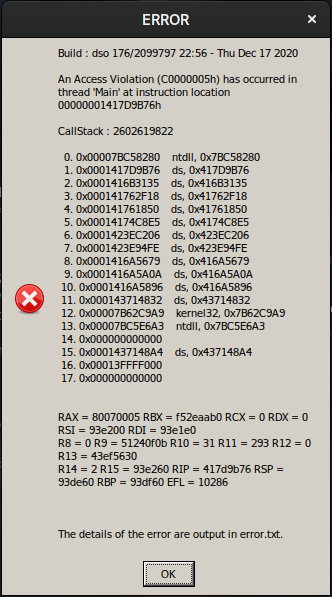
Proton log: steam-1190460.log
Game error output file: error.txt
System Information
- GPU: Nvidia GTX 1650 Mobile
- Driver/LLVM version: Nvidia 465.31
- Kernel version: 5.13
- Link to full system information report as Gist
- Proton version: Proton Experimental 6.3 (20210830).
Death stranding stuck at 99%
Issue transferred from https://github.com/ValveSoftware/Proton/issues/5148.
@ornelasnarciso posted on 2021-09-09T16:57:24:
I'm using Proton Experimental (the only version in which the game launches).
I start a new game and it gets stuck at 99%.
Any fix for this?
@ornelasnarciso for me on a new game, even on an NVME SSD I need to wait a very very long time for load, it'll just sit at 99% for a while. I recommend having absolutely nothing running except Steam + Death Stranding, and leave it alone for up to 30mins. It shouldn't be frozen, just taking it's sweet time. I think this is expected behaviour, unsure. (You shouldn't need a full 30mins, I just don't want ya to sit there for 2hrs with me being possibly wrong)
@ornelasnarciso for me on a new game, even on an NVME SSD I need to wait a very very long time for load, it'll just sit at 99% for a while. I recommend having absolutely nothing running except Steam + Death Stranding, and leave it alone for up to 30mins. It shouldn't be frozen, just taking it's sweet time. I think this is expected behaviour, unsure. (You shouldn't need a full 30mins, I just don't want ya to sit there for 2hrs with me being possibly wrong)
I'll give it a try when possible. It's true that the game does not freeze, it stays on permanent load at 99%.
Thank you for the hint. :)
Since the latest Steam update I am unable to launch Death Stranding anymore. I now get this instead:
Build : dso 176/2099797 22:56 - Thu Dec 17 2020

CallStack : 1986949603

Your graphics card llvmpipe (LLVM 11.1.0, 256 bits) does not support DirectX 12 features

  0. 0x0001417D2188    ds, 0x417D2188
  1. 0x0001417CE263    ds, 0x417CE263
  2. 0x0001423EC291    ds, 0x423EC291
  3. 0x0001423E94FE    ds, 0x423E94FE
  4. 0x0001416A5679    ds, 0x416A5679
  5. 0x0001416A5A0A    ds, 0x416A5A0A
  6. 0x0001416A5896    ds, 0x416A5896
  7. 0x000143714832    ds, 0x43714832
  8. 0x00007B62C8F9    kernel32, 0x7B62C8F9
  9. 0x00007BC59873    ntdll, 0x7BC59873
 10. 0x000000000000
 11. 0x0001437148A4    ds, 0x437148A4
 12. 0x00013FFFF000
 13. 0x000000000000
0x417C2C84
 12. 0x0001417C2D7D    ds, 0x417C2D7D
 13. 0x0001417C3DAB    ds, 0x417C3DAB
 14. 0x0001417BF19D    ds, 0x417BF19D
 15. 0x00007B62C9A9    kernel32, 0x7B62C9A9
 16. 0x00007BC5E6A3    ntdll, 0x7BC5E6A3
 17. 0x000000000000
 18. 0x0001417BF090    ds, 0x417BF090
 19. 0x07063A011A40
 20. 0x000000000000


RAX = 427cfb50 RBX = 427cfb50 RCX = 51df568 RDX = af7091a0 RSI = 43ef5620 RDI = 51df7a0
R8 = 0 R9 = bcc3a627 R10 = c R11 = 2 R12 = 0 R13 = 1
R14 = 51df738 R15 = 0 RIP = 416b3085 RSP = 51df540 RBP = 51df730 EFL = 10206

Dx12-ErrorCode : 0x8007000e
NVIDIA GeForce GTX 960
1.0
DeviceRemovedReason: 0x0
VMEM: Used 3719.19 MB / Budget 3948.69 MB
VMEM: Video 4342.00 MB / Shared 48231.27 MB / System 0.00 MB
MEM: Used 38448.44 MB / Total 80691.34 MB


  0. 0x0001417D2188    ds, 0x417D2188
  1. 0x0001417D4071    ds, 0x417D4071
  2. 0x0001417D4386    ds, 0x417D4386
  3. 0x00007BC27F0E    ntdll, 0x7BC27F0E
  4. 0x00007BC5A733    ntdll, 0x7BC5A733
  5. 0x00007BC58280    ntdll, 0x7BC58280
  6. 0x0001416B3085    ds, 0x416B3085
  7. 0x00014175BC6A    ds, 0x4175BC6A
  8. 0x0001417250BE    ds, 0x417250BE
  9. 0x000141724952    ds, 0x41724952
 10. 0x0001420B0816    ds, 0x420B0816
 11. 0x0001420B00A1    ds, 0x420B00A1
 12. 0x0001421340B0    ds, 0x421340B0
 13. 0x00014212B2D0    ds, 0x4212B2D0
 14. 0x0001421BA75D    ds, 0x421BA75D
 15. 0x0001421B928D    ds, 0x421B928D
 16. 0x0001417C2C84    ds, 0x417C2C84
 17. 0x0001417C2D7D    ds, 0x417C2D7D
 18. 0x0001417C3DAB    ds, 0x417C3DAB
 19. 0x0001417BF19D    ds, 0x417BF19D
 20. 0x00007B62C9A9    kernel32, 0x7B62C9A9
 21. 0x00007BC5E6A3    ntdll, 0x7BC5E6A3
 22. 0x000000000000
 23. 0x0001417BF090    ds, 0x417BF090
 24. 0x07063A011A40
 25. 0x000000000000
FD54D    ds, 0x423FD54D
 21. 0x0001416A5695    ds, 0x416A5695
 22. 0x0001416A5A0A    ds, 0x416A5A0A
 23. 0x0001416A5896    ds, 0x416A5896
 24. 0x000143714832    ds, 0x43714832
 25. 0x00007B62C809    kernel32, 0x7B62C809
 26. 0x00007BC59803    ntdll, 0x7BC59803
 27. 0x000000000000
 28. 0x0001437148A4    ds, 0x437148A4
 29. 0x00013FFFF000
 30. 0x000000000000
- Proton 6.3-6
- NixOS
@ornelasnarciso for me on a new game, even on an NVME SSD I need to wait a very very long time for load, it'll just sit at 99% for a while. I recommend having absolutely nothing running except Steam + Death Stranding, and leave it alone for up to 30mins. It shouldn't be frozen, just taking it's sweet time. I think this is expected behaviour, unsure. (You shouldn't need a full 30mins, I just don't want ya to sit there for 2hrs with me being possibly wrong)
I left the game for more than 10 hours and still 99%
Now i can't ask for a refund. Maybe I'm lucky and Valve fixes this.
Hello @jtrees, please copy your system information from Steam (Steam -> Help -> System Information) and put it in a gist, then include a link to the gist in this issue report. The riddle to ponder with your system is why VKD3D-Proton is trying to use llvmpipe instead of a video card.
For getting stuck at 99%, does 'validate game files' report no errors?
You may also want to try turning off "automatic login" in the title screen menu. I was seeing the game hang during startup as well, but it was stuck trying (and failing) to connect to the online play server in my case. If that is what's doing it, you'll want to avoid logging in too, as that also will cause the game to hang in a tight loop trying to connect.
Hello @jtrees, please copy your system information from Steam (
Steam->Help->System Information) and put it in a gist, then include a link to the gist in this issue report. The riddle to ponder with your system is why VKD3D-Proton is trying to use llvmpipe instead of a video card.
Sorry, the issue turned out to...
- ... not be limited to Death Stranding.
- ... be NixOS-specific.
More details (including a workaround) here, in case anyone else stumbles here for the same reason.
That reads as if NixOS's mesa package doesn't include mesa's device-select vulkan layer. Can you check if NixOS's mesa package builds lavapipe (mesa's cpu-based vulkan implementation), and doesn't include the equivalent of /usr/share/vulkan/implicit_layer.d/VkLayer_MESA_device_select.json? If that's true, then it's a distro packaging bug because all distros that provide lavapipe should have mesa's device select layer to give real hardware priority over lavapipe, without the need to use any vendor-specific VK_ICD_FILENAME overrides.
For getting stuck at 99%, does 'validate game files' report no errors?
I have no idea how to check for errors. How do I do that?
I've already cleared the cache and check the integrity of the game files, but still stuck at 99%.
You may also want to try turning off "automatic login" in the title screen menu. I was seeing the game hang during startup as well, but it was stuck trying (and failing) to connect to the online play server in my case. If that is what's doing it, you'll want to avoid logging in too, as that also will cause the game to hang in a tight loop trying to connect.
This was the cause of the 99% load hang in my case with proton-ge. Once I disabled automatic logon (Options->Game Settings->Login Upon Launch: OFF) the game loaded with no problem.
@GloriousEggroll that did the trick. The game loaded. Thank you very much. :)
The commits for winhttp from August 25 starting at e70696e598fd67daaa2f7c74e09fe56e5b2ebc27 were the cause (thanks for the heads up Paul!) Paul is already aware of it and working on a fix.
The hang on 99% should be fixed in today Experimental update.
Anyone tried getting DLSS going in Death Stranding?
I did. Got the latest Proton Experimental and NVIDIA drivers 470.74. Added the PROTON_ENABLE_NVAPI=1 launch option and set dxgi.nvapiHack = False in a DXVK config file. So that should do the trick to get DLSS in this DirectX 12 game. But then it tells me my GPU doesn't support DirectX 12 features:
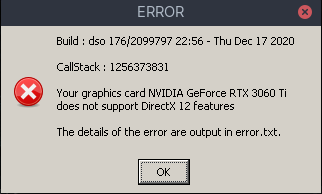
For a RTX 3060 Ti, that's clearly false. The error.txt tells me more or less the same:
Build : dso 176/2099797 22:56 - Thu Dec 17 2020

CallStack : 1256373831

Your graphics card NVIDIA GeForce RTX 3060 Ti does not support DirectX 12 features

  0. 0x0001417D2188    ds, 0x417D2188
  1. 0x0001417CE263    ds, 0x417CE263
  2. 0x0001423EC291    ds, 0x423EC291
  3. 0x0001423E94FE    ds, 0x423E94FE
  4. 0x0001416A5679    ds, 0x416A5679
  5. 0x0001416A5A0A    ds, 0x416A5A0A
  6. 0x0001416A5896    ds, 0x416A5896
  7. 0x000143714832    ds, 0x43714832
  8. 0x00007B62C9A9    kernel32, 0x7B62C9A9
  9. 0x00007BC5E6A3    ntdll, 0x7BC5E6A3
 10. 0x000000000000
 11. 0x0001437148A4    ds, 0x437148A4
 12. 0x00013FFFF000
 13. 0x000000000000
E9    ds, 0x417627E9
 12. 0x00014174C8E5    ds, 0x4174C8E5
 13. 0x0001423EC206    ds, 0x423EC206
 14. 0x0001423E94FE    ds, 0x423E94FE
 15. 0x0001416A5679    ds, 0x416A5679
 16. 0x0001416A5A0A    ds, 0x416A5A0A
 17. 0x0001416A5896    ds, 0x416A5896
 18. 0x000143714832    ds, 0x43714832
 19. 0x00007B62C9A9    kernel32, 0x7B62C9A9
 20. 0x00007BC5E6A3    ntdll, 0x7BC5E6A3
 21. 0x000000000000
 22. 0x0001437148A4    ds, 0x437148A4
 23. 0x00013FFFF000
 24. 0x000000000000

RAX = fffffffd RBX = 4712b0 RCX = 4712b0 RDX = 93db60 RSI = d840030 RDI = 1dd41ff0
R8 = d6b4e01 R9 = d6b4e50 R10 = 1e82f0b8 R11 = d6b5e10 R12 = d840030 R13 = d500630
R14 = 471190 R15 = 1e82f0b0 RIP = 1dd0cd0c RSP = 93db60 RBP = 1 EFL = 282

  0. 0x0001417D2188    ds, 0x417D2188
  1. 0x0001417D4071    ds, 0x417D4071
  2. 0x0001417D42CC    ds, 0x417D42CC
  3. 0x00007B013805    kernelbase, 0x7B013805
  4. 0x00007BC281C2    ntdll, 0x7BC281C2
  5. 0x00007BC685AC    ntdll, 0x7BC685AC
  6. 0x00007BC5A1BF    ntdll, 0x7BC5A1BF
  7. 0x00007BC5A747    ntdll, 0x7BC5A747
  8. 0x00007BC58280    ntdll, 0x7BC58280
  9. 0x00001DD0CD0C    nvngx_dlss, 0x1DD0CD0C
 10. 0x00001DD0C1B3    nvngx_dlss, 0x1DD0C1B3
 11. 0x00001DBC27AB    _nvngx, 0x1DBC27AB
 12. 0x00001DBC1B7F    _nvngx, 0x1DBC1B7F
 13. 0x00001DBC1D2B    _nvngx, 0x1DBC1D2B
 14. 0x00014351DAAE    ds, 0x4351DAAE
 15. 0x000141734FE5    ds, 0x41734FE5
 16. 0x0001417627E9    ds, 0x417627E9
 17. 0x00014174C8E5    ds, 0x4174C8E5
 18. 0x0001423EC206    ds, 0x423EC206
 19. 0x0001423E94FE    ds, 0x423E94FE
 20. 0x0001416A5679    ds, 0x416A5679
 21. 0x0001416A5A0A    ds, 0x416A5A0A
 22. 0x0001416A5896    ds, 0x416A5896
 23. 0x000143714832    ds, 0x43714832
 24. 0x00007B62C9A9    kernel32, 0x7B62C9A9
 25. 0x00007BC5E6A3    ntdll, 0x7BC5E6A3
 26. 0x000000000000
 27. 0x0001437148A4    ds, 0x437148A4
 28. 0x00013FFFF000
 29. 0x000000000000
Any ideas on what I can try? I tried a custom d3dcompiler_47.dll file, which is a solution mentioned elsewhere, and it doesn't produce the error, but rather crashes immediately, so that doesn't really help.
Anyone tried getting DLSS going in Death Stranding?
I did. Got the latest Proton Experimental and NVIDIA drivers 470.74. Added the
PROTON_ENABLE_NVAPI=1launch option and setdxgi.nvapiHack = Falsein a DXVK config file. So that should do the trick to get DLSS in this DirectX 12 game. But then it tells me my GPU doesn't support DirectX 12 features:Your graphics card NVIDIA GeForce RTX 3060 Ti does not support DirectX 12 features
OK, I combed through the Proton log and discovered this line:
err:vkd3d_create_vk_device: Failed to create Vulkan device, vr -3
This issue is referenced in this ticket. And this comment suggests trying sudo nvidia-modprobe -u -c=0.
And yes! It works! You get a new option in the graphics options 'NVIDIA DLSS', which seems to work perfectly fine. The game runs quite more fluently while it looks just as good. Can heartily recommend this feature for anyone running this game with newer NVIDIA cards, very cool to have this feature on Linux!
Heya everyone, just got Death Stranding. Was running great but on loading part1/chapter one, I got a crash:
- steam-1190460.log
- error.txt
- Config
- All files have been validated, no corruption. The NVME ssd is formated in ext4.
The window opens after loading to the part after the prologue. If I ignore the message, the game seems to go on in the cutscene, but sound dies after a while or the game freezes.
No crashes, I can stop the game from Steam easily.
EDIT: removed mention of previous issue and added system config gist.
EDIT: checked file corruption.
EDIT: seems that using proton 6.3 the game runs smoothly. So bug only on proton experimental.
Hello @hollisticated-horse, warn:debugstr:OutputDebugStringA "OODLE ERROR : LZ corruption : DecodeOneQuantum fail!\n" in your log looks like the point where the game starts going awry. This is not similar to the log in the comment you linked.
Please copy your system information from Steam (Steam -> Help -> System Information) and put it in a gist, then include a link to the gist in this issue report. Looking around, this might be a filesystem issue of some sort. Please verify the integrity of the game's files.
Done and edited @kisak-valve
I have an RTX 2060 SUPER and I can not enable DLSS..
I have PROTON_ENABLE_NVAPI=1 options enabled in PROTON EXPERIMENTAL and a dxvk.conf file with dxgi.nvapiHack = False in the game folder .
steam-1190460.log
https://gist.github.com/CSahajdacny/07a4c2e835804bb7368673bd8035d8f4#file-gistfile1-txt
It seems the game think my card is an AMD.
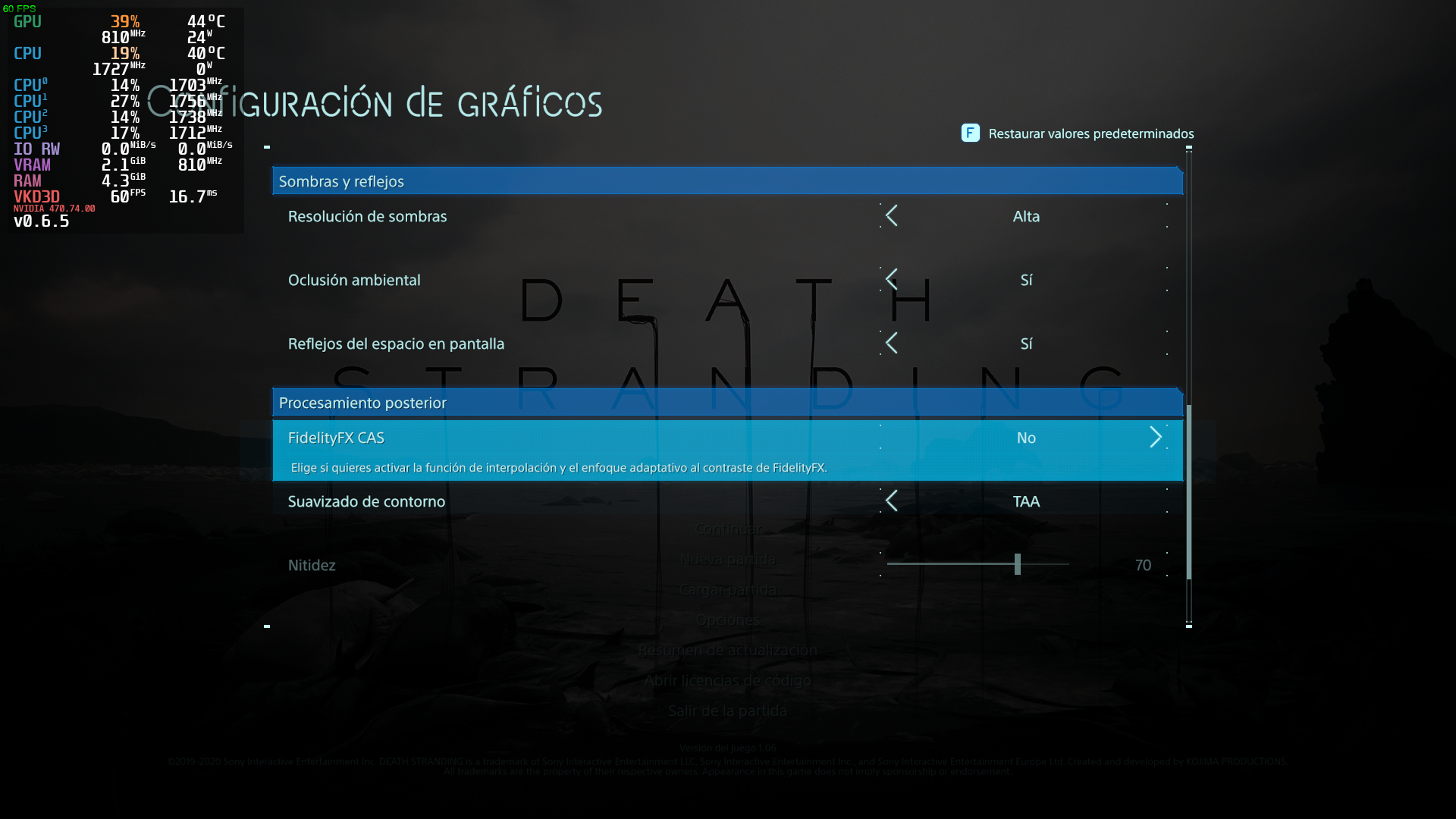
It seems the game think my card is an AMD.
Don't think that is necessarily the problem. Before I had the DLSS option I also had the 'FidelityFX CAS' option. In fact, I think everyone gets that option.
Only thing I can think of why it might not be working, is you also need fresh NVIDIA drivers. The latest is 470.74 (https://www.nvidia.com/en-us/drivers/unix/), you need at least 470 for DLSS (https://www.itsfoss.net/nvidia-drivers-470-on-linux-dlss-and-xwayland-support-arrives/).
Oh, and recheck you've taken the correct steps: https://www.gamingonlinux.com/2021/10/proton-experimental-expands-nvidia-dlss-support-on-linux-to-directx-11-titles
It seems the game think my card is an AMD.
Don't think that is necessarily the problem. Before I had the DLSS option I also had the 'FidelityFX CAS' option. In fact, I think everyone gets that option.
Only thing I can think of why it might not be working, is you also need fresh NVIDIA drivers. The latest is 470.74 (https://www.nvidia.com/en-us/drivers/unix/), you need at least 470 for DLSS (https://www.itsfoss.net/nvidia-drivers-470-on-linux-dlss-and-xwayland-support-arrives/).
If you look at the image, you gonna see I am using 470.74
Oh, and recheck you've taken the correct steps: https://www.gamingonlinux.com/2021/10/proton-experimental-expands-nvidia-dlss-support-on-linux-to-directx-11-titles
I did...
OH, this is the dxgi log
ds_dxgi.log
Reinstalled Nvidia 470.74 Drivers and still no luck..
steam-1190460.log
Running sudo nvidia-modprobe -u -c=0 before playing didn't work.
Thank to a tip I got at Gaming On Linux
https://www.gamingonlinux.com/2021/10/vkd3d-proton-v25-is-out-for-direct3d-12-on-top-of-vulkan-improving-directx-raytracing/comment_id=212375 I discovered that it is necessary to have the files _nvngx.dll and nvngx.dll in /usr/lib/nvidia/wine
Those files can be acquired from the file NVIDIA-Linux-x86_64-470.74.run from the nvidia website.
I'm getting this Access Violation error on launch. The game runs for a couple minutes before freezing, or crashes if I click "ok" on the popup. Tried deleting the prefix (the whole directory with the appid), changing proton versions, and verifying game files.
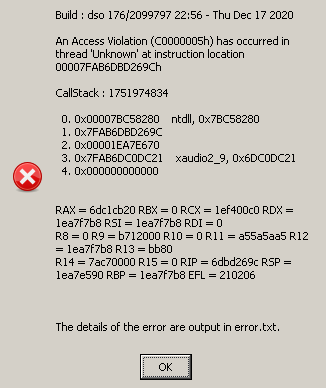
It seems to be a common problem, but can't find a solution.
EDIT: I fixed it by just installing Pipewire :/ It had to do with using plain alsa.
I got the same 'Access Violation', which I didn't get earlier. But I don't get it on startup, but after playing for a while.
A cause commonly mentioned is outdated drivers. My drivers are not outdated (I'm on 495) and I've tried downgrading to 470, which makes no difference. So you can pretty much rule that out.
I've tried some launch options, like disabling FSYNC and ESYNC, this doesn't really help either. I now have added gamemoderun to the launch options, and so far it hasn't crashed. So you might give that a shot.
I don't have gamemode installed. I always thought that's just a performance optimization thing...
It tweaks all kinds of things, like I/O priority, kernel scheduling etc. specifically setting it up for gaming. I don't know what distro you're on, but on Arch it's in the mainstream repos, so really easy to install.
Replying to https://github.com/ValveSoftware/Proton/issues/4069#issuecomment-963931535
Post your system specs in a gist.
It was because I was using plain alsa. It launches with Pipewire. With Pipewire, I still had an issue with frametime spikes/audio crackle on proton experimental, but it's fine with proton-ge.
I got the same 'Access Violation', which I didn't get earlier. But I don't get it on startup, but after playing for a while.
I now have added
gamemoderunto the launch options, and so far it hasn't crashed. So you might give that a shot.
OK, it didn't work in the end... It was going well (definitely better than before), until I went to a different area and then it freezed after all. I took a look at the log and the only interesting thing I found was:
0110:info:vkd3d_memory_info_init_budgets: Applying resizable BAR budget to memory types: 0x400.
0110:warn:vkd3d_allocate_device_memory: Memory allocation failed, falling back to system memory.
So it could be memory related. What changes were recently made to Proton that involve memory? One thing is Resizable BAR support (VKD3D-Proton 2.5). With this, a config option was added:
VKD3D_CONFIG=no_upload_hvv
...to apparently disable BAR usage. I gave this a shot, did a mission 'cross country', played for hours. It has yet to freeze!
I'm cautiously optimistic this might be a logical explanation & solution. Interesting to hear if this works for others too.
Death Stranding seems to have some issues with FSync. Game crashes after around 1 hour of gameplay. (Having issues uploading full log probably because of size, but here is a cut out of the fsync error.
6867.786:0124:0148:err:fsync:get_shm Failed to map page 59062 (offset 0xe6b6000).
6867.794:0124:0140:trace:seh:handle_syscall_fault code=c0000005 flags=0 addr=0x7f9ab8689050 ip=7f9ab8689050 tid=0140
6867.794:0124:0150:trace:seh:handle_syscall_fault code=c0000005 flags=0 addr=0x7f9ab8689d0a ip=7f9ab8689d0a tid=0150
6867.794:0124:0140:trace:seh:handle_syscall_fault  info[0]=0000000000000000
6867.794:0124:0150:trace:seh:handle_syscall_fault  info[0]=0000000000000000
6867.794:0124:0140:trace:seh:handle_syscall_fault  info[1]=0000000000000297
6867.794:0124:0150:trace:seh:handle_syscall_fault  info[1]=0000000000000297
6867.794:0124:0140:trace:seh:handle_syscall_fault  rax=00007f99344ad4a0 rbx=0000000000000001 rcx=0000000000000000 rdx=00007f9ab8689040
6867.794:0124:0150:trace:seh:handle_syscall_fault  rax=00007f99344ad4a0 rbx=0000000000000001 rcx=000000000000000f rdx=0000000000000001
6867.794:0124:0140:trace:seh:handle_syscall_fault  rsi=0000000000000297 rdi=0000000000000000 rbp=0000000000000000 rsp=0000000003ebb950
6867.794:0124:0150:trace:seh:handle_syscall_fault  rsi=0000000000000297 rdi=000000000003ed2c rbp=0000000000000000 rsp=000000000671f690
6867.794:0124:0140:trace:seh:handle_syscall_fault   r8=0000000000000001  r9=0000000003ebbba0 r10=0000000000000000 r11=000000013fe60000
6867.794:0124:0150:trace:seh:handle_syscall_fault   r8=0000000000000000  r9=000000007fffffff r10=00007f9ab86ef770 r11=000000000000009c
6867.794:0124:0140:trace:seh:handle_syscall_fault  r12=0000000000000000 r13=0000000003ebb9a0 r14=0000000000000001 r15=00007f9ab86d2300
6867.794:0124:0150:trace:seh:handle_syscall_fault  r12=0000000000000000 r13=0000000000000000 r14=0000000000000001 r15=0000000000000000
6867.794:0124:0140:trace:seh:handle_syscall_fault returning to user mode ip=000000007bc0d314 ret=c0000005
6867.794:0124:0150:trace:seh:handle_syscall_fault returning to user mode ip=000000007bc0cc34 ret=c0000005
6867.795:0124:0140:trace:seh:handle_syscall_fault code=c0000005 flags=0 addr=0x7f9ab8689050 ip=7f9ab8689050 tid=0140
6867.795:0124:0150:trace:seh:handle_syscall_fault code=c0000005 flags=0 addr=0x7f9ab8689d0a ip=7f9ab8689d0a tid=0150
6867.795:0124:0140:trace:seh:handle_syscall_fault  info[0]=0000000000000000
6867.795:0124:0150:trace:seh:handle_syscall_fault  info[0]=0000000000000000
6867.795:0124:0140:trace:seh:handle_syscall_fault  info[1]=0000000000000567
6867.795:0124:0150:trace:seh:handle_syscall_fault  info[1]=0000000000000567
6867.795:0124:0140:trace:seh:handle_syscall_fault  rax=00007f9957c09530 rbx=0000000000000001 rcx=0000000000000000 rdx=00007f9ab8689040
6867.795:0124:0150:trace:seh:handle_syscall_fault  rax=00007f9957c09530 rbx=0000000000000001 rcx=0000000000000008 rdx=0000000000000001
6867.795:0124:0140:trace:seh:handle_syscall_fault  rsi=0000000000000567 rdi=0000000000000000 rbp=0000000000000000 rsp=0000000003ebb950
6867.795:0124:0150:trace:seh:handle_syscall_fault  rsi=0000000000000567 rdi=0000000000021150 rbp=0000000000000000 rsp=000000000671f690
6867.795:0124:0140:trace:seh:handle_syscall_fault   r8=0000000000000001  r9=0000000003ebbba0 r10=0000000000000000 r11=000000013fe60000
6867.795:0124:0150:trace:seh:handle_syscall_fault   r8=0000000000000000  r9=000000007fffffff r10=00007f9ab86ef770 r11=000000000000009c
6867.795:0124:0140:trace:seh:handle_syscall_fault  r12=0000000000000000 r13=0000000003ebb9a0 r14=0000000000000001 r15=00007f9ab86d2300
6867.795:0124:0150:trace:seh:handle_syscall_fault  r12=0000000000000000 r13=0000000000000000 r14=0000000000000001 r15=0000000000000000
6867.795:0124:0140:trace:seh:handle_syscall_fault returning to user mode ip=000000007bc0d314 ret=c0000005
6867.795:0124:0150:trace:seh:handle_syscall_fault returning to user mode ip=000000007bc0cc34 ret=c0000005
System Information:
Kernel Version: 5.16.1-arch1-1
GPU: NVIDIA Corporation NVIDIA GeForce RTX 3080
Driver/LLVM version: 4.6.0 NVIDIA 495.46
Proton version: experimental-6.3-20220119
#4568
Update: Game does not crash during longer sessions with PROTON_NO_FSYNC=1
I got a crash using the latest proton experimental when loading my existing save (An Access Violation (C0000005h) has occurred in thread 'Background 3' at instruction location 00000001416B3085h at 21% load progress). Starting a new game is fine though, loading a save data from that new session is also working. Reverting to proton 6.3-8 fixed the issue.
Hello @arifwn, please add PROTON_LOG=1 %command% to the game's launch options, reproduce the regression, and attach the generated $HOME/steam-$APPID.log to this issue report as a file. (Proton logs compress well if needed.) Also, please copy your system information from Steam (Steam -> Help -> System Information) and put it in a gist, then include a link to the gist in this issue report.
It would be interesting to know how Proton 7.0-1 fares too.
@kisak-valve here it is. I also tried 7.0-1 before trying proton 6.3-8 and got similar error (didn't save a log though).
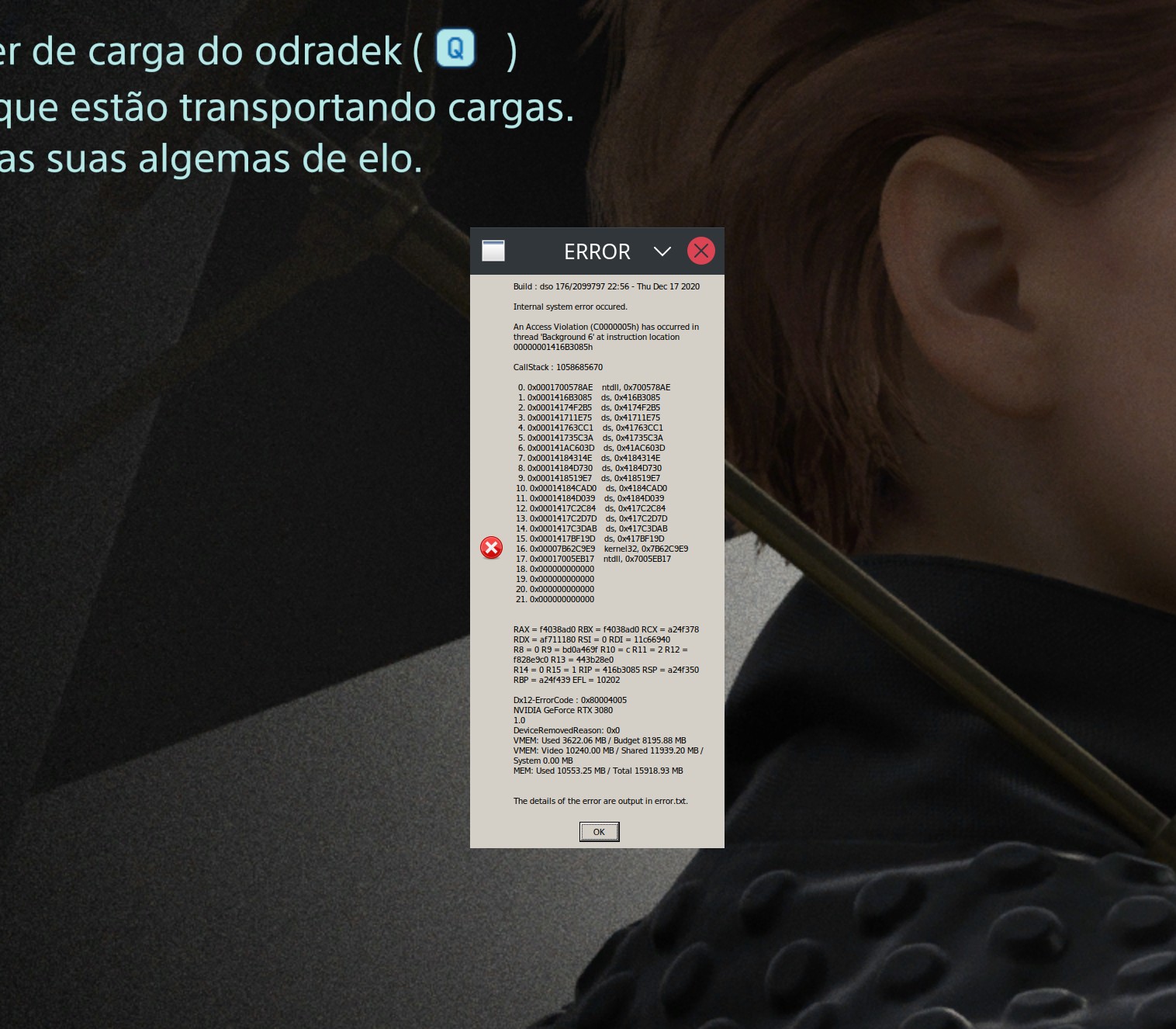
I can't start the game, because my pc runs out of memory during the loading screen after selecting "new game". The memory usage sits at 8Gb when I reach the title menu.
systeminfo & logs
I just want to report that the latest proton experimental works again on my old save.
Edit: the crash still occurs after playing for a little while, just not when loading save.
I get a consistent crash while loading after completing most of the cinematics following the gameplay from the first parcel delivery. This occurs on Proton 7.0-1, not long after a new game is started. I also cannot load into previous saves from a finished story on 7.0-1, but can load in just fine on 6.3-8.
UPDATE: After further testing, it seems switching between 6.3-8 and then back to 7.0-1 was enough to allow me to load back into prior saves and past the loading bug. Very odd! At least it works for now.
error.txt (From the game's root folder)
Using Proton 6.3-8 and following https://github.com/ValveSoftware/Proton/issues/4069#issuecomment-1019236605 and https://github.com/ValveSoftware/Proton/issues/4069#issuecomment-981105437 did help.
I think the issue was only FSYNC, but I'm leaving the VKD3D_CONFIG option anyway, as the game is now stable.
Here's the command I'm using on the game's "Properties -> General" Launch Options:
PROTON_NO_FSYNC=1 VKD3D_CONFIG=no_upload_hvv %command%
I think the issue was only FSYNC
After a lot of trial & error, I'm not quite sure. I've been playing with Proton Experimental and PROTON_NO_FSYNC=1, which went fine for a good while, but out of the blue I got the infamous 'Access Violation (C0000005h)' again... I immediately restarted the game, only for it to get stuck at 21% loading and displaying the same error. I then switched Proton Experimental to Proton 6.3-8, tried again, and that worked! Played a while, no problems yet.
It's still quite vague to me where the issue exactly lies. It does seem PROTON_NO_FSYNC=1 helps, as does the VKD3D_CONFIG=no_upload_hvv, and combined with Proton 6.3-8 it makes it the least likely to crash. But I'm not convinced it won't ever crash again, it just seems to reduce the chance of it crashing. For that matter, I also had good experiences with rebooting my PC and only starting the game (nothing else).
cant start game ( its work before ), its crashing while loading game (on 30% - 40%)

strange is - its not use GPU memory when loading ... like it run with integrated GPU
UPD: not work even when i donwgrade from 510 to 470 nvidia driver
@savegame Can you post a proton log and a steam systems report (let it run for atleast 10 seconds before copying)
Also the error.txt mentioned in your screenshot might be interesting.
Also check out the comment above
Replying to https://github.com/ValveSoftware/Proton/issues/4069#issuecomment-1055718371
On Fedora, two things that gave me headaches, crashing games and steam were NVIDIA 470.x drivers series and PipeWire (5-7 crashes per gameplay). Death Stranding was extremely affected by both. DS has some memory handling, problems it seems, but after 495.x I had, if related, a fraction of the crashes (once per day and sometimes). Pipewire would, now is much, much less frequent, crash even just keeping Steam or a Browser opened (chromium based were more frequent).
it seems related to proton 7.0. All my problems are gone in GE 6.21-2
@Blisto91 , i was install Proton GE 6.21-2, and its help, now game work (did not try DLSS yet)
Replying to https://github.com/ValveSoftware/Proton/issues/4069#issuecomment-1055718371
I had the same problem, I fixed it by downgrading to Proton 6.3-8. Proton 7.0 does not like this game xD.
I can't start the game, because my pc runs out of memory during the loading screen after selecting "new game". The memory usage sits at 8Gb when I reach the title menu. systeminfo & logs
Do you have amdvlk installed? I removed it and keep mesa installed. Now this memory eating behavior is gone and I can play.
They seem to be using amdvlk according to the log yes.
My game is crashing before the logos appear and the game reaches the title screen if any PS5 controller is connected on Proton Experimental. Downgrading to Proton 6.3-8 resolves this crashing issue, however, the controller is now not working.

EDIT: It seems both the issue is gone and the controller works on Proton 7.0-1, so definitely something off in Experimental.
@TheNH813 The experimental update today included some HID controller changes - could you confirm if you are still seeing this with experimental-7.0-20220331?
Tested on Experimental [bleeding-edge], experiencing the same issue at launch.

That said, I also have periodic crashing and crashes during save loads with 7.0-1.
I got this access violation errors randomly. And it's hard to save because of all cutscenes. I'm also using Proton 7.0. I changed to Proton 6.3-8 and crashed before the game begins. I'm using Proton Experimental and is working quite right so far. But there is a key difference: I'm playing the Director's Cut version.
Attempting to run Death Stranding while Xbox One controller is connected causes a crash
Issue transferred from https://github.com/ValveSoftware/Proton/issues/5862.
@Ointm3nt posted on 2022-05-26T00:19:57:
Death Stranding opens and runs perfectly well, but if my Xbox One controller is connected to the computer via bluetooth at any point during or after the game being launched/open, the game crashes with the below error message.
error.txt
I'm on Arch Linux with the latest version of Steam, running Proton Experimental. My system is fully up-to date, and I'm running an AMD 6800 XT with vulkan-radeon drivers, along with an Intel 12700 CPU.
Are you experiencing any issues with RADV and this game nowadays?
I'm getting two, maybe three issues with Death Stranging on :
Manjaro Gnome Latest,
AMD Ryzen™ 7 3700X
AMD Radeon™ RX 5700 XT
32Go RAM
Am using Proton 6.3.8, with gamemoderun.
The game crashes after a while (mileage varies), leaving 7 corrupted files that don't repair themselves after File Integraty Validation.
I'm currently waiting to see if I get an other Corrupted Files update.
I'll run with logs and post them here after said crash.
In my case I play Death Stranding on my Steam Deck (SteamOS 3.4.4) via Heroic Games Launcher.
I am stuck at early stage of the game (when you deliver something to the port. Crash happens when you go outside and cutscene starts)
With Proton 7.0 I get an Access violation window. Game breaks, but I still hear cutscene sound in the background.
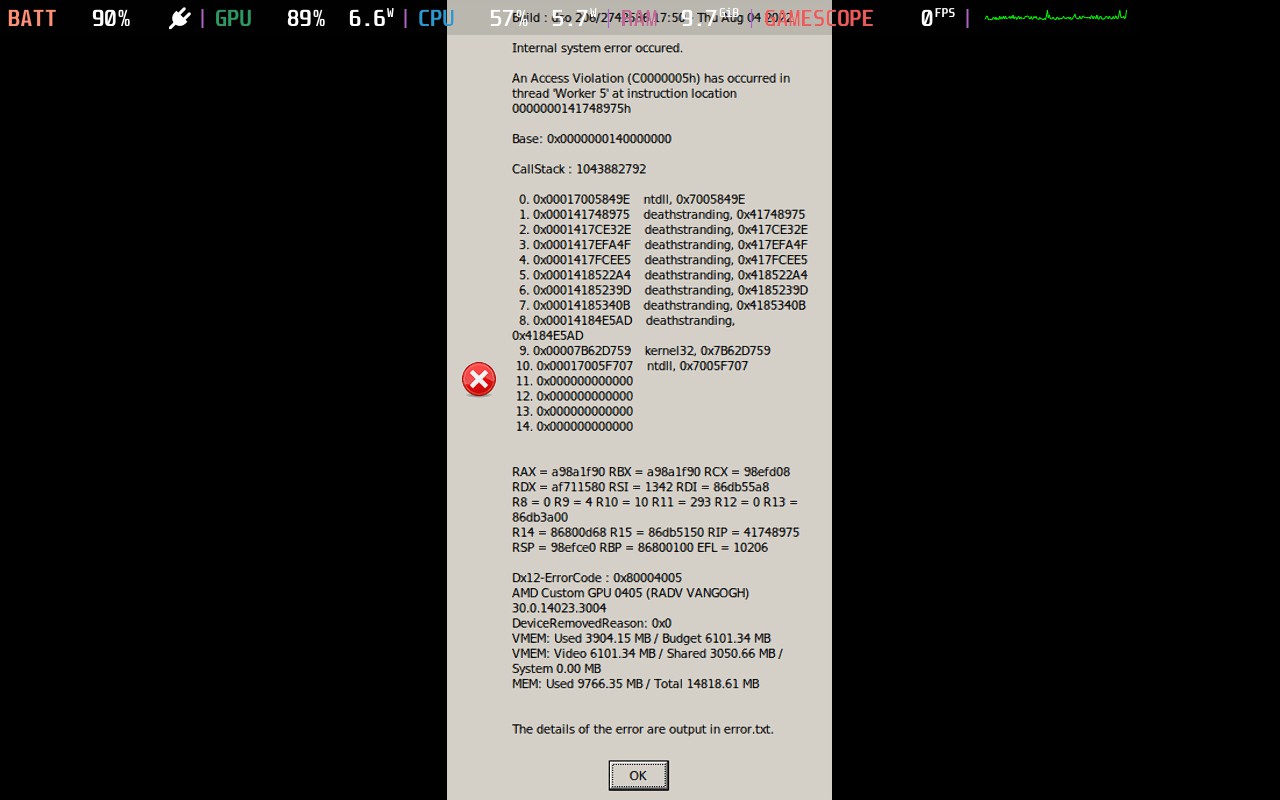
I also installed Proton Experimental to test it. With this proton the entire game crashes and instantly closes (and i see Verification Installation window, just like during reboot)
With Proton-Next I get the same result like with proton 7.0.
If you want, I can provide additional logs.
With proton 8.0 i have to set DX level to 12, but the game is stuck at 99 % of loading.
Hello @cewbdex, please add PROTON_LOG=1 %command% to the game's launch options and attach the generated $HOME/steam-$APPID.log to this issue report as a file. (Proton logs compress well if needed.) Also, please copy your system information from Steam (Steam -> Help -> System Information) and put it in a gist, then include a link to the gist in this issue report.
If this is a regression, please note the newest Proton version you know works with this game and your system.
The game no longer launches for me too with Proton 8.0.2. I have played it for ~21 hours on Proton 6.3.8, because Proton 7.x.x caused major graphical artifacting (shadows going haywire). This was fixed by validating file integrity through Steam. It now launches, loads into the gameworld but just crashes after 5 to 10 minutes of gameplay.
System information
Attempt 1: with custom parameters
Parameters : PROTON_NO_FSYNC=1 VKD3D_CONFIG=no_upload_hvv PROTON_LOG=1 %command%
Proton 6.3.8 steam-1850570_proton6_3_8.log
Immediate crash with access violation error message.
Proton 7.0.6 steam-1850570_proton7_0_2.log
Immediate crash with access violation error message.
Proton 8.0.2 steam-1850570_proton8_0_2.log
Immediate crash with access violation error message.
Attempt 2: Without custom parameters
Proton 6.3.8 steam-1850570.log
Immediate crash with access violation error message.
Attempt 3: Without custom parameters + Steam integrity check
At this point I suspected something was off and had Steam run its file integrity check(s) on the game. This resulted in Steam attempted to patch the game which failed with "Corrupted update files" . A second try succeeded and made the game load into actual gameplay.
Proton 7.0.6 steam-1850570.log
The game does launch but crashes quickly after ~5 minutes of gameplay. Crash causes immediate exit to the desktop, no error message whatsoever.
Proton 8.0.2 steam-1850570.log
Similar to above, with in addition graphical glitches. Video of the glitches can be found here, note the black and yellow flashes: https://cloud.valkendaal.duckdns.org/s/mfRW8sG6gX3QyKC
Hello @TijmenUU, these look like some lines of interest from your log:
err:module:import_dll Library MSVCP140.dll (which is needed by L"Z:\\home\\tijmen\\.local\\share\\Steam\\steamapps\\common\\DEATH STRANDING DIRECTORS CUT\\DXCompiler.dll") not found
err:module:import_dll Library VCRUNTIME140_1.dll (which is needed by L"Z:\\home\\tijmen\\.local\\share\\Steam\\steamapps\\common\\DEATH STRANDING DIRECTORS CUT\\DXCompiler.dll") not found
Proton should provide msvcp140.dll and vcruntime140_1.dll, so they shouldn't be summary missing. Maybe the game's wineprefix is damaged or incomplete?
Hello @TijmenUU, these look like some lines of interest from your log:
err:module:import_dll Library MSVCP140.dll (which is needed by L"Z:\\home\\tijmen\\.local\\share\\Steam\\steamapps\\common\\DEATH STRANDING DIRECTORS CUT\\DXCompiler.dll") not found
err:module:import_dll Library VCRUNTIME140_1.dll (which is needed by L"Z:\\home\\tijmen\\.local\\share\\Steam\\steamapps\\common\\DEATH STRANDING DIRECTORS CUT\\DXCompiler.dll") not found
Proton should provide msvcp140.dll, so this shouldn't be summary missing. Maybe the game's wineprefix is damaged or incomplete?
Thanks for looking! I suspected something was off and had Steam validate the integrity of the files. This resulted in Steam attempting to patch the game which failed with "Corrupted update files". After retrying it seemed to have helped and I was able to play for short whiles. See the dumps of "Attempt 3" for Proton 7.0.6 and 8.0.2. I used to get the access violation error popup after crashing but now it just seems to exit immediately to desktop.
I shall edit my previous post accordingly to avoid any more confusion. This game is really finicky.
Edit: Just realised the directors cut is separate from the original game. My reports pertain the director's cut edition, should I move my comment there?
Followup to my old comment: https://github.com/ValveSoftware/Proton/issues/4069#issuecomment-1433606254
Updating Proton to (found in Heroic) Proton-GE-Proton8-3 fixed this issue. :)
Thanks for looking! I suspected something was off and had Steam validate the integrity of the files. This resulted in Steam attempting to patch the game which failed with "Corrupted update files". After retrying it seemed to have helped and I was able to play for short whiles. See the dumps of "Attempt 3" for Proton 7.0.6 and 8.0.2. I used to get the access violation error popup after crashing but now it just seems to exit immediately to desktop.
Coincidentally I have an update too: my XMP DRAM profile caused the instability! Apparently the DDR4 at 3600 MT/s caused enough instability for this game. The definitive clue came from a Prime95 stress test, focusing on memory intensive workloads, crashing with floating point rounding errors. Down clocked my memory to 3200 Mhz in the EFI and all is well for now, just played for over an hour again.
Never had this before, a quick Google tells me now that apparently this is not unique to me (albeit not much to find in combination with this game).
Hope this helps someone else.
I have access violation exactly at one moment when Sam on the beach looking at 5 creatures and girl sing "falling down falling down". At this moment - my screen glitches and i see error c0...05h
Setting Proton Experiment/GE8.3/WineGE8.3/All flags i can find on the internet - didn't work for me.
So...I'm sad
Build : dso 206/2742586 17:50 - Thu Aug 04 2022
An Access Violation (C0000005h) has occurred in thread 'Main' at instruction location 00007FF67C518D28h
Base: 0x00007FF67ACB0000
CallStack : 3733108405
- 0x0007C52813CE ntdll.dll, 0xFFF313CE
- 0x000141868D28 DeathStranding.exe, 0x7C518D28
- 0x000141748A2A DeathStranding.exe, 0x7C3F8A2A
- 0x0001417F55F3 DeathStranding.exe, 0x7C4A55F3
- 0x0001417F3E49 DeathStranding.exe, 0x7C4A3E49
- 0x0001417DF0F5 DeathStranding.exe, 0x7C48F0F5
- 0x00014246B858 DeathStranding.exe, 0x7D11B858
- 0x00014246898E DeathStranding.exe, 0x7D11898E
- 0x00014173AD59 DeathStranding.exe, 0x7C3EAD59
- 0x00014173B0CA DeathStranding.exe, 0x7C3EB0CA
- 0x00014173AF65 DeathStranding.exe, 0x7C3EAF65
- 0x00014376A90E DeathStranding.exe, 0x7E41A90E
- 0x0007C50E7374 KERNEL32.DLL, 0xFFD97374
- 0x0007C522CC91 ntdll.dll, 0xFFEDCC91
RAX = 80041010 RBX = d9385b50 RCX = 0 RDX = 10 RSI = 77fe100 RDI = 77fe090
R8 = 10 R9 = 6 R10 = 0 R11 = 77fdce0 R12 = 0 R13 = 7fb79ae0
R14 = 2 R15 = 77fe108 RIP = 7c518d28 RSP = 77fdd10 RBP = 77fde10 EFL = 10246
- 0x7FF67C51166E DeathStranding.exe, 0x7C51166E
- 0x7FF67C513572 DeathStranding.exe, 0x7C513572
- 0x7FF67C513876 DeathStranding.exe, 0x7C513876
- 0x7FFCFFF09B4C ntdll.dll, 0xFFF09B4C
- 0x7FFCFFEE2376 ntdll.dll, 0xFFEE2376
- 0x7FFCFFF313CE ntdll.dll, 0xFFF313CE
- 0x7FF67C518D28 DeathStranding.exe, 0x7C518D28
- 0x7FF67C3F8A2A DeathStranding.exe, 0x7C3F8A2A
- 0x7FF67C4A55F3 DeathStranding.exe, 0x7C4A55F3
- 0x7FF67C4A3E49 DeathStranding.exe, 0x7C4A3E49
- 0x7FF67C48F0F5 DeathStranding.exe, 0x7C48F0F5
- 0x7FF67D11B858 DeathStranding.exe, 0x7D11B858
- 0x7FF67D11898E DeathStranding.exe, 0x7D11898E
- 0x7FF67C3EAD59 DeathStranding.exe, 0x7C3EAD59
- 0x7FF67C3EB0CA DeathStranding.exe, 0x7C3EB0CA
- 0x7FF67C3EAF65 DeathStranding.exe, 0x7C3EAF65
- 0x7FF67E41A90E DeathStranding.exe, 0x7E41A90E
- 0x7FFCFFD97374 KERNEL32.DLL, 0xFFD97374
- 0x7FFCFFEDCC91 ntdll.dll, 0xFFEDCC91
i am also getting this error while launching the game for first time, downloaded from epic game store, my window 10 is up to date, need help fixing this. Did the basic fix like reinstalling , updating driver, dx driver, c++ and window but it didnt work
Hello @AINZOA, you've come across the issue tracker for a project called Proton. Proton is a compatibility tool that helps Windows based games run on Linux. Since you're using Windows, Proton isn't involved and you should report your experience to the game's dev(s).
Hello @AINZOA, you've come across the issue tracker for a project called Proton. Proton is a compatibility tool that helps Windows based games run on Linux. Since you're using Windows, Proton isn't involved and you should report your experience to the game's dev(s).
Already sent email to dev but no response but thanks for replying.
Proton versions
proton 7.0x7 2023-05ge-proton8-3x1 2023-05proton 6.3x3 2023-05proton 8.0x2 2023-05proton experimentalx18 2023-02proton nextx3 2023-02proton 6.3-8x7 2022-04proton 7.0-1x3 2022-03proton 2.5x1 2021-11proton 6.3-6x2 2021-09proton 6.13-ge-1x1 2021-07proton 6.3-5x1 2021-07proton 2.3x1 2021-05proton 6.3-3x1 2021-05proton 5.13x8 2020-12
Launch options
PROTON_LOG=1x6 2023-05PROTON_NO_FSYNC=1x4 2023-05VKD3D_CONFIG=no_upload_hvvx3 2023-05PROTON_NO_FSYNC=1`x2 2022-03PROTON_NO_FSYNC=1`,x1 2022-03VKD3D_CONFIG=no_upload_hvv`,x1 2022-03VKD3D_CONFIGx1 2022-03PROTON_ENABLE_NVAPI=1`x3 2021-10SDL_GAMECONTROLLERCONFIG=03000000de280000ff11000001000000,Steamx1 2021-04DXVK_FILTER_DEVICE_NAME="GTX 1050"x1 2020-12ENABLE_VKBASALT=0x2 2020-12MANGOHUD=0x2 2020-12PROTON_NO_FSYNCx1 2020-08WINEDEBUG=+all,-heap`)x2 2020-07PROTON_LOG=1`x1 2020-07
Launch lines
PROTON_NO_FSYNC=1 VKD3D_CONFIG=no_upload_hvv PROTON_LOG=1 %command%x1 2023-05PROTON_NO_FSYNC=1 VKD3D_CONFIG=no_upload_hvv %command%x1 2022-03ENABLE_VKBASALT=0 MANGOHUD=0 __NV_PRIME_RENDER_OFFLOAD=1 __VK_LAYER_NV_optimus=NVIDIA_only __GLX_VENDOR_LIBRARY_NAME=nvidia gamemoderun %command%x2 2020-12PROTON_NO_FSYNC=1 %command%x2 2020-08
Upstream links
- ValveSoftware/Proton/issues/5758x1 2023-05
- ValveSoftware/Proton/issues/5862x1 2022-05
- HansKristian-Work/vkd3d-proton/issues/711x1 2021-10
- ValveSoftware/Proton/issues/5148x1 2021-09
- ValveSoftware/steam-for-linux/issues/7553x1 2020-12
- ValveSoftware/Proton/issues/4289x3 2020-12
- ValveSoftware/steam-runtime/issues/306x3 2020-12
- HansKristian-Work/vkd3d-proton/issues/398x1 2020-11
- HansKristian-Work/vkd3d-proton/pull/401x1 2020-11
- HansKristian-Work/vkd3d-proton/pull/349x1 2020-10
- ValveSoftware/Proton/issues/4070x6 2020-08
DLLs
kernel32.dllx1 2025-01ntdll.dllx1 2025-01dxcompiler.dllx7 2023-05msvcp140.dllx2 2023-05vcruntime140_1.dllx2 2023-05_nvngx.dllx1 2021-10nvngx.dllx1 2021-10d3dcompiler_47.dllx6 2021-10depotdownloader.dllx7 2020-07bink2w64.dllx5 2020-07nvngx_dlss.dllx5 2020-07oo2core_7_win64.dllx5 2020-07steam_api64.dllx5 2020-07dxgi.dllx1 2020-07opengl32.dllx1 2020-07
Error codes
0x8007000ex1 2021-090x80004005x1 2020-07
Compatibility Report
System Information
I confirm:
steam-1190460.log
Symptoms
The game crashed with an error message:
ERROR: Failed to load api-ms-win-core-systemtopology-l1-1-0.dll.Reproduction
Just launch the game.