Microsoft Flight Simulator (2020)
Hello @Krutonium, these look like some lines of interest from the log:
err:module:import_dll Library srvcli.dll (which is needed by L"Z:\\whats\\SteamLibrary\\steamapps\\common\\Chucky\\FlightSimulator.exe") not found
err:module:import_dll Library netutils.dll (which is needed by L"Z:\\whats\\SteamLibrary\\steamapps\\common\\Chucky\\FlightSimulator.exe") not found
[...]
err:module:LdrInitializeThunk Importing dlls for L"Z:\\whats\\SteamLibrary\\steamapps\\common\\Chucky\\FlightSimulator.exe" failed, status c0000135
I manually added those dll's, as I can't find an answer to what they are typically installed by, but it still fails to launch, so I think there is still somthing missing.
@Krutonium Could you send an updated log?
I double checked and it appears that you MUST have the 64 bit variant of both (I mistakenly grabbed a 32 bit version of the one of the DLL's earlier) for it to work. Having done that, the game manages to open a Full Screen window, but then very quickly crashes out.
Based on where it crashes I think it's a null pointer dereference relating to XAL(https://docs.microsoft.com/en-us/gaming/xbox-live/features/identity/auth/auth-mobile-xal/live-xal-overview).
Looking at the debug strings being output and comparing it to https://bugs.mojang.com/browse/MCL-14270?attachmentOrder=asc which seems to have most of the same debug logging it's crashing just before Client operation StorageReadPlatformOperation calling platform handler.
If there are any other games using XAL that currently work under Proton that may be a good place to start looking for workarounds and other debugging.
Off the top of my head, I'd be inclined to say that Halo: The Master Chief Collection uses it, but it works fine there.
In the log is see windows 8 beeing used, im sure that this game needs windows 10. So might be an option to change the windows version for this game. Using protrontricks "protontricks 1250410 win10"
OS | Windows 10 version 18362.0 or higher
And check if that fixes the issue.
First, I got the same problem of srvcli.dll and netutils.dll. After copy them from my windows partition, which I used to run the game, the game don't crash, but don't open. It get stick in this last line of log, so I had to kill it.
steam-1250410.log
@Krutonium
I'm not sure how relevant this error is, but:
294.747:00cc:00d0:fixme:thread:SetThreadIdealProcessor (0000000000000EC4 64): stub
294.758:00cc:00d0:trace:seh:raise_exception code=c000001d flags=0 addr=0x14e9d1d7b ip=14e9d1d7b tid=00d0
Something (unrelated to SetThreadIdealProcessor) raised c000001d, which is STATUS_ILLEGAL_INSTRUCTION, so my guess (which could be entirely wrong) would be some kind of error in dynamically generated code (or I guess possibly that your CPU doesn't support an instruction that it requires?)
In any case, the program still runs (thanks to an exception handler), then we get a proper segfault:
294.953:00cc:00d0:fixme:ntdll:EtwEventSetInformation (deadbeef, 2, 0x142bc8ec1, 45) stub
294.964:00cc:00d0:trace:seh:raise_exception code=c0000005 flags=0 addr=0x141941020 ip=141941020 tid=00d0
294.964:00cc:00d0:trace:seh:raise_exception  info[0]=0000000000000001
294.964:00cc:00d0:trace:seh:raise_exception  info[1]=0000000000000020
From the timestamp, the segfault is unrelated to EtwEventSetInformation (I added that line in just for clarification that there doesn't appear to be anything immediately obvious signalling the cause of the crash).
Would you mind running it with WINEDEBUG=all,-heap? It'll return a huge (probably in the hundreds of megabytes) log, so make sure to compress it before sending. It might provide more information as to what the source of the crash is.
Im debuggin now myself but using Wine instead of proton to see if can I fix it that way (and not have it counted as game time)
I seem to get other errors.
logfile_console.txt
logfile.txt
Seems there are (apart from the srvcli.dll and netutils.dll missing) other dll's that are needed aswell. Will update this post (or create a new one if I'm close to an solution.
Update:
After copying mscoree.dll from an Windows 10 installation to the proton directory I get as far as a black screen and then an hard error.
I feel like we are hitting an Windows 10 function that is not build into Wine or Proton yet
by the looks of the log it looks like wine is running as windows 8, what happens if you try running it as windows 10 with the dll?
Ran it with PROTON_LOG=1 WINEDEBUG=all,-heap %command% but I don't see an output log?
@The-Jonsey Strange, Ive put it at win10 but it reverted. And seems I cant put it in windows 10 mode (keep getting errors)
I can do it with using proton-GE but an error when using win10.
steam-1250410.log
Update:
Tested with a fresh proton (game) directory keeps reverting to windows 8 while the commands executes without errors:
protontricks 1250410 win10

You are using a 64-bit WINEPREFIX. Note that many verbs only install 32-bit versions of packages. If you encounter problems, please retest in a clean 32-bit WINEPREFIX before reporting a bug.

Executing w_do_call win10
Executing load_win10
wineserver: using server-side synchronization.
The operation completed successfully
Setting Windows version to win10
Executing /home/gjdijkman/.cache/protontricks/proton/Proton 5.0/bin/wine regedit C:\windows\Temp\_win10\set-winver.reg
wineserver: using server-side synchronization.
Executing /home/gjdijkman/.cache/protontricks/proton/Proton 5.0/bin/wine64 regedit C:\windows\Temp\_win10\set-winver.reg
wineserver: using server-side synchronization.
But after that the log shows:
System information:
Wine build: wine-5.0-655-g2409bd1
Platform: x86_64
Version: Windows 8
Host system: Linux
Host version: 5.7.9-gentoo
Update 2:
Back to testing with wine and I do think its a windows 10 error seeing the modules that are beeing touched.
if you look at the adress spaces:
PE 530000- 53c000 Deferred netutils
PE 540000- 75b000 Deferred microsoft.cognitiveservices.speech.core
seeing that netutils.dll is missing from wine and proton my assumption is that this (even though we are copying the dll) is causing the crashes.
wine log.txt
steam-1250410.log
i downloaded the two missing dlls and set the windows-version with the wine64 in the proton5.0 path with winecfg to windows 10. then i get also a black screen and it closes. in the logs there is for example "Unhandled exception: page fault on write access to 0x00000020 in 64-bit code (0x0000000141941020)." maybe this is of interest. others wrote that the windows version changes to windows 8, i checked it after i executed msfs and it stayed windows 10.
@smatkovi You have the same error I have with the proton-GE, so it seems that error is the real cause for the crashes.
The last dll touched (aclui.dll) is part of the https://docs.microsoft.com/en-us/windows/win32/secauthz/security-descriptors
i have the feeling that it somehow checks if windows 10 is legit, or i just have still nightmares from windows xp era when you could only activate your license a certain number of times
@stealthgun do you think aclui.dll is necessary?
i read on another github issue for a game using xbox authetication that installing dotnet472 helped, so i'm doing it now with "protontricks 1250410 -q dotnet472" but it takes a while, maybe i will sleep and continue tomorrow
@smatkovi a lot of the dotnet stuff requires user input/clicking "Accept" and stuff. Just FYI
Installing dotnet472 doesn't help
@smatkovi a lot of the dotnet stuff requires user input/clicking "Accept" and stuff. Just FYI
-q ;)
okay thanks. i will try now what they did here https://www.protondb.com/app/495420
okay none of these winetricks helps, now the black screen doesn't even show up
steam-1250410.log
it complains about other missing dlls for example "1261.923:00c0:00c4:err:module:import_dll Library dxgi.dll (which is needed by L"C:\windows\system32\d3d11.dll") not found
1261.923:00c0:00c4:err:module:import_dll Library d3d11.dll (which is needed by L"Z:\home\matkovich\.steam\debian-installation\steamapps\common\MicrosoftFlightSimulator\MicrosoftGeospatialTiles.dll") not found
1261.924:00c0:00c4:err:module:import_dll Library dxgi.dll (which is needed by L"Z:\home\matkovich\.steam\debian-installation\steamapps\common\MicrosoftFlightSimulator\MicrosoftGeospatialTiles.dll") not found
1261.924:00c0:00c4:err:module:import_dll Library MicrosoftGeospatialTiles.dll (which is needed by L"Z:\home\matkovich\.steam\debian-installation\steamapps\common\MicrosoftFlightSimulator\FlightSimulator.exe") not found"
@smatkovi Im affraid your now having other issues, since your error list is a'lot shorter then before.
Same issue as the described in the bug report. Game immediately crashes with no window displayed.
Adding my log for reference.
@FannoFlow Yeah your missing the dll's
11655.726:00bc:00c0:err:module:import_dll Library srvcli.dll (which is needed by L"Z:\mnt\main\SteamLibrary\steamapps\common\MicrosoftFlightSimulator\FlightSimulator.exe") not found
11655.730:00bc:00c0:err:module:import_dll Library netutils.dll (which is needed by L"Z:\mnt\main\SteamLibrary\steamapps\common\MicrosoftFlightSimulator\FlightSimulator.exe") not found
Same problem here. I figured by the proton log that it needs these two dlls netutils.dll and srvcli.dll as mentioned before, otherwise it would crash without even showing anything. I've copied these two files from my old Windows7 installation (probably not the same as on Win10, but it did not seem to matter), then it runs for a bit longer and finally attempts to create a (black) window. But right after it crashes anyway.
I've attached my log, hopefully it is of some help.
steam-1250410.log
system specs
Out of curiosity have people here downloaded the game or is this issues with the launcher?
If it is issues with the launcher then it could be trying to use Windows APIs to pull the full game from the Windows Store rather than doing it internally.
In which case this couldn't be solved without being able to emulate the download interface for the Windows store.
@Vbitz Its the launcher
Has anyone tried running the downloaded game pulled from a Windows partition using Wine/Proton?
The game has its own downloader, it don't use the Windows Store. I run the game in Windows and I'm trying to run the exactly same install under Proton, without success. I'm afraid that this game depends on speech recognition (for ATC) and this is not available on Wine, making the game breaks, in addition to several other problems as mentioned before.
Yeah I'm testing it now on a (native) windows 10 machine and it has so many integrations with the UWP that I doubt that we will ever get this running without emulating part of the UWP.
@stealthgun i only extracted what i thought could be important
now it complains about API-MS-WIN-DX-D3DKMT-L1-1-4.DLL and other versions of it missing, after i downloaded those dlls, but i cannot download them
steam-1250410.log
@smatkovi Im affraid that it just wont work, since it needs the UWP to much. If you dont have a Windows machine to play it on, I would request a refund since its very unlikely at this point that it will work on proton without alot of work needing to be done.
@smatkovi it is complaining about these D3DKMT dlls because you are using Windows dxgi.dll. This dll must be the one provided by wine or dxvk, and must be installed by default in your proton.
I'm afraid that this game depends on speech recognition (for ATC) and this is not available on Wine, making the game breaks, in addition to several other problems as mentioned before.
@juliotux Wow! I though speech recognition was a pretty useless thing to build in to an operating system, but apparently it is not anymore.
How would that even be implemented in Wine? Would it use a custom client for Microsoft's speech recognition API (I believe it's open), since that is presumably what Windows uses? Or would it use an more libre solution?
For non-issue-related discussion, I have also posted this reply on Reddit: https://reddit.com/comments/ic1l1w/comment/g25bj8s.
By the sounds of it I was able to get further than the logs I've seen posted here. Using Lutris and the wine version "lutris-5.7-8" I got a black screen with a loading circle in the bottom right. The logs showed it failing at loading the introduction splash videos (mp4 format).
005f:fixme:mfplat:media_engine_SetSource (000000001B2F59C0, L"<path/to/game>\\Logos\\Logo_Mgs.mp4"): stub. 005f:fixme:thread:SetThreadIdealProcessor (0000000000001118 64): stub
The missing DLL's I copied from my Windows install, a few locations. I just mounted my Windows volume on Linux and searched the whole Windows directory and copied it in the various locations it showed up.
Now I need to work out how to get passed this video failure
Now I need to work out how to get passed this video failure
could try to launch with -FastLaunch argument, it skips the intro videos.
Now I need to work out how to get passed this video failure
could try to launch with
-FastLaunchargument, it skips the intro videos.
Finally it loads, I get to the still image of a plane flying and the game music is playing, however it crashes with the following error
002c:fixme:combase:RoGetActivationFactory (L"Windows.Media.SpeechSynthesis.SpeechSynthesizer", {7d526ecc-7533-4c3f-85be-888c2baeebdc}, 000000000051D1E0): semi-stub 002c:err:combase:RoGetActivationFactory Failed to find library for L"Windows.Media.SpeechSynthesis.SpeechSynthesizer"
So the speech recognition stuff might be causing problems...
Is there a list somewhere of all the launch arguments?
By the sounds of it I was able to get further than the logs I've seen posted here. Using Lutris and the wine version "lutris-5.7-8" I got a black screen with a loading circle in the bottom right. The logs showed it failing at loading the introduction splash videos (mp4 format).
005f:fixme:mfplat:media_engine_SetSource (000000001B2F59C0, L"<path/to/game>\\Logos\\Logo_Mgs.mp4"): stub. 005f:fixme:thread:SetThreadIdealProcessor (0000000000001118 64): stubThe missing DLL's I copied from my Windows install, a few locations. I just mounted my Windows volume on Linux and searched the whole Windows directory and copied it in the various locations it showed up.
Now I need to work out how to get passed this video failure
You can get the videos working with Proton-5.11-GE-3-MF:
https://github.com/GloriousEggroll/proton-ge-custom/releases/tag/5.11-GE-3-MF
Could someone make a list of all necessary dll's? I wanted to just be able to download this game while running linux :P
I'm afraid that this game depends on speech recognition (for ATC) and this is not available on Wine, making the game breaks, in addition to several other problems as mentioned before.
@juliotux Wow! I though speech recognition was a pretty useless thing to build in to an operating system, but apparently it is not anymore.
How would that even be implemented in Wine? Would it use a custom client for Microsoft's speech recognition API (I believe it's open), since that is presumably what Windows uses? Or would it use an more libre solution?
Regarding speech recognition it's used for disability and slowly as speech recognition has gotten smarter and more accurate it's seen other applications such as in personal assistants like Google Assistant and Siri. Sure, the latter may be big in the mobile space but software like FS2020 and other titles will take advantage of it, one other I know of that uses voice recognition is VTOL VR, another flight sim.
As for implementation, this is just my semi-educated opinion - if their SAPI is open source then it'd be wise to go with that for maximum compatibility. But if not, then hooking the calls from FS2020 for the Windows SAPI to a open source linux alternative (if there is one, I'm still a linux amateur) is probably the best way to go.
@NodokaHanamura there are a million speech recognition APIs for Linux. I'm also pretty certain Windows's isn't open source, but I guess it's possible. Now that I'm looking, it looks like many versions of the engine are freely redistributable, but not open source.
https://en.wikipedia.org/wiki/Speech_recognition_software_for_Linux
@DrogonMar if you have a Ryzen CPU, it looks like you're suffering from this issue:
https://github.com/ValveSoftware/Proton/issues/2927#issuecomment-557088813
There's a workaround there.
It looks like you're also having dxva2 issues:
[0820/125744.948:ERROR:mf_helpers.cc(14)] Error in dxva_video_decode_accelerator_win.cc on line 378
[0820/125745.536:INFO:crash_reporting.cc(247)] Crash reporting enabled for process: utility
When you say you installed media foundation, how did you do it?
@matheusfillipe:
Could someone make a list of all necessary dll's? I wanted to just be able to download this game while running linux :P
That's not going to help, the game doesn't run right now no matter what DLLs you use.
there are a million speech recognition APIs for Linux. I'm also pretty certain Windows's isn't open source, but I guess it's possible. Now that I'm looking, it looks like many versions of the engine are freely redistributable, but not open source.
I see. Thanks for the input.
[0820/125744.948:ERROR:mf_helpers.cc(14)] Error in dxva_video_decode_accelerator_win.cc on line 378
[0820/125745.536:INFO:crash_reporting.cc(247)] Crash reporting enabled for process: utility
When you say you installed media foundation, how did you do it?
@gardotd426, based on the context it's most likely the legally problematic workaround which isn't allowed. @DrogonMar, if this is indeed the case, please drop that line of investigation and let's focus on solutions that can be improved upon.
@kisak-valve I was referring to Guy1524's completely legal MF implementation, available in both GE and TKG's proton builds. Not the one you're talking about.
Well, that was the one that I was going to SUGGEST (Guy's implementation), but the one I was actually referring to was, I suspected that they had only ran winetricks mf which isn't enough. But either way, not the legally problematic one.
As for the trampoline issue, I don't know if it might be related at all but I remembered there was an issue with the script extender for Fallout 4, which also uses a trampoline and could not allocate memory because of how wine allocated the memory. There are two patches that solved the issue by allocating the memory top down instead of bottom up and another patch.
Though, I've looked up the files in the wine source the patches were applied to and it looks like they have heavily been rewritten meanwhile, so the patches won't work any more. It's just a very wild guess that this problem might be related and could possibly be fixed in a similar way, who knows...
I'm curious where this error message comes from, I've searched the wine, lutris, lutris/wine and dxvk repos and it's not in there.
On the web there are a few hits for this exact message, mostly in context with lutris. It might help to know which code throws this message.
I'm curious where this error message comes from, I've searched the wine, lutris, lutris/wine and dxvk repos and it's not in there.
On the web there are a few hits for this exact message, mostly in context with lutris. It might help to know which code throws this message.
@smirgol I already posted a link to someone having that issue, (and it was also in a lutris issue report as well).
If they have a Ryzen CPU, they probably need to set a launch option (elaborated on in the link I posted).
(Not saying 100% that the cause is the same, just that there are links posted if you want to go look and see what you can find)
@DrogonMar, as expected, that workaround is legally problematic and has been removed.
I have a Ryzen 1700x, now im not too sure on how to use lutris but I tried the taskset in the system options -> command prefix and nothing changed.
Why are you using Lutris to launch a Steam game?
I don't even know how they're using the Lutris wine version without using Windows Steam and not native Linux Steam, but yeah in either case, that's not Proton and not supported. But just an FYI, it's FAR less likely to work with regular wine + Windows Steam than it is Proton in Native Steam.
A lot of comments about speech recognition but the error on https://github.com/ValveSoftware/Proton/issues/4134#issuecomment-677744423 mentions speech synthesis. So, is this actually about recognition?
Using -FastStart argument and Proton-GE 5.11 MF. Black window created, but crash just after appear in screen.
@tuxayo As far as I can tell from playing the game its text to speech. But only when a (English) language pack is installed.
There are 3 options for the text to speech, Off, Offline (so using the local "Windows.Media.SpeechSynthesis.SpeechSynthesizer") and Online using the azure one.
i copied the files to the directory and launched matkovich@mx:~/.steam/debian-installation/steamapps/common/Proton 5.0/dist/bin
$ ./wine64 ~/Downloads/testdisk-7.2-WIP/music/SteamLibrary/steamapps/common/MicrosoftFlightSimulator/FlightSimulator.exe -FastStart
it complains about winemenubuilder.exe missing, although i copied it from my system wine installation with: cp /home/matkovich/.wine/drive_c/windows/system32/winemenubuilder.exe ~/.steam/debian-installation/steamapps/compatdata/1250410/pfx/drive_c/windows/system32/
here is what the first command then gives as output. i noticed something very strange, it says windows version 8 instead of 10, although i ran ./wine64 winecfg and set it to win10 and it also stayed there after launching msfs2020.
so here's the output:
wineserver: using server-side synchronization.
0034:err:module:__wine_process_init L"C:\\windows\\system32\\winemenubuilder.exe" not found
002c:err:wineboot:process_run_key Error running cmd L"C:\\windows\\system32\\winemenubuilder.exe -a -r" (126).
0024:fixme:ntdll:EtwEventRegister ({bbdb52c5-eb5c-4616-831d-901213d3791c}, 0x681000, 0x86a080, 0x86a0a0) stub.
0024:fixme:ntdll:EtwEventSetInformation (deadbeef, 2, 0x82b1df, 60) stub
00b0:err:ntdll:RtlpWaitForCriticalSection section 0x7bee2620 "../../../../proton/wine/dlls/ntdll/loader.c: loader_section" wait timed out in thread 00b0, blocked by 0024, retrying (60 sec)
00b0:err:ntdll:RtlpWaitForCriticalSection section 0x7bee2620 "../../../../proton/wine/dlls/ntdll/loader.c: loader_section" wait timed out in thread 00b0, blocked by 0024, retrying (60 sec)
0024:fixme:combase:RoGetActivationFactory (L"Windows.ApplicationModel.Package", {4e534bdf-2960-4878-97a4-9624deb72f2d}, 000000000051FA08): semi-stub
0024:err:combase:RoGetActivationFactory Failed to find library for L"Windows.ApplicationModel.Package"
0024:fixme:win:DisableProcessWindowsGhosting : stub
0024:fixme:thread:SetThreadIdealProcessor (FFFFFFFFFFFFFFFE 0): stub
0024:fixme:ntdll:NtQuerySystemInformation info_class SYSTEM_PERFORMANCE_INFORMATION
0024:fixme:system:SystemParametersInfoW Unimplemented action: 59 (SPI_SETSTICKYKEYS)
0024:fixme:system:SystemParametersInfoW Unimplemented action: 53 (SPI_SETTOGGLEKEYS)
0024:fixme:system:SystemParametersInfoW Unimplemented action: 51 (SPI_SETFILTERKEYS)
0024:fixme:thread:SetThreadIdealProcessor (0000000000000964 64): stub
0024:fixme:thread:SetThreadIdealProcessor (0000000000000970 1): stub
0024:fixme:thread:SetThreadIdealProcessor (0000000000000974 1): stub
0024:fixme:win:RegisterDeviceNotificationA The notification filter will requires an A->W when filter support is implemented
0024:fixme:service:I_ScRegisterDeviceNotification Notification filters are not yet implemented! All device notification events will be sent.
0024:fixme:wtsapi:WTSRegisterSessionNotification Stub 000000000001008A 0x00000000
0024:err:winediag:load_dxvk_config Couldn't load dxvk_config.dll, won't apply default DXVK config options
0024:fixme:dxgi:wined3d_swapchain_desc_from_dxgi Unhandled scanline ordering 0x1.
wine: Unhandled page fault on read access to 0000000000000000 at address 000000014136AE3E (thread 0024), starting debugger...
Unhandled exception: page fault on read access to 0x00000000 in 64-bit code (0x000000014136ae3e).
00dc:fixme:dbghelp:interpret_function_table_entry PUSH_MACHFRAME 7
00dc:fixme:dbghelp:interpret_function_table_entry PUSH_MACHFRAME 6
00dc:fixme:dbghelp:interpret_function_table_entry PUSH_MACHFRAME 7
00dc:fixme:dbghelp:interpret_function_table_entry PUSH_MACHFRAME 6
Register dump:
 rip:000000014136ae3e rsp:000000000051e0f0 rbp:000000000051e270 eflags:00010246 (  R- --  I  Z- -P- )
 rax:0000000080004002 rbx:00000400004c0000 rcx:0000000000000000 rdx:0000000000000000
 rsi:00000400004c0000 rdi:0000000000000000  r8:0000000000000000  r9:0000000000000000 r10:0000000000000000
 r11:000000000051e168 r12:00000000000010de r13:0000000008f00260 r14:0000000064f53000 r15:0000000008eb8b10
Stack dump:
0x000000000051e0f0:  0000000000000000 0000000000000000
0x000000000051e100:  0000000000000000 0000000000000000
0x000000000051e110:  fffffffffffffffe 0000000000000000
0x000000000051e120:  0000000000000000 0000000000000000
0x000000000051e130:  0000000000000000 0000000005b14770
0x000000000051e140:  0000000000000000 0000000000000000
0x000000000051e150:  3f847ae147ae147b 0000000000000000
0x000000000051e160:  0000000008ea00a0 000000014137a002
0x000000000051e170:  0000000000000000 0000000005b147b0
0x000000000051e180:  0000000000000000 00000400004c0000
0x000000000051e190:  0000000144fa0000 0000000043fa0000
0x000000000051e1a0:  0000000000000007 000000000051e1c8
Backtrace:
=>0 0x000000014136ae3e EntryPoint+0xff4f73ee() in flightsimulator (0x000000000051e270)
0x000000014136ae3e EntryPoint+0xff4f73ee in flightsimulator: movq	(%rcx),%rax
Modules:
Module	Address					Debug info	Name (137 modules)
PE	          530000-          547000	Deferred        vcruntime140
PE	          550000-          554000	Deferred        api-ms-win-crt-heap-l1-1-0
PE	          560000-          5b1000	Deferred        concrt140
PE	          5c0000-          5e8000	Deferred        vcomp140
PE	          5f0000-          5f4000	Deferred        api-ms-win-core-winrt-string-l1-1-0
PE	          600000-          626000	Deferred        srvcli
PE	          630000-          634000	Deferred        api-ms-win-core-sysinfo-l1-2-1
PE	          640000-          644000	Deferred        api-ms-win-core-processthreads-l1-1-2
PE	          650000-          654000	Deferred        api-ms-win-core-errorhandling-l1-1-1
PE	          660000-          66d000	Deferred        netutils
PE	          670000-          674000	Deferred        api-ms-win-core-localization-l1-2-1
PE	          680000-          89b000	Deferred        microsoft.cognitiveservices.speech.core
PE	          8a0000-          c07000	Deferred        wwiselibpcx64p
PE	          c10000-          cba000	Deferred        libssl-1_1-x64
PE	          cc0000-         1000000	Deferred        libcrypto-1_1-x64
PE	         1000000-         102d000	Deferred        amd_ags_x64
PE	         1030000-         106a000	Deferred        lib_json
PE	         1070000-         1a85000	Deferred        xplatcppwindows
PE	         1a90000-         1b02000	Deferred        libcurl
PE	         1b10000-         1b40000	Deferred        libssh2
PE	         1b40000-         1b68000	Deferred        nghttp2
PE	         1b70000-         1ea6000	Deferred        coherentuigt
PE	         1eb0000-         2811000	Deferred        coherentgtjs
PE	         2820000-         28a1000	Deferred        wtf
PE	         28b0000-         2a76000	Deferred        coherenticuin
PE	         2a80000-         2bca000	Deferred        coherenticuuc
PE	         2bd0000-         2d62000	Deferred        renoircore.windowsdesktop
PE	         2d70000-         48ef000	Deferred        coherentgtcore
PE	         48f0000-         4d08000	Deferred        microsoftgeospatialtiles
PE	         4d10000-         4d35000	Deferred        zlib
PE	         4d40000-         4d44000	Deferred        api-ms-win-crt-process-l1-1-0
PE	         4d50000-         4d5d000	Deferred        msvfw32
PE	         4d80000-         4d84000	Deferred        api-ms-win-core-winrt-error-l1-1-0
PE	         93b0000-         b5ba000	Deferred        innative
PE	        4ad00000-        4c18a000	Deferred        icudtcoherent53
PE	        61540000-        61544000	Deferred        api-ms-win-crt-locale-l1-1-0
PE	        61580000-        61584000	Deferred        api-ms-win-core-debug-l1-1-1
PE	        61f40000-        61f44000	Deferred        wtsapi32
PE	        620c0000-        620c4000	Deferred        api-ms-win-crt-filesystem-l1-1-0
PE	        62140000-        62145000	Deferred        uxtheme
PE	        62600000-        62604000	Deferred        usp10
PE	        62c40000-        62c45000	Deferred        api-ms-win-crt-multibyte-l1-1-0
PE	        63140000-        63145000	Deferred        api-ms-win-crt-runtime-l1-1-0
PE	        637c0000-        6383f000	Deferred        winmm
PE	        638c0000-        638c5000	Deferred        dwmapi
PE	        63e00000-        63e04000	Deferred        api-ms-win-shcore-scaling-l1-1-1
PE	        63fc0000-        63fc4000	Deferred        api-ms-win-core-winrt-l1-1-0
PE	        64340000-        64347000	Deferred        winhttp
PE	        64540000-        64544000	Deferred        api-ms-win-core-file-l2-1-0
PE	        64940000-        64945000	Deferred        shcore
PE	        64b80000-        64b85000	Deferred        hid
PE	        64c80000-        64c84000	Deferred        steamclient64
PE	        64f40000-        6519b000	Deferred        d3d11
PE	        64f40000-        6519b000	Deferred        ole32
PE	        651c0000-        651c4000	Deferred        api-ms-win-core-errorhandling-l1-1-0
PE	        65240000-        65244000	Deferred        api-ms-win-core-processthreads-l1-1-0
PE	        65680000-        65684000	Deferred        rtworkq
PE	        65780000-        65785000	Deferred        version
PE	        65900000-        65904000	Deferred        api-ms-win-core-rtlsupport-l1-2-0
PE	        65940000-        65944000	Deferred        api-ms-win-core-libraryloader-l1-2-0
PE	        66440000-        6644a000	Deferred        msacm32
PE	        66780000-        66784000	Deferred        api-ms-win-core-string-l1-1-0
PE	        66800000-        66805000	Deferred        mswsock
PE	        67140000-        67144000	Deferred        api-ms-win-core-heap-l2-1-0
PE	        67340000-        67344000	Deferred        api-ms-win-core-delayload-l1-1-1
PE	        67600000-        67607000	Deferred        combase
PE	        67ec0000-        67ec4000	Deferred        api-ms-win-core-heap-obsolete-l1-1-0
PE	        68740000-        68744000	Deferred        api-ms-win-core-registry-l1-1-0
PE	        688c0000-        688c4000	Deferred        api-ms-win-core-rtlsupport-l1-1-0
PE	        68a40000-        68a4f000	Deferred        shlwapi
PE	        68ac0000-        68ac4000	Deferred        api-ms-win-crt-time-l1-1-0
PE	        69380000-        69385000	Deferred        api-ms-win-crt-stdio-l1-1-0
PE	        695c0000-        695c4000	Deferred        api-ms-win-core-file-l1-2-2
PE	        69780000-        69784000	Deferred        api-ms-win-core-memory-l1-1-0
PE	        69ac0000-        69ac4000	Deferred        api-ms-win-core-profile-l1-1-0
PE	        69b80000-        69b84000	Deferred        api-ms-win-crt-environment-l1-1-0
PE	        69c80000-        69c87000	Deferred        propsys
PE	        6a100000-        6a10d000	Deferred        oleaut32
PE	        6a4c0000-        6a4c4000	Deferred        api-ms-win-crt-utility-l1-1-0
PE	        6a700000-        6a717000	Deferred        setupapi
PE	        6acc0000-        6acc5000	Deferred        psapi
PE	        6b6c0000-        6b76d000	Deferred        comdlg32
PE	        6b880000-        6b884000	Deferred        api-ms-win-core-fibers-l1-1-1
PE	        6bcc0000-        6bcc4000	Deferred        api-ms-win-core-file-l1-1-0
PE	        6bec0000-        6bec6000	Deferred        imm32
PE	        6c0c0000-        6c0c7000	Deferred        wsock32
PE	        6c400000-        6c410000	Deferred        api-ms-win-crt-private-l1-1-0
PE	        6c580000-        6c584000	Deferred        api-ms-win-core-synch-l1-1-0
PE	        6d580000-        6d585000	Deferred        api-ms-win-crt-convert-l1-1-0
PE	        6dd80000-        6dd85000	Deferred        api-ms-win-crt-string-l1-1-0
PE	        6dfc0000-        6dfc5000	Deferred        cabinet
PE	        6e000000-        6e004000	Deferred        api-ms-win-core-file-l2-1-2
PE	        6e280000-        6e285000	Deferred        ncrypt
PE	        6e340000-        6e344000	Deferred        api-ms-win-core-synch-l1-2-0
PE	        6e480000-        6e48f000	Deferred        avifil32
PE	        6e6c0000-        6e715000	Deferred        comctl32
PE	        6ec80000-        6ec84000	Deferred        api-ms-win-crt-conio-l1-1-0
PE	        6ee80000-        6ee85000	Deferred        riched32
PE	        6f400000-        6f404000	Deferred        api-ms-win-core-interlocked-l1-2-0
PE	        6f480000-        6f48c000	Deferred        gdiplus
PE	        6fbc0000-        6fbcb000	Deferred        rpcrt4
PE	        70580000-        70586000	Deferred        api-ms-win-crt-math-l1-1-0
PE	        70700000-        70704000	Deferred        api-ms-win-core-interlocked-l1-1-0
PE	        70800000-        70804000	Deferred        api-ms-win-core-timezone-l1-1-0
PE	        70a00000-        70a04000	Deferred        api-ms-win-core-winrt-error-l1-1-1
PE	        71200000-        71205000	Deferred        mfplat
PE	        71240000-        71246000	Deferred        jsproxy
PE	        7a850000-        7a858000	Deferred        opengl32
PE	        7ac00000-        7ac14000	Deferred        riched20
PE	        7b000000-        7b013000	Deferred        kernelbase
PE	        7b410000-        7b5da000	Deferred        kernel32
PE	        7bc20000-        7bc35000	Deferred        ntdll
PE	       13b400000-       13b444000	Deferred        steam_api64
PE	       140000000-       155967e00	Export          flightsimulator
PE	       180000000-       180099000	Deferred        msvcp140
PE	    7f83bf390000-    7f83bf394000	Deferred        kerberos
PE	    7f83bf830000-    7f83bf835000	Deferred        winex11
PE	    7f83c0570000-    7f83c058e000	Deferred        wldap32
PE	    7f83c05e0000-    7f83c05e6000	Deferred        dnsapi
PE	    7f83c0610000-    7f83c0617000	Deferred        netapi32
PE	    7f83c0650000-    7f83c0654000	Deferred        secur32
PE	    7f83c06a0000-    7f83c06a7000	Deferred        dbghelp
PE	    7f83c0740000-    7f83c0749000	Deferred        wined3d
PE	    7f83c08c0000-    7f83c09ab000	Deferred        dxgi
PE	    7f83c08c0000-    7f83c09ab000	Deferred        crypt32
PE	    7f83c08c0000-    7f83c09ab000	Deferred        bcrypt
PE	    7f83c0a40000-    7f83c0a46000	Deferred        ws2_32
PE	    7f83c2ef0000-    7f83c2efc000	Deferred        dinput8
PE	    7f83c2f80000-    7f83c2f9e000	Deferred        ucrtbase
PE	    7f83c30a0000-    7f83c30ad000	Deferred        winspool
PE	    7f83c3110000-    7f83c39ed000	Deferred        shell32
PE	    7f83c3b50000-    7f83c3b5c000	Deferred        gdi32
PE	    7f83c3d10000-    7f83c3dfb000	Deferred        user32
PE	    7f83c3f90000-    7f83c3fa0000	Deferred        msvcrt
PE	    7f83c4060000-    7f83c4064000	Deferred        sechost
PE	    7f83c41b0000-    7f83c41bb000	Deferred        advapi32
PE	    7f83c8d00000-    7f83c8d06000	Deferred        iphlpapi
Threads:
process  tid      prio (all id:s are in hex)
00000020 (D) Z:\home\matkovich\Downloads\testdisk-7.2-WIP\music\SteamLibrary\steamapps\common\MicrosoftFlightSimulator\FlightSimulator.exe
	000000d4    0
	000000c0    0
	000000bc   -1
	000000b8    0
	000000b4    1
	000000b0    0
	00000024    2 <==
00000038 services.exe
	000000cc    0
	000000c8    0
	000000c4    0
	0000008c    0
	00000068    0
	0000004c    0
	00000040    0
	0000003c    0
00000044 plugplay.exe
	0000005c    0
	00000058    0
	00000048    0
00000060 winedevice.exe
	00000088    0
	0000007c    0
	00000078    0
	00000074    0
	00000070    0
	0000006c    0
	00000064    0
00000080 winedevice.exe
	00000098    0
	00000094    0
	00000090    0
	00000084    0
0000009c explorer.exe
	000000ac    0
	000000a8    0
	000000a4    0
	000000a0    0
System information:
    Wine build: wine-5.0-655-g2409bd1
    Platform: x86_64
    Version: Windows 8
    Host system: Linux
    Host version: 4.19.0-6-amd64
Studying https://github.com/ValveSoftware/Proton/issues/4134#issuecomment-677744423 and my last log in https://github.com/ValveSoftware/Proton/issues/4134#issuecomment-678572785 , both are complaining about UWP components.
29536.066:00b4:00b8:fixme:combase:RoGetActivationFactory (L"Windows.ApplicationModel.Package", {4e534bdf-2960-4878-97a4-9624deb72f2d}, 000000000051F9F8): semi-stub
29536.070:00b4:00b8:err:combase:RoGetActivationFactory Failed to find library for L"Windows.ApplicationModel.Package"
and
002c:fixme:combase:RoGetActivationFactory (L"Windows.Media.SpeechSynthesis.SpeechSynthesizer", {7d526ecc-7533-4c3f-85be-888c2baeebdc}, 000000000051D1E0): semi-stub
002c:err:combase:RoGetActivationFactory Failed to find library for L"Windows.Media.SpeechSynthesis.SpeechSynthesizer"
That refer to SpeechSynthesizer and Package APIs. So, until we have UWP implemented under WINE, I think we won't run this in Proton.
That refer to SpeechSynthesizer and Package APIs. So, until we have UWP implemented under WINE, I think we won't run this in Proton.
Those are just individual APIs, not the entire UWP platform as a whole. Individual UWP APIs can be implemented in Wine much easier than "UWP" as a whole. Death Stranding requires a UWP API (for gamepads or something) and it's got a patch in the process of upstreaming into wine as we speak to implement it.
@juliotux and anyone else that is able, report the missing APIs to WineHQ as bugs. Both the SpeechSynthesizer and Package APIs.
It seems there's two patch sets for the two UWP API. It was posted by Alistair on 49739
Has anyone had the time to test this? I would but I would need to download the game first. (Third world country, this would take a week :P)
It seems there's two patch sets for the two UWP API. It was posted by Alistair on 49739
I'd rather say these are just Wine stubs for the two missing DLLs. The missing UWP APIs are a different problem (and bug report).
That being said, there's a new comment in that particular bug report too, by @rbernon
The initial crash is caused by partial mfplat implementation. It is possible to go past it by using the -FastLaunch argument.
So downloaded the game (Didn't know it was just a 500 MB download for the launcher) and tried to launch it using a custom wine build based on wine-5.13 (Staging) with the custom wine stubs submitted by Alistair.
EDIT: this was done with -FastLaunch argument and gameoverlay disabled.
It boots to black screen and crashes with the following error:
Adding process 58038 for game ID 1250410
Unhandled exception: page fault on write access to 0x00000020 in 64-bit code (0x0000000141941020).
Register dump:
rip:0000000141941020 rsp:0000000000514798 rbp:0000000000514910 eflags:00010206 ( R- -- I - -P- )
rax:0000040000280ba0 rbx:00000400031751c0 rcx:0000000000000000 rdx:00000400031751c0
rsi:00000400031751c0 rdi:0000040006ec0d10 r8:000004000034d430 r9:0000000000000002 r10:0000000000000000
r11:0000000000000000 r12:00000001424418e0 r13:00000000005179f0 r14:0000000000000000 r15:00000001427b5508
Stack dump:
0x0000000000514798: 0000000141941bd5 00000400031751c0
0x00000000005147a8: 00000400031751c0 0000040006ec0d10
0x00000000005147b8: 0000000000514e40 00000400031751c0
0x00000000005147c8: 0000000000000000 0000000000000010
0x00000000005147d8: 0000000141476b1e 00000400031751c0
0x00000000005147e8: 00000400031751c0 0000000000000010
0x00000000005147f8: 00000400031751c0 0000000000000002
0x0000000000514808: 0000000141a3a27e 0000000000514e40
0x0000000000514818: 0000000000514e40 0000000000000002
0x0000000000514828: 0000000000000000 0000000000000000
0x0000000000514838: 0000000000000000 fffffffffffffffe
0x0000000000514848: 0000000000000000 0000000000000000
Backtrace:
=>0 0x0000000141941020 EntryPoint+0xffacd5d0() in flightsimulator (0x0000000000514910)
1 0x0000000141941bd5 EntryPoint+0xfface184() in flightsimulator (0x0000000000514910)
2 0x0000000141476b1e EntryPoint+0xff6030cd() in flightsimulator (0x0000000000514910)
3 0x0000000141a3a27e EntryPoint+0xffbc682d() in flightsimulator (0x0000000000514910)
4 0x0000000141635fa4 EntryPoint+0xff7c2553() in flightsimulator (0x0000000000000010)
5 0x0000000141636025 EntryPoint+0xff7c25d4() in flightsimulator (0x0000000000517550)
6 0x000000014155289b EntryPoint+0xff6dee4a() in flightsimulator (0x0000000000517550)
7 0x00000001416ac58c EntryPoint+0xff838b3b() in flightsimulator (0x0000000000000000)
8 0x00000001416abe9e EntryPoint+0xff83844d() in flightsimulator (0x0000000000000100)
9 0x00000001415e2571 EntryPoint+0xff76eb20() in flightsimulator (0x000000000051f950)
0x0000000141941020 EntryPoint+0xffacd5d0 in flightsimulator: movq %rax,0x0000000000000020(%rcx)
@adonisd please post your full log. You can upload it directly here. Regarding the UWP, the Alistair's patches don't handle it, they are just to avoid the game crashes due to missing dlls. The wine-staging team is now working on what stubs are needed, and your log can be usefull.
Hello, full log attached.
flightsimcrash.txt
It's running! At least to the loading screen.
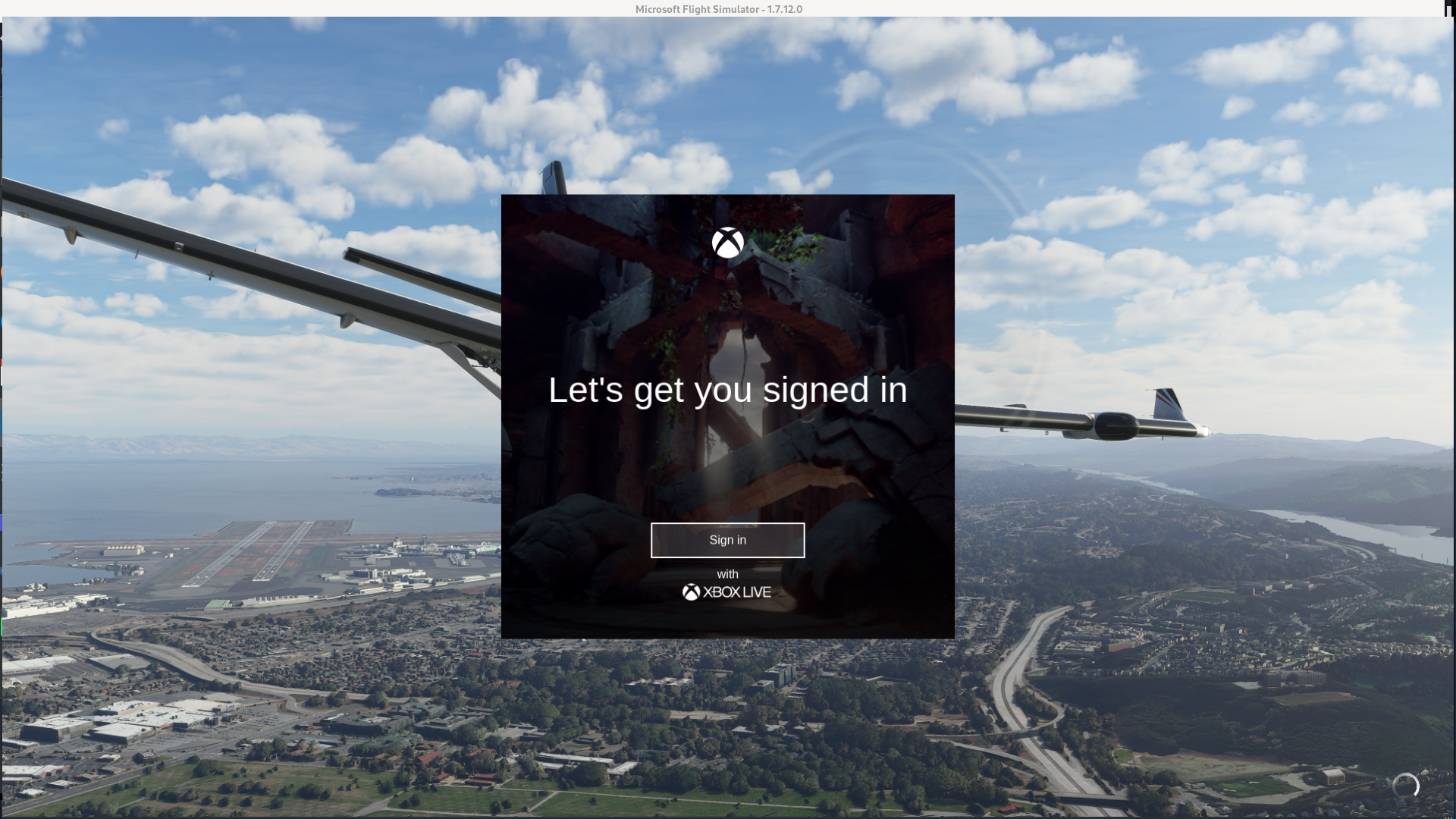
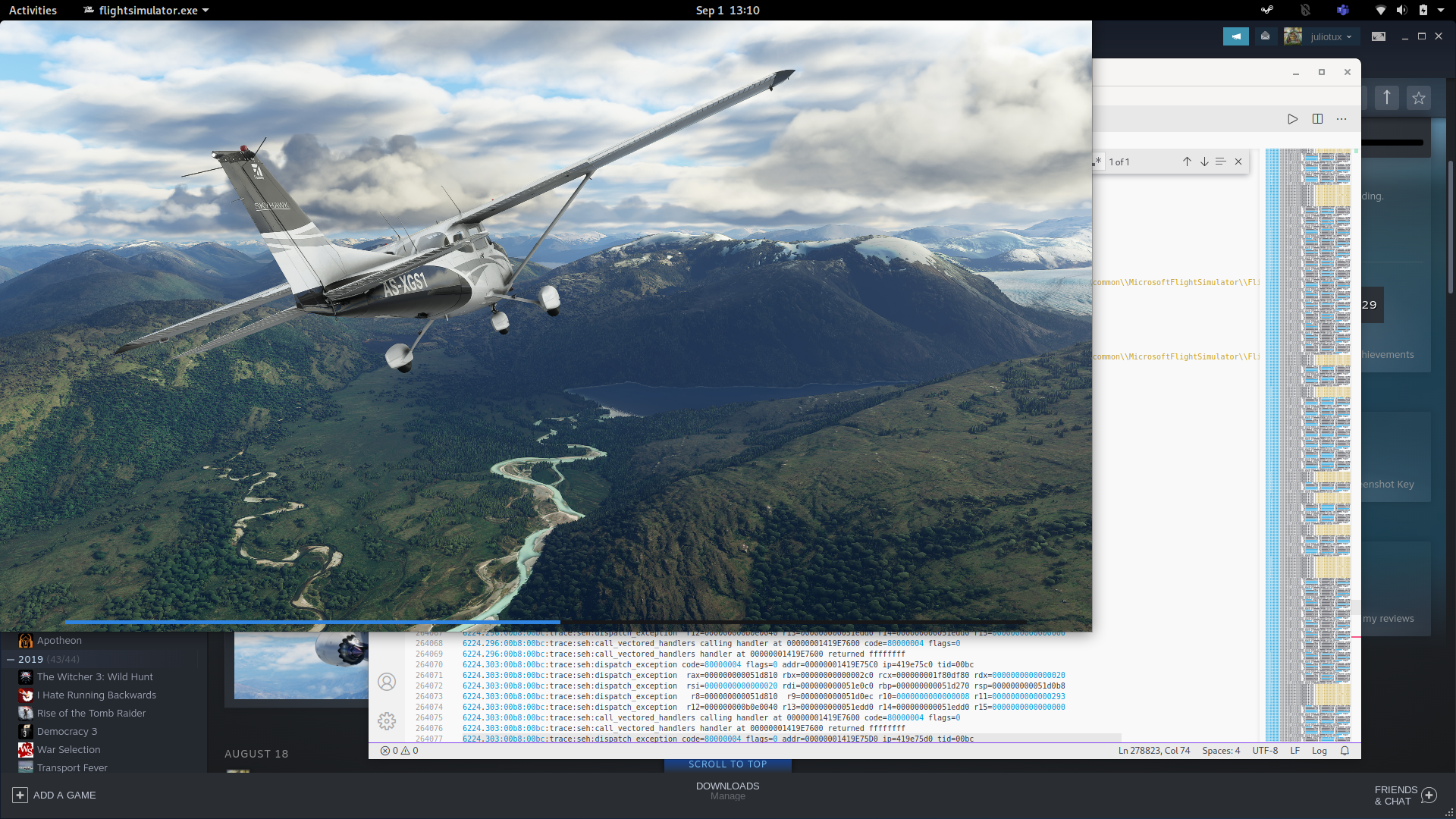
Using the last wine (compiled from git) and last wine-staging (compiled from git) I replaced the proton-ge wine (I know, it's a very durty solution), but the sim was able to load. I also used '-FastLaunch' in the options to skip the MF problem. I could login in the XBox service without problem, check for updates (the game was installed using windows), and now I'm waiting the loading screen.
Just to provide a update on the situation from WINE's end - patches for the missing UWP components have been pushed to Staging, with one vital (as far as I know as I have yet to test it as I don't own FS2020) caveat being that online mode fails to function. It's probably due to netutils being a stub (my assumption, not Remi's), but all in all FS2020 does work, even with Bing Maps components (Photogrammetry, satellite imagery, etc). These just need to be downstreamed to Proton and it should work out of the box (again, my assumption). Don't quote me on this as these are mostly the words of Remi over at CodeWeavers who made and tested the patch themselves.
It's probably due to netutils being a stub (my assumption, not Remi's)
Most likely it comes from missing FreeThreadedXMLHTTP60 class / IXMLHTTPRequest2 interface, but implementing it then causes a lockup of the loading screen about which I'm currently clueless, so it's better without it.
but all in all FS2020 does work, even with Bing Maps components (Photogrammetry, satellite imagery, etc).
I don't know about all the details but the game indeed works OK as far as I could see.
@NodokaHanamura Yes, the patches for speeh synthesis are there (as stubs). Now, I could load a flight, but the game complains about internet connection when try to download the scenery data. I didn't tested more things because I have to work, but latter I will test it more.
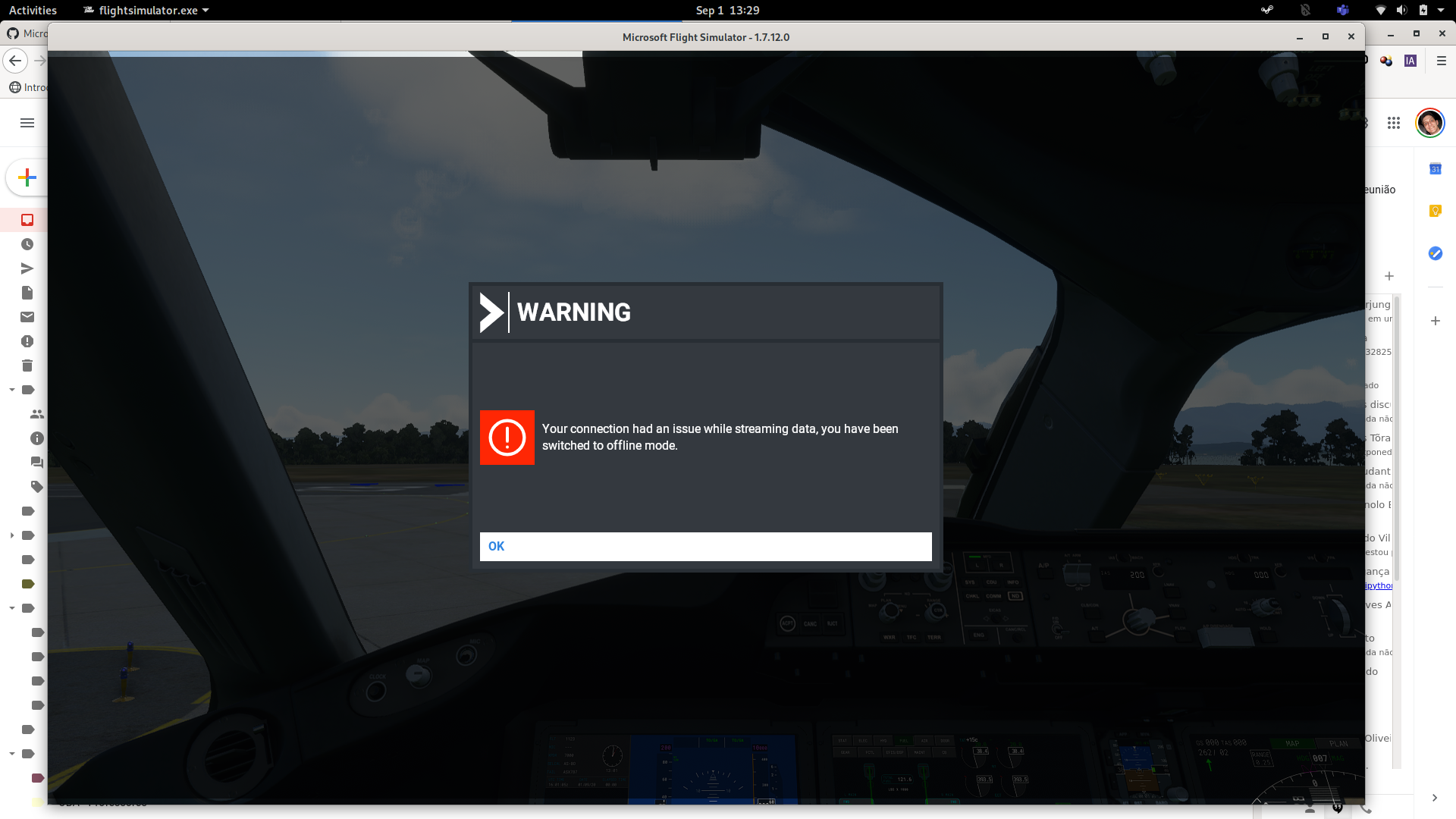
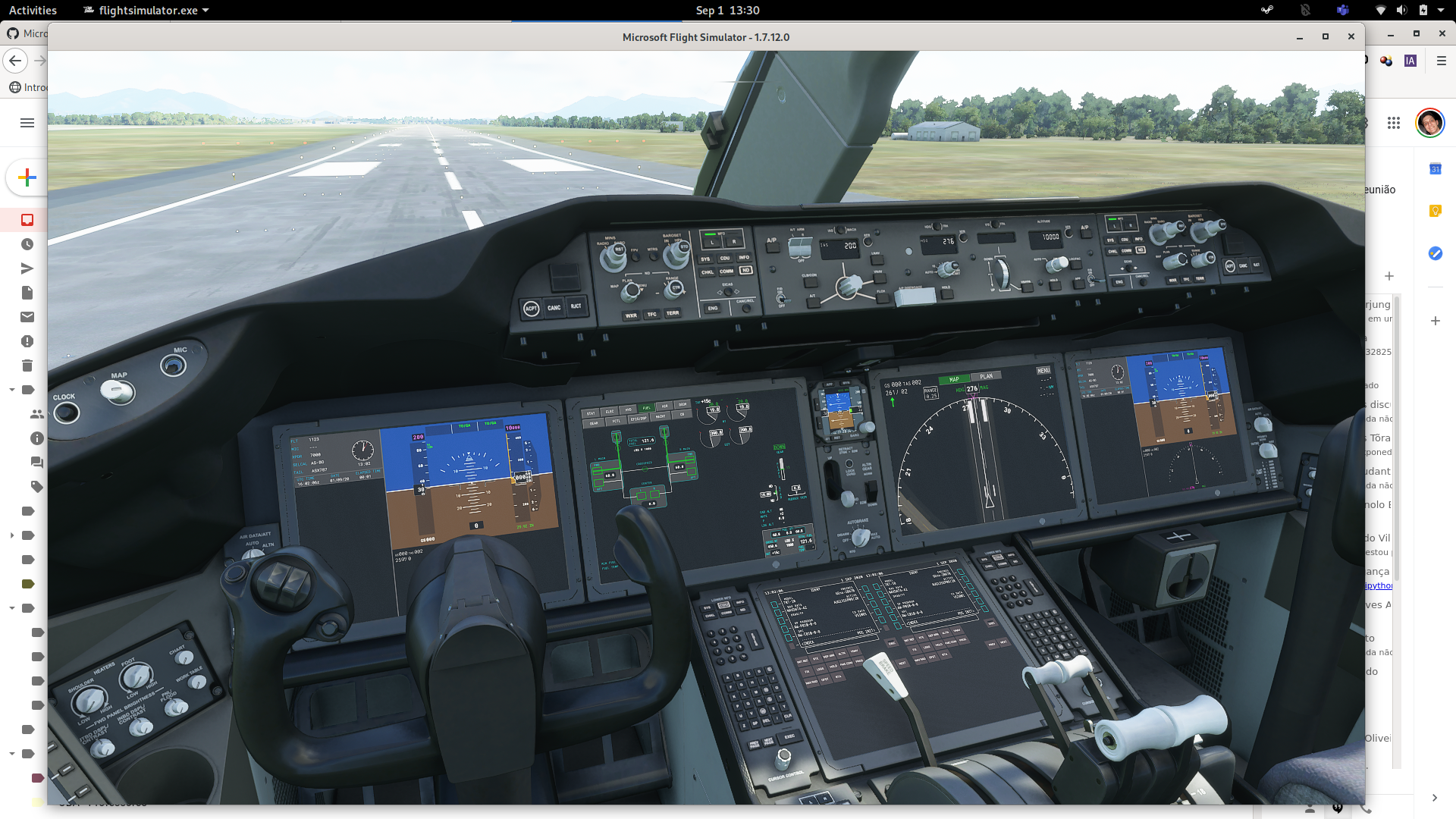
It's probably due to netutils being a stub (my assumption, not Remi's)
Most likely it comes from missing FreeThreadedXMLHTTP60 class / IXMLHTTPRequest2 interface, but implementing it then causes a lockup of the loading screen about which I'm currently clueless, so it's better without it.
but all in all FS2020 does work, even with Bing Maps components (Photogrammetry, satellite imagery, etc).
I don't know about all the details but the game indeed works OK as far as I could see.
Thank you for your help! Hopefully soon we can get that part sorted out. If I knew a line of C++ or whatever WINE is implemented in, I'd gladly help out.
It's probably due to netutils being a stub (my assumption, not Remi's)
Most likely it comes from missing FreeThreadedXMLHTTP60 class / IXMLHTTPRequest2 interface, but implementing it then causes a lockup of the loading screen about which I'm currently clueless, so it's better without it.
but all in all FS2020 does work, even with Bing Maps components (Photogrammetry, satellite imagery, etc).
I don't know about all the details but the game indeed works OK as far as I could see.
Thanks Rémi! Regarding the offline mode, it is strange because the game needs srvcli.dll and netutils.dll, that are only stubs, and I couldn't find any stub for them in the logs. Could this be a problem?
I don't know, I have found no evidence the game actually uses these DLLs. I initially used completely empty stubs and the game didn't even complain. The staging patches implement them a little bit better by forwarding some calls to actual implementations, but it doesn't seem to make any difference.
@juliotux can you send the binary you compiled?
I'm having out-of-memory (killed by kernel) issue while loading the game. I had no problem with my 16G RAM in Windows. I guess it's because the game tries to allocate as much as it could but wine didn't calculate it correctly?
@juliotux or what patches did you apply besides windows.media.speech.dll, which options did you give at configure besides --enable-win64 and did you have libhal development files?
I applied all the staging patches. But the main are srvcli and netutils stubs and the UWP speech synthesis. I compiled with wine64 enabled and without libhal. Sorry, but the binaries are too large to share here.
Thanks. Applying all patches didn't work for me, even when I switched to the branch the patches were made for. In which branch did you switch in wine?
I compiled wine master branch, with master wine-staging.
@juliotux I'm wondering how you replaced Proton-GE's wine by self-built one. I could build patched wine itself but couldn't build Proton-GE.
@juliotux I'm wondering how you replaced Proton-GE's wine by self-built one. I could build patched wine itself but couldn't build Proton-GE.
Proton-GE was taking several hours to create the build environment and was failing some times. Also, several proton patches need work to compile because they are not rebased to wine 5.16 yet.
@motorailgun you can download proton-GE here https://github.com/GloriousEggroll/proton-ge-custom/releases and then copy it to the according folder as it says on github: Native
This section is for those that use the native version of Steam.
Download a release from the Releases page.
Create a ~/.steam/root/compatibilitytools.d directory if it does not exist.
Extract the release tarball into ~/.steam/root/compatibilitytools.d/.
Restart Steam.
Enable proton-ge-custom.
Flatpak
This section is for those that use the Flatpak'd version of Steam.
Download a release from the Releases page.
Create a ~/.var/app/com.valvesoftware.Steam/data/Steam/compatibilitytools.d/ directory if it does not exist.
Extract the release tarball into ~/.var/app/com.valvesoftware.Steam/data/Steam/compatibilitytools.d/.
Restart Steam.
Enable proton-ge-custom.
and then i guess he replaced the wine64 in ~/.local/share/Steam/compatibilitytools.d/Proton-5.9-GE-5-ST/dist/bin/
any new hints on getting around offline-mode? did FreeThreadedXMLHTTP60 turn out to be the issue?
i'm also still at the stage of trying to reproduce your build :)
could somebody upload wine-staging to my google-drive folder? i somehow cannot apply all patches. or maybe 4GB of ram is not enough? https://drive.google.com/drive/folders/10N6uTmaSLFuWQ9xF6gK3i_I9l4F0YB-7?usp=sharing
@smatkovi I don't know it's right way or not but for reference...
When folder hierarchy is like this:
wine-dir
     | --- wine
     | --- wine-staging
cd wine-dir/wine-staging/stagingln -s /hogehoge/wine-dir/wine./patchupdate.py./patchinstall.py --all -d ./wine
Then it should work.
Edit: 1. -> not wine, wine-dir
@motorailgun oh thanks i forgot patchupdate.py
but unfortunately i get this:
ERROR: Changes to file dlls/wined3d/buffer.c don't apply: d3d11-ResolveSubresource, wined3d-1DTextures, d3d11-Deferred_Context
sebastian@mx:~/ps/wine/wine-staging/staging$ ./patch
patchgraph.py patchupdate.py
sebastian@mx:~/ps/wine/wine-staging/staging$ ../patches/patchinstall.sh --all -d ./wine
ERROR: Unknown commandline argument -d.
sebastian@mx:~/ps/wine/wine-staging/staging$ ../patches/patchinstall.sh --all --DEST-DIR=./wine
ERROR: Unknown commandline argument --DEST-DIR=./wine.
sebastian@mx:~/ps/wine/wine-staging/staging$ ../patches/patchinstall.sh --all --DESTDIR=./wine
ERROR: Unknown commandline argument --DESTDIR=./wine.
sebastian@mx:~/ps/wine/wine-staging/staging$ ../patches/patchinstall.sh --all DESTDIR=./wine
Applying /home/sebastian/ps/wine/wine-staging/patches/Compiler_Warnings/0009-ws2_32-tests-Work-around-an-incorrect-detection-in-G.patch
Applying /home/sebastian/ps/wine/wine-staging/patches/Compiler_Warnings/0018-Appease-the-blessed-version-of-gcc-4.5-when-Werror-i.patch
Applying /home/sebastian/ps/wine/wine-staging/patches/Compiler_Warnings/0019-dsound-Avoid-implicit-cast-of-interface-pointer.patch
error: patch failed: dlls/dsound/primary.c:626
error: dlls/dsound/primary.c: patch does not apply
ERROR: Failed to apply patch, aborting!
@smatkovi Sorry I had a mistake on my comment. Edited.
And yes, patchinstall.sh returns errors for me, too. I used patchinstall.py instead, which was not clearly documented...
You're not doing correctly, at wine-staging/staging there must be patchinstall.py.
motorailgun@asuka-3600 /ssd3 % ls ./wine
proton-ge-custom  wine  wine-staging
motorailgun@asuka-3600 /ssd3 % cd ./wine/wine-staging
motorailgun@asuka-3600 /ssd3/wine/wine-staging (git)-[master] % cd staging
motorailgun@asuka-3600 /ssd3/wine/wine-staging/staging (git)-[master] % ln -s /ssd3/wine/wine
motorailgun@asuka-3600 /ssd3/wine/wine-staging/staging (git)-[master] % ./patchupdate.py

WARNING: The following bugs might require attention:

(Long logs here, ommited. Shows error but can be ignored)

1 motorailgun@asuka-3600 /ssd3/wine/wine-staging/staging (git)-[master] % ./patchinstall.py --all -d ./wine
@motorailgun I have only patchhraph.py maybe I'm using a different repository. Which one are you using?
@smatkovi wine-staging at master branch. There's patchinstall.py
@juliotux nice, i have it working too. but without online-mode. if that ever gets enabled, the rest seems to run pretty good.
i probably choose a weird route to build it :joy:
used proton-ge-custom with latest master of wine and wine-staging and to only build wine
 build/proton-ge-custom@master% git diff
diff --git a/Makefile b/Makefile
index 428f88a..36a9502 100644
--- a/Makefile
+++ b/Makefile
@@ -114,7 +114,7 @@ install: configure

 redist: configure
        mkdir -p vagrant_share/$(DEPLOY_DIR)
-   vagrant ssh -c 'make -C $(BUILD_DIR)/ $(UNSTRIPPED) redist && cp -r $(BUILD_DIR)/redist/* /vagrant/$(DEPLOY_DIR) && cd /vagrant/ && tar -cvzf $(DEPLOY_DIR).tar.gz $(DEPLOY_DIR)'
+ vagrant ssh -c 'make -C $(BUILD_DIR)/ $(UNSTRIPPED) wine && cp -r $(BUILD_DIR)/redist/* /vagrant/$(DEPLOY_DIR) && cd /vagrant/ && tar -cvzf $(DEPLOY_DIR).tar.gz $(DEPLOY_DIR)'
        echo "Proton build available at vagrant_share/$(DEPLOY_DIR)"

 deploy: configure
diff --git a/wine b/wine
index 536aec5..432858b 160000
--- a/wine
+++ b/wine
@@ -1 +1 @@
-Subproject commit 536aec511612afd002808508d76bd5640f359f25
+Subproject commit 432858b285d2b63eca6f99a162c9a13dd6e6ac71-dirty
diff --git a/wine-staging b/wine-staging
index 54ae005..0505562 160000
--- a/wine-staging
+++ b/wine-staging
@@ -1 +1 @@
-Subproject commit 54ae0051077c8470ddd916e8847319027ad1ae21
+Subproject commit 0505562a30238b36a85b3236b4abbdb42fea8dd4
and ran
cd path/to/proton-ge-custom/wine-staging
./patches/patchinstall.sh DESTDIR=path/to/proton-ge-custom/wine --all

cd path/to/proton-ge-custom
vim wine/dlls/ntdll/unix/file.c
add "#define RENAME_EXCHANGE (1 << 1)" somewhere at the top

vagrant up
build_name=proton-msfs2020-staging make redist | tee buildlog.txt

rsync -av vagrant_share/proton-msfs2020-staging/  path/to/compatibilitytools.d/Proton-5.9-GE-5-ST/
I can't get pass the initial loading. I'm still getting the 0024:err:combase:RoGetActivationFactory Failed to find library for L"Windows.Media.SpeechSynthesis.SpeechSynthesizer" error.
I'm running a self compiled latest wine and wine-staging. I also tried with TKG's version, which leads me to the same situation.
I copied the srvcli.dll and netutils.dll from my Windows 10 partition.
I don't know where to go from here. Isn't this solved already? Why I'm still getting this error?
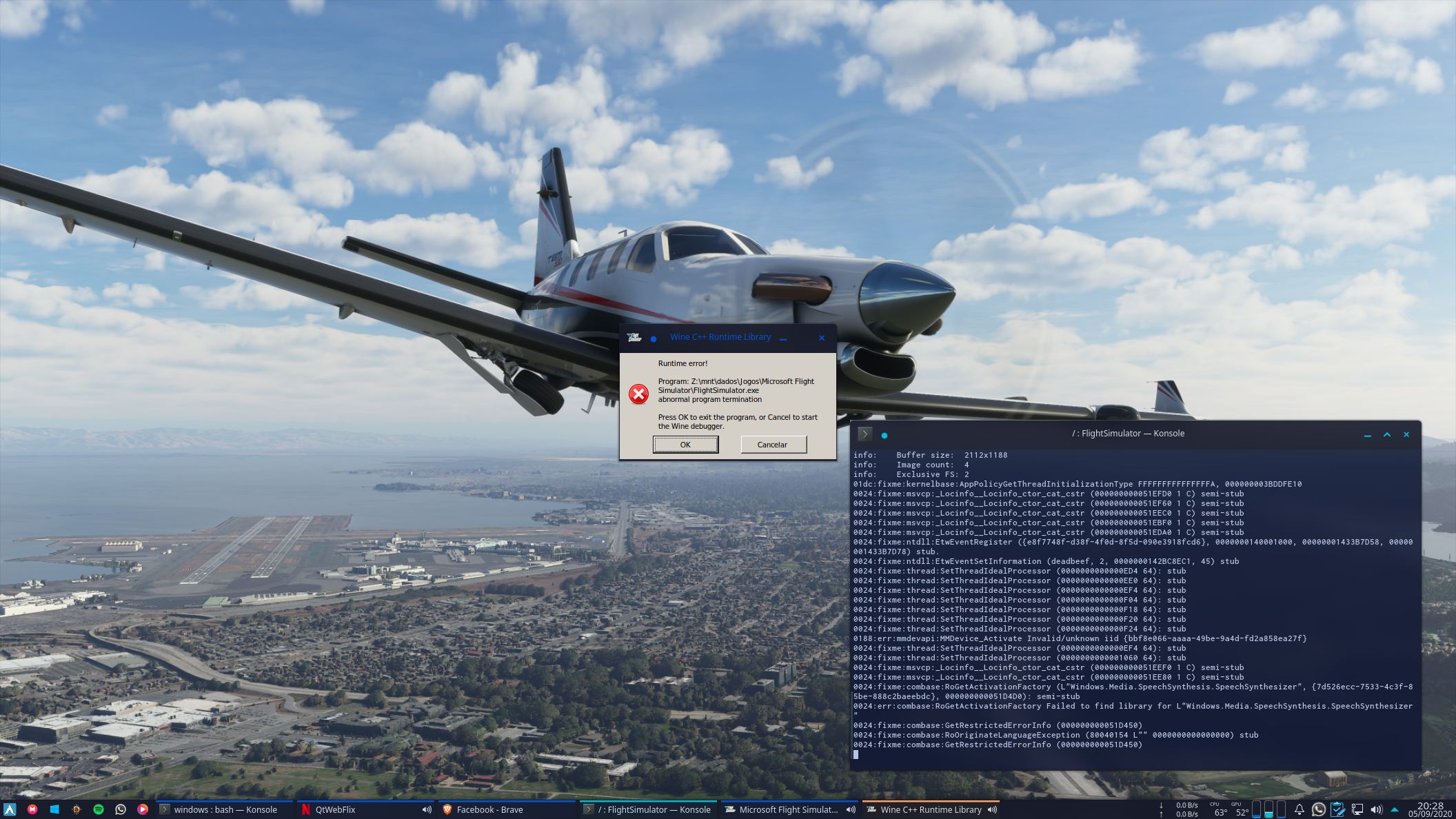
@rizzini Failed to find library for L"Windows.Media.SpeechSynthesis.SpeechSynthesizer" means you somehow haven't applied the wine-staging patches to wine. or don't have the latest wine-staging applied.
I believe UWP APIs also need registry keys as well, so if you're running with an old wine prefix try it with a new one.
@rizzini
Failed to find library for L"Windows.Media.SpeechSynthesis.SpeechSynthesizer"means you somehow haven't applied the wine-staging patches to wine. or don't have the latest wine-staging applied.
Which is weird, since I'm absolutely sure that I'm using staging patches. Even if I'm doing it wrong, TKG's version already comes with the staging patches.
I believe UWP APIs also need registry keys as well, so if you're running with an old wine prefix try it with a new one.
Sadly, I tried that already. =/
If you're building your own TKG build you have to make sure staging is
enabled. I know it used to be on by default, but I haven't cloned his repo
fresh in a while so I don't know if he's changed it (I just update my
current repo with my own changes).
Either way, he also includes a bunch of hotfixes which might be breaking
compatibility with this game. You might want to talk to him about it (I
would try his discord, I wouldn't necessarily file an issue on the github
repo for it).
On Sat, Sep 5, 2020 at 8:17 PM rizzini [email protected] wrote:
@rizzini https://github.com/rizzini Failed to find library for
L"Windows.Media.SpeechSynthesis.SpeechSynthesizer" means you somehow
haven't applied the wine-staging patches to wine. or don't have the latest
wine-staging applied.Which is weird, since I'm absolutely sure that I'm using staging patches.
Even if I'm doing it wrong, TKG's version already comes with the staging
patches.I believe UWP APIs also need registry keys as well, so if you're running
with an old wine prefix try it with a new one.Sadly, I tried that already. =/
—
You are receiving this because you were mentioned.
Reply to this email directly, view it on GitHub
https://github.com/ValveSoftware/Proton/issues/4134#issuecomment-687679373,
or unsubscribe
https://github.com/notifications/unsubscribe-auth/AM5Y335GVEWHG4OZUFR7TI3SELIJLANCNFSM4QCBRKBA
.
If you're building your own TKG build you have to make sure staging is enabled. I know it used to be on by default, but I haven't cloned his repo fresh in a while so I don't know if he's changed it (I just update my current repo with my own changes). Either way, he also includes a bunch of hotfixes which might be breaking compatibility with this game. You might want to talk to him about it (I would try his discord, I wouldn't necessarily file an issue on the github repo for it).
…
On Sat, Sep 5, 2020 at 8:17 PM rizzini @.***> wrote: @rizzini https://github.com/rizzini Failed to find library for L"Windows.Media.SpeechSynthesis.SpeechSynthesizer" means you somehow haven't applied the wine-staging patches to wine. or don't have the latest wine-staging applied. Which is weird, since I'm absolutely sure that I'm using staging patches. Even if I'm doing it wrong, TKG's version already comes with the staging patches. I believe UWP APIs also need registry keys as well, so if you're running with an old wine prefix try it with a new one. Sadly, I tried that already. =/ — You are receiving this because you were mentioned. Reply to this email directly, view it on GitHub <[#4134 (comment)](https://github.com/ValveSoftware/Proton/issues/4134#issuecomment-687679373)>, or unsubscribe https://github.com/notifications/unsubscribe-auth/AM5Y335GVEWHG4OZUFR7TI3SELIJLANCNFSM4QCBRKBA .
I'll try to reach him at his discord. Thanks. Though, I really don't know how I'm not applying the staging patches. I followed your steps here too, vagrant apart, which leads me to use /patches/patchinstall.sh instead /staging/patchinstall.py. All the patches seems to be applied too. I can't even apply them again..
My proof that the speech patches were applied:
[lucas@arch-linux wine]$ find -iname "*speech*"
./dlls/windows.media.speech.dll
./dlls/windows.media.speech.dll/windows.media.speech_main.c
./dlls/windows.media.speech.dll/windows.media.speech.spec
[lucas@arch-linux wine]$
And that the staging were merged:
[lucas@arch-linux wine]$ find -iname "*staging*"
./programs/winecfg/staging.o
./programs/winecfg/staging.c
[lucas@arch-linux wine]$
After that I just ./configure --enable-win64 and make -j9 at Wine's source. Am I missing something? Doesn't feel like I am.
@rizzini lol in my mail was the -j9 flag missing and i wanted to suggest it, but you seem to have already edited it
Is this game DX12? Do you have vkd3d-proton installed system-wide? You
need to in order for your wine build to be built with support for it.
On Sun, Sep 6, 2020 at 6:40 AM rizzini [email protected] wrote:
If you're building your own TKG build you have to make sure staging is
enabled. I know it used to be on by default, but I haven't cloned his repo
fresh in a while so I don't know if he's changed it (I just update my
current repo with my own changes). Either way, he also includes a bunch of
hotfixes which might be breaking compatibility with this game. You might
want to talk to him about it (I would try his discord, I wouldn't
necessarily file an issue on the github repo for it).
… <#m_3832689036413002988_>
On Sat, Sep 5, 2020 at 8:17 PM rizzini @.***> wrote: @rizzini
https://github.com/rizzini https://github.com/rizzini Failed to find
library for L"Windows.Media.SpeechSynthesis.SpeechSynthesizer" means you
somehow haven't applied the wine-staging patches to wine. or don't have the
latest wine-staging applied. Which is weird, since I'm absolutely sure that
I'm using staging patches. Even if I'm doing it wrong, TKG's version
already comes with the staging patches. I believe UWP APIs also need
registry keys as well, so if you're running with an old wine prefix try it
with a new one. Sadly, I tried that already. =/ — You are receiving this
because you were mentioned. Reply to this email directly, view it on GitHub
<#4134 (comment)
https://github.com/ValveSoftware/Proton/issues/4134#issuecomment-687679373>,
or unsubscribe
https://github.com/notifications/unsubscribe-auth/AM5Y335GVEWHG4OZUFR7TI3SELIJLANCNFSM4QCBRKBA
.I'll try to reach him at his discord. Thanks. Though, I really don't know
how I'm not applying the staging patches. I followed your steps here
https://github.com/ValveSoftware/Proton/issues/4134#issuecomment-687673675
too, which leads me to use /patches/patchinstall.sh instead
/staging/patchinstall.py. All the patches seems to be applied too. I
can't even apply them again..After that I just ./configure --enable-win64 and make at Wine's source.
Am I missing something?—
You are receiving this because you were mentioned.
Reply to this email directly, view it on GitHub
https://github.com/ValveSoftware/Proton/issues/4134#issuecomment-687752721,
or unsubscribe
https://github.com/notifications/unsubscribe-auth/AM5Y33YZREIVHJSQ7G2LQTDSENRJNANCNFSM4QCBRKBA
.
Is this game DX12? Do you have vkd3d-proton installed system-wide? You need to in order for your wine build to be built with support for it.
no, its dx11
Most likely it comes from missing FreeThreadedXMLHTTP60 class / IXMLHTTPRequest2 interface, but implementing it then causes a lockup of the loading screen about which I'm currently clueless, so it's better without it.
@rbernon can you share what you already had to implement this? would love to tinker with it.
given that everything else works. looks like implementing IXMLHTTPRequest2 coclass and winetricks msxml6 (or builtin) should make loading the online map parts work. then i can happily stop rebooting into windows to play.
@lian I've implemented this here https://github.com/rbernon/wine/commit/068137a317ab6345f07d5d1b8adc2ef01e71a0f5 but it doesn't work and it makes it impossible to start a game, so don't use it if you actually want to play.
@rbernon thank you for sharing! but playing the game without online map data is somewhat like not playing the game :smile:
@rbernon
cherry-picked your WIP: msxml3: IXHR2 https://github.com/rbernon/wine/commit/068137a317ab6345f07d5d1b8adc2ef01e71a0f5 against wine master and then applied wine-staging.
it loaded into the main menu. and i use option -> data -> map-cache -> view to test fetching online map data. (its faster than loading a flight)
result was frozen window (no crash) and these logs:
80106.583:01e0:01e4:fixme:combase:RoGetActivationFactory (L"Windows.System.UserProfile.GlobalizationPreferences", {01bf4326-ed37-4e96-b0e9-c1340d1ea158}, 000000000051EFF8): semi-stub
80106.583:01e0:01e4:err:combase:RoGetActivationFactory Failed to find library for L"Windows.System.UserProfile.GlobalizationPreferences"
80106.583:01e0:01e4:fixme:msvcp:_Locinfo__Locinfo_ctor_cat_cstr (000000000051ED90 1 C) semi-stub
80106.583:01e0:01e4:fixme:msvcp:_Locinfo__Locinfo_ctor_cat_cstr (000000000051EC80 1 C) semi-stub
80106.583:01e0:01e4:fixme:msvcp:_Locinfo__Locinfo_ctor_cat_cstr (000000000051EAB0 1 C) semi-stub
80106.583:01e0:01e4:fixme:file:CreateFile2 (L"C:\\users\\lian\\Local Settings\\Application Data\\FlightSimulator\\overrides.json" 80000000 1 3 0000000000000000), partial stub
80106.584:01e0:01e8:err:xmlhttp:xml_http_request_2_Open ../../../../proton/wine/dlls/msxml3/httprequest.c:2136 got callback3: (nil)
80106.586:01e0:05ec:fixme:xmlhttp:BindStatusCallback_QueryInterface Unsupported riid = {79eac9e1-baf9-11ce-8c82-00aa004ba90b}
80106.588:01e0:01e8:err:xmlhttp:xml_http_request_2_Open ../../../../proton/wine/dlls/msxml3/httprequest.c:2136 got callback3: (nil)
80106.588:01e0:05ec:fixme:urlmon:InternetBindInfo_GetBindString not supported string type 20
80106.591:01e0:05fc:fixme:urlmon:InternetBindInfo_GetBindString not supported string type 20
80106.755:01e0:05e8:fixme:file:CreateFile2 (L"C:\\users\\lian\\Local Settings\\Application Data\\FlightSimulator\\overrides.json" c0000000 1 2 000000012FE0F808), partial stub
80106.810:01e0:05c0:fixme:wininet:create_cache_entry INTERNET_FLAG_NEED_FILE is not supported correctly
80106.838:01e0:01e8:err:xmlhttp:xml_http_request_2_Open ../../../../proton/wine/dlls/msxml3/httprequest.c:2136 got callback3: (nil)
80106.839:01e0:05ec:fixme:urlmon:InternetBindInfo_GetBindString not supported string type 20
80106.840:01e0:01e8:err:xmlhttp:xml_http_request_2_Open ../../../../proton/wine/dlls/msxml3/httprequest.c:2136 got callback3: (nil)
80106.840:01e0:01e8:err:xmlhttp:xml_http_request_2_Open ../../../../proton/wine/dlls/msxml3/httprequest.c:2136 got callback3: (nil)
80106.840:01e0:05fc:fixme:urlmon:InternetBindInfo_GetBindString not supported string type 20
80106.841:01e0:01e8:err:xmlhttp:xml_http_request_2_Open ../../../../proton/wine/dlls/msxml3/httprequest.c:2136 got callback3: (nil)
80106.841:01e0:01e8:err:xmlhttp:xml_http_request_2_Open ../../../../proton/wine/dlls/msxml3/httprequest.c:2136 got callback3: (nil)
80106.843:01e0:0614:fixme:urlmon:InternetBindInfo_GetBindString not supported string type 20
80106.843:01e0:0618:fixme:urlmon:InternetBindInfo_GetBindString not supported string type 20
80106.959:01e0:0618:fixme:urlmon:InternetBindInfo_GetBindString not supported string type 20
80106.969:01e0:05fc:fixme:file:CreateFile2 (L"C:\\users\\lian\\Local Settings\\Application Data\\FlightSimulator\\mapscache\\misc\\000000020000000C.dat" c0000000 1 2 0000000139D1D688), partial stub
80106.979:01e0:0618:fixme:file:CreateFile2 (L"C:\\users\\lian\\Local Settings\\Application Data\\FlightSimulator\\mapscache\\misc\\000000020000000D.dat" c0000000 1 2 000000013E14D688), partial stub
Yes, I can see the same behavior. Some of the game threads start locking each other up after the few first requests and I currently have no idea what they are waiting for.
I'll try to reach him at his discord. Thanks. Though, I really don't know how I'm not applying the staging patches. I followed your steps here too, vagrant apart, which leads me to use
/patches/patchinstall.shinstead/staging/patchinstall.py. All the patches seems to be applied too. I can't even apply them again..My proof that the speech patches were applied:
[lucas@arch-linux wine]$ find -iname "*speech*"
./dlls/windows.media.speech.dll
./dlls/windows.media.speech.dll/windows.media.speech_main.c
./dlls/windows.media.speech.dll/windows.media.speech.spec
[lucas@arch-linux wine]$
And that the staging were merged:
[lucas@arch-linux wine]$ find -iname "*staging*"
./programs/winecfg/staging.o
./programs/winecfg/staging.c
[lucas@arch-linux wine]$
After that I just
./configure --enable-win64andmake -j9at Wine's source. Am I missing something? Doesn't feel like I am.
I'm still unable to get the window.media.speech.dll to show up under the wine/dlls folder in my build. Latest wine with wine-staging patches but after I apply, still no dll. Also, I only see one patch regarding this and all it does is add a registry entry. I feel like I'm missing a whole set of staging patches that add this dll. Any insights?
@JooJooBee666
I'm still unable to get the window.media.speech.dll to show up under the wine/dlls folder in my build. Latest wine with wine-staging patches but after I apply, still no dll. Also, I only see one patch regarding this and all it does is add a registry entry. I feel like I'm missing a whole set of staging patches that add this dll. Any insights?
sure you run ./patches/patchinstall.sh DESTDIR=path/to/wine --all?
if you apply the patch manually it won't add the needed parts in configure file to actually include it.
 enable_wimgapi
+enable_windows_gaming_input_dll
...
 wine_fn_config_makefile dlls/windebug.dll16 enable_win16
+wine_fn_config_makefile dlls/windows.gaming.input.dll enable_windows_gaming_input_dll
small update:
@rbernon added 3 more patches to https://bugs.winehq.org/show_bug.cgi?id=49740 which are also already in wine-staging master. thank you so much!
those enable to you load online map data and live weather. :smiley:
not to join/see online servers and other players though.
the game runs pretty well with all those patches in wine-staging now. but there are some issues i noticed while testing various things last night. ImagingFactory_CreateDecoderFromStream might be the biggest downside for the current state.
runtime error dialogs
loading a flight with cessna 152 always works. after 1 min of flight, 2 runtime error dialogs show up. but if you ignore them all is (at first seems) good.
but i can't get the cessna 172 G1000 to load. during loading the 2 runtime error dialogs show up (already) and the progress bar moves further but never fully loads into the game.
but when i load the cessna 152 instead and THEN use dev-mode airplane selector to change the plane to cessna 172 G1000, it loads the plane just fine (so its not an issue with the plane, or any plane, by itself).
so it seems the issue are the 2 runtime errors. if they happen after you are loaded into the flight, it seems fine. if it happens before finishing to load then the load never completes.
tried to bisect what is causing this.
- if i load the
cessna 172 G1000withoptions->data->online->off, it just works. - if i enable
options->data->online->onbut turn offoptions->data->bing, it works too. - but only if i keep
options->data->bingenabled while loadingcessna 172 g1000it fails with those 2 runtime errors while loading - but does not fail if i load in the
cessna 172 G1000using dev-mode after thecessna 152was already loaded.
i tried to disable rolling cache, but didn't help.
so my theory is that loading any more complex planes takes longer and if whatever is loading causes the runtime error during initial load already (instead of later) then it fails.
didn't have any luck with my little wine debugging skill to pin down what causes the runtime error.
best guesses so far (and might be the cause are):
1: urlmon:ServiceProvider_QueryService unknown service {79eac9e4-baf9-11ce-8c82-00aa004ba90b}
90961.392:00b8:0598:warn:urlmon:ServiceProvider_QueryService unknown service {79eac9e4-baf9-11ce-8c82-00aa004ba90b}
90961.392:00b8:0598:fixme:urlmon:InternetBindInfo_GetBindString not supported string type 20
90961.392:00b8:0598:warn:urlmon:HttpProtocol_open_request IHttpNegotiate2_GetRootSecurityId failed: 80004005
90961.410:00b8:04a8:warn:urlmon:internet_status_callback Unhandled Internet status callback 21
90961.410:00b8:0210:warn:urlmon:internet_status_callback Unhandled Internet status callback 21
90961.465:00b8:04a8:warn:urlmon:internet_status_callback Unhandled Internet status callback 31
90961.465:00b8:04a8:warn:urlmon:internet_status_callback Unhandled Internet status callback 40
90961.476:00b8:0210:warn:urlmon:internet_status_callback Unhandled Internet status callback 31
90961.476:00b8:0210:warn:urlmon:internet_status_callback Unhandled Internet status callback 40
90961.482:00b8:04a8:warn:urlmon:internet_status_callback Unhandled Internet status callback 41
90961.483:00b8:0594:warn:heap:HEAP_ValidateInUseArena Heap 0000000000010000: unaligned arena pointer 0000000077856E10
90961.483:00b8:0594:warn:heap:HEAP_ValidateInUseArena Heap 0000000000010000: unaligned arena pointer 0000000077856E90
90961.483:00b8:0594:warn:heap:HEAP_ValidateInUseArena Heap 0000000000010000: unaligned arena pointer 0000000077856EF0
90961.492:00b8:0210:warn:urlmon:internet_status_callback Unhandled Internet status callback 41
90961.493:00b8:0598:warn:heap:HEAP_ValidateInUseArena Heap 0000000000010000: unaligned arena pointer 00000000778DF530
79eac9e4-baf9-11ce-8c82-00aa004ba90b seems to be the gopher protocol (https://github.com/wine-mirror/wine/blob/6d801377055911d914226a3c6af8d8637a63fa13/dlls/urlmon/urlmon.rgs#L23)
really? such an old protocol is used in the sim? and its implemented in wine, why does urlmon:ServiceProvider_QueryService say its unknown?
2: trace:winsock:WS_socket af=2 type=2 protocol=17
52416.330:00b8:0188:trace:winsock:WSAStartup succeeded starts: 11
52416.330:00b8:0188:trace:winsock:WS_socket af=2 type=2 protocol=17
52416.330:00b8:0188:trace:winsock:WSASocketW af=2 type=2 protocol=17 protocol_info=(nil) group=0 flags=0x1
52416.330:00b8:0188:trace:winsock:WSASocketW    created 13a0
52416.330:00b8:0188:trace:winsock:WS_setsockopt (socket 13a0, level SOL_SOCKET, name SO_ERROR, optval 0x1d54f680 (250), optlen 4)
52416.330:00b8:0188:trace:winsock:WS_setsockopt Setting socket error, 10042
52416.330:00b8:0188:trace:winsock:WS_closesocket (socket 13a0) -> 0
52416.330:00b8:0188:trace:winsock:WSACleanup pending cleanups: 10
52416.330:00b8:0188:trace:winsock:WSAStartup verReq=202
52416.330:00b8:0188:trace:winsock:WSAStartup succeeded starts: 11
52416.330:00b8:0188:trace:winsock:WS_socket af=2 type=2 protocol=17
52416.330:00b8:0188:trace:winsock:WSASocketW af=2 type=2 protocol=17 protocol_info=(nil) group=0 flags=0x1
52416.330:00b8:0188:trace:winsock:WSASocketW    created 13a0
52416.330:00b8:0188:trace:winsock:WS_setsockopt (socket 13a0, level SOL_SOCKET, name SO_ERROR, optval 0x1d54f680 (250), optlen 4)
52416.330:00b8:0188:trace:winsock:WS_setsockopt Setting socket error, 10042
52416.330:00b8:0188:trace:winsock:WS_closesocket (socket 13a0) -> 0
a constant loop to create an protocol=17 (#define AF_NETBIOS 17) socket?
3: ImagingFactory_CreateDecoderFromStream first 4 bytes of stream=49 49 bc 1
89807.834:00b8:00ec:warn:wincodecs:ImagingFactory_CreateDecoderFromStream failed to load from a stream 0x88982f50
89807.834:00b8:00ec:warn:wincodecs:ImagingFactory_CreateDecoderFromStream first 4 bytes of stream=49 49 bc 1
this shows when using online mode and fetching online/bing data. 49 49 bc 01 is JPEG XR format, and its decoder isn't found (nor implemented)
https://github.com/wine-mirror/wine/blob/6d801377055911d914226a3c6af8d8637a63fa13/dlls/windowscodecs/imgfactory.c#L123
although https://github.com/wine-mirror/wine/blob/6d801377055911d914226a3c6af8d8637a63fa13/dlls/wmphoto/wmphoto.idl might be the correct decoder for this https://docs.microsoft.com/en-us/windows/win32/wic/jpeg-xr-codec, but idk.
the problem:
failing on jpeg xr images, which there are many while streaming online, results in some (lots) stuff not being drawn correctly. saw an area that had no/broken ground textures, while the area next to it was just fine.
my theory is also that this jpeg-xr loading causes the runtime error dialogs. but only when jpeg-xr is used for certain objects/models that don't want to continue with a failed texture load. the 2 runtime error dialogs from the start come up again and again randomly while flying around a while.
Hello @lian, please use the upsteam bug report for feedback on the wine staging patches. You're adding a fair bit of noise to this compatibility report which is not directly usable for Proton users.
@kisak-valve :+1: fair enough. will move that discussion upstream.
@JooJooBee666
I'm still unable to get the window.media.speech.dll to show up under the wine/dlls folder in my build. Latest wine with wine-staging patches but after I apply, still no dll. Also, I only see one patch regarding this and all it does is add a registry entry. I feel like I'm missing a whole set of staging patches that add this dll. Any insights?
sure you run
./patches/patchinstall.sh DESTDIR=path/to/wine --all?if you apply the patch manually it won't add the needed parts in
configurefile to actually include it.enable_wimgapi +enable_windows_gaming_input_dll ... wine_fn_config_makefile dlls/windebug.dll16 enable_win16 +wine_fn_config_makefile dlls/windows.gaming.input.dll enable_windows_gaming_input_dll
That's correct. No errors when I do that either, all patches apply. But still, no windows.media.speech.dll folder in wine/dlls/ or in build output. I do have the windows.gaming.input.dll in both places. Again, I only see one patch in the staging for windows.media.speech.dll named "0001-windows.media.speech-Add-stub-dll.patch" with the following content.
From: =?UTF-8?q?R=C3=A9mi=20Bernon?= <[email protected]>
Date: Tue, 25 Aug 2020 19:07:58 +0200
Subject: [PATCH] windows.media.speech: Add stub dll.

---
 loader/wine.inf.in | 1 +
 1 file changed, 1 insertion(+)

diff --git a/loader/wine.inf.in b/loader/wine.inf.in
index d99bcb4541c..e953b3d5cc0 100644
--- a/loader/wine.inf.in
+++ b/loader/wine.inf.in
@@ -727,6 +727,7 @@ HKLM,%MciExtStr%,"wvx",,"MPEGVideo"
 [Misc]
 HKLM,Software\Microsoft\WindowsRuntime\ActivatableClassId\Windows.Gaming.Input.Gamepad,"DllPath",2,"Windows.Gaming.Input.dll"
 HKLM,Software\Microsoft\WindowsRuntime\ActivatableClassId\Windows.Gaming.Input.RawGameController,"DllPath",2,"Windows.Gaming.Input.dll"
+HKLM,Software\Microsoft\WindowsRuntime\ActivatableClassId\Windows.Media.SpeechSynthesis.SpeechSynthesizer,"DllPath",2,"Windows.Media.Speech.dll"
 HKLM,Software\Borland\Database Engine\Settings\SYSTEM\INIT,SHAREDMEMLOCATION,,9000
 HKLM,Software\Clients\Mail,,2,"Native Mail Client"
 HKLM,Software\Clients\Mail\Native Mail Client,,2,"Native Mail Client"
--
2.28.0
No other patches in that folder which matches https://github.com/wine-staging/wine-staging/tree/master/patches/windows.media.speech.dll. And again, it looks to me all this is doing is adding the registry key to an ini file. Nowhere do I see a stub dll. So, what patches am I somehow not seeing?
I'll try to reach him at his discord. Thanks. Though, I really don't know how I'm not applying the staging patches. I followed your steps here too, vagrant apart, which leads me to use
/patches/patchinstall.shinstead/staging/patchinstall.py. All the patches seems to be applied too. I can't even apply them again..
My proof that the speech patches were applied:[lucas@arch-linux wine]$ find -iname "*speech*" ./dlls/windows.media.speech.dll ./dlls/windows.media.speech.dll/windows.media.speech_main.c ./dlls/windows.media.speech.dll/windows.media.speech.spec [lucas@arch-linux wine]$And that the staging were merged:
[lucas@arch-linux wine]$ find -iname "*staging*"
./programs/winecfg/staging.o
./programs/winecfg/staging.c
[lucas@arch-linux wine]$
After that I just
./configure --enable-win64andmake -j9at Wine's source. Am I missing something? Doesn't feel like I am.I'm still unable to get the window.media.speech.dll to show up under the wine/dlls folder in my build. Latest wine with wine-staging patches but after I apply, still no dll. Also, I only see one patch regarding this and all it does is add a registry entry. I feel like I'm missing a whole set of staging patches that add this dll. Any insights?
Sorry for the delay..
I'm trying to reproduce now what I did when I found the ./dlls/windows.media.speech.dll folder, but I can't find it now. Something has changed.. I'm doing exactly what I did before. I save my bash commands history with timestamps.. Even then, I couldn't run the game.
That search was to proof that I'm running the game with self compiled Wine that indeed has the Wine-staging patches applied. And still I'm getting Failed to find library for L"Windows.Media.SpeechSynthesis.SpeechSynthesizer" when running the game. =/
I'm 100% lost. Many here managed to run the game. This Failed to find library for L"Windows.Media.SpeechSynthesis.SpeechSynthesizer" error is something they solved awhile ago and yet I'm stuck at it and I don't know why. It's not clear everything they did to run it. It's not because I'm running the game without Wine-staging patches, because I am.
To be sure, I'm also trying to run it with Wine-staging from official Arch repository -> https://www.archlinux.org/packages/multilib/x86_64/wine-staging/
I tried many ways to make sure that I'm using the staging patches.
My point is that this error isn't because I'm running the game without the staging patches.
@rizzini I think the wine-staging master patch is incomplete. You can apply the original patch directly.
@rizzini I think the wine-staging master patch is incomplete. You can apply the original patch directly.
Thanks, man, but I tried that already and this is what I get when I try to apply it against a clean Wine source:
[lucas@arch-linux wine]$ patch -Np1 < windows.media.speech.patch
patching file configure
Hunk #1 FAILED at 1649.
Hunk #2 FAILED at 21310.
2 out of 2 hunks FAILED -- saving rejects to file configure.rej
patching file configure.ac
Hunk #1 FAILED at 3841.
1 out of 1 hunk FAILED -- saving rejects to file configure.ac.rej
patching file dlls/windows.media.speech.dll/Makefile.in
patching file dlls/windows.media.speech.dll/windows.media.speech.spec
patching file dlls/windows.media.speech.dll/windows.media.speech_main.c
patching file loader/wine.inf.in
Hunk #1 FAILED at 710.
1 out of 1 hunk FAILED -- saving rejects to file loader/wine.inf.in.rej
@rizzini I think the wine-staging master patch is incomplete. You can apply the original patch directly.
That looks a lot better, lol. Thanks. I'll overwrite the one in staging with this and try again.
Edit: that doesn't work now, duh. But I'm going to manually add this after applying the other patches and see where I get.
@JooJooBee666 @rizzini wine-staging just got updated with the full patch. As soon they rebase to wine master, you will be able to apply the patch directly.
@JooJooBee666 @rizzini wine-staging just got updated with the full patch. As soon they rebase to wine master, you will be able to apply the patch directly.
Thanks, but its looks like my build is just about done and I now have the missing dll after manually inserting everything.
@JooJooBee666 @rizzini wine-staging just got updated with the full patch. As soon they rebase to wine master, you will be able to apply the patch directly.
OMG.. It worked now!
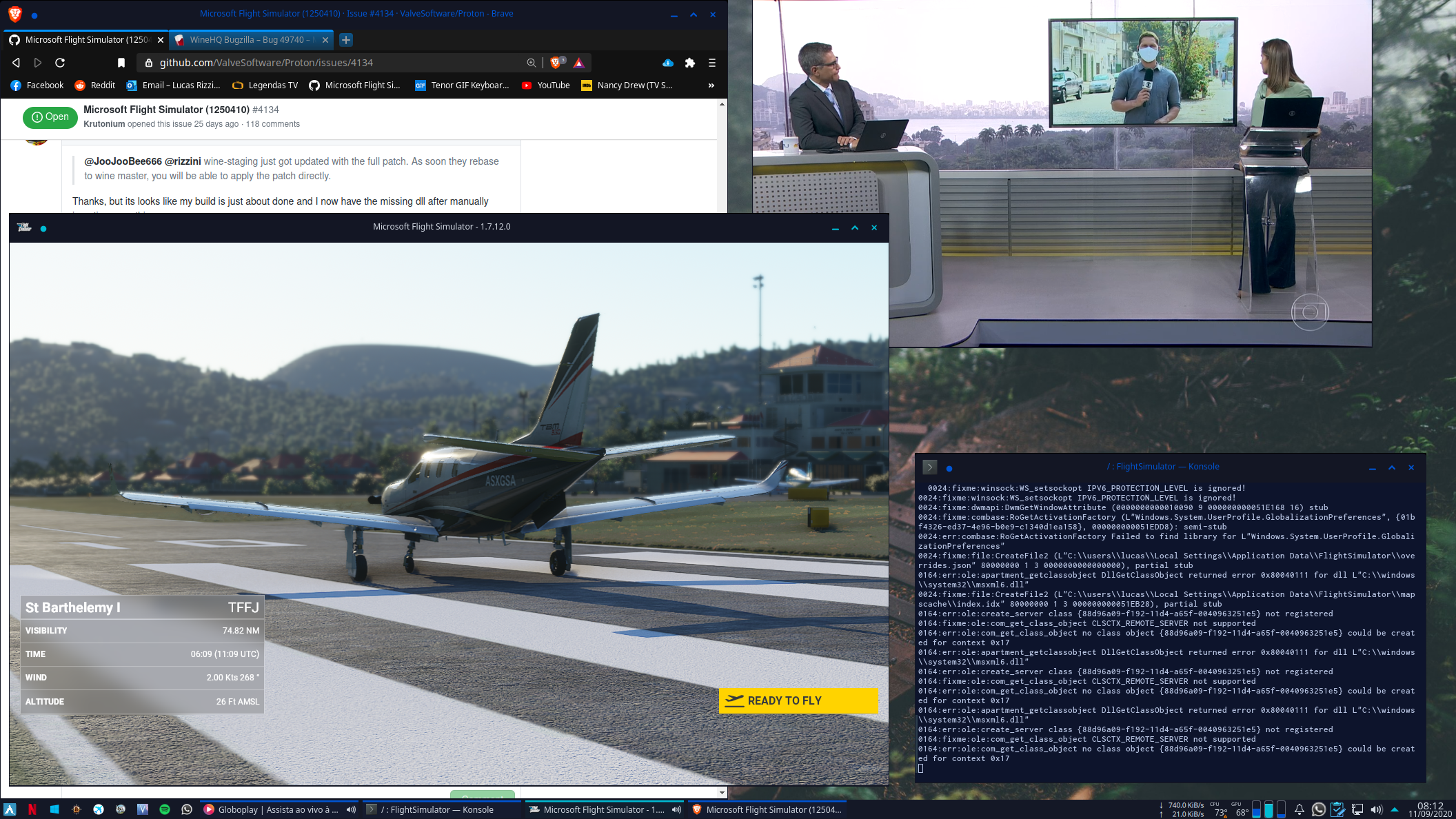
Can someone post their proton/wine build? I can't quite figure out what I'm supposed to do here to get Steam to run with wine-staging.
@143mailliw today wine team should release 5.17, and just after wine-staging will probably release the staging version. I think it's better wait for it.
@143mailliw today wine team should release 5.17, and just after wine-staging will probably release the staging version. I think it's better wait for it.
Ok, but this doesn't solve my issue of not being able to get wine-staging to run as a Steam Play compatibility layer
Can someone post their proton/wine build? I can't quite figure out what I'm supposed to do here to get Steam to run with wine-staging.
Here is my self compiled Wine with Wine-staging patches I'm using to run FS2020, though would be a good idea to figure it out how to compile one yourself to avoid being stuck with the 5.16 version. I can't help you with Proton, sorry.
Wine staging does not have the required patches to make it usable as a Steam Play compatibility tool, you will have to run Steam for Windows within Wine itself, wait for the next Proton release, or use some other third-party Proton builds that may have the required patches.
Wine staging does not have the required patches to make it usable as a Steam Play compatibility tool, you will have to run Steam for Windows within Wine itself, wait for the next Proton release, or use some other third-party Proton builds that may have the required patches.
I'm aware of this, building staging proton with a third party tool crashes on startup (instantly, not even loading circle) and running through wine doesn't show the XBL prompt and so I can't play the game.
@rizzini with rbernon's wmphoto patch, ImagingFactory_CreateDecoderFromStream first 4 bytes of stream=49 49 bc 1 (jxr image loading) is solved and working and that got rid of the runtime error dialogs and loads more (all) image content now :)
@rizzini with rbernon's wmphoto patch,
ImagingFactory_CreateDecoderFromStream first 4 bytes of stream=49 49 bc 1(jxr image loading) is solved and working and that got rid of the runtime error dialogs and loads more (all) image content now :)
Could this be compiled into a guide, or are there still too many issues at this point?
I was able to get the game to launch with Wine Steam however it got stuck at the spinning white circle with the plane background, what's the fix for that? I feel that I am very close to getting the game running with wine-staging 5.17!
I was able to get the game to launch with Wine Steam however it got stuck at the spinning white circle with the plane background, what's the fix for that? I feel that I am very close to getting the game running with wine-staging 5.17!
As kisak-valve put it:
Hello lian, please use the upsteam bug report for feedback on the wine staging patches. You're adding a fair bit of noise to this compatibility report which is not directly usable for Proton users.
Besides, you're honestly better off trying to build proton anyways, Wine Steam is a mess. Just add the patches to a proton-tkg build.
Fair enough, I'll remove my comment then. I did try a proton build with the 5.17 patches but it would crash at startup instead of getting to the loading screen =. Similar to @143mailliw
@Alexithymia2014 you both are probably failing to edit the configuration file correctly.
proton-tkg-profiles/advanced-configuration.txt has sections for vkd3d, and the DXVK dxgi.
_use_vkd3dlib needs to be "false"
_dxvk_dxgi needs to be "true"
In proton-tkg.cfg, _use_dxvk needs to be "git"
You might want to try one build with _msvcrt_nativebuiltin set to "false" and one set to "true", as well.
Also probably want winevulkan to be true, fshack true, rawinput true, and _proton_mf_hacks to be true.
@gardotd426 I appreciate the help, I will try this out!
Followed @gardotd426 instructions and built a custom proton-tkg-git:
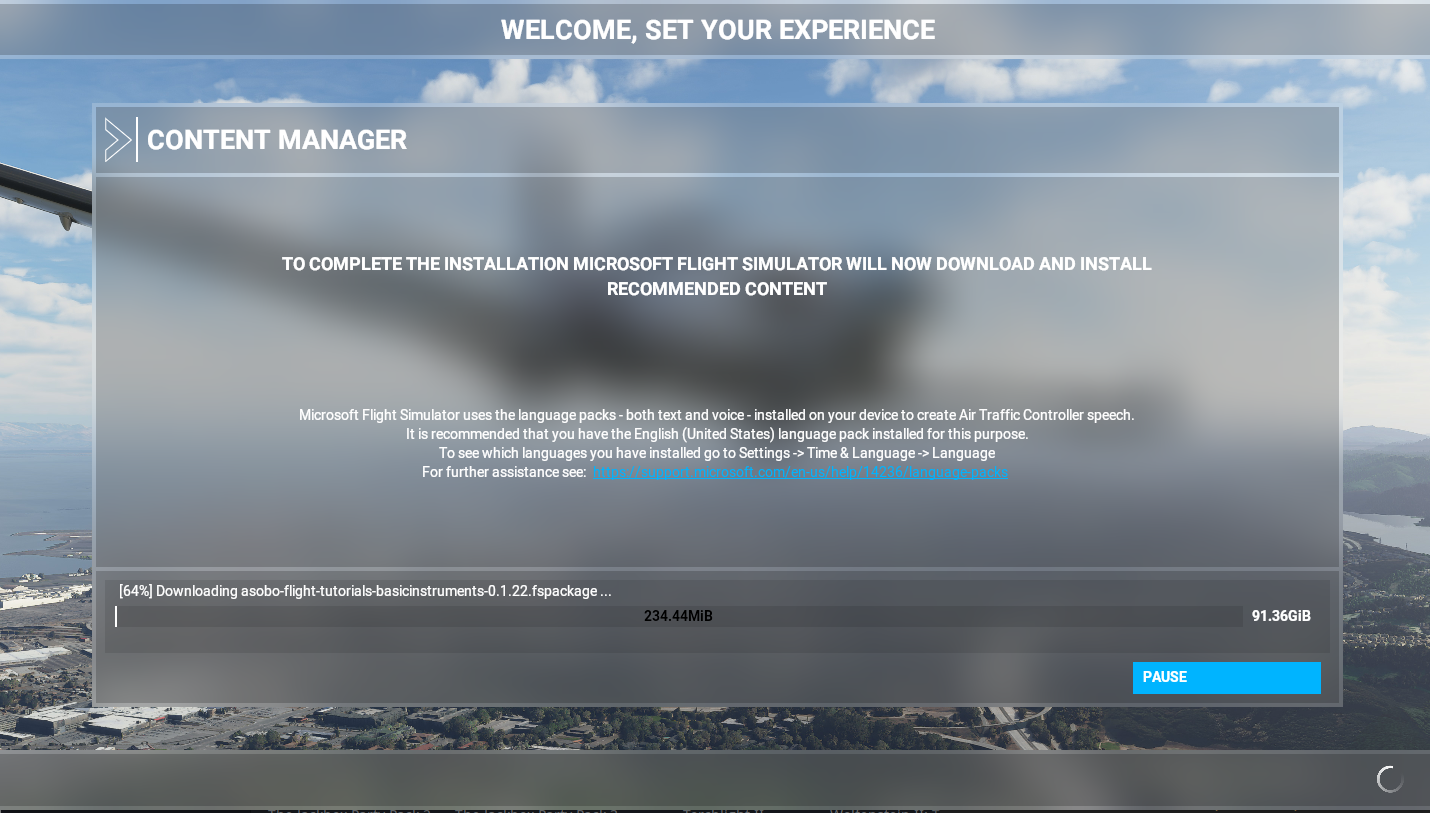
Thank You!
EDIT: If anyone is interested, here is my proton-tkg.cfg:
proton-tkg.txt
Awesome, glad I could help.
On Mon, Sep 14, 2020, 10:09 AM adonisd [email protected] wrote:
Followed @gardotd426 https://github.com/gardotd426 instructions and
built a custom proton-tkg-git:[image: image]
https://user-images.githubusercontent.com/16103674/93096359-f563fd00-f6ac-11ea-93c3-df0428fbd8fa.pngThank You!
—
You are receiving this because you were mentioned.
Reply to this email directly, view it on GitHub
https://github.com/ValveSoftware/Proton/issues/4134#issuecomment-692077403,
or unsubscribe
https://github.com/notifications/unsubscribe-auth/AM5Y3352GGTP6Q32NI6OWA3SFYP3PANCNFSM4QCBRKBA
.
After trying to compile all day with different combinations, I still can't
get it to load with Proton. I get a stack trace which starts with deferred
aclui. Not sure what I'm doing wrong.
On Mon, Sep 14, 2020, 10:23 AM gardotd426 [email protected] wrote:
Awesome, glad I could help.
On Mon, Sep 14, 2020, 10:09 AM adonisd [email protected] wrote:
Followed @gardotd426 https://github.com/gardotd426 instructions and
built a custom proton-tkg-git:[image: image]
<
https://user-images.githubusercontent.com/16103674/93096359-f563fd00-f6ac-11ea-93c3-df0428fbd8fa.pngThank You!
—
You are receiving this because you were mentioned.
Reply to this email directly, view it on GitHub
<
https://github.com/ValveSoftware/Proton/issues/4134#issuecomment-692077403
,
or unsubscribe
<
https://github.com/notifications/unsubscribe-auth/AM5Y3352GGTP6Q32NI6OWA3SFYP3PANCNFSM4QCBRKBA.
—
You are receiving this because you were mentioned.
Reply to this email directly, view it on GitHub
https://github.com/ValveSoftware/Proton/issues/4134#issuecomment-692086152,
or unsubscribe
https://github.com/notifications/unsubscribe-auth/AH52BUYIMS743ROT67VF5DLSFYRNXANCNFSM4QCBRKBA
.
@Alexithymia2014 staging is missing the wmphoto/windowscodecs and wbemprox patches anyways. without it the game doesn't run well (runtime errors, missing image content). with them its almost perfect, but i had a hard time to get it to compile, wmphoto adds a new libjxr.so depedency etc, and am not sure my build would run on your system. hoping someone more known or official will release or update their build scripts to make it work more easily.
Got it. I will try to apply these patches to my build. I thought what was
added to the wine db bug was in staging already. Thanks for the information!
On Mon, Sep 14, 2020, 5:24 PM lian [email protected] wrote:
@Alexithymia2014 https://github.com/Alexithymia2014 staging is missing
the wmphoto/windowscodecs and wbemprox patches anyways. without it the game
doesn't run well (runtime errors, missing image content). with them its
almost perfect, but i had a hard time to get it to compile, wmphoto adds a
new libjxr.so depedency etc, and am not sure my build would run on your
system. hoping someone more known or official will release or update their
build scripts to make it work more easily.—
You are receiving this because you were mentioned.
Reply to this email directly, view it on GitHub
https://github.com/ValveSoftware/Proton/issues/4134#issuecomment-692322558,
or unsubscribe
https://github.com/notifications/unsubscribe-auth/AH52BU3KN76DEV3MIBBQ7N3SF2CZ5ANCNFSM4QCBRKBA
.
(i was already called out for writing too much here, so holding back. but had to so alex doesn't waste his time)
@Alexithymia2014 but don't spend more time on it, if your current build doesn't at least launch into the main menu, then those patches i mentioned won't help either. and no, those aren't in wine db bug yet (i think), i just found them by looking at wine authors fork changes.
What specifically do you need to do to get pass the crash right after the black screen? I built proton-tkg with @gardotd426's settings yet it still crash right after.
Edit: I can get pass the crash by running it through Windows steam in Wine
I was able to get a custom proton build to launch the game in Steam (only way to get the Xbox Live prompt to appear to login). I can get to the main menu and choose my flight details, however after I click fly I get a couple of the run time errors and then a crash:
10757.023:01e8:01ec:fixme:combase:RoGetActivationFactory (L"Windows.System.UserProfile.GlobalizationPreferences", {01bf4326-ed37-4e96-b0e9-c1340d1ea158}, 000000000051EDE0): semi-stub
10757.024:01e8:01ec:err:combase:RoGetActivationFactory Failed to find library for L"Windows.System.UserProfile.GlobalizationPreferences"
10759.233:01e8:01ec:trace:seh:MSVCRT_raise (22)
Unable to read VR Path Registry from C:\users\chris\Local Settings\Application Data\openvr\openvrpaths.vrpath
Unable to read VR Path Registry from C:\users\chris\Local Settings\Application Data\openvr\openvrpaths.vrpath
10760.256:01e8:01ec:trace:seh:MSVCRT_raise (22)
10760.256:01e8:01ec:trace:seh:NtQueryInformationThread (0x1098,0,0x51cc70,30,(nil))
10760.257:01e8:01ec:trace:seh:NtSetInformationThread (0xfffffffffffffffe,10,0x51cda0,4)
10760.257:01e8:01ec:trace:seh:NtSetInformationThread (0xfffffffffffffffe,10,0x51cd70,4)
10760.257:01e8:01ec:trace:seh:NtSetInformationThread (0xfffffffffffffffe,10,0x51cda0,4)
10760.257:01e8:01ec:trace:seh:NtSetInformationThread (0xfffffffffffffffe,10,0x51cd70,4)
10760.257:01e8:01ec:fixme:ntdll:EtwEventUnregister (deadbeef) stub.
Setting breakpad minidump AppID = 1250410
SteamInternal_SetMinidumpSteamID:  Caching Steam ID:  76561198016740585 [API loaded no]
10760.258:01e8:01ec:trace:seh:NtSetInformationThread (0xfffffffffffffffe,10,0x51ceb0,4)
10760.258:01e8:01ec:trace:seh:NtSetInformationThread (0xfffffffffffffffe,10,0x51cf70,4)
10760.603:0064:0254:trace:seh:NtQueryInformationThread (0xfffffffffffffffe,12,0x15dfe2c,4,(nil))
10761.598:00c8:00e4:trace:seh:NtQueryInformationThread (0xfffffffffffffffe,12,0x13efe2c,4,(nil))
10764.602:00c8:00dc:trace:seh:NtQueryInformationThread (0xfffffffffffffffe,12,0xfcfe2c,4,(nil))
10764.602:00c8:00e0:trace:seh:NtQueryInformationThread (0xfffffffffffffffe,12,0x11dfe2c,4,(nil))
10764.602:007c:00b8:trace:seh:NtQueryInformationThread (0xfffffffffffffffe,12,0x17ffe2c,4,(nil))
10764.603:0064:0094:trace:seh:NtQueryInformationThread (0xfffffffffffffffe,12,0x11bfe2c,4,(nil))
10764.603:00c8:00d8:trace:seh:NtQueryInformationThread (0xfffffffffffffffe,12,0xdbfe2c,4,(nil))
10764.604:004c:0060:trace:seh:NtQueryInformationThread (0xfffffffffffffffe,12,0xfbfe2c,4,(nil))
10764.635:0038:06c8:trace:seh:NtQueryInformationThread (0xfffffffffffffffe,12,0x24dfe2c,4,(nil))
10764.635:0038:00d0:trace:seh:NtQueryInformationThread (0xfffffffffffffffe,12,0x1c9fe2c,4,(nil))
10764.707:0038:0054:trace:seh:NtQueryInformationThread (0xfffffffffffffffe,12,0xe2fe2c,4,(nil))
10764.708:0038:06c4:trace:seh:NtQueryInformationThread (0xfffffffffffffffe,12,0x22cfe2c,4,(nil))
pid 234361 != 234360, skipping destruction (fork without exec?)
Can't seem to figure out how to fix this looking through this thread...
I only get these runtime errors in fullscreen ir maximized windows. You can simply ignore them, since they open in new windows, and play normally in the main window.
@Alexithymia2014 bad timing :cry: the new sim update (patch 1.8.3.0) released today fails at Windows.System.UserProfile.GlobalizationPreferences. from changelogs: Fix for the incorrect voice pack being used if the game is not localized in English and if the Windows Offline Text-to-Speech option is used. which makes sense Windows.System.UserProfile.GlobalizationPreferences.Languages is used now to tell your preferred language.
EDIT: with https://bugs.winehq.org/show_bug.cgi?id=49740#c16 the sim at version 1.8.3.0 works again like before.
I got an assertion failure in UserLanguageSettingsImplWindows.cpp Line: 31
Edit: Looks like I am having the same thing:
0518:fixme:combase:RoGetActivationFactory (L"Windows.System.UserProfile.GlobalizationPreferences", {01bf4326-ed37-4e96-b0e9-c1340d1ea158}, 000000000051EC20): semi-stub
0518:err:combase:RoGetActivationFactory Failed to find library for L"Windows.System.UserProfile.GlobalizationPreferences"
I am on 1.8.3.0 too.
I made a stub for that API and it seems to work
0001-window.system.userprofile.globalizationpreferences.patch.gz
Thanks @yshui, I'll give this patch a try and report back. Glad you got your game to load up as well!
For those having issues with a self-compiled proton-tkg version not even starting the game: I had the same and was able to fix it by setting _protonify="false" in proton-tkg.cfg. Don't know why but it worked for me.
After applying yshui's latest patch (placed it into wine-tkg-git/wine-tkg-userpatches/0001-....mypatch), the new version is now running fairly well, with bing data disabled and performance not far behind Windows.
Also downloaded the 5 wmphoto/JPEG XR patches from https://source.winehq.org/patches/ and tried to apply them as well in the same way, but the game complains about not having internet connection - don't know why. But that also happens if the patches are not applied, so not related I guess.
@b3nn0 Thank you so much it helped me too! I don't know why it worked neither, though...
Looks like @rbernon and I did duplicated work. https://bugs.winehq.org/show_bug.cgi?id=49740#c16
After applying the globalization dll patch, I get past the part where I always had the runtime error but now it hard crashes when almost fully loaded. Can't seem to win :)
After applying the globalization dll patch, I get past the part where I always had the runtime error but now it hard crashes when almost fully loaded. Can't seem to win :)
ensure you really have wmphoto patch applied and compiled correctly, with its new libjxr dependency. i had to alter my build scripts and env to truly include it.
that crash behavior in your context smells like having the wmphoto/jxr patch applied (as in it created the fakedll and it's dll.so) and loaded it, but that new its fails to dl_open libjxrglue.so. check if you have those files reachable correctly ./dist/lib/libjpegxr.so ./dist/lib/libjxrglue.so ./dist/lib64/libjpegxr.so ./dist/lib64/libjxrglue.so
I'm still running in to run time errors before the main menu (right after the "Press any key" with the following in the log
err:combase:RoGetActivationFactory Failed to find library for L"Windows.Media.SpeechSynthesis.SpeechSynthesizer
This is even with all the patches (speech, wmphoto and wmcodec). Including yshui's. I'm also unable to get proton-tkg to build on my system, even though wine builds fine so I can't test with that (it doesn't sync wine-staging and the build script fails since those are missing). It would appear there are still some other patches we need? Can anyone who has this working put up a comprehensive list of patches from a-z that we be sure the ones struggling here are not missing any?
If proton-tkg doesn't "sync with wine-staging," you frogged your repo
somehow, I suggest cloning a fresh git and trying again.
On Thu, Sep 17, 2020 at 1:06 PM JooJooBee666 [email protected]
wrote:
I'm still running in to run time errors before the main menu with the
following in the logerr:combase:RoGetActivationFactory Failed to find library for
L"Windows.Media.SpeechSynthesis.SpeechSynthesizerThis is even with all the patches (speech, wmphoto and wmcodec). Including
yshui's
https://github.com/ValveSoftware/Proton/files/5238095/0001-window.system.userprofile.globalizationpreferences.patch.gz.
I'm also unable to get proton-tkg to build on my system, even though wine
builds fine so I can't test with that (it doesn't sync wine-staging and the
build script fails since those are missing). It would appear there are
still some other patches we need? Can anyone who has this working put up a
comprehensive list of patches from a-z that we be sure the ones struggling
here are not missing any?—
You are receiving this because you were mentioned.
Reply to this email directly, view it on GitHub
https://github.com/ValveSoftware/Proton/issues/4134#issuecomment-694370589,
or unsubscribe
https://github.com/notifications/unsubscribe-auth/AM5Y337TPNABBC42WZKWDZTSGI6ZVANCNFSM4QCBRKBA
.
If proton-tkg doesn't "sync with wine-staging," you frogged your repo somehow, I suggest cloning a fresh git and trying again.
Unfortunately, it is a fresh clone....I'm going to open an issue over there today. In the meantime, was just looking for a comprehensive list of all relative patches that are required since everything is scattered all over this thread. I'm not sure myself and others are getting them all.
For those who are having problems with the game still with proton-tkg, run it first with normal proton and then with proton-tkg. Although i'm having issues with only music playing and black screen. I have applied Remi's wmphoto v2 patchset and yshui's patch for the proton-tkg.
@Shadistikk Have you tried setting _protonify="false" in proton-tkg.cfg like @b3nn0 pointed out? What all I had to do to make it work was only this setting. I hadn't applied any patch on it when I had built Proton-tkg but it worked well.
@Shadistikk Have you tried setting
_protonify="false"in proton-tkg.cfg like @b3nn0 pointed out? What all I had to do to make it work was only this setting. I hadn't applied any patch on it when I had built Proton-tkg but it worked well.
Yes, this was built with suggested settings from gardotd and b3nn0 from above.
@Shadistikk Hmm. Since there are some people(including me) reporting that they could play game, I think we should identify what is preventing game from working properly on some people's environment while it's working for them. It may be the GPU, distro, wine. drivers. or something we are not aware of.
@corusm Here it is - if you can trust what I built XD
(edit)oops, it's not working
@motorailgun i didn't run your build, but looked at the files. your build is missing the wmphoto patch, meaning its missing a good amount of image data while flying (can't decode jxr images) and creates runtime errors in some cases when failing to load jxr images.
edit: the problem with the wmphoto patch for building is that it introduces a new linux library dependency. most (all) proton build scripts don't include it and thus build without it, even if the patch files are manually fetched and applied. my guess is thats why its not simply included in wine-staging yet.
After applying the globalization dll patch, I get past the part where I always had the runtime error but now it hard crashes when almost fully loaded. Can't seem to win :)
ensure you really have wmphoto patch applied and compiled correctly, with its new libjxr dependency. i had to alter my build scripts and env to truly include it.
that crash behavior in your context smells like having the wmphoto/jxr patch applied (as in it created the fakedll and it's dll.so) and loaded it, but that new its fails to dl_open libjxrglue.so. check if you have those files reachable correctly
./dist/lib/libjpegxr.so ./dist/lib/libjxrglue.so ./dist/lib64/libjpegxr.so ./dist/lib64/libjxrglue.so
How did you modify your build script?
@lian Ohh I see, and I confirmed it not working so removed.
But I could run the game, and could load Cessna 172 G1000 without that jpegxr errors with this build: proton-tkg-5.17.2.r3. Somehow I see wmphoto.dll in this build.
@motorailgun there also needs to be a wmphoto.dll.so
wmphoto existed in wine before, the patch just extended it. after the patch your dist should look like
 compatibilitytools.d/proton-msfs2020-staging% find . -name *wmphoto*
./dist/lib/wine/wmphoto.dll.so
./dist/lib/wine/fakedlls/wmphoto.dll
./dist/lib64/wine/wmphoto.dll.so
./dist/lib64/wine/fakedlls/wmphoto.dll
 compatibilitytools.d/proton-msfs2020-staging% find . -name *xr*.so
./dist/lib/libjpegxr.so
./dist/lib/libjxrglue.so
./dist/lib64/libjpegxr.so
./dist/lib64/libjxrglue.so
but your build looks like this
 compatibilitytools.d/proton_tkg_makepkg% find . -name *wmphoto*
./dist/lib64/wine/wmphoto.dll
./dist/lib/wine/wmphoto.dll
also before the wmphoto patch, the sim was able to run, it just sometimes threw runtime error when failing to load jxr images. maybe your proton patches hide those runtime errors? after the wmphoto patch, it works. BUT if the wmphoto patch is applied but not correctly used/built then it crashes instantly :joy: but if its used/built correctly then all other issues are gone. i can exit to main menu without crashes, open the manual cache view and exit without crashes, and while flying it loads every image content and not silently (to you) ignore content because the jxr images failed.
@143mailliw sorry, its too manual
on proton-ge i manually installed the missing jxrlib for 32 and 64bit, moved them to obj-tool*, manually created a pkg-config for them because the debian package is missing the pkg-config. hardcoded the SONAME_LIBJXRGLUE define because the generated include/config.h somehow didn't pick it up after configure. but those are probably due to my lack of knowledge on wine build process.
edit: remove build link
@lian your build lets me start up (like my earlier builds) but it still crashes at the very end of loading a flight. With a Cessna 152. Must be my combination of OS and hardware. Just wasn't meant to be I guess. Nothing in the log that explains the hard crash.
I still seems to have problem with streaming data, and can only play in offline mode.
Also, the sensitivity adjustment window shows up empty.
@yshui
I still seems to have problem with streaming data, and can only play in offline mode.
sounds like missing https://github.com/wine-staging/wine-staging/tree/master/patches/msxml3-FreeThreadedXMLHTTP60
Also, the sensitivity adjustment window shows up empty.
issue with the game itself after the last update. happens on windows too, said to be fixed on next update.
@lian I built wine-tkg which uses wine-staging-git so I should have that patch.
Haven't had any luck regarding my problem (cant get past black screen, only music playing). I'll upload some logs, but they are from proton-tkg, still same issues with lian's proton build. Might give some indication why this issue happens on my system to someone.
System Specs:
GPU: Nvidia GTX 1080ti (Driver version: 450.56.11, tested also with stable and beta drivers)
CPU: Ryzen 3900X
Distro: Arch Linux
Kernel: 5.8.10-17-tkg-upds
Figured out my issue, turns out my earlyOOM daemon was killing Flight Simulator every single time (except once). So I turned that off, enabled swap correctly, bought more RAM (an additional 16GB because 16 isn't enough???) so I will try to fly this week some more but I was finally able to load up a flight. Thanks all for your help!
Yea, I think on windows 16GB is really cutting it close, I think the slight
overhead of proton is just enough to throw it over on 16GB
On Mon, Sep 21, 2020 at 10:10 AM Alexithymia2014 [email protected]
wrote:
Figured out my issue, turns out my earlyOOM daemon was killing Flight
Simulator every single time (except once). So I turned that off, enabled
swap correctly, bought more RAM (an additional 16GB because 16 isn't
enough???) so I will try to fly this week some more but I was finally able
to load up a flight. Thanks all for your help!—
You are receiving this because you were mentioned.
Reply to this email directly, view it on GitHub
https://github.com/ValveSoftware/Proton/issues/4134#issuecomment-696248813,
or unsubscribe
https://github.com/notifications/unsubscribe-auth/AAG466XL3MF6N75MXC4ZF3DSG6CJPANCNFSM4QCBRKBA
.
with your proton-tkg-build i get: "assertion failed!
Program: Z:\a\new\SteamLibrary\stamapps\common\MicrosoftFlightSimulator\FlightSimulator.exe
File: D:\Repos\NativeMapClient\src\Libraries\PlatformAbstraction\PlatformAbstraction\Windows\UserLanguageSettingsImplWindows.cpp
Line: 31
Expression: "false"
Press OK to exit the program, or Cancel to start the Wine debugger."
funny thing is that under windows 10 it crashes to desktop after checking for updates
Try to remake the prefix, the dll probably isn't registered in the
registry. To save time on the download, save the microsoft flight simulator
folder in Application Data and then delete the prefix.
On Mon, Sep 21, 2020, 6:09 PM smatkovi [email protected] wrote:
with your proton-tkg-build i get: "assertion failed!
Program:
Z:\a\new\SteamLibrary\stamapps\common\MicrosoftFlightSimulator\FlightSimulator.exe
File:
D:\Repos\NativeMapClient\src\Libraries\PlatformAbstraction\PlatformAbstraction\Windows\UserLanguageSettingsImplWindows.cpp
Line: 31Expression: "false"
Press OK to exit the program, or Cancel to start the Wine debugger."
funny thing is that under windows 10 it crashes to desktop after checking
for updates—
You are receiving this because you commented.
Reply to this email directly, view it on GitHub
https://github.com/ValveSoftware/Proton/issues/4134#issuecomment-696404966,
or unsubscribe
https://github.com/notifications/unsubscribe-auth/AH52BUZJGSOUJTWMFQLLOYTSG7FKJANCNFSM4QCBRKBA
.
I was able to solve my problem. This has something to do being installed on secondary ssd/hdd (ssd in my case). I was able to launch it by installing it to system drive.
i think it wouldn't delete the folder anyway. but yes don't want to risk having to download it again. it took from friday until now^^
Try to remake the prefix, the dll probably isn't registered in the registry. To save time on the download, save the microsoft flight simulator folder in Application Data and then delete the prefix.
…
On Mon, Sep 21, 2020, 6:09 PM smatkovi @.***> wrote: with your proton-tkg-build i get: "assertion failed! Program: Z:\a\new\SteamLibrary\stamapps\common\MicrosoftFlightSimulator\FlightSimulator.exe File: D:\Repos\NativeMapClient\src\Libraries\PlatformAbstraction\PlatformAbstraction\Windows\UserLanguageSettingsImplWindows.cpp Line: 31 Expression: "false" Press OK to exit the program, or Cancel to start the Wine debugger." funny thing is that under windows 10 it crashes to desktop after checking for updates — You are receiving this because you commented. Reply to this email directly, view it on GitHub <[#4134 (comment)](https://github.com/ValveSoftware/Proton/issues/4134#issuecomment-696404966)>, or unsubscribe https://github.com/notifications/unsubscribe-auth/AH52BUZJGSOUJTWMFQLLOYTSG7FKJANCNFSM4QCBRKBA .
Can you maybe sent your current Proton build or is it obligatory to compile it on my own?
Can you maybe sent your current Proton build or is it obligatory to compile it on my own?
You can use TKG's PKGBUILDS to compile proton with latest wine, although im happy to send my current build if you want.
If yours is working and you could send it I would appreciate that :)
wine and wine-staging don't have the wmphoto patch from here https://source.winehq.org/patches/ yet. without it i wouldn't bother playing it because you miss lots of streamed image/model content, and run into crashes that are gone/solved with this patch.
@lian i was referring to actually get the "launcher" to launch so i was able to start downloading the game.
anyways @corusm here's my current build if you need it: https://gofile.io/d/kgyTm7 no patches were applied as this was testing case to start the launcher for me.
@lian Ohh I see, and I confirmed it not working so removed.
But I could run the game, and could load Cessna 172 G1000 without that jpegxr errors with this build: proton-tkg-5.17.2.r3. Somehow I seewmphoto.dllin this build.
oh that was not "your" build, it was the one from this comment
@Shadistikk Thank you very much. I had to have a swapfile of 8Gb with 8Gb ram and it runs now under archbang.
Tisdag den 22 september 2020 skrev Shadistikk:
@lian i was referring to actually get the "launcher" to launch so i was able to start downloading the game.
anyways @corusm here's my current build if you need it: https://gofile.io/d/kgyTm7 no patches were applied as this was testing case to start the launcher for me.
--
You are receiving this because you were mentioned.
Reply to this email directly or view it on GitHub:
https://github.com/ValveSoftware/Proton/issues/4134#issuecomment-69642235
--
Skickat från min Sailfish-enhet
Is not having multiplayer mode working a known issue? I can't see any other planes but other than that it's been smooth flying for me!
Is not having multiplayer mode working a known issue? I can't see any other planes but other than that it's been smooth flying for me!
@Alexithymia2014 yes multiplayer mode (showing other players and server selection in main menu top right corner) is broken. since everything else (ignore text to speech) works, its almost perfect. i'm starting to miss other players too though :joy: you're using my build or did find an easily reproducible way to build your own?
I'm using your build but I can build tkg no problem with the patches I
think. I noticed Remi made another version of the wmphoto patch set.
On Wed, Sep 23, 2020, 12:05 PM lian [email protected] wrote:
Is not having multiplayer mode working a known issue? I can't see any
other planes but other than that it's been smooth flying for me!@Alexithymia2014 https://github.com/Alexithymia2014 yes multiplayer
mode (showing other players and server selection in main menu top right
corner) is broken. since everything else (ignore text to speech) works, its
almost perfect. i'm starting to miss other players too though 😂 you're
using my build or did find an easily reproducible way to build your own?—
You are receiving this because you were mentioned.
Reply to this email directly, view it on GitHub
https://github.com/ValveSoftware/Proton/issues/4134#issuecomment-697604197,
or unsubscribe
https://github.com/notifications/unsubscribe-auth/AH52BUYFFTFDTYYDZIT6BODSHIMCTANCNFSM4QCBRKBA
.
I'm using your build but I can build tkg no problem with the patches I think. I noticed Remi made another version of the wmphoto patch set.
yea, looking forward to get this merged, this will help confusion, also because wine-staging doesn't have that wmphoto patch included. personally my tkg builds (with and without wmphoto as .mypatch) crashes once the black window is created. somehow i can only get my frankenstein proton-ge-custom folder to create a working state.
yea, looking forward to get this merged, this will help confusion, also because wine-staging doesn't have that wmphoto patch included. personally my tkg builds (with and without wmphoto as .mypatch) crashes once the black window is created. somehow i can only get my frankenstein proton-ge-custom folder to create a working state.
I could only run the game in proton-tkg using the option _protonfy="false" in the config. Using it as true always crash the game in the black screen.
yea, looking forward to get this merged, this will help confusion, also because wine-staging doesn't have that wmphoto patch included. personally my tkg builds (with and without wmphoto as .mypatch) crashes once the black window is created. somehow i can only get my frankenstein proton-ge-custom folder to create a working state.
I could only run the game in proton-tkg using the option
_protonfy="false"in the config. Using it astruealways crash the game in the black screen.
Same here. I included the wmphoto patches as well as the globalization patch but it wasn't until I set _protonfy="false" that I was FINALLY able to get this game to run. Now I'm just waiting for the horrendously slow download of the game files (same speed on a Windows system, but using a VPN made it 10x faster. From 200Kbps to 20MBps....even though I have 700Mbps).
Was there a fix for game controllers somewhere here in this thread that I missed? I've got the game working with proton-tkg, it SEES my 360 controller but does not respond to input. So after all of this, still not playable. I did confirm that the same controller works in other games using the same proton-tkg build and also responds in the control panel in the pfx (started with protontricks) so it's clearly specific to this game. :cry:
I've had no problems with my xbox one controller
On Wed, Sep 23, 2020, 8:47 PM JooJooBee666 [email protected] wrote:
Was there a fix for game controllers somewhere here in this thread that I
missed? I've got the game working with proton-tkg, it SEES my 360
controller but does not respond to input. So after all of this, still not
playable.—
You are receiving this because you were mentioned.
Reply to this email directly, view it on GitHub
https://github.com/ValveSoftware/Proton/issues/4134#issuecomment-698046135,
or unsubscribe
https://github.com/notifications/unsubscribe-auth/AH52BU2HWQU4PEHQELXBEZLSHKJLBANCNFSM4QCBRKBA
.
Same. I use xow as well for the wireless dongle.
On Thu, Sep 24, 2020, 03:50 Alexithymia2014 [email protected]
wrote:
I've had no problems with my xbox one controller
On Wed, Sep 23, 2020, 8:47 PM JooJooBee666 [email protected]
wrote:Was there a fix for game controllers somewhere here in this thread that I
missed? I've got the game working with proton-tkg, it SEES my 360
controller but does not respond to input. So after all of this, still not
playable.—
You are receiving this because you were mentioned.
Reply to this email directly, view it on GitHub
<
https://github.com/ValveSoftware/Proton/issues/4134#issuecomment-698046135
,
or unsubscribe
<
https://github.com/notifications/unsubscribe-auth/AH52BU2HWQU4PEHQELXBEZLSHKJLBANCNFSM4QCBRKBA.
—
You are receiving this because you were mentioned.
Reply to this email directly, view it on GitHub
https://github.com/ValveSoftware/Proton/issues/4134#issuecomment-698046976,
or unsubscribe
https://github.com/notifications/unsubscribe-auth/AD23R6QMJWRRULVLF2VS6RTSHKJWLANCNFSM4QCBRKBA
.
@JooJooBee666 there was only wbemprox fix (already in wine upstream) that stopped the game from cashing with certain controllers connected. didn't hear about no input response yet.
@Shadistikk thank you for the build - looks like that doesn't run on ubuntu 20.10 due to differing libc versions.
.local/share/Steam/compatibilitytools.d/proton_tkg_makepkg/dist/bin/../lib/wine/ntdll.dll.so: /lib/i386-linux-gnu/libc.so.6: version GLIBC_2.32' not found `
Guess that's still needed even if running 64 bit games?
@ddimmich This is because Ubuntu 20.10 has an older glibc version than what he used when compiling it.
If you compiled it it would require your version of glibc or newer.
Has anyone else experienced a bug where mouse controls in the cockpit suddenly stop working? There doesn't seem to be any trigger for it, just at some point I can't click on any of the controls in the cockpit, or zoom, but the controls on the top bar and pop out windows work, and I can still pan the window around. Has anyone else experienced this?
I've experienced it only when i pop a window out like the map or objectives. If I don't do that then my controls work ok. Restarting the game is the only way to fix that
Ok, so I jumped down another rabbit hole for the controller issue. Turns out the problem was NOT using xboxdrv user space driver as opposed to the xpad kernel driver. However, now I'm stuck in a loop of "press any key"...
Anyhow, here's a proton-tgk build that is working for me (I think controller issues are unrelated?), based on glibc 2.31 for the Ubuntu 20.04 users out there. (here's lookin' at you @ddimmich)
Update: Loop fixed...but controller STILL broken. :angry:
I always click when it says press any key. My gamepad never registers at
that screen I don't think. I could be wrong.
On Thu, Sep 24, 2020, 2:27 PM JooJooBee666 [email protected] wrote:
Ok, so I jumped down another rabbit hole for the controller issue. Turns
out the problem was using xboxdrv user space driver as opposed to the xpad
kernel driver. However, now I'm stuck in a loop of "press any key"...Anyhow, here's a proton-tgk build
https://1drv.ms/u/s!AvOmBRN37ygOiC-Qw3jKS38_Z0MI?e=YXelv7 that was
working yesterday before I mucked something up, based on glibc 2.31 for the
Ubuntu 20.04 users out there.—
You are receiving this because you were mentioned.
Reply to this email directly, view it on GitHub
https://github.com/ValveSoftware/Proton/issues/4134#issuecomment-698511695,
or unsubscribe
https://github.com/notifications/unsubscribe-auth/AH52BU7TVTZY2ZTXELZOTUDSHOFQ5ANCNFSM4QCBRKBA
.
Got a logitech joystick, but it's recognized by MSFS as a Xbox controller.
Well, I should mention it's not entirely broken. The user device shows up and it registers as a generic controller. I set all the settings but the triggers don't work properly; I have them set for rubber but they work more like buttons....when I rudder right it's a HARD rudder right. So at least I am still able to play....but it's glitchy. Sometimes the buildings don't load and the live data isn't working. Tried to include the XML patches but now they conflict with staging (and so do the wmphoto patches as well)....
@JooJooBee666 I think that triggers registering as buttons is a known bug in the game.
Alright, trying to get MSFS to run under Proton right now. I am not asking for a full spoon fed guide but I have some questions as the information here is quite scattered.
I tried some of the Proton builds people have been sharing here and none of them work. The one that is built on the correct version of glibc works until an invalid x64 instruction exception is thrown.
My question is: do I need to source required DLLs I have seen here myself, or are those builds supposed to include them ?
UPDATE: Disregard. Apparently, Steam was not actually switching Proton versions in the game properties. After trying another time, the game launched.
I have been able to start the game and load into a flight. However, after a few seconds (about 30) both the game and my GPU crash, not sure which causes which.
Unhandled exception: assertion failed in 64-bit code (0x00007fed8d0e49e5).
Register dump:
 rip:00007fed8d0e49e5 rsp:0000000012f0f330 rbp:00007fed50008240 eflags:00000246 (   - --  I  Z- -P- )
 rax:0000000000000000 rbx:0000000012f13700 rcx:00007fed8d0e49e5 rdx:0000000000000000
 rsi:0000000012f0f330 rdi:0000000000000002  r8:0000000000000000  r9:0000000012f0f330 r10:0000000000000008
 r11:0000000000000246 r12:00007fed50011fa0 r13:0000000000000001 r14:000000007ec4ef00 r15:00007fed50017990
Stack dump:
0x0000000012f0f330:  0000000000000000 0000000000000005
0x0000000012f0f340:  00007fed50004120 0000000012f0f200
0x0000000012f0f350:  0000000000000002 00007fed72c8ea53
0x0000000012f0f360:  0000000000000000 ffa1af6af2875000
0x0000000012f0f370:  0000000012f0f310 000000007d004060
0x0000000012f0f380:  00007fed72f8e786 0000000000000001
0x0000000012f0f390:  000000007ec4ef00 00007fed50017990
0x0000000012f0f3a0:  00007fed50008240 00007fed8d1b7dd3
0x0000000012f0f3b0:  fffffffe7fffffff ffffffffffffffff
0x0000000012f0f3c0:  ffffffffffffffff ffffffffffffffff
0x0000000012f0f3d0:  ffffffffffffffff ffffffffffffffff
0x0000000012f0f3e0:  ffffffffffffffff ffffffffffffffff
Backtrace:
=>0 0x00007fed8d0e49e5 (0x00007fed50008240)
0x00007fed8d0e49e5: movq	0x0000000000000108(%rsp),%rax
Steam log w/ debug: https://filebin.net/bzqn2fvnlnzwkdjq/steam-1250410.log?t=2iu1wnum
GPU crash:

Should I file an issue with mesa / amdgpu ?
update: also found this in the log, before the exception, but as opposed to what it claims there is nothing in dmesg other than what I already posted.
amdgpu: The CS has been rejected, see dmesg for more information.
vk: error: failed to submit CS
latest game update Patch 1.9.3.0 (luckily) didn't introduce any new issues on my side. while Patch 1.8.3.0 required the windows.globalization patch. this update continues to work without additional changes to my old build.
Hi, I was trying to download the game, but now I can't, this is what I get on the download page:

Am I the only one, or someone else have this?
Activate SteamPlay.
It is enabled for all game, not only the supported ones
Does anyone have a link to a working build.... I can't manage to patch then build, so i must be doing something wrong. I also tried some of the builds that were posted about one month ago, but none of them even start the game.
Does anyone have a link to a working build.... I can't manage to patch then build, so i must be doing something wrong. I also tried some of the builds that were posted about one month ago, but none of them even start the game.
Here's the latest proton-tkg.5.18.r11 I just made this AM. Based on Libc 2.31 (made on Ubuntu 20.04). A quick test shows it's working great, better load times and Live Weather data working.
Can confirm controller issues are here in that proton-tkg build still, game will detect when I plug in my Logitech 3D Pro joystick but it seems to force map it as an xbox controller. Doesn't even detect the throttle axis, but I can kinda map the stick.
Here's the latest proton-tkg.5.18.r11 I just made this AM. Based on Libc 2.31 (made on Ubuntu 20.04). A quick test shows it's working great, better load times and Live Weather data working.
Thank you @JooJooBee666 - both for this and the previous build. Unfortunately the former crashed immedeatly, the latter gets to loading the screen with cursor and spinner in the bottom right, but bombs out with the below exeption. This is an a ryzen based machine and I recall reading something about the intro video crashing on recent AMD chips - will see if I can find how to switch that off.
UPDATE: Adding -FastLaunch to the launch options in steam did the trick! Thank you again.
Unhandled exception: page fault on read access to 0x00000000 in 64-bit code (0x0000000141423e3b).
89210.252:0288:028c:fixme:dbghelp:interpret_function_table_entry PUSH_MACHFRAME 6
Register dump:
 rip:0000000141423e3b rsp:000000000051e6c0 rbp:000000000051e729 eflags:00010202 (  R- --  I   - - - )
 rax:0000000080004001 rbx:0000040000e59700 rcx:0000000000000000 rdx:0000000026f70000
 rsi:0000000000000000 rdi:0000040000e596e0  r8:0000000000010100  r9:00000000000000b8 r10:0000000000000158
 r11:0000000026f70000 r12:0000000000000057 r13:0000000000000000 r14:0000040000e59708 r15:0000040002928dc0
Stack dump:
0x000000000051e6c0:  0000040000e59700 000000014149715b
0x000000000051e6d0:  0000000000000000 0000000143be19e8
0x000000000051e6e0:  000000000051e730 0000000100000002
0x000000000051e6f0:  6666666600000007 0000040000e59700
0x000000000051e700:  000000000051e7a0 0000040000e59708
0x000000000051e710:  0000000059230970 000000005925ca50
0x000000000051e720:  0000000059211470 0000000027005020
0x000000000051e730:  00000000663c5038 0000b0000000b100
0x000000000051e740:  fffffffffffffffe 00000001414a7263
0x000000000051e750:  0000040002928dc0 00000400002402a0
0x000000000051e760:  00000000ffffffff 0000000000000000
0x000000000051e770:  0000040002928dc0 0000040000b09010
Backtrace:
=>0 0x0000000141423e3b EntryPoint+0xff55ad0b() in flightsimulator (0x000000000051e729)
  1 0x000000014142240c EntryPoint+0xff5592db() in flightsimulator (0x000000000051e890)
  2 0x00000001418d09b4 EntryPoint+0xffa07883() in flightsimulator (0x000000000051ebd0)
  3 0x0000000141be7c30 EntryPoint+0xffd1eaff() in flightsimulator (0x000000000051f0d0)
  4 0x00000001411db5f9 EntryPoint+0xff3124c8() in flightsimulator (0x000004001f1e2210)
  5 0x00000001411db703 EntryPoint+0xff3125d2() in flightsimulator (0x0000000000000000)
0x0000000141423e3b EntryPoint+0xff55ad0b in flightsimulator: movq	(%rcx),%rax
Well, the Xbox Gamepad issue was easily resolved. Make sure "Xbox Configuration Support" is unchecked under Steam -> Settings -> Controller -> General Controller Settings.
Anyone else is experiencing my same issue with the download or am I the only one?
EDIT: I have steam play enabled for all titles, when I go on the download page I have the invalid platform message (I can't download it from my library, only from the store page clicking "Play Now")
@JooJooBee666, with the proton-tkg-5.18 build you linked my machine crashes about 30 seconds after starting a flight.
sysinfo
OS: Ubuntu 20.04 focal
Kernel: x86_64 Linux 5.4.0-48-generic
CPU: AMD Ryzen 7 3800X 8-Core @ 16x 4.313GHz
GPU: AMD/ATI Vega 10 XTX [Radeon Vega Frontier Edition]
some of the proton log
======================
Proton: 1601992798 proton-tkg-5.18.r11.g19466905
SteamGameId: 1250410
Command: ['/home/irz0002/.steam/debian-installation/steamapps/common/MicrosoftFlightSimulator/FlightSimulator.exe', '-FastLaunch']
Options: {'logcommandtoprefix'}
======================

...

440.380:00dc:0130:fixme:wincodecs:DllGetClassObject wmphoto: stub
440.380:00dc:0130:err:ole:apartment_getclassobject DllGetClassObject returned error 0x80004001 for dll L"C:\\windows\\system32\\wmphoto.dll"
440.380:00dc:0130:err:ole:com_get_class_object no class object {a26cec36-234c-4950-ae16-e34aace71d0d} could be created for context 0x1
440.386:00dc:00e0:trace:seh:raise_exception code=80000004 flags=0 addr=0x1410cb930 ip=1410cb930 tid=00e0
440.386:00dc:00e0:trace:seh:raise_exception  rax=3ff0000000000000 rbx=0000000020f70040 rcx=0000000020f70040 rdx=0000000021178828
440.386:00dc:00e0:trace:seh:raise_exception  rsi=0000000000000010 rdi=000004002722f900 rbp=0000000000000000 rsp=000000000051f788
440.386:00dc:00e0:trace:seh:raise_exception   r8=ffffffffdf3a7060  r9=0000000000000000 r10=00000000211787a0 r11=0000000142f6a860
440.386:00dc:00e0:trace:seh:raise_exception  r12=000000007b867310 r13=0000000000000000 r14=0000000000000000 r15=0000000000000000
440.386:00dc:00e0:trace:seh:call_vectored_handlers calling handler at 0x1410c7b50 code=80000004 flags=0
440.386:00dc:00e0:trace:seh:call_vectored_handlers handler at 0x1410c7b50 returned ffffffff
440.386:00dc:00e0:trace:seh:NtContinue (0x51f170, 0) stub!

...

X connection to :0 broken (explicit kill or server shutdown).
XIO:  fatal IO error 11 (Resource temporarily unavailable) on X server ":0"
      after 136 requests (136 known processed) with 0 events remaining.
441.064:00dc:00e0:trace:seh:raise_exception code=80000004 flags=0 addr=0x1410cb930 ip=1410cb930 tid=00e0
441.064:00dc:00e0:trace:seh:raise_exception  rax=3ff0000000000000 rbx=0000000020f70040 rcx=0000000020f70040 rdx=0000000021178828
441.064:00dc:00e0:trace:seh:raise_exception  rsi=0000000000000010 rdi=000004002722f900 rbp=0000000000000000 rsp=000000000051f788
441.064:00dc:00e0:trace:seh:raise_exception   r8=ffffffffdf3a7060  r9=0000000000000000 r10=00000000211787a0 r11=0000000142f6a860
441.064:00dc:00e0:trace:seh:raise_exception  r12=000000007b867310 r13=0000000000000000 r14=0000000000000000 r15=0000000000000000
441.064:00dc:00e0:trace:seh:call_vectored_handlers calling handler at 0x1410c7b50 code=80000004 flags=0
441.064:00dc:00e0:trace:seh:call_vectored_handlers handler at 0x1410c7b50 returned ffffffff
441.064:00dc:00e0:trace:seh:NtContinue (0x51f170, 0) stub!
XIO:  fatal IO error 11 (Resource temporarily unavailable) on X server ":0"
      after 68635 requests (68635 known processed) with 0 events remaining.
pid 6172 != 6171, skipping destruction (fork without exec?)
@JooJooBee666, with the proton-tkg-5.18 build you linked my machine crashes about 30 seconds after starting a flight.
sysinfo
some of the proton log
I would try with a new prefix. It looks like it had some issues wmphoto but it shouldn't have as those issues are resolved. Maybe your prefix didn't update correctly? I would highly recommend preserving the "users\username\Application Data\Microsoft Flight Simulator" folder so you don't have to wait 400 hours for everything to download again before deleting it. If that doesn't work, I don't know what the issue is. 🤷♂️
latest game update Patch 1.9.5.0 didn't introduce any new issues on my side. this update continues to work without additional changes to my old build.
I've managed to download the game using steamcmd; using the proton-tgk-5.18 build the game crashes as soon as the window appear. Here is the following exception.
Unhandled exception: illegal instruction in 64-bit code (0x0000000141454f2d).
Register dump:
 rip:0000000141454f2d rsp:000000000051e028 rbp:000000000051e130 eflags:00010282 (  R- --  I S - - - )
 rax:000000009e948b2a rbx:000000000641fcd0 rcx:000000000f220060 rdx:0000040000a80000
 rsi:00000400004c0000 rdi:000000000f220060  r8:0000000000000000  r9:0000000000000000 r10:0000000000000698
 r11:0000000006457bc0 r12:0000000000001002 r13:000000000f280220 r14:0000000000000010 r15:000000000f238ad0
Stack dump:
0x000000000051e028:  00000001413eb093 000000000641fcd0
0x000000000051e038:  000000000051e130 00000400004c0000
0x000000000051e048:  000000000f220060 0000000144fa0000
0x000000000051e058:  0000000043fa0000 0000000000000007
0x000000000051e068:  000000000051e088 000000000f280220
0x000000000051e078:  000000000051e090 00000000063dd308
0x000000000051e088:  00000000063dd308 000000000641fcd0
0x000000000051e098:  000005a000000a00 000003e800023280
0x000000000051e0a8:  000000010000001c 0000000000000000
0x000000000051e0b8:  0000000000000000 0000000000000000
0x000000000051e0c8:  0000000000000000 0000000000000000
0x000000000051e0d8:  0000000000000000 000005a000000a00
Backtrace:
=>0 0x0000000141454f2d EntryPoint+0xff560f5d() in flightsimulator (0x000000000051e130)
0x0000000141454f2d EntryPoint+0xff560f5d in flightsimulator: pop	%es
The full exception is here
I've set -FastLaunch as launch option.
Hello. Flight Simulator should be working decently in Proton 5.13-1. You will need to set the -FastLaunch option to work around the broken intro videos, but then it seems to be working well for us.
@aeikum awesome, super excited! its working :hype:
details for an issue that was my fault
original comment
unfortunately i run into this with 5.13-1 when loading a flight. tried with a clean/new steam folder/install on archlinux with nvidia. is there a workaround for this. didn't encounter this application assertion error in other builds so far.
fix and reasoning
after running steam and proton-5.13-1 like its intended, everything works.
i used to run steam in a separate $HOME folder using HOME=/mnt/steam/runtime steam. this works for proton's before 5.13-1.
with proton 5.13-1 released i kept doing that. but the first odd thing was that clicking on play went from stop to play (thus failed) super quickly. the steam logs said that no running steam instance was found and S_API failed.
at this point i generated the steam debug commands and ran them. same issue. the game only started to work when i set the correct HOME value for the debug command. HOME=/mnt/steam/runtime /tmp/user_proton/run. it started and seems to work but resulted in my original comment error.
during the proton-5.13-1 install i noticed that this new linux runtime soldier was installed and googled it but didn't think much of it yet.
when @kisak-valve asked to generate a full proton_log file i figured to install/use steam without my separate $HOME folder so the report is fully vanilla.
to my surprise, a steam install in your normal linux user folder just works. proton-5.13-1 and flight sim works and don't run into my original comment error anymore.
i think the reason is that SteamLinuxRuntime_soldier doesn't work with separate $HOME dir installs. it starts it's jailed linux container and expects the install and files use your vanilla steam install location.
and the generated debug commands trolled me because they run without invoking/entering the SteamLinuxRuntime_soldier container. so maybe the debug commands needs to updated to somehow replicate what steam play button does. this new container method def needs to be taken into account when messing with the debug commands, otherwise you debug something thats not real.
end. happy the official proton-5.13-1 now works with flight sim :100:
Hello @lian, please add PROTON_LOG=1 %command% to the game's launch options, reproduce the issue and attach the generated $HOME/steam-$APPID.log into the comment box as a file.
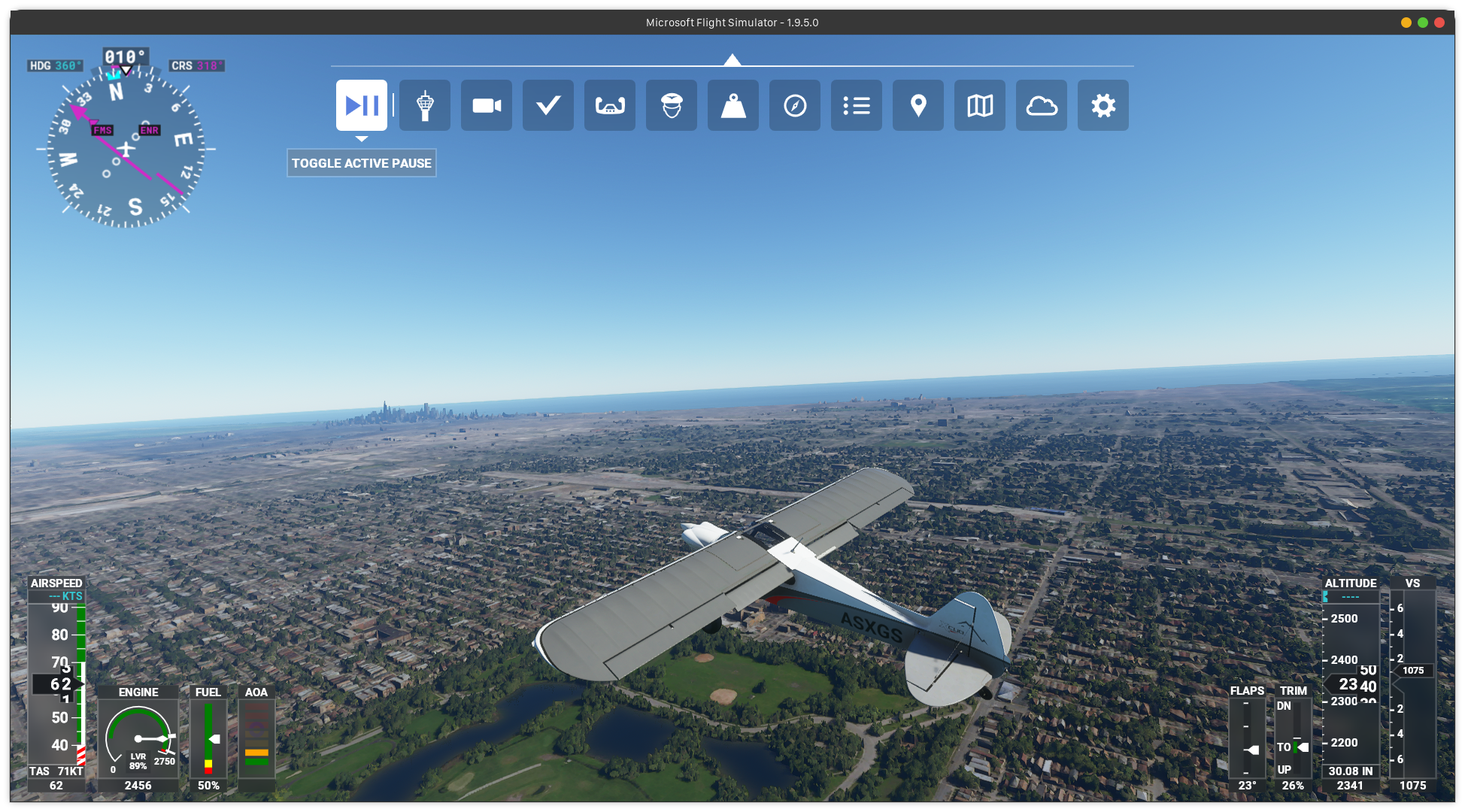
the live map data works now! (with proton 5.13-1 on debian sid)
however i noticed that the multiplayer doesn't work still.
at first no selected server, once you select automatic it just never connects.
@kisak-valve updated my comment. please read as the issue i had will probably be common confusion with SteamLinuxRuntime_soldier. feel free to delete this comment, didn't know how to else notify you of my edits.
Not sure if I'm doing something wrong but 5.13-1 doesn't seem to be working for me.
The launcher does work, as soon as I download the game I'll let you know!
EDIT: I imported the game from windows, it work perfectly fine, I confirm what @roombobcat sad: it never connect to a server.
Also had no luck on 5.13-1:
steam-1250410.log
Arch Linux, NVIDIA GeForce GTX 1050 Ti Mobile, nvidia-445 driver, kernel 5.4.71-1-lts
Does anyone have a link to a working build.... I can't manage to patch then build, so i must be doing something wrong. I also tried some of the builds that were posted about one month ago, but none of them even start the game.
Here's the latest proton-tkg.5.18.r11 I just made this AM. Based on Libc 2.31 (made on Ubuntu 20.04). A quick test shows it's working great, better load times and Live Weather data working.
That build worked for me! I was able to play but no multiplayer and real bad scenery data I guess.
proton-tkg.5.18.r11
This also works for me.
Hmm, while the game works fine overall, I found one small issue: in Liveries menu there doesn't show up any selection other than the default one. I first thought it's because I didn't have wmphoto JPEGXR patch, but today after building Proton-tkg 5.19 with Rémi's patches, there didn't show up, either.
I also tried Proton-5.13-1 and had no luck. Is there any way to solve this problem?
@motorailgun sure you have the custom liveries installed in the correct folder? the game by itself has no other liveries apart from the default ones.
@lian Oh really! So it's all my miunderstanding…thanks!
I miunderstanded it since I saw an yellow DHL painted A320neo in-game…🤣
... since I saw an yellow DHL painted A320neo in-game
By default I've seen the AI can have various placeholder liveries e.g. "plain yellow all over" or "plain X colour all over" that aren't available in the livery selection screen for players (just playing on stock MSFS2020 on Windows)
That's what you might have spotted :slightly_smiling_face:
Is there any workaround for the joystick issue? I'm not able to use all of my axes on my joystick when the game treats it as an Xbox controller.
Try turning off the steam controller settings in the shift + tab menu.
On Tue, Oct 27, 2020, 3:08 PM Echoz [email protected] wrote:
Is there any workaround for the joystick issue? I'm not able to use all of
my axes on my joystick when the game treats it as an Xbox controller.—
You are receiving this because you were mentioned.
Reply to this email directly, view it on GitHub
https://github.com/ValveSoftware/Proton/issues/4134#issuecomment-717473021,
or unsubscribe
https://github.com/notifications/unsubscribe-auth/AH52BU7RL2MKGN6AT4JCYGLSM4LDTANCNFSM4QCBRKBA
.
@chris-echoz Also check that your user has read/write access to the device's hidraw device, e.g. /dev/hidraw*. Proton can't represent the device accurately to the game without read/write access to its device. Sometime udev doesn't give the right permissions to joystick devices.
Thanks, guys. giving access to the hidraw device did the trick
Nice. You can create a udev rule so it persists across reboot, see udev(7). You might also consider reporting it to them so they can report it correctly. I thiiiink udev is maintained at https://github.com/systemd/systemd lately, but I'm not certain.
@ianzur, I have the same crash as you do at the same point during a flight. Have you managed to narrow down the cause of the crash ?
Has anyone got multiplayer working?
Is the world streaming feature working? Everything looks like buildings from a template with little to no resemblance to their real world counterparts in my game. It also says it's streamed nothing under the data settings.
I have a gigabit connection so the bandwidth shouldn't be a problem.
Is the world streaming feature working?
~Yeah it"s not working currently, it's a known issue~
https://github.com/ValveSoftware/Proton/issues/4134#issuecomment-684987682
See below
@chris-echoz it's working with the latest proton release.
@06kellyjac that issue is long solved with the msxml3: Implement FreeThreadedXMLHTTP60. commit.
multiplayer and text-to-speech are the only known 'not working' issues currently. at least on my side with proton 5.13-1
I've seen a few people report they have world streaming working using proton 5.13-1, but it's not working for me yet. Is there anything special needed to get it to work? All I have is the -FastLaunch option set.
Hi @musicaljoeker I can confirm that the world streaming work for me. I'm using proton 5.13-1, with the -FastLaunch option. I didn't do anything else. Tho during the initial install I copied all the game files from my Windows install since I didn't want to wait for two days for the download.
I still have no multiplayer and some stutters here and there, also some mouse input issues on the menu (it doesn't register some clicks and/or it register not where I clicked)
Edit: The clicking issue was solved by setting windowed mode and then full-screen again
Edit2: crashes during loading of big cities (Like Los Angeles)
Just a question, are you guys with working proton 5.13-1 on desktop machines? It seems that 5.13-1 has problem on optimus devices aka laptops with dgpu's (https://github.com/ValveSoftware/Proton/issues/4289#issuecomment-719793901). I couldn't get it to run any game at all. (except by cuphead)
steam-1250410.log
I'm using a desktop
@Greifent 16GB ram? there are some comments in here that suggest 32GB. i upgraded to 32GB (wanted anyways) and didn't experience any crashes since. with 16GB i had to really quick every other process on my linux desktop. if you still had a browser open, try closing it first, or better yet jump on the 32GB train :smile:
@Greifent If you have the earlyoom service started be sure to disable it! I think Fedora enabled it by default on its latest release.
Even on windows with 16GB of ram I have problems and sometimes crashing on big cities.
Yeah, I guessed it was caused by the ram, but I wrote it down anyways, I should upgrade to 32. Since I don't play on this game that often (once or twice a week) I will just avoid loading directly in to those zones.
On windows i don't remember having any problems, even with brave and spotify in background.
@Alexithymia2014 I'm currently using Pop_os 20.10, so I don't think that that is an issue.
Interesting @Greifent, thanks for sharing your setup process. I installed directly via Steam and went through the installer completely from Linux. I'm using Pop!_OS 20.04 with an AMD Ryzen Threadripper 1920X, 32GB of RAM, and an NVIDIA RTX 2070. I will try uninstalling and reinstalling to see if that makes a difference.
Are there any logs I can pull to try and debug this? I am a bit green to the Proton project.
EDIT: A fresh reinstall (in Linux) did not fix the world streaming problem for me.
@musicaljoeker unfortunately I can't help you with proton. I have a Ryzen 9 3900x, 16 GB @ 3600MHz, and a RX 5700XT. I have no clue on why it won't work on your system, maybe bringing the files from windows, like I did, allow the streaming terrain to work, but I don't know why.
So interestingly... the game won't launch for me, except on proton-tkg's prebuilt release of 5.21. Every other version gets nowhere.
This would be fine, except I want to run apps in parallel with it, and wine 5.21 seems to have no requisite version of 5.21 yet. Any information I can give to find out why proton-tkg 5.19, proton-tkg 5.18, 5.9-GE-8-ST, 5.13-1, and 5.0-10 don't work?
@Hubok set the launch option: -FastLaunch
@Hubok set the launch option:
-FastLaunch
Using that, seems to make no change regardless. Only works on 5.21, but I'm attempting to build proton-tkg 5.19 my way to see if I can get anything out of it.
@Hubok in that case I have no idea, sorry.
Moving to the next branch of the beta for proton 5.13 and it launched. I coudln't get through the game though because can't choose my installation folder even though I even chmoded 777 it.... That worked just fine on proton-tkg.5.18.r11. Why wine can't list properly the folders on my HD? It sees the steamlibrary folder there but not the other folders. What kind of permission issue can this be.
steam-1250410.log
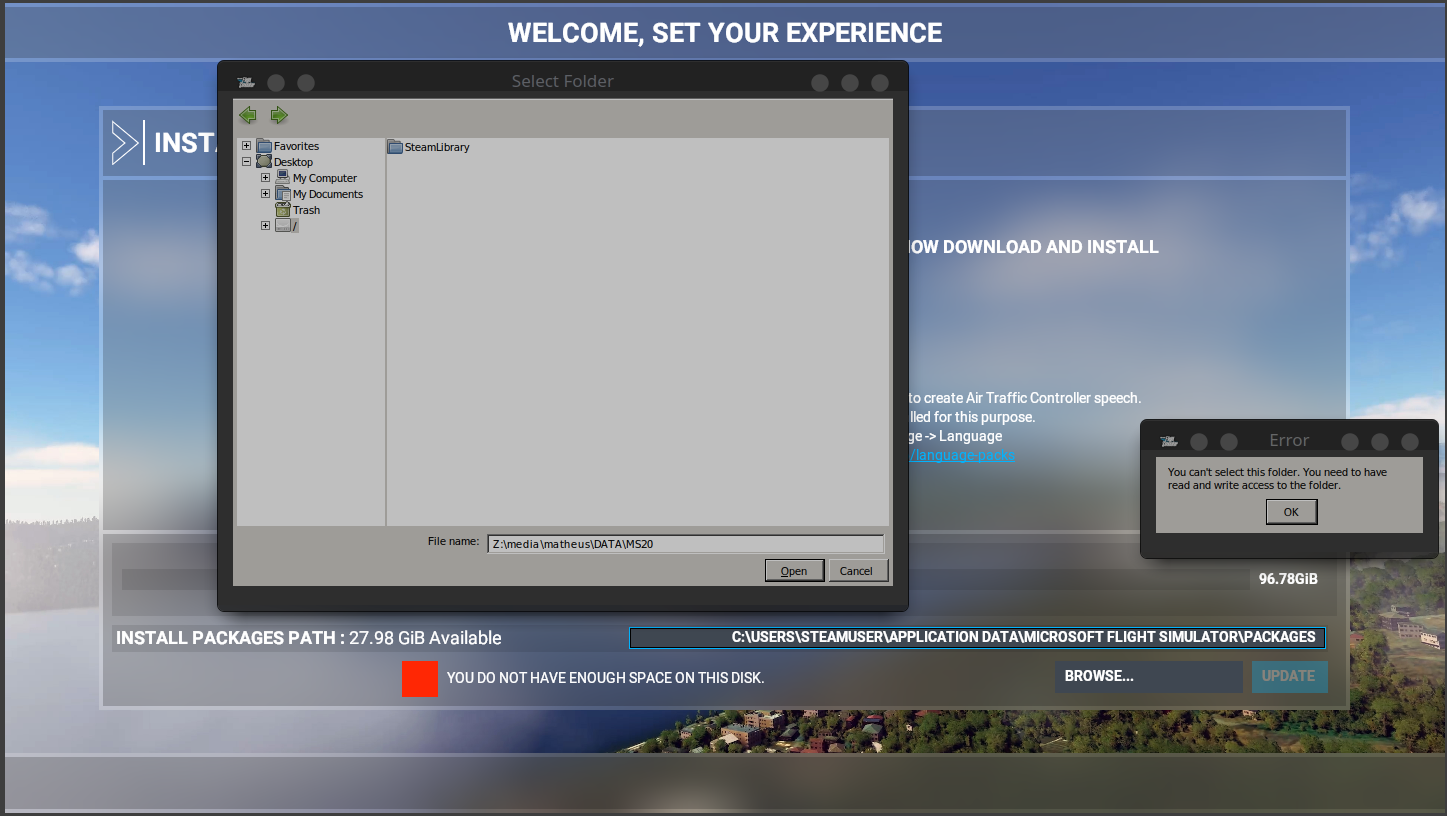
It is not a external HD but not the same as the ssd where my OS is installed. All folders on this ssd are listed as expected.
# matheus @ arch-matheus in /media/matheus/DATA [23:11:55]
$ ls -1d */
BACKUP/
Downloads/
Microsoft/
MS20/
ProgramData/
'Program Files (x86)/'
Programs/
SteamLibrary/
UnrealEngineWin/
UnrealProjects/
'VirtualBox VMs/'
Windows10Upgrade/
'Windows Kits/'
My game is at MS20.
Also less important but is that message expected? I don't have that on windows:
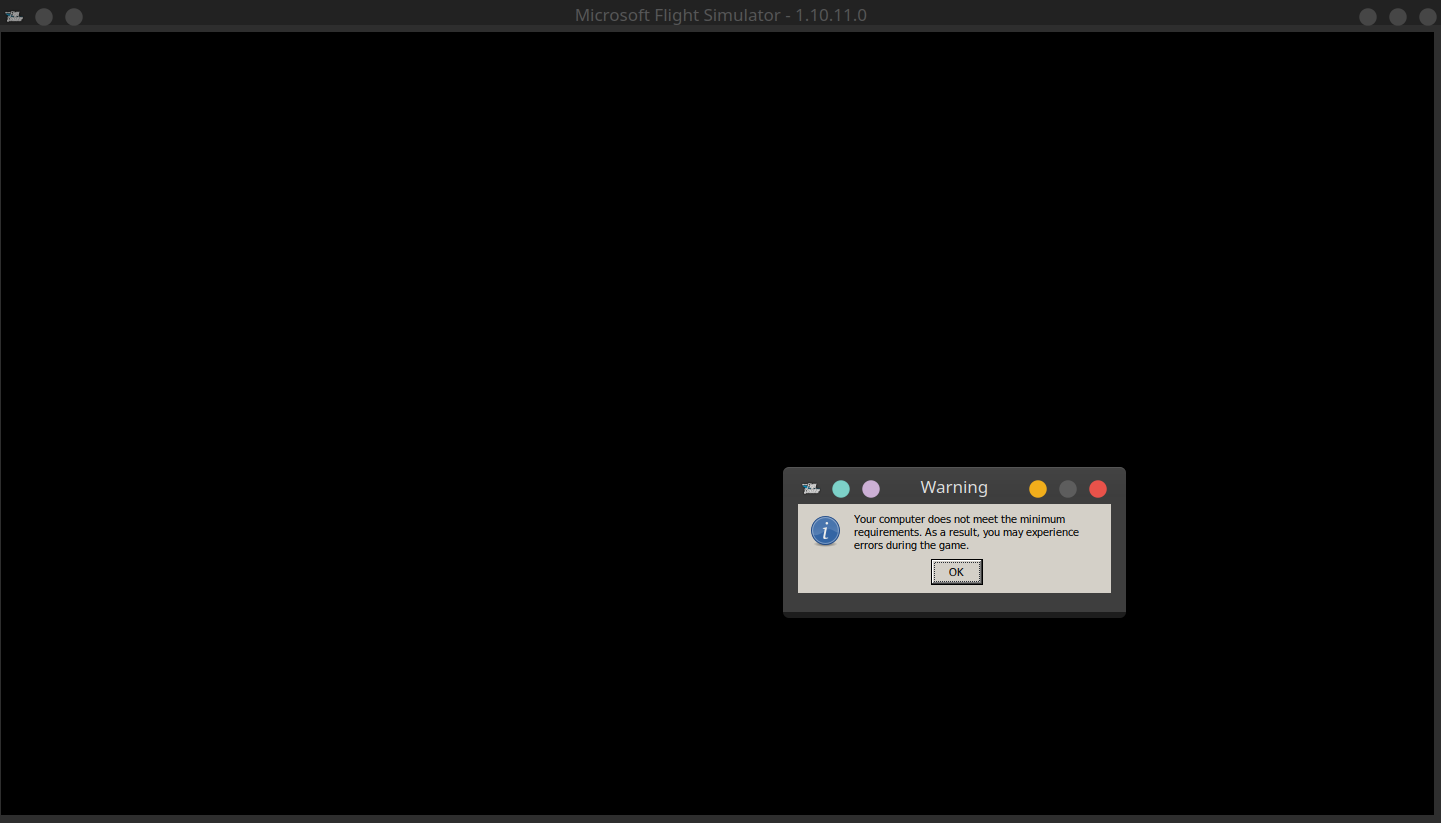
Hello @matheusfillipe, Proton 5.13 is running on top of Steam Linux Runtime - Soldier. This is a container environment that does not have unlimited access to the host system, which it why it can't can't randomly reach an arbitrary folder anymore.
@kisak-valve oh thanks for the info! So isn't there any workaround you can think of? It kinda sucks to not have access to any folder. Can I edit what is inside or what is accessible that environment?
You should be able to try setting the STEAM_COMPAT_MOUNTS env variable to a colon separated list of extra folders to mount into the container environment.
Hi folks,
Been trying to launch the game with no success. I first launched and installed it, but noticed the performance (in the menus) was very bad. I realized I had my nvidia settings configured to powersaving mode (intel). So I switched to performance. But with the gpu, when I launch the game nothing happens. I see a Flight Simulator window but no content, the cpu is idle, nothing happens even if I wait for a long time.
Going back to powersaving mode(intel) or ondemand seems to work, but the performance is not up to par.
Where can I find any useful log to try and figure out whats happening?
(proton 5.13, tried nvidia drivers 450 and 455)
Hello @nunodonato, that sounds like a side effect of the issue being tracked at https://github.com/ValveSoftware/steam-runtime/issues/295.
Hello @nunodonato, that sounds like a side effect of the issue being tracked at ValveSoftware/steam-runtime#295.
Awesome, it worked. It runs and flies with the gpu now. Slightly lower performance than when in windows, but pretty good :)
@kisak-valve I tried to mount my separate driver using STEAM_COMPAT_MOUNTS but coudn't get it to work at all. I tried all those ways:
STEAM_COMPAT_MOUNTS=/media/matheus/DATA/MS20/
STEAM_COMPAT_MOUNTS="/media/matheus/DATA/MS20/"
STEAM_COMPAT_MOUNTS=/media/matheus/DATA/MS20/:
STEAM_COMPAT_MOUNTS="/media/matheus/DATA/MS20/:"
STEAM_COMPAT_MOUNTS=:/media/matheus/DATA/MS20/:
None worked. My launch opts line is like:
PROTON_LOG=1 STEAM_COMPAT_MOUNTS=/media/matheus/DATA/MS20/ %command% -FastLaunch
Where i replaced the STEAM_COMPAT part with all of those other parts above.
Should it show up as a device? All of them are empty except by C and Z:
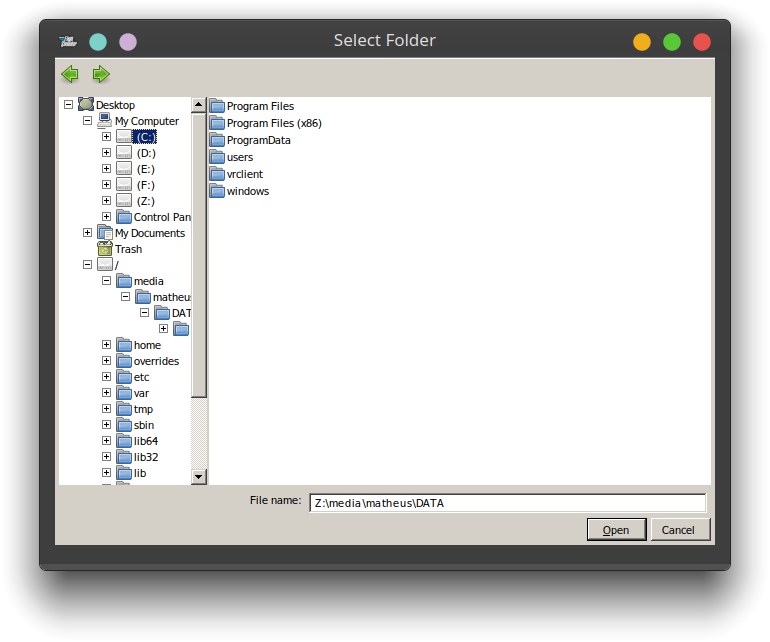
So am I doing something wrong here, could it be a problem related to the game or should I fill a new issue for this?
@matheusfillipe, sorry, I don't have any further insight into that env variable. Since your issue involves mounting an extra directory in the Steam Linux Runtime container environment, please open a new issue report in the steam-runtime issue tracker. It might not actually be usable in the way that was suggested to me.
Not sure if I'm doing something wrong but 5.13-1 doesn't seem to be working for me.
I think I have the same problem here as @devsnek.. It's not launching on Proton-5.13-next with all overlays disabled and -FastLaunch. (I downloaded and installed the game through Steam client on MX Linux)
I noticed error line in logs:
15933.521:00d8:00dc:err:winediag:SECUR32_initNTLMSP ntlm_auth was not found or is outdated. Make sure that ntlm_auth >= 3.0.25 is in your path. Usually, you can find it in the winbind package of your distribution.
So I tried my n00bish attempt to fix that by installing winbind on my host MXLinux OS. That didn't help (that err log line is still there - the attached log is my lastest attempt at running FS2020).
Any help is much appreciated :)
@kisak-valve oh thanks for the info! So isn't there any workaround you can think of? It kinda sucks to not have access to any folder. Can I edit what is inside or what is accessible that environment?
You don't not have access to any folder. You just don't have access to the "Z:" drive. The game should show a C:\ drive, which is the wineprefix you chose as the installation folder for the game when you installed it on Steam. You have read and write access there.
What helped me to actually run this game on a external drive, was launching steam with that variable like in:
STEAM_COMPAT_MOUNTS=/media/matheus/DATA/MS20 steam
Just setting it from the game launch options didn't work. Now the game folder is visible to the game.
@matheusfillipe what worked for me was mounting/hardlink the drive to a subfolder in my home dir. With that I didn't have to work with STEAM_COMPAT_MOUNTS. You can put it on your fstab too, or mount with --rbind option, like mount --rbind /media/matheus/DATA/MS20 /home/matheus/Games.
Nobody has explained why multiplayer/online don't work?
I get it that cinematic and TTS are because of some DLL
Has anybody tried / are there hints of how to run a Windows installation of MSFS2020 (regular edition, i.e. not steam) from Linux?
I don't always want to reboot to Windows on my machine just to start MSFS. As the Windows disk is easily mounted in Linux I guess it should be doable.
Hi anybody. I have an massive problem with stuttering/lags every 10-15 sec for 5 sec during flight (and even in the main menu!).
I swiched off multiplayer, live-weather etc., set the grafics to minimum but nothing helps.
Does anybody have this issue as well?
(Installed via Steam, Proton 5.13-5, Nvidia 460.32, 5.8.0, -FastLaunch)
@JaffoS1 I sometimes have such problem but not that often. And I recognize one CPU thread hitting 100% usage during the stuttering. Also it seems to be shorter in Main Menu than that in Flighting.
I have some stuttering here and there, and I think that live weather is not working properly
@motorailgun exactly this!
One CPU is maxing out during that time. My Problem is, that is happening every 10 seconds and lasting up to 15 seconds.
So it's even an pain to change some settings in the menu... (CPU is a 5800x)
Every other game in steam is running fine with Proton.
@JaffoS1 Hmm, that sounds so weird. I recommend trying Proton-tkg if you haven't :thinking:
I have tried 6.0-GE-1, same issue.
has anyone managed to get flight simulator vr working in proton?
@ashkitten I don't think we have tested it in a couple of weeks, but it was working earlier this year, yes. Are you having a problem?
@aeikum @ashkitten is helping improve Steam on NixOS and a bunch of stuff is fixed now but Flight Sim VR is something that isn't still.
It would be good to know if it's a NixOS specific issue or happening to other distros, any extra steps that are required to make it work, etc
The only problem I'm aware of is you still need the -FastLaunch launch option to run the game at all. That isn't specific to VR.
to be clear, i have the game itself running perfectly fine; for some reason only vr support is not working for me in proton. i'm trying to determine if this issue is nixos specific, but i don't have a more standard distro to try with myself.
One potential snag is you need SteamVR to be started before the game. Linux SteamVR doesn't support launching itself from a game process, it must be running already.
I'd be happy to look at a vrclient log. Easiest way to do that is to set the game's launch options to WINEDEBUG=+vrclient,+pid %command% -FastLaunch, but you can also do it with user_settings.py if you're familiar with that. Attempt to enter VR mode in the game's settings, then quit the game after it fails and upload the log (~/steam-1250410.log) here.
Shoot, sorry, I forgot this is an OpenXR game not an OpenVR game. We'll also want to add +openxr to those log channels
Thanks. Looks like SteamVR is failing on us for some reason:
012c:0130:trace:openxr:wine_xrCreateSession 0x68f1d0, 0x51f640, 0x1bc53ceb0
012c:0130:warn:openxr:wine_xrCreateSession xrCreateSession failed: -1
You can try digging into SteamVR's log files (~/.steam/steam/logs/) to see if they have more detailed failure information.
What version of SteamVR are you using? We usually test on the public beta branch. I'm not sure the status of OpenXR support in SteamVR's default branch. I think it is supported, but maybe buggy?
i am using the beta, 1.16.6. what files would you like me to look at?
I'm not sure, anything recently modified in that logs dir. E.g. there's probably a vrclient_wine64-preloader.txt file, probably some vrserver stuff. I'm hoping one of them will have an explicit message about what's gone wrong.
hope this helps
Unfortunately no errors in there... are you on Nvidia perhaps? That's known to be broken with OpenXR.
I guess you can use this to gather some sort of debug information, too: https://github.com/ValveSoftware/SteamVR-for-Linux/blob/master/CapturingSystemReport.md
i'm on amd, amdgpu/mesa drivers
Sorry, I'm not seeing any obvious errors in any of these logs. I don't know why xrCreateSession is failing :(
in that case i'd really just like to get feedback on whether it works for anyone else. i know steamvr games work for me, and i know that xrgears works as well. only flight simulator vr is not working.
@ashkitten I asked one of our QA folks to retest the game, and they are seeing the same failure that you are. I'll take a look at it and report back, thanks for reporting the problem.
So, am I right, that Live-Traffic and Multiplayer arent working? The game seems to have problems to find a Server for Live-Traffic:
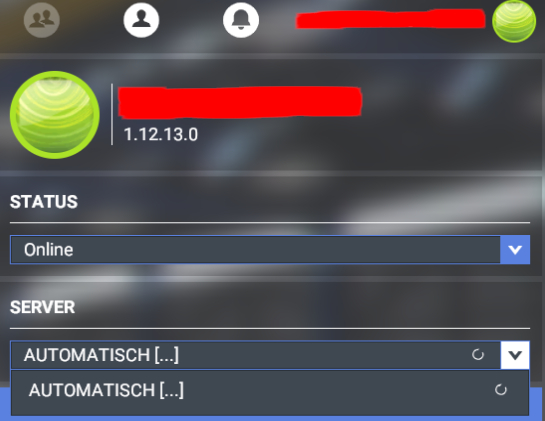
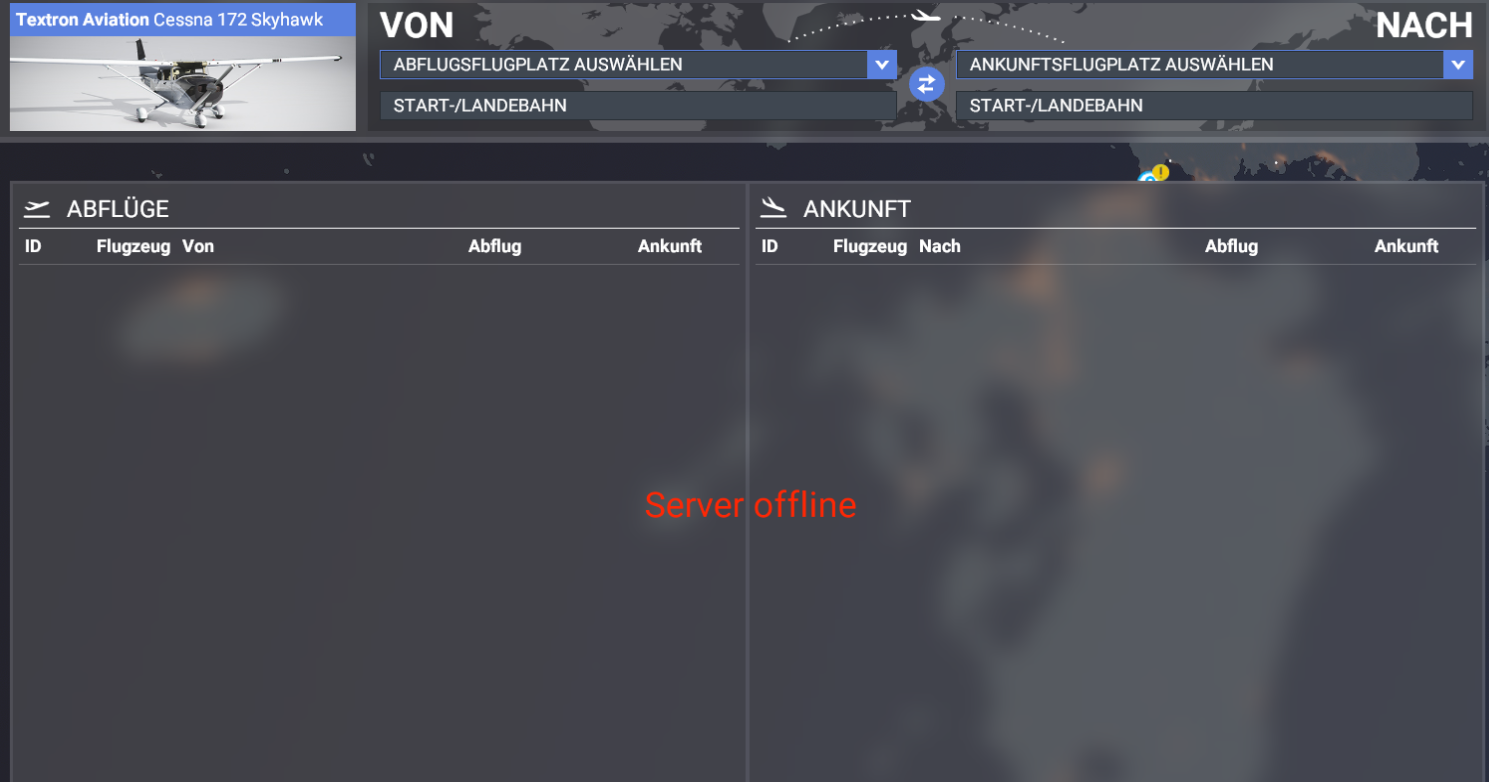
I am using Proton Experimental at the moment - but got same result with other versions (glorious eggroll 6.1 for example)
Hey I have this error:
Is someone having the same experience?
02d:err:ntdll:RtlpWaitForCriticalSection section 0x7bee54e0 "loader.c: loader_section" wait timed out in thread 002d, blocked by 002c, retrying (60 sec)
002c:err:combase:RoGetActivationFactory Failed to find library for L"Windows.ApplicationModel.Package"
Setting breakpad minidump AppID = 1250410
SteamInternal_SetMinidumpSteamID:  Caching Steam ID:  76561197971997000 [API loaded no]
wine: Unhandled page fault on read access to 0000000000000000 at address 000000014136AE3E (thread 002c), starting debugger...
Unhandled exception: page fault on read access to 0x00000000 in 64-bit code (0x000000014136ae3e).
@motorailgun exactly this!
One CPU is maxing out during that time. My Problem is, that is happening every 10 seconds and lasting up to 15 seconds.
So it's even an pain to change some settings in the menu... (CPU is a 5800x)
Every other game in steam is running fine with Proton.
Yes can confirm this, I 've tried multiple proton variants.
EDIT : I used proton-tkg-6.2. This problem seems to be solved.
A new Proton Experimental build was pushed live today which should get MSFS working again in VR mode. There is a known issue where the game will hang if you attempt to exit VR mode. This is a bug in SteamVR which we have reported to Valve.
@aeikum i am unable to test vr because the game crashes to desktop before it gets to the menu with latest proton experimental
steam-1250410.log
update: with the last flight simulator update vr mode is working on proton, but there are intense flickering issues that make it completely unplayable, even with lowest settings.

Proton Experimental currently not getting further than this. It's frozen.
50900 should solve the online mode problem. Has anyone looked into the freezing problem described in https://github.com/ValveSoftware/Proton/issues/4134#issuecomment-767466853? For me (on proton 6.3) the game is quite unplayable because of this. It will freeze for 5-10 seconds about every 20 seconds during the flight.
Unfortunately, Microsoft Flight Simulator does not work for me with Proton 6.3-1 any more. It crashes during startup (after checking for updates, before showing the menu):
Unhandled exception: page fault on read access to 0x3d6cb1568 in 64-bit code (0x0000000140e918a3).
steam-1250410.log.gz
Hello @felixhaedicke, what's the most recent Proton version you know works for you and the game? Also, please copy your system information from Steam (Steam -> Help -> System Information) and put it in a gist, then include a link to the gist in this issue report.
@kisak-valve
The last working Proton version is 5.13-6.
And I noticed that I can launch Flight Simulator with Proton 6.3-1 when my Joystick (Microsoft SideWinder Precision 2 Joystick) and Throttle (Thrustmaster TWCS Throttle) are disconnected. But after that, Flight Simulator crashes when plugging in one of these devices.
My System information is here:
https://gist.github.com/felixhaedicke/1156f35ba54a9139998ccccf9fc76a21
And VR does still not work for me with Proton 6.3-1 🙁
A few examples for OpenXR related messages in my log:
8466.035:017c:0180:trace:loaddll:build_module Loaded L"C:\\windows\\system32\\wineopenxr.dll" at 00007F9CC0090000: builtin
Error [GENERAL | | OpenXR-Loader] : RuntimeManifestFile::FindManifestFiles - failed to determine active runtime file path for this environment
Error [GENERAL | xrCreateInstance | OpenXR-Loader] : RuntimeInterface::LoadRuntimes - failed to find a valid runtime
Error [GENERAL | xrCreateInstance | OpenXR-Loader] : xrCreateInstance failed
warn: OpenXR: Unable to get required Vulkan instance extensions size
warn: OpenXR: Unable to get required Vulkan Device extensions size
Unfortunately, my log file is too big to add it here as an attachment.
@felixhaedicke Do you have a "regular" controller (xbox1, ps4, etc) that you could try to see if that also causes the crashing? And to confirm, plugging in only the throttle also causes the crash?
And what VR headset are you using?
@alasky17 It does indeed not crash with an Xbox One Wireless Controller (using the xow userspace driver). But it also crashes with an Xbox 360 Wireless Controller (using the xpad kernel driver).
So I tested with the following game controller hardware:
- Xbox One Wireless Controller
- Xbox 360 Wireless Controller
- Microsoft SideWinder Precision 2 Joystick
- Thrustmaster TWCS Throttle
And it only works with the Xbox One Wireless Controller, it crashes with any of the other devices.
My VR headset is an HTC Vive. See system information linked above.
Cannot reproduce the crashes anymore (after a system reboot). It works now with the Joystick and Throttle.
There is another issue with Proton Proton 6.3-1 and 5.13-6 (did not test any older Proton versions):
I get black borders. 22 px on the top, 3 px on the bottom, the left and the right side of the screen.
Switching to Windowed Mode and back to Fullscreen fixes it, but I need to apply this workaround every time.
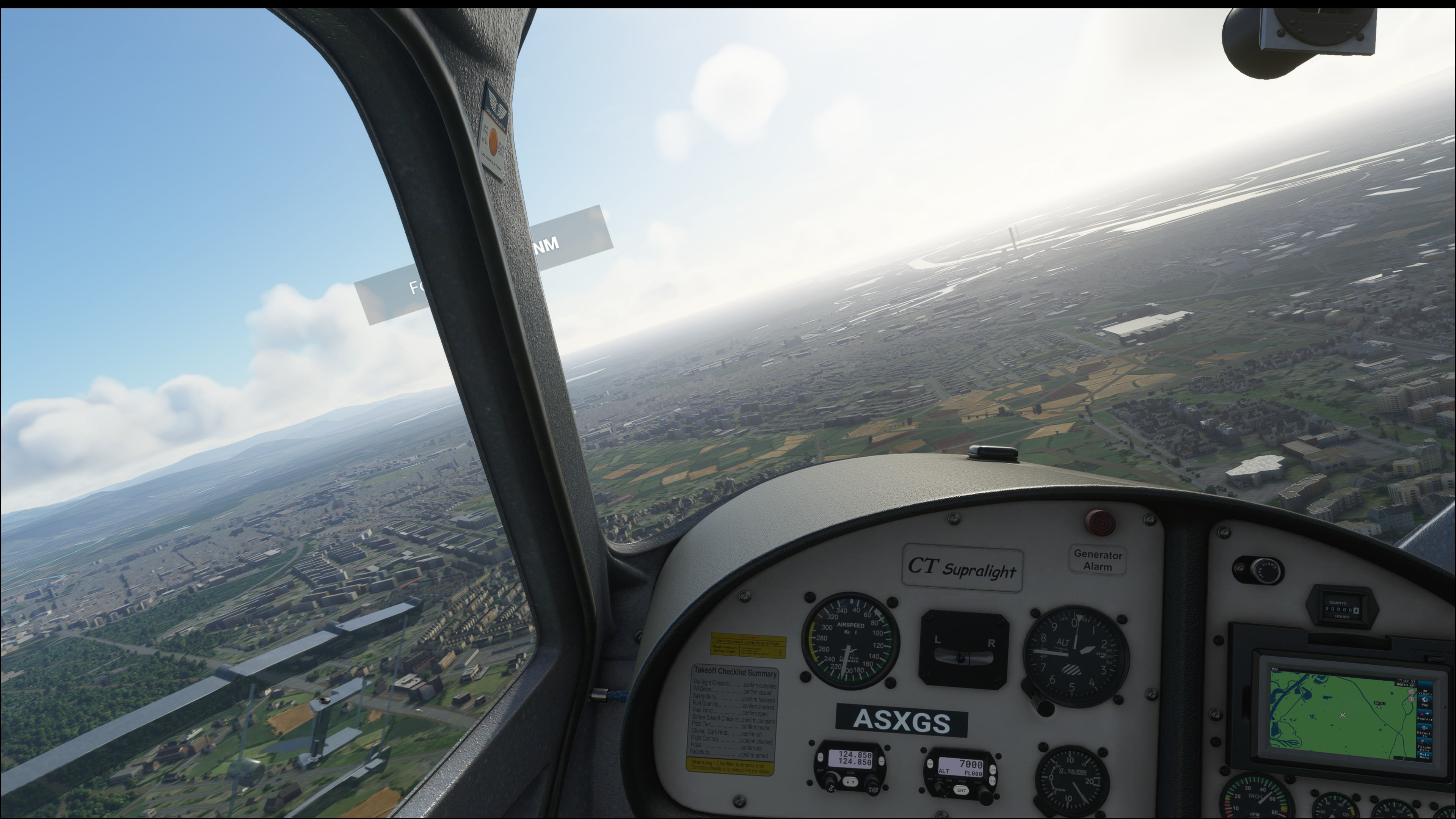
I also have the issue of the black border on proton 5.13-6, I remember happening also on the previous versions. The same workaround work for me, its just annoying.
Hello,
I'm thinking of buying MFS to run it on Ubuntu 20.04 in VR with Proton Experimental (supposed to work as as https://github.com/ValveSoftware/Proton/wiki/Changelog), with a Nvidia GTX970.
Does someone has some feedback?
Can we ask for refund if it doesn't run? What is the time limit?
Thanks!
@j2l I believe VR mode only works on AMD right now due to OpenXR + Nvidia problems :/
Thanks @alasky17 So sad! Will have to wait to spend €70 then
Nobody has explained why multiplayer/online don't work?
I get it that cinematic and TTS are because of some DLL
What about multiplayer now ?
All on latest Proton, 6.3-4, reproduced on Proton Experimental also.
Hey guys, any help I could get here would be fantastic. I'm committed enough to Proton that I buy a game solely for use with it (no Windows box), and sadly, this game isn't working for me even though it's rated Gold on ProtonDB and people seem to be having fewer issues with it now.
It looked like things were going well, I got the game running, MSFS downloaded 80GB of content, but the "Continue" button to finish the install process was unclickable. I rebooted the game, but now it crashes when the loading spinner comes up.
I'm not sure what the exact error is, but I seemed to see EXCEPTION_SINGLE_STEP when the game crashed, so I believe those lines are relevant:
Here's a video of the UX if you have your QA team look at it. There are long pauses during the start-up process as well, I believe I saw an exception in the log that said "waiting 60 seconds" and that's consistent with the time here.
https://user-images.githubusercontent.com/1657236/121922260-677e7680-ccff-11eb-9a85-3aa22eee41d2.mp4
Edit: This was fixed by an apt upgrade plus a reboot!
I commented before trying to reboot since in my experience, it rarely has an effect, but... it worked here!
50900 should solve the online mode problem. Has anyone looked into the freezing problem described in [#4134 (comment)](https://github.com/ValveSoftware/Proton/issues/4134#issuecomment-767466853)? For me (on proton 6.3) the game is quite unplayable because of this. It will freeze for 5-10 seconds about every 20 seconds during the flight.
Did you try [50900]? Does it enable Multiplayer?
I remember I saw at one of all those MS account sites, that the game is not "validated", while login in MS itself works just fine the Automatic [...] online mode spinner is running infinite. I was searching for the game, but so far I can't find it.
Anyone got the Xbox APP for PC running? Every thime I want to install it (Installer exe) nothing happens. The installer seem not even install with Proton 6.10 GE eg.
In my case still can't get this running.
System info: https://gist.github.com/svscorp/ef42e05d5026c654df91143c7b790a25
Proton: Experimental experimental-6.3-20210616 (also tried on 5.13-6, 6.3-4 same behavior and errors... and 5.0-10 which didn't even get to the loading screen)
Behavior:
- Processes Vulkan Shaders
- Launching game window (black)
- Cursor appears + loading animation bottom right
- Game shuts down
Log Output (click expand)
Starting app 1250410
>>> Adding process 15840 for game ID 1250410
GameAction [AppID 1250410, ActionID 1] : LaunchApp changed task to WaitingGameWindow with ""
>>> Adding process 15841 for game ID 1250410
>>> Adding process 15842 for game ID 1250410
>>> Adding process 15843 for game ID 1250410
GameAction [AppID 1250410, ActionID 1] : LaunchApp changed task to Completed with ""
>>> Adding process 15845 for game ID 1250410
>>> Adding process 15846 for game ID 1250410
ERROR: ld.so: object '/home/mjrusr/.local/share/Steam/ubuntu12_32/gameoverlayrenderer.so' from LD_PRELOAD cannot be preloaded (wrong ELF class: ELFCLASS32): ignored.
>>> Adding process 16280 for game ID 1250410
>>> Adding process 16281 for game ID 1250410
>>> Adding process 16282 for game ID 1250410
>>> Adding process 16283 for game ID 1250410
>>> Adding process 16285 for game ID 1250410
>>> Adding process 16289 for game ID 1250410
ERROR: ld.so: object '/home/mjrusr/.local/share/Steam/ubuntu12_32/gameoverlayrenderer.so' from LD_PRELOAD cannot be preloaded (wrong ELF class: ELFCLASS32): ignored.
>>> Adding process 16291 for game ID 1250410
>>> Adding process 16294 for game ID 1250410
ERROR: ld.so: object '/home/mjrusr/.local/share/Steam/ubuntu12_32/gameoverlayrenderer.so' from LD_PRELOAD cannot be preloaded (wrong ELF class: ELFCLASS32): ignored.
>>> Adding process 16296 for game ID 1250410
>>> Adding process 16298 for game ID 1250410
ERROR: ld.so: object '/home/mjrusr/.local/share/Steam/ubuntu12_32/gameoverlayrenderer.so' from LD_PRELOAD cannot be preloaded (wrong ELF class: ELFCLASS32): ignored.
ERROR: ld.so: object '/home/mjrusr/.local/share/Steam/ubuntu12_64/gameoverlayrenderer.so' from LD_PRELOAD cannot be preloaded (wrong ELF class: ELFCLASS64): ignored.
>>> Adding process 16300 for game ID 1250410
>>> Adding process 16302 for game ID 1250410
ERROR: ld.so: object '/home/mjrusr/.local/share/Steam/ubuntu12_64/gameoverlayrenderer.so' from LD_PRELOAD cannot be preloaded (wrong ELF class: ELFCLASS64): ignored.
ERROR: ld.so: object '/home/mjrusr/.local/share/Steam/ubuntu12_32/gameoverlayrenderer.so' from LD_PRELOAD cannot be preloaded (wrong ELF class: ELFCLASS32): ignored.
fsync: up and running.
wine: RLIMIT_NICE is <= 20, unable to use setpriority safely
>>> Adding process 16304 for game ID 1250410
>>> Adding process 16307 for game ID 1250410
ERROR: ld.so: object '/home/mjrusr/.local/share/Steam/ubuntu12_32/gameoverlayrenderer.so' from LD_PRELOAD cannot be preloaded (wrong ELF class: ELFCLASS32): ignored.
ERROR: ld.so: object '/home/mjrusr/.local/share/Steam/ubuntu12_32/gameoverlayrenderer.so' from LD_PRELOAD cannot be preloaded (wrong ELF class: ELFCLASS32): ignored.
>>> Adding process 16309 for game ID 1250410
>>> Adding process 16310 for game ID 1250410
ERROR: ld.so: object '/home/mjrusr/.local/share/Steam/ubuntu12_32/gameoverlayrenderer.so' from LD_PRELOAD cannot be preloaded (wrong ELF class: ELFCLASS32): ignored.
ERROR: ld.so: object '/home/mjrusr/.local/share/Steam/ubuntu12_32/gameoverlayrenderer.so' from LD_PRELOAD cannot be preloaded (wrong ELF class: ELFCLASS32): ignored.
>>> Adding process 16311 for game ID 1250410
>>> Adding process 16312 for game ID 1250410
>>> Adding process 16313 for game ID 1250410
>>> Adding process 16316 for game ID 1250410
>>> Adding process 16318 for game ID 1250410
>>> Adding process 16321 for game ID 1250410
>>> Adding process 16329 for game ID 1250410
ERROR: ld.so: object '/home/mjrusr/.local/share/Steam/ubuntu12_32/gameoverlayrenderer.so' from LD_PRELOAD cannot be preloaded (wrong ELF class: ELFCLASS32): ignored.
>>> Adding process 16335 for game ID 1250410
ERROR: ld.so: object '/home/mjrusr/.local/share/Steam/ubuntu12_32/gameoverlayrenderer.so' from LD_PRELOAD cannot be preloaded (wrong ELF class: ELFCLASS32): ignored.
>>> Adding process 16348 for game ID 1250410
ERROR: ld.so: object '/home/mjrusr/.local/share/Steam/ubuntu12_32/gameoverlayrenderer.so' from LD_PRELOAD cannot be preloaded (wrong ELF class: ELFCLASS32): ignored.
>>> Adding process 16353 for game ID 1250410
Game update: AppID 1250410 "", ProcID 16312, IP 0.0.0.0:0
RecordSteamInterfaceCreation (PID 16312): SteamUtils009 / Utils
Setting breakpad minidump AppID = 1250410
RecordSteamInterfaceCreation (PID 16312): SteamUser019 / User
Steam_SetMinidumpSteamID: Caching Steam ID: 76561198006621783 [API loaded no]
RecordSteamInterfaceCreation (PID 16312): SteamUser019 / User
RecordSteamInterfaceCreation (PID 16312): SteamFriends015 / Friends
RecordSteamInterfaceCreation (PID 16312): SteamUtils009 / Utils
RecordSteamInterfaceCreation (PID 16312): SteamMatchMaking009 / Matchmaking
RecordSteamInterfaceCreation (PID 16312): SteamMatchMakingServers002 / MatchmakingServers
RecordSteamInterfaceCreation (PID 16312): STEAMUSERSTATS_INTERFACE_VERSION011 / UserStats
RecordSteamInterfaceCreation (PID 16312): STEAMAPPS_INTERFACE_VERSION008 / Apps
RecordSteamInterfaceCreation (PID 16312): SteamNetworking005 / Networking
RecordSteamInterfaceCreation (PID 16312): STEAMREMOTESTORAGE_INTERFACE_VERSION014 / RemoteStorage
RecordSteamInterfaceCreation (PID 16312): STEAMSCREENSHOTS_INTERFACE_VERSION003 / Screenshots
RecordSteamInterfaceCreation (PID 16312): STEAMHTTP_INTERFACE_VERSION002 / HTTP
RecordSteamInterfaceCreation (PID 16312): SteamController006 / Controller
RecordSteamInterfaceCreation (PID 16312): STEAMUGC_INTERFACE_VERSION010 / UGC
RecordSteamInterfaceCreation (PID 16312): STEAMAPPLIST_INTERFACE_VERSION001 / AppList
RecordSteamInterfaceCreation (PID 16312): STEAMMUSIC_INTERFACE_VERSION001 / Music
RecordSteamInterfaceCreation (PID 16312): STEAMMUSICREMOTE_INTERFACE_VERSION001 / MusicRemote
RecordSteamInterfaceCreation (PID 16312): STEAMHTMLSURFACE_INTERFACE_VERSION_004 / HTMLSurface
RecordSteamInterfaceCreation (PID 16312): STEAMINVENTORY_INTERFACE_V002 / Inventory
RecordSteamInterfaceCreation (PID 16312): STEAMVIDEO_INTERFACE_V002 / Video
RecordSteamInterfaceCreation (PID 16312): STEAMPARENTALSETTINGS_INTERFACE_VERSION001 / ParentalSettings
ERROR: ld.so: object '/home/mjrusr/.local/share/Steam/ubuntu12_32/gameoverlayrenderer.so' from LD_PRELOAD cannot be preloaded (wrong ELF class: ELFCLASS32): ignored.
>>> Adding process 16362 for game ID 1250410
ERROR: ld.so: object '/home/mjrusr/.local/share/Steam/ubuntu12_32/gameoverlayrenderer.so' from LD_PRELOAD cannot be preloaded (wrong ELF class: ELFCLASS32): ignored.
>>> Adding process 16376 for game ID 1250410
Game update: AppID 1250410 "", ProcID 16376, IP 0.0.0.0:0
RecordSteamInterfaceCreation (PID 16376): SteamUtils009 /
Setting breakpad minidump AppID = 1250410
RecordSteamInterfaceCreation (PID 16376): SteamUser020 / User
SteamInternal_SetMinidumpSteamID: Caching Steam ID: 76561198006621783 [API loaded no]
RecordSteamInterfaceCreation (PID 16376): STEAMHTMLSURFACE_INTERFACE_VERSION_005 /
Fossilize INFO: Overriding serialization path: "/media/storage/games/steamapps/shadercache/1250410/fozpipelinesv5/steamapprun_pipeline_cache".
RecordSteamInterfaceCreation (PID 16376): SteamController007 /
RecordSteamInterfaceCreation (PID 16376): STEAMREMOTESTORAGE_INTERFACE_VERSION014 /
RecordSteamInterfaceCreation (PID 16376): SteamUtils009 /
RecordSteamInterfaceCreation (PID 16376): STEAMAPPS_INTERFACE_VERSION008 /
RecordSteamInterfaceCreation (PID 16376): SteamUtils009 /
RecordSteamInterfaceCreation (PID 16376): SteamController007 /
RecordSteamInterfaceCreation (PID 16376): SteamInput001 /
Installing breakpad exception handler for appid(gameoverlayui)/version(20210616052556)
Installing breakpad exception handler for appid(gameoverlayui)/version(1.0)
Installing breakpad exception handler for appid(gameoverlayui)/version(1.0)
[0620/151203.358067:INFO:crash_reporting.cc(270)] Crash reporting enabled for process: renderer
Installing breakpad exception handler for appid(gameoverlayui)/version(1.0)
[0620/151203.501898:ERROR:frame_sink_video_capturer_impl.cc(206)] Invalid resolutions constraints: 0x0 must not be greater than 0x0; and also within media::limits.
wine: Unhandled page fault on read access to 0000000000000000 at address 0000000141CB8579 (thread 0118), starting debugger...
ERROR: ld.so: object '/home/mjrusr/.local/share/Steam/ubuntu12_32/gameoverlayrenderer.so' from LD_PRELOAD cannot be preloaded (wrong ELF class: ELFCLASS32): ignored.
>>> Adding process 16535 for game ID 1250410
Unhandled exception: page fault on read access to 0x00000000 in 64-bit code (0x0000000141cb8579).
Register dump:
rip:0000000141cb8579 rsp:000000000093eb20 rbp:000000000093eb89 eflags:00010206 ( R- -- I - -P- )
rax:0000000080004001 rbx:00000003bfa2fb30 rcx:0000000000000000 rdx:000000000093eb88
rsi:0000000000000000 rdi:00000003bfa2fb10 r8:5ff9b7ffadfdf7bf r9:00000000000000f0 r10:00000000001c0020
r11:a55a5aa5a55a5aa5 r12:0000000000000057 r13:0000000000000000 r14:00000003bfa2fb38 r15:00000003c11f0ba0
Stack dump:
0x000000000093eb20: 00000003c11f0eb8 0000000141d3e6e0
0x000000000093eb30: 0000000000000002 00000000000000b8
0x000000000093eb40: 000000000093eb98 0000000000000002
0x000000000093eb50: 0000000100000007 00000003bfa2fb30
0x000000000093eb60: 000000000093ec00 00000003bfa2fb38
0x000000000093eb70: 000000001a6130a8 0000000000000000
0x000000000093eb80: 0000000000000000 0000000000000000
0x000000000093eb90: 0000000000000000 0000b0000000b100
0x000000000093eba0: fffffffffffffffe 0000000141d4e534
0x000000000093ebb0: 00000003c11f0ba0 00000003be9102a0
0x000000000093ebc0: 00000000ffffffff 0000000000000000
0x000000000093ebd0: 00000003c11f0ba0 00000003bf1fa750
Backtrace:
=>0 0x0000000141cb8579 EntryPoint+0xff4aa579() in flightsimulator (0x000000000093eb89)
1 0x0000000141cb6c5b EntryPoint+0xff4a8c5a() in flightsimulator (0x000000000093ecf0)
2 0x00000001421ddfb5 EntryPoint+0xff9cffb4() in flightsimulator (0x000000000093f020)
3 0x000000014252fddb EntryPoint+0xffd21dda() in flightsimulator (0x000000000093f520)
4 0x000000014197ff70 EntryPoint+0xff171f6f() in flightsimulator (0x00000003bfb54a40)
5 0x0000000141980063 EntryPoint+0xff172062() in flightsimulator (0x0000000000000000)
6 0x0000000142512875 EntryPoint+0xffd04874() in flightsimulator (0x0000000000000000)
7 0x00000001424c16b2 EntryPoint+0xffcb36b1() in flightsimulator (0x0000000000000000)
8 0x0000000141d6825d EntryPoint+0xff55a25c() in flightsimulator (0x000000000093fd70)
9 0x00000001422a917c EntryPoint+0xffa9b17b() in flightsimulator (0x000000000093fd70)
10 0x00000001422a968f EntryPoint+0xffa9b68e() in flightsimulator (0x000000000093fd70)
11 0x000000014208f9ac EntryPoint+0xff8819ab() in flightsimulator (0x000000000093fd70)
12 0x000000014208f06e EntryPoint+0xff88106d() in flightsimulator (0x0000000000000000)
13 0x0000000141c0b7d5 EntryPoint+0xff3fd7d4() in flightsimulator (0x0000000000000000)
14 0x000000014280df92 EntryPoint+0xffffff91() in flightsimulator (0x0000000000000000)
15 0x000000007b62c9a9 EntryPoint+0xffffffffffffffff() in kernel32 (0x0000000000000000)
16 0x000000007bc5e4f3 EntryPoint+0xffffffffffffffff() in ntdll (0x0000000000000000)
0x0000000141cb8579 EntryPoint+0xff4aa579 in flightsimulator: movq (%rcx),%rax
Modules:
Module Address Debug info Name (161 modules)
PE 950000- 969000 Deferred vcruntime140
PE 970000- 9bd000 Deferred concrt140
PE 9c0000- 9ed000 Deferred vcomp140
PE 9f0000- c67000 Deferred microsoft.cognitiveservices.speech.core
PE c70000- 10bf000 Deferred wwiselibpcx64p
PE 10c0000- 116a000 Deferred libssl-1_1-x64
PE 1170000- 14ae000 Deferred libcrypto-1_1-x64
PE 14b0000- 14dd000 Deferred amd_ags_x64
PE 14e0000- 151a000 Deferred lib_json
PE 1520000- 1f35000 Deferred xplatcppwindows
PE 1f40000- 1f66000 Deferred gfsdk_aftermath_lib.x64
PE 1f70000- 1fe2000 Deferred libcurl
PE 1ff0000- 2020000 Deferred libssh2
PE 2020000- 2048000 Deferred nghttp2
PE 2050000- 2379000 Deferred coherentuigt
PE 2380000- 2cb4000 Deferred coherentgtjs
PE 2cc0000- 2d3f000 Deferred wtf
PE 2d40000- 2f06000 Deferred coherenticuin
PE 2f10000- 305a000 Deferred coherenticuuc
PE 3060000- 31ee000 Deferred renoircore.windowsdesktop
PE 31f0000- 4cb6000 Deferred coherentgtcore
PE 4cc0000- 4d1c000 Deferred openxr_loader
PE 4d20000- 4d45000 Deferred zlib
PE 4d50000- 5ffd000 Deferred microsoftgeospatialtiles
PE 109c0000- 10b9b000 Deferred gameoverlayrenderer64
PE 4ad00000- 4c18a000 Deferred icudtcoherent53
PE 73720000- 73e5e000 Deferred coherentuigtdevelopment
PE 7ac00000- 7ac7f000 Deferred riched20
PE 7b000000- 7b0d5000 Deferred kernelbase
PE 7b600000- 7b812000 Export kernel32
PE 7bc00000- 7bc9e000 Export ntdll
PE 138000000- 13948a000 Deferred steamclient64
PE 13b400000- 13b444000 Deferred steam_api64
PE 140000000- 152b2b200 Export flightsimulator
PE 180000000- 180092000 Deferred msvcp140
PE 1c1ef0000- 1c1f1c000 Deferred atl100
PE 1c8b40000- 1c8b60000 Deferred msacm32
PE 1c8db0000- 1c8e3c000 Deferred msvcrt
PE 1cd360000- 1cd368000 Deferred api-ms-win-core-file-l1-1-0
PE 1cd860000- 1cd868000 Deferred api-ms-win-crt-utility-l1-1-0
PE 1d5b90000- 1d5b98000 Deferred api-ms-win-core-winrt-error-l1-1-0
PE 1d7cb0000- 1d7cc1000 Deferred wsock32
PE 1d8e40000- 1d8e48000 Deferred api-ms-win-core-file-l1-2-0
PE 1d97a0000- 1d97a7000 Deferred api-ms-win-core-fibers-l1-1-1
PE 1dc080000- 1dc09d000 Deferred cabinet
PE 1dc810000- 1dc81d000 Deferred schannel
PE 1dd3f0000- 1dd4bd000 Deferred crypt32
PE 1f51e0000- 1f51ef000 Deferred hid
PE 205950000- 205958000 Deferred api-ms-win-appmodel-runtime-l1-1-2
PE 212bb0000- 212bb8000 Deferred api-ms-win-core-processthreads-l1-1-1
PE 216730000- 216737000 Deferred api-ms-win-core-handle-l1-1-0
PE 21a7e0000- 21a854000 Deferred setupapi
PE 228450000- 22847a000 Deferred propsys
PE 231ae0000- 231b62000 Deferred rpcrt4
PE 236df0000- 236e49000 Deferred dsound
PE 23d820000- 23da47000 Deferred user32
PE 241850000- 241857000 Deferred api-ms-win-crt-environment-l1-1-0
PE 243540000- 2435c6000 Deferred gdiplus
PE 250880000- 250887000 Deferred api-ms-win-core-path-l1-1-0
PE 25cf30000- 25cf38000 Deferred api-ms-win-core-winrt-string-l1-1-0
PE 25d740000- 25d74e000 Deferred dwmapi
PE 260f50000- 260f59000 Deferred srvcli
PE 262250000- 262259000 Deferred api-ms-win-crt-runtime-l1-1-0
PE 263a00000- 263a07000 Deferred api-ms-win-core-sysinfo-l1-1-0
PE 269740000- 269747000 Deferred api-ms-win-core-libraryloader-l1-2-0
PE 26aee0000- 26aee8000 Deferred api-ms-win-core-threadpool-l1-2-0
PE 26b4c0000- 26b642000 Deferred gdi32
PE 2739c0000- 273af6000 Deferred oleaut32
PE 27fc20000- 27fc28000 Deferred api-ms-win-core-file-l2-1-2
PE 280ce0000- 280ce7000 Deferred api-ms-win-core-interlocked-l1-1-0
PE 28ba60000- 28ba67000 Deferred api-ms-win-crt-time-l1-1-0
PE 29bbf0000- 29bbf8000 Deferred api-ms-win-core-registry-l1-1-0
PE 2a4090000- 2a409d000 Deferred wtsapi32
PE 2a9540000- 2a9548000 Deferred usp10
PE 2b6b20000- 2b6b27000 Deferred api-ms-win-core-io-l1-1-0
PE 2ba290000- 2ba298000 Deferred api-ms-win-core-winrt-l1-1-0
PE 2bb750000- 2bb894000 Deferred comctl32
PE 2bcfe0000- 2bcfed000 Deferred mswsock
PE 2c83b0000- 2c8403000 Deferred winegstreamer
PE 2cfe10000- 2cfe19000 Deferred api-ms-win-core-com-l1-1-0
PE 2d4d40000- 2d4d57000 Deferred bcrypt
PE 2d5140000- 2d5148000 Deferred api-ms-win-core-file-l2-1-0
PE 2d9bc0000- 2d9bc7000 Deferred api-ms-win-crt-process-l1-1-0
PE 2de970000- 2de9a2000 Deferred rsaenh
PE 2dff50000- 2dff9f000 Deferred avifil32
PE 2e1360000- 2e1367000 Deferred api-ms-win-core-processenvironment-l1-1-0
PE 2e3540000- 2e3591000 Deferred shlwapi
PE 2e7ca0000- 2e7ca8000 Deferred api-ms-win-core-sysinfo-l1-2-0
PE 2e8f10000- 2e9028000 Deferred ole32
PE 2edf00000- 2ee0e4000 Deferred dxgi
PE 2f1fa0000- 2f1fad000 Deferred version
PE 2f7230000- 2f725d000 Deferred uxtheme
PE 2f7f20000- 2f7f2c000 Deferred vcruntime140_1
PE 2fbe20000- 2fbe28000 Deferred netutils
PE 2fe110000- 2fe11a000 Deferred api-ms-win-crt-multibyte-l1-1-0
PE 3001a0000- 3001a8000 Deferred api-ms-win-core-processthreads-l1-1-0
PE 306e10000- 306e18000 Deferred api-ms-win-core-timezone-l1-1-0
PE 30a2c0000- 30a2c9000 Deferred api-ms-win-crt-stdio-l1-1-0
PE 30c980000- 30c988000 Deferred api-ms-win-core-synch-l1-2-0
PE 3126f0000- 312709000 Deferred shcore
PE 316370000- 31637b000 Deferred psapi
PE 31cc30000- 31cc37000 Deferred api-ms-win-core-psapi-l1-1-0
PE 31f800000- 31f8ff000 Deferred comdlg32
PE 327020000- 327072000 Deferred combase
PE 32a700000- 32a729000 Deferred sechost
PE 330260000- 33029f000 Deferred advapi32
PE 335260000- 335272000 Deferred rtworkq
PE 336850000- 33687a000 Deferred mmdevapi
PE 33a7c0000- 33a7c7000 Deferred api-ms-win-core-profile-l1-1-0
PE 33ea00000- 33ea09000 Deferred api-ms-win-crt-string-l1-1-0
PE 341d30000- 341dfd000 Deferred quartz
PE 344840000- 344848000 Deferred api-ms-win-crt-filesystem-l1-1-0
PE 346ba0000- 346bc0000 Deferred jsproxy
PE 34abc0000- 34abe1000 Deferred msdmo
PE 34df10000- 34df1c000 Deferred riched32
PE 350a30000- 350a39000 Deferred api-ms-win-crt-convert-l1-1-0
PE 351680000- 351688000 Deferred api-ms-win-core-localization-l1-2-1
PE 353520000- 353528000 Deferred api-ms-win-core-localization-l1-2-0
PE 355100000- 355107000 Deferred api-ms-win-crt-locale-l1-1-0
PE 358120000- 358164000 Deferred winhttp
PE 359050000- 35931a000 Deferred d3d11
PE 360a80000- 360a8a000 Deferred api-ms-win-crt-math-l1-1-0
PE 361450000- 361457000 Deferred api-ms-win-core-synch-l1-1-0
PE 3738e0000- 3738e8000 Deferred api-ms-win-crt-conio-l1-1-0
PE 376c50000- 376c57000 Deferred api-ms-win-core-errorhandling-l1-1-0
PE 3785e0000- 3785ec000 Deferred vulkan-1
PE 379f20000- 379f28000 Deferred api-ms-win-eventing-provider-l1-1-0
PE 395e80000- 395e88000 Deferred api-ms-win-core-winrt-error-l1-1-1
PE 39a620000- 39a644000 Deferred msvfw32
PE 39b510000- 39b518000 Deferred api-ms-win-crt-heap-l1-1-0
PE 39cce0000- 39cce7000 Deferred api-ms-win-core-rtlsupport-l1-1-0
PE 3a19e0000- 3a19ee000 Deferred ncrypt
PE 3a2900000- 3a2907000 Deferred api-ms-win-core-debug-l1-1-0
PE 3a6d40000- 3a6d9d000 Deferred mfplat
PE 3a87a0000- 3a87a8000 Deferred api-ms-win-shcore-scaling-l1-1-1
PE 3a93b0000- 3a93c0000 Deferred xinput1_4
PE 3aa4c0000- 3aa4cc000 Deferred dhcpcsvc
PE 3ad720000- 3ad74f000 Deferred devenum
PE 3af670000- 3af728000 Deferred ucrtbase
PE 3afd00000- 3afd1a000 Deferred imm32
PE 3b8f00000- 3b8fb7000 Deferred winmm
PE 3bc540000- 3bc548000 Deferred api-ms-win-core-file-l1-2-2
PE 3be590000- 3be5f0000 Deferred dbghelp
PE 7fa6d7ea0000- 7fa6d7ea4000 Deferred xaudio2_9
PE 7fa6d7fd0000- 7fa6d7fd3000 Deferred winepulse
PE 7fa6dc010000- 7fa6dc013000 Deferred avicap32
PE 7fa712140000- 7fa712143000 Deferred lsteamclient
PE 7fa71ef50000- 7fa71ef53000 Deferred wineopenxr
PE 7fa71f2d0000- 7fa71f2d3000 Deferred kerberos
PE 7fa71fca0000- 7fa71fca4000 Deferred winex11
PE 7fa7200a0000- 7fa7200a3000 Deferred dwrite
PE 7fa720140000- 7fa72015b000 Deferred wldap32
PE 7fa720180000- 7fa720183000 Deferred secur32
PE 7fa7201e0000- 7fa7201e4000 Deferred dnsapi
PE 7fa720200000- 7fa720203000 Deferred netapi32
PE 7fa720280000- 7fa720284000 Deferred winevulkan
PE 7fa7202f0000- 7fa7202f4000 Deferred ws2_32
PE 7fa720330000- 7fa720334000 Deferred iphlpapi
PE 7fa721ca0000- 7fa721cab000 Deferred dinput8
PE 7fa721d10000- 7fa721d1b000 Deferred winspool
PE 7fa721e70000- 7fa722747000 Deferred shell32
Threads:
process tid prio (all id:s are in hex)
00000020 steam.exe
00000024 0
000000c0 0
00000030 services.exe
00000034 0
00000038 0
00000044 0
00000054 0
00000064 0
0000007c 0
00000088 0
000000ac 0
000000ec 0
0000003c winedevice.exe
00000040 0
0000004c 0
00000050 0
00000058 0
0000005c plugplay.exe
00000060 0
00000068 0
0000006c 0
00000070 0
00000090 0
00000160 0
00000164 0
00000074 winedevice.exe
00000078 0
00000080 0
00000084 0
0000008c 0
00000098 0
0000009c 0
000000a0 0
000000a4 svchost.exe
000000a8 0
000000b0 0
000000b4 0
000000b8 conhost.exe
000000bc 0
000000c4 explorer.exe
000000c8 0
000000d0 0
000000d4 0
000000dc rpcss.exe
000000e0 0
000000f4 0
000000f8 0
000000fc 0
00000100 0
00000104 0
00000114 (D) Z:\media\storage\games\steamapps\common\MicrosoftFlightSimulator\FlightSimulator.exe
00000118 2 <==
0000011c 0
00000120 2
00000124 2
00000128 0
0000012c 0
00000130 0
00000134 0
00000138 0
0000013c 0
00000140 0
00000144 -1
00000148 -1
0000014c -1
00000150 -1
00000154 -1
00000158 -1
0000015c 0
0000018c -2
00000190 -2
00000194 -2
00000198 -2
0000019c -2
000001a0 0
000001a4 0
000001a8 0
000001ac 0
000001b0 0
000001b4 0
000001b8 1
000001bc 0
000001c0 1
000001c4 0
000001c8 1
000001cc 1
000001d0 0
000001d4 0
000001d8 -1
000001dc 0
000001e0 0
000001e4 0
000001e8 0
000001ec 0
000001f0 0
000001f4 0
000001f8 0
000001fc 0
00000200 0
00000204 0
00000208 0
0000020c 0
00000210 0
00000214 0
00000218 0
0000021c 2
00000220 0
00000224 0
0000022c 0
00000230 0
00000234 0
00000238 0
0000023c -1
00000240 0
00000244 0
00000248 0
0000024c 0
00000250 0
00000254 0
00000258 15
0000025c 0
00000260 1
00000264 0
00000268 -2
0000026c -2
00000270 -2
00000274 -2
00000278 -2
0000027c 0
00000280 0
00000284 0
00000288 0
00000294 0
System information:
Wine build: wine-6.3
Platform: x86_64
Version: Windows 10
Host system: Linux
Host version: 5.10.42-1-MANJARO
(process:16477): GLib-GObject-CRITICAL **: 15:12:08.480: g_object_unref: assertion 'G_IS_OBJECT (object)' failed
pid 16314 != 16313, skipping destruction (fork without exec?)
Game removed: AppID 1250410 "", ProcID 16376
Game 1250410 created interface STEAMAPPS_INTERFACE_VERSION008 /
Game 1250410 created interface STEAMHTMLSURFACE_INTERFACE_VERSION_005 /
Game 1250410 created interface STEAMREMOTESTORAGE_INTERFACE_VERSION014 /
Game 1250410 created interface SteamController007 /
Game 1250410 created interface SteamInput001 /
Game 1250410 created interface SteamUser020 / User
Game 1250410 created interface SteamUtils009 /
Game 1250410 method call count for IClientRemoteStorage::SetCloudEnabledForApp : 1
Game 1250410 method call count for IClientAppManager::GetCurrentLanguage : 2
Game 1250410 method call count for IClientUtils::RecordSteamInterfaceCreation : 10
Game 1250410 method call count for IClientUtils::GetAppID : 13
Game 1250410 method call count for IClientUser::GetSteamID : 1
Uploaded AppInterfaceStats to Steam
Exiting app 1250410
No cached sticky mapping in ActivateActionSet.Fossilize INFO: Setting autogroup scheduling.
After a lot of fiddling I got it running with Live Data and everything enabled. Surprisingly, the game is pretty well running even with some settings set to Ultra on GTX 1070. Sure, its not smooth but working for me. After switching some Proton versions, the game demand another 90GB update. Now I have almost 240GB downloaded and running with (sorry Valve) Proton 6.10-GE-1.
What I did before this huge update got triggered was switching a lot of times all remote data related options on and off. The Automatic [...] server setting is still spinning -so it has no influence on remote data. Also try turning on/off download bandwith related options. So far I'm really not sure what actually triggered the live data running, but it works just fine now.
I still have quite some steam-1250410.log files from before and after the game running. Unfortunately, I did strip them to a smaller size with e.g. $ cat /home/me/steam-1250410.log | grep -E 'httpcall|fail|fixme|warn|err|no |not |ntl|wait' | grep -Ewv 'SetThreadIdealProcessor|EXCEPTION_SINGLE_STEP|EXCEPTION_WINE_CXX_EXCEPTION' > steam-1250410-filtered.log. I may upload them if there is any demand.
For now I suggest using Proton 6.10 GE-1, then switching bandwidth and live data options on/off as you like, restarting the game often and retry with other settings. Maybe also set Traffic and Data and Weather options on/off. Additionally, switch Proton versions and if the game triggers another 90GB update, switch to Proton 6.10 GE-1 and let it install.
Sorry, that I can't be more specific. - Good luck, at least we now know it can run 100% on Linux, too.
EDIT:
- Steam launch options:
PROTON_USE_SECCOMP=1 PROTON_DUMP_DEBUG_COMMANDS=1 PROTON_LOG=1 VKBASALT_ENABLE=1 %command% - WInecfg: Win10, CSMT on
- Uninstaller shows: Wine Mono 6.2, MSVisualC++ 2015-2019 Redist (x86+x64)
- The
config_infoin pfx folder shows
6.10-GE-1
/home/me/.local/share/Steam/compatibilitytools.d/Proton-6.10-GE-1/files/share/fonts/
/home/me/.local/share/Steam/compatibilitytools.d/Proton-6.10-GE-1/files/lib/
/home/me/.local/share/Steam/compatibilitytools.d/Proton-6.10-GE-1/files/lib64/
/home/me/.local/share/Steam
1623825546.0
1623825550.0
1516738214.0
/home/me/.local/share/Steam/compatibilitytools.d/Proton-6.10-GE-1/files/share/default_pfx/
1623047592.0
False
False
d3dcompiler_*.dll,d3dcsx*.dll,d3dx*.dll,x3daudio*.dll,xactengine*.dll,xapofx*.dll,xaudio*.dll,xinput*.dll,devenum.dll,amstream.dll,qasf.dll,qcap.dll,qdvd.dll,qedit.dll,quartz.dll,dmband.dll,dmcompos.dll,dmime.dll,dmloader.dll,dmscript.dll,dmstyle.dll,dmsynth.dll,dmusic.dll,dmusic32.dll,dsound.dll,dswave.dll,atl1*.dll,concrt1*.dll,msvcp1*.dll,msvcr1*.dll,vcamp1*.dll,vcomp1*.dll,vccorlib1*.dll,vcruntime1*.dll,api-ms-win-crt-conio-l1-1-0.dll,api-ms-win-crt-heap-l1-1-0.dll,api-ms-win-crt-locale-l1-1-0.dll,api-ms-win-crt-math-l1-1-0.dll,api-ms-win-crt-runtime-l1-1-0.dll,api-ms-win-crt-stdio-l1-1-0.dll,ucrtbase.dll,ntdll.dll,vulkan-1.dll,dispex.dll,jscript.dll,scrobj.dll,scrrun.dll,vbscript.dll,cscript.exe,wscript.exe,wshom.ocx,9SeriesDefault.wmz,9SeriesDefault_.wmz,9xmigrat.dll,advpack.dll,asferror.dll,blackbox.dll,CEWMDM.dll,Compact.wmz,control.xml,custsat.dll,drm.cat,drm.inf,DRMClien.dll,DrmStor.dll,drmv2clt.dll,dw15.exe,dwintl.dll,engsetup.exe,eula.txt,fhg.inf,iexpress.inf,l3codeca.acm,LAPRXY.DLL,logagent.exe,migrate.dll,migrate.exe,MP43DMOD.DLL,MP4SDMOD.DLL,MPG4DMOD.DLL,mpvis.DLL,msdmo.dll,msnetobj.dll,msoobci.dll,MsPMSNSv.dll,MsPMSP.dll,MSSCP.dll,MSWMDM.dll,mymusic.inf,npdrmv2.dll,npdrmv2.zip,NPWMSDrm.dll,PidGen.dll,Plylst1.wpl,Plylst10.wpl,Plylst11.wpl,Plylst12.wpl,Plylst13.wpl,Plylst14.wpl,Plylst15.wpl,Plylst2.wpl,Plylst3.wpl,Plylst4.wpl,Plylst5.wpl,Plylst6.wpl,Plylst7.wpl,Plylst8.wpl,Plylst9.wpl,plyr_err.chm,qasf.dll,QuickSilver.wmz,Revert.wmz,roxio.inf,rsl.dll,setup_wm.cat,setup_wm.exe,setup_wm.inf,skins.inf,skinsmui.inf,unicows.dll,unregmp2.exe,w95inf16.dll,w95inf32.dll,wm1033.lng,WMADMOD.DLL,WMADMOE.DLL,WMASF.DLL,wmburn.exe,wmburn.rxc,wmdm.cat,wmdm.inf,WMDMLOG.dll,WMDMPS.dll,wmerror.dll,wmexpack.cat,wmexpack.inf,WMFSDK.cat,WMFSDK.inf,wmidx.dll,WMNetMgr.dll,wmp.cat,wmp.dll,wmp.inf,wmp.ocx,wmpasf.dll,wmpband.dll,wmpcd.dll,wmpcore.dll,wmpdxm.dll,wmplayer.adm,wmplayer.chm,wmplayer.exe,wmploc.DLL,WMPNS.dll,wmpns.jar,wmpshell.dll,wmpui.dll,WMSDMOD.DLL,WMSDMOE2.DLL,WMSPDMOD.DLL,WMSPDMOE.DLL,WMVCORE.DLL,WMVDMOD.DLL,WMVDMOE2.DLL
False
@t0cc so the key where it starts to work is updating proton to 6.10-GE-1? Or update + all the "edit" info you mentioned?
UPDATE: Alright, just using 6.10-GE-1 makes it launch. I can play the game now. However, on the Core-i7 7700k & Nvidia 1080Ti it is playable only on LOW END settings :(
UPDATE: Alright, just using 6.10-GE-1 makes it launch. I can play the game now. However, on the Core-i7 7700k & Nvidia 1080Ti it is playable only on LOW END settings :(
Do you have live data and 260GB download, too? "Playable" is relative, I guess. I play it with Ultra/High settings and it works not stutter free, but playable enough for me. I added all the information so that others can copy/try themselves what actually "did the trick".
Additionally, it would be nice if we get the ATC (speech synthesizer) working. I guess, the installer already installed all DLLs needed, we may only need to "activate" them. Maybe someone can make this possible?! I get errro messages like:
7591.107:0118:0314:warn:seh:dispatch_exception "[0314][V][01:10:08.665][HTTPCLIENT] HCCallHandle dtor\r\n"
7833.572:0118:011c:fixme:combase:RoGetActivationFactory (L"Windows.Media.SpeechSynthesis.SpeechSynthesizer", {7d526ecc-7533-4c3f-85be-888c2baeebdc}, 0000000000412850): semi-stub
7833.585:0118:011c:fixme:speech:vector_view_voice_information_get_Size iface 000000007B5E3050, value 00000000004129D8 stub!
7843.770:0118:011c:fixme:speech:vector_view_voice_information_get_Size iface 000000007B5E3050, value 000000000040A968 stub!
7853.725:0118:04a4:fixme:urlmon:InternetBindInfo_GetBindString not supported string type 20
7853.726:0118:0650:fixme:urlmon:InternetBindInfo_GetBindString not supported string type 20
7857.014:0118:011c:fixme:speech:vector_view_voice_information_get_Size iface 000000007B5E3050, value 00000000004129D8 stub!
Several people have mentioned 50900, but I'm not seeing anything useful? It seems like it's just a bug report. Are people saying that using Wine 6.5 (or higher) fixes the multiplayer issue, because if so I can't figure out what I'm doing wrong. I've tried both Proton GE 6.5 and 6.12 (6.5 didn't work for some reason). Despite using wine 6.12, the server list still loops forever, can't see other players, and I can't click the current landing challenge event. Oh yeah, and I set the Wine prefix to use Windows 10 compatibility/version.
I know people have already asked about multiplayer in this thread, but I haven't really seen a solution outside of the aforementioned Wine bug report.
Does someone else have a completely black screen and the loading circle stuck with the new update?
Can confirm, seems to be broken since the last update. Worked before, now hangs up on startup.
Support (Microsoft Flight Simulator)
Jul 27, 2021, 23:45 GMT+2
Hi a,
Thank you for your patience. Patch 1.18.13.0 is going live today on both the Microsoft Store and Steam, alongside the Xbox Series X|S release.
This update will include significant performance improvements to make the experience more seamless:
- Improved multi-core support for CPU
- Better memory and GPU usage
- Faster loading times
- Stutters have been significantly reduced
Numerous bug fixes have also been pushed and we are hopeful that this update will fix your issue.
Before installing the new update, please through the checklist below to ensure your system is ready.
STEP 1 — INSTALL PENDING UPDATES
While you may be on an up-to-date version of the OS, there may be essential application updates waiting to install.
-
Click on Start (the Windows icon in the bottom left corner of your screen)
-
Select Settings
-
Go to Update & Security
-
Stay on Windows Update
-
Click the Check for Updates button.
-
Wait until the verification is finished.
STEP 2 — INSTALL STORE UPDATES AND SIGN OUT
Apps and services such as Gaming Services and the Xbox app are constantly updated. To make sure you're running the latest version, install Store updates regularly.
-
Click the Store icon pinned to your menu bar or type “Store” in the “Type here to search bar” next to the Start icon then select “Open”
-
In the top right corner of the Microsoft Store app—next to your profile icon—click on the Arrow icon or the three-dots menu.
-
In the drop-down menu, select Downloads and updates.
-
Click Get updates then Update all and wait for the updates to install.
-
Once the updates are installed, click on your profile icon in the top right corner of the screen.
-
Click on your email address.
-
Click on Sign out.
STEP 3 — SYNCHRONIZE TIME SETTINGS
Incorrect Time & Location settings can prevent you from signing in or authenticating your DLCs.
- Go back to Start, then select Settings > Time & Language.
- Select Date & Time and toggle the “Set time automatically setting" and “Set time zone automatically” to ON.
- Click on Synchronize your clock to synchronize your system's clock with an Internet time server.
- Then click Region, double-check that your country or region is correctly set up (for example if you live in Canada, make sure that the region isn’t automatically set to the USA or vice-versa)
STEP 4 — REBOOT THE COMPUTER
Do not skip this step, as it is to ensure all changes are correctly applied.
STEP 5 — SIGN IN TO THE MICROSOFT STORE APP
Don't forget to sign in to the Microsoft Store again.
- Open the Microsoft Store app.
- Click on the icon in the top right corner, then click on Sign in.
- Sign in with the email address used to purchase Microsoft Flight Simulator
STEP 6 — MOVE THE COMMUNITY FOLDER AND DISABLE 3RD PARTY APPS
We do not recommend downloading and testing the new build before moving the community folder and disabling apps such as navigraph, littlenavmap etc...
- Close Microsoft Flight Simulator
- Navigate to the Community Folder that is located by default at the following location:
MICROSOFT STORE VERSION
C:\Users\YourUsername\AppData\Local\Packages\Microsoft.FlightSimulator_8wekyb3d8bbwe\LocalCache\Packages
STEAM VERSION
AppData\Roaming\Microsoft Flight Simulator\Packages
BOXED VERSION
C:\Users\YourUsername\AppData\Local\MSFSPackages
NOTE: If you have installed the packages on a different drive than C: you'll need to look inside your custom installation folder instead.
- Copy-cut (CTRL + X) the Community Folder
- Paste (CTRL + V) the Community Folder on your desktop for instance
STEP 7 — DISABLE PROGRAMS KNOWN TO CAUSE CONFLICTS
Disable ALL non-essential apps on startup and disable ALL non-Windows apps and processes from running in the background before installing and testing the new build. Pay particular attention to the programs from this list:
- Seagate Toolkit
- Nahimic service
- Asus Sonic Studio 2
- Windows Audio Service
- Garmin Express
- WD Backup
- Logitech G Hub
- MSI Afterburner / Riva Tuner Statistics Server
- EVGA Precision
- OBS
- Xsplit
- Discord
- MacType
- Warsaw Banking App
- Wallpaper Engine
- A-Volute Sound studio
- Malwarebytes
- Trend Micro Maximum Security
- Comodo Antivirus
- Sophos
- Emisoft Anti-Malware
- Avira
- Avast & Avast Cleanup
- Bullguard
To disable apps on startup
- In the Windows Search bar, type "Task Manager"
- Select Open
- Go to the Start-up tab
- Disable all non-Microsoft applications and services
- Reboot the computer
- Try launching Microsoft Flight Simulator again
To disable apps from running in the background wasting system resources
- Open Settings.
- Click on Privacy.
- Click on Background apps.
- Under the "Choose which apps can run in the background" section, turn off the toggle switch for the apps you want to restrict.
STEP 8 — INSTALL THE UPDATE AND TEST THE NEW BUILD
Once the update goes live, download and install Patch 1.18.13.0. (Please refer to the Release Timezone sheet to find the release time in your local timezone).
Warning: If you move the installation folder without updating the UserCfg file, you will re-download the whole game. For detailed instructions, head to Can I choose or change the installation path? (Install on the D: drive instead of the C: drive for instance) – Microsoft Flight Simulator Support (zendesk.com)https://flightsimulator.zendesk.com/hc/en-us/articles/360015910560 - Likewise, if you have missed a few updates you will reinstall most of the game.
We recommend launching a flight or two without mods before reinstalling the community folder. If the sim is stable without mods then, it is time to test your mods.
- Find the community folder you moved earlier
- Copy-cut (CTRL + X) the Community Folder
- Navigate to the Packages folder
- Replace the (CTRL + V) empty Community Folder with your Community folder
If the sim starts crashing or behaving abnormally after reinstalling the mods, you'll need to investigate which add-on is not compatible anymore with the base sim.
Kind regards,
Microsoft Flight Simulator Support Team
Attachment(s)
E6__iC6UUAATNUr.pnghttps://flightsimulator.zendesk.com/attachments/token/lfYAkG0APoDHsb26JYXPvGKiZ/?name=E6__iC6UUAATNUr.png
From: Adrian Batzill @.>
Sent: Tuesday, July 27, 2021 8:18:49 PM
To: ValveSoftware/Proton @.>
Cc: xqyz @.>; Comment @.>
Subject: Re: [ValveSoftware/Proton] Microsoft Flight Simulator (1250410) (#4134)
Can confirm, seems to be broken since the last update. Worked before, now hangs up on startup.
—
You are receiving this because you commented.
Reply to this email directly, view it on GitHubhttps://github.com/ValveSoftware/Proton/issues/4134#issuecomment-887729037, or unsubscribehttps://github.com/notifications/unsubscribe-auth/ACOG4WX6HXV3DM2IULX5KPLTZ32ATANCNFSM4QCBRKBA.
That's the message I received today from MSFT
Maybe the game needs a throughout clean before playing this new update
Same as @Greifent and @b3nn0 - the notes from @bphd don't offer much to Linux users.
I actually bought the game yday and got an hour or so under my belt before going to run it again and thinking I had some proton issues still. Using the GE version of Proton, all was well initially. Only issue I had was RAM and running another WINE instance at the same time, so I ordered some more and was hoping the servers would clear up this morning. No such luck! Still only around 5 hours on the play time so tempted to call in a refund if it can't be fixed in the next day or two.
Nothing useful I could see in the steam logs, but haven't checked Proton logs yet.
@luxpir Hope the issue will be fixed soon, and how can you see the logs? Maybe there is something that can help
@Greifent - I used steam PROTON_USE_SECCOMP=1 PROTON_DUMP_DEBUG_COMMANDS=1 PROTON_LOG=1 VKBASALT_ENABLE=1 %command% as per @t0cc comment above. Only need proton_log I think though. Maybe debug too. Will try without -FastLaunch, but doubt it's that.
And got:
ProtonFixes[7340] INFO: Running protonfixes
ProtonFixes[7340] INFO: Running checks
ProtonFixes[7340] INFO: All checks successful
ProtonFixes[7340] INFO: Using global defaults for "Microsoft Flight Simulator" (1250410)
ProtonFixes[7340] INFO: Using protonfix for "Microsoft Flight Simulator" (1250410)
ProtonFixes[7340] INFO: Adding argument -FastLaunch
These are just the proton-specific lines, the rest I got when running without the proton logs, including some complaint about ld.so:
[...].local/share/Steam/ubuntu12_64/gameoverlayrenderer.so' from LD_PRELOAD cannot be preloaded (wrong ELF class: ELFCLASS64): ignored.
This all counts as played-time in Steam. As did the several hours downloading, as I'm sure we all know here.
Also tried:
- running on Proton Experimental. Got the usual non-start black screen flash on/off.
- Verifying integrity of game files. Successfully validated.
- Unplugging controller. You never know.
I'll wait till someone more capable can offer any fixes. @GloriousEggroll ...?
EDIT: It was working on Ultra settings on RTX 3060 OC and Ryzen 5600X, 16GB RAM.
@luxpir Thanks!
Later today I will take a look at mine to see if there is something
Last effort for now... I renamed a shaders file to .old as it was updated yesterday (right click game, manage, browse local files).
This took away the spinner in bottom right. No start though. Then I re-enabled shader pre-caching in the settings dialogue. Tried with pre-caching + shaders file renamed and not. No dice.
I've debugged the issue and found the reason causing it. I am hoping the fix will be released soon, meanwhile I made the debug build for testing: https://www.codeweavers.com/xfer/gofman/experimental-6.3-WINEMR42-689-20210729-paa2c46-wa3cf03-def569a.tar.gz
(unlock code: testbuild)
The build has one small fix to fibers implementation on top of Experimental branch. With this build the game starts for me and goes downloading in game update, I didn't test anything further.
I can confirm that @gofman solution is working for the download part, I will update this comment when I have the occasion to try if the game also work.
I can't get the game to work with @gofman 's solution. I'm pretty new to this and never installed a custom proton version before manually, so I could have just messed something up myself.
I extracted @gofman 's build to /usr/share/steam/compatibilitytools.d/ (guessed that dir because that's also where the AUR GE-Proton installs into) and selected it in Steam to be used for flight simulator. Furthermore, I've also deleted the proton/wine prefix of flight sim before starting it again, just to be sure it creates a clean prefix. Still stuck with a black screen on start up. Same result with -FastLaunch.
To be clear, I've just installed the game yesterday. So I am at the in-game installation part. Even that does not work for me.
Here's the log that has been produced by proton when starting with PROTON_LOG=1. I left the game running for about 5 minutes in black screen. Had to cut out a lot of repeating error messages tho. 100k lines were too much for my clipboard to handle x)
https://gist.github.com/Kitt3120/dbe3329000762d99c855070b713a014f
Anyway, it is awesome that this issue is already being addressed by you guys and that a fix into the right direction has already been found! Keep up the good work :)
This doesn't look like the original issue with the game update. Could you please:
- upload full, uncut log (possibly compressed if it is big, the logs are compressed very well);
- full system information as suggested for reporting issue (like this from the original issue report: https://gist.github.com/Krutonium/65fc3e705d94c5ac9d533fa3af87366d);
Can you also try running it with WINE_HIDE_NVIDIA_GPU=1 %command% -FastLaunch?
I installed first time yesterday, played an hour, then update dropped, so I had an install in place. Have added the @gofman build version and first time it worked, dropped me into installation manager screen. That's with -FastLaunch.
I let it run for 2.5 hours to download the 125GB requested. Thought it should be 40 for the update, but perhaps new build forced new complete version. Intro screens run for a few mins, blue progress bar filling.... and yep, am flying around Giza pyramids right now.
Good one, @gofman!
FWIW I installed the in game update too by now (and it was ~49GB for me on the old prefix which I last run about a month or two ago), and could get into the training session fine.
This doesn't look like the original issue with the game update. Could you please:
* upload full, uncut log (possibly compressed if it is big, the logs are compressed very well);

* full system information as suggested for reporting issue (like this from the original issue report: https://gist.github.com/Krutonium/65fc3e705d94c5ac9d533fa3af87366d);
Can you also try running it with WINE_HIDE_NVIDIA_GPU=1 %command% -FastLaunch?
Full system information: https://gist.github.com/Kitt3120/3dabd96a6d41d986b7a06002389b6492
Full logs: https://www.file-upload.net/en/download-14647672/Logs.tar.gz.html
For both logs the game has been running around 1 minute in black screen.
Game also doesn't start with WINE_HIDE_NVIDIA_GPU=1.
fwiw @Kitt3120 my compatibilitytools.d dir is under ~/.local/share/Steam/compatibilitytools.d. I didn't use the AUR version of proton-ge initially though, just the release from the github repo. So it worked on that yday, then update, didn't work, now working on @gofman build. Same dir for both.
@Kitt3120 sorry, no immediate ideas. This is certainly not the original issue arised with an update (the original issue was about the crash seen in the standard log, all at the same place; it is not there). I am not sure how AUR GE-Proton works and if it can influence this anyhow, but just in case I'd suggest to try with the most standard way of installing Steam and putting the build into ~/.local/share/compatibilitytools.d/. I am not sure about this part but maybe there are some quirks between Soldier runtime and running the build from non-standard location.
Also, maybe it worth waiting more, what if takes a long time to start first time for some reason (though I just tried with the clean prefix and it started and brought me to Miscrosoft Sign in rather quick).
Any other specifics maybe, like ntfs file system?
fwiw @Kitt3120 my
compatibilitytools.ddir is under~/.local/share/Steam/compatibilitytools.d. I didn't use the AUR version of proton-ge initially though, just the release from the github repo. So it worked on that yday, then update, didn't work, now working on @gofman build. Same dir for both.
I think that this path is the same as the /usr/... path, but just local for your user. Steam will look up both paths. I will try it tho, maybe it works :)
@Kitt3120 sorry, no immediate ideas. This is certainly not the original issue arised with an update (the original issue was about the crash seen in the standard log, all at the same place; it is not there). I am not sure how AUR GE-Proton works and if it can influence this anyhow, but just in case I'd suggest to try with the most standard way of installing Steam and putting the build into ~/.local/share/compatibilitytools.d/. I am not sure about this part but maybe there are some quirks between Soldier runtime and running the build from non-standard location.
Also, maybe it worth waiting more, what if takes a long time to start first time for some reason (though I just tried with the clean prefix and it started and brought me to Miscrosoft Sign in rather quick).
Any other specifics maybe, like ntfs file system?
GE-Proton is just another build of proton with even more improvements/patches. It pops up as just another Proton version to chose from just as your build, so it shouldn't interfere with your build, and the rest of my setup is just standard Steam. Will try installing in the local folder now. Oh, and yes! I forgot to mention this. The game itself is on a NTFS filesystem (my old Steam Library before switching to Linux about a year ago), but my proton prefixes are on my main ext4 drive (symlinked like recommended here, the last command at the bottom of the page: https://github.com/ValveSoftware/Proton/wiki/Using-a-NTFS-disk-with-Linux-and-Windows#user-content-preventing-ntfs-read-errors). Had no problems with other games with this setup so far.
I'll post some feedback/edit this comment after I've tried it.
NTFS filesystem has issues with Proton, that may very well be the culprit (see, e.g., https://github.com/ValveSoftware/Proton/issues/104, but there might be more to it).
Okay so I have moved your custom proton build to the local compatibilitytools.d folder and it still doesn't work. Of course closed Steam before moving it.
I also tried waiting a bit longer, but after ~7 minutes it was still just a black screen with no sound. So I stopped it. I'll try it on my main ext4 drive now.
About the NTFS issue: This also happened to me initially about 1 year ago when I switched over to Linux with all my games on my NTFS drive. But since doing the work-around with the symlink, so the proton prefixes are all on my main ext4 drive, all games worked so far. Maybe this is the first one where it still has some problems with it x)
Edit: It works! It was the NTFS drive, wow. Really didn't even consider that cause it worked like a charm all this time. Well, have to deal with less free space on my main drive now, I guess. Some day, I'll format my old Steam Library drive to ext4 for sure... Was just too lazy so far.
Thanks guys! :)
If anyone else gets working and has a gamepad, could you let me know if it works in flight/menus?
Mine doesn't, previously did, also shows up in controller menu now. Works in other Steam games.
@luxpir I have the controller working, its a PS4 controller via Bluetooth, in steam is set up as PlayStation controller;
works both in menus and in-game, unfortunately with the update they changed some bindings, except this it all works good.
I've just pushed an update to Proton Experimental which contains @gofman's work to get MSFS running again.
How much time do you think it will take for the patch to be available in steam as a directly usable wine/proton? (I'm not that much into compiling and injecting myself)
An average time, of course, more like 1 second ? 1 decade ?
Hello @bphd, your question is odd. It's already available with Proton Experimental, see the comment immediately before yours.
I wrote this comment a few hours ago, it was leaning on a tab, so I submitted it lol
Being pushed into that means that I can already open Steam and automatically play with this patch?
I dont know for sure, but I imagine that it is just included in the experimental branch of proton here on github for now. A pipeline will run and it will eventually get deployed onto the Steam server network. Maybe check again tomorrow and make sure to keep your Steam updated. Again, just guessing here, I don't know how it actually works.
I did just test with the official Proton Experimental version in Steam and MSFS is (again) working just fine.
(Even on Linux/Proton the performance improvements introduced by the Sim Update 5 are very much noticable. With my setup the average FPS has increased by around 40% and the RAM usage has been cut by more than half.)
The update is said to be 22 GIB, but the button states 40 GIB, lol
I will definitively not stand much more time against those update waves that are tenths or hundreds of GB. I'm glad that at least the HD map is streamed, but I hoped that more will be, because this game, without any plugins, is incredibly heavy
The game works out of box with the Experimental selected in Steam game settings
My Steam Controller is not bound anymore to MSFS, Steam doesn't tell that it's connected. It seems to stay in lizard mode
After reconfiguring it, I got the notification and all, but the bindings doesn't seem good anymore. I think that the game has changed a lot of bindings and that it needs to publish new bindings for the controller to work. All I can do with actual binds is to switch view interior/exterior and move the mouse
But good news, TTS works now. Now it remains just the multiplayer
The game works fine, there are some massive stutters every minute or so, even on a not intensive zone like Venice airport
After reconfiguring it, I got the notification and all, but the bindings doesn't seem good anymore. I think that the game has changed a lot of bindings and that it needs to publish new bindings for the controller to work. All I can do with actual binds is to switch view interior/exterior and move the mouse
Initially with Sim Update 5 I had issues with the bindings of my controller, too. I'm using a Xbox One style controller connected via bluetooth.
Especially the A, B, X, Y keys were messed up an didn't work as expected in the menus and partly even in flight.
At least the issue with the A, B keys did go away today on it's own. Today another hotfix update for MSFS was rolled out, which is mainly supposed to fix some game crashes on Windows. Maybe this did also fix sonme controller bindings?
Though I still had the problem that my controller was shown in MSFS as "unknown controller" and X and Y keys were swapped.
Then I noticed that these keys were already swapped in my general controller settings in Steam. After correcting the X and Y key assignments there, MSFS did suddenly recognise my controller again as Xbox One style controller and everything was working as before installing the Sim Update 5. Well, there are still some minor oddities. For example in the "Sights" menu (not sure if it is named this way in the English localization) where you can choose to fly around famous locations like the pyramids of Gizeh, the regular controller navigation and selection doesn't work at all, while it's working fine in most other menus.
I suspect, that Sim Update 5 has changed the controller integration in a way, that now MSFS is adhering to the general or game specific controller settings in Steam, while before it did directly access the controller and had it's own mappings. Just a guess, as I didn't pay much attention to controller settings in MSFS before, as it did work just out of the box.
Anyway, this is most likely not a Proton/Linux specific issue. If you have a look at the official MSFS forums, you will also see Windows users complaining about controller / mapping issues after Sim Update 5.
@u42671 Personally with a steam controller, pre configured in steam to be already binded, I highly doubt that MSFS was taking in charge my controller. The only point that I can underline is that sometimes the menu shortcut were displayed for controller, sometimes for keyboard. But in any case it was working flawlessly. So my guess is that Steam is doesn't using any MSFS controller implementation for the steam controller. So we're not in the same case when yours was controlled by MSFS back then
And now I still have the same bindings and it remains only the 2 fonctions that I quoted earlier. But before the update, with the controller I was able to do everything, navigate in the menus, both in controller mode and mouse mode (because you can control the mouse with the steam controller). Controlling the plane in controller mode and mouse mode. Use the gyro to control it. Everything. And now, well nothing
I hope that it's exclusively related to the update and not Linux. Because that would mean that new bindings will go out so I will be able to play with the controller
Got MSFS to work on Proton experimental, but facing a couple of issues.
- Photogrammetery doesn't work.
- See huge stutters every few seconds.
Anyone else facing similar issues? Im running in on an OpenSuse Tumbleweed machine with the latest 5.13.x kernel
Mine is working on Experimental, after downloading the updates and game data (again) via the gofman build.
The occasional 1-2 second hang but generally all working well. Admit I'm new to the game though, literally an hour before the update dropped on Steam, so I don't have much to compare against.
Only issue I had was controller stopped working through multiple restarts. Not sure if it was switching back to experimental or the small patch but it's working again. It was detected but inactive before.
Newest Proton 6.14-GE-2 version fixes issues for me. I did try Proton Experimental before it GE was released and it did not work. I assume Experimental is now working again if they added those GE patches, too. All online traffic and photogrammitry data works great again, too (Don't forget to enable all related options). Still TextToSpeech does not work.
Tried with the latest Proton GE 6.14-GE-2 and photogrammetry still doesn't work. I'm sure that all relevant settings are turned on. Not sure what I'm missing. The stutters have reduced drastically though.
All online traffic works great again
Again? It used to never ever work
Still TextToSpeech does not work.
But good news, TTS works now. Now it remains just the multiplayer
Tried with the latest Proton GE 6.14-GE-2 and photogrammetry still doesn't work. I'm sure that all relevant settings are turned on. Not sure what I'm missing. The stutters have reduced drastically though.
You may disable/enable it again. check trough all options. As some of those settings triggers online data. I'm not sure which one I forgot the last time, but after some fiddling I could do all my flights with live+online cloud data. Here an example of of data category... but you have to check other sections too. Maybe even while in flight. If I find more, I will list it here.

TTS did never work for me. I assume, maybe I'm missing a winecfg dll setting e.g. If someone knows how to get ATC/TTS running, let me know.
I can confirm, that - at least for me - ATC is now is working in MSFS for the first time!
Not sure how and when exactly ATC was fixed. By one of the last MSFS Updates? By switching to Proton Experimental?
As I had switched off ATC in various places in the settings, it's possible that it has been working for quite a while and I just didn't notice it.
My current, ATC related settings are:
- General Options -> Data -> Data Connection -> Everything On
- General Options -> Sound -> ATC Text-to-Speech Settings -> Azure
- Assistance Options -> Piloting -> AI radio Commnications (ATC) -> On (I guess this one is not strictly required)
- Assistance Options -> User Experience -> ATC Voices -> On (I think I missed to activate this one in the past when I gave ATC another try every few weeks in order to check whether it's meanwhile working).
ATC voices are in English, while I have set everything else in MSFS to German. But I guess that's a general limitation of ATC at the moment and the same on Windows.
No problems here with Live Weather and Photogrammetry. These always worked for me in the past and are still working.
What still doesn't work for me is Live Traffic and Multiplayer Traffic, no matter how I change the related settings.
Already in World Map view when going to "Live Airport Activity", I'm getting a server unavailable message. And then in flight no other planes are visible in the sky.
On the other hand, even when selecting AI generated traffic, I see no other planes in the sky. Only ground traffic like cars.
So there might be something wrong in general with my configuration when it comes to Live or AI traffic.
I can confirm, that - at least for me - ATC is now is working in MSFS for the first time!
* General Options -> Data -> Data Connection -> Everything On
* General Options -> Sound -> ATC Text-to-Speech Settings -> Azure
* Assistance Options -> Piloting -> AI radio Commnications (ATC) -> On (I guess this one is not strictly required)
* Assistance Options -> User Experience -> ATC Voices -> On (I think I missed to activate this one in the past when I gave ATC another try every few weeks in order to check whether it's meanwhile working).
Great, I just checked those options and ATC works now! Thanks.
The only problem left is my HOTAS (Trustmaster 16000) is no more present. It is listed and working with Plasma, just MSFS is missing the controls. Only mouse and keyboard listed. Any hints on that?
ATC voices are not working for me, it says that Azure servers are not available; I am using Proton Experimental
ATC voices are not working for me, it says that Azure servers are not available; I am using Proton Experimental
Try setting everything to default and then reenable all related options. Maybe you missed one - which quite easily happens with related settings all over the place.
ATC voices are now working, things seemed as before, so Idk what was causing the problem
I can't seem to get MSFS2020 working. It starts to a black screen and crashes a few seconds later. Any ideas?
steam-1250410.log
Did you add the -FastLaunch on the launch option?
@Greifent i just did, and that seems to do the trick! Hopefully everything works now.
Does anybody have an idea why multiplayer isn't working?
Does anybody have an idea why multiplayer isn't working?
Maybe try these settings, fixes "online traffic and photogrammitry data" (https://github.com/ValveSoftware/Proton/issues/4134#issuecomment-895955450), might also help with multiplayer? :shrug:
Or it could just be the online AI flights for real air traffic
https://github.com/ValveSoftware/Proton/issues/4134#issuecomment-896399715
otherwise it's probably still not working
I have a two new issues after reinstalling MSFS (delete pfx)
- The mouse arrow for Xbox login dialog is gone.
Also trying to sign in the password is not being accepted (Github account) (missing lib?!)
EDIT: After switching different Proton versions back and forth (now Proton Experimental) entering the password worked.
Is there a fix for multiplayer or live traffic around yet?
Seems two individuals report multiplayer as excellent on ProtonDB
@tr37ion, @samsifpv and @idanoo have their secrets (or misunderstanding of what implies a working multiplayer)
Unfortunately the game worked once... now I'm getting the black screen again :cry: Sorry about that, let me see if I can update that post.
Unfortunately it worked once... now I'm getting the black screen again :cry: Sorry about that, let me see if I can update that post
The game should launch with -FastLaunch it's multiplayer I can't get working
@bphd That was a mistake on my part,i thought multiplayer was working because of the live weather and time, only to realise 30min later that i don't see any other traffic in the air.
So please edit your statement, you're confusing the whole community
You cannot edit or delete reports afaik. Will do a new one when the new update comes out on september 7th.
@samsifpv @idanoo https://discord.com/channels/481706387278397440/880008859677261824
discord.com/channels/481706387278397440/481706387278397442/880010064235200562
what even is this. When GH now supports uploading images and files I cant see a reason the link to some random discord channel
It's the admin of Discord PDB who wants to discuss with people who've made bad reports
Click to expand
@idanoo @SamsiFPV think you're gonna have to join the PDB discord if you want them changed/removed
@Dinoosawruss thanks for the info! Will do.
The update is said to be 22 GIB, but the button states 40 GIB, lol
I will definitively not stand much more time against those update waves that are tenths or hundreds of GB. I'm glad that at least the HD map is streamed, but I hoped that more will be, because this game, without any plugins, is incredibly heavy
The game takes
-
97 GiB in
.local/share/Steam/SteamLibrary/steamapps/compatdata/1250410/pfx/drive_c/users/steamuser/Application Data/Microsoft Flight Simulator -
112 GiB in
.local/share/Steam/steamapps/compatdata/1250410/pfx/drive_c/users/steamuser/Application Data/Microsoft Flight Simulator -
18 GiB in
SteamLibrary/steamapps/compatdata/1250410/pfx/drive_c/users/steamuser/Application Data/Microsoft Flight Simulator -
And asks for 113 GiB more when I open it today
Is it me that have a faulty configuration and useless/dupe files, or is it the game that really wants 100 GiB more per updates?
Because until now, for speed I was storing it in a NVMe, but I think I will move it to an HDD or something. Because the game is frightenly huge
Someone can report me his MSFS size and different paths of it?
Is it me that have a faulty configuration and useless/dupe files...
Yes, there seems to be something wrong with your setup. There should be only one Proton Wine prefix per game (./steamapps/compatdata/1250410/pfx/ for MSFS) and not three prefixes with the same id for the same game in different locations, like in your case.
For me the current size of ./steamapps/compatdata/1250410/pfx/drive_c/users/steamuser/Application Data/Microsoft Flight Simulator is ~155 GB with all world updates, all patches and some community content installed.
Edit: This is for the MSFS Standard Edition. I guess the Premium and Deluxe Editions with the additional HighRes airports and planes might be a few GB bigger than the ~155 GB of my Standard Edition install.
I kept swapping Proton versions when trying to get everything working and have ended up downloading twice. The second time was just the other day.
Not sure how, but I ended up with an Application Data BACKUP directory that I didn't create, which is 163GB in size. The 'normal' version of that dir is 137.9GB. Check to see if you have a BACKUP dir @bphd and see if you can't swap things around by changing names.
I have exactly this directory. I think it was an old directory that I made to prevent myself from redownloading it all
So each new proton version creates a new directory to protect the other version
It's good to be sure to not mess up configurations and ending having nothing working and to redownload all. But it's not very smart for this heavy game
In my situation I have 2 heavy folders and I don't remember having to redownload it twice. How would I know what copy to keep into all of that? I would want to know the game version of each folder, but I find no game version file to know which one is latest
-
106 GiB
.local/share/Steam[/steamapps/compatdata/1250410/pfx/drive_c/users/steamuser/Application Data/Microsoft Flight Simulator/Packages/Official/Steam/] -
92 GiB
.local/share/Steam/SteamLibrary[/steamapps/compatdata/1250410/pfx/drive_c/users/steamuser/Application Data/Microsoft Flight Simulator/Packages/Official/Steam/] -
110 GiB
SteamLibrary[/steamapps/compatdata/1250410/pfx/drive_c/users/steamuser/Application Data BACKUP/Microsoft Flight Simulator/Packages/Official/Steam/] -
And 48 GiB hanging in and there around those MSFS folders
For a total of 356 GiB for MSFS (only unique files, dupes already are cleaned)
The "BACKUP" directory was me being extra careful when merging the old user paths into the new user paths. I thought most games would have a couple MB of save data, which wouldn't be harmful to keep around. Anyway, you can safely delete the BACKUP directory if you aren't having any problems with missing save data when upgrading from before Proton 6.3-6.
The "BACKUP" directory was me being extra careful when merging the old user paths into the new user paths. I thought most games would have a couple MB of save data, which wouldn't be harmful to keep around. Anyway, you can safely delete the BACKUP directory if you aren't having any problems with missing save data when upgrading from before Proton 6.3-6.
Idk which version of Proton I use. Since I use MSFS it was on experimental because back then the game wasn't working otherwise. Yesterday I was trying for the first time latest GE Proton and I was stuck at the update screen for the space
Personally the backup folder is not me being careful, apparently it's the soft who created it, not me
I have no way to find where are latest file. So I will just purge dupes and merge as possible, and then test different paths for one that has least update required and delete the others. What a mess when we think about it
It's proton who is responsible for that folder
.local/share/Steam/steamapps/common/Proton - Experimental/proton", line 630, in migrate_user_paths
    os.rename(old, old + " BACKUP")
And worse than that, it refuses to execute if he can't effectively move the files into the backup folder. Is there a way to stop folder switching when changing proton?
OSError: [Errno 39] Directory not empty: '.local/share/Steam/SteamLibrary/steamapps/compatdata/1250410/pfx/drive_c/users/steamuser/Local Settings/Application Data' -> '.local/share/Steam/SteamLibrary/steamapps/compatdata/1250410/pfx/drive_c/users/steamuser/Local Settings/Application Data BACKUP'
I had to download 100 GiB for only 6 GiB added. Apparently he didn't liked my files and wanted to delete all my installation to redownload over it. But it recognized that it was game files, because he willingly deleted them one by one to replace them by a more recent version. Very weird behaviour, I never saw such non-incremental updates. Very hostile to tiny bandwitdh
But for real it depends. On a 130 GiB installation, he want to blow everything with 100 GiB downloaded/6 GiB added. On an other 33 GiB installation he only want to download 25 GiB/add 25 GiB. I just, don't know what to say (and I don't talk about other "Packages" folders who have even different requirements)
By overwriting the 130 GiB with the 33 GiB, the games finally only wants to download 500 MiB for 70 KiB more, victory ig 😵🔫
Now the game systematically crashes short after pressing "Fly"
wine: Unhandled page fault on write access to 0000000000000008 at address 0000000141B81723 (thread 0110), starting debugger...
gamemodeauto: dlopen failed - libgamemode.so: cannot open shared object file: No such file or directory
>>> Adding process 310781 for game ID 1250410

(process:309863): GLib-GObject-CRITICAL **: 21:48:48.936: g_object_unref: assertion 'G_IS_OBJECT (object)' failed
pid 309598 != 309597, skipping destruction (fork without exec?)
Game removed: AppID 1250410 "", ProcID 309662
Exiting app 1250410
It also does the backup for me. Happened for other games too, and that was not me for sure. But Flight Sim works for me on the latest experimental proton version, with all world updates and some community content. However, my Steam input does not work anymore. I have always used my Switch Pro controller for Flight Sim. It does not detect it anymore, since the update. Turning off controller support in steam for Flight Sim allows it to at least detect the controller, but no input is read.
Since the Xbox update, the game has changed a lot. And now it supports controllers in a whole new way, that means that it detects them, and it doesn't let freely play with keyboard/yoke emulation like before. So when he tries to handle it, with a bad controller handler compared to the Steam one, added with only Wine to do the hardware compatibility, and not the Steam made controller system for Linux, you end with controller nor supported with Steam (no free keyboard/yoke), nor with MSFS (poor controller support on Linux)
Well played, a MSFT move recognizable between thousands
For me, now it's worse about the proton thing. My game doesn't launch neither on my copy of MSFS, neither by letting Steam create a whole new installation. So I'm stuck, and I don't have many days more to dedicate to this problem for now
@bphd if the game does not start for you under Proton 6.3-6 and Experimental, could you please set 'PROTON_LOG=1 %command%' in launch options and attach a compressed full log (~/steam-1250410.log)?
@bphd if the game does not start for you under Proton 6.3-6 and Experimental, could you please set 'PROTON_LOG=1 %command%' in launch options and attach a compressed full log (~/steam-1250410.log)?
By doesn't work, I mean that I'm stuck at loading screen, with the last update wallpaper (the one with viaducts). Are those logs relevant in this situation?
I forgot to mention, you currently need -FastLaunch option for MSFS to work, that is, the command with logging is:
'PROTON_LOG=1 %command% -FastLaunch' (or just '%command% -FastLaunch' to launch the game if it works this way). I think the game is supposed to be working, no recent updates I could see during the past days, and the game still starts for me and goes downloading the updates (120GB here so I didn't wait for it to complete until there is an evidence that something really broke).
Using %command% in a game's launch options isn't needed unless you want to prepend something before the command, like setting environment variables. If it's not there, then it's implied that everything in the launch options should be passed to the game as parameters. %command% -FastLaunch can be shortened even further to just -FastLaunch when you don't want to set environment variables.
I did now start MSFS with Experimental, and it crashed, then suddenly the game wanted to start in new Safe Mode. I let it update the new world update, then installed all other updates offered in Content Manager and restarted the game. It seems to have fixed my controller not found issues, either. I am not sure if it was Safe Mode or simply the other updates I installed, too. You can read the Safe Mode FAQ here
Okay, I discovered part of the root of my problem
Since the Xbox update (I forgot to tell it, but) my mouse click is basically failing, as well as many of my steam controller inputs (but some are still working so by spamming a lot I can use the game menu) (both are failing in this game, otherwise the hardware is fully ok)
So, knowing that
Back at the "Fly" crash, I naturally cannot use the mouse click, so I substitute it with controller input
But now the game stays at loading screen
So I replaced the content of my old files (with all games files (+100 GiB)) with the new installation files (+1 GiB). (plus reinstalling dependencies of all what displayed errors on logs, but they're still displaying it)
Anyway, now my steam, instead of displaying darkness, is displaying Steams menus. And the game itself, was stalling at loading screen as usual, but now with a login MSFT prompt (ig replacing the files repaired the game for windows live thing) and I cannot click on it with my mouse, so I used tab+enter (I can do those things with the steam controller too)
And now my game prompts the installer normally (with 27 MiB more for 2 GiB downloaded), and while launching the download it stays stuck at first step endlessly until it freezes
Anyway, I had a steam display problem, I had a GFWL display problem. Now I still have the mouse problem (and I don't have audio OS wide since game launch, but I guess it will stop at reboot...). But the fact is that I cannot know that I have to validate anything, considering that nothing was displayed. So the game waited for me to validate GFWL and naturally waited for that in a loading screen. But I guess that maybe by blindingly spamming tab and enter it will have worked too
Logs
lutris-wrapper: Microsoft Flight Simulator
Running gamemoderun mangohud /usr/bin/steam -applaunch 1250410 -FastLaunch
Initial process has started with pid 89117
Start monitoring process.
gamemodeauto:
gamemodeauto:
gamemodeauto:
gamemodeauto:
gamemodeauto:
gamemodeauto:
gamemodeauto:
gamemodeauto:
gamemodeauto:
gamemodeauto:
gamemodeauto:
gamemodeauto:
gamemodeauto:
gamemodeauto:
gamemodeauto:
gamemodeauto:
gamemodeauto:
gamemodeauto:
gamemodeauto:
gamemodeauto:
gamemodeauto:
gamemodeauto:
gamemodeauto:
gamemodeauto:
gamemodeauto:
gamemodeauto:
gamemodeauto:
gamemodeauto:
gamemodeauto:
gamemodeauto:
gamemodeauto:
gamemodeauto:
gamemodeauto:
gamemodeauto:
gamemodeauto:
Running Steam on arch rolling 64-bit
gamemodeauto:
gamemodeauto:
gamemodeauto:
gamemodeauto:
gamemodeauto:
STEAM_RUNTIME is enabled automatically
gamemodeauto:
gamemodeauto:
Steam runtime environment up-to-date!
gamemodeauto:
gamemodeauto:
gamemodeauto:
Warning: An unexpected error occurred while executing "/sbin/ldconfig -XNv", the exit status was 139
gamemodeauto:
gamemodeauto:
Steam client's requirements are satisfied
WARNING: Using default/fallback debugger launch
/home/$USER/.local/share/Steam/ubuntu12_32/steam -applaunch 1250410 -FastLaunch
ERROR: ld.so: object 'libgamemodeauto.so.0' from LD_PRELOAD cannot be preloaded (cannot open shared object file): ignored.
ERROR: ld.so: object 'libMangoHud.so' from LD_PRELOAD cannot be preloaded (cannot open shared object file): ignored.
Installing breakpad exception handler for appid(steam)/version(1631237534)
Installing breakpad exception handler for appid(steam)/version(1631237534)
Loaded SDL version 2.0.17-6744061
Gtk-Message: 13:48:52.076: Failed to load module "appmenu-gtk-module"
gamemodeauto:
Installing breakpad exception handler for appid(steam)/version(1631237534)
Fontconfig error: "/usr/share/fontconfig/conf.avail/09-texlive-fonts.conf", line 1: no element found
gamemodeauto:
gamemodeauto:
Runtime for steamwebhelper: defaulting to /home/$USER/.local/share/Steam/ubuntu12_64/steam-runtime-heavy
+ exec /home/$USER/.local/share/Steam/ubuntu12_64/steam-runtime-heavy.sh --unpack-dir=/home/$USER/.local/share/Steam/ubuntu12_64 --runtime=steam-runtime-heavy -- ./steamwebhelper -lang=en_US -cachedir=/home/$USER/.local/share/Steam/config/htmlcache -steampid=89251 -buildid=1631237534 -steamid=0 -cachedir=/home/$USER/.local/share/Steam/config/htmlcache -steamuniverse=Public -realm=Global -clientui=/home/$USER/.local/share/Steam/clientui --enable-blink-features=ResizeObserver,Worklet,AudioWorklet --enable-media-stream --enable-smooth-scrolling --password-store=basic --log-file=/home/$USER/.local/share/Steam/logs/cef_log.txt --disable-quick-menu
Installing breakpad exception handler for appid(steam)/version(1631237534)
Installing breakpad exception handler for appid(steam)/version(1631237534)
Installing breakpad exception handler for appid(steam)/version(1631237534)
Installing breakpad exception handler for appid(steam)/version(1631237534)
Installing breakpad exception handler for appid(steam)/version(1631237534)
CAppInfoCacheReadFromDiskThread took 57 milliseconds to initialize
Installing breakpad exception handler for appid(steam)/version(1631237534)
Installing breakpad exception handler for appid(steam)/version(1631237534)
Installing breakpad exception handler for appid(steam)/version(1631237534)
Installing breakpad exception handler for appid(steam)/version(1631237534)
Installing breakpad exception handler for appid(steam)/version(1631237534)
Installing breakpad exception handler for appid(steam)/version(1631237534)
gamemodeauto:
Installing breakpad exception handler for appid(steam)/version(1631237534)
Installing breakpad exception handler for appid(steam)/version(1631237534)
Proceed to auto login
Installing breakpad exception handler for appid(steam)/version(1631237534)
Installing breakpad exception handler for appid(steam)/version(1631237534)
Opted-in Controller Mask for AppId 0: 0
Local Device Found
type: 28de 1142
path: /dev/hidraw4
serial_number: - 0
Manufacturer: Valve Software
Product: Steam Controller
Release: 1
Interface: 0
Local Device Found
type: 28de 1142
path: /dev/hidraw5
serial_number: - 0
Manufacturer: Valve Software
Product: Steam Controller
Release: 1
Interface: 1
Controller uses V1 HID protocol
!! Steam controller device opened for index 0.
Local Device Found
type: 28de 1142
path: /dev/hidraw6
serial_number: - 1
Manufacturer: Valve Software
Product: Steam Controller
Release: 1
Interface: 2
Controller uses V1 HID protocol
!! Steam controller device opened for index 1.
Local Device Found
type: 28de 1142
path: /dev/hidraw7
serial_number: - 2
Manufacturer: Valve Software
Product: Steam Controller
Release: 1
Interface: 3
Controller uses V1 HID protocol
!! Steam controller device opened for index 2.
Local Device Found
type: 28de 1142
path: /dev/hidraw8
serial_number: - 3
Manufacturer: Valve Software
Product: Steam Controller
Release: 1
Interface: 4
Controller uses V1 HID protocol
!! Steam controller device opened for index 3.
(steam:89251): Gtk-WARNING **: 13:48:53.210: gtk_disable_setlocale() must be called before gtk_init()
local (potentially out of sync) copy of roaming config loaded - 3032 bytes.
ERROR: ld.so: object 'libgamemodeauto.so.0' from LD_PRELOAD cannot be preloaded (cannot open shared object file): ignored.
ERROR: ld.so: object 'libMangoHud.so' from LD_PRELOAD cannot be preloaded (cannot open shared object file): ignored.
Installing breakpad exception handler for appid(steam)/version(1631237534)
Local Device Found
type: 28de 1142
path: /dev/hidraw4
serial_number: - 4
Manufacturer: Valve Software
Product: Steam Controller
Release: 1
Interface: 0
gamemodeauto:
INFO: process vulkandriverquery is blacklisted in MangoHud
INFO: process vulkandriverquery is blacklisted in MangoHud
skipping config: /home/$USER/.local/share/Steam/ubuntu12_64/MangoHud.conf [ not found ]
skipping config: /home/$USER/.config/MangoHud/vulkandriverquery.conf [ not found ]
skipping config: /home/$USER/.config/MangoHud/MangoHud.conf [ not found ]
Installing breakpad exception handler for appid(steam)/version(1631237534)
roaming config store loaded successfully - 3032 bytes.
migrating temporary roaming config store
BRefreshApplicationsInLibrary 1: 6ms
Installing breakpad exception handler for appid(steam)/version(1631237534)
Failed to init SteamVR because it isn't installed
gamemodeauto:
ERROR: ld.so: object 'libgamemodeauto.so.0' from LD_PRELOAD cannot be preloaded (cannot open shared object file): ignored.
ERROR: ld.so: object 'libMangoHud.so' from LD_PRELOAD cannot be preloaded (cannot open shared object file): ignored.
ExecCommandLine: "'/home/$USER/.local/share/Steam/ubuntu12_32/steam' '-applaunch' '1250410' '-FastLaunch'"
System startup time: 2.75 seconds
Opted-in Controller Mask for AppId 1250410: 0
GameAction [AppID 1250410, ActionID 1] : LaunchApp changed task to DownloadingDepots with ""
GameAction [AppID 1250410, ActionID 1] : LaunchApp changed task to DownloadingDepots with ""
Installing breakpad exception handler for appid(steam)/version(1631237534)
GameAction [AppID 1250410, ActionID 1] : LaunchApp changed task to ProcessingInstallScript with ""
Installing breakpad exception handler for appid(steam)/version(1631237534)
ERROR: ld.so: object 'libgamemodeauto.so.0' from LD_PRELOAD cannot be preloaded (cannot open shared object file): ignored.
ERROR: ld.so: object 'libMangoHud.so' from LD_PRELOAD cannot be preloaded (cannot open shared object file): ignored.
gamemodeauto:
gamemodeauto:
BuildCompleteAppOverviewChange: 196
RegisterForAppOverview 1: 11ms
RegisterForAppOverview 2: 12ms
Installing breakpad exception handler for appid(steam)/version(1631237534)
[2021-09-11 13:48:51] Startup - updater built Sep 10 2021 01:00:36
[2021-09-11 13:48:51] Loading cached metrics from disk (/home/$USER/.local/share/Steam/package/steam_client_metrics.bin)
[2021-09-11 13:48:51] Using the following download hosts for Public, Realm steamglobal
[2021-09-11 13:48:51] 1. https://cdn.cloudflare.steamstatic.com, /client/, Realm 'steamglobal', weight was 100, source = 'update_hosts_cached.vdf'
[2021-09-11 13:48:51] 2. https://cdn.akamai.steamstatic.com, /client/, Realm 'steamglobal', weight was 100, source = 'update_hosts_cached.vdf'
[2021-09-11 13:48:51] 3. http://media.steampowered.com, /client/, Realm 'steamglobal', weight was 1, source = 'baked in'
[2021-09-11 13:48:51] Verifying installation...
[2021-09-11 13:48:51] Verification complete
TagLib: Could not open file /home/$USER/.local/share/Steam/steamapps/common/PAYDAY 2/PAYDAY 2 the Soundtrack/FLAC_versions/OVERKILL Soundtracks - The 12 Days of Xmas.flac
TagLib: FileRef::audioProperties() - Called without a valid file.
TagLib: FileRef::tag() - Called without a valid file.
TagLib: Could not open file /home/$USER/.local/share/Steam/steamapps/common/PAYDAY 2/PAYDAY 2 the Soundtrack/FLAC_versions/OVERKILL Soundtracks - The 12 Days of Xmas.flac
TagLib: FileRef::audioProperties() - Called without a valid file.
TagLib: FileRef::tag() - Called without a valid file.
pressure-vessel-wrap[89421]: W: Binding directories that are located under "/usr/" is not supported!
Installing breakpad exception handler for appid(steam)/version(1631237534)
gamemodeauto: dlopen failed - libgamemode.so: cannot open shared object file: No such file or directory
gamemodeauto: dlopen failed - libgamemode.so: cannot open shared object file: No such file or directory
gamemodeauto: dlopen failed - libgamemode.so: cannot open shared object file: No such file or directory
gamemodeauto: dlopen failed - libgamemode.so: cannot open shared object file: No such file or directory
gamemodeauto: dlopen failed - libgamemode.so: cannot open shared object file: No such file or directory
wineserver: using server-side synchronization.
gamemodeauto: dlopen failed - libgamemode.so: cannot open shared object file: No such file or directory
gamemodeauto: dlopen failed - libgamemode.so: cannot open shared object file: No such file or directory
gamemodeauto: dlopen failed - libgamemode.so: cannot open shared object file: No such file or directory
gamemodeauto: dlopen failed - libgamemode.so: cannot open shared object file: No such file or directory
gamemodeauto: dlopen failed - libgamemode.so: cannot open shared object file: No such file or directory
gamemodeauto: dlopen failed - libgamemode.so: cannot open shared object file: No such file or directory
gamemodeauto: dlopen failed - libgamemode.so: cannot open shared object file: No such file or directory
skipping config: /home/$USER/.config/MangoHud/wine-explorer.conf [ not found ]
skipping config: /run/host/usr/share/steam/compatibilitytools.d/proton-ge-custom/files/bin/MangoHud.conf [ not found ]
skipping config: /home/$USER/.config/MangoHud/wine64-preloader.conf [ not found ]
skipping config: /home/$USER/.config/MangoHud/MangoHud.conf [ not found ]
skipping config: /home/$USER/.config/MangoHud/wine-explorer.conf [ not found ]
skipping config: /run/host/usr/share/steam/compatibilitytools.d/proton-ge-custom/files/bin/MangoHud.conf [ not found ]
skipping config: /home/$USER/.config/MangoHud/wine64-preloader.conf [ not found ]
skipping config: /home/$USER/.config/MangoHud/MangoHud.conf [ not found ]
gamemodeauto: dlopen failed - libgamemode.so: cannot open shared object file: No such file or directory
gamemodeauto: dlopen failed - libgamemode.so: cannot open shared object file: No such file or directory
gamemodeauto: dlopen failed - libgamemode.so: cannot open shared object file: No such file or directory
ERROR: ld.so: object '/tmp/pressure-vessel-libs-QPAK90/${PLATFORM}/libgamemodeauto.so.0' from LD_PRELOAD cannot be preloaded (cannot open shared object file): ignored.
ERROR: ld.so: object '/tmp/pressure-vessel-libs-QPAK90/${PLATFORM}/libMangoHud.so' from LD_PRELOAD cannot be preloaded (cannot open shared object file): ignored.
ERROR: ld.so: object '/tmp/pressure-vessel-libs-QPAK90/${PLATFORM}/libgamemodeauto.so.0' from LD_PRELOAD cannot be preloaded (cannot open shared object file): ignored.
ERROR: ld.so: object '/tmp/pressure-vessel-libs-QPAK90/${PLATFORM}/libMangoHud.so' from LD_PRELOAD cannot be preloaded (cannot open shared object file): ignored.
gamemodeauto: dlopen failed - libgamemode.so: cannot open shared object file: No such file or directory
gamemodeauto: dlopen failed - libgamemode.so: cannot open shared object file: No such file or directory
gamemodeauto: dlopen failed - libgamemode.so: cannot open shared object file: No such file or directory
gamemodeauto: dlopen failed - libgamemode.so: cannot open shared object file: No such file or directory
gamemodeauto: dlopen failed - libgamemode.so: cannot open shared object file: No such file or directory
gamemodeauto: dlopen failed - libgamemode.so: cannot open shared object file: No such file or directory
gamemodeauto: dlopen failed - libgamemode.so: cannot open shared object file: No such file or directory
gamemodeauto: dlopen failed - libgamemode.so: cannot open shared object file: No such file or directory
gamemodeauto: dlopen failed - libgamemode.so: cannot open shared object file: No such file or directory
gamemodeauto: dlopen failed - libgamemode.so: cannot open shared object file: No such file or directory
gamemodeauto: dlopen failed - libgamemode.so: cannot open shared object file: No such file or directory
GameAction [AppID 1250410, ActionID 1] : LaunchApp changed task to SynchronizingCloud with ""
GameAction [AppID 1250410, ActionID 1] : LaunchApp changed task to SiteLicenseSeatCheckout with ""
GameAction [AppID 1250410, ActionID 1] : LaunchApp changed task to CreatingProcess with ""
GameAction [AppID 1250410, ActionID 1] : LaunchApp waiting for user response to CreatingProcess ""
Installing breakpad exception handler for appid(steam)/version(1631237534)
Installing breakpad exception handler for appid(steam)/version(1631237534)
Installing breakpad exception handler for appid(steam)/version(1631237534)
Installing breakpad exception handler for appid(steam)/version(1631237534)
Installing breakpad exception handler for appid(steam)/version(1631237534)
ExecuteSteamURL: "steam://store"
[1250410]Non-Steam Controller Configs Enabled: 1
Installing breakpad exception handler for appid(steam)/version(1631237534)
Installing breakpad exception handler for appid(steam)/version(1631237534)
Fossilize INFO: Setting autogroup scheduling.
GameAction [AppID 1250410, ActionID 1] : LaunchApp continues with user response "CreatingProcess"
/bin/sh\0-c\0PROTON_LOG=1 /home/$USER/.local/share/Steam/ubuntu12_32/reaper SteamLaunch AppId=1250410 -- '/home/$USER/.local/share/Steam/steamapps/common/SteamLinuxRuntime_soldier'/_v2-entry-point --verb=waitforexitandrun -- '/usr/share/steam/compatibilitytools.d/proton-ge-custom'/proton waitforexitandrun '/home/$USER/.local/share/Steam/SteamLibrary/steamapps/common/MicrosoftFlightSimulator/FlightSimulator.exe' '-FastLaunch' -FastLaunch\0
Game update: AppID 1250410 "", ProcID 89828, IP 0.0.0.0:0
ERROR: ld.so: object '/home/$USER/.local/share/Steam/ubuntu12_32/gameoverlayrenderer.so' from LD_PRELOAD cannot be preloaded (wrong ELF class: ELFCLASS32): ignored.
Starting app 1250410
ERROR: ld.so: object 'libgamemodeauto.so.0' from LD_PRELOAD cannot be preloaded (cannot open shared object file): ignored.
ERROR: ld.so: object 'libMangoHud.so' from LD_PRELOAD cannot be preloaded (cannot open shared object file): ignored.
ERROR: ld.so: object '/home/$USER/.local/share/Steam/ubuntu12_64/gameoverlayrenderer.so' from LD_PRELOAD cannot be preloaded (wrong ELF class: ELFCLASS64): ignored.
>>> Adding process 89828 for game ID 1250410
GameAction [AppID 1250410, ActionID 1] : LaunchApp changed task to WaitingGameWindow with ""
ERROR: ld.so: object '/home/$USER/.local/share/Steam/ubuntu12_32/gameoverlayrenderer.so' from LD_PRELOAD cannot be preloaded (wrong ELF class: ELFCLASS32): ignored.
ERROR: ld.so: object '/home/$USER/.local/share/Steam/ubuntu12_32/gameoverlayrenderer.so' from LD_PRELOAD cannot be preloaded (wrong ELF class: ELFCLASS32): ignored.
gamemodeauto:
ERROR: ld.so: object '/home/$USER/.local/share/Steam/ubuntu12_32/gameoverlayrenderer.so' from LD_PRELOAD cannot be preloaded (wrong ELF class: ELFCLASS32): ignored.
gamemodeauto:
pid 89833 != 89830, skipping destruction (fork without exec?)
GameAction [AppID 1250410, ActionID 1] : LaunchApp changed task to Completed with ""
>>> Adding process 89830 for game ID 1250410
>>> Adding process 89831 for game ID 1250410
pressure-vessel-wrap[89830]: W: Binding directories that are located under "/usr/" is not supported!
gamemodeauto: dlopen failed - libgamemode.so: cannot open shared object file: No such file or directory
gamemodeauto: dlopen failed - libgamemode.so: cannot open shared object file: No such file or directory
>>> Adding process 90055 for game ID 1250410
[34mProtonFixes[90055] INFO: Running protonfixes[0m
[34mProtonFixes[90055] INFO: Running checks[0m
[34mProtonFixes[90055] INFO: All checks successful[0m
[34mProtonFixes[90055] INFO: Using global defaults for "Microsoft Flight Simulator" (1250410)[0m
[34mProtonFixes[90055] INFO: Using protonfix for "Microsoft Flight Simulator" (1250410)[0m
[34mProtonFixes[90055] INFO: Adding argument -FastLaunch[0m
>>> Adding process 90056 for game ID 1250410
>>> Adding process 90057 for game ID 1250410
>>> Adding process 90058 for game ID 1250410
>>> Adding process 90061 for game ID 1250410
>>> Adding process 90063 for game ID 1250410
>>> Adding process 90066 for game ID 1250410
>>> Adding process 90074 for game ID 1250410
>>> Adding process 90090 for game ID 1250410
>>> Adding process 90096 for game ID 1250410
>>> Adding process 90110 for game ID 1250410
>>> Adding process 90120 for game ID 1250410
gamemodeauto: dlopen failed - libgamemode.so: cannot open shared object file: No such file or directory
>>> Adding process 90122 for game ID 1250410
Game update: AppID 1250410 "", ProcID 90122, IP 0.0.0.0:0
RecordSteamInterfaceCreation (PID 90122): SteamUtils009 / Utils
RecordSteamInterfaceCreation (PID 90122): SteamUser019 / User
RecordSteamInterfaceCreation (PID 90122): SteamUser019 / User
RecordSteamInterfaceCreation (PID 90122): SteamFriends015 / Friends
RecordSteamInterfaceCreation (PID 90122): SteamUtils009 / Utils
RecordSteamInterfaceCreation (PID 90122): SteamMatchMaking009 / Matchmaking
RecordSteamInterfaceCreation (PID 90122): SteamMatchMakingServers002 / MatchmakingServers
RecordSteamInterfaceCreation (PID 90122): STEAMUSERSTATS_INTERFACE_VERSION011 / UserStats
RecordSteamInterfaceCreation (PID 90122): STEAMAPPS_INTERFACE_VERSION008 / Apps
RecordSteamInterfaceCreation (PID 90122): SteamNetworking005 / Networking
RecordSteamInterfaceCreation (PID 90122): STEAMREMOTESTORAGE_INTERFACE_VERSION014 / RemoteStorage
RecordSteamInterfaceCreation (PID 90122): STEAMSCREENSHOTS_INTERFACE_VERSION003 / Screenshots
RecordSteamInterfaceCreation (PID 90122): STEAMHTTP_INTERFACE_VERSION002 / HTTP
RecordSteamInterfaceCreation (PID 90122): SteamController006 / Controller
RecordSteamInterfaceCreation (PID 90122): STEAMUGC_INTERFACE_VERSION010 / UGC
RecordSteamInterfaceCreation (PID 90122): STEAMAPPLIST_INTERFACE_VERSION001 / AppList
RecordSteamInterfaceCreation (PID 90122): STEAMMUSIC_INTERFACE_VERSION001 / Music
RecordSteamInterfaceCreation (PID 90122): STEAMMUSICREMOTE_INTERFACE_VERSION001 / MusicRemote
RecordSteamInterfaceCreation (PID 90122): STEAMHTMLSURFACE_INTERFACE_VERSION_004 / HTMLSurface
RecordSteamInterfaceCreation (PID 90122): STEAMINVENTORY_INTERFACE_V002 / Inventory
RecordSteamInterfaceCreation (PID 90122): STEAMVIDEO_INTERFACE_V002 / Video
RecordSteamInterfaceCreation (PID 90122): STEAMPARENTALSETTINGS_INTERFACE_VERSION001 / ParentalSettings
>>> Adding process 90128 for game ID 1250410
Game update: AppID 1250410 "", ProcID 90128, IP 0.0.0.0:0
RecordSteamInterfaceCreation (PID 90128): SteamUtils009 /
RecordSteamInterfaceCreation (PID 90128): SteamUser020 / User
RecordSteamInterfaceCreation (PID 90128): STEAMHTMLSURFACE_INTERFACE_VERSION_005 /
RecordSteamInterfaceCreation (PID 90128): SteamController007 /
RecordSteamInterfaceCreation (PID 90128): STEAMREMOTESTORAGE_INTERFACE_VERSION014 /
RecordSteamInterfaceCreation (PID 90128): SteamUtils009 /
RecordSteamInterfaceCreation (PID 90128): STEAMAPPS_INTERFACE_VERSION008 /
RecordSteamInterfaceCreation (PID 90128): SteamUtils009 /
RecordSteamInterfaceCreation (PID 90128): SteamController007 /
RecordSteamInterfaceCreation (PID 90128): SteamInput001 /
ERROR: ld.so: object 'libgamemodeauto.so.0' from LD_PRELOAD cannot be preloaded (cannot open shared object file): ignored.
ERROR: ld.so: object 'libMangoHud.so' from LD_PRELOAD cannot be preloaded (cannot open shared object file): ignored.
Installing breakpad exception handler for appid(gameoverlayui)/version(20210910010047)
Installing breakpad exception handler for appid(gameoverlayui)/version(1.0)
Installing breakpad exception handler for appid(gameoverlayui)/version(1.0)
Fontconfig error: "/usr/share/fontconfig/conf.avail/09-texlive-fonts.conf", line 1: no element found
Installing breakpad exception handler for appid(gameoverlayui)/version(1.0)
RecordSteamInterfaceCreation (PID 90128): SteamUser020 /
RecordSteamInterfaceCreation (PID 90128): SteamFriends017 /
RecordSteamInterfaceCreation (PID 90128): STEAMINVENTORY_INTERFACE_V003 /
RecordSteamInterfaceCreation (PID 90128): STEAMUSERSTATS_INTERFACE_VERSION011 /
Installing breakpad exception handler for appid(steam)/version(1631237534)
Installing breakpad exception handler for appid(steam)/version(1631237534)
Installing breakpad exception handler for appid(steam)/version(1631237534)
Back at the "Fly" crash, I naturally cannot use the mouse click, so I substitute it with controller input
I wonder if you only have the vertically shifted window mode problem here. Check if MSFS content is shifted down by some pixels and therefore the mouse doesn't hit the UI buttons anymore. I have this for moths, but I shift the vertical position of the window back up again (with Plasma window rules), then it works.
I hope, this issue will be solved some day.
Anyway, I had a steam display problem, I had a GFWL display problem.
Isn't GFWL not deprecated for years already? I did not install any GFWL client eg. Sounds like its maybe another issue or you installed GFWL and now it breaks?!
Hello @bphd, posting logs inline with comments makes it more difficult to have a discussion along with the detailed feedback. In the future, please use a gist or other pastebin service instead of in-lining large copy / pastes.
Well, I just started the game a gain and my HOTAS controllers are gone again. Even starting in Safe Mode seem not have any effect. It is unfortunate, but it seems since the August Sim update I have those issues. With jstest the controllers are working just fine.
Sorry Kisak for the logs, when editing it seems to throw out automatically the formatting to hide things
I'm actually stuck at Update Manager screen, where it asks me to reinstall the whole game and refuses the Packages folder where the game is because it considers it to be another installation. And I can't reset it with UserCfg.opt, so I'm stuck for now. But thanks Tr for the position advice anyway. About the GFWL it's just what I name the thing doing the same function in this game. I wouldn't even be surprised that it stills be named like that despite UWP lol
Sometimes it's even not the Update Manager, it's Steam itself that say that I have to reinstall the Installer and that it's impossible because he detects 0 bytes free, where I actually have plenty of free space (that's probably because he still deletes all my known steam libraries in Steam list, but I will investigate)
For some reasons, the steam library was set in a subfolder and not steamapps himself. After resetting it and reverify the game and open it, it gives me only 52 MiB/2.70 GiB, which is a good sign. But the installer get stuck at files like the powersettings or familiarisationflight and other fspatches, so I try to delete the existing one, but after that the download loops at this file (asobo-flight-tutorials-powersettings-0.1.8.fspackage.part), redownloading it and deletes it infinitely. Internet tells that it's connection relation, connection being from bad geographic location or too fast, some crazy msft things. I managed to make the download by deleting everything who has in its name the problematic file name (and tutorial folder) and reopening the game. But despite that, the game want literally to redownload all, 66 files. If the download fails, and it goes offline, it takes me to video start screen, but without the video, and if I press a key, I just have a black screen with the video music in background. I ended up giving up and just delete all the Official folder and redownload the game and all works fine now (I don't use FastLaunch neither in Lutris neither on Steam. I guess that another software adds it by himself, otherwise I couldn't played the game)
Concerning mouse, since now I play it windowed, so I don't have any problems, the mouse clicks right. Concerning controller, as long as I launch Big Picture before the game, it's good (before the Xbox update, Steam was able to set it without and with Big Picture). Just a little problem, periodically the game doesn't detect the controller anymore (the controller stays connected to the computer) so I have to restart the controller. Sometimes the game says that it was disconnected from online, and it doesn't pause the game while saying that, so my plane crash (and those disconnections are non-existent in fact). And when I re-connect the controller, it takes a big time switching between lizard mode-MSFS mode-Steam mode, so it's bothering considering that it disconnects regularly.
Some logs
CCrossProcessPipe::BWrite wrote too few bytes: 32 (Broken pipe).  Continuing.
Couldn't write $PATH/.steam_exec_test.sh: Permission denied
Download skipped: /client/steam_client_ubuntu12 version 1631572918, installed version 1631572918, existing pending version 0
ERROR: ld.so: object '/home/$USER/.local/share/Steam/ubuntu12_32/gameoverlayrenderer.so' from LD_PRELOAD cannot be preloaded (wrong ELF class: ELFCLASS32): ignored.
ERROR: ld.so: object '/home/$USER/.local/share/Steam/ubuntu12_64/gameoverlayrenderer.so' from LD_PRELOAD cannot be preloaded (wrong ELF class: ELFCLASS64): ignored.
ERROR: ld.so: object 'libgamemodeauto.so.0' from LD_PRELOAD cannot be preloaded (cannot open shared object file): ignored.
ERROR: ld.so: object 'libMangoHud.so' from LD_PRELOAD cannot be preloaded (cannot open shared object file): ignored.
ERROR: ld.so: object '/tmp/pressure-vessel-libs-/${PLATFORM}/libgamemodeauto.so.0' from LD_PRELOAD cannot be preloaded (cannot open shared object file): ignored.
ERROR: ld.so: object '/tmp/pressure-vessel-libs-/${PLATFORM}/libMangoHud.so' from LD_PRELOAD cannot be preloaded (cannot open shared object file): ignored.
Exit with returncode 15
Failed to init SteamVR because it isn't installed
Fontconfig error: "/usr/share/fontconfig/conf.avail/09-texlive-fonts.conf", line 1: no element found
gamemodeauto: dlopen failed - libgamemode.so: cannot open shared object file: No such file or directory
Gtk-Message: : Failed to load module "appmenu-gtk-module"
INFO: process vulkandriverquery is blacklisted in MangoHud
Initial process has exited (return code: 15)
local (potentially out of sync) copy of roaming config loaded - 3032 bytes.
migrating temporary roaming config store
No cached sticky mapping in ActivateActionSet.BuildCompleteAppOverviewChange: 197
No cached sticky mapping in ActivateActionSet.gamemodeauto:
pid  != , skipping destruction (fork without exec?)
pressure-vessel-wrap[]: W: Binding directories that are located under "/usr/" is not supported!
(process:): GLib-GObject-CRITICAL **: : g_object_unref: assertion 'G_IS_OBJECT (object)' failed
skipping config: /home/$USER/.config/MangoHud/MangoHud.conf [ not found ]
skipping config: /home/$USER/.config/MangoHud/vulkandriverquery.conf [ not found ]
skipping config: /home/$USER/.config/MangoHud/wine64-preloader.conf [ not found ]
skipping config: /home/$USER/.config/MangoHud/wine-explorer.conf [ not found ]
skipping config: /home/$USER/.local/share/Steam/ubuntu12_64/MangoHud.conf [ not found ]
skipping config: /run/host/usr/share/steam/compatibilitytools.d/proton-ge-custom/files/bin/MangoHud.conf [ not found ]
(steam:): GLib-GObject-CRITICAL **: : g_object_unref: assertion 'G_IS_OBJECT (object)' failed
(steam:): GLib-GObject-CRITICAL **: : g_signal_handlers_disconnect_matched: assertion 'G_TYPE_CHECK_INSTANCE (instance)' failed
(steam:): GLib-GObject-WARNING **: : invalid (NULL) pointer instance
(steam:): Gtk-WARNING **: : gtk_disable_setlocale() must be called before gtk_init()
(steam:): LIBDBUSMENU-GLIB-WARNING **: : Trying to remove a child that doesn't believe we're it's parent.
Store/Community web auth request failed: Auth error
TagLib: Could not open file /home/$USER/.local/share/Steam/steamapps/common/PAYDAY 2/PAYDAY 2 the Soundtrack/FLAC_versions/OVERKILL Soundtracks - The 12 Days of Xmas.flac
TagLib: FileRef::audioProperties() - Called without a valid file.
TagLib: FileRef::tag() - Called without a valid file.
uninstalled manifest found in /home/$USER/.local/share/Steam/package/steam_client_ubuntu12 (1).
Warning: An unexpected error occurred while executing "/sbin/ldconfig -XNv", the exit status was 139
WARNING: Using default/fallback debugger launch
Is anyone else game stuck on loading? its been on the first loading screen, before all the checking for update stuff, for at least 20 minutes
The game loads up fine for me, but I was not able to play it since almost a month because controllers still do not work for me.
Controller worked fine for me, PS4 controller.
How can i gate a LOG of the game?
The game loads up fine for me, but I was not able to play it since almost a month because controllers still do not work for me.
I have similar issues. In case my controllers are missing, I try following workarounds:
- Go back to MSFS main menu and then SIGKILL (crash) the game. This forces the game to start with
Safe Mode, here you pressNormal Start. This seems to bring back controllers sometimes. - Reboot the system and try again
The problem with those "workarounds" is you may have to repeat those several times in one session. If controllers still do not pop up, the reboot might help.
In all cases all controllers are found by the system and work just fine (tested with jstest). Switching Steams' controller options seem not to effect this either. I assume, it is MSFS related.
Is anyone else game stuck on loading? its been on the first loading screen, before all the checking for update stuff, for at least 20 minutes
This happened to me after the latest bigger update, too. Unfortunately, I can't remember how I solved it exactly. I think I let it run for one hour. If I'm not mistaken it did start then. If this doesn't work, try SIGKILL the game and restart it in Safe Mode.
Its already starting in safe mode
Will try it that way soon, thank you for recommending.
Actually, I think it does make a difference if you have Steam controller handling enabled. If it is enabled and MSFS only sees the virtual controller and since the update it has problems using it. I never got it working that way.
If you disable it, MSFS sees the native controller. But idk what happens then, sometimes it can see my Controller and sometimes it can't. But either way, it never works. Even if the controller shows up, it reads input just every 4-6 seconds and "freezes" in that state (pressed buttons and stick positions) until it reads input again.
Ive tried changing the drive its on, reinstalling it a few times, but even in safe mode it wont work
It managed to load the update manager, but it says that there is no connection available for some reasons
Microsoft Flight Simulator 2020 - Microsoft account window bugs and crash
Issue transferred from https://github.com/ValveSoftware/Proton/issues/5215.
@andanders posted on 2021-10-11T20:13:56:
Compatibility Report
- Name of the game with compatibility issues: Microsoft Flight Simulator 2020
- Steam AppID of the game: 1250410
System Information
- GPU: GTX980
- Driver/LLVM version: Nvidia 470.63.01
- Kernel version: 5.13.0-7614-generic (Pop!_OS 21.04 (64 bit))
- Link to full system information report as Gist:
- Proton version: 6.3-7
I confirm:
- [x] that I haven't found an existing compatibility report for this game.
- [x] that I have checked whether there are updates for my system available.
Symptoms
The Microsoft account windows that appears when the game launches is broken.
A. When creating a new account, the game does not proceed to the main menu, but is stuck with the Microsoft window.
B. The game crashes when navigating back in the Microsoft account window.
Reproduction
A:
Create Microsoft account
Get stuck in a Microsoft products window.
B:
Start the game
press 'back' arrow in Microsoft account window
game crashes
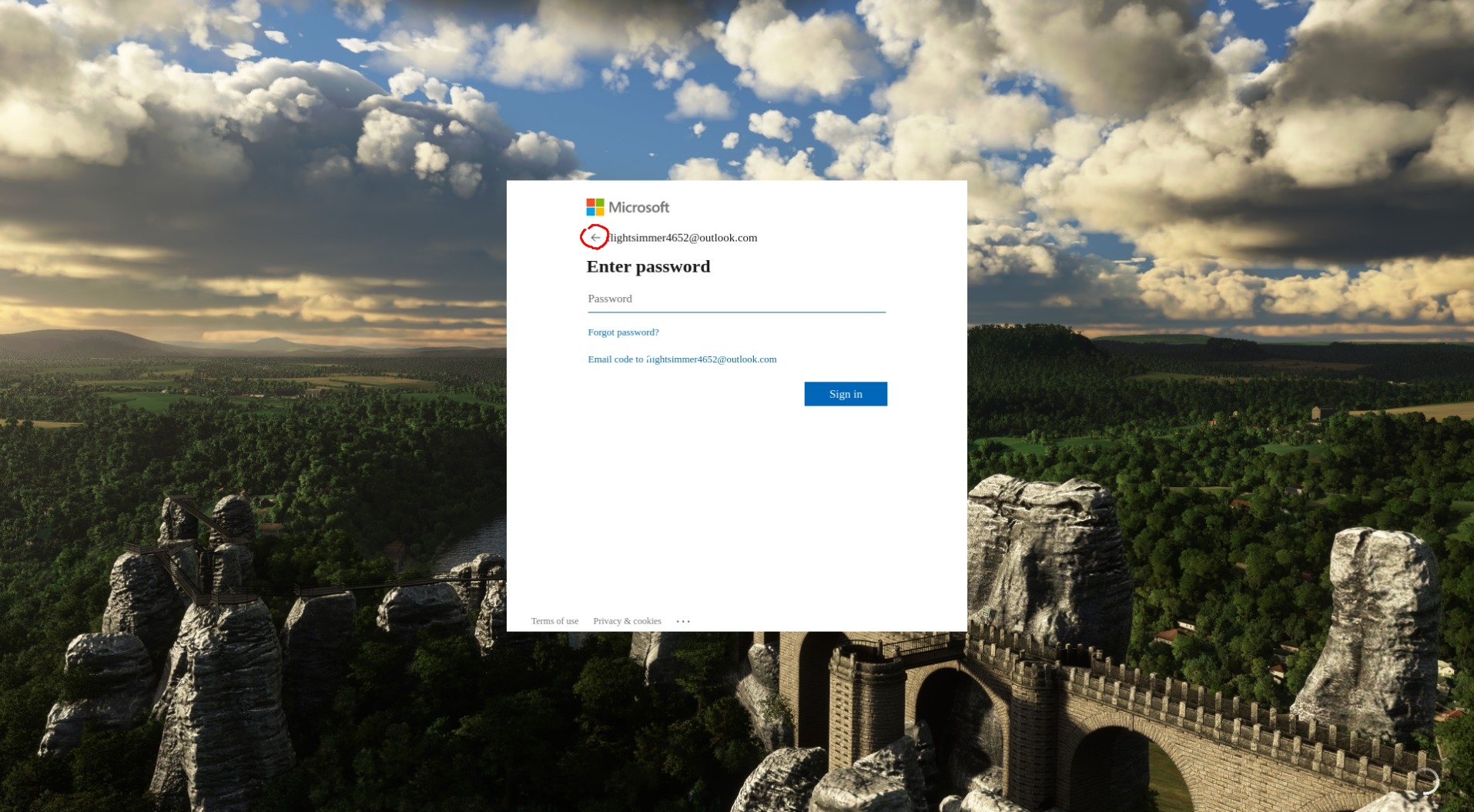
So.. My current status is that the game has not been working for 2 weeks now. Using -FastLaunch, reinstalled the game to make sure I have a clean installation, no controller plugged in, started in safe mode. It goes through the update manager and in the loading screen gets stuck at about 50%. The UI will freeze and no new frame will be rendered. If I go into window mode and resize the window, the content of the window glitches out. When I disable my compositor and move something over the frozen Flight Sim window, I get that stacking window effect like in Windows XP times. So yeah, the game is stuck, doesn't even render a frame anymore. Tried with current proton-experimental and proton-6.19-ge-2.
Log:
https://gist.github.com/Kitt3120/60ee78b5ca8d016d8b86251f87eef4e8
For me proton-6.19-ge-2 does not work, the latest version that works is 6.3-7, if you havent already might be worth a shot with that, try also creating a new prefix, just rename the old one and it will create a new one, unfortunately I cant help you any further, hope that helps!
For me proton-6.19-ge-2 does not work, the latest version that works is 6.3-7, if you havent already might be worth a shot with that, try also creating a new prefix, just rename the old one and it will create a new one, unfortunately I cant help you any further, hope that helps!
I will try this soon, thank you! :)
Edit:
Just switched over to Proton 6.3-7, deleted the prefix and started the game again to let the prefix generate. Copied over the packages from the backup to the new prefix, game starts, passes the updater and crashes just like before 50% through the loading screen :/ So 6.3-7 also doesn't work for me. But thank you so much for the recommendation :)
Edit 2:
Still can't get this game to work for almost 2 months now. :/
@Kitt3120 I remember having a lot of issues having the game launch, i tried moving the game to another drive, deleting and reinstalling the launcher, the prefix stuff, then someday it just started working again.
I have tried to launch the game after the new update, it just goes to black screen, program is not responding, even if i select wait it just crashes, this is with proton 6.3-7
Edit: tried with a new prefix but nothing
@Greifent then I am not the only one that can't launch the game at least. Will try to delete the prefix once again and re-install when the next major update comes out.
Well, that's weird, it just launched somehow, all I did was add the stuff to get a log from proton and now it's working
Edit: this is what there is in advanced options PROTON_LOG=1 %command% -FastLaunch
Edit 2: PS4 controller is no longer working, tried Bluetooth and wired, both tried in PS controller and XBOX controller under steam controller settings, the only way the game see it for now is wired and XBOX, no input are registered tho
Well, that's weird, it just launched somehow, all I did was add the stuff to get a log from proton and now it's working
Alright, I will try that tomorrow. Thanks for the information.
Edit:
Just when I wanted to test it, a 33 GiB update came out. I also turned on Proton Logging and switched from proton-experimental to newest proton-ge 6.21-GE_2-1. Will update status when the game finished updating.
Edit 2:
Updated, tried with and without PROTON_LOG, with proton-experimental and proton-ge, still does not work for me :/ Game just freezes as before and cursor disappears. I guess I will have to re-install the whole game again and try again.
Edit 3:
Well, this is getting really interesting now. Upon investigating the logs, I noticed that before the game freezes, there are a lot of failed http connections spammed. I instantly came up with the thought of disabling my Pi-Hole. And guess what, the game is not just able to start now, it also does very fast! Like never before. I will try to find out which exact URL it is that needs to be whitelisted. Also, this means that I probably would have been able to play the game all this time, haha.
Edit 4:
Looks like whitelisting ecn.dev.virtualearth.net did the trick. Game is starting! I guess the game just straight up crashes/freezes without any error popups if it can't connect to that server. MS strikes again. So now it's back to getting controllers to work.
I instantly came up with the thought of disabling my Pi-Hole
I did not think about that - that also could have been the reason in the past, I was not able to get Multiplayer to run...
I instantly came up with the thought of disabling my Pi-Hole
I did not think about that - that also could have been the reason in the past, I was not able to get Multiplayer to run...
Unfortunately this will not help in fixing multiplayer. Disabling Pi-Hole was also one of the first things I did a couple of months ago, when I had trouble with MSFS.
In the Pi-Hole logs I found around 20-30 different domains which are contacted by MSFS. While blocking some of these domains did indeed break parts of MSFS functionality or did prevent MSFS from starting at all, this didn't have any effect on multiplayer. Multiplayer is also broken if Pi-Hole is completely switched off.
I did even try to figure out if MSFS tries to contact any multiplayer specific servers/domains, by comparing Pi-Hole logs with multiplayer on/off. Though there was no difference in the logs.
My game crashes during the loading screen after pressing on "Fly" with the following console message with Proton Experimental:
wine: Call from 000000007B01239E to unimplemented function api-ms-win-crt-runtime-l1-1-0.dll.feclearexcept, aborting
wine: Unimplemented function api-ms-win-crt-runtime-l1-1-0.dll.feclearexcept called at address 000000007B01239E (thread 00dc), starting debugger...
Any ideas how to resolve this?
Replying to https://github.com/ValveSoftware/Proton/issues/4134#issuecomment-974047129
Can confirm that it does not work with pi-hole off. What does seem to work tho is my Switch Pro Controller (at least in menu for now, but promising). Will set up controls again and check it out in-game. I am on Proton GE 6.21_2-1.
Edit: Switch Pro Controller works perfectly again. But the game does detect it as 2 individual controllers that trigger the same buttons. I've assigned one of them a new profile that I named "None" and that has no bindings, so it does not trigger everything twice / ignores button presses for one of the detected controllers.
The only way i can get the PS4 controller to work for now is setting it in the steam settings as a nintendo switch controlled, all controls need to be remapped ingame tho
Just got an Xbox controller and it is also working fine. For me, Switch and Xbox controllers work on Linux through Steam perfectly. I don't know about the PS4 controller. I could try it soon, just have to find a micro USB cable lol.
Since the latest updates my Logitech Extreme 3D Pro does not show up in MSFS anymore (not sure if it is due to the SU7 or a proton update). I'm using proton experimental in steam. The controller is visible in steam and has worked before. Any ideas?
It seems that starting MSFS for first time again crashes the game with speech synthesizer error:
0168:fixme:speech:windows_media_speech_QueryInterface {a7c5ecb2-4339-4d6a-bbf8-c7a4f1544c2e} not implemented, returning E_NOINTERFACE.
This time it's at the first screen, where you can select the option to disable the speech synthesis. Unfortunately for first time launch, it's forced-on.
Microsoft Flight Simulator (1250410) [A32NX extension]
Issue transferred from https://github.com/ValveSoftware/Proton/issues/5397.
@freijon posted on 2021-12-10T05:37:14:
Compatibility Report
- Name of the game with compatibility issues: Microsoft Flight Simulator (A32NX extension). This is a very popular extension for MSFS. See https://flybywiresim.com/. I create a new compatibility report because it's unrelated to the main game which runs fine.
- Steam AppID of the game: 1250410
System Information
- GPU: AMD ATI Radeon 5700 XT
- Driver/LLVM version: NAVI10, DRM 3.42.0, 5.15.6-gentoo, LLVM 13.0.0, 4.6 (Compatibility Profile) Mesa 21.3.1
- Kernel version: 5.15.6-gentoo
- Link to full system information report as Gist:
- Proton version: experimental-6.3-20211209
I confirm:
- [x] that I haven't found an existing compatibility report for this game.
- [x] that I have checked whether there are updates for my system available.
Symptoms
When starting a flight (press the "Fly" button) the loading process starts and runs for a while. Suddenly the game crashes to Desktop. In the console I can see the following error:
Unhandled exception: unimplemented function api-ms-win-crt-runtime-l1-1-0.dll.feclearexcept called in 64-bit code (0x000000007b0123be).
Reproduction
- Install the A32NX extension for MSFS
- Select the new Aircraft
- Start the flight by clicking on the "Fly" button.
Can someone report me the size of the game with latest update? Because it keeps growing at tremendous size and now it exceeds the space I've dedicated it and I can't update it
Can someone report me the size of the game with latest update? Because it keeps growing at tremendous size and now it exceeds the space I've dedicated it and I can't update it
My wine prefix is 205 GiB, but I also have 9 GiB of mods installed, so 196 GiB I guess :)
Hi @bphd, right now i have 185gb, with a few small mods, the launcher alone is another 1.7gb, and the prefix is 8.8gb more
I'm at 190 GiB (steamapps with only MSFS 2020) at latest update with all free packages from store installed. It's just that the game asked me for 100 GiB free for only 17 GiB more of update. And the game is already heavy... If I have to get plenty free space more, it will be difficult
P.S.: Make the game run with DX12 UserCfg.opt: PreferD3D12 1, it will rise FPS. For now it doesn't seem to work

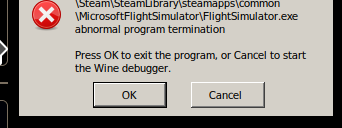
Replying to https://github.com/ValveSoftware/Proton/issues/4134#issuecomment-1001067945
I had that problem once, too. Copying over the official packages from a backup of flight sim also didn't help, the game just refused to detect the already installed content. So keeping that backup for exactly that scenario didn't help in the end. Had to do an entire fresh install of the game. After that, it worked again. And also never had that problem since.
I think it happened when I had switched to some newer proton version and they added a behavior to either proton or the game, making it rename the official packages folder to the same name but with "Backup" appended to it. Idk if that was some debug thing that was still activated on accident. So the game never detected the already installed packages, because it always renamed the folder. This has also been mentioned here on this thread somewhere.
Replying to https://github.com/ValveSoftware/Proton/issues/4134#issuecomment-1001069241
Yeah I had that and I tried to decrypt the problem, search my post here, it's mostly about that
Anyone have any luck adding honeycomb alpha + bravo to EOS 6.1 and get it to work with MSFS on steam. Plane just nose dives when I have the honeycomb plugged in and it doesnt see it on the game. Im sure I need to load the drivers somewhere, not sure how. - Not even sure if this is the right issue but dont feel it requires its own.
::EDIT::
I've asked HC aero to just OSS the drivers so we can get this working in passthru and native.
::EDIT::
I am unable to see any joystick HID in MSFS, I have the HID's writeable, they work in other wine settings. Just not MSFS.
The problem with the mouse input being offset in fullscreen, where clicking the interface elements becomes tricky, is easily solved with “emulate a virtual desktop” enabled in winecfg and set to the screen resolution. Apologies if it has already been discussed.
Slightly offtopic and as a general hint, I've found the virtual desktop helpful with many fullscreen-related issues, like the black bars in AC: Odyssey in the past or the DCS: World window vanishing after alt-tabbing (e.g. to copy-paste a login password).
USB
Did you ever get this to work? I also cannot see any devices in MSFS, not steam controller/ ps5/ HOTAS. All are in linux and reporting, tried emulating desktop, tried various steam input options and turning off, tried running as root. What is crazy is on the steam controller I was getting a button too work but nothing else. And it was only sporadic. I tried various configs.
It started working again after a while. I'm not sure what fixed it, there were multiple proton updates and system updates in between. I'm running arch with latest updates.
Only difference is I am using EoS 6.1 not arch, Could be wine/kernel will try and hunt it down.
The problem with the mouse input being offset in fullscreen, where clicking the interface elements becomes tricky, is easily solved with “emulate a virtual desktop” enabled in winecfg and set to the screen resolution. Apologies if it has already been discussed.
Slightly offtopic and as a general hint, I've found the virtual desktop helpful with many fullscreen-related issues, like the black bars in AC: Odyssey in the past or the DCS: World window vanishing after alt-tabbing (e.g. to copy-paste a login password).
Awesome, thanks for sharing! This was nothing game-breaking, yet still annoying.
With the new Proton 7.0-1 MSFS is now finally able to reliably detect my Xbox Wireless Controller! It even picks up the controller when switching it on while the game is already running. Works 100% of the time.
(In controller settings I have disabled Steam Input for MSFS, though I didn't test yet, whether this is even requried with Proton 7.0-1).
Before, with Proton 6.3 or Proton Experimental, my Xbox Wireless Controller was only detected around 1 out of 20 times when starting MSFS. And even then it was only detected as a generic controller and not as an Xbox controller.
By manually switching back to Proton 6.3-8 I was able to confirm, that the issue still exists with older Proton versions. So Proton 7.0-1 was definitely somehow involved in fixing this issue and not just a kernel update (recently switched to 5.16) or some other package update in my system.
Any update on the online function? We heard early that it was about how Wine manage HTTPS Windows module requests, but it was corrected since a long time and now is downstreamed in Wine/Proton stable. Who knows what impeach MSFS to go online now?
Any update on the online function? We heard early that it was about how Wine manage HTTPS Windows module requests, but it was corrected since a long time and now is downstreamed in Wine/Proton stable. Who knows what impeach MSFS to go online now?
At least for me, even with Proton Proton 7.0-1 there is still no live traffic and no multiplayer.
Except a "server offline" message in the "live airport traffic" display on the flight departure screen, there are also no obvious error messages related to this. There are just no other planes and no other players, even when all multiplayer and live traffic related options are switched on.
The only "live" related thing that (still) works in Proton 7.0-1 is live weather.
Can confirm that also the PS4 via Bluetooth controller now works, in the controller settings is set as PS4 controller, no luck with the multiplayer, live weather is working.
Has anyone experienced major performance issues with this game? Depending on map and aircraft I experience stuttering and freezing.
I noticed that the following lines are getting spammed in proton's log, but I don't know it they're relevant:
20260.562:0114:0118:trace:seh:dispatch_exception code=80000004 flags=0 addr=0000000141725D40 ip=0000000141725D40 tid=0118
20260.562:0114:0118:warn:seh:dispatch_exception EXCEPTION_SINGLE_STEP exception (code=80000004) raised
20260.562:0114:0118:trace:seh:dispatch_exception  rax=3ff0000000000000 rbx=000000002a1f0040 rcx=0000000000000000 rdx=000000002a3fafe8
20260.562:0114:0118:trace:seh:dispatch_exception  rsi=0000000000000010 rdi=00000003d4eca780 rbp=0000000000000000 rsp=000000000019fd58
20260.562:0114:0118:trace:seh:dispatch_exception   r8=ffffffffd5da4e30  r9=0000000000000000 r10=000000002a3faf60 r11=000000000019fd30
20260.562:0114:0118:trace:seh:dispatch_exception  r12=0000000000000000 r13=0000000000000000 r14=0000000000000000 r15=0000000000000000
20260.562:0114:0118:trace:seh:call_vectored_handlers calling handler at 0000000141722590 code=80000004 flags=0
20260.562:0114:0118:trace:seh:call_vectored_handlers handler at 0000000141722590 returned ffffffff
20260.573:0114:0218:fixme:winsock:setsockopt SO_ERROR, stub!
20260.573:0114:0218:fixme:winsock:setsockopt SO_ERROR, stub!
20260.573:0114:0218:fixme:winsock:setsockopt SO_ERROR, stub!
20260.573:0114:0218:fixme:winsock:setsockopt SO_ERROR, stub!
20260.573:0114:0218:fixme:winsock:setsockopt SO_ERROR, stub!
20260.573:0114:0218:fixme:winsock:setsockopt SO_ERROR, stub!
20260.573:0114:0218:fixme:winsock:setsockopt SO_ERROR, stub!
20260.573:0114:0218:fixme:winsock:setsockopt SO_ERROR, stub!
I hope this is the right place to report things like that.
EDIT: After clicking the "Load more comments" button in GitHub I was finally able to see the other, similar reports I've been searching for. Sorry for the "repost".
steam-1250410.log
since a few days or weeks now this settings page is showing up briefliy and then the game crashes to desktop. i'm on fedora 35, actually nobara, but it's actually fedora 35 with preinstalled steam and other stuff for gaming. i deleted the settings file, the community folder and deleted drive_c from proton and reinstalled the game through steam, but still the same error. just wanted to know if anyone else has that too or if anyone has an idea how to resolve that.
Hello @smatkovi, fixme:speech:speech_synthesizer_QueryInterface {a7c5ecb2-4339-4d6a-bbf8-c7a4f1544c2e} not implemented, returning E_NOINTERFACE. looks like a line of interest from your log, which we've seen before https://github.com/ValveSoftware/Proton/issues/4134#issuecomment-990087775.
Hello @smatkovi,
fixme:speech:speech_synthesizer_QueryInterface {a7c5ecb2-4339-4d6a-bbf8-c7a4f1544c2e} not implemented, returning E_NOINTERFACE.looks like a line of interest from your log, which we've seen before [#4134 (comment)](https://github.com/ValveSoftware/Proton/issues/4134#issuecomment-990087775).
Thank you very much. Yes i read about it and forgot it. I could have looked into the logs too. Even the settings Page tells speech is enabled, that could have ringed a Bell too
i used proton version 6 and could click on next in time, after i had to log in again and now i can wait a few days for the download to finish again^
After seeing the recent Proton Experiment changelog, I did a fresh install of MS Flight Simulator on my Steam Deck.
I tried running it through both Proton Experimental and bleeding-edge, but this greeted me each time. Note that audio seemed to be fine.

After seeing the recent Proton Experiment changelog, I did a fresh install of MS Flight Simulator on my Steam Deck.
I tried running it through both Proton Experimental and bleeding-edge, but this greeted me each time. Note that audio seemed to be fine.
No issues here with MSFS on my Desktop PC (Manjaro/Arch). MSFS with all updates installed is running fine with Proton 7.01 as well as Proton Experimental.
The issue you are experiencing must either be Steam Deck specific (wasn't MSFS listed as unsupported on the Steam Deck right from the beginnning) or your MSFS installation is messed up.
Replying to https://github.com/ValveSoftware/Proton/issues/4134#issuecomment-1085643814
I had the same issue and fixed it by adding "-FastLaunch" to launch options.
Don't work under WayLand (considering that it uses xWayLand so there should be no reasons)
This visual problem on Deck reminds me a problem with primus_vk and Wayland some time ago, reported in https://github.com/felixdoerre/primus_vk/issues/32. They managed to fix it (apparently, I did not tested).
Replying to [#4134 (comment)](https://github.com/ValveSoftware/Proton/issues/4134#issuecomment-1085643814)
I had the same issue and fixed it by adding "-FastLaunch" to launch options.
Thank you for the suggestion!
Oddly enough, the problem resolved itself by updating to the SteamOS beta branch. It ALSO solved the problem of GRID Legends crashing.
Didn't change Proton versions, so what fixed it? GPU driver upgrade maybe?
Anyone else is experiencing random crashes? Had 3 in the last two days, two after 2 hours of flight and one after 5 hours
Has anyone gotten Rudder pedals to work with this?. Have the Thrustmaster hotas warthog joystick (044f:0402) and throttle (044f:0404) and both are detected and working fine. But my ThrustMaster Rudder pedals (044f:b679) don't show up. The fact that the pedals don't have any buttons cause it to be detected as an accelerometer.
What I have done:
I added an udev rule:
KERNEL=="*", ATTRS{idVendor}=="044f", ATTRS{idProduct}=="b679", MODE="0666", ENV{ID_INPUT_JOYSTICK}="1"
and udevadm info --query=all /dev/input/js2 did confirm that the ID_INPUT_JOYSTICK=1 variable was added to the list. Though the ID_INPUT_ACCELEROMETER=1 entry is still there as well.
The evtest will show the pedals nicely, and I can test that they work fine. But for some reason proton (I am using the experimental at the moment to get the game working) does not show the device to MS Flight Simulator.
When searching for a solution I came across a suggestion that proton just drops joysticks without any buttons.
https://github.com/ValveSoftware/Proton/issues/150#issuecomment-1049630481
I am all out of ideas at this point, so has anyone had any success with their pedals?
When searching for a solution I came across a suggestion that proton just drops joysticks without any buttons. [#150 (comment)](https://github.com/ValveSoftware/Proton/issues/150#issuecomment-1049630481)
I am all out of ideas at this point, so has anyone had any success with their pedals?
You might want to have a look at MoltenGamepad.
https://github.com/jgeumlek/MoltenGamepad
This allows to map multiple physical input devices to a virtual gamepad. You might be able to map your rudder pedals to the triggers of a virtual Xbox controller.
I don't have any rudder pedals input device, so I can't test this myself. But MoltenGamepad did work quite nicely for me in the past with other games and input devices.
Initial configuration of MoltenGamepad can be a bit tricky, but it's well documented.
This visual problem on Deck reminds me a problem with primus_vk and Wayland some time ago, reported in felixdoerre/primus_vk#32. They managed to fix it (apparently, I did not tested).
My problem occurs on dGPU on a workstation. I didn't managed to activate any iGPU support option in BIOS nor plugging anything graphical to the motherboard
Replying to [#4134 (comment)](https://github.com/ValveSoftware/Proton/issues/4134#issuecomment-1085643814)
I had the same issue and fixed it by adding "-FastLaunch" to launch options.
Thank you for the suggestion! Oddly enough, the problem resolved itself by updating to the SteamOS beta branch. It ALSO solved the problem of GRID Legends crashing.
Didn't change Proton versions, so what fixed it? GPU driver upgrade maybe?
You're able to see the video introduction playing as MSFS has launched?
Small updates on the rudder pedal stuff.
-
I got rid of the ID_INPUT_ACCELOROMETER modifier from udev by setting its value to empty string in udev rule.

-
Proton/Wine actually finds the rudder pedals now, but unfortunately the Flight Simulator for some reason does not find it. I figured this out by launching the wine joystrick control panel component and it lists the input device correctly and I can test it.

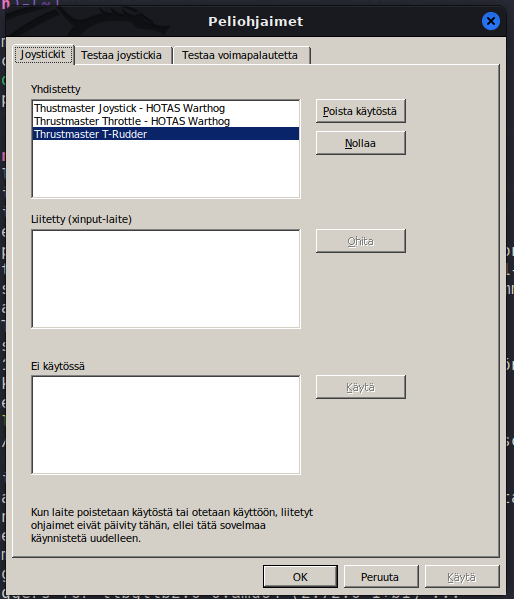
It is not much but it is progress and narrows down the area where it issue might be. (I am thinking direct x implementation atm.. Maybe I'll find/write a small direct x application that lists all the joysticks and see what that will give me..)
but unfortunately the Flight Simulator for some reason does not find it.
Did you already try both, with Steam Input disabled as well as enabled?
The steam controller options behave like this:
Disabled: Thustmaster Joystick and Trottle will show up, but the Rudder perdals don't show up (the base issue that I have)
Enabled: I lose all Thustmaster devices. Only mouse and keyboard are available.
The default option behaves like the Disabled option.
Hmh.. I have made a little bit of progress. If I open protontricks, select the Flight Simulator, and finally run the taskmanager. I can launch the control panel in the correct proton environment. If the Flight simulator is forced to use proton 7.0-1 then I get all three devices (but then the game won't launch). If I force the proton - experimental and do the same steps I only get the joystick and the throttle. No rudders.
Selecting the correct proton:
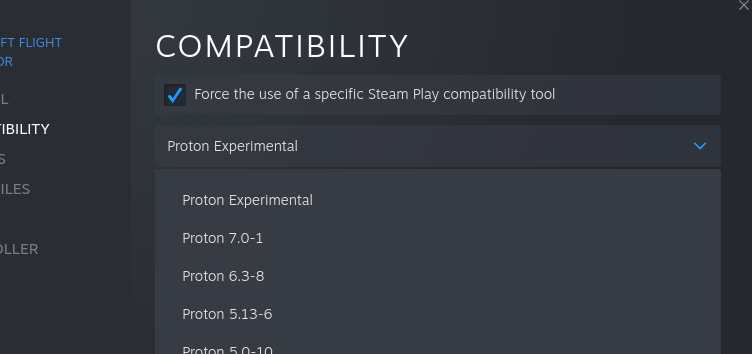
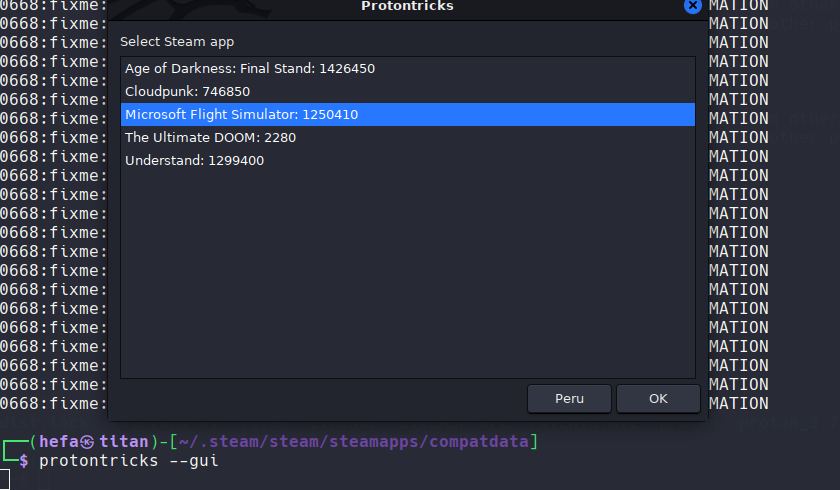
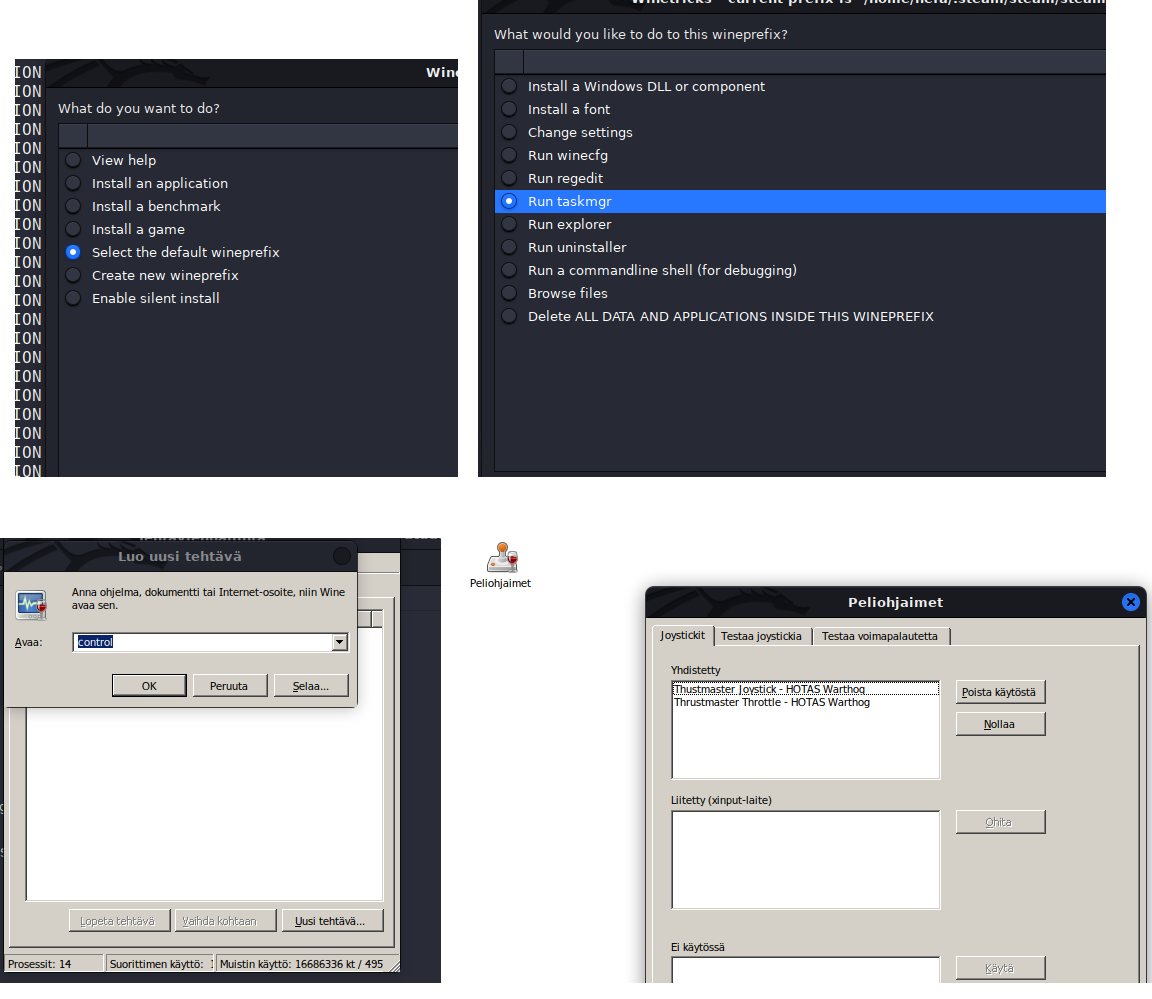
And with 7.0-1
I tested this multiple times (and also with other games) and the behaviour is consistent. At least with my configuration there seems to be some regression in the experimental.
HA! I expected that the game wouldn't run with the 7.0-1 as it crashed earlier with that version. I just re-tested it and it didn't crash right away. I looked at the configuration page and I could see my rudder pedals. So there is something going on with the experimental.
Works fine, good performance as well.. but no online bing maps or photogrammetry here :( Tested with Proton Experimental and 7.0-1 .
Log:
steam-435150.log.lzma.log
EDIT: seems to work if I set it back to 6.3 .
Can someone just confirm for me, is the issue with online connectivity due to anti-cheat issues or just a remaining proton/wine incompatibility?
As decent as the deck's proton compatibility layer is ... It also can't run flight simulator (talking about MSFS 2020), owing to the bizarre lack of support for key anti-cheat technologies. And yes flight sim does use them.
https://youtu.be/Uhy0v_STh6k?t=124
Ignoring the fact that proton/wine does have support for EAC and BattlEye now when features are enabled on the game dev's end...
This is the first mention I've seen that the MSFS issues (I'm thinking just online) are due to anti-cheat. I've been following this issue and other mentions of MSFS on Linux since launch and I don't recall seeing anything mention anti-cheat.
In-fact in my research I found some xbox players complaining about the lack of anti-cheat ruining races! (https://www.reddit.com/r/MicrosoftFlightSim/comments/qxlw9b/reno_air_race_cheating_wheres_the_anticheat/)
I've only found one other source mention anti-cheat + MSFS but it's MSFS X not 2020 (https://doublexp.com/news/halo-gears-of-war-and-microsoft-flight-simulator-arent-on-steam-deck-due-to-anti-cheat)
Can someone just confirm for me, is the issue with online connectivity due to anti-cheat issues or just a remaining proton/wine incompatibility?
I don't think that this is due to anti-cheat, because
- also some other, network related features of MSFS are not working with Proton. e.g. manual server selection and Live Traffic.
- There are sometimes messages in the Wine/Proton logs about some network API or feature not being implemented, when e.g. trying to view Live Traffic for an airport.
- a Google search doesn't come up with any reliable reports about MSFS including anti-cheat measures at all (for sure not EAC or BattlEye).
- judging by the discussions in the official MSFS forums, Livetraffic / Mulitplayer is also kind of hit and miss even if you are on Windows (e.g. it doesn't seem to work with VPNs or some MTU values) and Asobo managed to break this multiple times with Sim Updates or Server Changes.
To me this looks like Asobos multiplayer / live traffic code is kind of fragile and/or maybe using some non-standard features of the Windows network stack and APIs, which Proton/Wine isn't able to handle (yet).
Yeah I very much doubt this is anti cheat related aswell.
What is see with Wireshark is alot of (TCP/HTTPS) communication with a microsoft server (20.42.151.185) wich is an playfab API server.
So what is could be is that the PlayFab (SDK) API has some issues with proton.
Replying to https://github.com/ValveSoftware/Proton/issues/4134#issuecomment-1103785621
At the very beginning of the thread it was about online a little bit. Apparently it was something about XHTML request, an old MSFT web implementation thing that Wine doesn't bother to support before Steam money on the project. Even commit has been made to Wine about that and all. But since, no news, no amelioration, no changes. I tried to ask about that a lot here, but no reply so far. People seems to care only about VR and it's no big deal for them to be single player since the MP experience is just seeing people. Really bad but I can't help because I don't even know what is the problem now and if it's in the project backlogs. That and DX12 and xWayLand. Nobody seems to care about them too
That and DX12 and xWayLand.
FWIW it's running fine on Wayland for me (Gnome Shell, Pop 21.10, amdgpu).
Hey guys,
I’ve tried Proton 7.0-2 Proton Experimental and GE Proton but all of them seems to be a hit & miss.
Non of the can make the online multiplayer function of this game work. No photogrammetry cities no satellite maps.
And the game will crash to desktop within 10 mins or so.
Such a shame since this is really a nice game to be played on Steam Deck and really a bummer since I’ve bought the steam version of the game just for playing on steam deck.
God, I hope someone out there is willing and can offer a hand. I've been bashing my head against the keyboard trying to get this running. I was debating making a new issue, so hopefully it's ok posting here. Unfortunately, I'm stuck further back than everyone else, so I assume there is something different about my system causing the issue. So far I'm at a loss tho. Steam downloads the game, but the MSFS launcher never makes it to its content manager/installer. Only a black screen that says "Press any button to start". Press a button, loading spinner for a few seconds and then "Press any button to start" again
Arch Linux
KDE X11
Kernel 5.17.5 and 5.17.6-zen1
RTX 3080 Ti, nvidia 510.68.2
i7 2600k
Launch options PROTON_LOG=1 %command% -FastLaunch
Proton 6.3-8, 7.0-2, and Experimental: Press any button loop
Proton 5.13-6: Crashes on launch
Proton 6.15-GE-2: Crashes on launch
Proton 6.3-8 log: https://gist.githubusercontent.com/selbyk/901e6b632f76d4780f0f6a37599150be/raw/4a040d2096867d2371163955ea6f82706cecd624/msfs-proton-6-3-8-steam-1250410.log
Proton Experimental log: https://gist.githubusercontent.com/selbyk/901e6b632f76d4780f0f6a37599150be/raw/4a040d2096867d2371163955ea6f82706cecd624/msfs-proton-exper-steam-1250410.log
Screenshots
- Initial "you crashed before" screen, choose safe mode even tho it doesn't matter (disables addons, but the game hasn't even installed yet. only the launcher steam downloads): https://gist.github.com/selbyk/901e6b632f76d4780f0f6a37599150be/raw/4a040d2096867d2371163955ea6f82706cecd624/crash-safe-mode.png
- Splash screen with some soothing music: https://gist.github.com/selbyk/901e6b632f76d4780f0f6a37599150be/raw/4a040d2096867d2371163955ea6f82706cecd624/splash.png
- "Press any button to start" loop screen I now hate: https://gist.github.com/selbyk/901e6b632f76d4780f0f6a37599150be/raw/4a040d2096867d2371163955ea6f82706cecd624/any-button.png
Unless I'm missing something, I've noticed all the errors I have show up in others' logs also. To debug further, I ran with WINEDEBUG=all,-heap. But I'm really not sure how to make heads or tails of this 2.5GB log file. Grepped using grep -E "err|excep" to get it down to 5MB
Grepped log:
greppedlog.log
Here's the full WINEDEBUG=all,-heap log. It's large so had to host it here. Feel free to ask for it another way, can put it on s3 if you'd prefer: https://fastupload.io/ZR3x0ayZBWbfL0W
Highly appreciate any advice or suggestions for further debugging!
Ah, little bit of extra info: Play D2R and LoL using Lutris. I tested DCS and it gives an error about "Steam authorization failed" then won't let me log in, but offline seems to work. I also tested CS:GO and multiplayer works fine.
Hey guys, I’ve tried Proton 7.0-2 Proton Experimental and GE Proton but all of them seems to be a hit & miss. Non of the can make the online multiplayer function of this game work. No photogrammetry cities no satellite maps. And the game will crash to desktop within 10 mins or so. Such a shame since this is really a nice game to be played on Steam Deck and really a bummer since I’ve bought the steam version of the game just for playing on steam deck.
I had the same issue. Stuffed around with many versions of Proton, log in log out of ms account, etc. Eventually got it working with 6. After this worked, it continued to work when switching back to 7.
N.b. this is just map/world streaming like you describe. Other players still do not appear.
Replying to https://github.com/ValveSoftware/Proton/issues/4134#issuecomment-1125633496
Thanks for the tips! I think I'll try your method and see if I can get the online scenery working. Gathered from the other posts here I think multiplayer used some old code that WINE doesn't even support so we can only leave it to MS/Asobo or WINE/Proton to fix.
Replying to https://github.com/ValveSoftware/Proton/issues/4134#issuecomment-1125616244
The next page you're supposed to see is the Xbox login page, perhaps that's something you want to look into for your further troubleshooting.
Try GE proton 7.17 cuz it shows the login page on the first try. It's just the numbers can't be displayed so you need to blind type any numbers in your MS account just like entering password in Linux console.
Okay so I've tried Proton 6 and the online photogrammetry cities and satellite maps are showing up.
Then I switched back to Proton Experimental for stability concerns.
I've tried GE Proton 7-17 but it's not as stable as Proton Experimental so I stick with Experimental.
Still NO Multiplayer since the sim couldn't find any server in the server list.
This is enough for the purpose of just wanting to play the sim anywhere you want (that has an active internet connection and a source of power lol)
But the game is far far away from stable. It'll crash (even in "Safe mode") within 10-30 mins.
Sometimes you won't see anything with it crash, and sometime there will be a Wine Error message saying something like the flightsimulator.exe run into problems.
But this is definitely progress.
I really hope one day we can actually play the sim comfortably and multiplayer with friends.
For me it always worked fine, im using Proton Experimental, as launch options i have PROTON_LOG=1 %command% -FastLaunch, the only issue is that the game sometimes does not want to go full screen, but that has been there for a long time, and no multiplayer
Replying to [#4134 (comment)](https://github.com/ValveSoftware/Proton/issues/4134#issuecomment-1125616244)
Yeah, so I installed Ubuntu on a spare SSD I had laying around and MSFS installed and runs fine, as does DCS. It's interesting that both MSFS and DCS are failing to allow me to log in. It's definitely something to do with the Steam authentication/authorization layer.
I guess I'll keep pushing along this route, but I'm still stumped what could be breaking this on my system so far.
It's worked quite well for me with Proton 6.3 (no multiplayer). Anything newer than that was problematic. Proton 7 crashed consistently on loading into the world and Proton Experimental works but all the photogrammetry and bing maps go away. I tried Proton-GE and it's basically the same situation.
I've been trying to set up MSFS2020, vPilot for VATSIM ATC and SimToolkitPro for flight tracking but it's been a real pain and I just haven't managed to do it.
To Windows I go, sigh
Microsoft Flight simulator 2020: Photogrametry does not work.
Issue transferred from https://github.com/ValveSoftware/Proton/issues/5858.
@MrNadix posted on 2022-05-23T20:16:18:
Compatibility Report
- Name of the game with compatibility issues: Microsoft Flight simulator
- Steam AppID of the game: 1250410
System Information
- GPU: AMD Radeon 6900XT
- Driver/LLVM version: Mesa 22.0.4
- Kernel version: 5.17.9-arch1-1
- Link to full system information report as Gist: https://gist.github.com/MrNadix/e2059fbb63e2f3c0864208753d682593
- Proton version: 7.2
I confirm:
- [ X] that I haven't found an existing compatibility report for this game.
- [ X] that I have checked whether there are updates for my system available.
Symptoms
Photogrametry does not work.
Reproduction
Open the game, enable photogrametry, fly over some city with photogrametry. Tested: (Vigo (With Iberic update), New york, Málaga (With Iberic update), Madrid (With Iberic update). There are going to be generic ugly buildings instead of photogrametry ones.
@MrNadix
I have a quite similar setup and I have no issues with photogrametry. Just did a flight over Rome as I installed the World Update IX today and wanted to ensure that everything is still working.
Manjaro (Arch-based)
Kernel 5.17.9-1
AMD Radeon 5700
Mesa 22.0.4
Proton Experimental (though last time I checked, photogrametry did also work with Proton 7.0.2)
So probably it's not kernel/driver/GPU related. Did you already try with Proton Experimental?
That and DX12 and xWayLand.
FWIW it's running fine on Wayland for me (Gnome Shell, Pop 21.10, amdgpu).
(I'm using WayLand on nVidia btw)
@u42671 I'm so sorry, content manager didn't downloaded all the required files. But updates appeared as installed... After a game restart it just downloaded everything, now is working just fine. Thanks :3
Previously I said 7 and Exp worked fine.. I take that back. There seems to be a location-related crash on starting flight.
If I fly in Australia or New Zealand, works fine.
If I fly in France or the UK, insta-crash soon after clicking "Ready to Fly".
6.3 seems stable-ish.
Previously I said 7 and Exp worked fine.. I take that back. There seems to be a location-related crash on starting flight. If I fly in Australia or New Zealand, works fine. If I fly in France or the UK, insta-crash soon after clicking "Ready to Fly".
Unfortunately I can confirm this.
Just gave some randomly selected Discovery Flights a try.
Rome, Rio de Janeiro, Berlin, Gizeh all working fine with Proton 7 and Experimental.
But the London and Paris discovery flights are crashing with both Proton 7 and Experimental.
With Proton 6.3 I have no issues with flights over London and Paris.
I'm quite sure that I did already successfully fly in UK and France in the past while using Proton 7. So I suspect this issues was introduced in a recent MSFS update.
Below an excerpt from the Proton log when trying to start a discovery flight over Paris with Proton 7.
It seems to crash in the A_SHAFinal method of ntdll. So something related to hash calculation.
Backtrace:
=>0 0x0000000170025988 A_SHAFinal+0x3888() in ntdll (0x000000000f5de0e0)
1 0x000000017005ab41 A_SHAFinal+0x38a41() in ntdll (0x000000000f5de0e0)
2 0x000000017005ab9f A_SHAFinal+0x38a9f() in ntdll (0xffffffff00000001)
3 0x00000003af6943aa _Cmulcc+0x233aa() in ucrtbase (0xffffffff00000001)
4 0x000000036193609f DllGetClassObject+0xcd5bf() in windowscodecs (0xffffffff00000001)
5 0x00000003619360db DllGetClassObject+0xcd5fb() in windowscodecs (0xffffffff00000001)
6 0x0000000361888870 DllGetClassObject+0x1fd90() in windowscodecs (0xffffffff00000001)
7 0x0000000361948a81 DllGetClassObject+0xdffa1() in windowscodecs (0xffffffff00000001)
8 0x000000036193a92b DllGetClassObject+0xd1e4b() in windowscodecs (0x0000000000000000)
9 0x000000036193c522 DllGetClassObject+0xd3a42() in windowscodecs (0x0000000000000000)
10 0x00000003618891ab DllGetClassObject+0x206cb() in windowscodecs (0x000000000f5df370)
11 0x00000003618a1809 DllGetClassObject+0x38d29() in windowscodecs (0x000000000f5df488)
12 0x0000000361872186 DllGetClassObject+0x96a6() in windowscodecs (0x000000000f5df488)
13 0x000000036187cc57 DllGetClassObject+0x14177() in windowscodecs (0x000000000f5df488)
14 0x000000036187f772 DllGetClassObject+0x16c92() in windowscodecs (0x000000000f5df659)
15 0x000000036187c77c DllGetClassObject+0x13c9c() in windowscodecs (0x000000000f5df659)
16 0x0000000141cea87b FlightSimGetMainHwnd+0x9d2deb() in flightsimulator (0x000000000f5df659)
17 0x0000000141ce9dac FlightSimGetMainHwnd+0x9d231c() in flightsimulator (0x000000000f5df880)
18 0x00000001424fad55 FlightSimGetMainHwnd+0x11e32c5() in flightsimulator (0x000000000f5df880)
19 0x0000000142263ed4 FlightSimGetMainHwnd+0xf4c444() in flightsimulator (0x000000000f5df880)
20 0x000000014206aa69 FlightSimGetMainHwnd+0xd52fd9() in flightsimulator (0x000000000f5dfdd0)
21 0x000000014206a54e FlightSimGetMainHwnd+0xd52abe() in flightsimulator (0x000000000f5dfdd0)
22 0x0000000141fd13de FlightSimGetMainHwnd+0xcb994e() in flightsimulator (0x000000000f5dfdd0)
23 0x00000001423c9965 FlightSimGetMainHwnd+0x10b1ed5() in flightsimulator (0x000000000f5dfdd0)
24 0x0000000141e9242d FlightSimGetMainHwnd+0xb7a99d() in flightsimulator (0x000000000f5dfdd0)
25 0x0000000141e91e66 FlightSimGetMainHwnd+0xb7a3d6() in flightsimulator (0x00000003bcb4ab18)
26 0x00000001423f5fe1 FlightSimGetMainHwnd+0x10de551() in flightsimulator (0x0000000000000000)
27 0x0000000141ba6056 FlightSimGetMainHwnd+0x88e5c6() in flightsimulator (0x0000000000000000)
28 0x000000007b62c9e9 ActivateActCtx+0x20da5() in kernel32 (0x0000000000000000)
29 0x000000017005eb27 A_SHAFinal+0x3ca27() in ntdll (0x0000000000000000)
Can confirm, photogrametry works just fine on 6.3, but does not work on 7+, not stable, experimental, or bleeding edge.
Hello, I'm getting an instant crash on launch, with v7.0-3 and experimental.
My setup:
Kernel: 5.18.6-arch1-1
CPU: AMD Ryzen 3900 X
GPU: AMD RX 5700 XT
My log (with v7.0-3:
My Steam system information:
https://gist.github.com/Scrashdown/ab0ea88311e148778497cdbec461cbca
Hello @Scrashdown, please copy your system information from Steam (Steam -> Help -> System Information) and put it in a gist, then include a link to the gist in this issue report.
Hello, I've updated my original message with the link.
Thanks, Vulkan is broken in general on your system (https://gist.github.com/Scrashdown/ab0ea88311e148778497cdbec461cbca#file-steam-system-info-txt-L279-L292 and https://gist.github.com/Scrashdown/ab0ea88311e148778497cdbec461cbca#file-steam-system-info-txt-L440-L453) from https://github.com/GPUOpen-Drivers/AMDVLK/issues/278.
Huh, interesting. I had forgotten I had amdvlk installed, and the arch wiki suggests amdvlk is now used by default if it is installed, instead of RADV. I've uninstalled amdvlk as I don't need it for now. Thanks for your help.
An update on some findings from testing different configurations: A short summary is that I've found another category of problems related to joysticks/hotas controllers and missing specific inputs.
I did some research around this and tried a bunch of things, including having an SDL entry in steam's config in line with the TWCS Throttle in this database, although I don't think this would've solved it anyways.
I tried disabling the old linux joystick api and only having evdev available, hoping that wine would play nicer with that, but no change in behaviour.
Finally, I also tried bypassing the game entirely by opening Wine's joystick tool to see if the axis was detected there - It was not.
I've found a post in this Elite Dangerous issue that exactly matches the type of controller issues I've found. I've also found the same problem with the TCA Sidestick from Thrustmaster, but on the axis at the bottom of the joystick:
According to this post, this problem was introduced with Wine 6.18 with the new HID backend. I tried Proton-6.16-GE-1 as they recommend, but MSFS does not launch under that.
Proton Experimental (as of Jun 27th 1am UTC):
- Game launches.
- Controllers are detected but not all inputs work as described above.
- Trying to spawn into the actual world yields a game crash.
Proton 7.0-3:
- Game does not launch at all.
Proton 6.3-8:
- Game launches.
- Controllers are detected - not all inputs as described above and MSFS doesn't seem to load the default configuration for them (or controller image in the control settings) so it seems like the game isn't able to understand what they are.
- Actual world loads in just fine.
- Photogrammetry works, although it seems to load the textures slower when compared to Windows, meaning all the textures look quite melt-ey by default and they seem to take longer to load the higher-res version (I've got gigabit so I don't think bandwith is an issue here).
Let me know if logs would be helpul here. I can generate them, I just need to know what to generate - Not very familiar with debugging this stuff.
I'm running a Ryzen 5600X + AMD 6800XT on Fedora 36 with Wayland and the open source mesa drivers.
Below an excerpt from the Proton log when trying to start a discovery flight over Paris with Proton 7.
It seems to crash in the A_SHAFinal method of ntdll. So something related to hash calculation.
Hello! I've also been getting crashes for a while and although I usually get a surprising solid 60FPS (i5 9900kf, 32 gigs of RAM and an RTX2060 with the 515 proprietary drivers) I can confirm I still experience a lot of CTDs and most of them have to do with a very similar error in ntdll as you did.
It seems to be cross-distro too as I've recently tried installing the game on an Arch installation rather than Ubuntu. For me, the crashes happen consistently after flying for around 600 nautical miles and I've tried using all available proton versions on steam going back to 5.0-10 with no luck.
Here's my backtrace:
Backtrace:
=>0 0x00000001700263d8 A_SHAFinal+0x3858() in ntdll (0x000000000ccbe0e0)
  1 0x000000017005b5d1 A_SHAFinal+0x38a51() in ntdll (0x000000000ccbe0e0)
  2 0x000000017005b62f A_SHAFinal+0x38aaf() in ntdll (0xffffffff00000001)
  3 0x00000003af6943aa _Cmulcc+0x233aa() in ucrtbase (0xffffffff00000001)
  4 0x000000036193611f DllGetClassObject+0xcd63f() in windowscodecs (0xffffffff00000001)
  5 0x000000036193615b DllGetClassObject+0xcd67b() in windowscodecs (0xffffffff00000001)
  6 0x00000003618888f0 DllGetClassObject+0x1fe10() in windowscodecs (0xffffffff00000001)
  7 0x0000000361948b01 DllGetClassObject+0xe0021() in windowscodecs (0xffffffff00000001)
  8 0x000000036193a9ab DllGetClassObject+0xd1ecb() in windowscodecs (0x0000000000000000)
  9 0x000000036193c5a2 DllGetClassObject+0xd3ac2() in windowscodecs (0x0000000000000000)
  10 0x000000036188922b DllGetClassObject+0x2074b() in windowscodecs (0x000000000ccbf370)
  11 0x00000003618a1889 DllGetClassObject+0x38da9() in windowscodecs (0x000000000ccbf488)
  12 0x0000000361872206 DllGetClassObject+0x9726() in windowscodecs (0x000000000ccbf488)
  13 0x000000036187ccd7 DllGetClassObject+0x141f7() in windowscodecs (0x000000000ccbf488)
  14 0x000000036187f7f2 DllGetClassObject+0x16d12() in windowscodecs (0x000000000ccbf659)
  15 0x000000036187c7fc DllGetClassObject+0x13d1c() in windowscodecs (0x000000000ccbf659)
  16 0x0000000141ceb64b FlightSimGetMainHwnd+0x9d309b() in flightsimulator (0x000000000ccbf659)
  17 0x0000000141ceab7c FlightSimGetMainHwnd+0x9d25cc() in flightsimulator (0x000000000ccbf880)
  18 0x00000001424fc725 FlightSimGetMainHwnd+0x11e4175() in flightsimulator (0x000000000ccbf880)
  19 0x0000000142264dc4 FlightSimGetMainHwnd+0xf4c814() in flightsimulator (0x000000000ccbf880)
  20 0x000000014206b2b9 FlightSimGetMainHwnd+0xd52d09() in flightsimulator (0x000000000ccbfdd0)
  21 0x000000014206ad9e FlightSimGetMainHwnd+0xd527ee() in flightsimulator (0x000000000ccbfdd0)
  22 0x0000000141fd1c2e FlightSimGetMainHwnd+0xcb967e() in flightsimulator (0x000000000ccbfdd0)
  23 0x00000001423ca9e5 FlightSimGetMainHwnd+0x10b2435() in flightsimulator (0x000000000ccbfdd0)
  24 0x0000000141e92c5d FlightSimGetMainHwnd+0xb7a6ad() in flightsimulator (0x000000000ccbfdd0)
  25 0x0000000141e92696 FlightSimGetMainHwnd+0xb7a0e6() in flightsimulator (0x00000003bcb4aa90)
  26 0x00000001423f7061 FlightSimGetMainHwnd+0x10deab1() in flightsimulator (0x0000000000000000)
  27 0x0000000141ba6df6 FlightSimGetMainHwnd+0x88e846() in flightsimulator (0x0000000000000000)
  28 0x000000007b62c9e9 ActivateActCtx+0x20da5() in kernel32 (0x0000000000000000)
  29 0x000000017005f5b7 A_SHAFinal+0x3ca37() in ntdll (0x0000000000000000)
0x00000001700263d8 ntdll+0x263d8: jmp	0x00000001700263d0 ntdll+0x263d0
I can get in game and etc fine, however i am constantly disconnected, and online functionality doesnt work properly, outside of downloading content.
i went through the logs and seems to be an issue with it trying to store the authentication token in some sort of credential manager which isnt supported yet or something along those lines.
Here is the full log of me launching msfs, logging out of my ms account, logging back in, enabling online mode, loading into a training mission, and getting disconnected midflight, then reconnected a few moments later:
steam-1250410.zip
Though the log says proton-ge, i have the same issue with proton 7 and proton experimental, well aside from the game not launching on proton 7.
Here are notable errors i found in the log to save digging through 800k lines
msfs_notable_issues.zip
After digging a bit, it looks like networked dcom is not implemented in wine yet https://github.com/wine-mirror/wine/blob/master/dlls/combase/combase.c#L1850
https://wiki.winehq.org/Wine_Developer's_Guide/COM_in_Wine#Basics
In Wine, our DCOM implementation is not currently based on the RPC runtime, as while few programs use DCOM even fewer use RPC directly so it was developed some time after OLE32/OLEAUT32 were. Eventually this will have to be fixed, otherwise our DCOM will never be compatible with Microsoft's. Bear this in mind as you read through the code however.
Maybe you could host it on a website who display text file into the webpage. Because it's a little bit inconvenient to download a whole zip just for text (only for the files that size is supported by those)
After digging a bit, it looks like networked dcom is not implemented in wine yet https://github.com/wine-mirror/wine/blob/master/dlls/combase/combase.c#L1850
https://wiki.winehq.org/Wine_Developer's_Guide/COM_in_Wine#Basics
In Wine, our DCOM implementation is not currently based on the RPC runtime, as while few programs use DCOM even fewer use RPC directly so it was developed some time after OLE32/OLEAUT32 were. Eventually this will have to be fixed, otherwise our DCOM will never be compatible with Microsoft's. Bear this in mind as you read through the code however.
After more than two years, someone tries to dig a little bit the problem
@bphd quite right, i didn think of that. here are the notable issues on pastebin https://pastebin.com/KEzLd8Pj though it cuts off a lot, so viewing the raw is helpful
created a bug report to winehq (https://bugs.winehq.org/show_bug.cgi?id=53394) about the online functionality
After doing a bit of research the ntdll problem might be stemming from yet another missing dll (msxml6.dll)... at least I think. I'd be thankful if someone would look into this further, this issue has been bothering me for forever now.
PS: I checked and it is already in System32, can it be that it is faulty or is it something else I'm unaware of?
Here's what I found:
``` 25522.113:0130:0140:err:ole:com_get_class_object class {88d96a09-f192-11d4-a65f-0040963251e5} not registered 25522.113:0130:0140:err:ole:com_get_class_object class {88d96a09-f192-11d4-a65f-0040963251e5} not registered 25522.114:0130:0140:err:ole:create_server class {88d96a09-f192-11d4-a65f-0040963251e5} not registered 25522.114:0130:0140:fixme:ole:com_get_class_object CLSCTX_REMOTE_SERVER not supported 25522.114:0130:0140:err:ole:com_get_class_object no class object {88d96a09-f192-11d4-a65f-0040963251e5} could be created for context 0x17 25522.114:0130:0140:warn:seh:OutputDebugStringA "Failed to download credential for Ar8LKaMS2M1NGRi0Y2_EwKQH_Fdfv12fi8eAy0BWtdVT9IJoh8eyqwEE5YQJ89y_. Error code: -1\n" ```What's even weirder is that the game works without the library just fine for hours, and then it randomly calls it and crashes... Could it be some telemetry being sent to Microsoft that is failing, judging by the "CLSCTX_REMOTE_SERVER not supported"? If so, could a lazy fix be disabling the internet?
After doing a bit of research the ntdll problem might be stemming from yet another missing dll (msxml6.dll)...
Hi all,
Anybody faced the issue under Linux Steam Proton for this game to freeze the system or just get a reboot?
Everytime I'm trying to play MSFS under Linux is starting but after a random time system freezes or reboots. I couldn't understand why.
Under Windows the game is running normal.
My system is an AMD Ryzen 5900X, Asrock X570M Pro, 64GB RAM and EVGA FTW 3080 GPU.
Is the only one game I got this behavior under Proton. Other games I run ok.
freeze the system or just get a reboot
Add this to your launch options: PROTON_LOG=1 %command% -FastLaunch
This should make the game skip the intro cutscenes which cause the game to crash and other times full on freeze your desktop, while also generating a log, just in case, if it still does not work. If it continues to freeze your desktop, try increasing your swap size (although 64 gigs of RAM should be more than enough). As for random reboots, my guess is as good as yours. Hope this helps.
Hi @halti3615 ,
Regarding -FastLaunch I already used under Linux, because otherwise the game is crashing on intro.
I will try to use PROTON_LOG=1 and check to see if there are some debugs.
In my case the whole system is freezeing or reboots when I'm in the main menu for a while or I'm starting to play the game.
When I'm monitoring the system parameters, the memory usage is pretty low comparing with the amount of my RAM.
@EasyNetDev never experienced that, even tho the game still likes to crash, tried a flight from Venice to Palma, game crashed around half way, i dont think that enabling the taxi aids caused the game to crash, next time ill give a shot to disabling internet and reports if something changed
@EasyNetDev never experienced that, even tho the game still likes to crash, tried a flight from Venice to Palma, game crashed around half way, i dont think that enabling the taxi aids caused the game to crash, next time ill give a shot to disabling internet and reports if something changed
That's interesting though, because it is the exact same place I get my crashes... I've tried to fly countless times with different planes from Vienna/Budapest to Palma, I get crashes every single time when I fly past Corsica. It truly makes the game painful, but I discussed what might be causing it in one of my previous messages.
@EasyNetDev never experienced that, even tho the game still likes to crash, tried a flight from Venice to Palma, game crashed around half way, i dont think that enabling the taxi aids caused the game to crash, next time ill give a shot to disabling internet and reports if something changed
That's interesting though, because it is the exact same place I get my crashes... I've tried to fly countless times with different planes from Vienna/Budapest to Palma, I get crashes every single time when I fly past Corsica. It truly makes the game painful, but I discussed what might be causing it in one of my previous messages.
That is really interesting, right past Corsica, I'll try to find your previous message and see.
Edit: I've seen now, next time ill get some time to play I'll disable internet and reports, it will disable streaming, Idk if that might be one of the causes
Hi,
Yesterday I tried again MSFS on Linux Proton on Beta version. This is the log from the Proton before the system freezes.
steam-1250410-github.zip
I was trying to do the training "First Solo Navigation" and after I was taking off from Flagstaff Airport system freezes.
Like I said, I was playing other games, like Metro Exodus and Metro Exodus Enhanced Edition, Metro: Last Light Redux, Transport Fever 2, Cyberpunk 2077 for hours without issues under Linux Proton.
Some of them they still crash from time to time, but not system freezing. I don't believe is an hardware issue.
I will try to keep dmesg open in another display to see if I'm getting something in Kernel.
Replying to https://github.com/ValveSoftware/Proton/issues/4134#issuecomment-1221250828
@Greifent Please do and let us know if it resolved the crashing.
@halti3615 please see my above messages with regards to online functionality (the CLSCTX_REMOTE_SERVER not supported error) https://github.com/ValveSoftware/Proton/issues/4134#issuecomment-1184113243
I created a wine report about it, so if you can confirm the issue, please go to that ticket and add to it https://bugs.winehq.org/show_bug.cgi?id=53394
Interesting, now I'm getting a randomly crash when I'm trying to do the training on Airbus A320, landing on Cote d'Azure.
The crash happen when I'm starting the training in flight or when it just starts to load it.
Here are the logs
steam-1250410.zip
.
Yesterday evening, after I was able to land on Cote d'Azure with A320, then 3 times I got the crash of the gamge when I tried to redo the training. The behavior was as I described in the earlier post.
Then I tried to relaunch the Cesna training "First Solo Navigation". I was playing for some time, like 4-5 minutes, then I restarted the training then system freezes. On the serial console I kept a dmesg -tw command but no luck to get anything from logs.
I will try to redirect all kernel messages to serial port and I will retry.
noteable_issues.zip
@EasyNetDev I went through your logs and pulled out the above notable issues. Seems like your crash is happening due to/around ntdll. I also noticed that that some plugins failed to load due to lack of nvidia signature
Ntdll issues might not be a proton bug since multiple people have been reporting problems related/around ntdll on the msfs forums aswell as seen in https://forums.flightsimulator.com/t/constant-ctd-every-flight-now-ntdll-dll/537543
@Rynicks,
Wow! Incredible! Paying for a game and even under windows is crashing a lot.
Good product from M$.
@Rynicks,
Wow! Incredible! Paying for a game and even under windows is crashing a lot. Good product from M$.
Yeah I know it's great right...
Have you tried proton 6-3-8 yet? Like mentioned in the messages above all online functionality with that version works for me. The only things that then doesn't work is the Multiplayer which might be do to the Dcom as mentioned above as well. Hope they fix this soon. Then there will be no reason to run it on windows.
Finally got the time to try to play again, and the game wont launch at all, -FastLaunch is set, tried GE-Proton7-38, proton experimental, 7.0-4 and 6.3-8, also new prefix, reinstalled the launcher, nothing will work. If you have any ideas lmk
Ok, so, after a computer restart the games launched without issues, but for some reason the flight simulator itself is gone from my disk. I'll reinstall it again, and if i have time ill test.
Compatibility Report
- Name of the game with compatibility issues: Microsoft Flight Simulator
- Steam AppID of the game: 1250410
System Information
Happens on Steam Deck as well as my Desktop:
- GPU: RTX 3090
- Driver/LLVM version: 525.53
- Kernel version: 5.19.0-23-generic
- Link to full system information report as Gist
- Proton version: Tested on Experimental, Experimental Bleeding Edge, 7.0-4 and 6.3-8
- Game log: steam-1250410.log
I confirm:
- [x] that I have checked whether there are updates for my system available.
Symptoms
Game crashes immediately since today's 40th Anniversary Update
Reproduction
Run the game, watch it fail to start
Hello @nyannyankas, wine: Call from 0000000170032058 to unimplemented function GDI32.dll.D3DKMTEnumAdapters2, aborting looks like the line of interest from your log.
Can confirm that it's behaving the same on my system, I'll see tomorrow if I can get some info out of it
That should be fixed in the just updated Proton Experimental ([bleeding-edge] branch to be selected in BETAs property page for Proton Experimental tool, and Proton Experimental as the compatibility tool for the game).
The game starts with it and proceeds to some 117GB download, I don't know if it is going to work after that download or will hit some other issues.
Can confirm that the game is running now. Thank you so much for this incredibly quick fix!
Game is working also for me thanks for the fix!
Game download of the update is really slow <10Mbps
Edit: relaunching the game fixed the speed
Compatibility Report
Name of the game with compatibility issues: Microsoft Flight Simulator
Steam AppID of the game: 1250410
System Information
GPU: RX570 4GB
Driver/LLVM version: 4.6 Mesa 21.2.6
Kernel version: 5.4.0-131-generic
Link to full system information report: https://pastebin.com/Uadra8iq
Proton version: Experimental, bleeding-edge


[steam-1250410.log](https://pastebin.com/a9iReNv5)
I confirm:
that I have checked whether there are updates for my system available.
Symptoms
Game installer immediately crashes with Fatal Error: Please make sure your hardware is supported by this application. Please refer to the ReadMe file. (D3D11Renderer_Z)
Reproduction
Attempt to run the installer and observe it fail to launch with the above error message
Hello @mastersta, the build of DXVK and VKD3D-Proton in Proton Experimental requires mesa 22.0 or newer. Consider using a newer build of mesa from a PPA like kisak-mesa fresh.
Hello @mastersta, the build of DXVK and VKD3D-Proton in Proton Experimental requires mesa 22.0 or newer. Consider using a newer build of mesa from a PPA like kisak-mesa fresh.
Thank you. Upgrading to the newer mesa build allowed the launcher to run; I was able to log into my Xbox account, but as soon as it moves to the Accessibility Settings screen, I get a crash and an error message:
Wine C++ Runtime Library
Runtime error!

Program: Z:\media\masters\D-Drive\SteamLibrary\steamapps\common\MicrosoftFlightSimulator\FlightSimulator.exe abnormal program termination

Press OK to exit the program, or Cancel to start the Wine debugger.
steam-1250410.log: https://gist.github.com/mastersta/81a6bdd8c4bb3b0c0812c6ed0170871e
EDIT: The error must have had something to do with the screen narrator, because it would only crash if I moved my mouse over a button or option. Avoiding all of the menus with my mouse pointer and simply clicking Launch (or whatever the button was called in the lower right hand corner) allowed me to move past the Accessibility screen, and I'm currently installing. Woohoo!
Thanks for the fast fix in bleeding-edge Proton Experimental! Unfortunately Experimental (and 7.0) still has a regression over 6.3, crashing 100% when loading a flight starting from specific areas.
In my case, any flight starting close to large European cities Paris, London, Barcelona, Brussels, … will trigger an Unhandled exception: 0xc0000029 in 64-bit code (0x00000001700264b8). (similar to previous comments here from August)
Extended log (older Experimental bleeding-edge)
Unhandled exception: 0xc0000029 in 64-bit code (0x00000001700264b8).
Register dump:
 rip:00000001700264b8 rsp:000000000d0ee220 rbp:000000000d0ee370 eflags:00000202 (   - --  I   - - - )
 rax:000000000000005f rbx:000000000d0ee240 rcx:000000000d0ee240 rdx:000000000d0eeeb0
 rsi:000000000d0ee460 rdi:000000017006aa60  r8:0000000000000000  r9:000000007fe23463 r10:00007ff1cad54640
 r11:0000000000000293 r12:000000000d0eeeb0 r13:000000000d0ee9b0 r14:000000000d0ef600 r15:000000000d0ef870
Stack dump:
0x000000000d0ee220:  000000000d0ee240 0000000070026b21
0x000000000d0ee230:  0000000147432950 000000000d0ee370
0x000000000d0ee240:  00000001c0000029 000000000d0eeeb0
0x000000000d0ee250:  00000001700264b8 0000000000000000
0x000000000d0ee260:  000000000d0ee9b0 000000000d0ef600
0x000000000d0ee270:  000000000d0ef830 0000000170059fa6
0x000000000d0ee280:  0000000000000002 0000000140000000
0x000000000d0ee290:  0000000141ff4f4b 0000000148ac8ba8
0x000000000d0ee2a0:  000000000d0ee460 000000000d0ee3a8
0x000000000d0ee2b0:  000000000d0ee388 0000000000000000
0x000000000d0ee2c0:  0000ffffffffffff 00000000002078e0
0x000000000d0ee2d0:  ffffffffffffffff 000000000d0eeeb0
Backtrace:
=>0 0x00000001700264b8 A_SHAFinal+0x3858() in ntdll (0x000000000d0ee370)
  1 0x000000017005b721 A_SHAFinal+0x38ac1() in ntdll (0x000000000d0ee370)
  2 0x000000017005b77f A_SHAFinal+0x38b1f() in ntdll (0xffffffff00000001)
  3 0x00000003af6943aa _Cmulcc+0x233aa() in ucrtbase (0xffffffff00000001)
  4 0x000000036193611f DllGetClassObject+0xcd63f() in windowscodecs (0xffffffff00000001)
  5 0x000000036193615b DllGetClassObject+0xcd67b() in windowscodecs (0xffffffff00000001)
  6 0x00000003618888f0 DllGetClassObject+0x1fe10() in windowscodecs (0xffffffff00000001)
  7 0x0000000361948b01 DllGetClassObject+0xe0021() in windowscodecs (0xffffffff00000001)
  8 0x000000036193a9ab DllGetClassObject+0xd1ecb() in windowscodecs (0x0000000000000000)
  9 0x000000036193c5a2 DllGetClassObject+0xd3ac2() in windowscodecs (0x0000000000000000)
  10 0x000000036188922b DllGetClassObject+0x2074b() in windowscodecs (0x000000000d0ef600)
  11 0x00000003618a1889 DllGetClassObject+0x38da9() in windowscodecs (0x000000000d0ef718)
  12 0x0000000361872206 DllGetClassObject+0x9726() in windowscodecs (0x000000000d0ef718)
  13 0x000000036187ccd7 DllGetClassObject+0x141f7() in windowscodecs (0x000000000d0ef718)
  14 0x000000036187f7f2 DllGetClassObject+0x16d12() in windowscodecs (0x000000000d0ef8e9)
  15 0x000000036187c7fc DllGetClassObject+0x13d1c() in windowscodecs (0x000000000d0ef8e9)
  16 0x0000000141ff4f4b FlightSimGetMainHwnd+0xab4c8b() in flightsimulator (0x000000000d0ef8e9)
  17 0x0000000141ff42bc FlightSimGetMainHwnd+0xab3ffc() in flightsimulator (0x000000000d0efb00)
  18 0x00000001428f739f FlightSimGetMainHwnd+0x13b70df() in flightsimulator (0x000000000d0efb00)
  19 0x0000000142623c7a FlightSimGetMainHwnd+0x10e39ba() in flightsimulator (0x000000000d0efb00)
  20 0x00000001423ef6d9 FlightSimGetMainHwnd+0xeaf419() in flightsimulator (0x00000003c1c5e480)
  21 0x00000001423ef12c FlightSimGetMainHwnd+0xeaee6c() in flightsimulator (0x00000003c1c5e480)
  22 0x000000014235951a FlightSimGetMainHwnd+0xe1925a() in flightsimulator (0x00000003c1c5e480)
  23 0x00000001427ad265 FlightSimGetMainHwnd+0x126cfa5() in flightsimulator (0x00000003c1c5e480)
  24 0x00000001422445aa FlightSimGetMainHwnd+0xd042ea() in flightsimulator (0x00000003c1c5e480)
  25 0x00000001422441a6 FlightSimGetMainHwnd+0xd03ee6() in flightsimulator (0x0000000007c6aa40)
  26 0x00000001427d9d4f FlightSimGetMainHwnd+0x1299a8f() in flightsimulator (0x0000000000000000)
  27 0x00000001427d9b88 FlightSimGetMainHwnd+0x12998c8() in flightsimulator (0x0000000000000000)
  28 0x0000000141e65e36 FlightSimGetMainHwnd+0x925b76() in flightsimulator (0x0000000000000000)
  29 0x000000007b62cda9 ActivateActCtx+0x20f25() in kernel32 (0x0000000000000000)
  30 0x000000017005f707 A_SHAFinal+0x3caa7() in ntdll (0x0000000000000000)
0x00000001700264b8 ntdll+0x264b8: jmp	0x00000001700264b0 ntdll+0x264b0
Modules:
Module	Address					Debug info	Name (169 modules)
PE	0000000000720000-0000000000739000	Deferred        vcruntime140
PE	0000000000740000-000000000076d000	Deferred        vcomp140
PE	0000000000770000-0000000000936000	Deferred        coherenticuin
PE	0000000000940000-0000000000a8a000	Deferred        coherenticuuc
PE	0000000000a90000-0000000000cce000	Deferred        ffx_fsr2_api_dx12_x64
PE	0000000000cd0000-0000000000cdc000	Deferred        ffx_fsr2_api_x64
PE	0000000000ce0000-0000000000d0d000	Deferred        amd_ags_x64
PE	0000000000d10000-0000000000d46000	Deferred        lib_json
PE	0000000000d50000-00000000016bb000	Deferred        xplatcppwindows
PE	00000000016c0000-0000000001be1000	Deferred        wwiselibpcx64p
PE	0000000001bf0000-0000000001c9d000	Deferred        libssl-1_1-x64
PE	0000000001ca0000-0000000001ff2000	Deferred        libcrypto-1_1-x64
PE	0000000002000000-00000000021d5000	Deferred        gfsdk_aftermath_lib.x64
PE	00000000021e0000-000000000283c000	Deferred        tobii_gameintegration_x64
PE	0000000002840000-0000000002b88000	Deferred        coherentuigt
PE	0000000002b90000-000000000359f000	Deferred        coherentgtjs
PE	00000000035a0000-0000000003627000	Deferred        wtf
PE	0000000003630000-00000000037d8000	Deferred        renoircore.windowsdesktop
PE	00000000037e0000-0000000005475000	Deferred        coherentgtcore
PE	0000000005480000-0000000005507000	Deferred        libcurl
PE	0000000005510000-000000000553c000	Deferred        nghttp2
PE	0000000005540000-000000000557a000	Deferred        libssh2
PE	0000000005580000-00000000055dd000	Deferred        openxr_loader
PE	00000000055e0000-0000000005605000	Deferred        zlib
PE	0000000005610000-0000000006946000	Deferred        microsoftgeospatialtiles
PE	000000000fab0000-000000000fc38000	Deferred        gameoverlayrenderer64
PE	000000002dec0000-000000002e537000	Deferred        coherentuigtdevelopment
PE	000000004ad00000-000000004c18a000	Deferred        icudtcoherent53
PE	000000007ac00000-000000007ac80000	Deferred        riched20
PE	000000007b000000-000000007b0da000	Deferred        kernelbase
PE	000000007b600000-000000007b812000	Export          kernel32
PE	000000011aee0000-000000011f981000	Deferred        grammar.pggmod
PE	0000000138000000-000000013957d000	Deferred        steamclient64
PE	000000013b400000-000000013b44b000	Deferred        steam_api64
PE	0000000140000000-000000014bc41000	Export          flightsimulator
PE	0000000170000000-00000001700a1000	Export          ntdll
PE	0000000180000000-0000000180092000	Deferred        msvcp140
PE	00000001c1ef0000-00000001c1f1c000	Deferred        atl100
PE	00000001c4ee0000-00000001c4f10000	Deferred        winspool
PE	00000001c69e0000-00000001c72fe000	Deferred        shell32
PE	00000001c8b40000-00000001c8b60000	Deferred        msacm32
PE	00000001c8db0000-00000001c8e47000	Deferred        msvcrt
PE	00000001cd360000-00000001cd368000	Deferred        api-ms-win-core-file-l1-1-0
PE	00000001cd860000-00000001cd868000	Deferred        api-ms-win-crt-utility-l1-1-0
PE	00000001d5b90000-00000001d5b98000	Deferred        api-ms-win-core-winrt-error-l1-1-0
PE	00000001d7cb0000-00000001d7cc1000	Deferred        wsock32
PE	00000001d8e40000-00000001d8e48000	Deferred        api-ms-win-core-file-l1-2-0
PE	00000001d97a0000-00000001d97a7000	Deferred        api-ms-win-core-fibers-l1-1-1
PE	00000001dc080000-00000001dc09e000	Deferred        cabinet
PE	00000001dc810000-00000001dc81d000	Deferred        schannel
PE	00000001dd3f0000-00000001dd4bf000	Deferred        crypt32
PE	00000001ec2b0000-00000001ec2d6000	Deferred        ws2_32
PE	00000001f2230000-00000001f2456000	Deferred        msxml3
PE	00000001f51e0000-00000001f51f0000	Deferred        hid
PE	0000000201cf0000-0000000201d0f000	Deferred        secur32
PE	0000000205950000-0000000205958000	Deferred        api-ms-win-appmodel-runtime-l1-1-2
PE	0000000212bb0000-0000000212bb8000	Deferred        api-ms-win-core-processthreads-l1-1-1
PE	0000000216730000-0000000216737000	Deferred        api-ms-win-core-handle-l1-1-0
PE	000000021a7e0000-000000021a855000	Deferred        setupapi
PE	0000000228450000-000000022847b000	Deferred        propsys
PE	0000000231ae0000-0000000231b62000	Deferred        rpcrt4
PE	0000000236370000-000000023639e000	Deferred        winepulse
PE	0000000236df0000-0000000236e4b000	Deferred        dsound
PE	000000023d820000-000000023da6e000	Deferred        user32
PE	0000000240030000-000000024005d000	Deferred        iphlpapi
PE	0000000241850000-0000000241857000	Deferred        api-ms-win-crt-environment-l1-1-0
PE	0000000243540000-00000002435c7000	Deferred        gdiplus
PE	000000024f470000-000000024f48f000	Deferred        mpr
PE	000000025cf30000-000000025cf38000	Deferred        api-ms-win-core-winrt-string-l1-1-0
PE	0000000260f50000-0000000260f59000	Deferred        srvcli
PE	0000000262250000-0000000262259000	Deferred        api-ms-win-crt-runtime-l1-1-0
PE	0000000263a00000-0000000263a07000	Deferred        api-ms-win-core-sysinfo-l1-1-0
PE	0000000269740000-0000000269747000	Deferred        api-ms-win-core-libraryloader-l1-2-0
PE	000000026aee0000-000000026aee8000	Deferred        api-ms-win-core-threadpool-l1-2-0
PE	000000026b4c0000-000000026b53a000	Deferred        gdi32
PE	00000002739c0000-0000000273af7000	Deferred        oleaut32
PE	0000000274a50000-0000000274a5d000	Deferred        kerberos
PE	000000027ab80000-000000027ab8b000	Deferred        cfgmgr32
PE	0000000280ce0000-0000000280ce7000	Deferred        api-ms-win-core-interlocked-l1-1-0
PE	000000028ba60000-000000028ba67000	Deferred        api-ms-win-crt-time-l1-1-0
PE	000000028dfa0000-000000028dfac000	Deferred        nsi
PE	000000029bbf0000-000000029bbf8000	Deferred        api-ms-win-core-registry-l1-1-0
PE	000000029cfc0000-000000029cfd6000	Deferred        dnsapi
PE	00000002a4090000-00000002a409e000	Deferred        wtsapi32
PE	00000002a9540000-00000002a9548000	Deferred        usp10
PE	00000002b6b20000-00000002b6b27000	Deferred        api-ms-win-core-io-l1-1-0
PE	00000002ba290000-00000002ba298000	Deferred        api-ms-win-core-winrt-l1-1-0
PE	00000002bb750000-00000002bb894000	Deferred        comctl32
PE	00000002bcfe0000-00000002bcfed000	Deferred        mswsock
PE	00000002c83b0000-00000002c841d000	Deferred        winegstreamer
PE	00000002cfe10000-00000002cfe19000	Deferred        api-ms-win-core-com-l1-1-0
PE	00000002d0ea0000-00000002d0f09000	Deferred        wmphoto
PE	00000002d3fa0000-00000002d3fc3000	Deferred        msxml6
PE	00000002d4d40000-00000002d4d57000	Deferred        bcrypt
PE	00000002d5140000-00000002d5148000	Deferred        api-ms-win-core-file-l2-1-0
PE	00000002d9bc0000-00000002d9bc7000	Deferred        api-ms-win-crt-process-l1-1-0
PE	00000002de970000-00000002de9a2000	Deferred        rsaenh
PE	00000002e1360000-00000002e1367000	Deferred        api-ms-win-core-processenvironment-l1-1-0
PE	00000002e3540000-00000002e3591000	Deferred        shlwapi
PE	00000002e7ca0000-00000002e7ca8000	Deferred        api-ms-win-core-sysinfo-l1-2-0
PE	00000002e8f10000-00000002e902a000	Deferred        ole32
PE	00000002edf00000-00000002ee11a000	Deferred        dxgi
PE	00000002f1fa0000-00000002f1fae000	Deferred        version
PE	00000002f7230000-00000002f725e000	Deferred        uxtheme
PE	00000002f7f20000-00000002f7f2c000	Deferred        vcruntime140_1
PE	00000002fbe20000-00000002fbe28000	Deferred        netutils
PE	00000002fe110000-00000002fe11a000	Deferred        api-ms-win-crt-multibyte-l1-1-0
PE	00000003001a0000-00000003001a8000	Deferred        api-ms-win-core-processthreads-l1-1-0
PE	0000000306e10000-0000000306e18000	Deferred        api-ms-win-core-timezone-l1-1-0
PE	0000000308050000-000000030809b000	Deferred        dinput8
PE	000000030a2c0000-000000030a2c9000	Deferred        api-ms-win-crt-stdio-l1-1-0
PE	000000030a950000-000000030a9c2000	Deferred        dwrite
PE	000000030c980000-000000030c988000	Deferred        api-ms-win-core-synch-l1-2-0
PE	00000003126f0000-0000000312709000	Deferred        shcore
PE	0000000319060000-0000000319080000	Deferred        windows.globalization
PE	0000000319900000-0000000319932000	Deferred        mfreadwrite
PE	000000031adf0000-000000031ae43000	Deferred        xaudio2_9
PE	000000031cc30000-000000031cc37000	Deferred        api-ms-win-core-psapi-l1-1-0
PE	000000031f800000-000000031f8ff000	Deferred        comdlg32
PE	0000000327020000-0000000327073000	Deferred        combase
PE	000000032a700000-000000032a72a000	Deferred        sechost
PE	0000000330260000-00000003302a0000	Deferred        advapi32
PE	0000000335260000-0000000335272000	Deferred        rtworkq
PE	0000000336850000-000000033687b000	Deferred        mmdevapi
PE	000000033a7c0000-000000033a7c7000	Deferred        api-ms-win-core-profile-l1-1-0
PE	000000033ea00000-000000033ea09000	Deferred        api-ms-win-crt-string-l1-1-0
PE	0000000341d30000-0000000341dff000	Deferred        quartz
PE	00000003422e0000-000000034237c000	Deferred        urlmon
PE	0000000344840000-0000000344848000	Deferred        api-ms-win-crt-filesystem-l1-1-0
PE	0000000346ba0000-0000000346bc1000	Deferred        jsproxy
PE	000000034abc0000-000000034abe1000	Deferred        msdmo
PE	000000034df10000-000000034df1c000	Deferred        riched32
PE	0000000350a30000-0000000350a39000	Deferred        api-ms-win-crt-convert-l1-1-0
PE	0000000351680000-0000000351688000	Deferred        api-ms-win-core-localization-l1-2-1
PE	0000000353520000-0000000353528000	Deferred        api-ms-win-core-localization-l1-2-0
PE	0000000355100000-0000000355107000	Deferred        api-ms-win-crt-locale-l1-1-0
PE	0000000358120000-0000000358167000	Deferred        winhttp
PE	0000000359050000-00000003593ab000	Deferred        d3d11
PE	000000035e4e0000-000000035e760000	Deferred        d3d12
PE	0000000360a80000-0000000360a8a000	Deferred        api-ms-win-crt-math-l1-1-0
PE	0000000361450000-0000000361457000	Deferred        api-ms-win-core-synch-l1-1-0
PE	0000000361860000-00000003619ec000	Export          windowscodecs
PE	00000003673d0000-00000003673f8000	Deferred        netapi32
PE	00000003738e0000-00000003738e8000	Deferred        api-ms-win-crt-conio-l1-1-0
PE	0000000375610000-0000000375648000	Deferred        win32u
PE	0000000376c50000-0000000376c57000	Deferred        api-ms-win-core-errorhandling-l1-1-0
PE	00000003785e0000-00000003785ed000	Deferred        vulkan-1
PE	0000000379f20000-0000000379f28000	Deferred        api-ms-win-eventing-provider-l1-1-0
PE	000000038b5a0000-000000038b5f2000	Deferred        wldap32
PE	0000000395e80000-0000000395e88000	Deferred        api-ms-win-core-winrt-error-l1-1-1
PE	000000039a620000-000000039a644000	Deferred        msvfw32
PE	000000039b510000-000000039b518000	Deferred        api-ms-win-crt-heap-l1-1-0
PE	000000039cce0000-000000039cce7000	Deferred        api-ms-win-core-rtlsupport-l1-1-0
PE	00000003a0440000-00000003a04c3000	Deferred        wininet
PE	00000003a2900000-00000003a2907000	Deferred        api-ms-win-core-debug-l1-1-0
PE	00000003a6d40000-00000003a6da2000	Deferred        mfplat
PE	00000003a77e0000-00000003a77ec000	Deferred        avicap32
PE	00000003a87a0000-00000003a87a8000	Deferred        api-ms-win-shcore-scaling-l1-1-1
PE	00000003a93b0000-00000003a93c3000	Deferred        xinput1_4
PE	00000003aa4c0000-00000003aa4cc000	Deferred        dhcpcsvc
PE	00000003ad720000-00000003ad74f000	Deferred        devenum
PE	00000003af670000-00000003af730000	Export          ucrtbase
PE	00000003afd00000-00000003afd1a000	Deferred        imm32
PE	00000003b6dc0000-00000003b6de8000	Deferred        winevulkan
PE	00000003b8f00000-00000003b8fc1000	Deferred        winmm
PE	00000003bc540000-00000003bc548000	Deferred        api-ms-win-core-file-l1-2-2
PE	00007ff1c7f60000-00007ff1c7f63000	Deferred        lsteamclient
PE	00007ff1c87c0000-00007ff1c87c3000	Deferred        wineopenxr
PE	00007ff1c9f60000-00007ff1c9f64000	Deferred        winex11
Threads:
process  tid      prio (all id:s are in hex)
00000020 steam.exe
	00000024    0
	000000c4    0
	00000140    0
00000030 services.exe
	00000034    0
	00000038    0
	00000044    0
	00000054    0
	00000068    0
	00000074    0
	0000009c    0
	000000b4    0
	000000fc    0
0000003c winedevice.exe
	00000040    0
	0000004c    0
	00000050    0
	00000058    0
	0000005c    0
	000000c0    0
	00000458    0
00000060 winedevice.exe
	00000064    0
	0000006c    0
	00000070    0
	00000078    0
	0000007c    0
	00000080    0
	00000084    0
	0000008c    0
	00000098    0
00000090 plugplay.exe
	00000094    0
	000000a0    0
	000000a4    0
	000000a8    0
	000001a4    0
	000001a8    0
000000ac svchost.exe
	000000b0    0
	000000b8    0
	000000bc    0
000000c8 explorer.exe
	000000cc    0
	000000dc    0
	000000e0    0
000000e8 rpcss.exe
	000000ec    0
	00000104    0
	00000108    0
	0000010c    0
	00000110    0
	00000114    0
0000011c tabtip.exe
	00000120    0
	00000134    0
00000138 (D) I:\mnt\games\Steam\steamapps\common\MicrosoftFlightSimulator\FlightSimulator.exe
	0000013c    2
	00000144    0
	00000148    2
	0000014c    2
	00000150    1
	00000154    1
	00000158    1
	0000015c    1
	00000160    1
	00000164    1
	00000168    1
	0000016c   -2
	00000170   -2 <==
	00000174   -2
	00000178   -2
	0000017c   -2
	00000180   -2
	00000184    0
	00000194    0
	00000198    0
	0000019c    0
	000001a0    0
	000001ac    1
	000001b0    0
	000001b4    1
	000001b8    0
	000001bc    1
	000001c0    1
	000001c4    0
	000001c8    0
	000001cc    0
	000001d0    0
	000001d4    0
	000001d8    0
	000001dc    0
	000001e0    0
	000001e4    0
	000001e8    0
	000001ec   -1
	000001f0    0
	000001f4    0
	000001f8    0
	000001fc    0
	00000200    0
	00000204    0
	00000208    0
	0000020c    0
	00000210    0
	00000214    0
	00000218    0
	0000021c    0
	00000220   -2
	00000224   -2
	00000228   -2
	0000022c   -2
	00000230   -2
	00000234   -2
	00000238   -2
	0000023c   -2
	00000240    0
	00000244    2
	00000248    2
	0000024c    0
	00000250    0
	0000025c    0
	00000260    0
	00000264    0
	0000026c    0
	00000270   -1
	00000274    0
	00000278    0
	0000027c    0
	00000280   15
	00000284    0
	00000288   15
	0000028c   15
	00000290    1
	00000294    0
	00000298   15
	0000029c    0
	000002a8    0
	000002ac    0
	000002b0    0
	000002b4    0
	000002b8    0
	00000384    0
	00000388    0
	0000038c    0
	0000039c    0
	000003a0    0
	000003a4    0
	000003ac    0
	000003b4    0
	000003b8    0
	000003bc    0
	000003c0    0
	000003c4    0
	000003c8    0
	00000464    0
System information:
    Wine build: wine-7.0
    Platform: x86_64
    Version: Windows 10
    Host system: Linux
    Host version: 5.19.11-gentoo
0x115d7c0:2: Async thread=0x107aba0
0x1139be0:2: I/O status block
0x1101ab0:2: Async thread=0x1064a60
0x123b800:2: I/O status block
0x117f240:1: Fd unix_fd=927 user=0x1174e10 options=00000000
0x1174e10:2: Socket fd=0x117f240, state=3, mask=0, pending=1, reported=45
0x10cfff0:1: fsync idx=2101
0x10e1490:1: Fd unix_fd=863 user=0x10c55e0 options=00000000
0x10c55e0:1: Socket fd=0x10e1490, state=4, mask=0, pending=0, reported=0
0x10c43f0:1: fsync idx=1923
0x102bdd0:1: fsync idx=1649
0x107aba0:1: Thread id=01d0 unix pid=15712 unix tid=16278 state=1
0x1064a60:1: Thread id=01c0 unix pid=15712 unix tid=16274 state=1
0x10098e0:1: Token id=0.1014 primary=1 impersonation level=-1
0x1008ec0:2: Process id=0138 handles=(nil)
pid 15630 != 15629, skipping destruction (fork without exec?)
With latest bleeding-edge update, the backtrace only reports the jmp call:
Backtrace:
=>0 0x00000001700264b8 (0x000000000d6ce370)
0x00000001700264b8: jmp 0x00000001700264b0
Extended log (current bleeding-edge)
wine: Unhandled exception 0xc0000029 in thread 17c at address 00000001700264B8 (thread 017c), starting debugger...
Unhandled exception: 0xc0000029 in 64-bit code (0x00000001700264b8).
Register dump:
 rip:00000001700264b8 rsp:000000000d6ce220 rbp:000000000d6ce370 eflags:00000202 (   - --  I   - - - )
 rax:000000007fe10000 rbx:000000000d6ce240 rcx:000000000d6ce240 rdx:000000000d6ceeb0
 rsi:000000000d6ce460 rdi:000000017006aa60  r8:000000000d6cfb00  r9:0000000000000080 r10:0000000000000000
 r11:000000014634257c r12:000000000d6ceeb0 r13:000000000d6ce9b0 r14:000000000d6cf600 r15:000000000d6cf870
Stack dump:
0x000000000d6ce220:  000000000d6ce240 0000000070026b21
0x000000000d6ce230:  43de000043f00000 000000000d6ce370
0x000000000d6ce240:  00000001c0000029 000000000d6ceeb0
0x000000000d6ce250:  00000001700264b8 0000000000000000
0x000000000d6ce260:  000000000d6ce9b0 000000000d6cf600
0x000000000d6ce270:  000000000d6cf830 0000000170059fa6
0x000000000d6ce280:  4458000000000002 0000000140000000
0x000000000d6ce290:  0000000141ff4f4b 4318000043b60000
0x000000000d6ce2a0:  000000000d6ce460 000000000d6ce3a8
0x000000000d6ce2b0:  000000000d6ce388 0000000000000000
0x000000000d6ce2c0:  c2400000c2400000 00000000002077f0
0x000000000d6ce2d0:  ffffffffffffffff 000000000d6ce460
Backtrace:
=>0 0x00000001700264b8 (0x000000000d6ce370)
0x00000001700264b8: jmp 0x00000001700264b0
Modules:
Module  Address                                 Debug info      Name (169 modules)
PE      0000000000720000-0000000000739000       Deferred        vcruntime140
PE      0000000000740000-000000000076d000       Deferred        vcomp140
PE      0000000000770000-0000000000936000       Deferred        coherenticuin
PE      0000000000940000-0000000000a8a000       Deferred        coherenticuuc
PE      0000000000a90000-0000000000cce000       Deferred        ffx_fsr2_api_dx12_x64
PE      0000000000cd0000-0000000000cdc000       Deferred        ffx_fsr2_api_x64
PE      0000000000ce0000-0000000000d0d000       Deferred        amd_ags_x64
PE      0000000000d10000-0000000000d46000       Deferred        lib_json
PE      0000000000d50000-00000000016bb000       Deferred        xplatcppwindows
PE      00000000016c0000-0000000001be1000       Deferred        wwiselibpcx64p
PE      0000000001bf0000-0000000001c9d000       Deferred        libssl-1_1-x64
PE      0000000001ca0000-0000000001ff2000       Deferred        libcrypto-1_1-x64
PE      0000000002000000-00000000021d5000       Deferred        gfsdk_aftermath_lib.x64
PE      00000000021e0000-000000000283c000       Deferred        tobii_gameintegration_x64
PE      0000000002840000-0000000002b88000       Deferred        coherentuigt
PE      0000000002b90000-000000000359f000       Deferred        coherentgtjs
PE      00000000035a0000-0000000003627000       Deferred        wtf
PE      0000000003630000-00000000037d8000       Deferred        renoircore.windowsdesktop
PE      00000000037e0000-0000000005475000       Deferred        coherentgtcore
PE      0000000005480000-0000000005507000       Deferred        libcurl
PE      0000000005510000-000000000553c000       Deferred        nghttp2
PE      0000000005540000-000000000557a000       Deferred        libssh2
PE      0000000005580000-00000000055dd000       Deferred        openxr_loader
PE      00000000055e0000-0000000005605000       Deferred        zlib
PE      0000000005610000-0000000006946000       Deferred        microsoftgeospatialtiles
PE      000000000fab0000-000000000fc38000       Deferred        gameoverlayrenderer64
PE      000000002dec0000-000000002e537000       Deferred        coherentuigtdevelopment
PE      000000004ad00000-000000004c18a000       Deferred        icudtcoherent53
PE      000000007ac00000-000000007ac80000       Deferred        riched20
PE      000000007b000000-000000007b0da000       Deferred        kernelbase
PE      000000007b600000-000000007b812000       Deferred        kernel32
PE      000000010b1f0000-000000010fc91000       Deferred        grammar.pggmod
PE      0000000138000000-000000013957d000       Deferred        steamclient64
PE      000000013b400000-000000013b44b000       Deferred        steam_api64
PE      0000000140000000-000000014bc41000       Deferred        flightsimulator
PE      0000000170000000-0000000170004000       Deferred        ntdll
PE      0000000180000000-0000000180092000       Deferred        msvcp140
PE      00000001c1ef0000-00000001c1f1c000       Deferred        atl100
PE      00000001c4ee0000-00000001c4f10000       Deferred        winspool
PE      00000001c69e0000-00000001c72fe000       Deferred        shell32
PE      00000001c8b40000-00000001c8b60000       Deferred        msacm32
PE      00000001c8db0000-00000001c8e47000       Deferred        msvcrt
PE      00000001cd360000-00000001cd368000       Deferred        api-ms-win-core-file-l1-1-0
PE      00000001cd860000-00000001cd868000       Deferred        api-ms-win-crt-utility-l1-1-0
PE      00000001d5b90000-00000001d5b98000       Deferred        api-ms-win-core-winrt-error-l1-1-0
PE      00000001d7cb0000-00000001d7cc1000       Deferred        wsock32
PE      00000001d8e40000-00000001d8e48000       Deferred        api-ms-win-core-file-l1-2-0
PE      00000001d97a0000-00000001d97a7000       Deferred        api-ms-win-core-fibers-l1-1-1
PE      00000001dc080000-00000001dc09e000       Deferred        cabinet
PE      00000001dc810000-00000001dc81d000       Deferred        schannel
PE      00000001dd3f0000-00000001dd4bf000       Deferred        crypt32
PE      00000001ec2b0000-00000001ec2d6000       Deferred        ws2_32
PE      00000001f2230000-00000001f2456000       Deferred        msxml3
PE      00000001f51e0000-00000001f51f0000       Deferred        hid
PE      0000000201cf0000-0000000201d0f000       Deferred        secur32
PE      0000000205950000-0000000205958000       Deferred        api-ms-win-appmodel-runtime-l1-1-2
PE      0000000212bb0000-0000000212bb8000       Deferred        api-ms-win-core-processthreads-l1-1-1
PE      0000000216730000-0000000216737000       Deferred        api-ms-win-core-handle-l1-1-0
PE      000000021a7e0000-000000021a855000       Deferred        setupapi
PE      0000000228450000-000000022847b000       Deferred        propsys
PE      0000000231ae0000-0000000231b62000       Deferred        rpcrt4
PE      0000000236370000-000000023639e000       Deferred        winepulse
PE      0000000236df0000-0000000236e4b000       Deferred        dsound
PE      000000023d820000-000000023da6e000       Deferred        user32
PE      0000000240030000-000000024005d000       Deferred        iphlpapi
PE      0000000241850000-0000000241857000       Deferred        api-ms-win-crt-environment-l1-1-0
PE      0000000243540000-00000002435c7000       Deferred        gdiplus
PE      000000024f470000-000000024f48f000       Deferred        mpr
PE      000000025cf30000-000000025cf38000       Deferred        api-ms-win-core-winrt-string-l1-1-0
PE      0000000260f50000-0000000260f59000       Deferred        srvcli
PE      0000000262250000-0000000262259000       Deferred        api-ms-win-crt-runtime-l1-1-0
PE      0000000263a00000-0000000263a07000       Deferred        api-ms-win-core-sysinfo-l1-1-0
PE      0000000269740000-0000000269747000       Deferred        api-ms-win-core-libraryloader-l1-2-0
PE      000000026aee0000-000000026aee8000       Deferred        api-ms-win-core-threadpool-l1-2-0
PE      000000026b4c0000-000000026b53a000       Deferred        gdi32
PE      00000002739c0000-0000000273af7000       Deferred        oleaut32
PE      0000000274a50000-0000000274a5d000       Deferred        kerberos
PE      000000027ab80000-000000027ab8b000       Deferred        cfgmgr32
PE      0000000280ce0000-0000000280ce7000       Deferred        api-ms-win-core-interlocked-l1-1-0
PE      000000028ba60000-000000028ba67000       Deferred        api-ms-win-crt-time-l1-1-0
PE      000000028dfa0000-000000028dfac000       Deferred        nsi
PE      000000029bbf0000-000000029bbf8000       Deferred        api-ms-win-core-registry-l1-1-0
PE      000000029cfc0000-000000029cfd6000       Deferred        dnsapi
PE      00000002a4090000-00000002a409e000       Deferred        wtsapi32
PE      00000002a9540000-00000002a9548000       Deferred        usp10
PE      00000002b6b20000-00000002b6b27000       Deferred        api-ms-win-core-io-l1-1-0
PE      00000002ba290000-00000002ba298000       Deferred        api-ms-win-core-winrt-l1-1-0
PE      00000002bb750000-00000002bb894000       Deferred        comctl32
PE      00000002bcfe0000-00000002bcfed000       Deferred        mswsock
PE      00000002c83b0000-00000002c841d000       Deferred        winegstreamer
PE      00000002cfe10000-00000002cfe19000       Deferred        api-ms-win-core-com-l1-1-0
PE      00000002d0ea0000-00000002d0f09000       Deferred        wmphoto
PE      00000002d3fa0000-00000002d3fc3000       Deferred        msxml6
PE      00000002d4d40000-00000002d4d57000       Deferred        bcrypt
PE      00000002d5140000-00000002d5148000       Deferred        api-ms-win-core-file-l2-1-0
PE      00000002d9bc0000-00000002d9bc7000       Deferred        api-ms-win-crt-process-l1-1-0
PE      00000002de970000-00000002de9a2000       Deferred        rsaenh
PE      00000002e1360000-00000002e1367000       Deferred        api-ms-win-core-processenvironment-l1-1-0
PE      00000002e3540000-00000002e3591000       Deferred        shlwapi
PE      00000002e7ca0000-00000002e7ca8000       Deferred        api-ms-win-core-sysinfo-l1-2-0
PE      00000002e8f10000-00000002e902a000       Deferred        ole32
PE      00000002edf00000-00000002ee11a000       Deferred        dxgi
PE      00000002f1fa0000-00000002f1fae000       Deferred        version
PE      00000002f7230000-00000002f725e000       Deferred        uxtheme
PE      00000002f7f20000-00000002f7f2c000       Deferred        vcruntime140_1
PE      00000002fbe20000-00000002fbe28000       Deferred        netutils
PE      00000002fe110000-00000002fe11a000       Deferred        api-ms-win-crt-multibyte-l1-1-0
PE      00000003001a0000-00000003001a8000       Deferred        api-ms-win-core-processthreads-l1-1-0
PE      0000000306e10000-0000000306e18000       Deferred        api-ms-win-core-timezone-l1-1-0
PE      0000000308050000-000000030809b000       Deferred        dinput8
PE      000000030a2c0000-000000030a2c9000       Deferred        api-ms-win-crt-stdio-l1-1-0
PE      000000030a950000-000000030a9c2000       Deferred        dwrite
PE      000000030c980000-000000030c988000       Deferred        api-ms-win-core-synch-l1-2-0
PE      00000003126f0000-0000000312709000       Deferred        shcore
PE      0000000319060000-0000000319080000       Deferred        windows.globalization
PE      0000000319900000-0000000319932000       Deferred        mfreadwrite
PE      000000031adf0000-000000031ae43000       Deferred        xaudio2_9
PE      000000031cc30000-000000031cc37000       Deferred        api-ms-win-core-psapi-l1-1-0
PE      000000031f800000-000000031f8ff000       Deferred        comdlg32
PE      0000000327020000-0000000327073000       Deferred        combase
PE      000000032a700000-000000032a72a000       Deferred        sechost
PE      0000000330260000-00000003302a0000       Deferred        advapi32
PE      0000000335260000-0000000335272000       Deferred        rtworkq
PE      0000000336850000-000000033687b000       Deferred        mmdevapi
PE      000000033a7c0000-000000033a7c7000       Deferred        api-ms-win-core-profile-l1-1-0
PE      000000033ea00000-000000033ea09000       Deferred        api-ms-win-crt-string-l1-1-0
PE      0000000341d30000-0000000341dff000       Deferred        quartz
PE      00000003422e0000-000000034237c000       Deferred        urlmon
PE      0000000344840000-0000000344848000       Deferred        api-ms-win-crt-filesystem-l1-1-0
PE      0000000346ba0000-0000000346bc1000       Deferred        jsproxy
PE      000000034abc0000-000000034abe1000       Deferred        msdmo
PE      000000034df10000-000000034df1c000       Deferred        riched32
PE      0000000350a30000-0000000350a39000       Deferred        api-ms-win-crt-convert-l1-1-0
PE      0000000351680000-0000000351688000       Deferred        api-ms-win-core-localization-l1-2-1
PE      0000000353520000-0000000353528000       Deferred        api-ms-win-core-localization-l1-2-0
PE      0000000355100000-0000000355107000       Deferred        api-ms-win-crt-locale-l1-1-0
PE      0000000358120000-0000000358167000       Deferred        winhttp
PE      0000000359050000-00000003593ab000       Deferred        d3d11
PE      000000035e4e0000-000000035e760000       Deferred        d3d12
PE      0000000360a80000-0000000360a8a000       Deferred        api-ms-win-crt-math-l1-1-0
PE      0000000361450000-0000000361457000       Deferred        api-ms-win-core-synch-l1-1-0
PE      0000000361860000-00000003619ec000       Deferred        windowscodecs
PE      00000003673d0000-00000003673f8000       Deferred        netapi32
PE      00000003738e0000-00000003738e8000       Deferred        api-ms-win-crt-conio-l1-1-0
PE      0000000375610000-0000000375648000       Deferred        win32u
PE      0000000376c50000-0000000376c57000       Deferred        api-ms-win-core-errorhandling-l1-1-0
PE      00000003785e0000-00000003785ed000       Deferred        vulkan-1
PE      0000000379f20000-0000000379f28000       Deferred        api-ms-win-eventing-provider-l1-1-0
PE      000000038b5a0000-000000038b5f2000       Deferred        wldap32
PE      0000000395e80000-0000000395e88000       Deferred        api-ms-win-core-winrt-error-l1-1-1
PE      000000039a620000-000000039a644000       Deferred        msvfw32
PE      000000039b510000-000000039b518000       Deferred        api-ms-win-crt-heap-l1-1-0
PE      000000039cce0000-000000039cce7000       Deferred        api-ms-win-core-rtlsupport-l1-1-0
PE      00000003a0440000-00000003a04c3000       Deferred        wininet
PE      00000003a2900000-00000003a2907000       Deferred        api-ms-win-core-debug-l1-1-0
PE      00000003a6d40000-00000003a6da2000       Deferred        mfplat
PE      00000003a77e0000-00000003a77ec000       Deferred        avicap32
PE      00000003a87a0000-00000003a87a8000       Deferred        api-ms-win-shcore-scaling-l1-1-1
PE      00000003a93b0000-00000003a93c3000       Deferred        xinput1_4
PE      00000003aa4c0000-00000003aa4cc000       Deferred        dhcpcsvc
PE      00000003ad720000-00000003ad74f000       Deferred        devenum
PE      00000003af670000-00000003af730000       Deferred        ucrtbase
PE      00000003afd00000-00000003afd1a000       Deferred        imm32
PE      00000003b6dc0000-00000003b6de8000       Deferred        winevulkan
PE      00000003b8f00000-00000003b8fc1000       Deferred        winmm
PE      00000003bc540000-00000003bc548000       Deferred        api-ms-win-core-file-l1-2-2
PE      00007fc342960000-00007fc342963000       Deferred        lsteamclient
PE      00007fc343250000-00007fc343253000       Deferred        wineopenxr
PE      00007fc344a30000-00007fc344a34000       Deferred        winex11
Threads:
process  tid      prio (all id:s are in hex)
00000020 steam.exe
        00000024    0
        000000c8    0
        00000148    0
00000030 services.exe
        00000034    0
        00000038    0
        00000044    0
        00000064    0
        00000070    0
        00000098    0
        000000b0    0
        00000100    0
0000003c winedevice.exe
        00000040    0
        0000004c    0
        00000050    0
        00000054    0
        00000058    0
        000000bc    0
0000005c winedevice.exe
        00000060    0
        00000068    0
        0000006c    0
        00000074    0
        00000078    0
        0000007c    0
        00000080    0
        00000088    0
        00000094    0
0000008c plugplay.exe
        00000090    0
        0000009c    0
        000000a0    0
        000000a4    0
        000001ac    0
        000001b0    0
000000a8 svchost.exe
        000000ac    0
        000000b4    0
        000000b8    0
000000c0 conhost.exe
        000000c4    0
000000cc explorer.exe
        000000d0    0
        000000e0    0
        000000f4    0
000000ec rpcss.exe
        000000f0    0
        00000108    0
        0000010c    0
        00000110    0
        00000114    0
        00000128    0
0000012c tabtip.exe
        00000130    0
        00000138    0
        00000144    0
0000013c (D) I:\mnt\games\Steam\steamapps\common\MicrosoftFlightSimulator\FlightSimulator.exe
        00000140    2
        0000014c    0
        00000150    2
        00000154    2
        00000158    1
        0000015c    1
        00000160    1
        00000164    1
        00000168    1
        0000016c    1
        00000170    1
        00000174   -2
        00000178   -2
        0000017c   -2 <==
        00000180   -2
        00000184   -2
        00000188   -2
        0000018c    0
        0000019c    0
        000001a0    0
        000001a4    0
        000001a8    0
        000001b4    1
        000001b8    0
        000001bc    1
        000001c0    0
        000001c4    1
        000001c8    1
        000001cc    0
        000001d0    0
        000001d4    0
        000001d8    0
        000001dc    0
        000001e0    0
        000001e4    0
        000001e8    0
        000001ec    0
        000001f0    0
        000001f4   -1
        000001f8    0
        000001fc    0
        00000200    0
        00000204    0
        00000208    0
        0000020c    0
        00000210    0
        00000214    0
        00000218    0
        0000021c    0
        00000220    0
        00000224    0
        00000228   -2
        0000022c   -2
        00000230   -2
        00000234   -2
        00000238   -2
        0000023c   -2
        00000240   -2
        00000244   -2
        00000248    0
        0000024c    2
        00000250    2
        00000254    0
        00000258    0
        00000260    0
        00000264    0
        0000026c    0
        00000274    0
        00000278   -1
        0000027c    0
        00000280    0
        00000284   15
        00000288    0
        0000028c   15
        00000290   15
        00000294    1
        00000298    0
        0000029c   15
        000002a0    0
        000002a8    0
        000002b0    0
        000002b4    0
        000002b8    0
        000002bc    0
        000002c0    0
        00000378    0
        0000037c    0
        00000380    0
        00000394    0
        00000398    0
        0000039c    0
        000003a4    0
        000003a8    0
        000003ac    0
        000003b0    0
        000003b4    0
        000003c0    0
        00000514    0
System information:
    Wine build: wine-7.0
    Platform: x86_64
    Version: Windows 10
    Host system: Linux
    Host version: 5.19.11-gentoo
To reproduce: start a free flight from Paris or London, either an airport or over a POI (discovery flights for Paris or London are good too). Not possible to compare anymore, but this never happened with Proton 6.3
Any additional logs or steps that could help fixing this regression?
As a workaround, is the 6.3 branch still updated? Backporting the recent fix there would be great but I suppose focus is not on that branch anymore
Full, uncut log from PROTON_LOG=1 %command% would be interesting to look at (if it grows big they are compressed very well).
Can confirm this issue. Here's my compressed full log of trying to start a flight from LFPG (Charles de Gaulle Airport):
It looks like issue is specific to European places, no problem trying several fly-arounds near major cities in the world.
While French airports like Paris, Lyon, Bordeaux all trigger the issue.
Here is a flight start from LFBD (Bordeaux–Mérignac):
steam-1250410.log.zip
Can confirm that at LFPG the game crashes when you try to load, i cant get a log out since when i put PROTON_LOG=1 the game wont launch at all
Not sure if this is relevant but I unfortunately can no longer get the game to launch.
I had it launching, and broke something with my prefix. I completely reinstalled the game, steam, and wiped the entire SteamLibrary to be safe. I also cleared all steam files but the game still does not launch.
When trying to run it under the same prefix with wine, I get the following:
0110:err:sync:RtlpWaitForCriticalSection section 0000000170069620 "../wine/dlls/ntdll/loader.c: loader_section" wait timed out in thread 0110, blocked by 00fc, retrying (60 sec)
00fc:fixme:msvcp:_Locinfo__Locinfo_ctor_cat_cstr (000000000019FB00 1 C) semi-stub
00fc:fixme:msvcp:_Locinfo__Locinfo_ctor_cat_cstr (000000000019FB60 1 C) semi-stub
00fc:fixme:combase:RoGetActivationFactory (L"Windows.ApplicationModel.Package", {4e534bdf-2960-4878-97a4-9624deb72f2d}, 000000000019FD68): semi-stub
00fc:err:combase:RoGetActivationFactory Failed to find library for L"Windows.ApplicationModel.Package"
00fc:fixme:msvcp:_Locinfo__Locinfo_ctor_cat_cstr (000000000019F9D0 1 C) semi-stub
00fc:fixme:win:DisableProcessWindowsGhosting : stub
00fc:fixme:thread:SetThreadIdealProcessor (FFFFFFFFFFFFFFFE 0): stub
00fc:fixme:ntdll:NtQuerySystemInformation info_class SYSTEM_PERFORMANCE_INFORMATION
00fc:fixme:imm:ImeSetActiveContext (000000000001005A, 1): stub
00fc:fixme:imm:ImmReleaseContext (0000000000010054, 000000000001005A): stub
008c:fixme:imm:ImeSetActiveContext (0000000000010026, 0): stub
008c:fixme:imm:ImmReleaseContext (0000000000010020, 0000000000010026): stub
00fc:fixme:system:NtUserSystemParametersInfo Unimplemented action: 59 (SPI_SETSTICKYKEYS)
00fc:fixme:system:NtUserSystemParametersInfo Unimplemented action: 53 (SPI_SETTOGGLEKEYS)
00fc:fixme:system:NtUserSystemParametersInfo Unimplemented action: 51 (SPI_SETFILTERKEYS)
My steam log does not have any useful information or errors. The last line is:
pid 37461 != 37460, skipping destruction (fork without exec?)
Flight Simulator 2020 (1250410) - Won't start after Steam Update 11
Issue transferred from https://github.com/ValveSoftware/Proton/issues/6316.
@santasemilla posted on 2022-11-13T19:09:59:
Compatibility Report
- Name of the game with compatibility issues: Micrososft Flight Simulator 2020
- Steam AppID of the game: 1250410
System Information
- GPU: RTX3060
- Driver/LLVM version: Nvidia515.65.1
- Kernel version: 5.4.0.131-Lowlatency
- Link to full system information report as Gist:
- Proton version: Experimental
I confirm:
- [x] that I haven't found an existing compatibility report for this game.
- [X] that I have checked whether there are updates for my system available.
Symptoms
The game was working fine under Update 10 until November 11. All was working smooth even with DLSS. Right after Steam updates the main game, by clicking PLAY the game will fail after a couple of seconds. Nothing was updated on my machine, the rest of the games are working fine. MSFS2020 won't even start to a splash screen. I cannot understand if its a Proton problem or new dependency requirement.
I've tried restarting Steam, clearing the "Community folder", changing Proton to other versions (6.21-GE2; 7.0-4; 6.3-8) and the behavior was exactly the same. I'm running Steam under KUbuntu 20.04. No space problems, no RAM problem (32GB).
I'll appreciate your help! Thanks for your time.
Reproduction
Update to Build ID: 9836553, try to run with Proton Experimental or mentioned builds.
Hello @santasemilla, Unhandled exception: unimplemented function GDI32.dll.D3DKMTEnumAdapters2 called in 64-bit code (0x0000000170032058). in your log makes your issue the same as https://github.com/ValveSoftware/Proton/issues/4134#issuecomment-1312223743.
Hello @santasemilla,
Unhandled exception: unimplemented function GDI32.dll.D3DKMTEnumAdapters2 called in 64-bit code (0x0000000170032058).in your log makes your issue the same as [#4134 (comment)](https://github.com/ValveSoftware/Proton/issues/4134#issuecomment-1312223743).
Thanks so much! Game is updating now with bleeding-edge Proton Experimental. Will see how it goes.
Hello. No matter which plane I took or how much I reduced the graphic setting's the sim is always crashing jus a few minutes after taking off from an arbitrary airport. This also happens if I turn off the live weather. In some cases my sim crashes before it is loaded after I chose an airport to take off.
I also updated Proton Experimental and I activated bleeding edge and I use the command "PROTON_USE_DXVK=1 gamemoderun %command% -FastLaunch". But all this doesn't help to avoid crashes of the sim.
@gofman can you point me to the WINE commit that adds a D3DKMTEnumAdapters2() implementation? I'd have expected to see it in the experimental_7.0 branch of ValveSoftware/wine, but it looks like the last change there is from 18 days ago.
I'd like to try and bisect the crash that people are seeing when starting from European airports, but I want to make sure I'm building from the correct source tree before I do so.
@gofman can you point me to the WINE commit that adds a
D3DKMTEnumAdapters2()implementation? I'd have expected to see it in theexperimental_7.0branch of ValveSoftware/wine, but it looks like the last change there is from 18 days ago.I'd like to try and bisect the crash that people are seeing when starting from European airports, but I want to make sure I'm building from the correct source tree before I do so.
I think I know what that crash is about, the provided log was helpful. I am hoping to come up with some tentative fix and drop a message here when its up so people can check if that helps.
It looks like issue is specific to European places, no problem trying several fly-arounds near major cities in the world. While French airports like Paris, Lyon, Bordeaux all trigger the issue. Here is a flight start from LFBD (Bordeaux–Mérignac): steam-1250410.log.zip
@voyageur @nyannyankas Thanks for the logs, I think I see the issue from them. Could you please try this with the just updated Experimental ([bleeding-edge] branch) which has a tentative fix?
Note that I don't expect it to fix any possible crash or issue with the game observed. This is specific to the crash reported to be steadily reproduced around big cities and for which the log / backtraces provided above were recorded.
@gofman Just tested two starting locations which previously crashed when loading and I'm happy to report that they don't crash anymore!
Thank you so much!
I can second that, with latest bleeding-edge, starting a flight over Barcelona, London, Bordeaux, Paris worked, and I completed a quick flight across Paris without a problem.
Thanks for the fast fix!
Edit: This DLL patch is not needed if you're running a new enough version of Proton. See @gofman's comment below. For now (2022-11-15), that's the bleeding-edge beta of Proton Experimental, but if you're reading this in a few months, the fix has probably reached a non-beta release.
I've tracked down the cause of broken multiplayer and live traffic to a buggy setsockopt() call made by the PlayFab SDK that MSFS uses, which lives in XPlatCppWindows.dll. That SDK is open-source, so I've submitted a patch upstream as PlayFab/XPlatCppSdk#49 to fix the bug. Since that patch will likely take a long time to be accepted and make its way into MSFS (if it ever does), I also made a binary patch for XPlatCppWindows.dll that fixes the bug in a slightly hackier way. To apply that patch:
- Download XPlatCppWindows-fix-multiplayer-20221114.zip and extract
XPlatCppWindows-fix-multiplayer-20221114.bspatchfrom it. - Go to your MSFS directory:
cd <steamapps-path>/common/MicrosoftFlightSimulator/ - Back up the existing
.dll:
mv XPlatCppWindows.dll XPlatCppWindows.dll.orig - Install "bsdiff" from your package manager if you don't already have it.
- Create the new (patched)
.dll:
bspatch XPlatCppWindows.dll.orig XPlatCppWindows.dll <extract-path>/XPlatCppWindows-fix-multiplayer-20221114.bspatch - Since you have no reason to trust that I'm not patching in malicious code, use a binary diff tool like
dhexto verify that only a single byte in the.dllhas been changed, from07to06, in accordance with the issue description in PlayFab/XPlatCppSdk#49. - Launch MSFS and observe that the server list you see after clicking your profile now populates and live traffic shows up.
WINE was actually telling us about this issue with its 012c:0208:fixme:winsock:setsockopt SO_ERROR, stub! log messages, but I didn't realize that until tracking this down a different way. Although this is definitely a bug in MSFS, it's also arguably a bug in WINE, which doesn't handle SO_ERROR passed to setsockopt() in the same way Windows does. Perhaps @gofman or someone else is interested in fixing this from the WINE side of things, which would make the binary patch unnecessary.
@tchebb Interesting. In the context of this tracker though it might be actually much more interesting (and most likely much quicker, like 1 day vs months) to fix it in Wine / Proton. So are you saying that the only issue is that setsockopt( SO_ERROR ) is supposed to succeed?
@tchebb Interesting. In the context of this tracker though it might be actually much more interesting (and most likely much quicker, like 1 day vs months) to fix it in Wine / Proton. So are you saying that the only issue is that setsockopt( SO_ERROR ) is supposed to succeed?
That's right. I don't have a Windows installation handy to determine the exact semantics of setsockopt() when given that option, but it seems evident from the calling code and its behavior on Windows that it must be returning 0 unlike on WINE.
Yes, we even have a test for that in Wine, and setsockopt(SO_ERROR) is indeed supposed to succeed while it does not currently. So I only wondering if making it succeed enough to fix that. I might do that regardless since that looks correct and let people check if it helps.
Can confirm the hotfix works for the European cities, and the DLL patch works for multiplayer. Amazing work guys, thanks so much!
I've noticed a couple of crashes during flight so far which I'll try to reproduce and get logs on, but to be honest they might just be the game. In general a lot of problems I was having seem to be gone now it's on the new Proton version.
@gofman making it return 0 should be all that's needed, yep. I don't think that call does anything to the socket even on Windows, since SO_ERROR is only documented as valid for getsockopt():
Note: This option is reserved. This option is also exclusive to getsockopt; the value should be NULL.
it does reset the error on Windows to the one you specify (i .e., getsockopt for SO_ERROR right after that will return the error you set). We can in theory find a way to support exactly that, but if it a bit convoluted and so if not needed maybe can just return success.
Ah, good to know. Shouldn't be needed for this, but it's probably worth keeping a fixme in there if we just make it do nothing and return 0 in case other applications rely on that behavior.
Ah, good to know. Shouldn't be needed for this, but it's probably worth keeping a
fixmein there if we just make it do nothing and return 0 in case other applications rely on that behavior.
Yes, sure.
I've noticed a couple of crashes during flight so far which I'll try to reproduce and get logs on, but to be honest they might just be the game. In general a lot of problems I was having seem to be gone now it's on the new Proton version.
@JakeStanger I've also been seeing unpredictable crashes 30-60 minutes into flight since updating to SU11. I got logs of one last night, but that was without the fix for Europe. I'll retest with that fix tonight, although I'm not hopeful it'll help since the error in my log looks substantially different from the ones posted here. Like you said, it could just be a game bug that's also present on Windows.
That SO_ERROR thing is in the just updated Experimental [bleeding-edge]. So if anyone can confirm that live traffic / multiplayer works now that would be great.
@tchebb ps if you want to see the latest [bleeding-edge] commits, look at tags at Proton github / Wine, not branches.
Ok. Since the new update of the Proton Experimental version the sim still works fine, since 75 min without any interuption's. Before the update was published my sim already crashed after less than 30 min. This happened in places of Europe and USA. But since this new update of Proton the sim works fine!
EDIT: After 83 min flight time the sim crashed unfortunately.
Ok. Since the new update of the Proton Experimental version the sim still works fine, since 75 min without any interuption's. Before the update was published my sim already crashed after less than 30 min. This happened in places of Europe and USA. But since this new update of Proton the sim works fine!
EDIT: After 83 min flight time the sim crashed unfortunately.
A second round was flown with the A320 of fly by wire. But the flight only took 35 min when the simulator crashed. The flight with 83 min without any crash of the sim was flown by a cessna 172.
Trying on bleeding-edge, I get crashes when starting from any airport I've tried, pre-made scenario or clicking random points on the map. The error appears the same across all the mentioned crash cases. The multiplayer fix appears to have worked, it now shows connectivity to the servers.
click-on-map.log
Trying on
bleeding-edge, I get crashes when starting from any airport I've tried, pre-made scenario or clicking random points on the map. The error appears the same across all the mentioned crash cases. The multiplayer fix appears to have worked, it now shows connectivity to the servers. click-on-map.log
This is the crash in native Vulkan driver called from dxvk/d3d11. I know it is not much helpful, but to sort those issues somehow. Probably makes sense to drop system info here.
Hello @Danny-Dunn, info: Driver: 2.0.247 in your log hints that you're using AMDVLK or AMDGPU-Pro. Please test how the game behaves with mesa/RADV (22.0+).
Hi! First, thanks for the fix in the Proton Experimental (beta). I was able to do a clean install with the new update 11 and now I even see traffic around (I still have to try the fix for multiplayer). Nonetheless, photogrammetry maps are not loading. Is that a problem related to the "beta"? I had Bing maps before on Update 10 with regular Proton Experimental.
I tried to find an answer in this thread but I couldn't. I will appreciate any ideas!
Hey all, I am not sure if this is just me but we may have experienced a regression with bleeding-edge. I have tried to install the game from a fresh install (clean prefix) and every single time I install it crashes before it finishes. I have now tried to install it 4 times to no avail. Any advice would be much appreciated.
Just got a chance to try Proton with the SO_ERROR fix, and I can confirm live traffic and multiplayer work now without the need for DLL editing.
After updating bleeding-edge, live traffic and multiplayer connection indeed work! Seeing real traffic planes passing by, showing as connected, and seeing local players.
Small bugfix change, nice results :+1:
I was able to reproduce the mid-flight crash this evening even with the Proton beta that includes all fixes so far. The logs indicate it's the same crash I saw last night, so I'm attaching both today's log (full, gzipped) and yesterday's (which has the boring bits in the middle removed).
As the backtrace shows, the crash occurs in an MSFS function that's called by WinHTTP. Some light reversing of the binary indicates that the crashing function is a status callback that MSFS registers using WinHttpSetStatusCallback(). Both crashes occurred at the same instruction, which is inside a branch that's taken when the value of dwInternetStatus passed to the callback is WINHTTP_CALLBACK_STATUS_HANDLE_CLOSING. This is a new code path since SU9 (and likely since SU10, although I don't have a copy of the SU10 binary to check), which probably explains why this crash hasn't shown up before.
MSFS seems to use dwContext to store a pointer to a pointer to a struct. The callback unconditionally dereferences dwContext once, and then various branches dereference the resulting pointer (plus an offset) a second time. The crash happens at one of those second dereferences—specifically, the outer * in the expression *((*dwContext) + 0x30). In the first repro it tried to load a value from 0x40000002f and in the second from 0x30000067c, both of which were unmapped addresses that caused page faults.
I take this to mean that, under some rare condition, WINE is erroneously passing a dwContext that points to freed or clobbered memory. It's interesting to note that both crashes happened during a WINHTTP_CALLBACK_STATUS_HANDLE_CLOSING callback, even though other callback types double-dereference dwContext in the same way. This also definitely isn't a deterministic failure, since MSFS makes hundreds of WinHTTP requests every few minutes as it loads Bing satellite imagery and photogrammetry data to populate the world.
Could this be a race condition in WINE's WinHTTP release logic, which is what passes WINHTTP_CALLBACK_STATUS_HANDLE_CLOSING to the callback? Answering that is above me, but maybe @gofman has thoughts.
Judging by the symptoms, I'm fairly certain this is the same crash that @JakeStanger and @rrllrr are seeing, although they'd need to provide logs to fully confirm that.
In addition to live traffic and multiplayer now working, also the overall MSFS startup time has significantly decreased for me. Though not quite sure, whether this is due to improvements in the last MSFS update, due to the recent connectivity fixes discussed here, or due to other changes in Proton experimental bleeding-edge.
When I last played MSFS a couple of week ago, the game startup time was still around 2-3 minutes. Now it's 1,5 minutes from clicking the "play" button in steam to the main menue. Roughly the same as the startup time on Windows. (Though I'm still wondering what MSFS is doing in these 1,5 minutes as CPU, SSD and network connection are moslty idling during startup...)
One downside is that MSFS suddenly doesn't detect my XBOX Controller anymore. Neither with Steam Input enabled nor with Steam Input disabled. Before today's round of updates this worked just fine for the last couple of months. Still need to do some more investigation what the reason for this might be.
@u42671 interesting! The faster startup time could be general improvements from Asobo that shipped in SU11, but it could also be a result of the live traffic / multiplayer fix. Prior to the fix, the game would try to enumerate the multiplayer servers, fail immediately, and try again in an infinite loop, which I could imagine might take up a nontrivial amount of CPU that could otherwise be used to load other things. (That's entirely speculation, though; no idea if it's the right explanation.)
My Xbox controller is still working fine on Proton Experimental bleeding-edge. What distro are you on? If you've updated your kernel without rebooting, that can prevent USB drivers from loading which could easily result in what you're seeing.
I tried to get logs last night and of course the game didn't crash. Will try again tonight :)
I did notice that while mouse interaction seems to be on the whole better (previously clicking or hovering buttons/switches was offset and temperamental) the world view now runs incredibly slowly and the dropdowns barely work.
I was also using a controller (old aftermarket 360) without a problem.
@tchebb Thanks, yeah, I have some guesses what it could be about. But I need PROTON_LOG=+winhttp %command%. Is it possible to reproduce with this log? If it happens so that even the compressed log will be too big to put here, maybe it is possible to put it somewhere else.
@tchebb Thanks, yeah, I have some guesses what it could be about. But I need PROTON_LOG=+winhttp %command%. Is it possible to reproduce with this log? If it happens so that even the compressed log will be too big to put here, maybe it is possible to put it somewhere else.
Hi @gofman, I'm reading the comments and wondering if the winhttp error could be related also to the Bingmaps not loading. That's my case, I don't know if anybody is having the same issue. I could try to generate a log when I'll get home trying to cache some maps under Options in the game. I guess that when the general textures load, the log would register a problem with the photogrammetry loading fail. Hopefully, it will also be related to winhttp. If it helps, I can try later. Just let me know the command option to generate it.
PS: Could pastebin.com would be an alternative for a long LOG?
Where are the logs located?
PROTON_LOG=1 will write the log file to your home directory. For MSFS, it'll look like ~/steam-1250410.log
After this most recent update, I can't get the sim to load past the initial splash screen.
It sits there with a black window in the middle and a spinner in the bottom right but never progresses.
Over the last few months I played for ~50 hours until the 40th anniversary update.
Things I've Tried
- Changed from Proton-GE to Proton Experimental bleeding-edge (and updated)
- Removed all mods from the Community directory
- Removed gamemoderun from command
- Deleted the old prefix
- Uninstalled and reinstalled in a new prefix
- Updated to latest packages and rebooted (Arch)
- Captured logs of the loading process
Logs
I've attached logs and a screenshot of the loading screen it is stuck on.
The log lines that repeat endlessly are these:
691.271:0130:0134:trace:seh:dispatch_exception code=80000004 flags=0 addr=0000000141A6D7F0 ip=0000000141A6D7F0 tid=0134
691.271:0130:0134:warn:seh:dispatch_exception EXCEPTION_SINGLE_STEP exception (code=80000004) raised
691.271:0130:0134:trace:seh:dispatch_exception  rax=3ff0000000000000 rbx=0000000007fd0040 rcx=0000000000000000 rdx=0000000007fd9ac8
691.271:0130:0134:trace:seh:dispatch_exception  rsi=8000000000000000 rdi=0000000007fd0040 rbp=0000000000000000 rsp=000000000019fcd8
691.271:0130:0134:trace:seh:dispatch_exception   r8=fffffffff81c62d0  r9=0000000000000000 r10=0000000007fd9a40 r11=000000000019fcb0
691.271:0130:0134:trace:seh:dispatch_exception  r12=0000000000000000 r13=0000000000000000 r14=0000000000000000 r15=0000000000000000
691.271:0130:0134:trace:seh:call_vectored_handlers calling handler at 0000000141A69F00 code=80000004 flags=0
I'm running with this command (gamemode doesn't make a difference):
PROTON_USE_DXVK=1 PROTON_LOG=1 gamemoderun %command% -FastLaunch
Let me know if I can help debug in any way.
Thank you so much for all you do!



~/steam-1250410.log
I cannot find it.
PROTON_USE_DXVK=1 PROTON_LOG=1 gamemoderun %command% -FastLaunch
I only use the command "PROTON_USE_DXVK=1 gamemoderun %command% -FastLaunch"
Just so it is not get buried over, if anyone can give me PROTON_LOG=+winhttp %command% log over that crash in a long flight, I am likely to be able to see all the details needed to fix it.
I can get a +winhttp log in 10 hours or so when I'm home from work. If anyone else wants to get the log in the meantime, here are two ways do it:
- Completely close MSFS and change its launch options in Steam to
PROTON_LOG=+winhttp %command% -FastLaunch. Then start MSFS and wait for it to crash. - Completely close MSFS and Steam, then start Steam from the command line by running
PROTON_LOG=+winhttp steam. Then start MSFS as normal and wait for it to crash.
Other variables like PROTON_USE_DXVK are okay to keep; just put them right before or right after PROTON_LOG=+winhttp, separated by a space.
Once the sim crashes, look in your home directory for a file called steam-1250410.log. It'll be a few hundred megabytes at least (so way too large for direct upload or pastebin). Run gzip steam-1250410.log to turn it into a compressed .gz file, then upload that here. If it's still too big, consider hosting it on Dropbox or Google Drive and sharing a link.
Since this bug seems to happen during HTTP requests, my guess is that the fastest way to trigger it is to fly low and fast over land so that the sim has to load lots of detailed satellite imagery.
It's also possible (though not guaranteed) that @DrewRidley's installation bug is the same issue: I remember my download also crashed once after updating to SU11 when it never had before, and the download process definitely sends lots of HTTP requests. So if Drew can collect logs in the same way those might also help.
@santasemilla unfortunately I think your problem is probably separate. The WinHTTP bug seems to result in memory corruption, which would almost always cause a crash instead of just a silent failure to load photogrammetry.
Photogrammetry was working for me on bleeding-edge as of two days ago for sure. Unfortunately my flight last night was over a city without photogrammetry (Hong Kong), so I didn't check then.
Do you see satellite imagery on the World Map, or is that broken too? When I was first setting up MSFS, both were broken for me and I couldn't figure out what was wrong. They both started working after I switched to Proton 6.3 from Experimental, but then they continued to work when I switched back to Experimental.
I figured something in my prefix had gotten corrupted and switching Proton versions had reset it, but that's just a guess: I haven't been able to debug the issue further since photogrammetry has continued to work for me. Maybe you're running into whatever issue I had.
@andybug not sure how to fix your issue, but FWIW those log lines you see repeated endlessly are also there when the sim is running normally, so they're probably not relevant.
@techebb I proceeded like you described and here is my log-file. After about 86min flight time the sim crashed. Here is the shared link of my log-file: https://we.tl/t-whRdzRAOZd
My game doesn't Launch with -FastLaunch or gamemode options. Removing them allows it to launch successfully.
Taking off from cape town international airport results in a crash a few seconds after takeoff (with a disconnected popup). Here is the log with the PROTON_LOG=+winhttpoption. (Latest proton experimental bleeding edge)
steam-1250410.zip
temporarily dropping the graphics to medium (from ultra) for take off avoids the crash. Putting graphics back up to ultra after take off doesnt seem to cause another crash short term
I proceeded like you described and here is my log-file. After about 86min flight time the sim crashed. Here is the shared link of my log-file: https://we.tl/t-whRdzRAOZd
Thanks a ton, this is a valid log and I am looking into it. It would possibly make sense to zip it next time to get a few mb out of 400, but no problem since I could get it anyway.
Depending on what I see, I might be or not be able to come up with a sure fix at once, in the latter case I might ask to try with some test build if possible.
@andybug not sure how to fix your issue, but FWIW those log lines you see repeated endlessly are also there when the sim is running normally, so they're probably not relevant.
Thanks for the heads up. Did some more digging and found something a little surprising. The game has finally started and is beginning the slow process of re-downloading everything.
So the problem was this:
- my computer has a hostname like
xyz.domain.net - there was a DNS record hanging around for
*.domain.net -> <some local IP>, there was no system listening for requests there anymore - I had noticed in the proton logs with
+winhttpthat the game was trying to hit some local IP and failing repeatedly - during that loading screen, I ran a
tcpdumpto capture DNS requests - the game seems to look up
wpad.domain.net, and if it gets something back (wildcard in my case), will continually try to hit that until it succeeds - removing that wildcard record and starting the game works now
That was fun. Thanks again for all the hard work yall put into this.
@tchebb @rrllrr The tentative fix is in the just updated Experimental [bleeding-edge]. It would be great if someone can confirm if that really fixes the crash or not (it is best to run with PROTON_LOG=+winhttp %command% so if it is still crashes there is a log at once: the new log with the updated Proton will be helpful).
Replying to https://github.com/ValveSoftware/Proton/issues/4134#issuecomment-1315638852
@tchebb Sr, you are totally right! As soon as I had the chance back home I changed the Proton version just to try, knowing that 6.3 was not going to start MSFS. BUT! Although it did not, I think I found the problem on maps loading.
When changing the profile to 6.3, I got VC Run automatically installed (I think it was version 2012). When changing back to Proton Experimental... Bing maps loaded with no problem! (as Visual C++ was previusly installed on the game profile).
Thus, I thing that something in Proton 6.3 detects that Visual C++ is needed and installs it. If anyone could have a look at that and check if its present in Proton 7 / Experimental, maps are probably going to be available out of the box in future clean installs.
Thanks to all the people in this thread for your time and help! ;)
Thanks all for your aggressive timeline on repairing SU11.
With that being said, the game has been running great with no crashes to report on my end. Despite having a 5800x and 6900xt, I get around 40fps when I crank up terrain LOD beyond 80. This is unfortunate since I hear a lot of users with similar specs report a terrain LOD of 300.
For this reason I ask: has anyone tried using VKD3D with FS2020? I understand that this project is still very early in its adoption, but proton already has support for it and I suspect it will may improve performance since this game is so reliant on a single thread for rendering.
Edit: I fixed this by deleting all the CFG files under my prefix.
@gofman I flew for about 4 hours last night with the new fix and did not see a crash. It could still use more testing, but it seems promising so far. Thank you so much for being so responsive and helpful!
@tchebb Thanks a lot for checking and for prior analysis on this and previous issues, that was very helpful.
I also can confirm a very smooth run of my sim. I was able to make an nonstop flight for 6h and the sim is still running! I very appreciate the improvement!
Hmm. When I fly in Europe again the sim is still crashing after about 2 hours. Before I flew in USA. I made a new log-file which is still too big if turned it into a compressed file. I use the actual Proton Experimental Update and the command "PROTON_LOG=+winhttp %command%". So here is a shared link again. https://we.tl/t-eYcuiPn1IF
Replying to https://github.com/ValveSoftware/Proton/issues/4134#issuecomment-1316192960
I think this might be well possible since I've always experienced it working after trying to Launch with 6.3.8 but I can't be certain since it feels quite random.
In regards to my own comment yesterday
I did notice that while mouse interaction seems to be on the whole better (previously clicking or hovering buttons/switches was offset and temperamental) the world view now runs incredibly slowly and the dropdowns barely work.
I fiddled with the display settings a bit, taking the game in and out of fullscreen and increasing/decreasing the resolution and it seems to have started working properly again. I'm running at 1440x2560, with two other 1080p monitors so I wonder if something fishy is happening there. No biggy regardless.
@rrllrr from the log you provided, that seems like a different crash from any of the ones before (i.e. it seems unlikely to be a result of one of @gofman's fixes being incorrect). Where in Europe were you flying? I see there's a topic on the official forums where lots of people have CTDs near Dublin or other European airports. Do the symptoms described there match what you encountered?
It always happended in the past when I was taking off from Berlin EDDB.
Hmm. When I fly in Europe again the sim is still crashing after about 2 hours. Before I flew in USA. I made a new log-file which is still too big if turned it into a compressed file. I use the actual Proton Experimental Update and the command "PROTON_LOG=+winhttp %command%". So here is a shared link again. https://we.tl/t-eYcuiPn1IF
After the long USA ride I did annother flight. It was in Europe. I flew from Basel LFSB to EDDB without interruption's. There I stayed round about 50 min to go on annother flight back to LFSB. About 10 min after airborne my sim crashed.
I have never tried to fly from EIDW.
A smaller crash on 40th anniversary edition, the "First flight at Kitty Hawk - 1903" activity crashes at start, both with current experimental and bleeding-edge.
Selecting the Wright Flyer on a custom flight starts OK (apart from visual artefacts on the map probably caused by the very limited range of the plane)
Here is the proton log on current bleeding-edge:
steam-1250410.log.zip
As I said, smaller issue as this is a kind of "try once at most" flights
I've also had the problem of Bing maps not loading.
I've tried to manually install the 'Visual C++ Redistributable for Visual Studio 2012' into the game's wine prefix but that didn't help (it significantly boosted the performance of the in-game menus though lol).
Switching to Proton 6.3 once and then back to Proton Experimental as suggested by @santasemilla fixed the problem for me.
I finally had some time to test the game again: first launch game crashed when spawning (LIPZ airport), re-launched the game and managed to do a full flight in the A320 neo from Venice to Ibiza without any issues, photogrammetry seems to work, multiplayer was also working somehow....
I'm using the bleeding edge version of proton experimental, and as for Launch Options i have this PROTON_USE_DXVK=1 %command% -FastLaunch
EDIT: after 6 or so hours that the game was open, it has not crashed. Tried the darkstar flew all from north England to middle Africa without issues
Hello @Greifent, minor note that PROTON_USE_DXVK isn't something that Proton listens to. DXVK is enabled by default and that environment variable never existed.
@kisak-valve Thanks, i saw it on the reports of ProtonDB and tried to give it a shot, didn't knew it was not a thing
Hi everyone. I know this is not the right place to ask for help, but I'm struggling to make my MSFS 2020 running on VR via Stream. Of course I'm on a Linux machine (KUbuntu 20.04) with ALVR working. I can't find help on a "how to" nor on discord, ProtonDB, YouTube, reddit. Guidance will be much appreciated and sorry again for the post here. THANKS!
Games on Proton open then close
Issue transferred from https://github.com/ValveSoftware/steam-for-linux/issues/9062.
@IM-studios posted on 2023-01-02T14:50:02:
Your system information
- Steam client version (1.0.0.75):
- Distribution (Ubuntu):
- Opted into Steam client beta?: [No]
- Have you checked for system updates?: [Yes]
Please describe your issue in as much detail as possible:
Games (specifically Microsoft Flight Simulator) start normally, open a window, then close almost instantly.
Steps for reproducing this issue:
- Install Microsoft Flight Simulator
- Use Proton Experimental (or almost any other version)
- Run the game
steam-1250410.log
steam-1250410 .txt
Hello @IM-studios, please remove PROTON_USE_DXVK from the game's launch options. DXVK is enabled by default and that runtime config option never existed in the first place. Also, please copy your system information from Steam (Steam -> Help -> System Information) and put it in a gist, then include a link to the gist in this issue report.
Hello @IM-studios, please remove
PROTON_USE_DXVKfrom the game's launch options. DXVK is enabled by default and that runtime config option never existed in the first place. Also, please copy your system information from Steam (Steam->Help->System Information) and put it in a gist, then include a link to the gist in this issue report.
Here it is:
(https://gist.github.com/IM-studios/fc2238244ee1c75902bc32967882d4f4)
Thanks, your issue is with Canonical's Steam in Snap packaging. The extended diagnostics information tells us that the 64 bit Vulkan render path is broken (https://gist.github.com/IM-studios/fc2238244ee1c75902bc32967882d4f4#file-systeminformation-txt-L166-L180) and 32 bit NVIDIA userspace libraries are completely missing, so that has to fallback to llvmpipe to render the Steam client at all (https://gist.github.com/IM-studios/fc2238244ee1c75902bc32967882d4f4#file-systeminformation-txt-L2319-L2334).
Please retest with Snap not involved and report your findings to your distro's package maintainers for Steam in Snap.
Hello, for me the games run pretty well with the experimental version of proton, no flags needed.
I tried PROTON_ENABLE_NVAPI=1, but it doesnt work with my 3060ti. its not a big issue for me.
I try to play it in VR and its crashing when i start VR with CTRL+TAB.
To make the game recognice steamvr i need to start it from steamvr itself, then it goes to normal Windowmode
and after the game is loaded and i press the magic buttons its crashes.
I dont know how to get logs out of it. PROTON_LOG does not have any effect. Has someone any idea?
I searched alot and found nothing, could also be bug from the game itself.
Or is there a problem with my method to start the game with steamvr, but if i start it without, the game does not recognize
steamvr at all.
@Adrenocrom I use the following command in launch options
PROTON_LOG=+winhttp %command%
You can also look here for more details
https://github.com/ValveSoftware/Proton/issues/4134#issuecomment-1315605891
@rrllrr Thanks for the response, i gues +winhttp is not that important part in this case, but in the comments logging hole steam output could be trick for me, which i didnt tried. I assume some access violation, or an driver crash of nvidia.
+winhttp only outputs the http communication as i understand the line. But i will give it a try if i am back from work.
Logging hole steam helped and ive got after starting openxr:
openxr:wine_xrConvertWin32PerformanceCounterToTimeKHR unimplemented
will be thrown some times and crashes
Since an update of the sim and of proton experimental bleeding edge my sim was crashing after about 20 min. I flew in Berlin. Here is my log file:
steam-1250410.zip
I flew today for 2 hours straight without any problems around Los Angeles.
I run with proton experimental, but not bleeding edge.
But a friend of mine had a crash and he flew with windows 10, its might be not proton related.
I think that Proton 7.0-6 might have introduced a memory leak on startup, as the game jumps to like 14GB before it's killed by the OS. Proton Experimental seems to still work fine.
Distro: Arch Linux 6.1.4-arch1-1
DE: KDE plasma (Wayland)
Hello @CrazyVito11, introduced a memory leak compared to what Proton version? Does that happen with Proton 7.0-5? It would be good to verify if running with that Proton version is also affected.
Please add PROTON_LOG=1 %command% to the game's launch options, reproduce the regression, and attach the generated $HOME/steam-$APPID.log to this issue report as a file. (Proton logs compress well if needed.) Also, please copy your system information from Steam (Steam -> Help -> System Information) and put it in a gist, then include a link to the gist in this issue report.
@kisak-valve This was compared to Proton Experimental, as Proton 7.0-5 is unable to launch the game at all.
I've attached the log file to this comment. See steam-1250410.log.
The system information can be found here.
We used to be able to play MSFS about a year ago, but an update happened and it has been broken for a while. We were excited to see that Proton 7.0-6 has some MSFS fixes, but they didn't address our problem. We get a black screen flash and then it crashes.
Reproducer:
- Use flatpak to install steam
- install MSFS
- set proton to 7.0-6 (or 7.0-5, same issue)
- Set launch options as:
PROTON_LOG=1 %command% -FastLaunch
It looks like a sound issue. In the backtrace it fails at **SetMedia@SoundEngine** ... in wwiselibpcx64p (0x0000000000000000) in line 3090 of the log below:
The entire log is here: https://pastebin.com/yR9Xze9h
The crash appears to happen near timestamp 2452250. Just looking at the time stamps, this is what happens right before the crash:
2452147.300:0138:0148:err:sync:RtlpWaitForCriticalSection section 000000017006A640 "../src-wine/dlls/ntdll/loader.c: loader_section" wait timed out in thread 0148, blocked by 013c, retrying
 (60 sec)
2452212.303:0138:0148:err:sync:RtlpWaitForCriticalSection section 000000017006A640 "../src-wine/dlls/ntdll/loader.c: loader_section" wait timed out in thread 0148, blocked by 013c, retrying
 (60 sec)
2452249.981:0138:013c:fixme:combase:RoGetActivationFactory (L"Windows.ApplicationModel.Package", {4e534bdf-2960-4878-97a4-9624deb72f2d}, 000000000019FEA8): semi-stub
2452249.981:0138:013c:err:combase:RoGetActivationFactory Failed to find library for L"Windows.ApplicationModel.Package"
A bit of googling and I came across this thread:
- https://www.winehq.org/pipermail/wine-bugs/2020-August/540778.html
Someone says to use-FastLaunchbut we already are.
Later they find this is related to missing windows.media.speech.dll stubs:
This related WINE bug is referenced in that thread (and marked as "fixed"):
...so, assuming this is a MS Speech API issue, is there a winetrick to solve that?
Please review the log above and let me know if you have other ideas. Thanks for your help!
-Zeke (and Zeke's dad)
MSFS: Getting FENIX A320 installed on Fedora with Proton-Experimental
Issue transferred from https://github.com/ValveSoftware/Proton/issues/6466.
@rrllrr posted on 2023-01-21T04:36:10:
Hi,
I was trying to install the FENIX A320 for the Microsoft Flight Simulator but I got some error messages while trying it. I used the following command to get the exe file to run:
STEAM_COMPAT_CLIENT_INSTALL_PATH="/home/raphael/.local/share/Steam" \ STEAM_COMPAT_DATA_PATH="/home/raphael/.local/share/Steam/steamapps/compatdata/1250410" \ /home/raphael/.local/share/Steam/compatibilitytools.d/proton_tkg_experimental.bleeding.edge.7.0.27438.20221022/proton \ run \ FenixSimA320-1.0.6.146.exe
And these are the error messages I get:
fsync: up and running.
wine: RLIMIT_NICE is <= 20, unable to use setpriority safely
wine: failed to start L"C:\\\Program Files (x86)\\\\Steam\\\\steam.exe"
Es konnte keine Anwendung gestartet werden, oder es ist keine Anwendung mit der angegebenen Datei verknüpft.
ShellExecuteEx fehlgeschlagen: Prozedur nicht gefunden.
What can I do to solve this problem?
0944:err:ole:com_get_class_object class {294935ce-f637-4e7c-a41b-ab255460b862} not registered
0944:err:ole:create_server class {294935ce-f637-4e7c-a41b-ab255460b862} not registered
0944:err:ole:com_get_class_object no class object {294935ce-f637-4e7c-a41b-ab255460b862} could be created for context 0x17
0964:err:ole:com_get_class_object class {aa509086-5ca9-4c25-8f95-589d3c07b48a} not registered
0964:err:ole:com_get_class_object class {aa509086-5ca9-4c25-8f95-589d3c07b48a} not registered
0964:err:ole:create_server class {aa509086-5ca9-4c25-8f95-589d3c07b48a} not registered
0964:err:ole:com_get_class_object no class object {aa509086-5ca9-4c25-8f95-589d3c07b48a} could be created for context 0x17
0a04:err:d3d:wined3d_context_gl_set_pixel_format wglSetPixelFormatWINE failed to set pixel format 27 on device context 0000000006010054.
0a04:err:d3d:wined3d_context_gl_set_pixel_format wglSetPixelFormatWINE failed to set pixel format 27 on device context 000000000201005D.
0a04:err:d3d:wined3d_context_gl_set_pixel_format wglSetPixelFormatWINE failed to set pixel format 27 on device context 000000000501005C.
0a04:err:d3d:wined3d_context_gl_set_pixel_format wglSetPixelFormatWINE failed to set pixel format 27 on device context 0000000002010062.
0a04:err:d3d:wined3d_context_gl_set_pixel_format wglSetPixelFormatWINE failed to set pixel format 27 on device context 0000000003010060.
0300:err:sync:RtlpWaitForCriticalSection section 0000000170069620 "../wine/dlls/ntdll/loader.c: loader_section" wait timed out in thread 0300, blocked by 02c4, retrying (60 sec)
02c4:err:combase:RoGetActivationFactory Failed to find library for L"Windows.ApplicationModel.Package"
wine: Call from 000000017002D318 to unimplemented function GDI32.dll.D3DKMTEnumAdapters2, aborting
wine: **Unimplemented function GDI32.dll.D3DKMTEnumAdapters2** called at address 000000017002D318 (thread 02c4), starting debugger...
Since an update of the sim and of proton experimental bleeding edge my sim was crashing after about 20 min. I flew in Seattle. Here is my log file:
steam-1250410.zip
I use the command PROTON_LOG=+winhttp %command%.
And if I run it under Proton 7.0-6 my sim is instantely crashing and Steam is crashing too.
steam-1250410.zip
I've been having graphical artifacts since as long as I can remember, something to do with lighting:
The artifacts seem affected by some sort of global light colour: they are most prevalent at sunset and sunrise, and are variably coloured at different locations in the world. They seem more noticable in US/Europe though.
I've finally figured out a workaround:
The workaround is setting RADV_DEBUG=zerovram as an env var in launch parameters.
You may be able to reproduce something similar/related: open the weather panel in-flight and drag the time slider back and forth from afternoon to night - even with my workaround, I can see artifacts when doing this (that seem to be affected by the direction in time you are moving(!)), however they quickly disappear. So my always-visible artifacts seem to be like "they should disappear like they do for everyone else, but don't". This is with a RADV graphics card (more info in screenshot overlay)
Any hints on where to report this? Don't know where to start in the stack from MSFS down to Mesa...
Replying to https://github.com/ValveSoftware/Proton/issues/4134#issuecomment-1426633841
I think you might want to update your mesa version to something that isn't a few months out of date before doing anything
I think you might want to update your mesa version to something that isn't a few months out of date before doing anything
A more recent mesa version won't fix this. I can confirm this issue, as well as the fix on an up-to-date Arch installation with mesa 22.3.5 and kernel 6.1.
I have been having this graphical glitches too, since I ran MSFS on Linux for the first time.
Though I'm also not sure where to report this. I know that some other tools like Lutris are setting RADV_DEBUG=zerovram per default for VKD3D and AMD cards, in order to increase compatibility with DirectX 12 games ( see e.g. https://github.com/lutris/lutris/commit/2174dc559271f3ab96b17e10ce5ff06bad83ef7b ).
But with MSFS zerovram is fixing the graphical glitches even in DirectX 11 mode and without VKD3D being involved. So this might be unrelated to the DX12 memory management issues.
Edit: In the Mesa issue tracker there are a few reports, where similar graphic glitches have been reported for other games, where also RADV_DEBUG=zerovram did serve as workaround and where game-specific? patches have been created or are being discussed. So Mesa might be a good starting point for reporting this issue?
Hi,
I'm trying to install the FENIX A320 for the Microsoft Flight Simulator but I got some error messages while trying it. I used the following command to get the exe file to run:
STEAM_COMPAT_CLIENT_INSTALL_PATH="/home/raphael/.local/share/Steam" \ STEAM_COMPAT_DATA_PATH="/home/raphael/.local/share/Steam/steamapps/compatdata/1250410" \ /home/raphael/.local/share/Steam/compatibilitytools.d/proton_tkg_experimental.bleeding.edge.7.0.27438.20221022/proton \ run \ FenixSimA320-1.0.6.146.exe
And these are the error messages I get:
fsync: up and running.
wine: RLIMIT_NICE is <= 20, unable to use setpriority safely
wine: failed to start L"C:\\Program Files (x86)\\Steam\\steam.exe"
Es konnte keine Anwendung gestartet werden, oder es ist keine Anwendung mit der angegebenen Datei verknüpft.
ShellExecuteEx fehlgeschlagen: Prozedur nicht gefunden.
What can I do to solve this problem?
Does anyone know how to bypass the black box during first launch? I think it's the xbox authentication but it's blocking the launch.
Does anyone know how to bypass the black box during first launch? I think it's the xbox authentication but it's blocking the launch.
I've also been facing this issue on an Arch Linux install since May 22, 2022.
I installed Ubuntu to test at the time, and the game launched letting me login first try.
I just built a new system with Arch Linux, and I'm experiencing the same issue on a fresh install.
I'm trying to figure out what is causing it. I've tried every combination of tinkering steps from https://www.protondb.com/app/1250410 , and see a few reports of others experiencing the same issue as well.
Figured out my issue (MS login box black then black screen with white loading circle at bottom). I made two changes, so I'm not sure which fixed it:
- I symlinked /run/systemd/resolve/stub-resolv.conf to /etc/resolv.conf following this: https://wiki.archlinux.org/title/Systemd-resolved#DNS
- I installed Microsoft fonts ttf-ms-win11-auto : https://wiki.archlinux.org/title/Microsoft_fonts
Found these two things to try reading the Arch Wiki page on Steam
Currently downloading the game. Good luck.
CC @tinmarr @andybug
With proton-8.0-1c, MSFS crashes on startup.
steam-1250410.log
Hello @felixhaedicke, please copy your system information from Steam (Steam -> Help -> System Information) and put it in a gist, then include a link to the gist in this issue report. Also, please note the newest Proton version you know works with the game and your system if this is a regression.
System Information: https://gist.github.com/felixhaedicke/82ba1da3e6cf29c78eeff5098955ffa0
Works with Proton 7.0-6-rc5.
And the crash with Proton 8.0-1 is no longer reproducible. Probably the update from Proton 8.0-1c to 8.0-1d has fixed it.
MSFS 2020 Photogrammetry does not work on Steam Deck
Issue transferred from https://github.com/ValveSoftware/Proton/issues/6749.
@marcuschildress posted on 2023-05-06T20:40:17:
Compatibility Report
- Microsoft Flight Simulator 2020
- Steam AppID of the game: 1250410
System Information
- GPU: Steam Deck
- Stable, Beta, and Preview versions as of 5/6/2022
- Proton version: 7, 8, stable and experimental/bleeding-edge versions
I confirm:
- [X] that I haven't found an existing compatibility report for this game.
- [X] that I have checked whether there are updates for my system available.
Launch Options
PROTON_USE_DXVK=1 -FastLaunch
Symptoms
Photogrammetry does not work. Map tiles don’t appear to be pulling from (guessing) Bing API
Reproduction
Every flight
Hit another failure mode today, not one reported above. A brand new purchase on the Steam Deck (SteamOS latest stable), brand new MS account actually (created from MS Flight Sim's signon flow without issue). I moved the compatdir to a much bigger SD card and pointed a symlink to it, which worked fine, switched to Proton Experimental and added -FastLaunch to the startup options. (I didn't add PROTON_USE_DXVK=1 since AIUI that does nothing.)
With that done, startup works fine until the accessibility dialog appears, and then the music cuts off dead, and while the mouse pointer still moves, nothing responds to it, nor to keyboard (both USB), or the Deck's controllers. Looks like the app has silently crashed, maybe, perhaps. At the very least its event loop seems to have stopped.
Proton log available from https://www.esperi.org.uk/~nix/fs.log but as usual with wine logs it's so full of "normal" error spray that I can't begin to tell where the problem might lie.
Having same issue as above on fedora 37(linux 6.2.14), native-steam, proton experimental, wine staging 8.6,
AMD Ryzen 5700G, RX 6800
Looks like the point-of-interest is after the game tries to initialize the speech synthesizer (as expected, since that is when it freezes)
Is there any option to disable the speech synthesizer outwright?
22550.878:012c:0194:fixme:speech:vector_view_voice_information_get_Size iface 000000027B95E0C0, value 00000003C11FF6BC stub!
22550.879:012c:0194:fixme:combase:RoGetActivationFactory (L"Windows.Media.SpeechSynthesis.SpeechSynthesizer", {00000035-0000-0000-c000-000000000046}, 000000000C6AD3F8): semi-stub
22550.879:012c:0194:fixme:speech:synthesizer2_get_Options iface 000000003B3C1538, value 00000003C11FF850 stub.
22550.879:012c:0194:fixme:combase:GetRestrictedErrorInfo (000000000C6AD470)
22550.879:012c:0194:fixme:combase:RoOriginateLanguageException 0x80004001, L"", 0000000000000000: stub
22550.879:012c:0194:fixme:combase:GetRestrictedErrorInfo (000000000C6AD470)
22550.879:012c:0194:trace:seh:dispatch_exception code=e06d7363 flags=1 addr=000000007B04D683 ip=7b04d683
22550.879:012c:0194:trace:seh:dispatch_exception  info[0]=0000000019930520
22550.879:012c:0194:trace:seh:dispatch_exception  info[1]=000000000c6ad460
22550.879:012c:0194:trace:seh:dispatch_exception  info[2]=0000000146e3f818
22550.879:012c:0194:trace:seh:dispatch_exception  info[3]=0000000140000000
22550.879:012c:0194:warn:seh:dispatch_exception EXCEPTION_WINE_CXX_EXCEPTION exception (code=e06d7363) raised
EDIT: For some reason, it works with ProtonGE 7-55?
It freezes at "Accessibility Settings" with one core at 100%.
Worked some time ago.
Proton GE 8.3.2
EDIT: Looks like the same problem here: Windows.Media.SpeechSynthesis.SpeechSynthesizer
System: Arch Linux 6.3.5
Proton: Experimental [bleeding-edge]
Launch: PROTON_ENABLE_NVAPI=1 %command% -FastLaunch
I am receiving this, when trying to download a manual cache region:
WARNING ERROR: BING API FAILURE
My status is online and I can see other players, but the whole scenery is just auto-generated.
EDIT: The problem was solved by adding a missing registry entry.
[HKEY_CLASSES_ROOT\CLSID\{88d96a09-f192-11d4-a65f-0040963251e5}]
@="Free Threaded XML HTTP Request class 6.0"
"AppID"="{a3a81ee7-be13-4dd8-89f7-26aba705d81d}"
[HKEY_CLASSES_ROOT\CLSID\{88d96a09-f192-11d4-a65f-0040963251e5}\InProcServer32]
@="C:\Windows\System32\msxml6.dll"
"ThreadingModel"="Both"
I can confirm that the above registry entry fixes the missing bing maps issue
thats nice, but what about the SpeechSynthesizer problem?
Would love to hear a solution if somebody got one.. but as of today, as soon as it tries loading the speech synth it still crashes
I confirm with kernel 6.4,Ryzen 7950x and 32Gb Ram the game does not run on :
Proton Experimental
Proton Experimental (bleeding edge)
Proton 8.0-2
Proton 7.0-6
GE 8-4
GE 7-55
Either the game exists after logging in(GE both versions, P7), or gets stuck at "accessibility settings" PE+8.
A Shame. Fxxx MS!
Fedora Silverblue 38
Kernel 6.3.8
Same issue, either crashes at Accessibility on Proton 8 and up or shortly after launch on Proton 7. Tried all the same Proton versions as landjalan.
This is a new purchase. Account login works fine in Proton 8.
GE 8.6 (released today) crashes as well at the "accessibility settings" screen
I've been unable to play this game for about a year.
100% Reproducible hang on loading the Accessibility screen on both Arch Linux and Fedora 38.
-
PROTON_ENABLE_NVAPI=1 %command% -FastLaunchdoes not fix the issue. -
Switching to "Proton Experimental" does not fix the issue
-
Proton 8.0-2 hangs on the Accessibility screen. Log: steam-1250410.log
-
Proton 7.0.6 crashes after creating a black window for a second
-
Proton 6.3-8 doesn't even manage to spawn a game window and crashes immediately
The only workaround is launching ms fs from a windows machine, doing the first setup, and then having steam cloud sync the stuff
The only workaround is launching ms fs from a windows machine, doing the first setup, and then having steam cloud sync the stuff
Gross, but that worked. Thanks!
The game works fine for me, using Proton Experimental and -FastLaunch as launch options, if i can provide any more informations to you let me know!
Note that i've been using the same prefix from 2020/2021, so that might be a factor.
The game works fine for me, using Proton Experimental and
-FastLaunchas launch options, if i can provide any more informations to you let me know! Note that i've been using the same prefix from 2020/2021, so that might be a factor.
I may be wrong, but I think the problem is only showing up for those of us installing from new, not existing installs that have already made it past the Accessibility page on setup.
Are you able to open the Accessibility page without crashing?
Can somebody share the required files to make accessibility settings allready pass?
The game works fine for me, using Proton Experimental and
-FastLaunchas launch options, if i can provide any more informations to you let me know! Note that i've been using the same prefix from 2020/2021, so that might be a factor.I may be wrong, but I think the problem is only showing up for those of us installing from new, not existing installs that have already made it past the Accessibility page on setup.
Are you able to open the Accessibility page without crashing?
I'm able to load in to a flight without issues, going around settings, store etc
Can somebody share the required files to make accessibility settings allready pass?
Thats a good question, i might hit up microsoft support tonight and try to find out if there is a certain line in the config file etc. I'll let you know
Can somebody share the required files to make accessibility settings allready pass?
Thats a good question, i might hit up microsoft support tonight and try to find out if there is a certain line in the config file etc. I'll let you know
Was about to ask if someone knew where that stuff is located, keep us updated!
I'm able to load in to a flight without issues, going around settings, store etc
Same here. Just started MSFS again for the first time since February or so and after installing the latest updates everything worked as before. In can go through all settings including accessibility, no issues when flying, photogrammetry, live weather, live traffic etc. are working.
The last time I reinstalled MSFS was sometime last year. Probably more than a year ago.
As launch options I only have "RADV_DEBUG=zerovram %command%" in order to get rid of some AMD specific display issues.
I'm on Arch/Manjaro on Kernel 6.2.5-1. AMD Ryzen 5 3600 CPU and AMD Radeon RX 5700 GPU.
Let me know in case I can help with additional information to pinpoint this issue.
Replying to https://github.com/ValveSoftware/Proton/issues/4134#issuecomment-1619104553
I'm curious on what AMD issues you are having, because with a Ryzen 9 3900X and a 5700XT with kernel 6.3.8 im not having big issues
I'm curious on what AMD issues you are having, because with a Ryzen 9 3900X and a 5700XT with kernel 6.3.8 im not having big issues
Please see my comment from February 13th for details. Basically MSFS did sprinkle some red/green/blue/yellow colored pixels onto the terrain in the distance, which were definitely not supposed to be there. Not a big issue, but noticable if you looked closely. RADV_DEBUG=zerovram fixed this for me for whatever reason.
I'm curious on what AMD issues you are having, because with a Ryzen 9 3900X and a 5700XT with kernel 6.3.8 im not having big issues
Please see my comment from February 13th for details. Basically MSFS did sprinkle some red/green/blue/yellow colored pixels onto the terrain in the distance, which were definitely not supposed to be there. Not a big issue, but noticable if you looked closely. RADV_DEBUG=zerovram fixed this for me for whatever reason.
That is the same issue i experience some times, i missed the comment, i'll try and add that launch option to see if it improve things, thanks!
Can somebody share the required files to make accessibility settings allready pass?
i would really like that :)
If i could somehow make sure it doesnt for some reason include my microsoft account i could share it, but i would prefer making sure.
If anyone else is willing to share theirs, i would for now recommend to share the files from the steamcloud sync
They are located there:
[Steam Install]/userdata/{Steam3AccountID}/1250410/
Which means if someone has it working on steam deck or rather someone could go past the accessibility menu on first set up feel free to share.
And for those who need it, paste it in the path provided
Replying to https://github.com/ValveSoftware/Proton/issues/4134#issuecomment-1537221123
Found this on Protondb - solved the issue for me:
Moonbow
(42 reports)
92 hours overall
21 hours on Linux
4 months ago
Works with some tweaking
Tinker Steps:
Switch to experimental
Graphics:
Other
Photogrammetry won't work by default. Once you've downloaded the game, start it up with Proton 6.3, let it crash, then switch back to experimental. It should work then.
@landjalan @DocMAX There is a fix in the latest experimental-bleeding-edge that we hope fixes the crash on the accessibility settings. If you are still stuck in the pre-accessibility settings state, it would be great if you could test this and see if you can get past the fix now :) You can select bleeding-edge as a beta branch in the Proton Experimental options. This fix will be in proper experimental with the next release, so you won't need to stay on bleeding-edge for long :)
@landjalan @DocMAX There is a fix in the latest experimental-bleeding-edge that we hope fixes the crash on the accessibility settings. If you are still stuck in the pre-accessibility settings state, it would be great if you could test this and see if you can get past the fix now :) You can select bleeding-edge as a beta branch in the Proton Experimental options. This fix will be in proper experimental with the next release, so you won't need to stay on bleeding-edge for long :)
I just tryed!
It worked for me!
I tried it too. First start, the game exits when "Acc Settings" appears. Second try it just hangs at the "Acc Settings" as before. Giving it a try at another user/install right know, but I don´t really believe in a different outcome :D
@landjalan @DocMAX There is a fix in the latest experimental-bleeding-edge that we hope fixes the crash on the accessibility settings. If you are still stuck in the pre-accessibility settings state, it would be great if you could test this and see if you can get past the fix now :) You can select bleeding-edge as a beta branch in the Proton Experimental options. This fix will be in proper experimental with the next release, so you won't need to stay on bleeding-edge for long :)
I was just being stupid. IT WORKS !!! Nice job, thank you :)
@landjalan @DocMAX There is a fix in the latest experimental-bleeding-edge that we hope fixes the crash on the accessibility settings. If you are still stuck in the pre-accessibility settings state, it would be great if you could test this and see if you can get past the fix now :) You can select bleeding-edge as a beta branch in the Proton Experimental options. This fix will be in proper experimental with the next release, so you won't need to stay on bleeding-edge for long :)
Works great !
Thanks.
I backed my profile up and deleted the contents of the remote directory to reset my save, and tried the bleeding edge proton experimental as well.
It works!
https://github.com/ValveSoftware/Proton/assets/980408/fa7bf21a-dd6b-4d64-8618-e06fa37cb87f
System: Arch Linux 6.3.5 Proton: Experimental [bleeding-edge] Launch: PROTON_ENABLE_NVAPI=1 %command% -FastLaunch
I am receiving this, when trying to download a manual cache region: WARNING ERROR: BING API FAILURE My status is online and I can see other players, but the whole scenery is just auto-generated.
EDIT: The problem was solved by adding a missing registry entry.
[HKEY_CLASSES_ROOT\CLSID{88d96a09-f192-11d4-a65f-0040963251e5}] @="Free Threaded XML HTTP Request class 6.0" "AppID"="{a3a81ee7-be13-4dd8-89f7-26aba705d81d}"
[HKEY_CLASSES_ROOT\CLSID{88d96a09-f192-11d4-a65f-0040963251e5}\InProcServer32] @="C:\Windows\System32\msxml6.dll" "ThreadingModel"="Both"
THANK YOU. WORKED. Maps look great now.
hi guys, a friend of mine has an issue regarding the MS FS.
he has been using xbox gamepass to play MS FS but now bought the steam version during the current summersale. the problem is that in steam he can login with the very same ms account but the ms account does perceive xbox gamepass FS and steam FS as two different games and one can not transfer data from one account to another. meaning, coutless ours of training, countless ours of flight are worthless now. the question, does anyone of you where the current gameprocess is being saved and if it might be possible to transfer any data?
the problem is that in steam he can login with the very same ms account but the ms account does perceive xbox gamepass FS and steam FS as two different games and one can not transfer data from one account to another.
That's intended to work that way by Microsoft. It's also mentioned in the official MSFS FAQ by Microsoft. You cannot transfer achievements between XBox gamepass / MS store version and the Steam version of MSFS. You even have to buy addons and marketplace content again.
My game runs fine (even photogrammetry after the "switch to 6.3" fix), but after a few days, it always goes to this screen. Once it does this, it stays like this for a long time. Eventually, the black box disappears revealing the normal loading screen, however the game never loads. Restarting the app does not fix the issue. After a complete reinstall, it works again.
With black box:
After the box disappears:
Is there any way to get a Honeycomb Bravo working through proton? My Alpha yoke works fine, but the Bravo shows up as an xbox controller. I've tried proton 8 and experimental and also have disabled steam-input for MSFS. The Bravo works fine in X-Plane 12 (running natively), so I know it's not a more general linux issue.
Has anyone managed to get the Bravo working? Is there something else I can try? If not, is this something that could get fixed in proton? (And is there any info I can provide to help make that happen?)
Is there any way to get a Honeycomb Bravo working through proton? My Alpha yoke works fine, but the Bravo shows up as an xbox controller. I've tried proton 8 and experimental and also have disabled steam-input for MSFS. The Bravo works fine in X-Plane 12 (running natively), so I know it's not a more general linux issue.
Has anyone managed to get the Bravo working? Is there something else I can try? If not, is this something that could get fixed in proton? (And is there any info I can provide to help make that happen?)
I have gotten it working through following these steps: https://www.reddit.com/r/linux_gaming/comments/xil6ra/comment/ip4gpxq/?utm_source=reddit&utm_medium=web2x&context=3 the creator for the thread also mentions in the comments how to open regedit for msfs and that he got his stick to work that way. @sedeer
Replying to https://github.com/ValveSoftware/Proton/issues/4134#issuecomment-1655544023
That worked! Thank you very much. :)
Hello, since around 2 months ago my game has been launching a window and crashing. I have tested in many proton versions, including GE and none seem to yield any results. I have tried reading the proton logs and this issue might be related to wwiselibpcx64p.dll and what this user mentioned previously, also seemingly discussed here this.
I believe the issue has to do one handle inside this dll not being found and as a result it segfaults when trying to execute said handle.
I have attached an image with my neofetch for my specs.
Here is the latest PROTON_LOG dump and here is MSFS's own crash report
Any help would be greatly appreciated as seemingly only me and a handfull of other people are having this issue.
Thanks in advance.
@asier-ochoa Are you perhaps using a second monitor for MSFS, either to have a wider display or to move some of the cockpit popups out of the way? Sometime in the last couple of months the game started crashing if I use a second screen.
In case that doesn't help, I've uploaded part of the proton log from a working run on my machine. I picked the section that overlaps with where the crash seems to happen (starting at line 2211 in your log). Hopefully that can help you find the problem. It looks like the next thing that's supposed to happen has something to do with Xbox services and Steam storage (starting at line 20 in my log), but I don't really know.
@sedeer I appreciate the help. I've only ever used 1 monitor on this computer. On my laptop I have been able to launch msfs with 2 monitors.
I compared your log snippet to mine and it seems that mine crashes after loading imm32.dll but the stack trace states that it crashed inside wwiselibpcx64p.dll. Maybe wwise needs something from imm32? I do get a bunch of lines saying that a handle could not be found. (Around line 2225)
I'm going to try to remove the second locale im using since it could also be an issue with the string used to find the handles inside the dll. (grasping at straws here)
Let's hope I find more people with this issue so I can finally figure out what is wrong.
With latest Proton experimental with SteamOS stable (3.4.10) on the Steam Deck, halfway through the installer I see a Wine assertion failure:
Assertion failed!
Program: H:\steamapps\common\MicrosoftFlightSimulator\FlightSimulator.exe
File: ../src-wine/dlls/winevulkan/loader_thunks.c
Line: 5517
Expression: "!status && "vkQueuePresentKHR""
Following up on my wwise crash issue @asier-ochoa. Has anyone found anything related to this? All I have found is that on windows process lasso might cause issues with wwise. Sadly I have not been able to even launch the game due to the window closing before even displaying anything.
Where can I even get help regarding this??
Microsoft Flight Simulator (1250410) Logitech Extreme 3D throttle control/Joystick R-Axis X does not function when in flight
Issue transferred from https://github.com/ValveSoftware/Proton/issues/7121.
@AbnocChinwads posted on 2023-09-22T23:01:20:
Compatibility Report
- Name of the game with compatibility issues: Microsoft Flight Simulator
- Steam AppID of the game: 1250410
System Information
- GPU: RX 7900 XT
- Video driver version: Mesa 23.1.7
- Kernel version: 6.2.0-32-generic
- Link to full system information report as Gist: https://gist.github.com/AbnocChinwads/3cf11e89bd66e76b0d98532801013f34
- Proton version: 8.0-3
I confirm:
- [*] that I haven't found an existing compatibility report for this game.
- [*] that I have checked whether there are updates for my system available.
Symptoms
The paddle button on the Logitech Extreme 3D josytick which controls the throttle while in flight doesn't register at all whilst in flight, but it does get picked up by the game as you can change it's settings under control options, selecting the joystick, going into the sensitivity options and changing the settings on the Josytick R-Axis X. Meaning in flight you have to constantly look towards your throttle and manually adjust it with the mouse, which is fine for most of the flight but it is not so useful when trying to land/taxi
Reproduction
Plug in the joystick, plan a flight, start said flight from take off, attempt to adjust throttle with paddle button
With latest Proton experimental with SteamOS stable (3.4.10) on the Steam Deck, halfway through the installer I see a Wine assertion failure:
Assertion failed! Program: H:\steamapps\common\MicrosoftFlightSimulator\FlightSimulator.exe File: ../src-wine/dlls/winevulkan/loader_thunks.c Line: 5517 Expression: "!status && "vkQueuePresentKHR""
See https://github.com/ValveSoftware/Proton/issues/3898 for another game seeing the same crash, probably in an easier-to-reproduce fashion. At least it's clear this is a Proton Experimental crash rather than anything deeper in the stack (this was always pretty likely but I'd call it more or less proven now).
msfs.log.zip installing SU14 I get a crash to desktop when loading into a flight with live weather enabled. Happens with both Proton 8 and today's experimental. Kubuntu 23.10, Wayland, Mesa 23.3.0, kernel 6.5, 3700x, 6750 XT. Launch options are "RADV_DEBUG=zerovram -FastLaunch". Removed the RADV_DEBUG flag, same result. Ran with PROTON_LOG=1 and attached the output.
msfs.log.zip installing SU14 I get a crash to desktop when loading into a flight with live weather enabled. Happens with both Proton 8 and today's experimental. Kubuntu 23.10, Wayland, Mesa 23.3.0, kernel 6.5, 3700x, 6750 XT. Launch options are "RADV_DEBUG=zerovram -FastLaunch". Removed the RADV_DEBUG flag, same result. Ran with PROTON_LOG=1 and attached the output.
Same issue here on Manjaro/Arch with Kernel 6.6.3, 5700XT
@Scramblejams @u42671
Thanks for the logs. Based on the info from that I could guess the immediate reason for the crash.
Tentative fix is Proton Experimental [bleeding-edge] branch. The branch can be selected by going to Proton Experimental's properties in Steam, to "Betas" tab and choosing bleeding-edge branch; also make sure Proton Experimental in selected in MSFS's Properites in Compatbility tab. If you have Steam already open it is better to restart it so the newest version gets picked up. After finishing using [bleeding-edge] it is recommended to to get back to default Experimental or Stable as [bleeding-edge] is completely untested and may have whatever bugs.
If that still doesn't work, may I ask for the following:
- Log with PROTON_LOG=+msvcrt,+time %command%
- Exact instructions for quicker reproduction, for someone who has no idea what is what in game and doesn't have a clue how to do anything in it. Specifically, what is SU14 and how to install it, how to enable live weather and what is then the quickest way to load into flight and reproduce the issue.
In reply to https://github.com/ValveSoftware/Proton/issues/4134#issuecomment-1848081951
Proton Experimental [bleeding-edge] branch does fix the crash for me, thanks!
Tentative fix is Proton Experimental [bleeding-edge] branch.
Fixed it for me as well. Thank you!
For me msfs wont launch with bleeding edge proton. just freezes on loading
PS: using nixos unstable 24.05
I am having a CTD after using World Map. Fresh Install
Im on Fedora 37, Using the latest Proton Experimental
@gofman Could you please point me to the commit that fixes the referenced issue? I'd like to track it into experimental so I know when I can drop bleeding-edge.
@Scramblejams The commit is "msvcrt: Adjust _gmtime64_s() accepted time limits." We also typically list these fixes in the experimental changelog when we do experimental (non-bleeding-edge) releases :)
Hi,
What's the current status? I am planning to buy this just because of BlackBox TBM 850. Does MS keep updating the sim and creating compatibility issues all the time?
Hi, What's the current status? I am planning to buy this just because of BlackBox TBM 850. Does MS keep updating the sim and creating compatibility issues all the time?
At the momennt MSFS is running just fine for me with Proton Experimental. Including Live Traffic and Live Weather. Though I'm just using the default planes. So no idea about compatibility with BlackBox TBM 850 specifically.
As I understand, MS plans to continue support for MSFS 2020 for some time even after releasing MSFS 2024. But I suppose these will be smaller and less frequent updates. Which might be a good thing from Linux/Proton point of view as then MS will hopefully break MSFS 2020 less frequently for Linux/Proton than in the last 1-2 years (or for Windows users, which didn't fare much better than Linux users as far as buggy MSFS updates are concerned). ;-)
Since proton-ge 8.27 i couldn't use the joystick or the mouse as yoke and i made the mistake to delete the game and reinstall it. I cannot log back in. It even doesn't start when i don't use a proton-ge version. So no bleeding edge. I'm using garudalinux based on arch. I found out that credentials are stored in the registry and the entries can also be found in user.reg. I had a setup on nobara, based on fedora, but copying this file and applying it to the wine registry with the proton prefix of fs2020 still asks for a login. I found something like an xbox live hardware key or token. Maybe it includes a checksum of the hardware so that i cannot copy the credentials to another computer...
The problem is that when i click on login it just reloads the page and shows me the login button again
Microsoft Flight Simulator (2020) crashes in SteamVR (using Valve Index headset) under multiple versions of Proton
Issue transferred from https://github.com/ValveSoftware/Proton/issues/7455.
@sjoldzic101 posted on 2024-01-29T00:50:22:
Compatibility Report
- Name of the game with compatibility issues: Microsoft Flight Simulator
- Steam AppID of the game: 1250410
steam-1250410.log
steam console output msfs.txt
System Information
- GPU: NVIDIA Corporation NVIDIA GeForce RTX 4080/PCIe/SSE2
- Video driver version: 4.6.0 NVIDIA 535.154.05
- Kernel version: 6.7.0-204.fsync.fc39.x86_64
- Link to full system information report as Gist: https://gist.github.com/sjoldzic101/54738aab105f7107d19fce446bf5eb25
- Proton version: Proton 8.0-5 but I have tried virtually every other Proton version and it still crashes
I confirm:
- [X] that I haven't found an existing compatibility report for this game.
- [X] that I have checked whether there are updates for my system available.
Symptoms
If I start the game with SteamVR on, it loads up to the main screen, but the minute I put on my Valve Index headset and switch the game to VR mode and turn my head, it freezes and the game pops up two error messages and crashes. This has persisted among multiple Linux OS installs as I went distro hopping from Pop OS to Garuda Linux back to Pop OS to Nobara Linux. The issue has persisted each time. The game doesn't work either in Wayland or X11 mode on any distro I tried. My OS is up to date, so is Steam, so is SteamVR, and so is the game. This is only an issue in SteamVR.
Reproduction
Start SteamVR first and make sure it's in SteamVR Home mode. Then boot up Microsoft Flight Simulator and wait for it to get to the main menu (you may have to update the game first). Once in main menu, put the headset on your head and click CTRL+TAB to initiate VR mode in the game. Turn your head and viola it crashes for me every time. The game pops up an error message that indicates a device reset and then a separate error message from SteamVR with error code 307 but the GPU is fine and this works in Windows via GPU passthrough just fine. MSFS 2020 used to work in Steam VR for the longest time but it suddenly stopped working one day after an update and it's been a year now and it's still not working.
Attached is the log, as well as screenshots of the error messages that pop up afterward and the console output of me running "steam" from a bash prompt for this.
Replying to https://github.com/ValveSoftware/Proton/issues/4134#issuecomment-1913792762
Sorry to bump this but just wanted to add more info. I tried whatever version of Proton Experimental is current for today, 1/29/24, to no luck. Still same issue. I reverted to Proton 6.3 because I forgot to try that version and the game does not even launch for me in that version of Proton at all.
Microsoft Flightsimulator 2020 works but cannot interface with external devices
Issue transferred from https://github.com/ValveSoftware/Proton/issues/7509.
@VeitHW13 posted on 2024-02-20T09:02:31:
Compatibility Report
- Name of the game with compatibility issues: Microsoft Flightsimulator 2020
- Steam AppID of the game:
System Information
- GPU: NVIDIA GA106 [GeForce RTX 3060 Lite Hash Rate]
- Video driver version: nvidia-driver-535
- Kernel version: 5.15.0-94-generic x86_64 bits, Linux Mint Vera
- Link to full system information report as Gist:
- Proton version: Experimental
I confirm:
- [x ] that I haven't found an existing compatibility report for this game.
- [x ] that I have checked whether there are updates for my system available.
Symptoms
So far I managed to get the flightsimulator msfs2020 working, but I cannot connect it to my external navigation aids on a tablet. The msfs2020 seems to come with an API called "simconnect", which can be called from other programs to query e.g. the actual GPS coordinates or send commands from homecockpit devices. To link external devices there are many tools around like 'fs2020nmea.exe' or 'fsconny.exe' that can talk to the simulator and bridge over to the outside world. While all this seems to be working smoothly in a windows environment, it does not on linux. Whenever I launch these tools (also in steam with Proton experimental) I get messages like 'can't connect to sim'. This is surprising, because the SDK does work, and because the communication is TCP/IP-based there should not be any problem. So, how can I link my devices to msfs2020 on steam in linux - or is there a fundamental reason why this is impossible?
SystemReport_PC_Veit.txt
Reproduction
Launch msfs2020 in steam with proton experimental (I normally have to do that twice, because first attempt just stops.) The launch either 'fs2020nmea.exe' or 'fsconny.exe' also in steam. fs2020nmea will launch in a terminal window and you see the sconds counting down, as it attempts to reach msfs. fsconny will show an error 'can't connect to sim'.
MSFS addons
Issue transferred from https://github.com/ValveSoftware/Proton/issues/7519.
@linuslulatsch posted on 2024-02-24T17:49:20:
-- Steam support send me this server to get help --
Compatibility Report
- Microsoft Flight Simulator 2020
- 1250410
System Information
- 4x NVEDIA 1080 TI
- X11 Window Manager
- Kernel version: 64-bit x86\t6.5 (HWE)
- Linux Ubuntu 22.04.4 LTS
- Proton version: 8.0
- Graphic: NVIDIA Corporation GP102 [GeForce GTX 1080 Ti] / NVIDIA Corporation GP102 [GeForce GTX 1080 Ti] / NVIDIA Corporation GP102 [GeForce GTX 1080 Ti] / NVIDIA Corporation GP102 [GeForce GTX 1080 Ti]
I confirm:
- [x] that I haven't found an existing compatibility report for this game.
- [x] that I have checked whether there are updates for my system available.
Symptoms
I have trouble using addons on my Linux system. I downloaded Microsoft Flight Simulator via Steam and ran it via Proton 8.x. Since everything worked out I wanted to use addons like Volanta and the Fly-By-Wire Installer. I already contacted MS support but they told me that Linux weren't supported. On install both the installer and Volanta show that there is no Simulator running. I tried with the help of FAQs and the Discord of these programms but no help there. MSFS is installed in /home/user/.local/share/Steam/steamapps/compatdata/1250410/pfx/drive_c/users/steamuser/Appdata/"Microsoft Flight Simulator". When trying to install addons i used a WINEPREFIX with the path to "1250410/pfx". In the installer I now could see the game files but the next error was that the UserCfg.opt wasn't installed. I checked and the file was there. Im now stuck and don't know what to do. Any suggestions would be highly appreciated :)
Reproduction
I dont know if this is the right place, my MSFS2020 crashes upon starting the CHRISTCHURCH landing challenge(famous). Anybody else experiencing this behaviour ? Kernel 6.7 with nvidia proprietary drivers (3050RTX and 1650 GTX) on proton experimental for some time (months)
there is also the issue that when enabling DX12 (for RTX) the simulator starts and you dont see any menues (you can actually not use the simulator at all).
you then have to manually set back the config text file back to dx11.
MSFS2020 crashes upon starting the CHRISTCHURCH landing challenge
Repro'd this crash. Kernel 6.6.16 on Kubuntu 23.10, 7950X3D, 7900 XTX, amdgpu driver, Proton Experimental. I completed that challenge on Linux before so I believe this is a regression. Attaching a log.
when enabling DX12 (for RTX) the simulator starts and you dont see any menues
Same here, always been that way for me.
Honestly the DX12 thing might well not work well on Windows either -- it is listed as experimental (and slower than DX11!)
I just got the game installed and every time—except for two lucky times—the game has crashed to desktop while loading when I've pressed fly. Those two times it didn't crash, once it crashed when I hovered over the C172 G1000's range knob but the other time it didn't crash (though I only took off and landed almost immediately). My GPU is an RX 580, kernel is 6.6.30_1, and driver version is 4.6 (Compatibility Profile) Mesa 24.0.5.
The first time it didn't crash on pressing fly was when I switched to the bleeding-edge beta of Proton Experimental. The second time was also with the same Proton version but with correlation to anything.
Proton log from one of the times it crashed on pressing fly: steam-1250410.log
Hello @Asdew95, can you check if https://gitlab.freedesktop.org/drm/amd/-/issues/3343 is relevant to your system? A quick test would be to reboot into an older kernel and see how the game behaves.
I downgraded to 6.5.10 and MSFS does now run without issues. Thanks a lot for the help, @kisak-valve!
Microsoft flight simulator crashes because of Wine C++ error
Issue transferred from https://github.com/ValveSoftware/Proton/issues/7845.
@sn1pex1 posted on 2024-06-18T09:25:51:
Compatibility Report
- Name of the game with compatibility issues: Microsoft Flight Simulator 2020
- Steam AppID of the game: 1250410
System Information
- GPU: RTX 2060
- Video driver version: nvidia 555.42
- Kernel version: 6.9.5-arch1-1
- Link to full system information report as [Gist]:
- Proton version: Proton Experimental
I confirm:
- [ *] that I haven't found an existing compatibility report for this game.
- [ *] that I have checked whether there are updates for my system available.
Symptoms
When the game loads after it has been updated wine shows error message Wine C++ before there are setting when you start msfs2020 after install. I tried using protontricks to install vcrun2019.
error message:
Assertion failed!
Program:
Wine C++ Runtime Library
X
Z:\home\\snipex.local\\share\\Steam\\steamapps\\common\\MicrosoftFlightSimulator\\FlightSimulator.exe
File: ../src-wine/dlls/winevulkan/loader_thunks.c
X Line: 39
Expression: "Istatus && "vkAcquireNextImageKHR
Reproduction
Launch msfs2020 in steam with proton experimental or other proton.
Multiple Starts Required?
Is it just me or do others have this issue? A solid proportion of the time (maybe 30-50%), when I start MSFS up it fires up the title screen, the spinny circle starts in the lower right, and that's it, it hangs there forever. If I stop it and restart it, it usually starts correctly. (Sometimes it takes two tries.) Occasionally during this sequence, it loses my preferences and makes me set them up again.
Config: Kernel 6.6.34 on Kubuntu 23.10, Wayland, 7950X3D, 7900 XTX, amdgpu driver, Proton 9, Steam deb package.
Microsoft flight simulator crashes because of Wine C++ error
error message:
Assertion failed!
Program:
Wine C++ Runtime Library
X
Z:\home\snipex.local\share\Steam\steamapps\common\MicrosoftFlightSimulator\FlightSimulator.exe
File: ../src-wine/dlls/winevulkan/loader_thunks.c
X Line: 39
Expression: "Istatus && "vkAcquireNextImageKHR
This also happens for me when launching Kingdom Hearts 1.5 + 2.5, so its not specific to this game.
Replying to https://github.com/ValveSoftware/Proton/issues/4134#issuecomment-2224956540
Same here, it has something to do with Wayland or maybe the combination of Wayland and the Nvidia 555 driver, switching to X11 fixes it.
Issue: Imgui mouse coordinates seem to be offset, making it hard/impossible to click options in Imgui overlays.
Repro:
- Get into an airplane.
- Enable Developer mode (General Options -> Developers -> Developer Mode)
- In the menu bar above, go Debug -> Sim Objects. This should open an Imgui overlay.
- In the overlay, try to click the Airplane option triangle. To click it, I have to go to the extreme right-edge of the window. Then try to click the Containers option triangle, it's impossible for me.
I'm unable to move or resize the window so I can click further to the right. I've tried editing MSFS's AppData/Roaming/MSFS/imgui.ini to expand the size of the window, but I couldn't get the setting to stick even after shutting the sim down, making the edit, and starting it again.
Config: Kernel 6.8.0-36 on Kubuntu 24.04, Wayland, 7950X3D, 7900 XTX, amdgpu driver, Mesa 24.1.4 (Kisak's PPA), Proton 9, Steam deb package.
Replying to [#4134 (comment)](https://github.com/ValveSoftware/Proton/issues/4134#issuecomment-2224956540)
Same here, it has something to do with Wayland or maybe the combination of Wayland and the Nvidia 555 driver, switching to X11 fixes it.
Yes, there are some similar bug reports out there on the nvidia and wayland bug trackers. nvidia-555 introduced explicit sync which significantly improves nvidia's support for Wayland. Unfortunately it also causes this problem launching certain games.
Switching back to X11 allows MSFS to start, so for now that's a workaround. (Unfortunately for me, I have issues with SteamVR in X11 that don't happen in Wayland so I really don't want to switch to X11...)
Not sure if it's something Valve can fix in Proton or if it falls to nvidia/wayland to resolve, but definitely needs to be reported either way.
Edit: Still affecting me on 560 beta. I reported it in the 560 feedback thread on the nvidia forums.
System Information
CPU: Ryzen 9 5950x
GPU: RTX 3090 Ti
RAM: 64GB DDR4-3200
Video driver version: nvidia-dkms 555.58.02-1
Kernel version: 6.10.2-arch1-1
Proton Version: Tried 8, 9, experimental, and some unofficial community versions too.
Still having Wayland issues on nvidia 560 full release, seemingly works just fine on x11.
CPU: Ryzen 9 5900x
GPU: RTX 3070
RAM: 32GB DDR4
Video driver version: nvidia 560.35.03-3
Kernel version: 6.10.8-arch1-1
Proton Version: 8, 9, experimental.
I am getting the same issue:
OS: Arch Linux x86_64
Host: MS-7E06 (2.0)
Kernel: Linux 6.10.10-arch1-1
Uptime: 4 days, 4 mins
Packages: 1156 (pacman), 2 (flatpak-system), 3 (flatpak-user)
Shell: zsh 5.9
Display (U32R59x): 3840x2160 @ 60 Hz (as 3072x1728) in 31″ [External]
Display (U32R59x): 3840x2160 @ 60 Hz (as 3072x1728) in 31″ [External] *
DE: KDE Plasma 6.1.5
WM: KWin (Wayland)
WM Theme: Breeze
Theme: Breeze (DarkResponsive) [Qt], Breeze-Dark [GTK2], Breeze [GTK3]
Icons: breeze-dark [Qt], breeze-dark [GTK2/3/4]
Font: Noto Sans (10pt) [Qt], Noto Sans (10pt) [GTK2/3/4]
Cursor: breeze (24px)
Terminal: konsole 24.8.1
Terminal Font: CaskaydiaCove NF (12pt, Regular)
CPU: 13th Gen Intel(R) Core(TM) i7-13700K (24) @ 5.40 GHz
GPU 1: NVIDIA GeForce RTX 4060 Ti [Discrete]
GPU 2: Intel UHD Graphics 770 [Integrated]
Memory: 10.82 GiB / 125.48 GiB (9%)
Swap: 144.75 MiB / 128.00 GiB (0%)
Disk (/): 371.53 GiB / 1.67 TiB (22%) - ext4
Local IP (enp11s0): 192.168.1.107/24
Locale: en_US.UTF-8
glxinfo | grep NVIDIA
client glx vendor string: NVIDIA Corporation
OpenGL vendor string: NVIDIA Corporation
OpenGL renderer string: NVIDIA GeForce RTX 4060 Ti/PCIe/SSE2
OpenGL core profile version string: 4.6.0 NVIDIA 560.35.03
OpenGL core profile shading language version string: 4.60 NVIDIA
OpenGL version string: 4.6.0 NVIDIA 560.35.03
OpenGL shading language version string: 4.60 NVIDIA
OpenGL ES profile version string: OpenGL ES 3.2 NVIDIA 560.35.03
Same here:
OS: Arch Linux x86_64
Kernel: 6.10.10-zen1-1-zen
Uptime: 2 hours, 4 mins
Shell: zsh 5.9
Resolution: 2560x1440
DE: KDE Plasma 6.1.5
WM: KWin (Wayland)
WM Theme: Breeze
Theme: Breeze (Dark) [Qt], Breeze-Dark [GTK2], Breeze [GTK3]
Icons: breeze-dark [Qt], breeze-dark [GTK2/3/4]
CPU: AMD Ryzen 9 5950X (32) @ 3.40 GHz
GPU: NVIDIA GeForce RTX 3090 [Discrete]
Memory: 8788 MiB / 31997 MiB
glxinfo | grep NVIDIA:
client glx vendor string: NVIDIA Corporation
OpenGL vendor string: NVIDIA Corporation
OpenGL renderer string: NVIDIA GeForce RTX 3090/PCIe/SSE2
OpenGL core profile version string: 4.6.0 NVIDIA 560.35.03
OpenGL core profile shading language version string: 4.60 NVIDIA
OpenGL version string: 4.6.0 NVIDIA 560.35.03
OpenGL shading language version string: 4.60 NVIDIA
OpenGL ES profile version string: OpenGL ES 3.2 NVIDIA 560.35.03
Same issue here
"Arch Linux" (64 bit)
Kernel Name: Linux
Kernel Version: 6.6.52-1-lts
X Server Vendor: The X.Org Foundation
X Server Release: 12401002
X Window Manager: Hyprland :D
Steam Runtime Version: steam-runtime_0.20240806.97925

Video Card:
Driver: NVIDIA Corporation NVIDIA GeForce RTX 3060/PCIe/SSE2
Driver Version: 4.6.0 NVIDIA 560.35.03
OpenGL Version: 4.6
Desktop Color Depth: 24 bits per pixel
Monitor Refresh Rate: 74 Hz
VendorID: 0x10de
DeviceID: 0x2504
Revision Not Detected
Number of Monitors: 3
Number of Logical Video Cards: 1
Primary Display Resolution: 2560 x 1440
Desktop Resolution: 5024 x 1440
Primary Display Size: 23.62" x 12.99" (26.93" diag), 60.0cm x 33.0cm (68.4cm diag)
Primary VRAM: 12288 MB
Hi, same issue here. Game runs on x11 but when using wayland i've got the same error as above.
I remember some months ago MSFS worked fine on my system, now it get's issues with clicking DropDown-Menus in the UI or anything in the cockpit. In some cases the "trigger" is below the shown indicator e.g. of a button.
Computerinformationen:
Hersteller: ASUSTeK COMPUTER INC.
Modell: PRIME A320M-K
Formfaktor: Desktop
Touch-Eingabe nicht erkannt
Prozessorinformationen:
CPU-Hersteller: AuthenticAMD
CPU-Marke: AMD Ryzen 5 2600 Six-Core Processor
CPU-Familie: 0x17
CPU-Modell: 0x8
CPU-Stepping: 0x2
CPU-Typ: 0x0
Geschwindigkeit: 3400 MHz
12 logische Prozessoren
6 physische Prozessoren
Hyper-Threading: Unterstützt
FCMOV: Unterstützt
SSE2: Unterstützt
SSE3: Unterstützt
SSSE3: Unterstützt
SSE4a: Unterstützt
SSE41: Unterstützt
SSE42: Unterstützt
AES: Unterstützt
AVX: Unterstützt
AVX2: Unterstützt
AVX512F: Nicht unterstützt
AVX512PF: Nicht unterstützt
AVX512ER: Nicht unterstützt
AVX512CD: Nicht unterstützt
AVX512VNNI: Nicht unterstützt
SHA: Unterstützt
CMPXCHG16B: Unterstützt
LAHF/SAHF: Unterstützt
PrefetchW: Nicht unterstützt
Betriebssystem:
"Arch Linux" (64 Bit)
Kernel-Name: Linux
Kernel-Version: 6.11.1-arch1-1
X-Server-Anbieter: The X.Org Foundation
X-Server-Release: 12101013
X-Fenstermanager: Mutter(Budgie)
Steam-Laufzeitversion: <Runtime disabled>
Grafikkarte:
Treiber: AMD AMD Radeon RX 6700 XT (radeonsi, navi22, LLVM 18.1.8, DRM 3.58, 6.11.1-arch1-1)
Treiberversion: 4.6 (Compatibility Profile) Mesa 24.2.3-arch1.1
OpenGL-Version: 4.6
Desktopfarbtiefe: 24 Bit per Pixel
Monitor-Bildwiederholfrequenz: 60 Hz
Anbieterkennung: 0x1002
Gerätekennung: 0x73df
Revision nicht gefunden
Anzahl Monitore: 1
Anzahl logische Grafikkarten: 1
Prim. Anzeigeauflösung: 1920 x 1080
Desktopauflösung: 1920 x 1080
Primäre Anzeigegröße: 23.54" x 13.23" (26.97" diag), 59.8cm x 33.6cm (68.5cm diag)
Primärer VRAM: 12288 MB
Soundkarte:
Audiogerät: ATI R6xx HDMI
Arbeitsspeicher:
RAM: 32009 MB
VR-Hardware:
VR-Headset: Nicht gefunden
Sonstiges:
UI-Sprache: Deutsch
SPRACHE: de_DE.UTF-8
Verfügbarer Festplattenspeicher insgesamt: 49908 MB
Größter freier Festplattenspeicherblock: 10386 MB
Speicherplatz:
Anzahl SSDs: 1
SSD-Größen: 2048G
Anzahl Festplatten: 0
Anzahl der Wechseldatenträger: 0
@bjo81 Have you tried to Alt+Enter into windowed mode and then back to fullscreen? It has been a common workaround for this type of problem with the mouse click trigger areas not coinciding with the UI elements.
Hi, so I have been having issue launching this game since friday suddenly and I can't seems to figure out why. Tired removing prefix, deleting the gma but nothing changes. Not even a log relating to the game when steam is launch on terminal. It was fine on thursday.
Same issue with Wine Assertion Failed error message. I'm on Fedora 41 so I can't even switch back to X11.
Edit: Installed X11 session on Fedora, game works great. Definitely a bug with Wayland.
It's wayland related - I can reproduce the crash on wayland, and on x11 it runs.
same issue, NVIDIA 565.57.01 kernel: 6.6.63-1-lts EndeavourOS/Wayland
I also have this issue, NVIDIA 565.57.01, kernel 6.12-1-arch1-1, Arch with KDE/Wayland.
Edit: this is an issue I'm having on different games. Deep rock and the new Marvel Rivals. Both use UE, I don't know if MsFS does also but thought I should add that.
nvidia has finally acknowledged this bug and are tracking it under # 4978267
Hopefully we'll see a resolution in a future driver version.
Proton Experimental now launches the game properly under Wayland.
Holy crap! It's working for me as well now. Gentoo 6.6.62, nvidia-drivers-565.77, Proton Experimental 9.0-20241223
Neofly MSFS addon cannot connect to MSFS (Could not open network socket?)
Issue transferred from https://github.com/ValveSoftware/Proton/issues/8594.
@matt32106 posted on 2025-04-06T12:32:23:
Compatibility Report
- Name of the game with compatibility issues: Neofly 4 in a MSFS prefix
- Steam AppID of the game: 1250410
System Information
- GPU: NVIDIA Corporation GA104 [GeForce RTX 3060 Ti Lite Hash Rate]
- Video driver version: 535.183.01
- Kernel version: 6.8.0-57-generic
- Link to full system information report as Gist:
- Proton version: GE-Proton9-27
I confirm:
- [x] that I haven't found an existing compatibility report for this game.
- [x] that I have checked whether there are updates for my system available.
Symptoms
I installed dotnet48 and neofly in my MSFS prefix.
MSFS and neofly work OK but it seems that neofly can't access MSFS simconnect, I get the following error:
"Warning: Tried to connect to session manager, Could not open network socket"
I assume simconnect works ok as beyondatc works in the same prefix.
How can I debug this?
Reproduction
- Launch MSFS via steam Play button in library.
- flatpak run com.github.Matoking.protontricks in a terminal
- launch neofly.exe with protontricks in the MSFS profile
- neofly loads and opens correctly
- neofly network icon (MSFS connection status) stays red and I get the error message in the console
Sysinfo:
Computer Information:
Manufacturer: ASUSTeK COMPUTER INC.
Model: TUF GAMING B550-PLUS
Form Factor: Desktop
No Touch Input Detected
Processor Information:
CPU Vendor: AuthenticAMD
CPU Brand: AMD Ryzen 5 5600X 6-Core Processor
CPU Family: 0x19
CPU Model: 0x21
CPU Stepping: 0x0
CPU Type: 0x0
Speed: 4650 MHz
12 logical processors
6 physical processors
Hyper-threading: Supported
FCMOV: Supported
SSE2: Supported
SSE3: Supported
SSSE3: Supported
SSE4a: Supported
SSE41: Supported
SSE42: Supported
AES: Supported
AVX: Supported
AVX2: Supported
AVX512F: Unsupported
AVX512PF: Unsupported
AVX512ER: Unsupported
AVX512CD: Unsupported
AVX512VNNI: Unsupported
SHA: Supported
CMPXCHG16B: Supported
LAHF/SAHF: Supported
PrefetchW: Unsupported
BMI1: Supported
BMI2: Supported
F16C: Supported
FMA: Supported
Operating System Version:
Ubuntu 22.04.5 LTS (64 bit)
Kernel Name: Linux
Kernel Version: 6.8.0-57-generic
X Server Vendor: The X.Org Foundation
X Server Release: 12101004
X Window Manager: GNOME Shell
Steam Runtime Version: steam-runtime_1.0.20250307.120442
Client Information:
Version: 1743554648
Browser GPU Acceleration Status: Enabled
Browser Canvas: Enabled
Browser Canvas out-of-process rasterization: Enabled
Browser Direct Rendering Display Compositor: Disabled
Browser Compositing: Enabled
Browser Multiple Raster Threads: Enabled
Browser OpenGL: Enabled
Browser Rasterization: Enabled
Browser Raw Draw: Disabled
Browser Skia Graphite: Disabled
Browser Video Decode: Enabled
Browser Video Encode: Disabled
Browser Vulkan: Disabled
Browser WebGL: Enabled
Browser WebGL2: Enabled
Browser WebGPU: Disabled
Browser WebNN: Disabled
Video Card:
Driver: NVIDIA Corporation NVIDIA GeForce RTX 3060 Ti/PCIe/SSE2
Driver Version: 4.6.0 NVIDIA 535.183.01
Desktop Color Depth: 24 bits per pixel
Monitor Refresh Rate: 59 Hz
VendorID: 0x10de
DeviceID: 0x2489
Revision Not Detected
Number of Monitors: 2
Number of Logical Video Cards: 1
Primary Display Resolution: 2560 x 1440
Desktop Resolution: 5120 x 1440
Primary Display Size: 20.75" x 11.65" (23.78" diag), 52.7cm x 29.6cm (60.4cm diag)
Primary Bus: PCI Express 16x
Primary VRAM: 8192 MB
Supported MSAA Modes: 2x 4x 8x 16x
Sound card:
Audio device: Nvidia GPU 9e HDMI/DP
Memory:
RAM: 31997 Mb
VR Hardware:
VR Headset: None detected
Miscellaneous:
UI Language: English
LANG: en_GB.UTF-8
Total Hard Disk Space Available: 937796 MB
Largest Free Hard Disk Block: 41997 MB
Storage:
Number of SSDs: 5
SSD sizes: 2000G,2000G,1000G,1000G,500G
Number of HDDs: 0
Number of removable drives: 0
Thrustmaster Flight Rudder is broken starting from GE-Proton9-26.
Symptoms: inputs received by the sim or joy.cpl are not at all the physical moves, pedals look like they send nothing except if you half press the brakes!? Even then the moves are totally erratic. Makes no sense. GE-Proton9-27 is the same but GE-Proton9-25 and GE-Proton9-13 work perfectly.
Note: the gear is made visible to the sim by creating a udev rules file:
cat /etc/udev/rules.d/60-thrustmaster.rules
KERNEL=="hidraw*", ATTRS{idVendor}=="044f", ATTRS{idProduct}=="b679", MODE="0660", TAG+="uaccess"
My config is in the comment just above.
Compatibility Report
- Name of the game with compatibility issues: Microsoft Flight Simulator (2020)
- Steam AppID of the game: 1250410
System Information
- GPU: NVIDIA RTX 5080 Laptop
- Video driver version: nvidia 580.76.05
- Kernel version: 6.16.1-arch1-1.1-g14
- Link to full system information report as Gist: https://gist.github.com/lokesh58/4d71345a0aa58e6567ebe0d32021bde4
- Proton version: Proton Experimental
I confirm:
- [x] that I haven't found an existing compatibility report for this game.
- [x] that I have checked whether there are updates for my system available.
Symptoms
The game freezes at around 50% loading bar (never made it to the main menu). The background music keeps playing but nothing happens. Even mangohud freezes (I have tried with and without mangohud, face the same issue). Trying to close the window, the system says window is unresponsive and then I need to terminate the process to close.
Reproduction
Just normally start the game from steam.
I was able to solve my problem. Based on my testing it looks like it is caused by my internet connection.
When I switched internet to use my mobile hotspot instead of the fiber connection, the game loaded just fine and everything works. But with my fiber connection or without any internet, the game load gets stuck.
My hypothesis is that my ISP is blocking some network call that is required during game start and proton is not handling internet errors properly which leads to hangs.
Compatibility Report
- Name of the game with compatibility issues: Microsoft Flight Simulator (2020)
- Steam AppID of the game: 1250410
System Information
- GPU: RTX 4070 Ti
- Video driver version: nvidia 580.105.08
- Kernel version: 6.17.7-1-default
- Link to full system information report as Gist: https://gist.github.com/Lioli7k/03c2fa34ca40c4fdc27d8f283bbd2cdc
- Proton version: Proton Experimental (1762451175 experimental-10.0-20251106b)
I confirm:
- [ ] that I haven't found an existing compatibility report for this game.
- [x] that I have checked whether there are updates for my system available.
Symptoms
When running game with Proton Experimental there are black bars (big one on the top and smaller ones on the sides). The only way to get rid of them is to change fullscreen mode in game's settings to Windowed and back to Fullscreen.
Black bars are present on Proton 10.0-2 as well, but they could be mitigated by going out and back into fullscreen using desktop environment's buttons/shortcuts, without need to tweak game's settings.
Update November 13th 2025:
On Proton bleeding edge branch (1763023029 experimental-bleeding-edge-10.0-269785-20251113-pdbae79-w10ad37-ddcfb18-v25c8bb) behaviour reverted to Proton 10.0-2 behaviour.
Reproduction
- Set Proton version to Proton Experimental.
- Launch the game.
Compatibility Report
- Name of the game with compatibility issues: Microsoft Flight Simulator 2020
- Steam AppID of the game: 1250410
System Information
- GPU: AMD (0x1002:0x7550)
- Video driver version: radv (Mesa)
- Kernel version: 6.17.9-zen1-1-zen
- Proton version: Proton Experimental 10.0-20251222 (also tried Proton GE 10 26 and 10 25, all have the same issue)
I confirm:
- [ ] that I haven't found an existing compatibility report for this game.
- [x] that I have checked whether there are updates for my system available.
Symptoms
VR controller tracking does not work in MSFS. Controllers spawn at HMD position and remain stuck there. Controller inputs (buttons, triggers, thumbsticks) work correctly.
Key facts:
- Controllers track correctly in SteamVR overlay/dashboard
- Controllers track correctly in ALL other OpenXR games
- Controllers track correctly on Windows
- Only MSFS on Linux/Proton has this issue
Technical Analysis
From log with WINEDEBUG=+openxr:
- Interaction profile IS active (path
0x10336f26000002ec) - Action spaces are created correctly (4 spaces)
xrSuggestInteractionProfileBindingscalled 6 timesxrAttachSessionActionSetssucceedsxrSyncActionssucceedsxrGetActionStatePosecalled each framexrLocateSpacecalled for action spaces each frame- But returned poses are stuck at HMD position
Since other OpenXR games work, this appears to be a bug in wineopenxr triggered by something specific to how MSFS uses the OpenXR action/pose API.
Reproduction
- Launch MSFS with Quest 3S via Steam Link or ALVR
- Enter VR mode
- Controllers appear at HMD, buttons work, tracking doesn't
Attachments
Note: in this test i was only testing my right hand controller which is why only the right hand will have an interaction profile
Replying to https://github.com/ValveSoftware/Proton/issues/4134#issuecomment-3694639043
In regards to this, ive opened a PR https://github.com/ValveSoftware/Proton/pull/9347 that fixes it, and i have uploaded the bins in case someone really wants to use them https://github.com/PhialsBasement/Proton/releases before they are merged. This has since been merged, please use bleeding edge to access and test it.
Is not working from latest update.
I use proton experimental and -FastLaunch
bicolorman@bicolorman-P73:~$ lsb_release -a
No LSB modules are available.
Distributor ID:	Ubuntu
Description:	Ubuntu 24.04.3 LTS
Release:	24.04
Codename:	noble
bicolorman@bicolorman-P73:~$ nvidia-smi
Fri Jan 23 11:34:27 2026
+---------------------------------------------------------------------------------------+
| NVIDIA-SMI 535.288.01             Driver Version: 535.288.01   CUDA Version: 12.2     |
|-----------------------------------------+----------------------+----------------------+
| GPU  Name                 Persistence-M | Bus-Id        Disp.A | Volatile Uncorr. ECC |
| Fan  Temp   Perf          Pwr:Usage/Cap |         Memory-Usage | GPU-Util  Compute M. |
|                                         |                      |               MIG M. |
|=========================================+======================+======================|
|   0  Quadro RTX 4000                Off | 00000000:01:00.0  On |                  N/A |
| N/A   45C    P8              16W /  90W |    968MiB /  8192MiB |     31%      Default |
|                                         |                      |                  N/A |
+-----------------------------------------+----------------------+----------------------+

+---------------------------------------------------------------------------------------+
| Processes:                                                                            |
|  GPU   GI   CI        PID   Type   Process name                            GPU Memory |
|        ID   ID                                                             Usage      |
|=======================================================================================|
|    0   N/A  N/A      4880      G   /usr/lib/xorg/Xorg                          409MiB |
|    0   N/A  N/A      5160      G   /usr/bin/gnome-shell                         85MiB |
|    0   N/A  N/A      5952      G   /opt/Ferdium/ferdium                        181MiB |
|    0   N/A  N/A     11726      G   ...icture,SyncWorkspacesInSessions --v      106MiB |
|    0   N/A  N/A     25442      G   /usr/lib/firefox-esr/firefox-esr             53MiB |
|    0   N/A  N/A     26616      G   ...local/share/Steam/ubuntu12_32/steam        3MiB |
|    0   N/A  N/A     26801      G   ./steamwebhelper                              3MiB |
|    0   N/A  N/A     26829    C+G   ...re/Steam/ubuntu12_64/steamwebhelper        7MiB |
+---------------------------------------------------------------------------------------+
bicolorman@bicolorman-P73:~$ uname -r
6.14.0-37-generic
bicolorman@bicolorman-P73:~$ which steam
/usr/games/steam
bicolorman@bicolorman-P73:~$ glxinfo | grep "OpenGL version"
OpenGL version string: 4.6.0 NVIDIA 535.288.01
bicolorman@bicolorman-P73:~$
Click to expand
ineserver: using server-side synchronization.
malloc(): invalid size (unsorted)
chdir "/data/games/steamapps/common/MicrosoftFlightSimulator"
ERROR: ld.so: object '/home/bicolorman/.local/share/Steam/ubuntu12_32/gameoverlayrenderer.so' from LD_PRELOAD cannot be preloaded (wrong ELF class: ELFCLASS32): ignored.
ERROR: ld.so: object '/home/bicolorman/.local/share/Steam/ubuntu12_32/gameoverlayrenderer.so' from LD_PRELOAD cannot be preloaded (wrong ELF class: ELFCLASS32): ignored.
ERROR: ld.so: object '/home/bicolorman/.local/share/Steam/ubuntu12_64/gameoverlayrenderer.so' from LD_PRELOAD cannot be preloaded (wrong ELF class: ELFCLASS64): ignored.
ERROR: ld.so: object '/home/bicolorman/.local/share/Steam/ubuntu12_32/gameoverlayrenderer.so' from LD_PRELOAD cannot be preloaded (wrong ELF class: ELFCLASS32): ignored.
Game Recording - would start recording game 1250410, but recording for this game is disabled
ERROR: ld.so: object '/home/bicolorman/.local/share/Steam/ubuntu12_32/gameoverlayrenderer.so' from LD_PRELOAD cannot be preloaded (wrong ELF class: ELFCLASS32): ignored.
Adding process 27875 for gameID 1250410
Adding process 27876 for gameID 1250410
Adding process 27877 for gameID 1250410
Adding process 27878 for gameID 1250410
Adding process 27976 for gameID 1250410
wineserver: using server-side synchronization.
Adding process 27978 for gameID 1250410
Adding process 27979 for gameID 1250410
Adding process 27980 for gameID 1250410
Adding process 27983 for gameID 1250410
Adding process 27985 for gameID 1250410
Adding process 27988 for gameID 1250410
Adding process 27997 for gameID 1250410
Adding process 28004 for gameID 1250410
Adding process 28011 for gameID 1250410
malloc(): invalid size (unsorted)
Adding process 28033 for gameID 1250410
wineserver: using server-side synchronization.
malloc(): invalid size (unsorted)
pid 27981 != 27980, skipping destruction (fork without exec?)
Game Recording - game stopped [gameid=1250410]
Removing process 28033 for gameID 1250410
Removing process 28011 for gameID 1250410
Removing process 28004 for gameID 1250410
Removing process 27997 for gameID 1250410
Removing process 27988 for gameID 1250410
Removing process 27985 for gameID 1250410
Removing process 27983 for gameID 1250410
Removing process 27980 for gameID 1250410
Removing process 27979 for gameID 1250410
Removing process 27978 for gameID 1250410
Removing process 27976 for gameID 1250410
Removing process 27878 for gameID 1250410
Removing process 27877 for gameID 1250410
Removing process 27876 for gameID 1250410
Removing process 27875 for gameID 1250410
wineserver: using server-side synchronization.
malloc(): invalid size (unsorted)
Hello @bicolorman, the build of DXVK bundled with Proton Experimental requires the NVIDIA 550 series video driver or newer. Please update your video driver install and retest.
Hello @bicolorman, the build of DXVK bundled with Proton Experimental requires the NVIDIA 550 series video driver or newer. Please update your video driver install and retest.
@kisak-valve I update video drivers 580.
This is the log when I run the game.
nitializing D3D11.
Unable to read VR Path Registry from C:\users\steamuser\AppData\Local\openvr\openvrpaths.vrpath
D3D11CreateDevice failed with error 0x80004005
Proton: Upgrading prefix from 9.0-203 to 10.1000-200 (/data/games/steamapps/compatdata/1250410/)
Proton: Removing stale vkd3d dll /data/games/steamapps/compatdata/1250410/pfx//drive_c/windows/system32/libvkd3d-1.dll
Proton: Removing stale vkd3d dll /data/games/steamapps/compatdata/1250410/pfx//drive_c/windows/syswow64/libvkd3d-1.dll
Proton: Removing stale vkd3d dll /data/games/steamapps/compatdata/1250410/pfx//drive_c/windows/system32/libvkd3d-shader-1.dll
Proton: Removing stale vkd3d dll /data/games/steamapps/compatdata/1250410/pfx//drive_c/windows/syswow64/libvkd3d-shader-1.dll
wineserver: using server-side synchronization.
malloc(): invalid size (unsorted)
regsvr32: Successfully unregistered DLL 'C:\windows\Microsoft.NET\Framework\v4.0.30319\diasymreader.dll'
regsvr32: Successfully unregistered DLL 'C:\windows\Microsoft.NET\Framework64\v4.0.30319\diasymreader.dll'
wineserver: using server-side synchronization.
wine: RLIMIT_NICE is <= 20, unable to use setpriority safely
free(): invalid next size (fast)
chdir "/data/games/steamapps/common/MicrosoftFlightSimulator"
ERROR: ld.so: object '/home/bicolorman/.local/share/Steam/ubuntu12_32/gameoverlayrenderer.so' from LD_PRELOAD cannot be preloaded (wrong ELF class: ELFCLASS32): ignored.
ERROR: ld.so: object '/home/bicolorman/.local/share/Steam/ubuntu12_32/gameoverlayrenderer.so' from LD_PRELOAD cannot be preloaded (wrong ELF class: ELFCLASS32): ignored.
ERROR: ld.so: object '/home/bicolorman/.local/share/Steam/ubuntu12_64/gameoverlayrenderer.so' from LD_PRELOAD cannot be preloaded (wrong ELF class: ELFCLASS64): ignored.
Game Recording - would start recording game 1250410, but recording for this game is disabled
Adding process 19132 for gameID 1250410
ERROR: ld.so: object '/home/bicolorman/.local/share/Steam/ubuntu12_32/gameoverlayrenderer.so' from LD_PRELOAD cannot be preloaded (wrong ELF class: ELFCLASS32): ignored.
ERROR: ld.so: object '/home/bicolorman/.local/share/Steam/ubuntu12_32/gameoverlayrenderer.so' from LD_PRELOAD cannot be preloaded (wrong ELF class: ELFCLASS32): ignored.
Adding process 19133 for gameID 1250410
Adding process 19134 for gameID 1250410
Adding process 19135 for gameID 1250410
reaping pid: 18226 -- sh
Adding process 19232 for gameID 1250410
wineserver: using server-side synchronization.
Adding process 19233 for gameID 1250410
Adding process 19234 for gameID 1250410
Adding process 19235 for gameID 1250410
Adding process 19238 for gameID 1250410
Adding process 19240 for gameID 1250410
Adding process 19243 for gameID 1250410
Adding process 19252 for gameID 1250410
Adding process 19257 for gameID 1250410
Adding process 19264 for gameID 1250410
malloc(): invalid size (unsorted)
Adding process 19291 for gameID 1250410
Initializing D3D12.
Unable to read VR Path Registry from C:\users\steamuser\AppData\Local\openvr\openvrpaths.vrpath
D3D12CreateDevice failed with error 0x80004005
pid 19236 != 19235, skipping destruction (fork without exec?)
Game Recording - game stopped [gameid=1250410]
Removing process 19291 for gameID 1250410
Removing process 19264 for gameID 1250410
Removing process 19257 for gameID 1250410
Removing process 19252 for gameID 1250410
Removing process 19243 for gameID 1250410
Removing process 19240 for gameID 1250410
Removing process 19238 for gameID 1250410
Removing process 19235 for gameID 1250410
Removing process 19234 for gameID 1250410
Removing process 19233 for gameID 1250410
Removing process 19232 for gameID 1250410
Removing process 19135 for gameID 1250410
Removing process 19134 for gameID 1250410
Removing process 19133 for gameID 1250410
Removing process 19132 for gameID 1250410
bicolorman@bicolorman-P73:~$ lsb_release -a
No LSB modules are available.
Distributor ID: Ubuntu
Description: Ubuntu 24.04.3 LTS
Release: 24.04
Codename: noble
bicolorman@bicolorman-P73:~$ nvidia-smi
Fri Jan 23 14:41:31 2026
+-----------------------------------------------------------------------------------------+
| NVIDIA-SMI 580.126.09 Driver Version: 580.126.09 CUDA Version: 13.0 |
+-----------------------------------------+------------------------+----------------------+
| GPU Name Persistence-M | Bus-Id Disp.A | Volatile Uncorr. ECC |
| Fan Temp Perf Pwr:Usage/Cap | Memory-Usage | GPU-Util Compute M. |
| | | MIG M. |
|=========================================+========================+======================|
| 0 Quadro RTX 4000 Off | 00000000:01:00.0 On | N/A |
| N/A 49C P5 18W / 90W | 1133MiB / 8192MiB | 5% Default |
| | | N/A |
+-----------------------------------------+------------------------+----------------------+
+-----------------------------------------------------------------------------------------+
| Processes: |
| GPU GI CI PID Type Process name GPU Memory |
| ID ID Usage |
|=========================================================================================|
| 0 N/A N/A 4869 G /usr/lib/xorg/Xorg 325MiB |
| 0 N/A N/A 5143 G /usr/bin/gnome-shell 142MiB |
| 0 N/A N/A 5801 G /opt/Ferdium/ferdium 317MiB |
| 0 N/A N/A 10648 G ...cWorkspacesInSessions --varia 120MiB |
| 0 N/A N/A 13247 G ...share/Steam/ubuntu12_32/steam 3MiB |
| 0 N/A N/A 14353 G ./steamwebhelper 13MiB |
| 0 N/A N/A 14846 C+G ...am/ubuntu12_64/steamwebhelper 6MiB |
+-----------------------------------------------------------------------------------------+
bicolorman@bicolorman-P73:~$ uname -r
6.14.0-37-generic
bicolorman@bicolorman-P73:~$ which steam
/usr/games/steam
Is there anyone with Ubuntu 24.04 updated with the Nvidia drivers who can run the game? The game worked for me a year ago, but after updates to both the game and the operating system it no longer starts.
Proton versions
proton experimentalx94 2026-01proton 10.0-2x1 2025-11ge-proton9-27x2 2025-04ge-proton9-13x1 2025-04ge-proton9-25x1 2025-04ge-proton9-26x1 2025-04proton 6.3x11 2024-01proton 8.0-5x1 2024-01proton 6.3-8x4 2023-07proton 7.0x2 2023-07proton 8.0-2x2 2023-07proton 7.0-6x5 2023-07proton 8.0-1cx2 2023-04proton 8.0-1x1 2023-04proton 7.0-5x2 2023-01
Launch options
WINEDEBUG=+openxr`:x1 2025-12WINEPREFIXx2 2024-02PROTON_LOG=+msvcrt,+timex1 2023-12PROTON_LOG=1x20 2023-12RADV_DEBUG=zerovramx6 2023-12RADV_DEBUGx2 2023-12PROTON_LOGx3 2023-08PROTON_ENABLE_NVAPI=1x3 2023-07PROTON_USE_DXVK=1x6 2023-05STEAM_COMPAT_CLIENT_INSTALL_PATH="/home/raphael/.local/share/Steam"x2 2023-02STEAM_COMPAT_DATA_PATH="/home/raphael/.local/share/Steam/steamapps/compatdata/1250410"x2 2023-02RADV_DEBUG=zerovram`x1 2023-02PROTON_LOG=+winhttpx9 2023-02PROTON_ENABLE_NVAPI=1,x1 2023-01PROTON_USE_DXVKx4 2023-01
Launch lines
PROTON_ENABLE_NVAPI=1 %command% -FastLaunchx3 2023-07RADV_DEBUG=zerovram %command%x1 2023-07PROTON_USE_DXVK=1 %command% -FastLaunchx1 2022-12PROTON_USE_DXVK=1 PROTON_LOG=1 gamemoderun %command% -FastLaunchx2 2022-11PROTON_USE_DXVK=1 gamemoderun %command% -FastLaunchx2 2022-11%command% -FastLaunchx2 2021-09WINE_HIDE_NVIDIA_GPU=1 %command% -FastLaunchx2 2021-07PROTON_USE_SECCOMP=1 PROTON_DUMP_DEBUG_COMMANDS=1 PROTON_LOG=1 VKBASALT_ENABLE=1 %command%x2 2021-07PROTON_LOG=1 STEAM_COMPAT_MOUNTS=/media/matheus/DATA/MS20/ %command% -FastLaunchx1 2020-12
Upstream links
- ValveSoftware/Proton/pull/9347x1 2025-12
- ValveSoftware/Proton/issues/8594x1 2025-04
- ValveSoftware/Proton/issues/7845x1 2024-06
- ValveSoftware/Proton/issues/7519x1 2024-02
- ValveSoftware/Proton/issues/7509x1 2024-02
- ValveSoftware/Proton/issues/7455x1 2024-01
- ValveSoftware/Proton/issues/3898x1 2023-09
- ValveSoftware/Proton/issues/7121x1 2023-09
- ValveSoftware/Proton/issues/6749x1 2023-05
- ValveSoftware/Proton/issues/6466x1 2023-01
- show_bug.cgi?id=49740x7 2023-01
- ValveSoftware/steam-for-linux/issues/9062x1 2023-01
- ValveSoftware/Proton/issues/6316x1 2022-11
- show_bug.cgi?id=53394x2 2022-08
- ValveSoftware/Proton/issues/150x3 2022-06
DLLs
diasymreader.dllx1 2026-01libvkd3d-1.dllx1 2026-01libvkd3d-shader-1.dllx1 2026-01wwiselibpcx64p.dllx2 2023-08imm32.dllx1 2023-08msxml6.dllx4 2023-07gdi32.dllx4 2023-01speech.dllx8 2023-01xplatcppwindows.dllx1 2022-11api-ms-win-crt-runtime-l1-1-0.dllx3 2021-12ntdll.dllx2 2021-069xmigrat.dllx1 2021-06advpack.dllx1 2021-06amstream.dllx1 2021-06api-ms-win-crt-conio-l1-1-0.dllx1 2021-06
Error codes
0x80004005x1 2026-010x80004001x2 2023-050xc0000029x1 2022-110x88982f50x1 2020-09
Compatibility Report
System Information
I confirm:
steam-1250410.log
Symptoms
Game Immediately crashes before opening a Window
Reproduction
Attempt to run the game and observe it fail to launch.