S&box
Update: Changed Proton version to 6.5-5 and game runs fine now, however cannot connect to anyone in multiplayer.
Game uses steam p2p.
Hello @matty45, can you also share a Proton log with Proton 6.3 and trying to use multiplayer?
Hello @matty45, can you also share a Proton log with Proton 6.3 and trying to use multiplayer?
steam-590830.zip @kisak-valve
Thanks, possible line of interest from the log: err:steamclient:create_win_interface Don't recognize interface name: STEAMTV_INTERFACE_V001
We've seen that before with Half-Life:Alyx, but the lack of the interface didn't have a substantial effect on the game. I have my doubts that it's a good hint here as well.
The lack of STEAMTV_INTERFACE_V001 is what's causing this. The game calls SteamInternal_FindOrCreateUserInterface on this interface, which fails, making the game print CNetworkSystem::Init() m_SteamAPIContextClient.Init ( ) failed (no Steam?).
This results in Steam's P2P feature not functioning and thus breaking multiplayer.
For whatever reason I am not even able to start a game (singeplayer - 1 player), the game just crashes. Main menu works and renders fine so I'm not sure what the issue is. RX 570, Proton 6.3-6.
Hello @MilkGames, these look like some lines of interest from the log:
err:steamclient:create_win_interface Don't recognize interface name: STEAMREMOTESTORAGE_INTERFACE_VERSION016
err:steamclient:create_win_interface Don't recognize interface name: SteamInput005
Assertion failed: func, file ../src-wine/dlls/dbghelp/symbol.c, line 397
ec16f4c5c93607aa4ccf784b7a57d579d496b87b looks like it adds those interfaces. Please retest with Proton Experimental.
Confirmed fixed on Proton Experimental, multiplayer and singleplayer both work fine.
Doesn't start
steam-590830.log
nwm, re-verifying proton experimental cache and reoving compat data fixed
Seems to get stuck at the facepunch logo. With proton experimental.
Log has atleast these sort of things:
12590.693:0128:01f8:trace:seh:NtQueryInformationThread (0xfffffffffffffffe,12,0xdb9afd8c,4,(nil))
12592.217:0128:02e8:err:ntdll:RtlpWaitForCriticalSection section 0000000104630618 "?" wait timed out in thread 02e8, blocked by 02dc, retrying (60 sec)
full log:
The game doesn't launch, it gets stuck on the Facepuch logo for me too. I'm using Proton Experimental. Verified Proton's file integrity and deleted the compatdata folder. I also noticed that it sometimes produces a much larger log (>100MB in size) because it goes into an infinite loop somewhere. Most of the time though it gets stuck on RtlpWaitForCriticalSection timeout:
13607.924:0030:0048:trace:seh:NtQueryInformationThread (0xfffffffffffffffe,12,0x1a1fd8c,4,(nil))
13607.928:0030:00e0:trace:seh:NtQueryInformationThread (0xfffffffffffffffe,12,0x4a9fd8c,4,(nil))
13607.928:00d4:00f8:trace:seh:NtQueryInformationThread (0xfffffffffffffffe,12,0x2c4fd8c,4,(nil))
13608.620:010c:0150:trace:seh:NtQueryInformationThread (0xfffffffffffffffe,12,0xbeaffd8c,4,(nil))
13608.620:010c:0154:trace:seh:NtQueryInformationThread (0xfffffffffffffffe,12,0xc041fd8c,4,(nil))
13608.620:010c:0158:trace:seh:NtQueryInformationThread (0xfffffffffffffffe,12,0xc052fd8c,4,(nil))
13608.620:010c:015c:trace:seh:NtQueryInformationThread (0xfffffffffffffffe,12,0xc063fd8c,4,(nil))
13608.620:010c:014c:trace:seh:NtQueryInformationThread (0xfffffffffffffffe,12,0xbe9efd8c,4,(nil))
13608.634:010c:0160:trace:seh:NtQueryInformationThread (0xfffffffffffffffe,12,0xc1f5fd8c,4,(nil))
13608.638:010c:0164:trace:seh:NtQueryInformationThread (0xfffffffffffffffe,12,0xc3b0fd8c,4,(nil))
13608.649:010c:0168:trace:seh:NtQueryInformationThread (0xfffffffffffffffe,12,0xc570fd8c,4,(nil))
13608.660:010c:016c:trace:seh:NtQueryInformationThread (0xfffffffffffffffe,12,0xc730fd8c,4,(nil))
13608.686:010c:0170:trace:seh:NtQueryInformationThread (0xfffffffffffffffe,12,0xc9f2fd8c,4,(nil))
13608.690:010c:0174:trace:seh:NtQueryInformationThread (0xfffffffffffffffe,12,0xca03fd8c,4,(nil))
13608.707:010c:0178:trace:seh:NtQueryInformationThread (0xfffffffffffffffe,12,0xca14fd8c,4,(nil))
13608.733:010c:017c:trace:seh:NtQueryInformationThread (0xfffffffffffffffe,12,0xca25fd8c,4,(nil))
13610.297:010c:026c:err:ntdll:RtlpWaitForCriticalSection section 000000012A680618 "?" wait timed out in thread 026c, blocked by 0274, retrying (60 sec)
13610.297:010c:0248:err:ntdll:RtlpWaitForCriticalSection section 000000012A680618 "?" wait timed out in thread 0248, blocked by 0274, retrying (60 sec)
13610.297:010c:0254:err:ntdll:RtlpWaitForCriticalSection section 000000012A680618 "?" wait timed out in thread 0254, blocked by 0274, retrying (60 sec)
13610.297:010c:01a0:err:ntdll:RtlpWaitForCriticalSection section 000000012A680618 "?" wait timed out in thread 01a0, blocked by 0274, retrying (60 sec)
13610.297:010c:01a4:err:ntdll:RtlpWaitForCriticalSection section 000000012A680618 "?" wait timed out in thread 01a4, blocked by 0274, retrying (60 sec)
13610.297:010c:0244:err:ntdll:RtlpWaitForCriticalSection section 000000012A680618 "?" wait timed out in thread 0244, blocked by 0274, retrying (60 sec)
13610.297:010c:0260:err:ntdll:RtlpWaitForCriticalSection section 000000012A680618 "?" wait timed out in thread 0260, blocked by 0274, retrying (60 sec)
13610.297:010c:0270:err:ntdll:RtlpWaitForCriticalSection section 000000012A680618 "?" wait timed out in thread 0270, blocked by 0274, retrying (60 sec)
13610.297:010c:0194:err:ntdll:RtlpWaitForCriticalSection section 00000000BBE304D8 "?" wait timed out in thread 0194, blocked by 0148, retrying (60 sec)
Full log: steam-590830.log
Kernel version: 5.13.19_1
Hi folks - the crashing/hangs should be fixed with the latest experimental release (experimental-6.3-20211027). Please report back on this thread (with logs) if you continue to get consistent hanging or crashes :)
Pinging everyone who commented since there aren't that many - @mastopgunaf @Okxa @xDShot @MilkGames @jas0n098 @matty45
Looks like it works fine for me.
After an update to the game today, running under Experimental seems to crash the game instantly upon loading any maps/gamemodes. If you run into an SSL error when connecting, change the Windows version in the prefix to Windows 7, as the default Windows 10 seems to cause those issues.
Doesn't seem to be working on the Steam Deck as of today, getting API errors likely related to SSL, no idea how to "change the windows version prefix" on deck, assuming that'd even fix it
Edit: got it working thanks to someone on the S&Box discord, so in the end I needed to install "protontricks", set the game to compatibility mode (proton experimental), run it in desktop mode (which generates all the required files), and execute flatpak run --branch=stable com.github.Matoking.protontricks 590830 win7 with it all installed on the main drive.
Linux is great you guys....
S&Box editor doesn't have any access to files other than required to run.
@ShadowBrian @Cameron-Stuart and anyone else - the most recent experimental update should have fixed all of the SSL errors with win10 prefixes. I would greatly appreciate it if y'all could switch the prefix back to win10 and let me know if you are still seeing any SSL errors when trying to load into various games etc.
@ShadowBrian @Cameron-Stuart and anyone else - the most recent experimental update should have fixed all of the SSL errors with win10 prefixes. I would greatly appreciate it if y'all could switch the prefix back to win10 and let me know if you are still seeing any SSL errors when trying to load into various games etc.
I've updated to Proton Experimental about 5 minutes ago and started with a fresh prefix, and managed to get it working. It still shows the SSL errors, but the content itself loads. Not sure exactly what's actually erroring out, but as you can see it's loading the list of gamemodes and it also lets me download content and load into games.#

Works flawlessly on experimental for me, no SSL issues or errors at all.
Only thing coming up in the console is "unknown command or convar 'tcmd' !" which I doubt is a proton issue.
Log for my problem posted above by matt Log.log
Install protontricks and run protontricks 590830 d3dcompiler_47 to work around it until wine's own d3dcompiler_47 is fixed.
Log for my problem posted above by matt Log.log
Install protontricks and run
protontricks 590830 d3dcompiler_47to work around it until wine's own d3dcompiler_47 is fixed.
It helps launch the game, but it crashes on loading
Updated log:
Log.log
The game doesn't launch for me.
Experimental - steam-590830-experimental.log
7.0-3 - steam-590830-7.0-3.log
How to allow full filesystem access?
Hello @SupinePandora43, see the discussion on https://github.com/ValveSoftware/steam-runtime/issues/470.
Well, now it works on a different game mods
it only crashes on sanbox servers; S& Blox, spire and tf2 work fine
Heres my log
Log.log
(may be because of rendering, since it sends information to the server fine)
Looking at konsole when protontricks launches S&box there are errors that appear like:
03e8:fixme:system:EnableNonClientDpiScaling (0000000000020186): stub
they manifest in-game on console as:
 11:30:27   [1]  Hang detected.
 11:30:49   [2]  couldn't query interface ID3DUserDefinedAnnotation - you probably need to update windows
 11:30:51   QtCriticalMsg: EnableNonClientDpiScaling() failed for HWND 0x201a0 (120) (Call not implemented.)
and lag spikes.
it only crashes on sanbox servers; S& Blox, spire and tf2 work fine Heres my log Log.log
For me it crashes only if I choose construct map
it may be construct map rendering, since it only crashes after it said "ready to play" after 1 second (when it would hide the loading screen)
and everybody can see you joined (means it connected you successfully)
Looking at konsole when protontricks launches S&box there are errors that appear like:
03e8:fixme:system:EnableNonClientDpiScaling (0000000000020186): stubthey manifest in-game on console as:
 11:30:27   [1]  Hang detected.
 11:30:49   [2]  couldn't query interface ID3DUserDefinedAnnotation - you probably need to update windows
 11:30:51   QtCriticalMsg: EnableNonClientDpiScaling() failed for HWND 0x201a0 (120) (Call not implemented.)
and lag spikes.
EnableNonClientDpiScaling not so important
and lag spikes is shader compilation (when they finished compiling, the lags stop, but the only compile when you would see them, so kinda crappy)
the game window does not align with the rest of the tools, if the game is not fullscreen it disappears entirely(or sometimes it just disappears at random), I am also getting the EnableNonClientDpiScaling error as well but I don't believe it's related, if I hover over the window on my toolbar the game window appears until I move my mouse again


Neither the game nor tools seems to be launching consistently for me - sometimes it works, sometimes it freezes partway through start. Here's a log from a failed startup (did not run with tools, using protontricks fix)
OS: Arch Linux, kernel 5.18.15-arch1-2
GPU: RTX 3080
Driver: nvidia 515.57-11
CPU: AMD Ryzen 3700X
unicycle frenzy (caused by map) (should be same error as construct but may not be) wine crashlog:
message(1).txt
Game works perfectly fine out of the box using Proton Experimental [bleeding-edge], however not all maps work. When launching a map like flatgrass, the game will work perfectly fine, but when loading into a map like Construct it throws an error of:
../src-wine/dlls/ntdll/unix/virtual.c:1442: create_view: Assertion !((UINT_PTR)base & page_mask)' failed.
I've talked with 2 other people, one with an AMD GPU and one with a RTX 3060, and only the person with the RTX 3060 had the same error. We have a hunch this might be a nvidia only error, but more testing to prove that is needed
Log (Zipped because of size): steam-590830.zip
OS: Manjaro Linux x86_64
Kernel: 6.0.0-1-MANJARO
GPU: NVIDIA GeForce GTX 1660 Ti
Driver: Nvidia 515.76
CPU: AMD Ryzen 7 5800X
Replying to https://github.com/ValveSoftware/Proton/issues/4940#issuecomment-1272434750
I can also confirm that using the fix mentioned in #4690 does not fix the issue, so more testing is needed
@Kaydax Could you give explicit instructions on how to get to one of the broken maps?
@alasky17 Launch the game, goto any gamemode (like sandbox), create a lobby, goto the lobby settings and change the map to construct or office, and start the gamemode. As soon as it says Ready to play, it will just crash with the error I stated above. I've tested with working maps and it does not give the same error
Replying to https://github.com/ValveSoftware/Proton/issues/4940#issuecomment-1274771881
This looks like a normal page fault. Based on the other post about a fault
in a “reserved area” maybe it is program data instead of alloced.
The tools are working for me when using Proton Hotfix.
Regarding the crash when trying to load construct, I think it might be related to shader issues, since it only occurs on some maps but not others.
Running the sbox tools and using either the material browser or hammer to search for a glass material will crash the game and show the following at the end of the log:
2022/10/24 20:14:59.246	Engine	Shader compilation failed! Reported the following errors:
:1:93: E5000: syntax error, unexpected KW_TEXTURE2DMS
2022/10/24 20:14:59.246	Engine	error creating resolve shader for 4 sampels
Here's the full log Log.log
I suspect this material/shader error may be what causes maps like construct to crash, and why maps like flatgrass work fine.
OS: EndeavourOS Linux x86_64
Kernel: 6.0.2-arch1-1
CPU: AMD Ryzen 7 3700X (16) @ 3.600GHz
GPU: AMD ATI Radeon RX 5700 XT
New issue introduced making the game partially unplayable. S&box recently updated to .net 7, which this change has seem to caused the game to use a different networking system for the main menu and the likes, causing this error to be thrown:
The type initializer for 'System.Net.Quic.MsQuicApi' threw an exception.
It seems proton / wine currently doesn't support or has issues with this new .net 7 api
@Kaydax I definitely experience some sort of issue similar to this, where I cannot join any games or actively search for any. I'm not finding that error be thrown up anywhere however, including in some logs I made. I am not super familiar with this game, are there any particular steps to get that error?
@AJuujarvi I just launched the game and it thrown the error in its dev console
New issue introduced making the game partially unplayable. S&box recently updated to .net 7, which this change has seem to caused the game to use a different networking system for the main menu and the likes, causing this error to be thrown:
The type initializer for 'System.Net.Quic.MsQuicApi' threw an exception.It seems proton / wine currently doesn't support or has issues with this new .net 7 api
Discovered by someone on the s&box discord: If you delete / rename the file in the games directory: /bin/win64/net/msquic.dll It fixes the issues and gamemodes and servers show up again. Not sure why this happens but from what the person said it is because of HTTP3 support in .net 7's HttpClient
Replying to https://github.com/ValveSoftware/Proton/issues/4940#issuecomment-1345467053
Yep, it fixes the problem
Replying to https://github.com/ValveSoftware/Proton/issues/4940#issuecomment-1272434750
I have the same issue on an AMD GPU. It might be a stack overflow?
As an alternative to deleting msquic.dll, setting the DOTNET_SYSTEM_NET_HTTP_SOCKETSHTTPHANDLER_HTTP3SUPPORT=0 environment variable in launch options fixes network requests.
Tried just about every proton release as well as a few GE-proton releases but now game modes won't show up in the menu. Games menu stays loading forever.
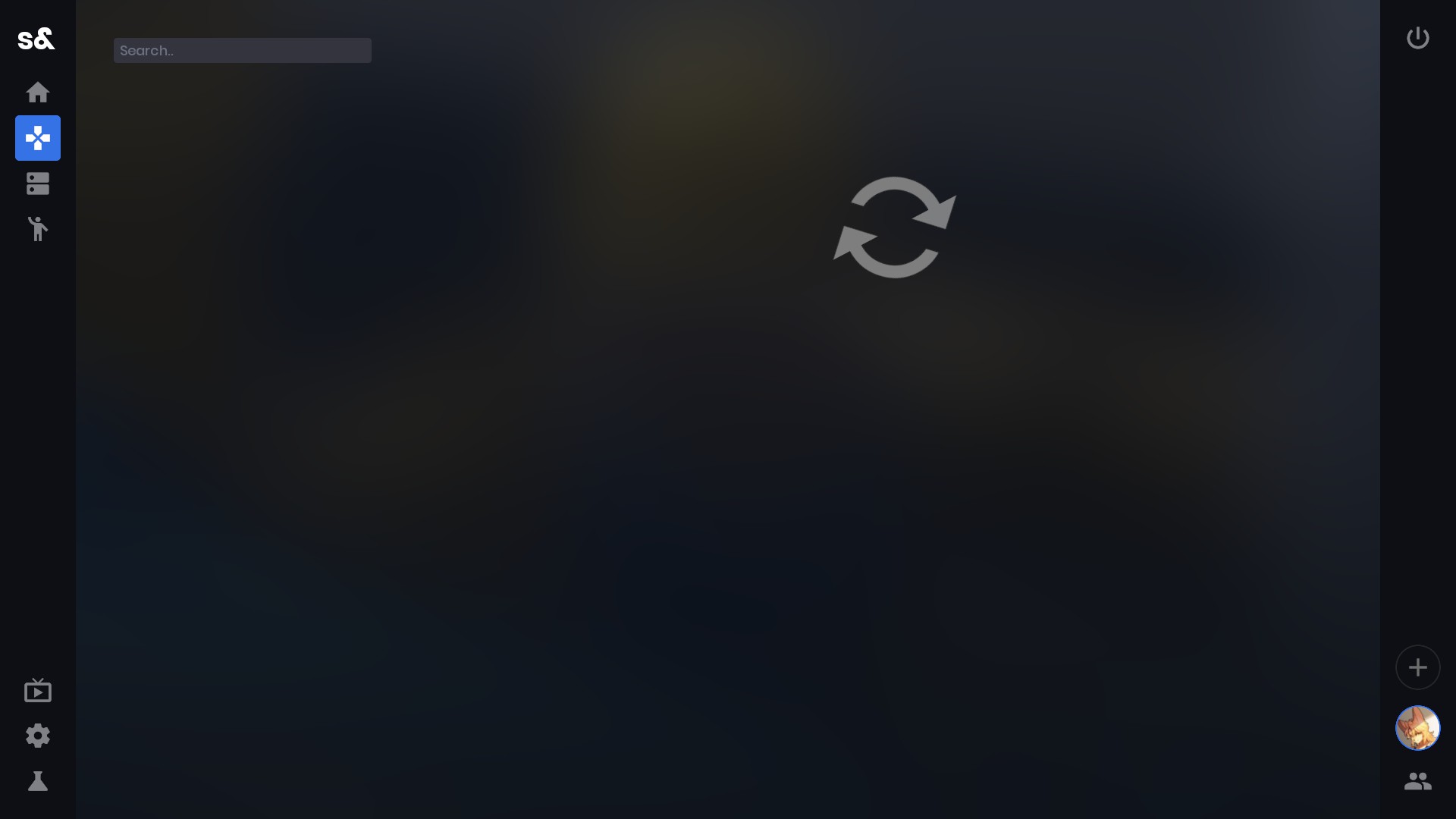
@LMOdoesCsharp This is a known issue that is fixed by the post @BenCantCode made above, try what he said and the gamemodes will work fine
@Kaydax I added the variable in the launch options and they still don't show up.
@Kaydax I added the variable in the launch options and they still don't show up.
then just try removing the dll
then just try removing the dll
now it just crashes.
I can confirm that using either method to fix requests now causes the game to crash. Interestingly, the titles of gamemodes (which are retrieved from the network) are visible before the game crashes. Attaching a log file here.
steam-590830.zip
@BenCantCode I cannot reproduce the crash and the game works fine with deleting the DLL on both Proton Experimental and Proton Next
For me, Proton Experimental is crashing while Proton Next is not (outside of the previously reported map-related bugs).
With the latest update, the main menu loads fine and shows all the gamemodes, however when loading into a gamemode / map the game will load then crash a second later, unknown as to why: steam-590830.zip
With the latest update, the main menu loads fine and shows all the gamemodes, however when loading into a gamemode / map the game will load then crash a second later, unknown as to why: steam-590830.zip
Actually, this is an issue with the gamemode strafe, and not the maps for strafe either as they work on the sandbox gamemode fine. This is really odd as I have yet to see a crash because of a gamemode alone
Hello @Kaydax, these look like some lines of interest from your log:
Fatal error. System.AccessViolationException: Attempted to read or write protected memory. This is often an indication that other memory is corrupt.
[...]
   at System.Security.Cryptography.HashProviderDispenser+OneShotHashProvider.HashDataUsingPseudoHandle(System.String, System.ReadOnlySpan`1<Byte>, System.ReadOnlySpan`1<Byte>, Boolean, System.Span`1<Byte>, Int32 ByRef)
   at System.Security.Cryptography.HashProviderDispenser+OneShotHashProvider.HashData(System.String, System.ReadOnlySpan`1<Byte>, System.Span`1<Byte>)
   at System.Security.Cryptography.SHA1.TryHashData(System.ReadOnlySpan`1<Byte>, System.Span`1<Byte>, Int32 ByRef)
   at System.Net.WebSockets.WebSocketHandle.CreateSecKeyAndSecWebSocketAccept()
   at System.Net.WebSockets.WebSocketHandle.AddWebSocketHeaders(System.Net.Http.HttpRequestMessage, System.Net.WebSockets.ClientWebSocketOptions)
   at System.Net.WebSockets.WebSocketHandle+<ConnectAsync>d__21.MoveNext()
   at System.Runtime.CompilerServices.AsyncMethodBuilderCore.Start[[System.Net.WebSockets.WebSocketHandle+<ConnectAsync>d__21, System.Net.WebSockets.Client, Version=7.0.0.0, Culture=neutral, PublicKeyToken=b03f5f7f11d50a3a]](<ConnectAsync>d__21 ByRef)
   at System.Runtime.CompilerServices.AsyncTaskMethodBuilder.Start[[System.Net.WebSockets.WebSocketHandle+<ConnectAsync>d__21, System.Net.WebSockets.Client, Version=7.0.0.0, Culture=neutral, PublicKeyToken=b03f5f7f11d50a3a]](<ConnectAsync>d__21 ByRef)
   at System.Net.WebSockets.WebSocketHandle.ConnectAsync(System.Uri, System.Net.Http.HttpMessageInvoker, System.Threading.CancellationToken, System.Net.WebSockets.ClientWebSocketOptions)
   at System.Net.WebSockets.ClientWebSocket+<ConnectAsyncCore>d__21.MoveNext()
   at System.Runtime.CompilerServices.AsyncMethodBuilderCore.Start[[System.Net.WebSockets.ClientWebSocket+<ConnectAsyncCore>d__21, System.Net.WebSockets.Client, Version=7.0.0.0, Culture=neutral, PublicKeyToken=b03f5f7f11d50a3a]](<ConnectAsyncCore>d__21 ByRef)
   at System.Runtime.CompilerServices.AsyncTaskMethodBuilder.Start[[System.Net.WebSockets.ClientWebSocket+<ConnectAsyncCore>d__21, System.Net.WebSockets.Client, Version=7.0.0.0, Culture=neutral, PublicKeyToken=b03f5f7f11d50a3a]](<ConnectAsyncCore>d__21 ByRef)
   at System.Net.WebSockets.ClientWebSocket.ConnectAsyncCore(System.Uri, System.Net.Http.HttpMessageInvoker, System.Threading.CancellationToken)
   at Sandbox.WebSocket+<Connect>d__27.MoveNext()
   at System.Runtime.CompilerServices.AsyncMethodBuilderCore.Start[[System.__Canon, System.Private.CoreLib, Version=7.0.0.0, Culture=neutral, PublicKeyToken=7cec85d7bea7798e]](System.__Canon ByRef)
   at Sandbox.WebSocket.Connect(System.String, System.Collections.Generic.Dictionary`2<System.String,System.String>, System.Threading.CancellationToken)
   at Sandbox.WebSocket.Connect(System.String, System.Threading.CancellationToken)
   at Strafe.Api.Backend+<EnsureWebSocket>d__18.MoveNext()
   at System.Threading.ExecutionContext.RunInternal(System.Threading.ExecutionContext, System.Threading.ContextCallback, System.Object)
   at System.Runtime.CompilerServices.AsyncTaskMethodBuilder`1+AsyncStateMachineBox`1[[System.Boolean, System.Private.CoreLib, Version=7.0.0.0, Culture=neutral, PublicKeyToken=7cec85d7bea7798e],[Strafe.Api.Backend+<EnsureWebSocket>d__18, package.facepunch.strafe, Version=0.0.0.0, Culture=neutral, PublicKeyToken=null]].MoveNext(System.Threading.Thread)
   at Sandbox.Tasks.ExpirableSynchronizationContext.ProcessQueue()
   at Sandbox.EngineLoop.FrameEnd()
   at Managed.SandboxEngine.Exports.Sandbox_EngineLoop_FrameEnd()
[...]
err:eventlog:ReportEventW L"Application: sbox.exe\nCoreCLR Version: 7.0.22.51805\n.NET Version: 7.0.0\nDescription: The process was terminated due to an unhandled exception.\nException Info: System.AccessViolationException: Attempted to read or write protected memory. This is often an indication that other memory is"...
The issue with WebSockets can be fixed by setting the Windows version to anything below 10 in winecfg (I tested 8.1). It seems like Proton's Wine doesn't yet support the use of pseudo-handles for hashing algorithms and therefore segfaults when trying to read the pseudo-handle as a struct. Luckily, .NET only uses pseudo-handles if it thinks the Windows version is at least 10, allowing for this workaround. Support for pseudo-handles was added in upstream Wine 7.18.
The Construct crash can be fixed by increasing the vm.max_map_count kernel parameter. This can be done temporarily using the following command:
sysctl -w vm.max_map_count=262144
Credit to this reddit post and @Kaydax for the fix.
If you haven't already done so, setting d3dcompiler_47 to native may also be necessary. This can be done using protontricks as described in earlier comments.
New issue introduced making the game partially unplayable. S&box recently updated to .net 7, which this change has seem to caused the game to use a different networking system for the main menu and the likes, causing this error to be thrown:
The type initializer for 'System.Net.Quic.MsQuicApi' threw an exception.It seems proton / wine currently doesn't support or has issues with this new .net 7 api
For anyone who hasn't tested this recently without workarounds - support for this was added to 8.0-x :)
Currently the game itself runs perfectly, apart from a few crashes here or there when changing maps without changing vm.max_map_count. However still huge issues with the Dev tools:
- The game view works fine using but its positioned and scaled incorrectly, flickers and has issues with accepting inputs until you press tilde twice
- Hammer has really bad flickering issues when using it. 3d view by itself looks fine but using hammer in a 4x4 view with 2d views basically breaks
All of the issues are rendering issues, logs suggest: 011c:fixme:uiautomation:uia_get_providers_for_hwnd Override provider callback currently unimplemented. might be causing it, along side ongoing issues with sub-window rendering in wine. I can provide logs for dxvk, vulkan and wine3d vulkan if needed
Image of game view being broken (using s&box native vulkan, but looks the same on dxvk and wined3d):
im somewhat new to this but s&box has been stuck like this for an hour now.
using s&box native vulkan
@Kaydax, how?
using s&box native vulkan
@Kaydax, how?
-vulkan
using s&box native vulkan
@Kaydax, how?
-vulkan
For anyone reading this for steam deck, currently native vulkan is in heavy development and should not be used as on both windows and linux, s&box has weird issues with amd as well so using it just breaks more things
(Image taken from the s&box discord)
Anyone else have the game consume 10GB of RAM along with very heavy CPU usage just by being on the menu? RAM usage keeps on increasing overtime so there might be an insane memory leak going on. My guess is on the graphics API side since the workaround to fix this is with the -vulkan option, but since that implementation is brand new, some materials are still broken (mainly transparent materials like leaves and windows, but also some character models).
Here are my proton logs, they seem identical at first glance so I have no idea if it can help:
DXVK
Vulkan
Proton 8.0-2, Radeon RX 6800, Ryzen 2700X
Tools no longer launch after a game update and crash the exact moment "Bootstrap..." is shown in the splash window. Happens on Proton 8.0-2 (including the 8.0-3 pre-release), Proton Experimental and GE Proton 8-6.
Fatal error. System.AccessViolationException: Attempted to read or write protected memory. This is often an indication that other memory is corrupt.
   at NativeEngine.EngineGlobal.Plat_EndJumpList(IntPtr)
   at Sandbox.JumpListBuilder.Dispose()
   at Sandbox.JumpListManager.BuildJumpList()
   at Sandbox.LocalProject.Initialize()
   at Sandbox.LocalProject.Startup()
   at Sandbox.Engine.Bootstrap.Init()
   at Managed.SandboxEngine.Exports.SandboxEngine_Bootstrap_Init()
   at NativeEngine.EngineGlobal.SourceEngineInit(CMaterialSystem2AppSystemDict)
   at Sandbox.SourceEngineApp.Initialize()
   at Sandbox.Program.LaunchGame()
   at Sandbox.Program.Main()
Logs: steam-590830-8.0-2_toolscrash.log (DXVK)
Next thing that now happens is that rendering of blend materials flicker, I though it was an issue with my own map at first, but it happens on every other map that makes use of that type of material as well. Screenshot on Construct:
Also, the -vulkan option does not render anything anymore, just a black screen with the UI still able to receive input, and the memory leak from my last post seems to stop at around ~18-19GB of RAM.
After mentioning this on the s&box discord, the problem is the engine is making use of native win32 functionality that might not be implemented in wine/proton. Specifically: https://learn.microsoft.com/en-us/windows/win32/api/shobjidl_core/nn-shobjidl_core-icustomdestinationlist
New fun thing. Without -vulkan flag I have a broken geometry textures like in screenshot by WapaMario63, but with working cubemaps.
On enabled flag I have a normal geometry, but cubemaps are broken
i'm suffering from a strange bug where, upon booting the game, steam labels it as "running", but no game window ever pops up, and it stops "running" after a few seconds. tested on Proton 7 and 8
AMD computer running on Debian 11
here is my proton log
steam-590830.log
Hello @SortaUnknown, Proton 8.0 and newer requires that the video driver provide Vulkan 1.3. From your Proton log:
warn:  Skipping Vulkan 1.2 adapter: AMD RADV RENOIR (ACO)
warn:  Skipping Vulkan 1.0 adapter: llvmpipe (LLVM 11.0.1, 256 bits)
warn:  DXVK: No adapters found. Please check your device filter settings and Vulkan setup.
This tells us that your video driver is older than mesa 22.0, and too old for continued support with Proton.
i'm suffering from a strange bug where, upon booting the game, steam labels it as "running", but no game window ever pops up, and it stops "running" after a few seconds. tested on Proton 7 and 8 AMD computer running on Debian 11 here is my proton log steam-590830.log
you can upgrade to debian 12 to resolve the issue
upgraded to debian 12, same issue continues but logs are very different (looks like vulkan is firing up now)
steam-590830.log
Can't launch either the game or the editor, a black window quickly flashes and disappears, tried Proton 8 and Experimental.
steam-590830.log
S&box ToType error (sandbox gamemode)
Issue transferred from https://github.com/ValveSoftware/Proton/issues/7024.
@kuba64534 posted on 2023-08-18T09:19:33:
when i load in to the sandbox game there's error it says "ToType - please add ability to sandbox curvel"
Game leaks memory pretty heavily for me,
I'm on Fedora 38 and I am using proton 8 (same thing happens on experimental)
@THEKAI64 Which driver. There is a big known memory leak affecting a bunch of games using radv in mesa 23.1.6. It has already been fixed but isn't included in a stable release yet.
The Game thinks im offline?
Issue transferred from https://github.com/ValveSoftware/Proton/issues/7185.
@Crasher0711 posted on 2023-10-21T10:39:49:
No idea how this github reporting works but ill just sum it up here (if this even is the place for these kind of reports)
S&Box basically thinks im offline constatly which im, well, not, and on steam im also online, restarting, verifying game files and reinstalling didnt help so ill just make a report bout it. I also used to have that bug where the game only showed a black screen no matter what but that somehow just dissapeared after waiting a few weeks. If you need like pc specs of anything lmk.
Replying to https://github.com/ValveSoftware/Proton/issues/4940#issuecomment-1610324943
On the topic of the dev tools, here is another screenshot of the dev tools and whats happening:
I feel like this is more of an issue of how wine handles sizing child windows. The game view in the dev tools are a native child window created by the engine, but hidden and then painted and bound to a QT widget in the dev window. The game view itself should, like on windows, size itself according to the QT widget size and position... yet under proton/wine, it seems to size itself based on the size of the monitor itself. If I were to set the game size to 1920x1080, it will make the game view inside the widget actually 1920x1080 instead of 1080p retaliative to the widget
steam-590830.log
Instant crash, proton doesn't notice this and the status is still "Running"
Hello @SupinePandora43, err:steamclient:create_win_interface Don't recognize interface name: SteamUser023 looks like the line of interest in your Proton log.
SteamUser023 looks like it was introduced in SteamWorks SDK 1.57 which was added to Proton in 8.0-3. Please retest with Proton 8.0 (or newer).
Game works perfectly out of box now, no need for any fixes. It does however have weird graphical glitches on the steam deck, but that is not proton related as much as s&box now is using native vulkan for its graphics.
The only issue now still are the dev tools, of which everything but the game view works. The game view is a very weird issue as its most likely due to this error here: 05:20:52 engine/Qt QtCriticalMsg: EnableNonClientDpiScaling() failed for HWND 0x3300fe (120) (Call not implemented.) as the way the game view works is by rendering a secondary window (The game window) inside of QT, and setting its DPI to be the same as the size of the game view widget. The game is rendering fine, but when being scaled to try and fit the widget, it scales to the monitor and not the widget size, thus causing very broken visuals (As seen here: https://github.com/ValveSoftware/Proton/issues/4940#issuecomment-1793575986)
When I try to mess with the developer tools in Proton, there's egregious screen flickering (regardless of what I do), and the editor window has a problem with being unable to resize, move, or close the window (unless I close the game manually from Steam).
From what I can gather, using MANGOHUD=0 %COMMAND% stops the screen resizing issue.
EDIT: Seems like this doesn't work for me anymore.
From what I can gather, using
MANGOHUD=0 %COMMAND%stops the screen resizing issue.
MANGOHUD=0 %COMMAND% doesn't solve it for me.
For me, performance is really, really low and inconsistent most of the time
Both gpu and cpu and underutilized
GPU: rx 6600 xt
CPU: r5 5600x,
OS: KDE plasma, archlinux on 6.10.3-zen1-1-zen kernel (happens on regular as well)
freesync 144hz monitor
In the menu it's anywhere from 28 to 130 fps, in construct and simple gamemodes it's from 8-10 to 40, but mostly 8-10
Used proton 9, then applied fixes from https://wiki.facepunch.com/sbox/proton (win10, vulkan) but that didn't help either.
Disabling vsync helps a bit (marginal performance difference), though still inconsistent
Graphics is 4x anti-aliasing and trilinear filtering, at 1080p
steam-590830.tar.gz (logs)
@Meister1593
You dont need the fixes from the wiki, that is currently outdated. All you need is Proton Experimental. Performance is not caused by Proton, the game itself has just really bad performance currently, Facepunch is working on improving it
@Meister1593
You dont need the fixes from the wiki, that is currently outdated. All you need is Proton Experimental. Performance is not caused by Proton, the game itself has just really bad performance currently, Facepunch is working on improving it
Yes, it worked even without wiki fixes, i first tried without them completely and only then found abot wiki. Proton 9 worked same as experimental, so no need for that as well.
Getting weird colors instead of reflections on my steam deck, using proton experimental
I'm not sure if this is a Linux-only issue, but it seems like the gamemode "Trouble in Terrorist Town" crashes on load.
Here is my s&box log:
sbox.log
and also my proton log:
steam-590830.log.zip
Also I need to run s&box with the launch option -adapter 1 to force amdvlk instead of mesa drivers, this brings my performance from around 20 fps to 150+
Hey I currently found that you can't join server hosted games in S&box.
Here is my proton log:
steam-590830.log.zip
Don't know where to find the s&box logs
Hey I currently found that you can't join server hosted games in S&box. Here is my proton log: steam-590830.log.zip
Don't know where to find the s&box logs
you can find s&box logs in the steamapps/common/sbox/logs folder
Here is the most recent log of me recreating the issue:
I've found critical bug in Proton by using s&box editor. #8968
Proton can start wiping my disks (triggered by deleting addons in s&box editor) .
Issue transferred from https://github.com/ValveSoftware/Proton/issues/8968.
@pinksquare posted on 2025-08-10T22:46:34:
Steps to reproduce:
- Download staging build of s&box (available in Properties - Beta - staging)
- Download project archive
- Replace sweeper in "steamapps/common/sbox/samples/" with the one from archive
- Launch the project
- Ignore the warnings and proceed to the editor
- Open "Library manager" tab and try to delete "Movie Maker" library.
- Proton will start wiping your home folder .
Tested with both Proton 9 and Experimental .
Running "Glorious Eggroll" instead of an official Distribution of Proton leads to the crashing when joining decidated servers to no longer occur.
I've found critical bug in Proton by using s&box editor. [#8968](https://github.com/ValveSoftware/Proton/issues/8968)
Proton can start wiping my disks (triggered by deleting addons in s&box editor) .
Issue transferred from [#8968](https://github.com/ValveSoftware/Proton/issues/8968). @pinksquare posted on 2025-08-10T22:46:34:
Steps to reproduce:
- Download staging build of s&box (available in Properties - Beta - staging)
- Download project archive
- Replace sweeper in "steamapps/common/sbox/samples/" with the one from archive
- Launch the project
- Ignore the warnings and proceed to the editor
- Open "Library manager" tab and try to delete "Movie Maker" library.
- Proton will start wiping your home folder .
Tested with both Proton 9 and Experimental .
@pinksquare Thanks for the report! I reproduced the issue but the immediate reason for it is in the attached custom project archive. For some reason it has the subdirectories named 'Z:' inside the tree (e. g., ./sweeper/Libraries/facepunch.moviemaker/Editor/Z:/ , but there are more). s&box recursively deletes the folders and finding 'Z:' trips it and it starts traversing Z:/ directory (which maps to Unix filesystem root).
So the key question for now is how exactly that sample project was created? I can't exclude that the presence of 'Z:' files is a result of some unobvious Proton bug, but I need a way to reproduce it (i. e., the actual problem happened when creating the project files one or another way). Also, is there any chance that something went wrong with the manipulating the project files on the Linux side, not from inside s&box + Proton?
Running "Glorious Eggroll" instead of an official Distribution of Proton leads to the crashing when joining decidated servers to no longer occur.
It also no longer happens on the latest Proton 10 and Proton Experimental
Replying to https://github.com/ValveSoftware/Proton/issues/4940#issuecomment-3177458104
This is the default test project . I've only added few blocks of geometry and few shaders from sbox-scenestaging project by facepunch .
With the latest update, the editor has improved greatly with usability. The only issues remain with the editor is random flickering and the frameless window not properly rendering, leading to the top bar rendering off the top of the window
Replying to https://github.com/ValveSoftware/Proton/issues/4940#issuecomment-3177458104
@gofman The reason the Z directory is created is because sbox will use the native linux version of the Dotnet sdk to compile the project initially (assuming Dotnet sdk isn't installed in the proton prefix) and because the OutputPath in the .csproj starts with a Z it will create the path in-place instead of in the wine directory.
But there are a few caveats, the sbox installation and project needs to be atleast 5 filesystem depths apart otherwise it will make the path relative and everything will work fine and no folder is created, this is easily done by installing sbox and the project on different drives.
So i don't think its a Proton issue directly. (even tho its odd that sbox can use the linux version of dotnet inside of proton in my opinion)
If the sdk is installed inside of the proton prefix, opening the project in the editor won't create the directory. but if you then open it in lets say vscode afterwards it will create it when opening the folder while opening the solution with the C# dev kit extension..
This is atleast my running theory while looking at the source code and doing a lot of testing.
This issue is within how steam is handling filesystems and external tools tinkering or interacting with said steam installations as well:
https://github.com/Facepunch/sbox-public/pull/128#issuecomment-3655862783
I've done some messing around and putting the following in your s&box editor launch arguments installs dotnet for you and fixes the native border and weird font rendering.
This does require protontricks to be installed, which I assume most people know or can look up how to do.
protontricks -c 'wine _redist/dotnet-runtime-10.0.0-win-x64.exe /install /quiet /norestart && wine reg add "HKEY_CURRENT_USER\Software\Wine\X11 Driver" /v "Decorated" /t REG_SZ /d "N" /f && wine reg add "HKEY_CURRENT_USER\Control Panel\Desktop" /v "FontSmoothing" /t REG_SZ /d "2" /f && wine reg add "HKEY_CURRENT_USER\Control Panel\Desktop" /v "FontSmoothingType" /t REG_DWORD /d 2 /f' 2129370; %command%
I would recommend removing this from the launch arguments after starting the editor once as it will try to reinstall the dotnet sdk every time. It only takes 10 seconds but it's a bit long.
A few issues I still have on proton-ge-10-28:
- the viewport still flickers
- creating a new project or library fails to create some or all of the folders from the template (library is empty, game missing code, assets, and editor folder)
- the open solution button does not detect linux IDEs, which I assume is not possible to support on proton's end
- the editor will randomly lock up and the asset browser will disappear when clicking save on a game resource, spamming the console with asset recompilation messages.
I've been encountering an issue where ragdolls turn black, or have a checkerboard pattern overlaid on their textures.
Also there is a noticeable amount of input lag, and no amount of fiddling with the settings seems to fix it.
S&box gamemode Dark Descent crashes during main menu
tried winetricks with .net10 +font from previous comment
Tried Proton-experimental, proton ge-10-29+10-32
Tried nvidia 1080 ti and RX 9070 XT
Works on windows
Parts of font are missing
CachyOS x86_64
KDE Plasma 6.6.2
KWin (Wayland)
Replying to https://github.com/ValveSoftware/Proton/issues/4940#issuecomment-4046710993
This happens on very few games. From what my crash logs have said it's something internal with SkiaSharp's font rendering while running under wine. I have had no success reproducing it in editor by loading the same fonts, so it's just some mysterious crash bug that nobody has yet to find the solution for
Replying to [#4940 (comment)](https://github.com/ValveSoftware/Proton/issues/4940#issuecomment-4046710993)
This happens on very few games. From what my crash logs have said it's something internal with SkiaSharp's font rendering while running under wine. I have had no success reproducing it in editor by loading the same fonts, so it's just some mysterious crash bug that nobody has yet to find the solution for
Thank you, I haven't tried the editor in that regard I've only launched "Dark Descent" and noticed crashing, everything else seems to work well.
With the release of Proton 11 beta, it seems that https://github.com/ValveSoftware/Proton/commit/7b70313e3428c81819bc6666b399e7b0c86cb04b has forced enabled the gamedrive on all games. While this causes no issues with playing s&box, this does cause a regression with the editor. The editor generates solution files for projects, and before this commit it would use relative paths to the game files from the project path as the game and projects were both located on the Z: drive (linux root). Now since the game drive is enabled by default, the game and project folders are on separate wine drives, causing the editor to fall back to using absolute paths, meaning the solution files get generated with windows drive letters in the paths
There seems to be an issue with fonts used in the game, glyph fonts in particular seen in the sandbox mode, main menu and other gamemodes show up as the classic missing font square. I've attempted different official proton versions (11 Beta, 10 stable, experimental and hotfix) as well as GE10-34, but none appear to fix it, I also tried ProtonTricks to install all fonts available. Looking in the log doesn't appear to give me any clue to why they aren't being loaded.
Having weird issues with the game on proton experimental here.
Software:
Debian 13 (trixie); GNOME 48 (both Xorg and Wayland); Mesa 25.2.6-1~bpo13+1 (25.0.7 as well); Kernel Linux 6.12.74+deb13+1-amd64; Steam (deb); Proton (Hotfix and Experimental). Also tried with Gamescope (didn't help one bit) and Gamemode (Also didn't help).
Hardware:
16 gig RAM; Intel Core i5-7600K, AMD Radeon RX 5600 XT.
Issues:
Transparent textures and models render like this. Always. No matter what I try. It's always this.
As well as, the game performs poorly. Like, it runs flawlessly for a few minutes, then freezes up completely at random for a minute, then resumes with either same or lowered performance. Changing Proton versions didn't change anything. A couple of users have same issues as me over at ProtonDB.
Can't upload log file for some reason.
Edit:
had to zip it...
Can't upload log file for some reason.
It's 75 mb. Wow.
It should compress well
It should compress well
Thanks for the suggestion
when i open they game it does this
Issue transferred from https://github.com/ValveSoftware/Proton/issues/9843.
@ZacharyModz posted on 2026-06-01T05:53:56:
<Blank compatibility report template omitted>
2026/06/01 01:51:13.8643	[engine/Engine] SteamAPI_Init succeeded.  SteamID is [U:1:480558995] (76561198440824723), AppID is 590830
2026/06/01 01:51:14.4142	[engine/RenderSystem] Vulkan missing requested extension 'VK_KHR_surface'.
2026/06/01 01:51:14.4142	[engine/RenderSystem] Vulkan missing requested extension 'VK_KHR_win32_surface'.
2026/06/01 01:51:14.4142	[engine/Localization System] CLocalize::FindSafe failed to localize: Failed to initialize Vulkan (nEnableInstanceExtensionNamesCount != requiredInstanceExtensions.Count()) You may need to update your drivers or your system does not meet minimum requirements.

For more information see: https://sbox.game/dev/
Related threads
- Passing a file to programs in Steamsteamopen same upstream bug
- Steam Linux Runtimes are unable to access additional diskssteamclosed same upstream bug
Proton versions
proton experimentalx17 2026-04proton 8.0x2 2023-12proton 8.0-2x2 2023-07proton nextx2 2023-01proton hotfixx1 2022-10proton 6.3-6x1 2021-09proton 6.3x2 2021-07
Launch options
MANGOHUD=0x2 2024-04
Upstream links
- ValveSoftware/Proton/issues/9843x1 2026-06
- ValveSoftware/Proton/issues/8968x2 2025-08
- ValveSoftware/Proton/issues/7185x1 2023-10
- ValveSoftware/Proton/issues/7024x1 2023-08
- ValveSoftware/steam-runtime/issues/470x1 2022-07
DLLs
msquic.dllx2 2022-12
Error codes
0xc041fd8cx1 2021-100xc052fd8cx1 2021-100xc063fd8cx1 2021-100xc1f5fd8cx1 2021-100xc3b0fd8cx1 2021-100xc570fd8cx1 2021-100xc730fd8cx1 2021-100xc9f2fd8cx1 2021-100xca03fd8cx1 2021-100xca14fd8cx1 2021-100xca25fd8cx1 2021-10
Compatibility Report
System Information
I confirm:
steam-590830.log
Symptoms
Game launches fine but multiplayer does not work at all.
Reproduction
Launch the game and try to connect to server either via the console or using the find game feature.