The Elder Scrolls Online
Just a side note - it works fine in the system package manager provided Wine with DXVK 0.54.
Please try PROTON_NO_ESYNC=1 %command% set as launch options for this game.
Yes, just did it a minute ago (via proton's user_settings.py though). It did start. Testing further.
Other then it needs esync disabled - works like a charm. If not for esync - would deserve a whitelist.
I'm getting some serious stuttering while ingame (which aren't happening on a Windows machine with the same settings), but I can't quite exactly figure out what is causing them.
@LiquidPL that could be shader compilation. I get that in DX11 games too, the more you play the less stutters you get as the shader cache increases.
The links (Account, Store, Support, Patch notes) on the launcher doesn't seem to work.
Yes, can confirm. Although I never used those.
[Whitelist] Elder Scroll Online [306130] (PROTON_NO_ESYNC=1) but need optimization
Issue transferred from https://github.com/ValveSoftware/Proton/issues/863.
@julianovs posted on 2018-08-28T21:21:38:
with the parameter PROTON_NO_ESYNC=1 work good !!
without the parameter PROTON_NO_ESYNC=1 stuck in bethesda logo !!
one thing I noticed was the following:
running the game natively on windows 10, when you're in a city with a lot of players fps drops from 80 to a 42 (a bit of lag for a few seconds, nothing much)
running the game in linux using proton, when you're in a city with a lot of players fps drops from 80 to a 33-37 (here bottlenecks happen and this is something annoying)
I think the proton project needs to be optimized as much as possible because it will have a bigger performance problem with multiplayer games with large numbers of players, for example MMO RPGS
FOR SINGLE PLAYER GAMES I DO NOT SEE PROBLEM, I BELIEVE THAT THE BIGGEST CHALLENGE WILL BE ON LONG SCALE MULTIPLAYER
@Dazarlin commented on 2018-08-28T22:07:07
I can confirm the findings of @julianovs although my numbers for frames are quite a bit lower due to my weaker system, though it's still very playable. Main issue I have with ESO is the long loading times. These also existed on Windows however. Likely due to the fact that I'm loading everything off of a HDD. I fully agree that in the long run the biggest problem seems like it'll be multiplayer games in general and more specifically MMOs. We'll see however.
I fully agree that the way that ESO performs should indicate that if the addition of the PROTON_NO_ESYNC=1 setting being applied at installation were possible, this game could be added to the whitelist and a fairly popular MMORPG would be easily available on Linux.
Here's my system info if needed: https://gist.github.com/Dazarlin/1fe5b3d929f71f1f3f598c5b99d0c262
@julianovs commented on 2018-08-28T22:17:39
more players = more animations, more effects, higher load of cpu and gpu
if running natively in the windows you already have sharp drops of fps in regions populated by players so imagine this in proton
@julianovs commented on 2018-08-28T22:20:28
my system: dual boot win10/linux mint 19
cpu intel core i7 7700 3.60ghz
16 gb memory
geforce gtx 1080 ti
2 ssd 240gb
With the newest Proton 3.7-5 beta, the game launches even with esync enabled.
Can confirm, runs with esync on 3.7-5. Links in launcher still not functional.
I can confirm that the game now starts with esync with 3.7-5 but sadly I am not able to log in. I'm getting the message "Unable to initialize connection to Steam. Please ensure the game was launched through Steam or try again later".
The first few attempts at least some announcements were shown below the login mask but those have vanished now as well.
I'm not quite sure if this is a Proton issue or just the usual on and off regarding the Steam Login system. On windows I can work around it by starting the game standalone, but with steamplay it won't be that easy.
EDIT: Some more information:
Processor Information:
CPU Brand: Intel(R) Core(TM) i7-8700K CPU @ 3.70GHz
Operating System Version:
"Manjaro Linux" (64 bit)
Kernel Version: 4.18.4-1-MANJARO
Steam Runtime Version: steam-runtime-beta-release_2018-06-14
Video Card:
Driver: NVIDIA Corporation GeForce GTX 1060 6GB/PCIe/SSE2
Driver Version: 4.6.0 NVIDIA 396.54
It's really simple.
For me:
WINEPREFIX=/home/diraven/.steam/steam/steamapps/compatdata/306130/pfx/ /home/diraven/.steam/steam/steamapps/common/Proton\ 3.7\ Beta/dist/bin/wine /home/diraven/.steam/steam/steamapps/common/Zenimax\ Online/Launcher/Bethesda.net_Launcher.exe
Was enough, works as expected.
FPS is not stable, optimization is necessary. Problems in loading new models / characters of visualization elements (spells, etc., special effects). There are no problems with textures / artifacts, but due to sharp and frequent falls FPS is not playable. Later I will record the comparison video Proton(3.7-6) - PortSteam(v18) - Windiws(10), for a more obvious visual problem.
P.S. r5 1600, rx480 (8gb), 16gb RAM, Mesa 18.3-dev (iobaf) (Ubuntu 18.04)
Gtx 1080 ti core i7-7700 CPU @ 3.60GHz SSD 16gb DDR3
ELder Scroll Online in :
Windows 10
game settings ultra = good (towns with a lot players)
game settings high = best (towns with a lot players)
game settings medium = best of the best (towns with a lot players)
Linux/proton
game settings ultra = no way (towns with a lot players)
game settings high = bad (towns with a lot players)
game settings medium = good ((towns with a lot players))
I highly doubt optimization of a single game will be a priority any time soon due to the rather big amount of compatibility issues with the system overall with all kinds of games.
Ryzen 2600 - GTX 1070 here.
I'm getting crazy dips in the open world every few seconds down to 30 fps especially when moving, there also seems a lack of utilisation of my GPU as my radiators are cold (the loop usually warms up a little once the GPU gets going). CPU usage appears to be stuck around 30% max per thread, in windows one thread would be pegged while the others would be low-ish but doing their thing.
Also while windows does suffer from CPU bottlenecks in towns the dips aren't quite as random or ridiculous. Lowest I'd dip on windows is the mid 40's where as in Linux I'm seeing sub 30 numbers and far more variable.
Ryzen 2600 - GTX 1070 здесь.
There is a project PortWine.ru and there is a packaged Steam. Playing through it, the bethesda games are much more comfortable. TESO does not behave much differently there:
FPS is on average lower. But there are no frequent failures. Accordingly, more playable. The CPU is more loaded. I managed to raise the performance of the game on r5 1600 by disabling SMP in BIOS (Multithreading)
Maybe Valve can also improve the game in this direction.
FPS is on average lower. But there are no frequent failures.
It's not that low fps is an issue, but rather volatile frame drops and hitching make it annoying to play for long periods. On top of that you can't enable any sort of sync otherwise the FPS plummets, might not be an issue with those with G-sync monitors however not everyone has them.
I don't think this is a whitelist candidate, not if you compare it to say how games like Doom, TW3, MGS:TPP, GTA V all run. While FPS is obviously going to be much lower under Proton+DXVK vs Windows it still needs to be consistent IMO and this is the least consistent working game I've tried with Proton so far.
FPS is on average lower. But there are no frequent failures.
It's not that low fps is an issue, but rather volatile frame drops and hitching make it annoying to play for long periods. On top of that you can't enable any sort of sync otherwise the FPS plummets, might not be an issue with those with G-sync monitors however not everyone has them.
I don't think this is a whitelist candidate, not if you compare it to say how games like Doom, TW3, MGS:TPP, GTA V all run. While FPS is obviously going to be much lower under Proton+DXVK vs Windows it still needs to be consistent IMO and this is the least consistent working game I've tried with Proton so far.
I'm stingy with you!
TWitcher 3 I go to Proton, no discomfort. But TESO have less quality graphics works much worse. Also I think that until performance improves, it is too early to transfer to the white list.
P.S DXVK 0.80 improved the situation but only in the closed locations (Dungeons). If the difference between Win10 and Proton is about 20-30%. Then in TESO the difference in performance is about 70%
FPS is on average lower. But there are no frequent failures.
It's not that low fps is an issue, but rather volatile frame drops and hitching make it annoying to play for long periods. On top of that you can't enable any sort of sync otherwise the FPS plummets, might not be an issue with those with G-sync monitors however not everyone has them.
I don't think this is a whitelist candidate, not if you compare it to say how games like Doom, TW3, MGS:TPP, GTA V all run. While FPS is obviously going to be much lower under Proton+DXVK vs Windows it still needs to be consistent IMO and this is the least consistent working game I've tried with Proton so far.
Having just tried this game out using proton 3.7-7 beta for a good 6 hours I can confirm the above. For the first 30 minutes of gameplay everything seems fine, FPS you would expect (40-60) for a proton game but after this, the game sharply declines and has some serious stuttering and frame drops that just gets worse no matter where you are doing, in a city, open world etc.
Only way to fix this is a restart of the game.
Having just tried this game out using proton 3.7-7 beta for a good 6 hours I can confirm the above. For the first 30 minutes of gameplay everything seems fine, FPS you would expect (40-60) for a proton game but after this, the game sharply declines and has some serious stuttering and frame drops that just gets worse no matter where you are doing, in a city, open world etc.
Only way to fix this is a restart of the game.
I face frequent stuttering and not even frame rate. After upgrading to Proton 3.7.7, the situation has improved. But when loading textures, especially when moving quickly around the world / city, the game is stuttering. At the same time if you are on the spot the game works well. And this is very good progress after P 3.7.3.
Here is a video of stuttering with static gameplay: https://www.youtube.com/watch?v=j7pVk7e2rk4
And this is the video of the game when moving: https://www.youtube.com/watch?v=_UagrqPIvYk
Use 1080 \ 60 fps for clarity.
Here is a video of stuttering with static gameplay: https://www.youtube.com/watch?v=j7pVk7e2rk4
And this is the video of the game when moving: https://www.youtube.com/watch?v=_UagrqPIvYk
Use 1080 \ 60 fps for clarity.
Boss fights aren't too much different from Windows (both terrible performance) but moving through open world and towns is a major issue. Alinor is the worst as it can get like a slideshow after a while, definitely something to do with textures loading however lowering the settings doesn't really alleviate it.
Dungeons and homes don't have this issue, get a solid 100 fps in them.
Everything is smooth for me. The game runs like a charm. However, I have one major issue; some of the textures are missing. I'm using the D3D11 render with the NVIDIA drivers btw. Anyone else experiencing this?
Proton 3.16-1
MESA 18,3-dev
I request the conclusion of the game in the white list. The game after using the new Vulkan extension works fine. There are not very big roughness, but they do not interfere with the gameplay. Video of work in the most difficult city with many objects. The game runs approximately 90% of Windows performance. In some places (Desert Al'Akir) even better.
I apply video work:
https://www.youtube.com/watch?v=ImfZOS6MnDg
Elder Scrolls Online not Launching
Issue transferred from https://github.com/ValveSoftware/Proton/issues/1736.
@spiritstr posted on 2018-10-14T13:49:39:
Compatibility Report
- The Elder Scrolls Online
- Steam AppID of the game: 306130
System Information
- GPU: GTX 1070
- Driver/LLVM version: Nvidia 396.54.05
- Kernel version: 4.15.0-36
- Link to full system information report as Gist:
- Proton version: 3.16-1
I confirm:
- [X] that I haven't found an existing compatibility report for this game.
- [X] that I have checked whether there are updates for my system available.
Log doesn't work.
https://gist.github.com/spiritstr/9a7bf9d881ddede89691950a7fa49a78
Symptoms
Game not launching, i've just installed Steam setup the steamplay for both 3.7-8 and 3.16-1 but they are not working, the game doesn't launch and there's no log.
Reproduction
Proton 3.16-1
MESA 18,3-devI request the conclusion of the game in the white list. The game after using the new Vulkan extension works fine. There are not very big roughness, but they do not interfere with the gameplay. Video of work in the most difficult city with many objects. The game runs approximately 90% of Windows performance. In some places (Desert Al'Akir) even better.
I apply video work:
https://www.youtube.com/watch?v=ImfZOS6MnDg
I wouldn't say so, while performance has improved a little with the new drivers/proton it's still all over the place and degrades over time. Ironically upping the settings makes it more consistent to a degree however considering I play this game scaled at around 1600p on Windows while maintaining 60 fps cap outside of towns, at the moment this is probably only capable of maintaining a 30fps cap.
Elder Scrolls Online not Launching
Issue transferred from #1736.
@spiritstr posted on 2018-10-14T13:49:39:Compatibility Report
- The Elder Scrolls Online
- Steam AppID of the game: 306130
System Information
- GPU: GTX 1070
- Driver/LLVM version: Nvidia 396.54.05
- Kernel version: 4.15.0-36
- Link to full system information report as Gist:
- Proton version: 3.16-1
I confirm:
- [x] that I haven't found an existing compatibility report for this game.
- [x] that I have checked whether there are updates for my system available.
Log doesn't work.
https://gist.github.com/spiritstr/9a7bf9d881ddede89691950a7fa49a78Symptoms
Game not launching, i've just installed Steam setup the steamplay for both 3.7-8 and 3.16-1 but they are not working, the game doesn't launch and there's no log.
Reproduction
Not sure what i did, but started working just fine, probably changing the NTFS to ext4 and re-adding the folder to steam made that work, i've also deleted the compatdata folder so steam redowloaded proton again.
This game is running way better now, the stuttering seems to be gone on cities! Dungeons seems they got 10-20% more fps.
I wouldn't say so, while performance has improved a little with the new drivers/proton it's still all over the place and degrades over time. Ironically upping the settings makes it more consistent to a degree however considering I play this game scaled at around 1600p on Windows while maintaining 60 fps cap outside of towns, at the moment this is probably only capable of maintaining a 30fps cap.
I have no such problem. Played for 5 hours. Dungeons, Trial, Battlefield. Imperial City. Everything is working. Did not notice the regression. RX 480 8gb, R5 1600 (SMT OFF), 16 gb RAM. HDD WD blue.
In the video above, you can see stuttering. It is not in the game. It happens only when recording video ... Record the highest quality 1080 on the HDD and play a bad idea on the same disc. I'm dumb.
I wouldn't say so, while performance has improved a little with the new drivers/proton it's still all over the place and degrades over time. Ironically upping the settings makes it more consistent to a degree however considering I play this game scaled at around 1600p on Windows while maintaining 60 fps cap outside of towns, at the moment this is probably only capable of maintaining a 30fps cap.
I have no such problem. Played for 5 hours. Dungeons, Trial, Battlefield. Imperial City. Everything is working. Did not notice the regression. RX 480 8gb, R5 1600 (SMT OFF), 16 gb RAM. HDD WD blue.
In the video above, you can see stuttering. It is not in the game. It happens only when recording video ... Record the highest quality 1080 on the HDD and play a bad idea on the same disc. I'm dumb.
Strangely I was preparing a comeback to this but my performance must of got better after a reboot, however it's still not perfect IMO. My 1070 is performing like a 1050ti would do at 1080p on Windows, I actually have to drop settings to maintain a decent fps outside towns, most of the hitching has gone however you will find the odd stutter.
I still don't think it's worthy of a whitelist, Silver approaching Gold maybe but we shouldn't just be happy a game runs and call it a day. A lot more juice can be squeezed out of this yet.
Here's a video: https://www.youtube.com/watch?v=wBtCZEdKL1A
Strangely I was preparing a comeback to this but my performance must of got better after a reboot, however it's still not perfect IMO. My 1070 is performing like a 1050ti would do at 1080p on Windows, I actually have to drop settings to maintain a decent fps outside towns, most of the hitching has gone however you will find the odd stutter.
I still don't think it's worthy of a whitelist, Silver approaching Gold maybe but we shouldn't just be happy a game runs and call it a day. A lot more juice can be squeezed out of this yet.
Here's a video: https://www.youtube.com/watch?v=wBtCZEdKL1A
I updated the MESA drivers to support the new Vulkan extension "VK_EXT_transform_feedback", which solved your problems. In the case of Nvidia, you need to install a new driver (https://www.phoronix.com/scan.php?page=news_item&px=NVIDIA-ANV-Vulkan-TF). I also advise you to use the changes in UserSettings.txt, as follows:
SET HIGH_RESOLUTION_SHADOWS change to 0
(blur of shadows increases fps)
SET GPUSmoothingFrames changes to 0
(most importantly for Linux, this value uses resources more actively to output more FPS
Unfortunately I no longer have an Nvidia card to see how it works(
Strangely I was preparing a comeback to this but my performance must of got better after a reboot, however it's still not perfect IMO. My 1070 is performing like a 1050ti would do at 1080p on Windows, I actually have to drop settings to maintain a decent fps outside towns, most of the hitching has gone however you will find the odd stutter.
I still don't think it's worthy of a whitelist, Silver approaching Gold maybe but we shouldn't just be happy a game runs and call it a day. A lot more juice can be squeezed out of this yet.
Here's a video: https://www.youtube.com/watch?v=wBtCZEdKL1AI updated the MESA drivers to support the new Vulkan extension "VK_EXT_transform_feedback", which solved your problems. In the case of Nvidia, you need to install a new driver (https://www.phoronix.com/scan.php?page=news_item&px=NVIDIA-ANV-Vulkan-TF). I also advise you to use the changes in UserSettings.txt, as follows:
SET HIGH_RESOLUTION_SHADOWS change to 0
(blur of shadows increases fps)
SET GPUSmoothingFrames changes to 0
(most importantly for Linux, this value uses resources more actively to output more FPSUnfortunately I no longer have an Nvidia card to see how it works(
To echo what I said on youtube:
No problems with my build (r5 2600 @4ghz mem 2933mhz AIDA/p95 stable) and I got governor on performance mode inside Linux. Driver is latest Vulkan dev with the new transform feedback extension. Generally most (not all) of the hitching has gone with the new Proton beta however low fps on nvidia seems to be an issue at least on ultra high settings. I'm not the only person to say this as if you take a look at the SPCR you'll see plenty of people even with 1080 Ti's get low performance and have to drop their settings. While your own videos don't show it (whether due to recording or whatnot) I've heard many people with MESA drivers say that they get good performance.
Maybe drivers are not quite perfect for this game? Also I already apply the GPUsmoothingframes ini tweak (same as I do on Windows) and have tried others.
Edit: 3.16-2 has just released, I can chuck shadows up to high now and barely a stutter but still much lower FPS than achievable on windows but it's getting there. Another minor issue I spotted is the launcher links don't work with Proton, you need to set it to Win XP which then the actual game doesn't run. Ingame links work via steam overlay though.
Issued a Gold report on SPCR.
Edit: 3.16-2 has just released, I can chuck shadows up to high now and barely a stutter but still much lower FPS than achievable on windows but it's getting there. Another minor issue I spotted is the launcher links don't work with Proton, you need to set it to Win XP which then the actual game doesn't run. Ingame links work via steam overlay though.
Issued a Gold report on SPCR.
I can say with confidence that if we are talking about native Linux games, then AMD lags behind Nvidia. But when it comes to 3D in Wine, the situation changes towards a free driver. After the last update, the performance hasn't dropped a lot (DXVK is again a Windows library). But nevertheless, playing comfortably which already represents a big progress. I hope that Bethesda will switch to the Vulkan API as it did for MAC. Then the game will work as native. In any case, it works completely, custom add-ons work. Therefore, there was a request for a white list. There is a loss of performance, but it is not avoidable if you use WIne. There are also some bugs, for example(редкий сундук светиться через стены или объекты):

Can Bethesda use Bunhammer against Linux players because of such cheating details? Will Steam protect us?
This game seems to be playable for most (I even spent 5 hours in it), but it has suspiciously bad performance compared to other DX11/DXVK games. See this: https://www.youtube.com/watch?v=wBtCZEdKL1A
While that is certainly playable, that is a graphics card that should be able to play the game at 2160p(4k) at over 60fps with occasional dips down to 50s, running the game at 1080p(FullHD) barely at 60fps, with frequent dips into the 50s and 40s, and occasional dips into the 30fps area.
Playable? Yes, but this is only 25% of the performance that the card should be able to provide, whereas for most DX11/DXVK titles, the performance is somewhere around 80% of native performance. I think this issue needs to be looked into. I suspect it is CPU related rather than GPU related since I had similar experiences on my 980-Ti. And lowering graphics settings/resolution doesn't always improve fps beyond a certain point.
This game seems to be playable for most, but it has suspiciously bad performance compared to other DX11/DXVK games. See this: https://www.youtube.com/watch?v=wBtCZEdKL1A
While that is certainly playable, that is a graphics card that should be able to play the game at 2160p(4k) at over 60fps with occasional dips down to 50s, running the game at 1080p(FullHD) barely at 60fps, with frequent dips into the 50s and 40s, and occasional dips into the 30fps area.
Playable? Yes, but this is only 25% of the performance that the card should be able to provide, whereas for most DX11/DXVK titles, the performance is somewhere around 80% of native performance. I think this issue needs to be looked into. I suspect it is CPU related rather than GPU related since I had similar experiences on my 980-Ti. And lowering graphics settings/resolution doesn't always improve fps beyond a certain point.
This game also does not work well on Windows as it does on Linux, especially on new AMD (rx or more) or Nvidia (10 series) maps. On the AMD card, I see no significant difference in performance compared to WIndows.
It seems to me that the problem is on the side of the game developers. A year ago, it worked only in the 1st thread .... Now the game can load 6 threads of processors. But it did not give a significant increase. The game simply does not load computer hardware resources. Also, CPU \ GPU load does not exceed 50%. If someone else has AMD and Nvidia could do job comparison tests in Proton?
@Volkinaz yes there have been reports of this, however, if we look at the actual data... https://www.youtube.com/watch?v=N9uE2ivNAR8
It doesn't perform nearly as bad as this on windows.
For me the game launches fine only when I do this:
WINEPREFIX=$HOME/.games/Steam\ Library/Linux/steamapps/compatdata/306130/pfx/ $HOME/.games/Steam\ Library/Linux/steamapps/common/Proton\ 3.7/dist/bin/wine $HOME/.games/Steam\ Library/Linux/steamapps/common/Zenimax\ Online/Launcher/Bethesda.net_Launcher.exe but it does not log in automatically, and I cannot do it manually since I only have a Steam account and I cannot log in via username and password
No matter what I try, I can't get it to launch with steam
When launching normally it just stays at a black screen after I click play
When launching with PROTON_NO_ESYNC I get a crash reporter window after ~5 seconds of black screen - but it gives no details as to what happened
EDIT:
After digging some more I found out that the game tries to use DXVK even tho I have PROTON_USE_WINED3D=1. Is this a bug or is there another way to do this? I have Ivybridge and Vulkan support is lacking there.
EDIT 2:
Doing it through user_settings.py did the trick. (NO_ESYNC and USE_WINED3D)
The game launches fine and the account logs in automatically
The game runs slow (but it's to be expected considering all the snailpower of the 610M that I'm sporting) and the ground textures are missing, and everything drawn on top of those cause a trailing effect wherever it goes. It's the same behaviour I had with vanilla WINE a year or so ago.
Doing it through user_settings.py did the trick. (NO_ESYNC and USE_WINED3D)
The game launches fine and the account logs in automaticallyThe game runs slow (but it's to be expected considering all the snailpower of the 610M that I'm sporting) and the ground textures are missing, and everything drawn on top of those cause a trailing effect wherever it goes. It's the same behaviour I had with vanilla WINE a year or so ago.
That game requires DXVK. WineD3D disgusting performance in ESO.
The last update of Psole Proton broke the seal in Russian.
- Proton 3.16.4
- Ubuntu 18.04 (Stock vanila gnome 3)
English is working. Russian interface and text works. Switching to the Russian layout I can not enter text in the chat and confirmation windows. I tried Wine-Staging, and there the Russian layout and text works.
Doing it through user_settings.py did the trick. (NO_ESYNC and USE_WINED3D)
The game launches fine and the account logs in automatically
The game runs slow (but it's to be expected considering all the snailpower of the 610M that I'm sporting) and the ground textures are missing, and everything drawn on top of those cause a trailing effect wherever it goes. It's the same behaviour I had with vanilla WINE a year or so ago.That game requires DXVK. WineD3D disgusting performance in ESO.
I know, but my 3rd gen (Ivy bridge) i7 is not supported by DXVK, so I can only run it with WineD3D. Anyway, the game doesn't have 60 FPS even on my desktop's GTX 1080 all the time, while running on Windows natively. Even if I could run it with DXVK on the 610M I wouldn't expect it to be playable. But hey, as long as I can get the dailyr rewards and take place in the event quests I'm ok with that.
Anyway... what seems weird to me is that it only worked through user_settings.py and NOT through command line arguments. Could it be because the game has a launcher? Maybe the launcher does apply the args, but the game itself which is started by the launcher does not, somehow?
working fine !!
ubuntu 18.10
kernel 4.18.0.11
nvidia driver 415.18.02
gtx 1080 ti
proton 3.16-4 beta
quality settings: high
there was a great improvement of what was before, so I see that can be considered a white list
Just wanting to add that TESO stops working with proton 3.16-4 and 3.16-5 beta. It works pretty well however with proton 3.7-8, for me at least.
The error i get when launching steam from a terminal with the 3.16 branch are as follows.
GameAction [AppID 306130, ActionID 2] : LaunchApp changed task to ProcessingInstallScript with ""
sh: /home/david/.local/share/Steam/legacycompat/iscriptevaluator.exe: cannot execute binary file: Exec format error
installscript_posix.cpp (416) : Assertion Failed: Standalone evaluator returned error code for app 306130
installscript_posix.cpp (416) : Assertion Failed: Standalone evaluator returned error code for app 306130
sh: /home/david/.local/share/Steam/legacycompat/iscriptevaluator.exe: cannot execute binary file: Exec format error
GameAction [AppID 306130, ActionID 2] : LaunchApp changed task to ProcessingShaderCache with ""
GameAction [AppID 306130, ActionID 2] : LaunchApp changed task to SiteLicenseSeatCheckout with ""
GameAction [AppID 306130, ActionID 2] : LaunchApp changed task to CreatingProcess with ""
GameAction [AppID 306130, ActionID 2] : LaunchApp waiting for user response to CreatingProcess ""
GameAction [AppID 306130, ActionID 2] : LaunchApp continues with user response "CreatingProcess"
Game update: AppID 306130 "", ProcID 13450, IP 0.0.0.0:0
Adding process 13450 for game ID 306130
GameAction [AppID 306130, ActionID 2] : LaunchApp changed task to WaitingGameWindow with ""
GameAction [AppID 306130, ActionID 2] : LaunchApp changed task to Completed with ""
ERROR: ld.so: object '/home/david/.local/share/Steam/ubuntu12_32/gameoverlayrenderer.so' from LD_PRELOAD cannot be preloaded (wrong ELF class: ELFCLASS32): ignored.
/bin/sh: /home/david/.local/share/Steam/steamapps/common/Zenimax Online/zosSteamStarter.exe: cannot execute binary file: Exec format error
Adding process 13451 for game ID 306130
Game removed: AppID 306130 "", ProcID 13450
No cached sticky mapping in ActivateActionSet.
System specs as follows.
System: Host: neon Kernel: 4.19.8-2-MANJARO x86_64 bits: 64 compiler: gcc v: 8.2.1
Desktop: Xfce 4.12.4 Distro: Manjaro Linux
Machine: Type: Desktop System: ASUS product: All Series v: N/A serial:
Hello @Yorper, sh: /home/david/.local/share/Steam/legacycompat/iscriptevaluator.exe: cannot execute binary file: Exec format error doesn't sound game-specific, please open a separate issue report.
Proton 16-5 сompared 16-4, there were no moments of falling FPS(Perhaps the reason for the Mesa 19.0-dev), there is no Russian language in the game (I can’t write to chat, layout) By improvements: the launcher began to work more stable, after playing 5 hours, the sound did not become distruction.
P.S. The game works, but you need to eliminate some of the shortcomings for the white list. All problems can be fixed manually, but I would like to see it out of the box in Proton.
System Information
- GPU: RX 570
- Driver/LLVM version: Mesa 18.3.2 & LLVM 7.0.1
- Distro version: Sabayon
- Link to full system information report as Gist
- Proton version: 3.16-6
Notes:
- Runs fine out of the box
System Information
- GPU: RX 480
- Driver/LLVM version: Mesa 19.1-dev(16.02.19) & LLVM 7.0.1
- Distro version: Ubuntu 18.04, karnel 4.18.10 (dc=1)
- Proton version: 3.16-7
Notes:
- Runs fine out of the box
P.S.
Performance 90%+ of native Windows.
In some places, the performance is higher. All third-party add-ons also work. The game is fully working for 9 hours. Russian chat in Version 3.16-7 was restored. I request the conclusion of the game in the white list because This is one of the most workable in Proton.
System Information
- GPU: RX 580
- Driver/LLVM version: Mesa 18.3.4/7.0.1
- Distro version: Arch Linux
- Proton version: 3.16-7 (BETA)
Notes:
- PROTON_NO_ESYNC=1 %command%
- High settings (60+ FPS in most areas)
- Stuttering in GNOME occurs. Simply activate overview or switch workspace and then back to eliminate.
System Information
- GPU: RX 580
- Driver/LLVM version: Mesa 18.3.2/7.0.1
- Distro version: Fedora 29 + Flatpak Steam
- Proton version: 3.16-8 (BETA)
Notes:
- Esync enabled.
- High settings.
- Running on Wayland.
When launched for a first time, the game starts, then displays a "Welcome to the Elder Scrolls Online installer!" dialog. Unfortunately, this dialog causes keyboard and mouse to stop working when running under Wayland. Workaround to this issue is to run the game under Xorg session, then the installer dialog can be finished and game works fine on Wayland from this point. (There was just one small glitch: For some reason, only 7 GB of free space was detected. However, it is possible to skip the free space warning.)
Except the Wayland bug, the game works out-of-box with great performance!
I have also found that closing the game launcher (or minimizing it to tray) improves the game performance a lot! When the launcher is not closed, there is a noticeable stutter every ~10 seconds, corresponding to the periodical redrawing of the right part of the launcher. It causes whole GNOME to lag, not only the game. However, it may be another Wayland-only bug that does not happen under Xorg.
Yeah that only happens with the gnome shell, after launch i always close the launcher.
@AsciiWolf You sir are a genius. Its the image roller on the launcher.
To put this in perspective, by closing the launcher, my FPS went from 10-25 to 60.
I've found performance dips when moving on Nvidia when "allow flipping" is ticked, unfortunately if I untick it video playback in browsers seem to be at half refresh rate.
Tried closing the launcher but had no effect.
System Information:
- GPU: Nvidia GeForce GTX 1050 Ti
- Driver/LLVM version: nvidia 418.43
- Distro version: Solus 4.0
- Proton version: 4.2-1
Notes
- Esync not enabled
- medium-high settings, 40-80fps
- random (but constant) client crashes at different locations doing different things. This happens with other Proton versions like 3.16-8(beta) and 3.16-4 as well
- one of the errors yielded an error feedback window (see screenshot)

@AsciiWolf You sir are a genius. Its the image roller on the launcher.
To put this in perspective, by closing the launcher, my FPS went from 10-25 to 60.
Can we write a replacement script for the launcher, similar to the open source launcher script built here https://gitlab.com/GloriousEggroll/warframe-linux? Does anyone knows about the legalities or EULA/ TOS limitations behind this?
System Information
- GPU: RX 570
- Driver/LLVM version: Mesa 19.0.0/7.0.1
- Distro version: openSUSE Tumbleweed (20190325)
- Link to full system information report as Gist:
- Proton version: 4.2-1
I confirm:
- [x] that pressing the
Playbutton in the Steam client is sufficient. - [ ] that runtime config options are necessary to run the game.
- [ ] that no workarounds other than PROTON_* env variables are necessary.
Issues
- [ ] I haven't experienced any issues.
- [ ] There are no issues left open for this game.
- [x] Although I consider the gaming experience equal to Windows there are remaining issues:
The launcher sometimes crashes. Simply starting it a second time helps. As mentioned before by @AsciiWolf , minimizing/closing the launcher after the game started improves performance and fixes the issue with the stuttering of game and desktop every few seconds (my desktop is KDE on X.org). Another thing about the stuttering: I had no stuttering with opened launcher on Proton 3.16 Beta, Proton 4.2 introduced that issue for me. As mentioned, closing/minimizing the launcher fixes it.
Hello @buschmann23, with Proton 4.2-1, please add PROTON_LOG=1 %command% to the game's launch options and drag and drop the generated $HOME/steam-$APPID.log into the comment box.
@kisak-valve The log file of starting the game, waiting for the stuttering, and closing the game is 6.9 MiB. Should I really post it here into the comments?
Drag and dropping the file into the comment box should add it as an attachment. As you expected, I'm not interested in a wall of text in a comment.
Log of game stuttering while launcher is opened/not minimized on Proton 4.2-1:
steam-306130.log
My systeminfo gist
I've just installed ESO using proton (3.16-8 Beta) via steam and it worked disabling esync (didn't try with esync enabled). However, the next time I tried to run the game, after pressing start in the launcher, I only got a black screen with sound in the background.
I tried to reboot the computer and always the same issue, I also tried using proton 4.2-1 and the same thing.
Any idea on how to fix this? Thanks
System Information
GPU: GTX 1060
Driver: 410.104-1
Distro version: Debian testing with KDE plasma
Proton version: 4.2-1 and  3.16-8 Beta
@MrPaj I usually find blackscreens to be a driver issue. You could also try upgrading your driver version to 418.xx for your GTX 1060.
@kisak-valve: would adding proton_log=1 help identify my crashes even if I suspect them not to be related to the launcher itself, but some different ingame issues?
Hello @Enteneller2017, definitely wouldn't hurt to have more information.
@Enteneller2017, eventfd: Too many open files in your log indicates that your max file limit is too low for esync. Please run ulimit -Hn and confirm it is a high value and not 4096.
Thanks so much for looking into the log. That was exactly the issue, I was able to fix it through the default esync readme. I seem to have overlooked this was a requirement to running Proton properly. I'm playing over an hour now and no crashes as of yet. Much love Valve. Really, thanks kisak!
I have noticed one small bug. When using non-English (Czech) locale and keyboard, some characters in the action bar are missing:

The Elder Scrolls Online (306130) Framerate drops to unplayable levels.
Issue transferred from https://github.com/ValveSoftware/Proton/issues/2587.
@dziad-cmentarny posted on 2019-04-22T15:41:15:
The game launches and runs fine without any tinkering. My problem is that after just few minutes my framerate falls to a stable 10(ten)fps. I have tried turning off esync, tried different settings within the game and by editing settings file. Also checked all Proton versions available via Steam Play. Nothing prevents the framerate degradation except relaunching the game. I have no addons, it's a clean installation. Additionally no other game I play exhibits such behavior.
Proton:4.2-3
Distro:Ubuntu 18.10
Kernel:4.18.0-16-generic
RAM:8 GB
GPU Driver:NVIDIA 418.56
GPU:NVIDIA GeForce GTX 950M
CPU:Intel Core i5-6300HQ @ 2.30GHz
@AsciiWolf You sir are a genius. Its the image roller on the launcher.
To put this in perspective, by closing the launcher, my FPS went from 10-25 to 60.Can we write a replacement script for the launcher, similar to the open source launcher script built here https://gitlab.com/GloriousEggroll/warframe-linux? Does anyone knows about the legalities or EULA/ TOS limitations behind this?
This is a grey area so I won't say too much, but I poked around a bit and found the following:
- The launcher's a glorified browser! I saw a bunch of js, html, and css files when using Archive Manager to look through it
- The launcher's exe is "encrypted", as in try to extract and it'll prompt for a password
- The launcher uses manifest files that are signed and not human-readable
- The game uses an unknown format for its update files
- Looking through the logs I managed to extract a few URLs... none of them are useful for determining the current game version, only crown store updates and news.
I kinda gave up.
I just tested the Elsweyr closed beta and everything worked fine (with Proton 4.2-3)! The only issue I had was with the game launcher making my computer unusable while downloading the closed beta client, but that was easy to workaround by minimizing the game launcher to tray.
Launchers with transparency now have a blank window with a WM Bar and don't show launcher.
Issue transferred from https://github.com/ValveSoftware/Proton/issues/3062.
@ronlaws86 posted on 2019-09-15T18:39:05:
Compatibility Report
- Name of the game with compatibility issues: Elder Scrolls Online
- Steam AppID of the game: 306130
System Information
- GPU: nVidia GTX 1070
- Driver/LLVM version: 435.21
- Kernel version: 5.0.0-27
- Link to full system information report as Gist:
- Proton version: 4.11-4
I confirm:
-
[*] that I haven't found an existing compatibility report for this game.
-
[*] that I have checked whether there are updates for my system available.
Symptoms
Since latest update that pushed out for Proton, launchers (Possibly ones that use transparency) fail to set the window size correctly and have now gained a window title bar where they previously did not exhibit this behaviour.


Reproduction
Ensure latest proton is in use
Click launch.
Minimise launcher then bring back to focus.
Launchers with transparency now have a blank window with a WM Bar and don't show launcher.
Issue transferred from #3062.
@ronlaws86 posted on 2019-09-15T18:39:05:Compatibility Report
* Name of the game with compatibility issues: Elder Scrolls Online

* Steam AppID of the game: 306130
System Information
* GPU: nVidia GTX 1070

* Driver/LLVM version: 435.21

* Kernel version: 5.0.0-27

* Link to full system information report as [Gist](https://gist.github.com/ronlaws86/a845a559894131b1077b6c004fa89f62):

* Proton version: 4.11-4
I confirm:
* [*] that I haven't found an existing compatibility report for this game. * [*] that I have checked whether there are updates for my system available.Symptoms
Since latest update that pushed out for Proton, launchers (Possibly ones that use transparency) fail to set the window size correctly and have now gained a window title bar where they previously did not exhibit this behaviour.
Reproduction
Ensure latest proton is in use
Click launch.
Minimise launcher then bring back to focus.
Yes confirmed here also in Gnome.
Thanks for reporting. This was caused by ValveSoftware/Wine@1d1d317f3849c8a9475d9932654298cbada6e47a. We're working on a fix.
@fls2018 I can confirm this bug affect Cinnamon DE and also affects Uplay launcher
The problem with the semi-transparent launcher is understood and a fix will be in the next release.
Hello, 4.11-5 was released today and contains a fix for the launcher problem. Please retest!
Please include this patch in Proton that is designed specifically for this game when using wined3d
Please include this patch in Proton that is designed specifically for this game when using wined3d
Is this patch needed? I've not forced D3D and left it to use Vulkan through proton, and have been seeing framerates of 60-100, is there a benefit to forcing OpenGL D3D?
Well, not all GPUs can use Vulkan and D3D can be used as an alternative backend for debugging purposes. We can't just suddenly ditch D3D in favor of Vulkan without a transitional period.
OK so only if Vulkan is not supported on the host, got it. That answered that question. :o)
As for the latest update; I can confirm the window decoration issue has gone, however I've also seen a slight decrease in overall performance. some areas where i'd see 50+ are now hovering around to 37fps mark and the frame-rate swings are much more vast once again.
Overall game playability is still good, though Ultra settings can be touch and go, this may be down to the age of my machine so it could be a mileage may vary thing.
I ran a nCR Trial last night and the main boss fight saw me drop to 20 or less, had to dive in and turn shadow quality from ultra to low, which helped a lot.
Hello @Saroufim, previously discussed at https://github.com/ValveSoftware/Proton/pull/1749#issuecomment-489606572, using wined3d for DirectX 10/11 games is not considered supported in Proton. The patch in question should be evaluated upstream and make its way into upstream wine. From there it will end up in downstream projects as they move forward.
Well, not all GPUs can use Vulkan and D3D can be used as an alternative backend for debugging purposes. We can't just suddenly ditch D3D in favor of Vulkan without a transitional period.
Linux doesn't have native D3D support.
They were pretty obviously talking about wined3d. Not sure if you are being pedantic or genuinely uncertain about what is being discussed.
I had this working just fine for more than a year.. but since the last steam UI update and proton update is not working :(
- if I try to start it like I had it all this time with the "PROTON_NO_ESYNC=1" wont even start
- if I remove that it will start but will be missing textures, in places fall into the world and crash after 5m
why?
[edit] works like before if I force to use proton 4.2.9
@ReK2Fernandez On latest Beta client with Proton 4.11-7 game works fine for me, are you sure you didn't mess up proton updating the wineprefix by accident? It happens if you close the "preparing to launch your game" window the first time running with a new proton version. If that's the case either go to an older version, launch the game, go to a newer version, launch the game. Or just delete the wineprefix and let proton remake it $STEAMLIBRARY/steamapps/compatdata/306130/pfx
I have encountered a strange rendering issue in ESO on Proton. Please see the following image:

System Specs:
AMD 5700
Manjaro w/ kernel 5.4.2-1-MANJARO
Latest Vulkan (1.1.107), Mesa (19.2.7), DXVK (1.4.4) etc. on Manjaro Testing (also happens on Stable)
Proton 4.11-9
Running with "PROTON_NO_ESYNC=1" does not change anything. Running with "PROTON_USE_WINED3D=1" renders more normally, but has many textures completely missing. Running with "PROTON_LOG=1" shows many lines with fixme:file:K32GetMappedFileNameA, referencing various memory addresses. Running with "PROTON_DUMP_DEBUG_COMMANDS=1", then running in the winedbg_run script, doesn't show anything in the debugger.
I have tried updating to mesa-git on the AUR with no change. I've tried kernel 5.3 with no change. I've tried Proton versions 4.2-9 and 3.16-9 with little change (sometimes the color scheme is not a "negative", but is still a strange rendered cloud like shown above).
Any help is greatly appreciated. This issue does not appear on any other games I have played, whether using Proton or otherwise.
EDIT- I should add that the game runs fine when I change out my AMD 5700 for an AMD 460. The fixme:file:K32GetMappedFileNameA lines also occur in the logs when running with the AMD 460.
~Hello @WaterWhorl, if possible, please retest with mesa 19.3.0-rc6+.~
I reproduced the issue with mesa-git a few days ago. DXVK_HUD listed mesa as 19.99.99 (I think it was 20.0-devel).
EDIT- Problem persists with Proton 4.11-10 and Mesa 19.3.0. Problem persists with RADV_PERFTEST=aco. Please let me know if there is any other info that can be helpful.
EDIT- Problem persists with Proton 4.11-11, Mesa 19.3.1, DXVK 1.5-16, kernel 5.5rc.
@WaterWhorl Can you please re-test? One user reported that the issue seems fixed with RADV/Navi. Thanks!
Hello, I have updated to the latest Manjaro Unstable and retested. DXVK_HUD shows the following:
Kernel 5.4.7-1
Proton 4.11-11
DXVK 1.5-16
Mesa 19.3.1
LLVM 9.0.0
The problem persists for these settings. The problem persists with and without aco. What settings were successful?
One new development seems to be that when using 4.2-9 with and without aco, the game renders almost correctly, albeit with a lower framerate (~35 FPS) even than on my 460 (45-75 FPS).

The main issue I notice for this combination is un-rendered textures as shown above.
Hello @WaterWhorl, looks like the request is referring to https://gitlab.freedesktop.org/mesa/mesa/issues/2047#note_374016, which should need mesa git 824bd08 or newer to test. This commit is also lined up for mesa 19.3.2 when it comes out.
Thank you. I will retest when Mesa 19.3.2 is released and post an update with the results.
While waiting for Mesa 19.3.2, I have downloaded and compiled Mesa-git on my own. Before I used the AUR. In this case, I installed it in a separate build/install directory in order to avoid changing the system installation. How do I start steam with this install?
LD_LIBRARY_PATH='/home/$USER/mesa/build/install:$LD_LIBRARY_PATH' LIBGL_DRIVERS_PATH='/home/$USER/mesa/build/install:$LIBGL_DRIVERS_PATH' steam
fails to start.
Similarly, adding these variables to the launch options of ESO does not work.
I have tested on Mesa 19.3.2. It appears to be working normally. The only bug I notice now is an occasional screen stutter where a thin horizontal bar (~3-5% of the screen) fails to render for a frame or two. This seems unrelated to the original bug.
How do you actually install this?
Running the installer with -i GUI doesn't finish properly.
It closes the installer while "installing uninstaller" and my system makes a sound indicating that a new window opened, but nothing happens.
Tried Proton 4.11-12, 5.0-3 and 5.0-GE-2.
I cannot find anything helpful in the log.
steam-306130.log
There is two people on ProtonDB with the same problem.
Doesn't work with and without esync.
The Elder Scrolls Online (306130)
Issue transferred from https://github.com/ValveSoftware/Proton/issues/3572.
@manaog posted on 2020-02-26T10:39:30:
Compatibility Report
- Name of the game with compatibility issues:Elder Scrolls Online
- Steam AppID of the game:306130
System Information
-
GPU: GTX 1060
-
Driver/LLVM version: nvidia 440
-
Kernel version: 5.4
-
Link to full system information report as Gist: cant copy it
steam-306130.log -
Proton version: 5.0-3 / 4.2-9 / 4.11-12 / 3.7-8 / 3.16-9
I confirm:
- [ x] that I haven't found an existing compatibility report for this game.
- [ x] that I have checked whether there are updates for my system available.
Symptoms
Installation hangs at 97%~ - Installing Uninstaller
ergo i cant play at all :(
Reproduction
at every launch of the game.
EDIT
here is my GIST System information : https://gist.github.com/manaog/2ffb1e6cdeee5cc853db88579647278f
/EDIT
@jug007 i could install it now. you have to go to your steam settings -> account -> opt in for beta. then restart steam and there you go, the bug is fixed.
Doesn't work on my system.
I was already opted into steam client beta.
Tried without steam client beta - didn't work
Opted back into steam client beta - game still didn't work
Doesn't work on my system.
I was already opted into steam client beta.
Tried without steam client beta - didn't work
Opted back into steam client beta - game still didn't work
Did you install the game on an NTFS partition?
No I installed it on a BTRFS partition, like all my other games.
I just tried redownloading the game from steam, restarting the steam client and installing it again.
The installer looks slightly different now and there is an additional language to choose from, but it still doesn't complete.
Elder Scrolls Online FPS dropdown
Issue transferred from https://github.com/ValveSoftware/Proton/issues/3821.
@MadMagnetic posted on 2020-05-01T22:25:28:
Compatibility Report
- Name of the game with compatibility issues: Elder Scrolls Online
- Steam AppID of the game: 306130
System Information
- GPU: RX560X
- Driver/LLVM version: Mesa 20.0.5
- Kernel version: 5.6-pf
- Link to full system information report as Gist:
Doesn't work, so here's my inxi -Fxxxz
System:    Host: madmagnetic-lp Kernel: 5.6.2-pf x86_64 bits: 64 compiler: gcc v: 9.3.0 Desktop: KDE Plasma 5.18.4
           tk: Qt 5.14.2 info: latte-dock wm: kwin_x11 dm: SDDM Distro: Manjaro Linux
Machine:   Type: Laptop System: ASUSTeK product: TUF Gaming FX705DY_FX705DY v: 1.0 serial: <filter>
           Mobo: ASUSTeK model: FX705DY v: 1.0 serial: <filter> UEFI: American Megatrends v: FX705DY.315 date: 03/09/2020
Battery:   ID-1: BAT0 charge: 57.1 Wh condition: 60.0/64.0 Wh (94%) volts: 15.6/15.6 model: ASUSTeK ASUS Battery type: Li-ion
           serial: <filter> status: Not charging
CPU:       Topology: Quad Core model: AMD Ryzen 5 3550H with Radeon Vega Mobile Gfx bits: 64 type: MT MCP arch: Zen+ rev: 1
           L2 cache: 2048 KiB
           flags: avx avx2 lm nx pae sse sse2 sse3 sse4_1 sse4_2 sse4a ssse3 svm bogomips: 33535
           Speed: 399 MHz min/max: 1400/2100 MHz boost: enabled Core speeds (MHz): 1: 399 2: 399 3: 399 4: 399 5: 399 6: 399
           7: 399 8: 399
Graphics:  Device-1: AMD Baffin [Radeon RX 460/560D / Pro 450/455/460/555/555X/560/560X] vendor: ASUSTeK driver: amdgpu
           v: kernel bus ID: 01:00.0 chip ID: 1002:67ef
           Device-2: Advanced Micro Devices [AMD/ATI] Picasso vendor: ASUSTeK driver: amdgpu v: kernel bus ID: 04:00.0
           chip ID: 1002:15d8
           Display: x11 server: X.Org 1.20.8 driver: amdgpu FAILED: ati unloaded: modesetting alternate: fbdev,vesa
           compositor: kwin_x11 resolution: 1920x1080~60Hz
           OpenGL: renderer: AMD RAVEN (DRM 3.36.0 5.6.2-pf LLVM 10.0.0) v: 4.6 Mesa 20.0.5 direct render: Yes
Audio:     Device-1: Advanced Micro Devices [AMD/ATI] Raven/Raven2/Fenghuang HDMI/DP Audio vendor: ASUSTeK
           driver: snd_hda_intel v: kernel bus ID: 04:00.1 chip ID: 1002:15de
           Device-2: Advanced Micro Devices [AMD] Family 17h HD Audio vendor: ASUSTeK driver: snd_hda_intel v: kernel
           bus ID: 04:00.6 chip ID: 1022:15e3
           Sound Server: ALSA v: k5.6.2-pf
Network:   Device-1: Realtek RTL8821CE 802.11ac PCIe Wireless Network Adapter vendor: AzureWave driver: rtl8821ce v: N/A
           port: e000 bus ID: 02:00.0 chip ID: 10ec:c821
           IF: wlp2s0 state: down mac: <filter>
           Device-2: Realtek RTL8111/8168/8411 PCI Express Gigabit Ethernet vendor: ASUSTeK driver: r8169 v: kernel port: d000
           bus ID: 03:00.0 chip ID: 10ec:8168
           IF: enp3s0 state: up speed: 1000 Mbps duplex: full mac: <filter>
Drives:    Local Storage: total: 931.51 GiB used: 243.70 GiB (26.2%)
           ID-1: /dev/sda vendor: Toshiba model: MQ04ABF100 size: 931.51 GiB speed: 6.0 Gb/s rotation: 5400 rpm
           serial: <filter> rev: 0J scheme: GPT
Partition: ID-1: / size: 388.11 GiB used: 243.66 GiB (62.8%) fs: ext4 dev: /dev/sda6
Sensors:   System Temperatures: cpu: 40.0 C mobo: N/A
           Fan Speeds (RPM): N/A
           GPU: device: amdgpu temp: 40 C device: amdgpu temp: 40 C
Info:      Processes: 305 Uptime: 24m Memory: 15.52 GiB used: 4.41 GiB (28.5%) Init: systemd v: 244 Compilers: gcc: 9.3.0
           clang: 10.0.0 Shell: fish v: 3.1.0 running in: yakuake inxi: 3.0.37
- Proton version: 5.0-7
I confirm:
- [ x] that I haven't found an existing compatibility report for this game.
- [ x] that I have checked whether there are updates for my system available.
Logfile has 84.6 Mb weight, so I can't attach it here.
Symptoms:
All were fine before I updated Proton from 5.0-6 to 5.0-7 - after that update fps drops down to ~10 before update it was stable ~50fps. Is there any way to downgrade Proton back to 5.0-6?
Reproduction
The game was working for me very nicely but since yesterday it won't start anymore. Launcher gets stuck on "Loading..." and nothing seems to help. Tried reinstalling the game, removing compatdata, starting the game from clean user account. Downgrading proton to 4.* makes launcher crash instead.
System Information
GPU: AMD Fury
Driver/LLVM version: Mesa 20.1.0/LLVM 10.0.0
Kernel version: 5.6.13
Problem with the launcher stuck at "Loading" seems to be related to ca-certificates package. Version 20200601 breaks the game but downgrading fixes it for me.
ESO installs and runs fine, but audio only is outputting on 2 channels. I'm using a 5.1 analog surround system without up-mixing, and winecfg shows audio as pulseaudio 5.1. Separate 5.1 audio channels works on other games I have currently installed (DOOM 2016 (Proton), FF XIV (wine)).
I noticed the opening logos/movies are outputting concurrently to all 5 speakers, but then the game itself is only front left and right. I installed the game in Windows and confirmed that surround is working there.
System Information
KERNEL: 5.4.44-1-MANJARO
GPU: NVIDIA GeForce RTX 2060 SUPER
GPU DRIVER: NVIDIA 440.82
Proton version I'm using: 5.0-9
Tagging @aeikum based off the changes you made for #1803.
@justinkv Thanks for reporting. I don't have time right now to dig into this myself, but maybe we can at least see where the problem is. In pavucontrol, can you tell whether the failing stream has 2 channels or 5 channels (with 3 being silent)? Can you upload a log of the failing audio with the following channels: +timestamp,+pulse,+alsa,+mmdevapi,+winmm,+dsound,+dsound3d,+xaudio2?
Attaching log and a screenshot from pavucontrol. It looks like in pavucontrol it only shows left and right once the game audio starts up.

@justinkv Thanks. Looks like the game is using XAudio2, which goes through FAudio. FAudio is for some reason only providing two channels to PulseAudio, so that's what you see in pavucontrol. Possibly this is a bug in Wine or in FAudio. Someone will have to dig into what the game is trying to do and why we're not opening 6 channels.
It's an SDL bug, set SDL_AUDIO_CHANNELS=6 as an environment variable to work around this.
Bugzilla entry: https://bugzilla.libsdl.org/show_bug.cgi?id=4181
Awesome, that worked. Added SDL_AUDIO_CHANNELS=6 %command% to Steam launch options and everything is coming through on the correct channels now. pavucontrol also now shows 6 channels.

Thanks for the assistance @aeikum and @flibitijibibo.
This game was working fine for me up until today. The client would just bring up a black screen and hang. I tried reinstalling but the patcher is now doing a similar thing. This is the only error in my log:
[0623/161901.962773:ERROR:frame_sink_video_capturer_impl.cc(206)] Invalid resolutions constraints: 0x0 must not be greater than 0x0; and also within media::limits.
This game was working fine for me up until today. The client would just bring up a black screen and hang. I tried reinstalling but the patcher is now doing a similar thing. This is the only error in my log:
[0623/161901.962773:ERROR:frame_sink_video_capturer_impl.cc(206)] Invalid resolutions constraints: 0x0 must not be greater than 0x0; and also within media::limits.
That error is red herring I think. It's been in my logs even when the game was working. Is there a way I can capture more debug info?
@tomaszg7 eh, I wouldn't necessarily downgrade. The certificates are out of date and using them could pose a security risk.
I think the best approach would be to keep the ca-certificates package updated, and keep local copies of the outdated thawte certificates saved somewhere. When you want to play, copy them to /usr/local/share/ca-certificates/mozilla and run update-ca-certificates to import them. When you're done playing, delete them and run update-ca-certificates again to remove them.
That way you aren't holding back up-to-date certificates unnecessarily, while still being able to connect and play when you need to. It is a bit of a hassle, but you could automate this with a script for the time being, and hopefully Zenimax/Bethesda will stop being lazy and fix it on their end.
Proton 5.13 solves the certificates issue :)
Funny, doesn't start at all for me with Proton 5.13. However it works now with Proton 5.0 and new certificates.
Huh, that is strange. I guess there are still issues to iron out in that case.
Hello @tomaszg7, please add PROTON_LOG=1 %command% to the game's launch options and attach the generated $HOME/steam-$APPID.log to this issue report as a file. (Proton logs compress well if needed.) Also, please copy your system information from Steam (Steam -> Help -> System Information) and put it in a gist, then include a link to the gist in this issue report.
It seems in my case the problem lies elsewhere. Whole Proton 5.13 is broken. I missed it at first since I forgot I had some overrides in place for other games I run today. I'll report it in another thread when I know more.
I've had issues using Proton 4.11 and Proton 5.0 yesterday, they wouldn't work when installed manually. I had to uninstall them and let a game trigger the install before they would properly run. Otherwise I would click Play and it would just stop right away without doing anything. If that is the issue you're experiencing, it could be worth trying to verify Proton 5.13 files, in case the install might be broken, and if that doesn't work then I would try uninstalling it entirely and letting the game install it on next launch (Proton is listed in your library under Tools.)
Elder Scrolls Online - stuck at login screen (happens 3 out of 4)
Issue transferred from https://github.com/ValveSoftware/Proton/issues/4314.
@maboleth posted on 2020-10-25T10:20:08:
Compatibility Report
- Elder Scrolls Online
- Steam AppID of the game: 306130
System Information
- Nvidia 1060 6gb vram
- Nvidia 455.28
- Kernel 5.8.14
- Arch Linux gnome
- Proton: 5.0.9 and 5.13
I confirm:
- [x] that I haven't found an existing compatibility report for this game.
- [x] that I have checked whether there are updates for my system available.
Symptoms
Once the initial logos go off, the game is stuck at the login screen. It's like it's frozen. The pointer works but I cannot click on anything inside the game. After I go out of the game and back, I perform a 'force quit'. If I do it enough times (restarting the game from the launcher) the game will eventually continue logging in without any problems.
Reproduction
Start the game, wait for the logos to come and go and see if the game will log you in.
I'm sorry but I couldn't find $HOME/steam-$APPID.log file anywhere in .steam dir after putting Proton log in the launch line.
Adding PROTON_NO_ESYNC=1 %command% line in the launch option helps and makes this login problem disappear...
BUT
the game is not that stable and can crash every now and then. Before this option, ESO was rock solid. Can anyone explain to me what NO_Esync does and is there a way for proton to fix this?
Works fine for me. (version 5.13-1) Although I haven't played extensively yet. I thought controller input didn't work but that turned out to be because the games disables it by default and you can't enable it until you get into your character. Stupid of Bethesda.
On my system (Kubuntu Linux with Plasma on an X server with native Nvidia drivers for a 2060 card), Proton 5.13-1 does not automatically disable the Compositor when running Elder Scrolls Online (306130, #556) in full-screen mode, while Proton 5.0-10 does, resulting in screen tearing (and possible slightly worse performance). I've also checked this by testing whether desktop transparency effects (that require the Compositor to be enabled) are still active when running ESO is full-screen mode.
Edit: There's also a new issue for this problem: #4469
I'm playing ESO via Lutris on Arch Linux, but the following information may also be relevant to Proton users:
Today the launcher was stuck at Loading... for me, it wouldn't get past it. Since it worked fine yesterday, I checked which packages got updated yesterday evening and I was able to narrow the problematic package down to ca-certificates-mozilla.
It works with version 3.59-1 and doesn't work with 3.60-1. The issue persists with 3.61-1 and 3.62-1.
Also a note to other Lutris players: With lutris-6.0-rc1 (the default) I get patch manifest download errors, works fine with lutris-5.7 or wine-staging 5.22.
@oliverklee I would suspect that when the compositor is disabled you should see a slight boost in performance as the compositor is not trying to regulate the framerate of the game. The screen tearing issue should be able to be fixed with the vsnyc settings in the game. The game should be able to handle the vsync-ing easier than the compositor and you will not have the compositor and the game working either against each other or duplicating functions.
Thank you for your conformation that it is not working when launching a game. Now at least we have conformation that is it most likely related to the proton version and not the fact that I am using a more recent plasma version than the distro officially supported by Valve and also not likely a newer than expected lib issue related to Arch
Elder Scrolls Online, Zenimax Free Space Error / Directory Not Writable
Issue transferred from https://github.com/ValveSoftware/Proton/issues/4682.
@jmgant posted on 2021-03-20T19:19:06:
Compatibility Report
- Name of the game with compatibility issues: Elder Scrolls Online
- Steam AppID of the game: 306130
System Information
-
GPU: GTX 1650
-
Driver/LLVM version: nvidia 460.56
-
Kernel version: 5.11.7-zen1-1
-
Link to full system information report as Gist: https://gist.github.com/jmgant/a1ebe8e180b4c61661994c9575d5646f
steam-346110.log -
Proton version: All
steam-346110.log
I confirm:
- [x] that I haven't found an existing compatibility report for this game.
- [x] that I have checked whether there are updates for my system available.
Symptoms
When I launch the game with Proton Experimental, the Zenimax installer says I only have 3GB available while I have over 1TB and won't install. When I launch with older Proton versions, the free space is reported correctly, however the Zenimax installer says the path to the game is not writable. I assure you it is, or has been made so.
I had this game on this system running at first. I removed it from an old, small drive, and it is only upon the reinstall that this has happened.
Reproduction
I am also getting the "Directory Not Writable" error when installing to a Steam library folder on my second SSD. Primary folder in ~/.local/share/Steam works fine.
After the last Flames of Ambition update game started crashing very frequently (there were no crashes before). Tried tweaking the params, changing Proton versions, drivers, game settings, every possible fix from the official guide, nothing helped. Did anyone get any luck with debugging/solving this?
+1 having this issue as well.
Just tried to install and get an error complaining the directory is not writable.
With Proton 6.3, I cannot use the "^" key (on a German-layout keyboard) as a hotkey anymore. (I use this for weapon swap.) I think this used to work with Proton 5.13[next], but I'll re-check in a minute.
The ^ key works in in-game chat if I type ^ and space.
Not that it helps, but it looks like the ^ key is to the left of 1 on a QWERTZ keyboard layout and is a modifier key (dead key).
I've just retested with 5.13: Yes, this indeed is a regression in Proton 6.3.
After the last Flames of Ambition update game started crashing very frequently (there were no crashes before). Tried tweaking the params, changing Proton versions, drivers, game settings, every possible fix from the official guide, nothing helped. Did anyone get any luck with debugging/solving this?
Same, insane amount of crashing since Flames of ambition patch. I've also tried twaeking all kinds of settings, Proton version, etc. And so far no luck.
I could work around the installer problems (unreadable error message in my case, but I guess it was the "Directory Not Writable" thing).
For some reason, the ESO installer wants to install the game to "Z:\Zenimax Online". "Z:" is linked to "/" which causes the installer to try to install to "/Zenimax Online". A normal user doesn't have write permission to the root directory so installation stalls with a flickering black box (i guess that's supposed to be said error message).
A workaround I saw on ProtonDB is to change the symlink "Z:" in your fake Windows to the location where you want to install ESO. Example:
$ cd [YOUR STEAM LIBRARY]
$ rm "steamapps/compatdata/306130/pfx/dosdevices/z:"
$ ln -s ../../../../common "steamapps/compatdata/306130/pfx/dosdevices/z:"
Now when installing the game to drive Z: it will be installed in your steam library directory instead of /.
I don't like the idea of the drive Z: as it gives the game access to my entire root directory instead of keeping it inside a sandbox. But also, installing it to C: would install it into the compatdata directory which is not supposed to contain the full game. Maybe it would be an improvement to proton to create a separate drive that points to the actual install dir of the game instead of traversing the root dir through Z:
It also seems strange that there is no possibility to change the install destination in the ESO installer. You could manually find your path to your steam library going through drive Z: by something like "Z:\home\user\mySteamLibrary"...
And yes, "/" and "/home" reside on different physical drives on my system and I'm installing proton games inside my home directory. This scenario was described as a root cause for the problem by other people but I couldn't try installing it to my physical root drive because it is too small.
Just a side note, somehting else that seemed odd: The installer says 20 GB required but the game actually needs around 90 GB. Also, it said that on my root drive I had 7GB left when in fact there are 40 GB free.
I don't like the idea of the drive Z: as it gives the game access to my entire root directory instead of keeping it inside a sandbox.
Note that wine is not a sandbox, and drive Z: or not, nothing really prevents a windows app from accessing files anywhere it wants if a program's author really wanted to.
Hello @Sha1rath, setting the game's launch options to PROTON_SET_GAME_DRIVE=1 %command% might trick the launcher into behaving a bit better.
Hello @Sha1rath, setting the game's launch options to
PROTON_SET_GAME_DRIVE=1 %command%might trick the launcher into behaving a bit better.
I changed my Z: drive back to / and started the game with this option and it started directly without any reinstalling by the launcher.
Would be nice to know if that also fixes the issues when launching the game for the first time when the launcher does some installation work. Maybe someday I have the nerves to re-download the 95 GB just to see if this launch option is the workaround I should recommend at ProtonDB. Or someone else wants to...?
Update: After the game has been successfully installed, it runs without my described Z: fix and without the PROTON_SET_GAME_DRIVE option. So the problem can only be faced during the first run so a reinstall is needed to see if something actually fixes the problem or not.
I tried a lot of things to fix the installer bug, but had no luck (removed the Z: drive entirely with winecfg, put my entire steam library on one drive, changed Z: location)
Ended up installing through Lutris install script (and letting the launcher run/install), then moving over the Zenimax Online folder from the Lutris install to steamapps/common/Zenimax\ Online. Steam was able to detect the game and launcher folders, and the game ran perfectly fine from there.
(Proton version was either the default 6.3 or 6.1-GE-2 while testing this, and both had the same issues afaict)
@ggallup I was previously running ESO with vkBasalt and gamemode through PROTON_NO_ESYNC=1 ENABLE_VKBASALT=1 gamemoderun %command% launcher options, and there were no issues with that until Flames of Ambition.
After crashes started appearing I've removed all the launcher options, lowered graphic settings (specifically disabled antialiasing) and turned on vsync in-game, and played that way for a week without a single crash. Then I started gradually increasing graphical settings, turned off vsync (as it caused some UX issues), and still the game runs very stably since that. The only crash appeared yesterday, but it looks like a random one and wasn't in a battle.
I'm still playing without launcher tweaks though and using latest Proton GE. Hope that helps.
Hello @Sha1rath, setting the game's launch options to
PROTON_SET_GAME_DRIVE=1 %command%might trick the launcher into behaving a bit better.
@Sha1rath this actually worked for me, using Proton Experimental!
The game has been crashing frequently since ESO U29 (Flames of Ambition), on my system with an NVIDIA GTX 1080 Ti, and my friend's system with a GTX 1660 Ti. Fighting dragons or harrowstorms reproduces the issue very reliably (not 100% of the time, but you hit it very shortly), but I've also experienced it simply walking out of a house, or getting on a mount. ESO worked flawlessly toward the end of U28. I've tried NVIDIA drivers 455 and 465. Tried Proton 6.5GE-2, 6.4-GE-1, 5.10, and other Proton versions. Tried lowering graphics quality. Nothing works. I had hoped a game update would fix it, but none have come.
It seems to be worse in high-visual-effects scenarios, such as ground flame circle effects, red lightning, certain boss moves.
Running on Windows with the same settings, add-ons, and everything works fine.
I did try it on a laptop with Intel Tigerlake graphics and experienced zero crashes. It could be an NVIDIA issue, but my feeling is that it's some kind of race condition, and the Intel card is just not hitting that. I don't have access to an AMD system to test that, unfortunately.
I've now tried with AMD Vega 64 and radv master and confirm that it crashes very frequently as well. I think it actually crashes even more frequently than on my GTX 1080Ti. Intel Tigerlake still doesn't crash, for whatever reason.
I've also experienced a black screen and either hangs or crashes when the login screen should be loading. (The launcher usually works, though.) This is with Kubuntu 20.04 and 21.04 on an Nvidia 2060 card and Proton 6.3-3.
It has turned out that this is related to the version of the proprietary Nvidia graphics driver. Version 465 and 460 had the problem, as had the latest 455 and 450 version (that are transitional packages that depend on the 460 version). Pinning to the "real" 450 version has solved the crashes and hangs for me. It did this by adding a file /etc/apt/preferences.d/nvidia.pref with this content:
# This will avoid upgrade to version 460 and 465 (which breaks ESO)
Package: nvidia-*-450 libnvidia-*-450 xserver-*-nvidia-450 nvidia-*-450:i386 libnvidia-*-450:386 xserver-*-nvidia-450:i386 libnvidia-gl-450:i386
Pin: version 450.*
Pin-Priority: 1000
You could also just use nvidia-driver-450-server. They are the same drivers, they just don't upgrade into transitional packages for stability reasons.
Okay, I discovered something about all the crashes since U29 (Flames of Ambition): a lot of us had been running with PROTON_NO_ESYNC=1 due to past issues. I dropped that environment variable (so, re-enabling esync), and things have been rock solid so far. I can do harrowstorms with no crashing, whereas with esync disabled, it was crashing nearly every time.
So I can confirm that:
- Proton-GE 6.8-2
- Removing PROTON_NO_ESYNC=1 (so, esync enabled)
- ulimit -Hn showing 1048576
- nvidia 465.27 drivers with a GTX 1080 Ti or 1660 Ti
appears to be a viable way to play the game again.
elder scrolls online steam proton crash
Issue transferred from https://github.com/ValveSoftware/Proton/issues/4838.
@r3k2 posted on 2021-05-20T23:43:45:
Compatibility Report
- Elder Scrolls online
- SteamID: 306130
System Information
- GPU: VGA compatible controller: NVIDIA Corporation GP102 [GeForce GTX 1080 Ti] (rev a1)
- Driver: extra/nvidia 465.31-3 [23.42MiB 23.42MiB] [Installed]
- Kernel version: 5.12.5-arch1-1
- gist: https://gist.github.com/r3k2/0b3212f1ff8c3f5a63eed77823ff663c
- Proton version: 5.x and 6.x
I confirm:
- [x] that I haven't found an existing compatibility report for this game.
- not with this issue.
- [x] that I have checked whether there are updates for my system available.
Symptoms
Sorry for my bad English.
Playing ESO is usually ok until a big fight on cyradell the open world pvp area. it was working fine up until November that I stop playing... just got back to play the game and now is crashing.. I downgraded proton version to have the same I had before 5.x and still crashing under same circumstances.
Hello,
One year ago, I installed ESO on Steam through Proton with no issue but uninstalled it after a while.
I'm trying to reinstall it now and have been through several issues. I'm trying to install it on a second drive; I think it was already the case when it worked, as my main drive is a SSD with not much space but I'm not 100% sure.
After managing to workaround the installer saying I didn't have enough space with an older Proton version, then that I didn't have permissions by running the setup.exe through Wine and copying the Launcher dir to the right prefix, I can start the Launcher. I only have an "Install" button and when clicking on it, I get the error "Unable to decompress patch manifest data". I've tried to add the PROTON_SET_GAME_DRIVE option but still the same.
I'm a bit lost: is the manifest error related to the drive ESO is installed on and, if so, are there workarounds?
Replying to https://github.com/ValveSoftware/Proton/issues/556#issuecomment-873597812
So this may help you:
Not enough space / Installation Path is not writable
You will encounter this error if you install anywhere but the default Steam home location. Quit the launcher. Go to /steamapps/common/Zenimax Online/
Run setup.exe through wine (right-click to open in Wine Windows Program Loader)
Complete the installation. It will say it will have to use 20GB of space but in reality it is only like 200MB for the Launcher, which is what we need. It should only take a few seconds to complete.
This should have installed the Launcher in ~/.wine/drive_c/Program Files (x86)/Zenimax Online/. Now copy the entire Launcher folder to steamapps/common/Zenimax Online/
Run the game from Steam again. Launcher will now run and update if needed.
These issues has been fixed for me, the launcher installation has been completed. The one remaining is that after starting the launcher, I have an "Install" button instead of "Play" (presumably because it has big updates that are not part of the base Steam installation) but when doing it I get a message saying "Unable to decompress patch manifest data" and it'll stop.
I'm wondering if that specific issue is related to having the game on a second drive and, if so, if there are workarounds. And if it's unrelated, any idea about what's causing it?
EDIT: ok, I managed to fix it. It might have been a mixup from the initial installation considered in Z: before adding PROTON_SET_GAME_DRIVE (that maps the installation dir to S:). Basically, I just deleted the Launcher dir in steamapps/common/Zenimax Online and reinstalled it without using Wine outside of Steam. So:
- deleted the Launcher dir
- checked for files integrity in Steam (just in case)
- set Proton to 4.11-13 to avoid the black screen issue in the installer
- set PROTON_SET_GAME_DRIVE=1 %command% as launcher options
- start the game
It reinstalled the launcher (noticed during the installation that it was doing it in S: as expected) and it went fine. After starting it, I don't have the manifest error anymore and can download the updates.
Would be nice to know if that also fixes the issues when launching the game for the first time when the launcher does some installation work. Maybe someday I have the nerves to re-download the 95 GB just to see if this launch option is the workaround I should recommend at ProtonDB. Or someone else wants to...?
I used PROTON_SET_GAME_DRIVE=1 %command% on a fresh install, and it helped things work properly without needing any other workarounds. The InstallAnywhere window had a tendency to be all black and I had to kinda just blindly click through it, but otherwise things seem fine.
If someone got a fix for random infrequent crashes of the game, that would be very helpful. Tried to run the game with different Proton versions (including GE), graphical settings, environmental params with no luck. The game crashes once in a few hours, either just freezes or some obscure Wine error popup appears.
If someone got a fix for random infrequent crashes of the game, that would be very helpful. Tried to run the game with different Proton versions (including GE), graphical settings, environmental params with no luck. The game crashes once in a few hours, either just freezes or some obscure Wine error popup appears.
Can you confirm that you:
- Are not setting PROTON_NO_ESYNC=1 (so that esync is actually enabled)
ulimit -Hnshows a sufficiently high value for esync (mine is 1048576, but I think 500,000+ is fine)
Last I checked the game was horrifically unstable without esync, but works "fine" with it. (In the old days, people recommended exactly the opposite...) The occasional crash, because ESO likes to crash even on Windows, but it shouldn't be hourly.
@kaydenl yeah, I removed PROTON_NO_ESYNC=1 some time ago as it was causing very frequent crashes in some areas. From that time, I face some occasional crashes, but they're not hourly, more like once in 2-3 hours of playing, and are completely random, not caused by a specific action or a hardware issue (like laptop overheating or too much RAM used). My ulimit is 1048576, which is more than 500 000.
Maybe it's just a normal thing if it crashes on Windows as well.
@jkhsjdhjs
I'm playing ESO via Lutris on Arch Linux, but the following information may also be relevant to Proton users:
Today the launcher was stuck atLoading...for me, it wouldn't get past it. Since it worked fine yesterday, I checked which packages got updated yesterday evening and I was able to narrow the problematic package down toca-certificates-mozilla.
It works with version3.59-1and doesn't work with3.60-1. The issue persists with3.61-1and3.62-1.Also a note to other Lutris players: With
lutris-6.0-rc1(the default) I get patch manifest download errors, works fine withlutris-5.7orwine-staging 5.22.
I have the same issue and solve this by installing the AUR package ca-certificates-blacklist-anti-china.
@VitalyAnkh Hm, interesting, I don't have this issue anymore since at least ca-certificates-mozilla 3.66-1. I solved this temporarily by just adding ca-certificates-mozilla to IgnorePkg to keep using 3.59-1, but now I can again use the latest version without issues.
@jkhsjdhjs My ca-certificates-mozilla's version is 3.68-1. Maybe upgrading to 3.68-1 will cause this problem again? Oh, interesting...
@VitalyAnkh Weird, I also have 3.68-1 and it works for me.
The Elder Scrolls Online (appid 306130) doesn't start since last proton update
Issue transferred from https://github.com/ValveSoftware/Proton/issues/5190.
@swistak35 posted on 2021-10-01T17:54:20:
Compatibility Report
- Name of the game with compatibility issues: The Elder Scrolls Online
- Steam AppID of the game: 306130
System Information
- GPU: RTX 2080 Ti
- Driver/LLVM version: 4.6.0 NVIDIA 460.73.01
- Kernel version: 5.11.0-17-generic
- Link to full system information report as Gist: https://gist.github.com/swistak35/8a859753e3fbc041feb48d9b1fe6bc3a
- Proton version: 6.3-7
I confirm:
- [x] that I haven't found an existing compatibility report for this game.
- [x] that I have checked whether there are updates for my system available.
steam-306130.log
Symptoms
Today The Elder Scrolls Online stopped working (yesterday it worked). Therefore I assume that the issue is in recent proton update, 6.3-7. After starting the game in steam nothing happens, but the game is visible as running in steam and I can stop it. It can be running like that for the longer time, it does not crash itself. After picking 5.13-6 version in steam it works. Unfortunately I can't pick 6.3-6 version in steam so can't confirm for 100% that the problem is in recent update.
I have a weird problem with memory usage when playing ESO. This seems to be random and I can keep restarting the game until the problem does not occur anymore, but most times when starting ESO, 20 GB of RAM are used by nothing, but they are used. I only have 16 GB RAM so my system keeps swapping and performance is bad. The RAM is not used by anything, also not by ESO, but all my RAM is only eaten up when starting ESO and it gets freed immediately when killing ESO so ESO must be the cause somehow. This is how it looks:
[rawjaw@ws2 ~]$ LANG=C free -h
               total        used        free      shared  buff/cache   available
Mem:            15Gi        15Gi       159Mi       9.0Mi       331Mi       189Mi
Swap:           18Gi       3.8Gi        14Gi
[rawjaw@ws2 ~]$ LANG=C vmstat -s
     16326352 K total memory
     15712884 K used memory
       525348 K active memory
       759288 K inactive memory
       162240 K free memory
         9808 K buffer memory
       441420 K swap cache
     19535004 K total swap
      3383336 K used swap
     16151668 K free swap
      2089452 non-nice user cpu ticks
       204052 nice user cpu ticks
       401681 system cpu ticks
     12797358 idle cpu ticks
       539021 IO-wait cpu ticks
        41174 IRQ cpu ticks
        17173 softirq cpu ticks
            0 stolen cpu ticks
    104598680 pages paged in
     25152793 pages paged out
       294118 pages swapped in
       569929 pages swapped out
    193168989 interrupts
   1213647835 CPU context switches
   1634380597 boot time
       395383 forks
[rawjaw@ws2 ~]$ cat /proc/meminfo
MemTotal:       16326352 kB
MemFree:          198532 kB
MemAvailable:     166136 kB
Buffers:           11100 kB
Cached:           173924 kB
SwapCached:       247112 kB
Active:           546236 kB
Inactive:         503012 kB
Active(anon):     433248 kB
Inactive(anon):   440316 kB
Active(file):     112988 kB
Inactive(file):    62696 kB
Unevictable:        2216 kB
Mlocked:            2216 kB
SwapTotal:      19535004 kB
SwapFree:       15618420 kB
Dirty:              1028 kB
Writeback:             0 kB
AnonPages:        855612 kB
Mapped:           733852 kB
Shmem:              7480 kB
KReclaimable:      88784 kB
Slab:             497500 kB
SReclaimable:      88784 kB
SUnreclaim:       408716 kB
KernelStack:       16432 kB
PageTables:        39668 kB
NFS_Unstable:          0 kB
Bounce:                0 kB
WritebackTmp:          0 kB
CommitLimit:    27698180 kB
Committed_AS:    9993748 kB
VmallocTotal:   34359738367 kB
VmallocUsed:      230168 kB
VmallocChunk:          0 kB
Percpu:             4320 kB
HardwareCorrupted:     0 kB
AnonHugePages:         0 kB
ShmemHugePages:        0 kB
ShmemPmdMapped:        0 kB
FileHugePages:         0 kB
FilePmdMapped:         0 kB
CmaTotal:              0 kB
CmaFree:               0 kB
HugePages_Total:       0
HugePages_Free:        0
HugePages_Rsvd:        0
HugePages_Surp:        0
Hugepagesize:       2048 kB
Hugetlb:               0 kB
DirectMap4k:    16302836 kB
DirectMap2M:      413696 kB
DirectMap1G:           0 kB
Htop sorted by MEM_RES:
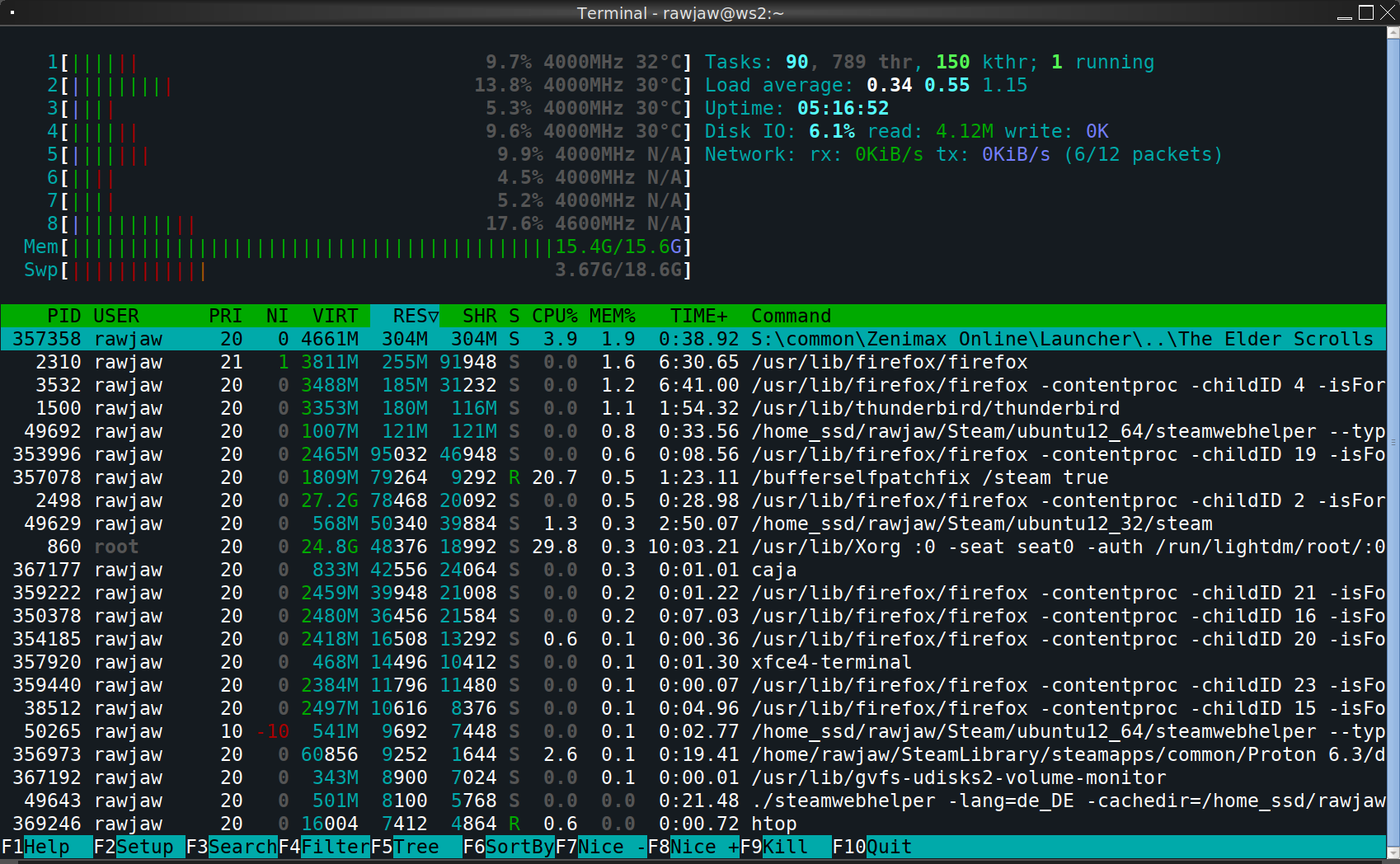
Can anyone relate to this problem? How can I see what the memory is being used for? Must be ESO but I really wonder why Htop does not show any process that is using the RAM...
I decided to post this today because today was a very unlucky day: I had to restart ESO about 10 times before I could finally play it without my RAM being full. When it runs normally, my total RAM usage is ~ 4,5 GB while playing ESO.
I finally found out how this memory-problem can be avoided!
When ESO is set to fullscreen, after clicking "Start" in the Launcher, it shows a black screen for a short time, then ESO always minimizes by itself. And this is where the memory leak is. The longer you leave ESO minimized, the more RAM is used. If I wait ~5 seconds before opening the ESO window, it uses ~20 GB of RAM and is playable with poor performance due to swapping. If I wait ~10 seconds, ESO has already locked up at a black screen when opening it and needs to be killed.
Workarounds that I figured out:
- Reopen ESO immediately after it minimizes itself.
- Set ESO to windowed fullscreen instead of fullscreen. Then, the game won't minimize upon start and you won't encounter the memory leak. But using windowed fullscreen decreased performance by about 20% in my case.
This explains my "unlucky day" with the game: After I found out it uses ridiculous amounts of RAM and won't run properly, I always left it minimized for a while to check RAM usage before even bothering to try playing. And this caused the RAM usage to skyrocket every time.
The memory leak is only there when launching the game. After it has loaded, it can be minimized and restored without problems.
What I'm still curious about - not only for ESO but also for my general Linux education: How could I see where all my RAM is going? Everything that I tried (see previous post) only shows that 20GB of RAM are used, but allegedly by nothing. Why is there no process shown by htop that is using the RAM that is used? How else could I see it?
And I found a solution on how to avoid game freezes, which happened to me a couple of times during each gameplay.
It was caused by VSync setting enabled, though without it game got clunky. In order to fix it, you need to edit your UserSettings.txt (for me it's located here: ~/.steam/root/steamapps/compatdata/306130/pfx/drive_c/users/steamuser/My Documents/Elder Scrolls Online/live) and change the following lines:
PreferExclusiveFullscreen from 1 to 0
FULLSCREEN_v5 from 2 to 1
VSYNC from 1 to 0
MinFrameTime.2 from "0.01000000" to "0.01660000"
The last setting is to cap it to my refresh rate of 60 fps without VSync.
After these changes, I haven't experienced a single crash/freeze (playing for 2 weeks already).
Solution found here.
A lot of people have been having issues since Update 32 (Deadlands) dropped today - the game simply crashes on startup with a null pointer dereference, or bad file descriptor assertions. I was able to get the game working today for myself and one other person by switching to Proton-GE 6.20-1 (from GE 6.12). So, if you're having issues, try updating your Proton and see if it helps.
A lot of people have been having issues since Update 32 (Deadlands) dropped today - the game simply crashes on startup with a null pointer dereference, or bad file descriptor assertions. I was able to get the game working today for myself and one other person by switching to Proton-GE 6.20-1 (from GE 6.12). So, if you're having issues, try updating your Proton and see if it helps.
Might possibly be related to Multithread Rendering that's enabled by default since update 32? It can be disabled from the video settings.
In my case, I haven't seen differences with the game since the update (no crashes at startup) but I'm using Steam as flatpak with the Proton GE community build that's updated automatically (it's currently at 6.18).
I played with multi-threaded rendering enabled since they implemented it, never had any issues with it.
Yesterday's patch made the game crash on start due to a null pointer exception for me as well.
Since I play via lutris, I switched my runner to wine-GE, which made it work again.
I've played >10h with the new patch so far with multi-thread-rendering enabled and not a single crash with standard Proton 6.3-7.
Elder Scrolls Online: Minion App
Issue transferred from https://github.com/ValveSoftware/Proton/issues/5645.
@Bananaman posted on 2022-03-04T10:29:39:
Compatibility Report
- Name of the game with compatibility issues: Minion (https://minion.mmoui.com/?download) for Elder Scrolls Online. It's the official way to install addons for this MMO.
- Steam AppID of the game: 306130
System Information
- GPU: RTX 3090
- Driver/LLVM version: 510.47.03
- Kernel version: 5.16.11
- Proton version: 7.0
I confirm:
- [x] that I haven't found an existing compatibility report for this game.
- [x] that I have checked whether there are updates for my system available.
Symptoms
The application works well with Wine-Staging or Wine-TKG.
Under Proton, it crashes with:
wine: Unhandled page fault on execute access to 0000000000000000 at address 0000000000000000 (thread 0024), starting debugger...
Reproduction
- Download Minion from https://minion.mmoui.com/?download
- Run the installer with Steam Proton. It works and lets you install the application.
- Now try starting the application.
- Instant crash with null pointer. This doesn't happen when using Wine-Staging or Wine-TKG instead.
@Bananaman commented on 2022-03-04T10:37:18:
Chances are that this crash is something that affects a ton of applications under Proton. Since this null-pointer bug doesn't exist in Wine-Staging or Wine-TKG. Some emulated Windows API is returning a null-pointer under Proton.
I (again) have encountered a problem concerning dead keys with a German keyboard layout. The ^ key (which on a German keyboard is a dead key) cannot be used as a keyboard control in ESO (e.g., for weapon swapping) as it always expects a second keystroke. (Providing the second keystroke,e.g. ^ again, or space, does not activate the key binding in ESO.) The same problem occurs with the backtick key (which is for opening the champion point manager).
I'm have tested this with different Proton versions now:
- 7.0 experimental: the problem occurs
- 7.0-1: the problem occurs
- 6.3-8: the problem occurs
- 5.13-6: not testable as the game does not start (I can only start the game launcher, but not the game itself)
The game has become somewhat unstable for me since Update 33 dropped. In previous years the game ran fairly well for me, but something broke in Update 33 and I experience frequent client freezes when there's a lot going on during fights. Have tried turning my graphics to potato but this does not help at all.
@ronlaws86 Can not confirm this. I am playing several hours daily and have > 1000 hours in the game in total. The last crash was weeks ago, it runs very very stable for me.
that's great. lets swap computers so you can confirm it too :)
On Wed, Mar 30, 2022 at 6:56 PM Sha1rath @.***> wrote:
@ronlaws86 https://github.com/ronlaws86 Can not confirm this. I am
playing several hours daily and have > 1000 hours in the game in total. The
last crash was weeks ago, it runs very very stable for me.—
Reply to this email directly, view it on GitHub
https://github.com/ValveSoftware/Proton/issues/556#issuecomment-1083386472,
or unsubscribe
https://github.com/notifications/unsubscribe-auth/AC3PVHNLSNJVPOZ4T2NV3P3VCSBSHANCNFSM4FRRUO2Q
.
You are receiving this because you were mentioned.Message ID:
@.***>
@ronlaws86 There is no need. I did not mean to brag but to help you by telling you that it is still possible to run ESO stable and the fact that it did not become unstable for everybody means that most likely neither ESO nor Proton themselves are the cause of your problem so it can be possibly solved.
My ESO was totally broken by an update some time ago and I needed to reset the wineprefix by deleting [SteamLibrary]/steamapps/compatdata/306130, maybe that helps.
What I did notice since said update is that CPU usage increased while performance decreased slightly.
What I did notice since said update is that CPU usage increased while performance decreased slightly.
Same, CPU usage increased a lot for me. In cities, my FPS will frequently drop below 20 because of the extreme CPU usage.
what proton version, also have you enabled/disabled any settings like
multi-threaded rendering, graphics settings, any other tweaks outside the
game etc. that would all be useful information to know. nothing changed my
end and the game went from being rock solid to 'don't stress it or it will
crash' (so basically don't go large boss fights or group fights)
On Fri, Apr 1, 2022 at 1:45 AM Sha1rath @.***> wrote:
@ronlaws86 https://github.com/ronlaws86 There is no need. I did not
mean to brag but to help you by telling you that it is still possible to
run ESO stable and the fact that it did not become unstable for everybody
means that most likely neither ESO nor Proton themselves are the cause of
your problem and excluding these causes could save you some time finding
the problem on your side.
My ESO was totally broken by an update some time ago and I needed to reset
the wineprefix by deleting [SteamLibrary]/steamapps/compatdata/306130,
maybe that helps.—
Reply to this email directly, view it on GitHub
https://github.com/ValveSoftware/Proton/issues/556#issuecomment-1085240010,
or unsubscribe
https://github.com/notifications/unsubscribe-auth/AC3PVHLWS3TDDFP342LF3STVCY2JRANCNFSM4FRRUO2Q
.
You are receiving this because you were mentioned.Message ID:
@.***>
Just an update, After much fiddling about with things, trying a clean install of the game, using last known good proton version (6.3-8) i could not resolve the crashing issue.
however, i have a suspicion the problem may be anecdotal of another issue, so thinking outside the box i decided to try something else.
ESO lately has had a lot of server issues, i noticed perhaps not too unrelated is the fact the game will freeze/crash in a similar way when i sometime log out, but the problem is most prevalent in PVP when 30-40 people are all attacking a keep when your client (or the server) inevitably lags out and you get booted. Having had issues unrelated to the game in the past i decided to move my guild discord call to another device entirely and simply pipe the audio through to my main rig with audio cables, to release the stress of that on my rig to see if things improved and since doing this at least while testing i've not had a single crash. I do still get disconnected, but this time i'm properly shown the login screen and an error code instead of a total client freeze at the same point.
Odd that the issue is not fixed but rather 'changed' by not having discord running at the same time (at least on the affected machine) so i can't really say what exactly is going on here, but can anyone else confirm if they see similar oddness or know of a known problem that might be caused by discord?
@ronlaws86
Here is my steam system info so you can see a lot of details about my system. I'm using Arch Linux which is a very up-to-date distro. The fact that I have an NVidia GPU with the proprietary drivers might be important as well. I've always used the most recent proton version to play ESO, currently I'm using 7.0-1.
I didn't do any extra-fancy settings in ESO, just the usual graphics settings to suit the performance of my system. I have multi threaded rendering enabled. I'm using a lof of addons (57) to improve the game.
I don't play PvP, I spend most of my time in Dungeons (4 player PvE) and questing alone. I occasionally do raids (12 player PvE) and there I do have to lower my graphics settings for my old hardware to keep up. It is not crashing, heavy load is just slowing things down for me.
Most of the time I play with friends and we have a discord voice chat in the background, that never caused any problems. Also, the catastrophic server problems yesterday didn't crash my game, I just had very long loading times and sometimes I got placed in a login queue and had to wait for many minutes to log in.
eso not launching
Issue transferred from https://github.com/ValveSoftware/Proton/issues/5979.
@mihstaz posted on 2022-07-10T17:27:08:
nothing happens when I click play in the launcher. syslog says
Jul 10 19:25:39 steam.desktop[10503]: gamemodeauto: dlopen failed - libgamemode.so: cannot open shared object file: No such file or directory
Jul 10 19:25:40 steam.desktop[10503]: wine: Unhandled page fault on read access to 0000000000000000 at address 00000001421E881E (thread 04dc), starting debugger...
Jul 10 19:25:40 steam.desktop[10506]: gamemodeauto: dlopen failed - libgamemode.so: cannot open shared object file: No such file or directory
Jul 10 19:25:40 steam.desktop[3786]: ThreadGetProcessExitCode: no such process 10506
Jul 10 19:25:40 steam.desktop[3786]: ThreadGetProcessExitCode: no such process 10503
I run proton experimental but tried the other versions, they dont work either.
start commands are: PROTON_NO_ESYNC=1 gamemoderun PROTON_USE_WINED3D11=1 %command%
Ubuntu 22.04
Hello @mihstaz, please set the game's launch options to PROTON_LOG=1 %command% and attach the generated $HOME/steam-$APPID.log to this issue report as a file. (Proton logs compress well if needed.) Also, please copy your system information from Steam (Steam -> Help -> System Information) and put it in a gist, then include a link to the gist in this issue report.
@kisak-valve here is the gist: https://gist.github.com/mihstaz/b7da329d592c6f6924ad7949efd367ec
and here is the requested log file:
steam-306130.log
Your Proton log tells us you're using Proton 5.13 with this game, which was noted at https://github.com/ValveSoftware/Proton/issues/556#issuecomment-1068053897 as not working with the same symptoms you've described. Are you sure that the Proton version was getting changed in your testing?
@kisak-valve It works with Proton Experimental and I'm an idiot.
I changed the version around while having other issues beforehand (like the launcher claiming my 1TB SSD only has 20GB remaining or that the path isn't writable), but as it turns out I did not change the version after encountering the issue this ticket is about. I apologize for the wasted time and I'd like to thank you for helping me.
PROTON_NO_ESYNC=1 gamemoderun PROTON_USE_WINED3D11=1 %command%
Try gamemoderun PROTON_NO_ESYNC=1 PROTON_USE_WINED3D11=1 %command%
@kisak-valve like the launcher claiming my 1TB SSD only has 20GB remaining or that the path isn't writable
How did you get past this? I'm experiencing this issue currently. tried a few proton versions as well as Proton GE.
continued my digging and found solution in this thread:
Hello @Sha1rath, setting the game's launch options to
PROTON_SET_GAME_DRIVE=1 %command%might trick the launcher into behaving a bit better.
There is a massive NVIDIA DRIVER BUG on X11 which freezes the entire X11 Rendering. Your display stops updating. All you can see is the hardware mouse cursor moving across a frozen desktop. And the mouse cursor changes according to what you Hover over, but there is zero interaction with the actual element you Hover since X11 rendering is frozen.
I am almost 100% sure that it is this NVIDIA driver bug, which is that on X11, the NVIDIA driver "sleeps" for extremely long and freezes rendering:
https://gitlab.gnome.org/GNOME/mutter/-/issues/2233
As NVIDIA explains there (Erik Kurzinger works for NVIDIA): The driver bug only exists on X11 NVIDIA's Wayland driver doesn't have the problem.
Exact steps to trigger the bug:
- Use NVIDIA driver and X11. The version doesn't matter, unless you are reading this in the future and a fixed driver magically exists. ;)
- Use GNOME Mutter 42 or newer. The bug is in the NVIDIA driver, but Mutter (the GNOME renderer) did some changes which wait for the sleeping NVIDIA driver hence freezing the screen, so you might need Mutter. I am personally on FEDORA Workstation 36 with GNOME 42.4.
- Open the Elder Scrolls Online Launcher. The desktop will immediately slow down its refreshes and will finally freeze and not react to anything.
- As an emergency, you can click the X to close the Launcher and then wait half a minute or so for X11 to catch up with the thousands of sleep/error events that the NVIDIA X11 driver caused. The desktop will come back to life after a while.
Summary of things that were tried before narrowing it down to the NVIDIA driver:
- Wayland: Works instantly. Likewise if I open the infamous "glxgears" app, which renders perfectly on Wayland unlike X11 where it causes freezes too.
- X11 but disabling NVIDIA's OPENGL VSYNC on the NVIDIA control panel: Still broken.
- X11 but disabling NVIDIA's Compositing Pipeline (basically VSYNC): Still broken.
- Older wine: Still broken.
In short: Even though NVIDIA has some issues on Wayland, I think it's time for me to switch to Wayland and live with the other issues (mainly the lack of syncing frame buffers in Xwayland apps, which leads to stutter/double rendering in old apps such as Discord). NVIDIA is aware of the existing Wayland issues and are working on improving all of them, so it probably won't be long until the majority of remaining issues are fixed and we can finally forget about X11 forever.
One thing is for sure. I will only play Elder Scrolls on Wayland, because X11 is a lost cause.
If anyone is thinking of switching too and is curious what the major NVIDIA issues on Wayland are, they are as follows:
- No support for color setting API, so features like "eye protection / night light" don't work and don't set the screen's color temperature. NVIDIA know about it and an implementation is on the way.
- X11 (Xwayland) applications run without syncing their rendering to the screen's refresh rate, which means that X11 apps USUALLY have a lot of stuttering/jumping frames where you randomly see old frames and it takes several seconds for it to catch up to the latest frame. This is noticeable in apps such as Discord, which use ancient Electron and old X11 rendering, and stutters and freezes like crazy when typing or scrolling. NVIDIA is also aware of this and Erik Kurzinger has been (at last months ago) trying to make Xwayland patches that solve the synchronization issues. In some apps, you are able to force Wayland rendering via various flags to avoid the issue. In case of Flatpak apps, they often do a better job than native apps at setting up a decent Wayland experience, so if you use a lot of Flatpak you will see less Wayland NVIDIA issues. Another workaround is to make a browser-based WebApp out of Discord (for example Brave can install websites as standalone apps with desktop notification integration). The only limitations I'm aware of in the browser Discord is zero "game integration" and no Push-to-Talk (but this extension may be able to solve that.)
- If you use OBS Studio, you need to use PipeWire's specific Window capturing, not Desktop capturing. Because there is extreme stutter of the recording if you do full screen capture. Whereas it is super smooth if you do specific window capturing. Note that this specific issue seems to be somewhere between PipeWire and the NVIDIA driver. If you use GNOME's built in video recorder feature, the recording is very smooth.
- Some apps, such as Krita, still have issues on Wayland such as not rendering the image at all (kinda big issue for an image editor). But most apps run these days.
Those are the main issues on Wayland. But for me it's worth it, at least for Elder Scrolls.
There are also lots of benefits from switching to Wayland. Such as infinitely smoother screen rendering with way more consistent frame times. Way smoother animations as a result. Way better mouse cursor handling with smoother rendering. Application windows (especially games) generally behave better and don't glitch as much behind other windows etc. And the biggest one for me is that Wayland is infinitely better at high DPI scaling, which means that apps look a lot better and more readable when you use scaling such as 200% (on X11 many apps still render at 100%). For example, most Electron apps only scale properly on Wayland, and Chromium-based browsers need the --force-device-scale-factor=1.25 launch argument on X11 since they cannot figure out the screen scale without it, but works perfectly on Wayland.
I hope this information saves hours of troubleshooting for other NVIDIA X11 users! I did not see these Elder Scrolls issues documented by anyone else, which shows how impopular NVIDIA cards are on Linux, hehe.
Edit: NVIDIA Driver 525 is out and fixes the X11 "idle freeze" issue: https://gitlab.gnome.org/GNOME/mutter/-/issues/2233#note_1627838 -- However, as nicokimmel points out below, the freezing launcher on X11 happens on AMD cards (Mesa driver) too, and isn't fixed by the latest NVIDIA driver. So it turns out that this particular issue is just a general X11 issue with Wine/Proton. It works on Wayland on both NVIDIA and AMD.
@Bananaman If you are talking about the launcher, its broken on X11 Mesa (AMD Cards) as well. Working on Wayland, indeed.
The launcher itself can't display Chinese text after update to U36, but the game display fine. Looks like it can't find the right font to use.
- OS: Fedora Silverblue 36
- DE: Gnome Shell 42
- Steam installed from flathub as flatpak


The Elder Scrolls Online: Installation black screens, No file check post install
Issue transferred from https://github.com/ValveSoftware/Proton/issues/6535.
@msmafra posted on 2023-02-14T13:28:51:
Compatibility Report
- Name of the game with compatibility issues: The Elder Scrolls Online
- Steam AppID of the game: 306130
System Information
- GPU: RTX 2060 mobile
- Driver/LLVM version: 525.89.02
- Kernel version: 6.1.10/6.1.11cb1/6.1.11cbl1
- Link to full system information report as Gist: https://gist.github.com/msmafra/27d1f02cc9a2c08b4aab2e82267c4adb
- Proton version: 7.0-6/Experimental
I confirm:
- [x] that I haven't found an existing compatibility report for this game.
- [x] that I have checked whether there are updates for my system available.
Symptoms
The game runs perfectly (playing since December 2021), just the installation process is problematic, needs PROTON_SET_GAME_DRIVE=1 for it to work and during the process has black screens, pressing Enter repeatedly gives a glance of what is happening. And post-install, the file checking isn't working, it just checks Proton and Soldier.
Reproduction
Install The Elder Scrolls Online, check the installation process and after try to Check Local files.
Steam only installs and checks the ESO Launcher. This has nothing to do with Proton or even Linux.
The actual game installation can be checked using the ESO launcher (game settings -> repair).
However, when I tried to reproduce the steam check, I encountered some very odd behavior: Right after clicking "check game data for errors" in steam, a window popped up saying "resetting installation". When I then launched ESO again, the installer showed up again as if the game was not installed. I clicked install and the installation was finished immediately so luckily it didn't download the full game again.
Is it the intended behavior of Steam's check function that it "resets" the installation without asking? My assumption would be that it does a read-only verification of the data.
At least now I can confirm that the black window is still an issue with the installer. A workaround is to minimize and restore the window which will cause the content to flicker and then you can memorize where you should click.
This only affects the language selection and the following progress-bar-window of the installation of the ESO-launcher, so not a big deal. The ESO-launcher that is installing the actual game and that is needed to run it works fine.
I think they're reporting that the launcher isn't rendering correctly? Correct me if i'm wrong.
The ESO Launcher uses borderless window mode with transparency, so it's likly a desktop composition or graphics issue.
All i can confirm sadly is that the launcher is still working fine for me on Linux Mint 21 Cinnamon edition with nVidia Graphics, so this might be a distro specific bug.
They just said "the installation process". I think that means the launcher's installer because that is what creates solid black windows on my setup too. It's the first thing that appears when you click "install" in Steam. Once the launcher is installed, the launcher does not have this problem. The reporter did not mention a black screen issue when starting the game (which uses the ESO launcher), so in my understanding it's the pre-installer problem that we are all having.
I've encountered the "Xorg hang" issue with the game's installer (I'm on KWin / nVidia), and definitely don't think it's related to the "idle freeze" issue above. Indeed, it reproduces both on Xorg and XWayland sessions for me.
The following patch seems to fix the hang (at least on my end):
https://github.com/ValveSoftware/wine/pull/186
The "black screen" still appears: that seems to be the usual issues with mixing Vulkan and GDI rendering. Maybe WineD3D would fix it, though I've heard anecdotally from friends that the game itself performs terribly with it. Just hitting "Enter" successfully passes the problematic window.
Hello @sulix, please copy your system information from Steam (Steam -> Help -> System Information) and put it in a gist, then include a link to the gist in this issue report.
No worries: here's the system info (from under Xorg).
And a summary of it from KDE:
Operating System: openSUSE Tumbleweed 20230402
KDE Plasma Version: 5.27.3
KDE Frameworks Version: 5.104.0
Qt Version: 5.15.8
Kernel Version: 6.2.9-1-default (64-bit)
Graphics Platform: X11
Processors: 8 × Intel® Core™ i7-4770K CPU @ 3.50GHz
Memory: 31.3 GiB of RAM
Graphics Processor: NVIDIA GeForce GTX 1060 3GB/PCIe/SSE2
Manufacturer: Gigabyte Technology Co., Ltd.
Product Name: Z87X-UD5H
Since Proton 8, there is a new Issue with windowing.
It has always been that ESO starts minimized by default and while minimized (only at the start), a memory leak will fill all of the RAM and swap. This can be circumvented by maximizing ESO as soon as it appears in the task bar. Minimizing it again after initial loading doesn't have the memory leak anymore.
Proton 8 introduced the following issues: Now it sometimes is not possible to maximize ESO. It stays minimized in the taskbar and clicking on it does nothing. In the meantime, RAM usage reaches 100% within a few seconds. The only way to circumvent this now is to kill ESO and start again. Repeat until maximizing by clicking its taskbar button works.
And there is now an additional problem: Even when maximized, ESO is layered behind the taskbar. I could circumvent this by assigning a key bind to my window manager to move the actual window to the foremost layer. This is just a minor annoyance but you need to have a way to tell your WM to move ESO in front of the taskbar. I have set ESO to "fullscreen" and not "windowed fullscreen". My window manager is Fluxbox.
Hello @Shallrath, please add PROTON_LOG=1 %command% to the game's launch options and attach the generated $HOME/steam-$APPID.log to this issue report as a file. (Proton logs compress well if needed.) Also, please copy your system information from Steam (Steam -> Help -> System Information) and put it in a gist, then include a link to the gist in this issue report.
Here is my system Info: https://gist.github.com/Shallrath/4a2cdf32f18ed23f5bd840b9f9532a65
Here is the Steam log.
steam-306130.log.gz
This log includes the following problems:
- ESO being started minimized
- ESO being layered behind the task bar when running.
- Memory Leak using all of my RAM while minimized at start. It is not ESO itself as it kept running and was playable. I already described the memory leak here in more detail as this is an old problem but it can easily be avoided by just maximizing the game as soon as it opened its window.
The following problem has not occured while creating the log:
- ESO can't be maximized at start, stays minimized and needs to be killed & restarted. I will upload another log when this problem occurs again.
$ grep "EXCEPTION_ILLEGAL_INSTRUCTION" steam-306130.log | wc -l
116935
That's quite a lot of (non-fatal?) illegal instructions. Might be related to the memory leak.
Possible line of interest:
err:x11drv:update_net_wm_fullscreen_monitors hwnd 0x100b4 at (-32000,-32000)-(-31840,-31976) is outside of monitor 0x1 at (0,0)-(3840,2160), ignoring
@Shallrath I believe that previously, some workaround was needed in order for ESO launcher to work. That has all been fixed, and Experimental-bleeding-edge (beta branch of Proton Experimental) should have everything needed for ESO to be able to run out of the box. I am not seeing the memory leak, or the minimization on launch that you describe. Could you please try a "vanilla" ESO launch on experimental-bleeding-edge and see if you are still seeing the same behavior without any workarounds?
First I was able to generate another log with Proton 8 where besides the usual issues (ESO starting minimized, memory leaking at start) also maximizing / opening the game window was not possible (while memory was leaking). I pressed the close button in Steam at around 15GB of memory usage (I only have 16).
steam-306130.log.gz
@Shallrath Is it possible for you to try temporarily switching window managers from Fluxbox to KDE or Gnome just to confirm if the leak still happens with a different WM?
@alasky17 I tied it under XFCE and the behavior there is the same: ESO minimized immediately after clicking "play" in the launcher and if not manually maximized, after ~10 seconds all 16GB of RAM are occupied and the systems starts swapping.
Installing KDE or Gnome would involve too much bloatware to clean up but it seems that fluxbox is not the (only) cause. I consider switching to Wayland for numerous other reasons, maybe that will fix it.
I'm trying to run ESO on my PC (Fedora 38), my GPU:
VGA compatible controller: Intel Corporation TigerLake-LP GT2 [Iris Xe Graphics] (rev 01)
Kernel driver in use: i915
Kernel modules: i915
Proton Experimental,
but I get 5252.670:0020:00dc:err:winediag:nodrv_CreateWindow Application tried to create a window, but no driver could be loaded. 5252.670:0020:00dc:err:winediag:nodrv_CreateWindow L"The explorer process failed to start." error.
On older versions of Proton the launcher runs, but it's blank. I checked and have Vulkan drivers installed.
Replying to https://github.com/ValveSoftware/Proton/issues/556#issuecomment-1666552006
Re: Launcher being blank. If it’s the blank installation launcher then that’s a known issue. The ‘continue’ button will still be there (but hidden). Either hitting Enter or clicking somewhere in the bottom middle of the blank screen should start the install process.
I'ts actually launcher after installation which run succesfully. I'm trying to hit Enter or click anywhere to run the game, but it's not working.
Replying to [#556 (comment)](https://github.com/ValveSoftware/Proton/issues/556#issuecomment-1666552006)
Re: Launcher being blank. If it’s the blank installation launcher then that’s a known issue. The ‘continue’ button will still be there (but hidden). Either hitting Enter or clicking somewhere in the bottom middle of the blank screen should start the install process.
and sometimes, randomly it's not launching blank on older Proton versions, but games is crashing (just black screen)
(edit: The latest kernel update to 6.2.027-27 seems to have fixed this crash for me.)
After the latest Steam Linux Runtime (Sniper) beta update (which probably was 0.20230808.56699 (Steampipe build ID 11903591), but I'm not 100% sure), The Elder Scrolls Online (with Steam Beta on Kubuntu 23.04) freezes within the first 5 minutes of playing (on the loading screen), and a few seconds later, my complete OS becomes unresponsive so that I need to reboot. (I can't even switch from the UI to a virtual console.)
Going back to Sniper 11406188 fixes this problem for me. So my best guess is that it's a Sniper regression.
(I haven't player any other games with that particular Sniper version yet. So I don't know if this is specific to ESO.)
Hello @oliverklee, can you open a new issue report in https://github.com/ValveSoftware/steam-runtime/ with the details of your findings.
@kisak-valve Done: https://github.com/ValveSoftware/steam-runtime/issues/610
(I had also reported this in the SteamRT GitLab instance as I wasn't sure what the best place to report would be: https://gitlab.steamos.cloud/steamrt/steamrt/-/issues/26)
I wasn't sure what the best place to report would be
As @kisak-valve said, https://github.com/ValveSoftware/steam-runtime/ is the right place to report all user-facing Steam Runtime issues.
The various issue trackers on the Gitlab are used internally for lower-level issues that have already been diagnosed in detail and assigned to a specific component.
The latest update of steam linux runtime 3.0 (sniper) always crash ESO, switch to proton 7.0 + runtime 2.0 (soldier) can play again.
@lumingzh:
The latest update of steam linux runtime 3.0 (sniper) always crash ESO, switch to proton 7.0 + runtime 2.0 (soldier) can play again.
If you can confirm that it's a SLR 3.0 regression, please open a separate issue in https://github.com/ValveSoftware/steam-runtime/
[edited: never mind, I see you opened https://github.com/ValveSoftware/steam-runtime/issues/624 already. Thanks for doing that!]
The game was playable for over two years. Now I randomly got a black screen and freeze when starting from the launcher or sometimes it starts to freeze when logging in. I tried it with different Proton Versions including Experimental.
When using PROTON_USE_WINED3D=1 %command% it allows me to play and doesn't hang but it has horrible artifacts.
Log from Black Screen:
steam-306130.tar.gz
System information:
Computerinformationen:
Hersteller: ASUSTeK COMPUTER INC.
Modell: PRIME B250M-A
Formfaktor: Desktop
Touch-Eingabe nicht erkannt
Prozessorinformationen:
CPU-Hersteller: GenuineIntel
CPU-Marke: Intel(R) Core(TM) i7-7700K CPU @ 4.20GHz
CPU-Familie: 0x6
CPU-Modell: 0x9e
CPU-Stepping: 0x9
CPU-Typ: 0x0
Geschwindigkeit: 4500 MHz
8 logische Prozessoren
4 physische Prozessoren
Hyper-Threading: Unterstützt
FCMOV: Unterstützt
SSE2: Unterstützt
SSE3: Unterstützt
SSSE3: Unterstützt
SSE4a: Nicht unterstützt
SSE41: Unterstützt
SSE42: Unterstützt
AES: Unterstützt
AVX: Unterstützt
AVX2: Unterstützt
AVX512F: Nicht unterstützt
AVX512PF: Nicht unterstützt
AVX512ER: Nicht unterstützt
AVX512CD: Nicht unterstützt
AVX512VNNI: Nicht unterstützt
SHA: Nicht unterstützt
CMPXCHG16B: Unterstützt
LAHF/SAHF: Unterstützt
PrefetchW: Nicht unterstützt
Betriebssystem:
"Arch Linux" (64 Bit)
Kernel-Name: Linux
Kernel-Version: 6.8.9-zen1-1-zen
X-Server-Anbieter: The X.Org Foundation
X-Server-Release: 12101013
X-Fenstermanager: KWin
Steam-Laufzeitversion: steam-runtime_0.20240415.84615
Grafikkarte:
Treiber: AMD AMD Radeon RX 5700 XT (radeonsi, navi10, LLVM 17.0.6, DRM 3.57, 6.8.9-zen1-1-zen)
Treiberversion: 4.6 (Compatibility Profile) Mesa 24.0.6-arch1.2
OpenGL-Version: 4.6
Desktopfarbtiefe: 24 Bit per Pixel
Monitor-Bildwiederholfrequenz: 143 Hz
Anbieterkennung: 0x1002
Gerätekennung: 0x731f
Revision nicht gefunden
Anzahl Monitore: 2
Anzahl logische Grafikkarten: 1
Prim. Anzeigeauflösung: 2560 x 1440
Desktopauflösung: 4480 x 1440
Primäre Anzeigegröße: 20.75" x 11.65" (23.78" diag), 52.7cm x 29.6cm (60.4cm diag)
Primärer VRAM: 8192 MB
Soundkarte:
Audiogerät: Realtek ALC887-VD
Arbeitsspeicher:
RAM: 32041 MB
VR-Hardware:
VR-Headset: Nicht gefunden
Sonstiges:
UI-Sprache: Deutsch
SPRACHE: de_DE.UTF-8
Verfügbarer Festplattenspeicher insgesamt: 917381 MB
Größter freier Festplattenspeicherblock: 86087 MB
Speicherplatz:
Anzahl SSDs: 4
SSD-Größen: 4000G,1000G,500G,0B
Anzahl Festplatten: 0
Anzahl der Wechseldatenträger: 0
Hello @Nisc3d, can you check if https://gitlab.freedesktop.org/drm/amd/-/issues/3343 is relevant to your system? A quick test would be try running the game with an older kernel.
Hi @kisak-valve, thanks for the fast reply. I don't think that is relevant to my system. Just to be sure I switched from Kernel 6.8.9-zen1-1-zen to 6.6.30-1-lts and the game still freezes when logging in or in a very short time period after launching.
What I also noticed in my testing over the last few hours is, that it randomly works every 10 trys or so, but when I try it again with the exact same configuration a second time it freezes again. So far I couldn't find a configuration, that works every time besides PROTON_USE_WINED3D=1, which still isn't playable because of artifacts.
6.6.30 doesn't count as an "older" kernel in this case.
I downgraded to 6.8.4-zen1-1-zen which was the oldest in my local package cache (about a month old). It now works every time. Thanks so much @kisak-valve.
6.6.30 doesn't count as an "older" kernel in this case.
Just encountered the same black screen issue on kernel 6.8.9-arch1-1 and when I tried it on 6.6.30-1-lts it is actually working fine so far. Not sure if that was a fluke considering what I read above so I will test it some more later on.
Also no new launcher commands set and using Proton 9.0-1.
Currently on KDE6 the game does stutter a bit when the launcher changes images. Minimizing the launcher fixes the issue:
@zastrixarundell I have always had this problem since years under both Fluxbox and XFCE. You can even close the launcher while playing, it doesn't need to run in the background.
@Shallrath it only recently started happening with KDE6, KDE5 and Gnome don't have this issue. Don't think we should have a workaround like that, it should probably just be fixed.
Generally the launcher always had issue, it was freezing the DE on Gnome when I wanted to hover over it.
It seems that higher versions of proton have a regression of this game. Currently on proton 8 the game runs well. Using proton 9 on the other hand has stutters whenever a menu is opened and mangohud changes the frametime to Inf.
Hello @zastrixarundell, please add PROTON_LOG=1 %command% to the game's launch options, reproduce the regression, and attach the generated $HOME/steam-$APPID.log to this issue report as a file. (Proton logs compress well if needed.) Also, please copy the contents of Steam Runtime Diagnostics from Steam (Steam -> Help -> Steam Runtime Diagnostics) and put it in a gist, then include a link to the gist in this issue report.
Hi @kisak-valve, thanks for the reply! Nevermind the issue was fixed on my side! Of all things it was my RAM! On Fedora 39 it worked well meanwhile Fedora 40 didn't like my RAM running at 7200MT/s, changing it to 6000MT/s completely fixed the issue!
Hi,
I haven't participated in this thread so far, but have been experiencing the same issues mentioned a bunch of times: the game freezes after / during the login process. Different Proton versions, Flags,... made no difference. Every once in a while (1 out of 20 times, maybe) it would work. Additionally, PROTON_USE_WINED3D=1 made the game work consistently, but with unacceptable artifacts.
Good news though: I've finally found a solution that works (at least for me) :tada: Basically, I've re-created the environment under which the game works flawlessly on the SteamDeck, but on my NixOS-based Desktop:
PROTON_SET_GAME_DRIVE=1 %command%set, and nothing elseGE-Proton7-30as the compatibility tool- Linux Kernel version
6.1.x(specifically in my case,6.1.90). This one was the key.
Originally, I was on 6.6.x, and have tried basically every version available to me between 6.8.9 and 5.4. Version 6.1.90 is the newest one that works.
Leaving this here in case anyone else has the same problem....
Hello,
I'm playing the game from the official launcher from the Bethesda website as a non-steam game from Steam with compatibility set to Proton Experimental.
The game works out of the box, except that the two intro animations (1 Bethesda logo - and 2 Zenimax logo) emits terrible full volume buzzing sounds (somewhat sounding like a misplaced short-cutting jack plug), (edit:along the normal sounds; sometimes the issue doesn't happen and the animations play normally).
I usually mute the sound output and click to pass the animations to avoid this.
I think I saw another issue reported for another game, but I can't remember which one. The issue may be with the codec from gstreamer that can't handle the video sound rate or something like that...
Edit 2: Also, I have to minimize the launcher after clicking play (or set it to close after launching the game), otherwise the launcher pops-up in front of the game every time it switches the announcement banner, but it doesn't have the focus so I have to alt-tab to it anyway to click it and it sometimes messes with the window placement.
Regards.
@OlivierFRDierick you can SET SkipPregameVideos "1" in UserSettings.txt to never show the logo videos. Makes the game load earlier also.
Indeed. Also minimising the launcher is recommended at all times anyway as it hurts performance.
Good news though: I've finally found a solution that works (at least for me) 🎉 Basically, I've re-created the environment under which the game works flawlessly on the SteamDeck, but on my NixOS-based Desktop:
* `PROTON_SET_GAME_DRIVE=1 %command%` set, and nothing else

* `GE-Proton7-30` as the compatibility tool

* Linux Kernel version `6.1.x` (specifically in my case, `6.1.90`). **This one was the key.**
Originally, I was on
6.6.x, and have tried basically every version available to me between6.8.9and5.4. Version6.1.90is the newest one that works.
Okay, this caught my eye. So, are you saying that ESO worked with kernel 6.6.x at one point, but broke at some point, recently, and then you had to go back to kernel 6.1 to make it work again? That would be very interesting. In my case, the game worked for over a year, few problems, none that I couldn't fix. But, right after Update 43, it started hanging on start, before any pre-game videos. I haven't been able to fix it. SkipPregameVidoes doesn't have any effect.
Okay, this caught my eye. So, are you saying that ESO worked with kernel 6.6.x at one point, but broke at some point, recently, and then you had to go back to kernel 6.1 to make it work again? That would be very interesting. In my case, the game worked for over a year, few problems, none that I couldn't fix. But, right after Update 43, it started hanging on start, before any pre-game videos. I haven't been able to fix it. SkipPregameVidoes doesn't have any effect.
No, sorry, I wasn't clear enough in my original comment. I was reading this thread while attempting to get the game to run after switching my only remaining Windows system to Linux/NixOS. Up until the point where I tried kernel 6.1.90, I could only get the game to run very, very sporadically, and with that version it worked flawlessly.
So unfortunately I don't know if it used to run with newer kernel versions, sorry.
(Actually: I haven't tried starting the game since U43 - I will do so later today and report back if my fix is still working for me)
Oh okay. Thanks for clarifying.
I've check with several people; no one else is having a problem with Update 43 or with installations very similar to mine. I'm completely baffled. Other steam games run fine, although I've only checked four others. Not sure what use it would be to try more gamesin my library; I doubt that even if I found another error that it would point to a common problem. It's very clearly in a loop, but I can't tell what it's doing.
I've been running this game on Proton for years now without major issues. (Basically none) and not very long ago i did a fresh install of Linux Mint 22 and the game just installed and ran, no hacks or tricks needed. Currently on Kernel 6.9 and nVidia driver 555
Infuriating. My proton log is full of illegal instruction exceptions and sigsys handler tracebacks. I don't understand what could be different with my system that causes those kinds of errors. Got update 44, same symptoms. Completely stuck. I can't even imagine what I can do to debug this.
Oh okay. Thanks for clarifying.
I've check with several people; no one else is having a problem with Update 43 or with installations very similar to mine. I'm completely baffled. Other steam games run fine, although I've only checked four others. Not sure what use it would be to try more gamesin my library; I doubt that even if I found another error that it would point to a common problem. It's very clearly in a loop, but I can't tell what it's doing.
Sorry for taking so long to reply.
Turns out, now the launcher won't even open. It opened once, finished halfway with installing the latest update, then crashed. Even reinstalling the entire game has not fixed this, it will not open again.
Unfortunately I do not have the time to debug this currently.
@PorcelainMouse
Have you tried deleting (Or just renaming with a _ ) the proton prefix and allowing it to generate a new one? it sounds like maybe something broke in .NET, but i'm clutching at straws here.
Edit
Also, what distro are you on, is it using Wayland, are you up to date with your drivers, what drivers and for what kind of graphics etc.
Sorry if you already answered these, this thread is very long.
@PorcelainMouse Have you tried deleting (Or just renaming with a _ ) the proton prefix and allowing it to generate a new one? it sounds like maybe something broke in .NET, but i'm clutching at straws here.
Oh, interesting. I'm not quite following, though. "deleting the proton prefix"? Do you mean delete and reinstall all of proton or a particular proton version? Isn't the "prefix" what WINE calls the path containing all the fake C:\ stuff? If so, I'm not sure how to do that with Proton that Steam controls? I know I can manual "uninstall" particular Proton versions. Although, now that you mention it, I remember Steam will not let me uninstall Proton 4 & 5; says it's being used for something, but I can't tell what. Can I just infiltrate Steam's directory structure and rm -rf the Proton directory? Is that safe? I suppose renaming it is safer. Okay, I think I've talked myself into believing I know what you are suggesting. I can try that. It will just auto-reinstall the proton "prefix" if I delete/rename it?
Edit Also, what distro are you on, is it using Wayland, are you up to date with your drivers, what drivers and for what kind of graphics etc.
Fedora 40. Been using Steam on Fedora since 2013-ish? Yeah, Wayland. Got some driver updates recently and pretty regularly. Fedora doesn't lollygag on much and do updates regularly.
Oops! Oh no, that didn't work at all. I did my earlier test WRONG, and now Proton is mad. Okay, I need you to explain what you mean.
When I renamed the proton app directory, Steam did not reinstall it, and now it will not launch the game.
@PorcelainMouse They likely meant the compat directory containing the game's Proton/Wine info and filesystem.
The default location (on my machine at least) is ~/.local/share/Steam/steamapps/compatdata/GAMEID, where GAMEID is the numeric id you can see in the URL of a game's steam store page.
If you're using additional/custom steam library locations, the directory may be in that location's steamapps/compatdata/.
Hmm, okay. Doesn't that get rebuilt when you uninstall & install the game? Or change proton versions?
No joy. That didn't affect anything. Although it did work as suggested; Steam just recreate that directory.
Just checking, but using gamemoderun causes lots of errors on my system. Can't find libgamemode.so. Same for you?
No joy. That didn't affect anything. Although it did work as suggested; Steam just recreate that directory.
Just checking, but using
gamemoderuncauses lots of errors on my system. Can't findlibgamemode.so. Same for you?
No, Gamemoderun works fine for me, but if for you it's producing errors, i'd suggest taking that out of the run command and trying to launch the game again. if the game works suddenly, you know gamemode is broken on your system.
Sorry I assumed you'd know what i meant by renaming the proton (wine) prefix, yes, it's as you discovered. tucked away inside your steam library is a folder called 306130 (*for eso) and renaming that folder is what i was referring to. It's perfectly safe to do, i suggested renaming instead of deleting since your addons etc. are also in here. For me ESO is working fine on Proton 9.
Restarting Steam after doing so is also recommended. I have on occasion run in to situations where steam just refuses to launch anything at all, so closing and re-opening steam completely (or in some cases rebooting the computer) usually fixes whatever wobbly state steams put itself in.
Try again without gamemoderun, just leave the run command totally empty and see if that fixes anything. You could also try Proton-GE (GloriousEggroll) if the factory versions aren't playing ball. Instructions on where to put that can be found on the github page for it.
Edit2:
For me this is under: ~/.steam/compatibilitytools.d/[ProtonGE-Version]/
compatibilitytools.d is a folder you have to create if you haven't done so before. then Unpack the proton folder (version) inside it and Restart steam for it to find it. it will then be an option under the compatability menu in the game preferences.
Edit: I'm also using Linux Mint here, which ships with gamemoded out of the box, i've not had to install from source for a while now. It's also still using X11, Wayland is still 'Experimental' (And non-functional for me) I don't want to point fingers at it, but i wouldn't like to rule out wayland/x-wayland being a culprit, though it shouldn't be, I think the steam deck uses wayland? i could be wrong.
No iI was wrong, SteamOS uses its own game-centric compositor called Gamescope which is -technically- Wayland, but a very modified version of it.
All interesting stuff. Thanks for talking it through with me!
- I just tried gamemode 'cause I saw it mentioned various places. It's not normally in my command line for ESO or any game.
gamemoderunhas no effect on my system, and as far as I know, it never worked. It' has always given thelibgamemode.sonot found error. And, that has never been the solution to any problem I had, in the past. I occasionaly have a problem I can fix and try it, like this, but in the end, it's hasn't been the solution. But, it also doesn't affect anything. The game runs/starts, like all games, but even with the gamemode errors, it doesn't prevent the game from running. Well, the ESO launcher starts. It's definitely something broken with ESO-specifically, or if it's others, I haven't found them, and it's something that is very new, like since Update 43. It's very suspicious that it happened immediately after update 43.- Hmm, so
gamemodeis a separate thing you install? I guess that makes sense, since the libs are no were to be found when I try to start it with gamemode. So, can you install gamemode for your Steam managed Proton? There are too many layers of indirection to keep it straight. That sounds not fun. ...Okay, doing a little research, I remember gamemode now. It's installed on my system and the lib is there, & RPM says it's not damaged. To use it from within Steam, though, that must be a separate thing, right? ...Hmm, says you can LD_PRELOAD the lib if needed. Maybe that's what I should try. But, I think gamemode is mainly to improve performance, right? That's not really my problem. The game used to run really well. - I'm running ESO from Steam, by which I mean I bought it on Steam, installed it through Steam, and only enabled Proton--or I guess Steam calls it "Compatibility Mode"--through Steam. I'm not running any mods/tweaks like winetricks because I don't want to fiddle with the Steam proton. Does this make sense? AFAIK, this has nothing whatsoever to do with locally installed WINE, which I've used in the past for other stuff. I have used GE, winetricks, and stuff for that. I have Lutris to help manage those apps, too, but I normally let Steam do it's thing. If it doesn't work, then I just don't use Steam. If I have to suffer with WINE myself, then I can suffer without Steam complicating it.
I still think it's odd that I can see what the game is doing when it's not working, and that doesn't provide any insight. I don't understand the illegal instructions and syscalls. I just can't make sense of it. My instinct tells me this is something, but I don't know what.
I guess my only other option is to try to copy the game out from under Steam, and try it in my "local" WINE with GE and winetricks? Is that what you are suggesting? That could work...or not, in which case, I wouldn't necessarily learn more about what's wrong. I would at least like to try something that added information.
There wouldn't be any sense to uninstalling all games and starting over, would there? Like delete (or rename) all the Steam/ directories so it has to start over like I never used Steam before? I suppose I would loose all my local game history, for games that don't store that stuff in the Steam cloud, which is actually a lot of my old games. But, I haven't played them in forever, so, maybe that isn't much of an impediment.
copying it to local wine probably won't work, the Steam copy has DRM that talks to the steam API for authentication, the game simply won't let you in.
As for Gamemode, Yes it's a separate system package that tweaks the system cpu scheduler and some other stuff to improve performance, though the mileage always varies. It is something you just add to the run command in steam as gamemoderun %command% so leaving it out is not detrimental at all. it's completely optional honestly.
Anyway, the fact that you're able to get to the launcher is a good sign, sort of. it means to me at least that proton is actually working, at least partially. My next port of call would be either checking your graphics drivers, Vulkan support and of course the game files themselves. do an integrity check within the launcher if you can, since steams integrity check only checks the launcher files, not the game files in ESO's case - as it is the ESO launcher that's in charge of maintaining the actual game files.
Something else you could try too, if when launching the game it just crashes, is to disable the startup videos. in fact i would do this first.
Look for the file
~/.steam/steamapps/compatdata/306130/pfx/drive_c/users/steamuser/My Documents/Elder Scrolls Online/live/UserSettings.txt
change this line to read as follows:
SET SkipPregameVideos "1"
Save and try to launch.
Thanks, I've actually tried all of those things. I have SkpPregameVideos set to "1", although I had to create that file from scratch because it doesn't exists on a fresh install of the game. I let the Launcher check file integrity, twice I think, and reinstalled the whole game. My drivers are as up-to-date as possible.
I've reported this a few places, so maybe I missed it here, but I've played ESO for over 500 hours, already, on this system in this configuration. I've had very few issues with it until Update 43. The game doesn't crash, it hangs in a loop of SIGILL and SIGSYS using 30% of one proc.
I have had weird issue where after some time of playing (usually in Cyrodiil PVP zone), any inputs make the game stutter a little bit.
This means that if I run forward, holding down W, it stutters once and then works ok. But if I start moving my mouse at all, then every mouse movement it has tiny bit of stutter.
I'll have to dig into if it's some addon bug (i tried disabling a bunch but still had it) or if it's something else. Will also try proton experimental.
Just wanted to share my experiences with this in case someone else has similar issue.
Replying to https://github.com/ValveSoftware/Proton/issues/556#issuecomment-2480876471
This is a Steam issue. They pushed an update last weekend or so that has a lag-bomb - https://old.reddit.com/r/linux_gaming/comments/1go89gq/games_stutter_only_when_i_move_my_mouse/
Adding LD_PRELOAD="" fixes it. https://github.com/doitsujin/dxvk/issues/4436#issuecomment-2466646597
This is a Steam issue. They pushed an update last weekend or so that has a lag-bomb - https://old.reddit.com/r/linux_gaming/comments/1go89gq/games_stutter_only_when_i_move_my_mouse/
Adding LD_PRELOAD="" fixes it.
Ah, many thanks!
I don't know why but this game is the only game that I have high network latency. It is not happening on Windows with the same network configuration and apps. I'm on Arch Linux right now, and I had this problem on Fedora too. Every other things works perfectly, except the 1 FPS launcher. Any other online games or MMORPG games I play doesn't suffer from this ping problem.
I don't know why but this game is the only game that I have high network latency. It is not happening on Windows with the same network configuration and apps. I'm on Arch Linux right now, and I had this problem on Fedora too. Every other things works perfectly, except the 1 FPS launcher. Any other online games or MMORPG games I play doesn't suffer from this ping problem.
High Latency with ESO is hard to diagnose as the games servers have not been very good this last couple of months. (actually since they pushed the AI Chat monitoring out, the servers have been complete ass, I wonder why 🤔 ) But I digress. It could be a threading issue if you're observing it only under Linux. The in-game ping is not just network latency but also accounts for Server frame time and client frame time, which is why the game will often report 999+ when there's a lot going on in that cell or things are still loading in. try adjusting settings such as multi-threaded rendering and restarting the game, play on on lowest settings etc to see if that affects it in any way.
I've been having an issue where after a seemingly random amount of time(never immediate, usually at least after like 10 minutes of play) the game will freeze and I'll need to kill the process. I havent seen anyone else reporting this issue with this game and since the crash does not produce any sort of log I can't pinpoint exactly what is happening.
I've tried the various different versions of proton + proton-GE, tried installing it via lutris instead, switching between mesa drivers and amdvlk. I just can't seem to pinpoint whats going wrong.
I've been having an issue where after a seemingly random amount of time(never immediate, usually at least after like 10 minutes of play) the game will freeze and I'll need to kill the process. I havent seen anyone else reporting this issue with this game and since the crash does not produce any sort of log I can't pinpoint exactly what is happening.
I've tried the various different versions of proton + proton-GE, tried installing it via lutris instead, switching between mesa drivers and amdvlk. I just can't seem to pinpoint whats going wrong.
I assume you’ve tried disabling all add-ons?
I assume you’ve tried disabling all add-ons?
Never even installed an add-on
Games works flawlessly with Proton v9. With these two minor things...
- When I launch the game by pressing Play button in the launcher, the game will launcher and a few seconds later it will "focus" on the launcher window and not the game and the only way to fix this is to use the Super key to focus on the launcher window and either close the launcher or minimize the launcher.
- Sometimes the mouse will not show up in game and the only solution to this is to have the game running in window mode and not fullscreen mode.
Does anyone have any solutions to these minor annoying issues?
Replying to https://github.com/ValveSoftware/Proton/issues/556#issuecomment-2794400255
Always close the launcher when the game starts. It’s a long-standing performance issue.
I’ve never come across the mouse cursor issue. I’ve always run in full screen mode.
Replying to [#556 (comment)](https://github.com/ValveSoftware/Proton/issues/556#issuecomment-2794400255)
Always close the launcher when the game starts. It’s a long-standing performance issue.
I’ve never come across the mouse cursor issue. I’ve always run in full screen mode.
When I click play, It immediately launches the game, making me have to press the Super key and switch to the launcher window to close it. When I do not do this, the launcher will popup when the game window is "focused" after about 10 seconds and I am unable to close it by clicking the close button in the top right corner of the launcher window.
I am also on Ubuntu and this could be an issue with GNOME.
The cursor issue does not happen all the time. When I first installed and played the game, it happened all the time making me have to play in window mode but I did change it back to fullscreen windowed mode and I have only had the hidden mouse cursor issue happen once since then.
I've noticed there's a bunch of FPS drops when a lot of particle effects, like flames etc. from skills are on screen. I haven't found any specific setting to fix this yet.
Operating System: Fedora Linux 41
KDE Plasma Version: 6.3.80
KDE Frameworks Version: 6.14.0
Qt Version: 6.8.2
Kernel Version: 6.13.10-200.fc41.x86_64 (64-bit)
Graphics Platform: Wayland
Processors: 12 × AMD Ryzen 5 3600 6-Core Processor
Memory: 16 GiB of RAM (15.5 GiB usable)
Graphics Processor: AMD Radeon RX 6600
I'm getting deadlock last year about (aka "Black screen when hit play in launcher"), game passes it once per 20-30 tries to start :D any ideas ?
I tried most me and chat GPT could imagine.
03d4:err:sync:RtlpWaitForCriticalSection section 00006FFFFFFB1380 "../src-wine/dlls/ntdll/loader.c: loader_section" wait timed out in thread 03d4, blocked by 047c, retrying (60 sec)
047c:err:sync:RtlpWaitForCriticalSection section 00006FFFF959B000 "?" wait timed out in thread 047c, blocked by 0470, retrying (60 sec)
0470:err:sync:RtlpWaitForCriticalSection section 00006FFFFFFB1380 "../src-wine/dlls/ntdll/loader.c: loader_section" wait timed out in thread 0470, blocked by 047c, retrying (60 sec)
0474:err:sync:RtlpWaitForCriticalSection section 00006FFFF959B000 "?" wait timed out in thread 0474, blocked by 0470, retrying (60 sec)
0478:err:sync:RtlpWaitForCriticalSection section 00006FFFF959B000 "?" wait timed out in thread 0478, blocked by 0470, retrying (60 sec)
03f4:err:sync:RtlpWaitForCriticalSection section 00006FFFFFFB1380 "../src-wine/dlls/ntdll/loader.c: loader_section" wait timed out in thread 03f4, blocked by 047c, retrying (60 sec)
0344:fixme:shcore:GetScaleFactorForMonitor (00000001 1289FEDC): stub
0344:fixme:shcore:GetScaleFactorForMonitor (00000001 1289FEDC): stub
0134:fixme:win:GetPointerDevices (0094E3A4 00000000): partial stub
0134:fixme:system:NtUserDisplayConfigGetDeviceInfo Unimplemented packet type 11.
0134:fixme:ui:uisettings2_get_TextScaleFactor iface 01B976E4, value 0094E328 stub!
03fc:err:sync:RtlpWaitForCriticalSection section 00006FFFFFFB1380 "../src-wine/dlls/ntdll/loader.c: loader_section" wait timed out in thread 03fc, blocked by 047c, retrying (60 sec)
0344:fixme:shcore:GetScaleFactorForMonitor (00000001 1289FEDC): stub
0344:fixme:shcore:GetScaleFactorForMonitor (00000001 1289FEDC): stub
0344:fixme:shcore:GetScaleFactorForMonitor (00000001 1289FEDC): stub
0400:err:sync:RtlpWaitForCriticalSection section 00006FFFFFFB1380 "../src-wine/dlls/ntdll/loader.c: loader_section" wait timed out in thread 0400, blocked by 047c, retrying (60 sec)
0134:fixme:win:GetPointerDevices (0094E3A4 00000000): partial stub
0134:fixme:system:NtUserDisplayConfigGetDeviceInfo Unimplemented packet type 11.
0134:fixme:ui:uisettings2_get_TextScaleFactor iface 01B976E4, value 0094E328 stub!
0344:fixme:shcore:GetScaleFactorForMonitor (00000001 1289FEDC): stub
0344:fixme:shcore:GetScaleFactorForMonitor (00000001 1289FEDC): stub
0344:fixme:shcore:GetScaleFactorForMonitor (00000001 1289FEDC): stub
0404:err:sync:RtlpWaitForCriticalSection section 00006FFFFFFB1380 "../src-wine/dlls/ntdll/loader.c: loader_section" wait timed out in thread 0404, blocked by 047c, retrying (60 sec)
I've been having an issue where after a seemingly random amount of time(never immediate, usually at least after like 10 minutes of play) the game will freeze and I'll need to kill the process. I havent seen anyone else reporting this issue with this game and since the crash does not produce any sort of log I can't pinpoint exactly what is happening. I've tried the various different versions of proton + proton-GE, tried installing it via lutris instead, switching between mesa drivers and amdvlk. I just can't seem to pinpoint whats going wrong.
I'm actually getting this issue too. Sometimes it'll freeze, sometimes it'll just force-close and sometimes I got a generic crash report popup which doesn't give any info about the crash itself.
I just came back to ESO after a long break and I realized that I need to force Proton version 9.0-4 to be able to play. I tried versions 7, 8, 10 as well as not forcing any specific version and they all give me nothing but a black screen after I hit "play" in the launcher.
I just came back to ESO after a long break and I realized that I need to force Proton version 9.0-4 to be able to play. I tried versions 7, 8, 10 as well as not forcing any specific version and they all give me nothing but a black screen after I hit "play" in the launcher.
Yes, it is ESO problem for like 2 years now. Main window stucks on mutex await of something. Fast alt-tabbing to launcher, moving launcher by mouse, back could help. But if you don't see cursor changed the shape for 15s you can kill the game and repeat. My top was 2 hours of kill/restart.
Any way, 1 month ago proton experimental was launching it from 1st try. But this proves nothing too.
@alexzk1 I can not replicate this problem at all.
ESO has been working great on Linux for the last 3-4 years for me now.
I've been playing from Proton 7/8 to 9 to 10 to now GE-Proton 10-25 with the native wayland without any problems.
Switched to fulltime wayland when KDE 6 and the pairing nvidia drivers released and no issue at all.
They even released a fully new launcher in that timeframe and that went smooth as well.
Make sure to disable the hardware acceleration in the launcher options. That caused problems before. And before you roll your eyes and discard it : The repair gamefiles in the the launcher options has helped me once where almost 40gb of data got corrupted due to a bad kernel i was using at the time.
Playing on up to date Tumbleed KDE with 580 drivers via Steam.
@TerohsLab I don't use Wayland. I use XLib.
And yes, it was no issue until end of 2023, somewhen later it started. Half of year it was launching at most at 3rd try.End of 2024 I had hard times to start the game. Now I don't play it too much at all.
Something similar happened to me about over a year ago. I tried for weeks, but it never worked again. I just tried to test it, again, and now it will not even launch. Steam just gives a compatibility tool error, but doesn't start the ESO launcher.
Something similar happened to me about over a year ago. I tried for weeks, but it never worked again. I just tried to test it, again, and now it will not even launch. Steam just gives a compatibility tool error, but doesn't start the ESO launcher.
Hmm, guess I haven't played in a while. Other games are giving compat errors, now.
@alasky17 @PorcelainMouse Then why are you here in the comments yapping about a game you dont play anymore and have not launched for years.
@alasky17 @PorcelainMouse Then why are you here in the comments yapping about a game you dont play anymore and have not launched for years.
For the month or two in my case.
I responded to similar symptoms somebody had so google will know it.
@alasky17 @PorcelainMouse Then why are you here in the comments yapping about a game you dont play anymore and have not launched for years.
Wow.
- Doing my OSS duty to be helpful.
- It hasn't been a year for me, so I don't why you included me in that comment.
- I paid for the game, and I want to play more.
- I'm not using GE.
ESO has been working fine for me for years, in fact I've been running it since Proton 3.0
It even has Steamdeck 'Playable' status, and the studio have been giving the Steam Deck some attention during testing to make sure it works (They announced this in one of their event live streams)
I'm currently on Proton Experimental and it is still working fine.
It might be worth actually deleting your .steam folder and starting from scratch, there may well be a steam runtime issue specific to you that is preventing the games from launching. I do on rare occasions have to completely close steam and restart it before games will launch sometimes.
I just saw some new oddities with the launcher on XFCE.
- It is always in foreground
- When minimized, can not be brought back
- Moving it to another desktop is a workaround to hide it (for running an hours long update e.g.)
- When showing the desktop with the launcher on it, the launcher will be in foreground of all desktops until moved to a specific desktop again
Yes, the launcher is a pain. Besides that, it has always made the game stutter so Alt+Tab out of the game and close the launcher to play with good performance.
Elder Scrolls Online
Issue transferred from https://github.com/ValveSoftware/Proton/issues/10092.
@elthaslynx posted on 2026-08-24T20:42:37:
Compatibility Report
- Name of the game with compatibility issues: The Elder Scrolls Online
- Steam AppID of the game: 306130
System Information
- GPU: AMD Radeon RX 9070 XT
- Video driver version: Mesa 26.2.1-arch1.1
- Kernel version: 7.1.9-zen1-2-zen
- Link to full system information report as Gist: https://gist.github.com/elthaslynx/392188ad2bc7b4b8309ad18faab881e8
(includes Steam Runtime Diagnostics; report is in German) - Proton version: Proton Experimental (also reproducible with GE-Proton 11-5)
I confirm:
- [x] that I haven't found an existing compatibility report for this game.
- [x] that I have checked whether there are updates for my system available.
PROTON_LOG attached: https://gist.github.com/elthaslynx/0745988cf36e130ebf6086d3d28cf80b
(xz-compressed, ~30 MB)
Symptoms
FPS roughly halves as soon as the game window has input focus, compared to
when it doesn't. This happens consistently with Proton Experimental and
with GE-Proton 11-5, but NOT with Proton stable 11.0-2, which runs
unthrottled regardless of focus state.
Example (MangoHud, native Wayland via PROTON_ENABLE_WAYLAND=1):
- Focused: ~50-67 FPS (avg 45, 1% low 13), GPU load ~52%, CPU load ~14-16%
- Unfocused (e.g. after pressing Super to open the KDE app launcher,
character standing still either way): ~100 FPS, GPU load ~70%
Also reproducible with Proton Experimental launched directly through Steam
(no gamescope, no HDR involved) — same focus-dependent halving.
The following were ruled out as the cause during testing:
- Sync method: identical behavior with NTSync and with PROTON_NO_NTSYNC=1
(forcing Fsync) - KWin Direct Scanout: identical behavior with KWIN_DRM_NO_DIRECT_SCANOUT=1
- Adaptive Sync / VRR mode: identical behavior with KDE's Adaptive Sync set
to "Automatic" vs "Always" - Present Mode (as reported by MangoHud) is identical
(SHARED_DEMAND_REFRESH) in both the fast and slow case - Mouse pointer confinement/mouselook: releasing the cursor lock in-game
(ESO's "." key) while still focused does not restore full FPS - Not gamescope-specific: reproducible both with and without gamescope
Reproduction
- Launch The Elder Scrolls Online via Proton Experimental (Steam launch
options:MANGOHUD=1 %command%is enough to reproduce; HDR/gamescope
are not required). - Observe FPS via MangoHud while the game window has focus.
- Move focus away from the game window (e.g. press Super to open the KDE
application launcher, or Alt+Tab to another window) without pausing or
otherwise interacting with the game. - Observe FPS via MangoHud rise noticeably (roughly doubles in my testing)
while unfocused. - Return focus to the game window; FPS drops back down again.
- Repeat with Proton stable 11.0-2: FPS stays consistent regardless of
focus state.
Timeline of the attached PROTON_LOG
(approximate, timestamps relative to process/log start)
- 0:00–0:15 loading to main menu
- 0:15–1:05 loading character into world
- 1:05–1:21 idle, game window FOCUSED (slow FPS)
- 1:21–1:36 idle, game window UNFOCUSED (Super key pressed, FPS unthrottled)
- 1:36–1:51 idle, game window FOCUSED again (slow FPS again)
Proton versions
proton experimentalx11 2026-08proton 3.0x1 2025-09ge-proton7-30x2 2024-08proton 9.0-1x1 2024-05proton 7.0x2 2023-10proton 5.13x6 2022-07proton 6.3-7x1 2021-11proton 6.3-3x1 2021-05proton 6.3x2 2021-04proton 5.0-10x1 2020-11proton 5.13-1x1 2020-11proton 5.0x2 2020-10proton 4.11x1 2020-10proton 4.11-12x1 2020-02proton 4.11-11x2 2020-01
Launch options
MANGOHUD=1x1 2026-08PROTON_ENABLE_WAYLAND=1):x1 2026-08PROTON_LOGx1 2026-08PROTON_NO_NTSYNC=1x1 2026-08PROTON_SET_GAME_DRIVE=1x9 2024-08PROTON_USE_WINED3D=1`x1 2024-06PROTON_LOG=1x5 2024-05PROTON_USE_WINED3D=1,x1 2024-05PROTON_USE_WINED3D=1x1 2024-05PROTON_NO_ESYNC=1x9 2022-07PROTON_USE_WINED3D11=1x2 2022-07PROTON_NO_ESYNC=1`x1 2021-07PROTON_SET_GAME_DRIVEx3 2021-07ENABLE_VKBASALT=1x1 2021-04SDL_AUDIO_CHANNELS=6x1 2020-06
Launch lines
MANGOHUD=1 %command%x1 2026-08gamemoderun %command%x1 2024-09PROTON_SET_GAME_DRIVE=1 %command%x8 2024-08PROTON_USE_WINED3D=1 %command%x1 2024-05PROTON_NO_ESYNC=1 gamemoderun PROTON_USE_WINED3D11=1 %command%x2 2022-07gamemoderun PROTON_NO_ESYNC=1 PROTON_USE_WINED3D11=1 %command%x1 2022-07PROTON_NO_ESYNC=1 ENABLE_VKBASALT=1 gamemoderun %command%x1 2021-04PROTON_NO_ESYNC=1 %command%x3 2020-10SDL_AUDIO_CHANNELS=6 %command%x1 2020-06
Upstream links
- ValveSoftware/Proton/issues/10092x1 2026-08
- doitsujin/dxvk/issues/4436x1 2024-11
- ValveSoftware/steam-runtime/issues/624x1 2023-10
- ValveSoftware/steam-runtime/issues/610x1 2023-08
- ValveSoftware/wine/pull/186x1 2023-04
- ValveSoftware/Proton/issues/6535x1 2023-02
- ValveSoftware/Proton/issues/5979x1 2022-07
- ValveSoftware/Proton/issues/5645x1 2022-03
- ValveSoftware/Proton/issues/5190x1 2021-10
- ValveSoftware/Proton/issues/4838x1 2021-05
- ValveSoftware/Proton/issues/4682x1 2021-03
- ValveSoftware/Proton/issues/4314x1 2020-10
- ValveSoftware/Proton/issues/3821x1 2020-05
- ValveSoftware/Proton/issues/3572x1 2020-02
- ValveSoftware/Proton/pull/1749x1 2019-09
DLLs
libcef.dllx1 2018-08
% uname -a
Linux 4.17.0-1-amd64 #1 SMP Debian 4.17.8-1 (2018-07-20) x86_64 GNU/Linux
Processor Information:
CPU Vendor: GenuineIntel
CPU Brand: Intel(R) Core(TM) i5-7600 CPU @ 3.50GHz
Video Card:
Driver: NVIDIA Corporation GeForce GTX 970/PCIe/SSE2
Driver Version: 4.6.0 NVIDIA 390.77
Installs fine, then freezes after "Bethesda" logo.