Medieval 2 black loading screen
The crash when loading battles was already reported and fixed in #2264. Try master. Github Actions has up to date builds if you need one https://github.com/doitsujin/dxvk/suites/4719763182/artifacts/129743674 .
medieval2_d3d9.log
The game closes when exiting the battle
Battles are working fine for me.
Can you tell me what I have to do to reproduce the issue?
Could still be address space woes, especially given that the boludoz is using Windows.
Battles are working fine for me. Can you tell me what I have to do to reproduce the issue?
It happens in defenses or in battles when you come out of the battle having won or lost, this normally doesn't happen, I use Windows because I really like the performance that DXVK brings to older games.
I can reproduce the black background on loading screens, but not the crash on battle exit. Memory usage seem fine.
Is the crash still a issue with the lastest driver and dxvk?
Tested on Win10 Geforce 960 with latest driver and dxvk 1.9.3
Edit:
The black loading screen backgrounds are also present on linux. Both with dxvk and WINED3D
This on my Nvidia setup. Haven't tried on amd
It goes black when the loading bar starts to fill up. But it's only visual, the game loads fine.
Screenshots
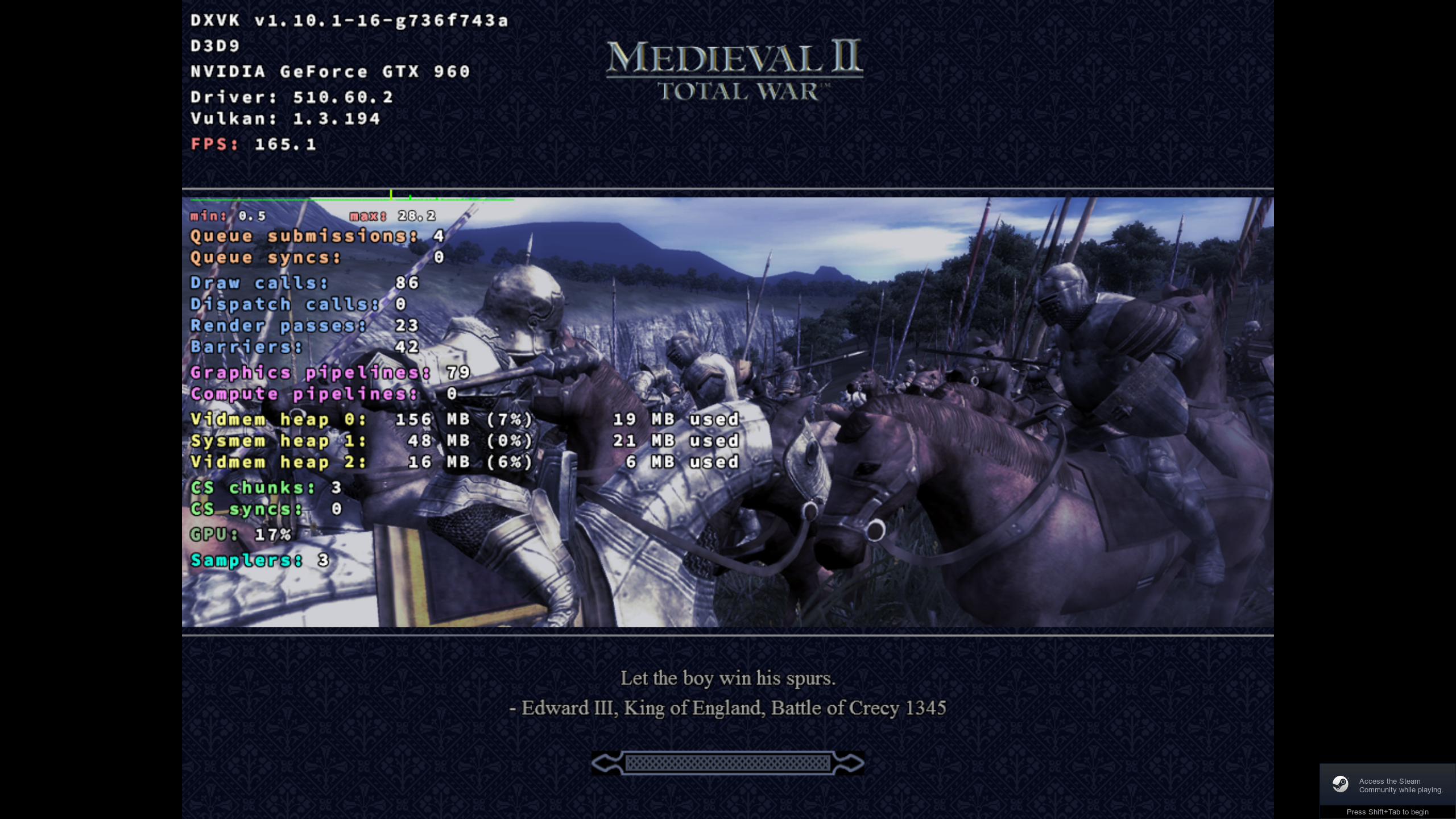
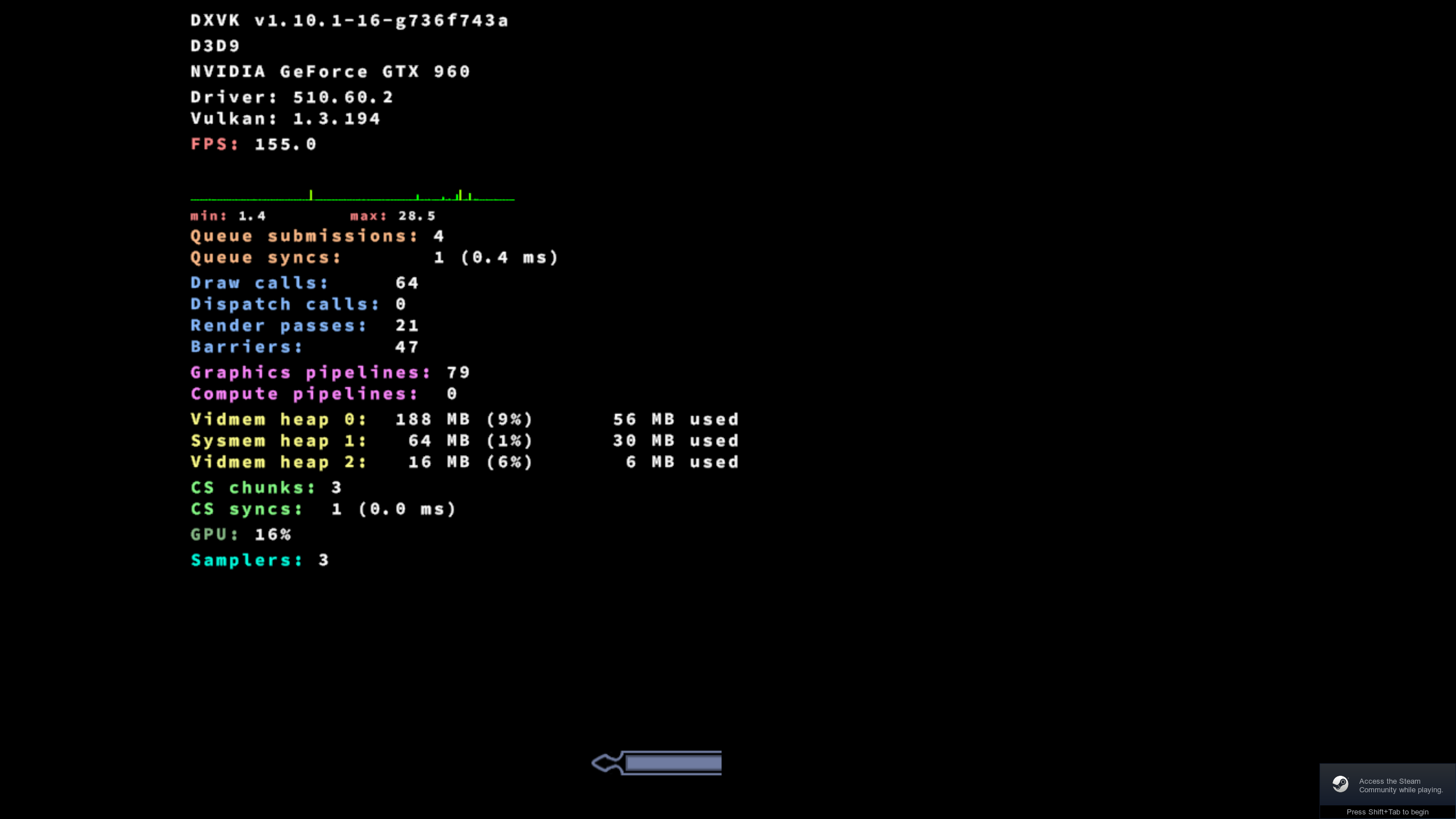
I also see the black loading background when using amd mesa.
I tried to record a trace on windows without dxvk and thought it would show when i replayed on linux with dxvk installed on wine, but there it shows fine. (Maybe i misunderstand how i should make the trace or how it replayes)
But if i make a apitrace on linux through proton i can see it in the replay.
Tho the OP has the issue on windows when using dxvk.
Trace on native windows.
https://mega.nz/file/g0ZQwIpR#BI5Xti3prgaL734LBsbGBJZEezLZfAYNtz3XghQKOx8
Trace on linux proton dxvk.
https://mega.nz/file/BxBGQDrb#h6aVjwNRLmnKWaPLctQak7b7X9kLj1q3VaFJuLn9-Oc
@boludoz For the crashes try to test K0bin's new PR and see if it helps https://github.com/doitsujin/dxvk/pull/2663
Link to latest version as of this moment: https://github.com/doitsujin/dxvk/actions/runs/2480480782
This is another case of #1318. I'm gonna close this because we're already aware of the problem and tracking it in that other issue.
The missing loading screen graphics is also a issue
The Black loading screen bug can also sometimes happen on windows if I'm reading this correctly. There it seems to have something to do with resolution.
Might be a clue.
https://www.twcenter.net/forums/showthread.php?683758-Loading-screen-glitch
https://steamcommunity.com/app/4700/discussions/0/385429254932423059/
Black loading screen has been fixed in 1.10.2
Black loading screen has been fixed in 1.10.2
I'm still seeing this in 2.2
@EddieEldridge Hi there. I don't seem to be reproducing (tested on Windows while i was there).
What is your resolution?
@EddieEldridge Hi there. I don't seem to be reproducing (tested on Windows while i was there).
What is your resolution?
2560x1080 monitor
1920x1080 game (borderless_window)
It doesn't happen without dxvk 😕
Ye i just noticed the window mode after i wrote. Can reproduce with that.
Edit: Made a new issue https://github.com/doitsujin/dxvk/issues/3724
Related threads
- Squadprotonopen same upstream bug
- [d3d9] OMSI stops loading tiles during night or raindxvkopen same upstream bug
- Bully scholarship edition Crash while loading the gamedxvkclosed same upstream bug
- Crash in The witcher game (in prolog)dxvkclosed same upstream bug
- D3D9 - Everquest Crashes with DXVK 1.9 on Windowsdxvkclosed same upstream bug
- Battlefield 2 (Forgotten Hope 2) freezes randomly while playingdxvkclosed same upstream bug
- Return of Reckoning Hitching.dxvkclosed same upstream bug
- Bioshock crashes at loading screen in DX9 mode, low resolution textures in DX10dxvkclosed same upstream bug
- F.E.A.R. Can't start a new game with DXVK in Winedxvkclosed same upstream bug
- [d3d9] GTA IV, different game versions, stutters and Mappable & Mapped amount. dxvkclosed same upstream bug
Upstream links
- doitsujin/dxvk/issues/3724x1 2023-11
- doitsujin/dxvk/pull/2663x1 2022-06
DLLs
d3d9.dllx1 2022-01
This makes a black screen and exit when fighting against armies in battle mode, it also makes a black screen every time it loads and only the loading bar appears. I was very happy because the game runs at about 400 fps faster than DX9 and they recently fixed the map problems.
Software information
Medieval 2: Total War
System information
Apitrace file(s)
error: failed to find d3d9.dll wrapper (rerun with -v option for more details) and this delete my d3d9.dll (And appears access deniend to artifact)
Log files
Savegame of battle:
Turquito.zip
Settings:
Tested game in 1080p and 4k.
medieval2.preference.zip