Korea. IL-2 Series
Add the launch command "OMP_NUM_THREADS=[number of threads] KMP_AFFINITY=disabled %command%" with the number of threads whatever your cpu has, example my i7-10700 has 16
i get to the login screen but upon logging in it freezes
Excellent, thanks @walkerd0156 -- you can get past the login screen but it's janky, I got passed it accidentally because I booted into windows, logged in, saved my credentials and then copied that whole folder (mostly where the startup.ini is +... probably includes whatever file they're encrypting the local pass with) and when I tried again via linux it autologged in for me and got right in.
That being said, there are tons of visual glitches, in the menu there's a good bit of flickering shadows, annnd the terrain isn't loading -- see screenshot here:
- Pink texture lines
- Terrain textures not loading
- Flickering grid in menus, almost like it's failing to load some sort of film grain effect or reflection
Greetings! managed to get past the 60% crash as well, and got into the game, the shadows do indeed go rather blocky in the menu/hangar. And once in game, anything remotely distant from the player goes hollow/blacked out. IL-2 Great Battles has a similar issue with purple lines around the map chunks, or rather out of place 'road' shadows showing up on the chunks (on oceans it is extra visible)
Tried fiddling with settings, no joy on that part, tried a few launch parameters, no joy there either sadly so far. My first post so sorry if it is not very professional, hopefully the info of my system can be of help ^^
my system:
Operating System: Garuda Linux
KDE Plasma Version: 6.7.1
KDE Frameworks Version: 6.27.0
Qt Version: 6.11.1
Kernel Version: 7.0.13-zen1-1-zen (64-bit)
Graphics Platform: Wayland
Processors: 16 × Intel® Core™ i7-10700KF CPU @ 3.80GHz
Memory: 32 GiB of RAM (31,2 GiB usable)
Graphics Processor: AMD Radeon RX 9070 XT
Manufacturer: Micro-Star International Co., Ltd.
Product Name: MS-7D09
System Version: 1.0
For the GPU I use LACT which is right now on version (Daemon: 0.9.0-release (commit 454a6e24) and (Kernel: 7.0.13-zen1-1-zen) the Vulkan Driver is Mesa 26.1.3-arch1.2.
Tried Proton Experimental and Hotfix, and GE-Proton 11.1
I have managed load menu, seeming no lag issues. But login screen hang when 'Login' selected.
Distro:: Linux Mint 22.3 x86_64
Kernel:: 6.17.0-35-generic
Uptime:: 5 days, 11 hours, 48 mins
Packages:: 3074 (dpkg), 23 (flatpak)
Shell:: bash 5.2.21
Resolution:: 1920x1080
DE:: Cinnamon 6.6.7
WM:: Mutter (Muffin)
WM: Theme: Adapta-Nokto (Mint-Y)
Theme:: Adapta-Nokto [GTK2/3]
Icons:: Haiku [GTK2/3]
Terminal:: WezTerm
CPU:: AMD Ryzen 5 7600X (12) @ 5.457GHz
GPU:: NVIDIA GeForce RTX 2070 Rev. A
GPU:: AMD ATI 0f:00.0 Raphael
Memory:: 11013MiB / 31187MiB
Using Proton Experimental and Proton 11 giving same hang issue.
Greetings! managed to get past the 60% crash as well, and got into the game, the shadows do indeed go rather blocky in the menu/hangar. And once in game, anything remotely distant from the player goes hollow/blacked out. IL-2 Great Battles has a similar issue with purple lines around the map chunks, or rather out of place 'road' shadows showing up on the chunks (on oceans it is extra visible)>
-
Can you post a proton log with the game running with those flickering shadows? I'll try and get one later just so a developer has a better idea of the issue now that we've gotten past the initial 60% crash.
-
Latest Proton Experimental Bleeding Edge Beta updated DXVK and fixed the purple lines on Battle of Stalingrad, so I'm under the impression that these are fixable issues and likely to come down with future dxvk or mesa drivers.
-
Can you confirm how you got logged in? In my case it was literally log in and cache credentials from a windows machine / copy the game folder over to my main partition and run it under Linux.
Replying to https://github.com/ValveSoftware/Proton/issues/9906#issuecomment-4802396995
Sure thing!
Shadows-steam-17030712713669509120.tar.gz
Chunks-steam-17030712713669509120.tar.gz
my logs (Shadows is just the menu, Chunks is a loaded up scenario where I flew around for a minute and zoomed in and out to let the chunks pop in and out)
My login to my account was pretty much seamless, the game prompted, I gave the credentials and it forwarded me into the menu nicely. After the first startup, on my second it acted as if my HOSAS was a new device list, so had to re add those, but other than that, account wise the game has not given me crap.
My steam launch parameters so far: OMP_PROC_BIND=false KMP_AFFINITY=disabled VKD3D_CONFIG=force_host_cached opentrack-launcher %command%
Did another run; end of the log seems to be warning with a lot of :
6827.358:02c4:02c8:warn:vkd3d-proton:d3d12_command_list_ResourceBarrier: Issuing split barrier(s) on D3D12_RESOURCE_BARRIER_FLAG_END_ONLY.
Game has launched on steam today, same issues are present (numa node launch commands needed and textures don't load + flickering shadows in menus)
Something strange to report, after getting past %60 percent barrier game loads, yet after entering the main menu it completely freezes and locks up. I am using rtx 4060 and after some trials i have realised that the game actually functions with gpu from the cpu and managed to get into menu without locking up. For NVIDIA users problem may be caused due to the driver itself. Will test older driver models and tell the results. (CPU is amd)
Small progress update from a second AMD/RADV system (RX 7800 XT, Mesa 26.1.6).
The OpenMP launch options are still required here. The rendering problem is
unchanged with single_queue, descriptor buffers disabled, and an unmodified
current VKD3D-Proton build. no_upload_hvv was inconclusive because that run was
not captured at a comparable altitude.
The clearest lead so far is the terrain cache. A trace found 432 very narrow
BC3 texture uploads (64x1, 128x1, 1x64 and 1x128). These appear to be border
stitching operations, but the one-texel dimension is not valid for Vulkan's
4x4 BC3 copy granularity. This is a plausible explanation for the magenta
terrain seams. It has not yet been proven to cause the missing terrain pages,
and the menu artifacts may be separate.
I have a revised diagnostic build ready, but it has not been run yet. I also
have a small sanitized handoff bundle with the useful logs, trace excerpt,
results and diagnostic patches if somebody wants to reproduce or continue the
investigation.
The notes, scripts and sanitized bundle are public here:
https://github.com/silv3rshi3ld/il2-korea-proton-investigation
The terrain-rendering part of this report now has an isolated cause and a
candidate VKD3D-Proton fix: HansKristian-Work/vkd3d-proton#3202.
The game uses 64x64 R32G32B32A32_UINT placed footprints as the physical data
for 256x256 BC3 terrain pages. VKD3D-Proton retained the source-format
geometry in its buffer-to-image copy, so only one sixteenth of each page was
populated. Correcting the block-unit conversion removes the black/hollow
terrain pages and magenta seams in repeated diagnostic runs and in a clean
general build.
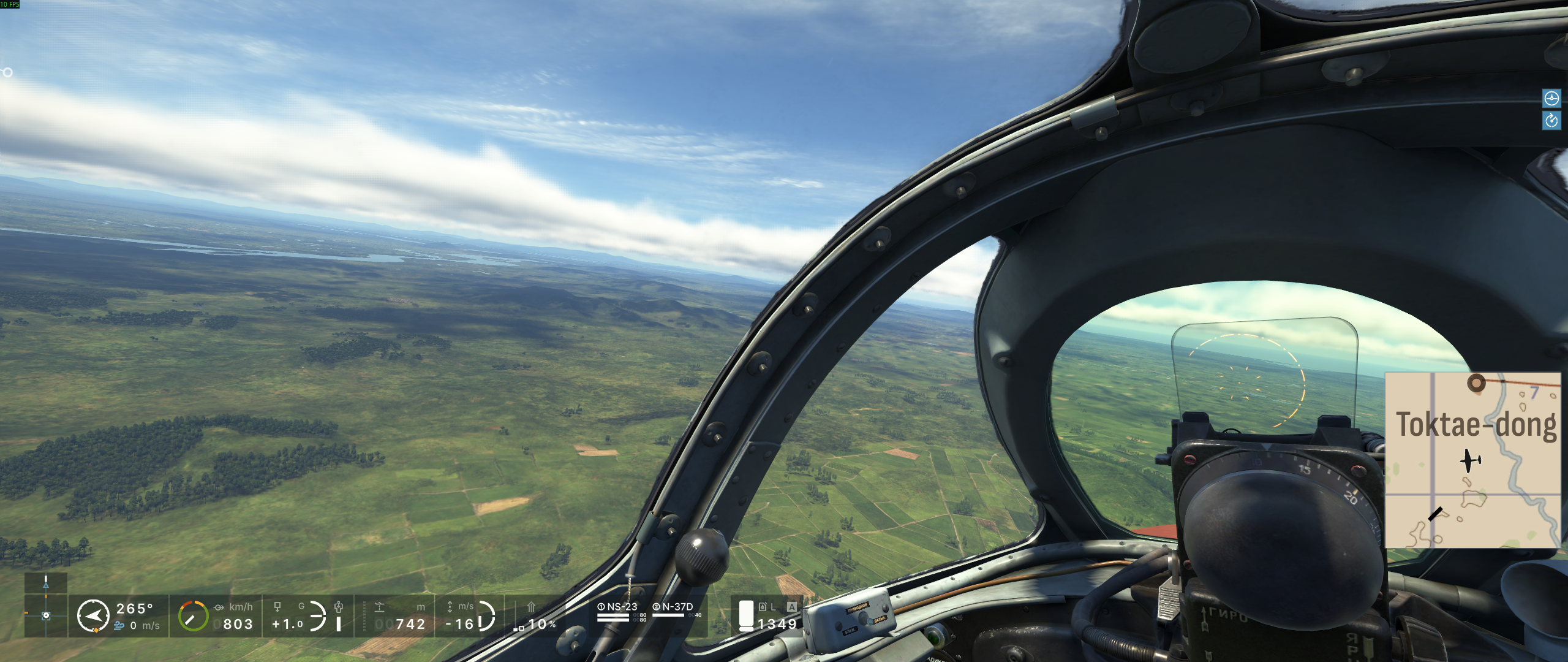
This is not yet a complete compatibility fix: the main-menu block/shimmering
artifact remains, and this system still needs the separate startup mitigation:
OMP_NUM_THREADS=16 KMP_AFFINITY=disabled %command%
Investigation notes and test evidence:
https://github.com/silv3rshi3ld/il2-korea-proton-investigation
Startup follow-up, with a slightly embarrassing twist:
After tracing the old launch workaround, I isolated the startup failure to
Wine's NUMA API behavior and made a small local candidate. In plain language,
the game asks Windows which CPUs belong to each CPU/memory node. Wine already
detects that topology internally, but the public query used by the game's
Intel OpenMP runtime returned "not implemented". OpenMP treated that as fatal
and aborted startup. The fix is to return Wine's detected topology through the
missing Windows APIs; it does not need a hard-coded CPU count, vendor, game, or
AppID.
Only after reaching and testing that conclusion did I check the current Wine
merge requests closely enough and discover that Paul Gofman had already opened
Wine MR !11604,
implementing the same idea more completely across ntdll, kernelbase, and
kernel32. So, somewhat embarrassingly, I independently rediscovered the
missing piece while the proper upstream implementation was already there.
I have now tested the exact six-commit MR head
e8319c0e6bfe7f94512218b48e3158e0c286b481, backported without conflicts to
the Wine commit used by Proton 11:
- The game's exact
libiomp5md.dllinitializes successfully with no OpenMP or
topology override. - A full Steam launch of AppID 247970 succeeds with the launch-options field
empty. - The live game process contains no
KMP_*,OMP_*, or
WINE_CPU_TOPOLOGYsetting. - Affinity tests with 1, 2, 4, 8, and 16 allowed CPUs all succeed, with OpenMP
reporting the corresponding available count. The observed 16 on my normal
run comes from this machine, not from the code.
MR !11604 is currently open and mergeable, and its pipeline is green. The
custom Proton tool used here is only a validation backport; the intended
solution is the general Wine change flowing into Proton.
This fixes the startup/launch-parameter requirement on the tested system. Hopefully, it also resolves the startup issue entirely for RTX users, but unfortunately I’m unable to test that myself.
It does not fix the main-menu shimmering squares, which were visually
reconfirmed in the same successful run and are therefore a separate graphics
issue. The terrain-page corruption is another separate issue in VKD3D-Proton path that I already
reported in HansKristian-Work/vkd3d-proton#3202.
Detailed test record and publication PR:
https://github.com/silv3rshi3ld/il2-korea-proton-investigation/pull/1
Thank you very much for your efforts @silv3rshi3ld!
The patched build of vk3d works perfectly and solves the terrain rendering issues with IL-2 Korea.
I simply downloaded the artifact produced by your Pull Request and placed the DLLs into Il-2 Korea's bin/game folder.
As of note, on my system I do not seem to need the OMP_NUM_THREADS env variable to be set.
KMP_AFFINITY=disabled %command% suffices to run the game on Proton Experimental / Steam at least for me.
Thanks so much, @bwRavencl I really appreciate you testing the artifact and reporting back. Your result gives me useful independent confirmation of the terrain fix on another system.
I have now also isolated the separate flashing square-lighting issue and validated a small VKD3D-Proton compatibility quirk with a clean Before/After comparison. I’ll post the technical details separately once the branch and screenshots are ready.
Consolidated status update
We now have three independent compatibility paths for IL-2 Sturmovik: Korea:
1. Startup without launch options
Since my earlier startup investigation, the same six-commit NUMA series from Wine MR !11604 has been applied to Valve's Wine fork. The current Proton bleeding-edge branch now pins that Wine revision.
At the time of writing, the standard experimental_11.0 and proton_11.0 branches are still pinned before this series. I previously validated the exact six commits with completely empty Steam launch options, but I have not separately retested the published bleeding-edge build.
The independent result from @bwRavencl was not an empty-launch-options test. Their system still used KMP_AFFINITY=disabled; it showed that OMP_NUM_THREADS was not required on that processor.
2. Terrain-page corruption
The terrain cause and fix were already described in my earlier update and are handled by [VKD3D-Proton PR #3202](https://github.com/HansKristian-Work/vkd3d-proton/pull/3202). The new information is that @bwRavencl independently tested the PR artifact and confirmed that it repairs the terrain on another system.
3. Flashing square-lighting artifacts
The separate lighting problem now has an isolated root cause, documented in [VKD3D-Proton issue #3134](https://github.com/HansKristian-Work/vkd3d-proton/issues/3134#issuecomment-5238151028), and a narrowly scoped compatibility quirk in [VKD3D-Proton PR #3207](https://github.com/HansKristian-Work/vkd3d-proton/pull/3207). The quirk applies only to IL2Series.exe and one exact shader hash, so it does not change typed-UAV handling for other games or unrelated shaders.
The Wine startup work and the two VKD3D-Proton graphics changes are intentionally independent and can be reviewed and integrated separately.
Full investigation, technical evidence, reproducible probes, and Before/After screenshots:
https://github.com/silv3rshi3ld/il2-korea-proton-investigation
Tested this morning - @silv3rshi3ld 's texture/terrain fix is working great!
That is fantastic news, @r3animate! Thank you for testing it. It is great to have another independent confirmation that the terrain fix works properly on different hardware too.
For clarity, the terrain corruption fix has now been merged through [VKD3D-Proton PR #3202](https://github.com/HansKristian-Work/vkd3d-proton/pull/3202). The separate flashing and blocky lighting artifacts are still under investigation.
I submitted a narrowly scoped prototype for those lighting artifacts in [PR #3207](https://github.com/HansKristian-Work/vkd3d-proton/pull/3207). It removed the artifacts repeatably on my RX 7800 XT with RADV, but Hans raised a valid technical concern: the current implementation relies on a resource interpretation that dxil-spirv does not properly understand, so it is unlikely to be portable and probably will not be merged as-is.
I have suggested a possible compiler-aware direction and am now waiting for Hans’s thoughts before reworking the implementation.
Current status:
- Terrain corruption: fixed and merged
- Flashing lighting blocks: root cause isolated, but the upstream-quality solution is still being investigated
Found some interesting behavior (likely there before, we just weren't playing long enough to see it).
There's a command to switch your camera to ground targets, sometimes these are quite far away -- doing this on the windows version of the game results in a very small stutter - doing this under proton takes ~5-6 seconds. I captured it in a track log though!
Current lighting status correction
A correction to my earlier lighting updates:
Further controlled tests narrowed the flashing blocks to the texel-buffer view and driver behavior around the game's mismatched R16 view and 32-bit atomic use. D50 kept the same 87,040-byte buffer, shader operation, range, and dispatch while changing only the view in an R32, R16, R32 sequence. Both R32 runs produced correct allocation results on both tested RADV devices, while the R16 run reproduced the corruption. D51 then showed that the exact captured game shader also completes correctly through a full-size R32 alias using both tested descriptor paths.
A narrow VKD3D-Proton-only D52 diagnostic retained stock dxil-spirv and routed only the exact affected shader to that R32 alias. The blocks were absent in two game runs. D52 still used the separate OpenMP startup workaround and excluded the terrain fix, so it was a diagnostic discriminator rather than an all-fixes Proton build.
This means that neither a dxil-spirv compiler change nor an IL-2-specific VKD3D-Proton quirk is now the preferred solution. Hans proposed the cleaner driver-level direction in Mesa MR !43672, which aligns RADV's texel-buffer behavior with native AMD D3D12 and pre-GFX10 behavior. I agree that this is the better upstream location.
[dxil-spirv PR #296](https://github.com/HansKristian-Work/dxil-spirv/pull/296) and [VKD3D-Proton PR #3207](https://github.com/HansKristian-Work/vkd3d-proton/pull/3207) have therefore been closed without merging. I have not yet validated the exact Mesa MR in the game, so the lighting issue remains unresolved for normal users pending that test, upstream review, and distribution through Mesa.
The other compatibility tracks remain independent:
- The terrain fix in [VKD3D-Proton PR #3202](https://github.com/HansKristian-Work/vkd3d-proton/pull/3202) is merged and independently confirmed.
- The startup work in Wine MR !11604 has now merged upstream. I previously validated an earlier head of the same six-commit series with empty Steam launch options, but standard Proton releases may still lag behind upstream Wine.
The updated D50-D52 evidence is being finalized here:
https://github.com/silv3rshi3ld/il2-korea-proton-investigation/pull/7
NVIDIA data point — RTX 3090 (dual), Xid 109 CTX SWITCH TIMEOUT, reproducible across two driver branches
Adding the NVIDIA side of this issue, since almost all the reporting so far has been AMD/RADV and the (great) fixes landing — Wine MR !11604, VKD3D-Proton #3202, and the Mesa MR for lighting — are all on the AMD/VKD3D path. I'm
not able to use any of them for my crash, which I want to document clearly in case other NVIDIA users hit the same thing.
System
- Dual RTX 3090 (Ampere), PCI 01:00 + 11:00 (02:00); i3/X11; CachyOS; kernel 7.1.6-cachyos
- NVIDIA 610.57.04 (also reproduced identically on 610.43.03)
- Proton Experimental; also tried Hotfix
- Launch options: OMP_NUM_THREADS=32 KMP_AFFINITY=disabled %command% (required to pass the load — same GetNumaNodeProcessorMaskEx/OpenMP startup barrier already covered in this thread)
Symptom
- Game loads, renders the hangar plane rotating for a variable period (30s to several minutes), then freezes, jumps around, black-screens. Audio continues. Process then dies.
Kernel — every single launch, 5/5 so far:
NVRM: Xid (PCI:0000:01:00): 109, pid=<IL2Series.exe>, errorString CTX SWITCH TIMEOUT
Proton log, immediately after:
  err:vkd3d-proton:dxgi_vk_swap_chain_wait_semaphore: ... vr -4
  warn:vkd3d-proton:d3d12_device_mark_as_removed: Device ... is lost (VK_ERROR_DEVICE_LOST)
Isolation already done — it still reproduces with:
- Proton Hotfix and Experimental
- DLSS on and off (upscaler=0)
- Full 4-monitor desk and single-monitor Alienware-only layout
- VRAM 19 GB used and 12 GB free (heavy desktop + light desktop)
- Clean boot, nothing else running, single monitor
- Two NVIDIA driver branches: 610.43.03 and 610.57.04. Note the 610.57.04 update did fix the TV/HDMI high-refresh FRL link-training failures that plagued 610.43.03 (0 failures since), but the Xid 109 hangs in the game are
byte-for-byte identical. So the display/modeset path is ruled out — this is isolated to the D3D12/Vulkan compute/present path.
There's now a second NVIDIA report from @RapG0cl (RTX 4060, freezes in main menu, works with the CPU's iGPU) pointing in the same "NVIDIA driver-side" direction on a completely different card. Between that and my dual-3090 data
across two driver branches, I think there's a real NVIDIA-path bug here rather than a per-GPU quirk.
I don't have an AMD/RADV box to compare against, so I can't tell whether this NVIDIA hang is IL-2-Korea-specific or a broader D3D12-on-NVIDIA-vkd3d issue. Happy to run any diagnostic — nvidia-bugreport, a specific VKD3D_PROTON
config, a specific shader-cache setting, or a trace — if it helps isolate the exact draw that trips the context-switch timeout.
NVIDIA data point — RTX 3090 (dual), Xid 109 CTX SWITCH TIMEOUT, reproducible across two driver branches
Adding the NVIDIA side of this issue, since almost all the reporting so far has been AMD/RADV and the (great) fixes landing — Wine MR !11604, VKD3D-Proton [#3202](https://github.com/ValveSoftware/Proton/issues/3202), and the Mesa MR for lighting — are all on the AMD/VKD3D path. I'm not able to use any of them for my crash, which I want to document clearly in case other NVIDIA users hit the same thing.
Bit confused here, the Wine issue was for Numa node detection -- that's processor related; nothing to do with AMD/VKD3D -- the VKD3D fix applies to everyone as well.
Replying to https://github.com/ValveSoftware/Proton/issues/9906#issuecomment-5293850181
Thanks for the detailed NVIDIA data point, @SunnyOd.
One clarification on the fixes mentioned above: they are not all AMD/RADV-specific, and they are at different stages of integration, so not all of them are available to users yet, especially in standard Proton.
The terrain/map fix in HansKristian-Work/vkd3d-proton#3202 is already merged. It is a general VKD3D-Proton fix with no AMD/RADV or IL-2-specific path.
The Wine NUMA work is also completely GPU-independent and has merged upstream:
https://gitlab.winehq.org/wine/wine/-/merge_requests/11604
The lighting issue is the exception. The expected D3D12 behaviour is not AMD-specific, but the problem we isolated was in RADV's handling of that particular texel-buffer case. Mesa !43672 corrects the RADV side to match the behaviour seen on native D3D12 and the other implementations tested. That change has now merged into Mesa, but the implementation itself is still RADV-specific:
https://gitlab.freedesktop.org/mesa/mesa/-/merge_requests/43672
Coming back to your crash:
Currently you are testing standard Proton Experimental/Hotfix, which does not yet contain all of the newer Wine and VKD3D-Proton work discussed here.
Could you try reproducing it with Proton Experimental set to the bleeding-edge beta? That gives us a much better baseline, since we know you are then testing with the latest VKD3D-Proton behaviour and the currently merged Proton-side fixes.
I would first try bleeding-edge without the OMP_NUM_THREADS / KMP_AFFINITY workaround. The newer Wine NUMA implementation should make that unnecessary. If you still need the workaround, that is useful information too.
If the Xid 109 still reproduces, could you grab a few things from that run?
-
A clean Proton log:
PROTON_LOG=1 %command% -
The kernel messages around the crash rather than only the Xid line:
journalctl -k -b | grep -C 30 -E 'NVRM|Xid' -
An NVIDIA bug report after reproducing it:
sudo nvidia-bug-report.sh -
Since you have two RTX 3090s, it would also be useful to test each one individually:
VKD3D_VULKAN_DEVICE=0 %command%
and
VKD3D_VULKAN_DEVICE=1 %command%
### Probably worthy of a seperate Github issue.
Moreover, I think the Xid 109 / VK_ERROR_DEVICE_LOST should be treated as a separate issue from the problems this report was originally opened for and from the failure modes we have isolated so far.
In your case the game gets through startup and renders for a while before the NVIDIA GPU context times out and Vulkan reports the device as lost. That is a different failure mode from the Wine startup problem, the terrain corruption, and the RADV lighting corruption.
Could you open a separate VKD3D-Proton issue for this and link it back here?
If you can reproduce it on bleeding-edge, I would include that result and the logs above there.
It is definitely worth investigating, but I think it needs its own tracking thread. Otherwise the NVIDIA-specific logs and follow-up testing are likely to get buried among the other IL-2 compatibility problems already being discussed here.
If it still reproduces consistently after that, we (the community) can move on to more targeted VKD3D-Proton instrumentation.
Edit: Realised that proton doesnt preffer to have a lot of issues open
Thanks @r3animate and @silv3rshi3ld — you're both right on the correction, my apologies. Let me fix my wording: the Wine NUMA fix (MR !11604) and the terrain fix (VKD3D #3202) are GPU-agnostic and will help NVIDIA users too; only the lighting fix is RADV-specific. That last part was me over-tightening "AMD/VKD3D" — the crash I'm chasing is a genuinely different failure mode (kernel Xid 109 → VK_ERROR_DEVICE_LOST), not the startup/terrain/lighting paths here.
@silv3rshi3ld, great test plan — I'll run it in exactly your order:
- Switch Proton Experimental to the bleeding-edge beta (I'm currently on experimental-11.0-20260805, with vkd3d vkd3d-1.1-5456-g2c7ba22c).
- First attempt without the OMP/KMP launch options, to confirm whether the newer Wine NUMA makes the workaround unnecessary on my 32-thread 9950X3D (and report either way).
- If the Xid 109 still reproduces on bleeding-edge, capture from that run:
- PROTON_LOG=1 → full proton log
- journalctl -k -b | grep -C 30 -E 'NVRM|Xid' (kernel context, not just the Xid line)
- sudo nvidia-bug-report.sh
- Per-GPU isolation — one small correction: VKD3D_VULKAN_DEVICE=0/1 isn't a variable vkd3d-proton honors; the reliable selector for the DXGI layer is DXVK_FILTER_DEVICE_NAME. Since both cards are identical "NVIDIA GeForce RTX 3090", I'll disambiguate them via nvidia-smi UUID/PCI and use DXVK_FILTER_DEVICE_NAME per card (or DXVK_CONFIG device-id filter) so each run actually lands on one 3090.
- I agree this Xid-109 / device-lost deserves a separate tracking thread so the NVIDIA logs don't get buried — I'll report the bleeding-edge result here first, and point to / open a dedicated issue if it reproduces cleanly.
Will post results after I run it.
Bleeding-edge result — Xid 109 reproduces on bleeding-edge, evidence attached.
Tested on Proton Experimental bleeding-edge (experimental-bleeding-edge-11.0-414018-20260814), NVIDIA 610.57.4, single RTX 3090 display, single monitor, launch options
now empty (Wine NUMA fix confirmed — no OMP_NUM_THREADS/KMP_AFFINITY needed). Clean boot, nothing else running.
Startup/terrain: fixed as described — game loads, terrain is correct, NUMA workaround not required.
But the NVIDIA hang reproduces identically: kernel Xid 109 CTX SWITCH TIMEOUT while rendering the hangar, then vkd3d reports VK_ERROR_DEVICE_LOST + present-semaphore vr
-4.
Also ruled out as causes this session:
- USB4 hub error storm (usb4-port4: Cannot enable — was firing ~39k times; unplugged the hub, 0 errors since, Xid still fires → not the cause)
- Single vs multi-monitor (crashes on both; single 4K@240 now)
- DLSS on/off (both)
- Two NVIDIA driver branches (610.43.03 and 610.57.04 — identical)
Artifacts from the bleeding-edge crash run (fresh PROTON_LOG=1): ~/steam-247970.log attached, kernel context around the Xid below. nvidia-bug-report.sh upload coming.
  Aug 14 20:38:37 kernel: NVRM: Xid (PCI:0000:01:00): 109, pid=3572857,
    name=IL2Series.exe, channel 0x00000028, errorString CTX SWITCH TIMEOUT, Info 0x1c022
I'm treating this as the NVIDIA-specific failure mode distinct from the startup/terrain/lighting tracks here. Happy to open a separate vkd3d/NVIDIA tracking issue if
that's preferred, or keep it here — whichever keeps the NVIDIA logs from getting buried.
@SunnyOd could you also provide the Proton/Steam log? Without that, I can’t really determine what VKD3D was doing when the GPU hung.
Also, I think a couple of the other requested test results are still missing, especially the per-GPU test. Thanks in advance!
Oops - thanks @silv3rshi3ld :)
Having issues with the GPU test, pinning it to GPUs. Will update shortly.
EDIT - attempted the directed GPU tests!:
NVIDIA-side follow-up: per-GPU isolation status + a control datapoint.
- Per-GPU isolation — not cleanly achievable on this dual-identical-card setup.
Both cards are identical in name ("NVIDIA GeForce RTX 3090") and device ID (10de:2204), so none of the standard selectors work:
- VKD3D_VULKAN_DEVICE=0/1 — not a real vkd3d-proton variable (verified absent in the binaries).
- DXVK_FILTER_DEVICE_UUID env — no-op; both runs landed on GPU 0 regardless.
- DXVK_CONFIG="dxvk.deviceFilter=" — the filter is honored but deviceFilter doesn't take the NVIDIA GPU- UUID form, so DXVK filtered all adapters out ("No adapters found") →
instant startup exit on both.
Since the two cards share name and device ID, there's no DXVK/VKD3D config-key path to split them. The remaining way to test GPU 1 in isolation would be disabling GPU 0 via NVIDIA tooling/X config — a disruptive change I'd rather not make without a clear reason. So: every observed Xid 109 has been on the display GPU (PCI:0000:01:00); per-GPU isolation remains unresolved, and I don't want to report a "GPU 1 also crashes" result from the failed isolation attempts (both of those actually ran on GPU 0).
- A control datapoint (briefly, for whatever it's worth): I have IL-2 Great Battles (Battle of Stalingrad, AppID 307960) installed, and ran it on the identical stack (same 610.57.4 driver, same bleeding-edge Proton, same GPU 0, single monitor, PROTON_LOG=1). Same RSE engine core, but D3D11 via DXVK (dxBackend11.dll) unlike Korea's D3D12 via vkd3d (dxBackend12.dll). It reached the hangar and ran stable — 0 Xid, 0 device-lost in its log. I'm sharing this only as a rough datapoint and I'm aware it's not a clean one-to-one engine comparison (Korea is a reworked backend), so I'm not over-weighting it — but in case it's useful context for the D3D12-monitored instrumentation,
@SunnyOd Could you try one more targeted test on the same bleeding-edge build?
PROTON_LOG=1 VKD3D_CONFIG=single_queue %command%
Please keep everything else unchanged. If it doesn't crash immediately, leave it in the same hangar scene for at least ~10 minutes. This will tell us whether the Xid 109 depends on VKD3D's asynchronous compute/transfer queue path. (And post the log that is created).
Edit: Be aware we are now in it for the long haul. We are now in the process to discriminate options and see which part is responsible. Just to inform you. This bug won't be found immediately and will require some effort and time from our end. I'll see if I can program a diagnostic script to speed up the process.
@silv3rshi3ld sure!
VKD3D_CONFIG=single_queue result — Xid 109 still reproduces; the hang is NOT in the async compute/transfer queue path.
Ran on the same bleeding-edge build, everything else unchanged, launch options PROTON_LOG=1 VKD3D_CONFIG=single_queue:
- Game reached the hangar, then ~2 minutes in the Xid 109 fired (kernel: PCI:0000:01:00, CTX SWITCH TIMEOUT).
- vkd3d then reported VK_ERROR_DEVICE_LOST + present-semaphore vr -4 (log ts 832627).
- GPU dropped to 0% — the frame froze while the process stayed alive (93 threads, ~11% CPU doing background/audio work), exactly the same wedged pattern as every prior run.
- I left it to soak ~12 minutes to be certain; it never recovered.
So forcing a single queue does not change the failure — the Xid 109 originates in the primary/graphics-queue path, not the async compute or transfer queues. Single-queue log attached above
Happy to take the next discrimination step.
Regarding NVIDIA and the Xid 109: CTX SWITCH TIMEOUT error:
There's apparently a bug in the nvidia driver that can cause this error, to work around it you can use a launch option:
VKD3D_CONFIG=descriptor_heap %command%
That solved the Xid 109 errors on my system
9800x3d
RTX 4070s
Proton Experimental bleeding edge
Thanks @wims80 that is a very interesting and definitely worth testing here. I red up on Nvidia's forum, I doubt this is the root cause based on what I red in Sunnys logs. But that doesn't mean the heap command wont suppress the error/symptom. Edit: I stand corrected, still can be the cause now I look more into it.
@SunnyOd, could you try the same workaround on your current bleeding-edge setup?
PROTON_LOG=1 VKD3D_CONFIG=descriptor_heap %command%
Please keep everything else unchanged and use the same hangar scenario. If it remains stable, it would be useful to let it run for a while and post the resulting log.
Please let us know because if this also prevents the Xid 109 on your RTX 3090, that would be a very interesting development and would significantly help is to narrow down which VKD3D/NVIDIA path is involved.
In parallel, I'm working on a small diagnostic kit to make these tests more systematic and collect the relevant Proton, VKD3D and system logs automatically. The goal is to make it easier to compare runs and eventually narrow down the actual root cause
It's working !! 🥳 I started il-2 Korea, got past the hanger and into the game, it's working seemingly perfectly and pretty smooth!
Thanks for sharing that tip @wims80 😄
@silv3rshi3ld 👍
Confirmed: VKD3D_CONFIG=descriptor_heap fixes the Xid 109 on my RTX 3090 too. Stable, long session, zero hangs.
Confirmed the successful play session with VKD3D_CONFIG=descriptor_heap on my current bleeding-edge build (same dual-3090 setup, GPU 0, single monitor): the game got past the hangar and
into actual play, and the run was fully stable.
Evidence from the run's log:
- VKD3D_CONFIG='descriptor_heap' confirmed active (vkd3d init line).
- No Xid, no VK_ERROR_DEVICE_LOST, no CTX SWITCH anywhere in the run — and 0 kernel Xid events during the session while playing.
- The PROTON_LOG run was long and active (34k+ lines of real activity, thread-pool workers spooling) — the game was working, not wedged.
Attached: steam-247970.log.gz from the stable descriptor_heap run.
This corroborates @wims80's workaround on completely different hardware (RTX 3090 vs RTX 4070S), which should help narrow down the VKD3D/NVIDIA path — the descriptor-heap allocation
being the discriminator. Happy to run any follow-up discrimination tests.
Hopefully this fix sticks till the driver's fixed 👌 try saying that 3 times
Thanks peeps, really appreciate the help. Let me know if I can share anything else
Sunny
Success with OpenSUSE Tumbleweed, Nvidia RTX 3060 LHR, I used @SunnyOd's settings:
- Proton Experimental bleeding-edge
- VKD3D_CONFIG=descriptor_heap
I applied no other tweaks. I Could not see any issue, but haven't done anything more than a few five minute practice flights.
Proton versions
proton experimentalx11 2026-08proton hotfixx1 2026-08proton 11.0x1 2026-08proton 11.1x1 2026-06
Launch options
VKD3D_CONFIG=descriptor_heapx4 2026-08PROTON_LOGx1 2026-08VKD3D_CONFIG='descriptor_heap'x1 2026-08PROTON_LOG=1x5 2026-08VKD3D_CONFIG=single_queuex2 2026-08VKD3D_CONFIG=single_queue:x1 2026-08VKD3D_VULKAN_DEVICE=0/1x2 2026-08DXVK_CONFIG="dxvk.deviceFilter=<raw-uuid>"x1 2026-08DXVK_FILTER_DEVICE_UUIDx1 2026-08PROTON_LOG=1).x1 2026-08PROTON_LOG=1):x1 2026-08DXVK_CONFIGx1 2026-08DXVK_FILTER_DEVICE_NAMEx1 2026-08VKD3D_VULKAN_DEVICE=0x1 2026-08VKD3D_VULKAN_DEVICE=1x1 2026-08
Launch lines
PROTON_LOG=1 VKD3D_CONFIG=descriptor_heap %command%x1 2026-08VKD3D_CONFIG=descriptor_heap %command%x1 2026-08PROTON_LOG=1 VKD3D_CONFIG=single_queue %command%x1 2026-08VKD3D_VULKAN_DEVICE=0 %command%x1 2026-08VKD3D_VULKAN_DEVICE=1 %command%x1 2026-08OMP_NUM_THREADS=32 KMP_AFFINITY=disabled %command%x1 2026-08KMP_AFFINITY=disabled %command%x3 2026-08OMP_NUM_THREADS=16 KMP_AFFINITY=disabled %command%x1 2026-08
Upstream links
- ValveSoftware/Proton/issues/3202x1 2026-08
- HansKristian-Work/vkd3d-proton/pull/3202x3 2026-08
- HansKristian-Work/vkd3d-proton/pull/3207x3 2026-08
- HansKristian-Work/vkd3d-proton/issues/3134x1 2026-08
DLLs
dxbackend11.dllx1 2026-08dxbackend12.dllx1 2026-08libiomp5md.dllx1 2026-08
Compatibility Report
System Information
I confirm:
steam-15022949909496070144.log
Symptoms
FIXED:: Ground textures not rendering in-game -- fixed by Silv3rShi3ld
STILL BROKEN: Main menu shadows flicker.
WORKAROUND-AVAILABLE: Game crashes whilst loading, it appears there's an API that isn't implented in wine.. GetNumaNodeProcessorMaskEx() returns a "call not implemented" area.
LAUNCH PARAMETERS REQUIRED:
"OMP_NUM_THREADS=[number of threads] KMP_AFFINITY=disabled %command%"
Reproduction
Launch game, load into a flight - ground textures don't load unless you're very close to the ground.