Remote Play Crackling Audio
The same issue occurs when streaming to a Raspberry Pi 4 running the steam link software.
Also experiencing this issue. On Manjaro (5.4 kernel), latest updates.
Audio starts to crackle / distort more and more after about 1h30min. Fix is to restart Steam and reconnect Steam Link.
If there is any other info I could provide, please let me know.
Same issue kubuntu 19.10 client and host playing The Long Dark. After several hours of gameplay sounds begins to degrade.
Same here.
Sounds starts crackling/distorting after seemlingly random amount of ingame time (sometimes over 1:30h - sometimes less than an hour).
- only occuring using Steam Link (original Steam Link)
- in Big Picture and Desktop mode
- occuring on:
- Proton games (eg.:
Crash Bandicoot™ N. Sane Trilogy) - Native Linux games (eg.:
Moonlighter)
- Proton games (eg.:
- running on Windows is working fine
Workaround
Steam Link:
- stop streaming
- reconnect to PC
System:    Host: my-manjaro Kernel: 4.19.97-1-MANJARO x86_64 bits: 64 Desktop: KDE Plasma 5.17.5 Distro: Manjaro Linux
Machine:   Type: Desktop Mobo: ASUSTeK model: ROG STRIX Z370-F GAMING v: Rev X.0x serial: <root required>
UEFI: American Megatrends v: 1601 date: 10/29/2018
CPU:       Topology: 6-Core model: Intel Core i7-8700K bits: 64 type: MT MCP L2 cache: 12.0 MiB
Speed: 800 MHz min/max: 800/4900 MHz Core speeds (MHz): 1: 800 2: 800 3: 800 4: 800 5: 800 6: 800 7: 800 8: 800
9: 800 10: 800 11: 800 12: 800
Graphics:  Device-1: NVIDIA GP104 [GeForce GTX 1080] driver: nvidia v: 440.44
Display: x11 server: X.Org 1.20.7 driver: nvidia tty: N/A
OpenGL: renderer: GeForce GTX 1080/PCIe/SSE2 v: 4.6.0 NVIDIA 440.44
Audio:     Device-1: Intel 200 Series PCH HD Audio driver: snd_hda_intel
Device-2: NVIDIA GP104 High Definition Audio driver: snd_hda_intel
Sound Server: ALSA v: k4.19.97-1-MANJARO
Network:   Device-1: Intel Ethernet I219-V driver: e1000e
IF: eth0 state: up speed: 1000 Mbps duplex: full mac: 18:31:bf:b7:fb:ef
Info:      Processes: 284 Uptime: 18m Memory: 31.35 GiB used: 2.09 GiB (6.7%) Shell: bash inxi: 3.0.37
Please let me know if you need more info/logs/whatever helps to get this resolved.
Hi,
same here
System: Host: Kernel: 5.5.2-1-MANJARO x86_64 bits: 64 Desktop: Awesome 4.3-580-g7440cf66 Distro: Manjaro Linux
Machine: Type: Desktop Mobo: MSI model: X99S SLI PLUS (MS-7885) v: 1.0 UEFI: American Megatrends v: 1.E0 date: 06/15/2018
CPU: Topology: 6-Core model: Intel Core i7-5820K bits: 64 type: MT MCP L2 cache: 15.0 MiB
Graphics: Device-1: Advanced Micro Devices [AMD/ATI] Ellesmere [Radeon RX 470/480/570/570X/580/580X/590] driver: amdgpu v: kernel
Display: x11 server: X.Org 1.20.7 driver: amdgpu resolution: 1920x1080~60Hz, 1920x1080~60Hz
OpenGL: renderer: AMD Radeon RX 480 Graphics (POLARIS10 DRM 3.36.0 5.5.2-1-MANJARO LLVM 9.0.1) v: 4.6 Mesa 20.0.0-rc1 (git-14c0d58c7f)
Audio: Device-1: Creative Labs EMU20k2 [Sound Blaster X-Fi Titanium Series] driver: snd_ctxfi
Device-2: AMD Ellesmere HDMI Audio [Radeon RX 470/480 / 570/580/590] driver: N/A Sound Server: ALSA v: k5.5.2-1-MANJARO
Network: Device-1: Intel Ethernet I218-V driver: e1000e
IF: eno1 state: up speed: 1000 Mbps duplex: full
As far as I remember, I had a very similar issue some time ago, the cause was something - who would have guessed that - messed up with the sound settings. I think is was something like setting up surround sound with digital output and pulseaudio. After reverting the changes the problem disappeared. Sorry that I can not deliver any more details.
Having the same problem since day one.
Is there an easy way to debug audio issues?
All my audio devices are configured as 16bits @ 48000
Tumbleweed here, same issue.
Same behaviour using steam in home streaming to play local media. Sound starts to distort and cut out worsening quickly until there's no sound at all. Have to reconnect steam link every 15 minutes or so.
Using manjaro, pulseaudio, amd rx 570 on non-proprietary drivers. Everything up to date.
Same here, Manjaro host streaming to a raspberry pi 3. Audio starts to crackle immediately.
Same here, host and client on Manjaro. Crackling until it goes mute.
Same issue, I've had this for a long time. I thought this was an Ubuntu audio issue but now it turns out that I'm not the only one. I've had this issue on multiple Ubuntu versions while streaming to my raspberry pi3 (model B).
Everything seems fine until the first cracks in the audio starts happening. It gets worse and worse. After a reconnect it is ok again, until the first few cracks start happening again and the cycle repeats.
I've had this issue with:
- ubuntu 18.04
- ubuntu 19.10
- ubuntu 20.04
On Windows 10, I don't have any issues.
+1
I'm considering pulse audio to be a culprit but couldn't find any reasonable tweak to fix it, no issue on desktop etc.
Maybe some encoding lib ? Running on arch, runtime version.
Had that issue for months, various vm's various kernels and settings.
Didn't play steam link in a while but recently it became quite annoying.
Only fix i found so far is simply reconnecting to machine so it's clearly some syncing issues.
In case it's pulse related
- ~/.config/pulse/daemon.conf
realtime-scheduling = no
resample-method = speex-float-10
enable-lfe-remixing = yes
flat-volumes = no
default-sample-channels=2
default-sample-format = float32le
default-sample-rate = 48000
alternate-sample-rate = 44100
#default-fragments = 3
#default-fragment-size-msec = 7
#game mode?
#default-fragments = 5
#default-fragment-size-msec = 2
daemonize = no
- /etc/pulse/daemon.conf
# This file is part of PulseAudio.
#
# PulseAudio is free software; you can redistribute it and/or modify
# it under the terms of the GNU Lesser General Public License as published by
# the Free Software Foundation; either version 2 of the License, or
# (at your option) any later version.
#
# PulseAudio is distributed in the hope that it will be useful, but
# WITHOUT ANY WARRANTY; without even the implied warranty of
# MERCHANTABILITY or FITNESS FOR A PARTICULAR PURPOSE. See the GNU
# General Public License for more details.
#
# You should have received a copy of the GNU Lesser General Public License
# along with PulseAudio; if not, see <http://www.gnu.org/licenses/>.

## Configuration file for the PulseAudio daemon. See pulse-daemon.conf(5) for
## more information. Default values are commented out.  Use either ; or # for
## commenting.

; daemonize = no
; fail = yes
; allow-module-loading = yes
; allow-exit = yes
; use-pid-file = yes
; system-instance = no
; local-server-type = user
; enable-shm = yes
; enable-memfd = yes
; shm-size-bytes = 0 # setting this 0 will use the system-default, usually 64 MiB
; lock-memory = no
; cpu-limit = no

; high-priority = yes
; nice-level = -11

 realtime-scheduling = no
; realtime-priority = 5

; exit-idle-time = 20
; scache-idle-time = 20

; dl-search-path = (depends on architecture)

; load-default-script-file = yes
; default-script-file = /etc/pulse/default.pa

; log-target = auto
; log-level = notice
; log-meta = no
; log-time = no
; log-backtrace = 0

; resample-method = speex-float-1
; avoid-resampling = false
; enable-remixing = yes
; remixing-use-all-sink-channels = yes
; enable-lfe-remixing = no
; lfe-crossover-freq = 0

flat-volumes = no
; flat-volumes = yes

; rlimit-fsize = -1
; rlimit-data = -1
; rlimit-stack = -1
; rlimit-core = -1
; rlimit-as = -1
; rlimit-rss = -1
; rlimit-nproc = -1
; rlimit-nofile = 256
; rlimit-memlock = -1
; rlimit-locks = -1
; rlimit-sigpending = -1
; rlimit-msgqueue = -1
; rlimit-nice = 31
; rlimit-rtprio = 9
; rlimit-rttime = 200000

; default-sample-format = s16le
; default-sample-rate = 44100
; alternate-sample-rate = 48000
; default-sample-channels = 2
; default-channel-map = front-left,front-right

; default-fragments = 2
; default-fragment-size-msec = 125

; enable-deferred-volume = yes
; deferred-volume-safety-margin-usec = 8000
; deferred-volume-extra-delay-usec = 0
- ~/.config/pulse/default.pa
#!/usr/bin/pulseaudio -nF
.include /etc/pulse/default.pa
load-module module-udev-detect tsched=0
unload-module module-suspend-on-idle
- /etc/pulse/default.pa
#!/usr/bin/pulseaudio -nF
#
# This file is part of PulseAudio.
#
# PulseAudio is free software; you can redistribute it and/or modify it
# under the terms of the GNU Lesser General Public License as published by
# the Free Software Foundation; either version 2 of the License, or
# (at your option) any later version.
#
# PulseAudio is distributed in the hope that it will be useful, but
# WITHOUT ANY WARRANTY; without even the implied warranty of
# MERCHANTABILITY or FITNESS FOR A PARTICULAR PURPOSE. See the GNU
# General Public License for more details.
#
# You should have received a copy of the GNU Lesser General Public License
# along with PulseAudio; if not, see <http://www.gnu.org/licenses/>.

# This startup script is used only if PulseAudio is started per-user
# (i.e. not in system mode)

.fail

### Automatically restore the volume of streams and devices
load-module module-device-restore
load-module module-stream-restore
load-module module-card-restore

### Automatically augment property information from .desktop files
### stored in /usr/share/application
load-module module-augment-properties

### Should be after module-*-restore but before module-*-detect
load-module module-switch-on-port-available

### Load audio drivers statically
### (it's probably better to not load these drivers manually, but instead
### use module-udev-detect -- see below -- for doing this automatically)
#load-module module-alsa-sink
#load-module module-alsa-source device=hw:1,0
#load-module module-oss device="/dev/dsp" sink_name=output source_name=input
#load-module module-oss-mmap device="/dev/dsp" sink_name=output source_name=input
#load-module module-null-sink
#load-module module-pipe-sink

### Automatically load driver modules depending on the hardware available
.ifexists module-udev-detect.so
load-module module-udev-detect tsched=0
.else
### Use the static hardware detection module (for systems that lack udev support)
load-module module-detect
.endif

### Automatically connect sink and source if JACK server is present
.ifexists module-jackdbus-detect.so
.nofail
load-module module-jackdbus-detect channels=2
.fail
.endif

### Automatically load driver modules for Bluetooth hardware
.ifexists module-bluetooth-policy.so
load-module module-bluetooth-policy
.endif

.ifexists module-bluetooth-discover.so
load-module module-bluetooth-discover
.endif

### Load several protocols
load-module module-dbus-protocol
.ifexists module-esound-protocol-unix.so
load-module module-esound-protocol-unix
.endif
load-module module-native-protocol-unix

### Network access (may be configured with paprefs, so leave this commented
### here if you plan to use paprefs)
#load-module module-esound-protocol-tcp
#load-module module-native-protocol-tcp
#load-module module-zeroconf-publish

### Load the RTP receiver module (also configured via paprefs, see above)
#load-module module-rtp-recv

### Load the RTP sender module (also configured via paprefs, see above)
#load-module module-null-sink sink_name=rtp format=s16be channels=2 rate=44100 sink_properties="device.description='RTP Multicast Sink'"
#load-module module-rtp-send source=rtp.monitor

### Load additional modules from GSettings. This can be configured with the paprefs tool.
### Please keep in mind that the modules configured by paprefs might conflict with manually
### loaded modules.
.ifexists module-gsettings.so
.nofail
load-module module-gsettings
.fail
.endif


### Automatically restore the default sink/source when changed by the user
### during runtime
### NOTE: This should be loaded as early as possible so that subsequent modules
### that look up the default sink/source get the right value
load-module module-default-device-restore

### Automatically move streams to the default sink if the sink they are
### connected to dies, similar for sources
load-module module-rescue-streams

### Make sure we always have a sink around, even if it is a null sink.
load-module module-always-sink

### Honour intended role device property
load-module module-intended-roles

### Automatically suspend sinks/sources that become idle for too long
load-module module-suspend-on-idle

### If autoexit on idle is enabled we want to make sure we only quit
### when no local session needs us anymore.
.ifexists module-console-kit.so
load-module module-console-kit
.endif
.ifexists module-systemd-login.so
load-module module-systemd-login
.endif

### Enable positioned event sounds
load-module module-position-event-sounds

### Cork music/video streams when a phone stream is active
load-module module-role-cork

### Modules to allow autoloading of filters (such as echo cancellation)
### on demand. module-filter-heuristics tries to determine what filters
### make sense, and module-filter-apply does the heavy-lifting of
### loading modules and rerouting streams.
load-module module-filter-heuristics
load-module module-filter-apply

### Make some devices default
#set-default-sink output
#set-default-source input
also sound hwinfo
hwinfo --sound
16: PCI 600.0: 0403 Audio device
  [Created at pci.386]
  Unique ID: vTuk.aI0zRHBQWr8
  Parent ID: 96M4.3B3cj6r6AT6
  SysFS ID: /devices/pci0000:00/0000:00:1c.6/0000:06:00.0
  SysFS BusID: 0000:06:00.0
  Hardware Class: sound
  Model: "Creative SB1570 SB Audigy Fx"
  Vendor: pci 0x1102 "Creative Labs"
  Device: pci 0x0012 "Sound Core3D [Sound Blaster Recon3D / Z-Series]"
  SubVendor: pci 0x1102 "Creative Labs"
  SubDevice: pci 0x0010 "SB1570 SB Audigy Fx"
  Revision: 0x01
  Driver: "snd_hda_intel"
  Driver Modules: "snd_hda_intel"
  Memory Range: 0xf7104000-0xf7107fff (rw,non-prefetchable)
  Memory Range: 0xf7100000-0xf7103fff (rw,non-prefetchable)
  IRQ: 18 (1853231 events)
  Module Alias: "pci:v00001102d00000012sv00001102sd00000010bc04sc03i00"
  Driver Info #0:
    Driver Status: snd_hda_intel is active
    Driver Activation Cmd: "modprobe snd_hda_intel"
  Config Status: cfg=new, avail=yes, need=no, active=unknown
  Attached to: [#19](/issue/ValveSoftware/steam-for-linux/19) (PCI bridge)

20: PCI 100.1: 0403 Audio device
  [Created at pci.386]
  Unique ID: NXNs.Ty2Or0RSvP1
  Parent ID: vSkL.OXv6hi5TXAE
  SysFS ID: /devices/pci0000:00/0000:00:01.0/0000:01:00.1
  SysFS BusID: 0000:01:00.1
  Hardware Class: sound
  Model: "nVidia GM204 High Definition Audio Controller"
  Vendor: pci 0x10de "nVidia Corporation"
  Device: pci 0x0fbb "GM204 High Definition Audio Controller"
  SubVendor: pci 0x1458 "Gigabyte Technology Co., Ltd"
  SubDevice: pci 0x366f
  Revision: 0xa1
  Driver: "snd_hda_intel"
  Driver Modules: "snd_hda_intel"
  Memory Range: 0xf7080000-0xf7083fff (rw,non-prefetchable)
  IRQ: 17 (601 events)
  Module Alias: "pci:v000010DEd00000FBBsv00001458sd0000366Fbc04sc03i00"
  Driver Info #0:
    Driver Status: snd_hda_intel is active
    Driver Activation Cmd: "modprobe snd_hda_intel"
  Config Status: cfg=new, avail=yes, need=no, active=unknown
  Attached to: [#10](/issue/ValveSoftware/steam-for-linux/10) (PCI bridge)
as for my network it goes pc-[ethernet]->router-[5ghz wifi]->android smartphone
As a reference, I tested configuring pulse audio using the same configuration files and settings that come with SteamOs. I still saw the same audio sync problems. My assumption is that the problem goes beyond correctly configuring PulseAudio.
@ashtonx, I've observed many problems, not related to this issue, because of this line:
load-module module-udev-detect tsched=0
For which reason did you set tsched=0 for?
For which reason did you set
tsched=0for?
At this point I'm not sure but i believe it was one of recommended fixes for audio getting choppy in games. (unrelated to this bug, doesn't fix it)
edit:
https://wiki.archlinux.org/index.php/PulseAudio/Troubleshooting#Glitches.2C_skips_or_crackling
it's reference to question to about tsched=0 in my config. It's unrelated to current bug and sadly it does it help.
~~edit2: still didn't test this solution, but might be worth trying.
https://wiki.archlinux.org/index.php/PulseAudio/Troubleshooting#Sound_stuttering_when_streaming_over_network~~
edit3: sadly solution in edit 2 didn't help in my case.
@ashtonx adding tsched=0 in host didn't change anything for me.
@ashtonx adding
tsched=0in host didn't change anything for me.
Yes it's related to a different bug with a crackling sound that involves wine/proton and afair it depends on sound card. I only mentioned it since there was a question about it being in my setting. Feel free to remove it if you didn't encounter any crackling outside of steam link it's clearly unrelated to that and might cause problems in the future.
I have noticed that this issue has generated many reports in the past recent months (notice for example also here and here ).
I have also noticed that many reporters are on a rolling distro such as debian or arch-based. This makes me wonder if there has been a regression in Pulse Audio. If so, there might be other bug reports about this same issue without mentioning steam remote play or steam link.
I have also noticed that many reporters are on a rolling distro such as debian or arch-based. This makes me wonder if there has been a regression in Pulse Audio. If so, there might be other bug reports about this same issue without mentioning steam remote play or steam link.
If you take a look there's a report on kubuntu here from january, that's not what i'd call a rolling release. Nor debian btw.
Also it's unlikely issue is related to pulse audio, it's most likely related to encoding or sync between the client and server. Though pulse audio had issues with crackling it's what most people would suspect first. Also if you take a look at submissions some people are running alsa rather than pulse audio also have the issue.
The issue might indeed not be related to pulse audio. In one of my experiments, I copied all the pulse audio configuration from SteamOS into my Arch setup and experienced the exact same problem. I also experience the issue while using the original Steam link or the new (Samsung) TV app steam link.
Could anyone test booting SteamOS and checking if the problem is also there? I'm sure it will also be present there, but a confirmation would help to narrow the issue down.
Same issue streaming from my Arch host lets the audio deteriorate after some time until it disappears.
Tested clients were my Arch Laptop and the Steam Link hardware.
When the streaming host is Windows no problems arise.
My guess is that the Steam Link software does something wrong with Linux hosts.
I have this when client is my laptop running Manjaro. The same laptop has no issues if host is Windows.
I must also say, to me the problem only arouse when I reinstalled my host linux from Manjaro XFCE to Manjaro GNOME (fresh installation, I was able to brick it with a stupid sudo misuse and wanted to switch to GNOME for a while).
I also did a fresh reinstall recently (~3 weeks), but since I am using xmonad, I do not think this has anything to do with GNOME, the only components I use from GNOME are the keyring, geary, nautilus and evince. Which are mostly front end projects, developed by the GNOME project.
Also i forgot to mention that all systems, including the Steam Link Hardware are up to date.
So I tried it today again with a fresh install of Ubuntu 20.04 LTS on the same host, and it did not work either. Will try with my Laptop, which uses different hardware, as host tomorrow.
@vonWolfens, if you have the time, it would also be great to test if this bug is present when using SteamOs 1. Unfortunately I don't have the hard drive space to test it.
yeah sure i will put it onto the hdd i found for ubuntu, will try to do that tomorrow
I have the same issue with Steam client running on Android TV and Steam host on Arch Linux
@UndeadKernel So I fiddled around with SteamOS for a few hours yesterday, did not get it working, and today after another hour I found out, there isn't any GPU driver for my card in SteamOS' repositories atm (RX 5700XT), maybe I'll try to build them manually or something but for now I sadly can neither confirm or deny the bug on SteamOS
I can confirm the bug happens under SteamOS.
@Kristian-Brucaj, no wonder why copying the pulse audio configuration from SteamOS to my Arch installation didn't do anything then. @kisak-valve, do you happen to know if this SteamOS bug is also known? Is there a place to report such a bug?
@UndeadKernel I was referring to the audio streaming issue the thread was created for. That seems rather distro-agnostic, so I'm under the impression the issue is with how steam is capturing audio from the host pc
@UndeadKernel @Kristian-Brucaj I agree, I will try to check tomorrow if the issue also occurs, when streaming from linux to windows, the check if truly the linux "server" seems to be responsible. Or if it only happens, when Linux is the client and server.
Otherwise it may be related to hardware configuration, which seems relatively improbable to me.
I've tested Linux to Linux streaming. Both machines running openSUSE Tumbleweed, Radeon Polaris GPU. Host has a R5 1600 while client i5-2500. For about 30 minutes no crackling audio.
The same host, audio is corrupter after 5-10 minutes of gameplay on SteamLink. If listening on host's speakers audio is fine. On TV it is crackling (SteamLink connected via original HDMI cable, audio+video)
When I test this on a windows client the issue doesn't pop up. So the issue seems to only happen when the client is a Linux box.
When I test this on a windows client the issue doesn't pop up. So the issue seems to only happen when the client is a Linux box.
Nah I got this issue on host linux, client on android.
Issue is clearly within linux software, where though I have no idea.
As for crackling from what I noticed it seems to depend on wifi it gets worse when the connection is worse. So if anyone plans to run test make sure you do it at distance where your wifi starts losing connection or in area where there's a lot of noise ( lots of neighbors with wifi). You may also try to put wifi speed to the limit in settings, not sure if that will work though.
I'm guessing it's dependant on sync, that said rather than it being a temporary one when the connection drops or lags it persists through the rest of the streaming even when wifi improves.
Even running with a gigabit internal network the issue happens. So it's definitely not only wifi
I can also confirm the issue occurs over Ethernet. I have a Linux host (lubuntu) and use the Steam Link as the client. Both are wired through Ethernet. Audio will crackle after a variable length of time, then slowly degrade until it drops out completely.
@ashtonx Well i think android as a client still technically uses Linux kernel code. I believe the Steam code operates quite closely to the kernel.
@Kristian-Brucaj So the issue does not occur if you stream from a Linux host to a Windows client?
Since mentioned Kernel version in this issue also include 4.x, I do not believe it is a regression in the kernel code, it seems the the steam software, which probably uses the same(more or less) OS interaction code on all those machines has issues, when interacting with the Linux kernel. But this is only a guess...
Furthermore I can also confirm, that the issue occurs vie ethernet.
I have this issue on Manjaro as client, so it's a wider linux issue it seems.
Talking about Kernel versions: I recall a time when everything would work just fine: I bought and played Dark Souls III on the 21st of June and played it through Steam Link almost in its entirety (using Proton). This means that I was probably using kernel 4.17 at the time. If we wish to test the theory that the kernel version has an impact on this bug, we could start testing with this kernel version.
I'm running 5.4.40 on both host and client. Let me know how I can help debug this further.
Discord used to have the same issue (browser and client), but it is now fixed there.
@paperbenni Do you mean it started crackling when streaming from linux to linux?
@paperbenni seems to happen any time the client system is running Linux from what everyone's said
@vonWolfens No, any voice channel/call made the entire system audio crackle.
@paperbenni This helps with clarification that the problems arose, when streaming to a Linux client.
Has anyone tested, what happens if the host is Linux and the client is Windows?
Edit: confusion abou github markdown
@vonWolfens I tested it. The issue doesn't happen when streaming from a Linux host to a windows client from what I tested.
OK then judging from the very distro agnostic problem the issue seems to occur when one Linux kernel streams to another one. Although i still do not think it is a kernel regression, since my guess is that especially the AndroidTV has a rather old kernel version (max 4.9 what a quick google search told me).
My guess is that there is a problem in the Operating System interaction code from the Steam client, which has this obscure response.
Still only guessing, but I experienced similar "weird" problems in this abstraction layers in my last job.
What we still could do is try to test this with 2 Linux machines running both a 4.x kernel.
So to sum it up, so we'd get easier lookup (correct me if i'm wrong)
Windows -> Windows [works]
- (assumed)
Windows -> Linux [works]
- https://github.com/ValveSoftware/steam-for-linux/issues/6749#issuecomment-627233058
- https://github.com/ValveSoftware/steam-for-linux/issues/6749#issuecomment-627240641
Windows -> Android [works]
- (assumed)
Linux -> Windows [works]
- https://github.com/ValveSoftware/steam-for-linux/issues/6749#issuecomment-632911529 / https://github.com/ValveSoftware/steam-for-linux/issues/6749#issuecomment-634500174
Linux -> Linux (different kernel) [broken]
- https://github.com/ValveSoftware/steam-for-linux/issues/6749#issuecomment-578483135
- https://github.com/ValveSoftware/steam-for-linux/issues/6749#issuecomment-627233058
- https://github.com/ValveSoftware/steam-for-linux/issues/6749#issuecomment-632884936 (no issue same distro)
- https://github.com/ValveSoftware/steam-for-linux/issues/6749#issuecomment-632946272
Linux -> Android [broken]
- https://github.com/ValveSoftware/steam-for-linux/issues/6749#issuecomment-622601780
- https://github.com/ValveSoftware/steam-for-linux/issues/6749#issuecomment-628748108
Happens in both wifi and ethernet
Since android is forked from a Linux kernel we assume it's Linux->Linux issue.
In regards of Linux->Linux same kernel seems like one previous tests worked. I guess we could use more test results to confirm, otherwise we might as well try to lookup what makes it work in that particular distro.
https://github.com/ValveSoftware/steam-for-linux/issues/6749#issuecomment-632884936
So to sum it up, so we'd get easier lookup (correct me if i'm wrong)
Host -> Client
Windows -> Windows [works]
Windows -> Linux [works]
Windows -> Android [works]
Linux -> Windows [works]
Linux -> Linux (different kernel) [broken]
Linux -> Android [broken]Happens in both wifi and ethernet
Since android is forked from a Linux kernel we assume it's Linux->Linux issue.
In regards of Linux->Linux same kernel seems like one previous tests worked. I guess we could use more test results to confirm, otherwise we might as well try to lookup what makes it work in that particular distro.
[#6749 (comment)](https://github.com/ValveSoftware/steam-for-linux/issues/6749#issuecomment-632884936)
Just to clarify, by SteamLink i was referring to original standalone box, not remote app.
EDIT: I have lying disk with Linux Mint 17.3 or 17.1, i'll try to reproduce issue using different kernels.
I assumed the steam link is set top box. Which afaik is running a linux, steam os. Which i believe counts as linux to linux different kernel and it being broken.
The same host, audio is corrupter after 5-10 minutes of gameplay on SteamLink. If listening on host's speakers audio is fine. On TV it is crackling (SteamLink connected via original HDMI cable, audio+video)
The no issue case I linked meant this:
I've tested Linux to Linux streaming. Both machines running openSUSE Tumbleweed, Radeon Polaris GPU. Host has a R5 1600 while client i5-2500. For about 30 minutes no crackling audio.
edit: what i meant more tests, i meant more tests same kernel to same kernel, prolly different distro same kernel. Also we might want to run older kernel to older kernel and new kernel to new kernel.
edit: what i meant more tests, i meant more tests same kernel to same kernel, prolly different distro same kernel. Also we might want to run older kernel to older kernel and new kernel to new kernel.
Yup, it seems like kernel. Linux Mint 17.3, kernel 5.3.0-46-generic as client, it does corrupt audio. Host is the same as previous, connection is Gigabit Ethernet.
Also I've noticed few things:
- It is running encoding and decoding in software on both machines
- It was loosing quite a few frames (up to 11% according to overlay) right on start. It was sitting at 0% thou when audio was crackling.
- This one is subjective, but it feels like the sound wasn't corrupted as fast as on SteamLink (or WiFi thou speed exceeds 200 Mbps). To be clear, i mean it take more time from when i first heard corruption to complete distortion of sound.
As you edited, it would be nice if more people would join testing. Especially on old kernel, or maybe someone capable of hardware encoding/decoding. As it does not work on AMD GPUs on Linux (also Intel, I'm not sure). If I'm not mistaken (please, correct me if i'm wrong) software encoding/decoding (LLVM) is done in kernel?
@ashtonx Thanks for the overview
@Gryxx Maybe I'll have time to pull some old lts kernels from the aur and boot with them, I would then be streaming to the steam link hardware.
Also I still want to test streaming from the Laptop (Linux) to the Steam Link Hardware for an elongated period of time, since it has an Intel / Nvidia combo, and AMD has been mentioned quite a few times.
@ashtonx and @vonWolfens would it help if we collect CPU configurations? In my case the host is indeed AMD, which I haven't mentioned before. Also, would it help to keep track of kernels? In Manjaro I can easily switch between different LTS and could try different combinations next week, but not until then.
I don't think either is related, might be wrong but here.
- gpu: GTX 970
- cpu: i5 3570k
- mobo: P8Z77-V LX2 (internal soundcard disabled)
- sound card: Creative Sound Blaster Z
I run with hardware encoding/decoding enabled, though can't confirm if it works, for all I know it's just checked on. I've been running client on Samsung Galaxy S9 which I'm guessing should have hardware decoding.
I doubt it's also related to mobo soundcard either since for example I'm using an sbz. That said not sure what steam is using for transmission. I think i once had an issue with having no sound at all and it was using nvidia gpu as an output, that said it's sbz that's being selected during streaming now, analog, headphone output.
From what I've seen we all have different hardware configurations so it's unlikely one specific thing is causing it. Doubt adding info hurts anyone though.
Kernel difference seems to be only thing we managed to find as likely posibility, which is weird but who knows what valve is using to manage streaming and syncing.
@ashtonx
Don't know about android, but in Steam streaming options on client you can enable overlay that will show used encoding/decoding.
@romanovzky, @ashtonx
Yeah Hardware configuration might be completely irrelevant, but it can't hurt to have more information gathered here:
- CPU: Ryzen 7 1800X
- GPU: RX 5700 XT
- Mobo: ASUS Prime B450 Plus
I actually do not think it is an encoding issue, since from my experience, when en-/decoding does not work, nothing works.
What I can imagine, is that the software timestamping of frames runs out of sync. In my previous firm, we dealt primarily with time synchronization, which is crucial when streaming. I will explain further: Ethernet packets are timestamped on the host, and the resulting image / audio is put together on the client (normally), if the packets for Audio and Video are separate (which they usually are) the steam client has to implement the behaviour of fetching and transmitting the packets, as I do not know of any kernel level function, which might implement such behavior. Now, if those 2 parts (image and audio) use different hardware clocks for timestamping (which may very well be a possibility) or there is an increasing difference in the time the between the timestamping of those two things, they may run out of sync. What would happen then is that the image is likely prioritized by the client, which would lead to the client searching for the correct audio with the current timestamp, but since there would be none available after some time the audio would get distorted and at some point completely lost. What this idea does not explain is the working configuration of host - Linux and client - Windows, but it is something, which I have seen in the past.
I hope, that this was understandable, although it is very difficult to determine the reason for this behavior, without source code (which we might never see). Best case it helps the engineers at Valve to know where they might look.
Tl;dr: It might be a timestamping issue
Here it goes:
Host
- CPU: Ryzen 7 1700x
- GPU: Nvidia GTX 1080
- Mobo: Msi x370 carbon gaming pro <- Using the onboard audio
- Kernel: 5.4.40 on Manjaro
Client
- Laptop Dell Latitude E5450
- CPU/GPU: i5-5200U
- Kernel: 5.4.40 on Manjaro
Next week I can run a few checks on LST Kernels 4.19 and 4.14, on combinations of host vs client version mismatches. I'll post the results here.
@romanovzky, I assume that with your test (using the same kernel in the host and client) you still had problems?
@UndeadKernel sorry for the delayed reply, but yes. I've tested
- 5.4.43
- 4.19.125
- 4.14.182
in both host and client. I've changed encoder around software and hardware, but let decoder through hardware. I observed the behaviour in both ethernet and wifi.
So, no one from Valve taking this? It seems to be easily reproducible if so many of us across so many distributions are experiencing this.
@romanovzky
I'm willing to give them benefit of a doubt. It might be easier to reproduce the bug then to find what is causing it. Not to mention designing bugfix.
Ok so I may have something new, yesterday I had the idea to run the runtime version of Steam (instead of the native binary).
I tried it shortly with my phone, and for 2 hours today on the steam link hardware (same host as always). No problems occurred for me at all this time, normally it would stutter after ~20 minutes.
This is still not enough testing. I will continue tomorrow, since I am not at home at the moment.
Since there seems to be no regression in the kernel code there may be one in the "hundreds" of libraries, on which Steam depends.
Maybe someone else can try this in the meantime.
PS: Take this idea with a grain of salt since my ~3 hours of testing are not really enough in my opinion.
Also I agree with @Gryxx debugging this may be very difficult, but I would still appreciate some signal that this problem is not being disregarded.
@vonWolfens
You mean SteamPlay " Steam Linux Runtime"?
I think there might be something in it (EDIT: In idea of regression in one of libraries)- all of my core packages were exact match on my setup, as i've updated both machines before testing. I'll try to find a spare disk to do some more testing too.
Yes, it would be nice to have them reply. I just assume they don't have anything to say yet.
@Gryxx
No Arch serves two different .desktop files for steam, where it does not use the runtime (? which I think means, that it uses some system libraries instead of pre-packaged ones), and the Steam (Runtime) desktop file seems to work for me, I'll dump something to show you what i mean, steam.desktop is the one using the runtime.
~ $ cat /usr/share/applications/steam.desktop | grep Exec\=\/
Exec=/usr/bin/steam-runtime %U
~ $ cat /usr/share/applications/steam-native.desktop | grep Exec\=\/
Exec=/usr/bin/steam-native %U
~ $ cat /usr/bin/steam-runtime
#!/bin/sh
exec /usr/lib/steam/steam "$@"
~ $ cat /usr/bin/steam-native
#!/bin/bash
export STEAM_RUNTIME=0
export STEAM_RUNTIME_HEAVY=0
# Workaround for dbus fatal termination related coredumps (SIGABRT)
# https://github.com/ValveSoftware/steam-for-linux/issues/4464
export DBUS_FATAL_WARNINGS=0
# Override some libraries as these are what games linked against.
export LD_LIBRARY_PATH="/usr/lib/steam:/usr/lib32/steam${LD_LIBRARY_PATH:+:}$LD_LIBRARY_PATH"
exec /usr/lib/steam/steam "$@"
Edit: But as I said I'm not yet completely sure this solves it consistently
@vonWolfens Now i understand. Although Steam should prefer system libraries by default. If I remember correctly
export STEAM_RUNTIME=0 steam
Should do the same thing on other distros (if someone is available to help testing, no luck finding spare drive ;) )
@Gryxx The version without the export works for me. When running without this on the first run it opens a dialog (GTK) where the runtime is extracted, I'll look into it more tomorrow.
@vonWolfens That is a very interesting development. In Manjaro we have by default steam-manjaro which seems to be equivalent to the steam-runtime ref. This is the version I am running and on which I have the issues (which would somehow contradict your results). I will later try with steam-native.
@romanovzky
Yeah that would be weird, did the normal package (steam-manjaro) give you the Extracting runtime... dialog?
More information on the steam-native version on arch: for it to work you need a meta package, which lists all the needed packages as dependencies ref (or just install all libs mentioned by ldd manually if that's your thing)
But as mentioned as of this point I am still unsure as I have not yet done enough testing. Still I thought this may be shared already, since a kernel regression does seem very unlikely with the tests concluded by @romanovzky. (Thanks for that btw)
For summary I'll list them here as well, if this continues to work, I guess one of those libraries may be to blame for this: (Sorry for the long text, I just find it helpful to have information not hidden behind links)
alsa-lib
alsa-plugins
atk
bash
cairo
curl
dbus
dbus-glib
fontconfig
freeglut
freetype2
gdk-pixbuf2
glew1.10
glib2
glu
gtk2
lib32-alsa-lib
lib32-alsa-plugins
lib32-atk
lib32-cairo
lib32-curl
lib32-dbus
lib32-dbus-glib
lib32-fontconfig
lib32-freeglut
lib32-freetype2
lib32-gdk-pixbuf2
lib32-glew1.10
lib32-glib2
lib32-glu
lib32-gtk2
lib32-libappindicator-gtk2
lib32-libcaca
lib32-libcanberra
lib32-libcups
lib32-libcurl-compat
lib32-libcurl-gnutls
lib32-libdbusmenu-glib
lib32-libdbusmenu-gtk2
lib32-libdrm
lib32-libgcrypt15
lib32-libice
lib32-libidn11
lib32-libindicator-gtk2
lib32-libjpeg6 (lib32-libjpeg6-turbo)
lib32-libnm-glib
lib32-libpng12
lib32-libpulse
lib32-librtmp0
lib32-libsm
lib32-libtheora
lib32-libtiff4
lib32-libudev0-shim
lib32-libusb
lib32-libva
lib32-libvdpau
lib32-libvorbis
lib32-libvpx1.3
lib32-libwrap
lib32-libxcomposite
lib32-libxcursor
lib32-libxft
lib32-libxi
lib32-libxinerama
lib32-libxmu
lib32-libxrandr
lib32-libxrender
lib32-libxtst
lib32-libxxf86vm
lib32-nspr
lib32-openal
lib32-openssl-1.0
lib32-pango
lib32-sdl
lib32-sdl2
lib32-sdl2_image
lib32-sdl2_mixer
lib32-sdl2_ttf
lib32-sdl_image
lib32-sdl_mixer
lib32-sdl_ttf
lib32-vulkan-driver (lib32-nvidia-utils, lib32-vulkan-intel, lib32-vulkan-radeon, lib32-amdvlk, lib32-vulkan-intel, lib32-vulkan-radeon)
lib32-vulkan-icd-loader
libcaca
libcanberra
libcups
libcurl-compat
libcurl-gnutls
libdrm
libgcrypt15
libice
libidn11
libjpeg6 (libjpeg6-turbo)
libnm-glib
libpng12
libpulse
librsvg
librtmp0
libsm
libtheora
libtiff4
libudev0-shim
libusb
libva
libvdpau
libvorbis
libvpx1.3
libwrap
libxcomposite
libxcursor
libxft
libxi
libxinerama
libxmu
libxrandr
libxrender
libxtst
libxxf86vm
nspr
openal
openssl-1.0
pango
sdl
sdl2
sdl2_image
sdl2_mixer
sdl2_ttf
sdl_image
sdl_mixer
sdl_ttf
steam
vulkan-driver (nvidia-utils, vulkan-intel, vulkan-radeon, amdvlk, nvidia-utils, vulkan-intel, vulkan-radeon)
vulkan-icd-loader
I tried with both STEAM_RUNTIME=0 and STEAM_RUNTIME=1, both didn't help issue still there.
I'm on Manjaro Linux.
I can report the same outcome as @Matombo , both native and runtime are broken on Manjaro.
However, Manjaro runtime (steam-manjaro) and arch runtime (steam-runtime) are different packages, which means that they might have different versioning for some dependencies. It could be productive to understand what are the differences if @vonWolfens behaviour persists (i.e. arch runtime package is not broken).
Well that are not so happy results, I was not able to test much today, but still no crackling.
Also there are no two different packages for the runtime and native version on arch, the native one just doesnt work usually, unless you have all libs installed already.
I had a hunch that /usr/lib/steam/steam was yet another script so I'll post those contents quickly, as I do not have time atm to look into them.
`/usr/lib/steam/steam` ( This is the script launched by both the `$(which steam)` and `$(which steam-native)` launch scripts):
~ $ cat /usr/lib/steam/steam
#!/usr/bin/env bash
#
# bin_steam.sh - launcher script for Steam on Linux
# Copyright Valve Corporation. All rights reserved
#
# This is the Steam script that typically resides in /usr/bin
# It will create the Steam bootstrap if necessary and then launch steam.

set -e

# Get the full name of this script
STEAMSCRIPT="$(cd "${0%/*}" && echo "$PWD")/${0##*/}"
export STEAMSCRIPT
bootstrapscript="$(readlink -f "$STEAMSCRIPT")"
bootstrapdir="$(dirname "$bootstrapscript")"

export STEAMSCRIPT_VERSION=1.0.0.61+deb1

# Set up domain for script localization
export TEXTDOMAIN=steam

function show_message()
{
	style=$1
	shift
	if ! zenity "$style" --text="$*" 2>/dev/null; then
		case "$style" in
		--error)
			title=$"Error"
			;;
		--warning)
			title=$"Warning"
			;;
		*)
			title=$"Note"
			;;
		esac

		# Save the prompt in a temporary file because it can have newlines in it
		tmpfile="$(mktemp || echo "/tmp/steam_message.txt")"
		echo -e "$*" >"$tmpfile"
		xterm -T "$title" -e "cat $tmpfile; echo -n 'Press enter to continue: '; read input"
		rm -f "$tmpfile"
	fi
}

function detect_platform()
{
	# Maybe be smarter someday
	# Right now this is the only platform we have a bootstrap for, so hard-code it.
	echo ubuntu12_32
}

function setup_variables()
{
	STEAMPACKAGE="${0##*/}"

	if [ "$STEAMPACKAGE" = bin_steam.sh ]; then
		STEAMPACKAGE=steam
	fi

	STEAMCONFIG=~/.steam
	STEAMDATALINK="$STEAMCONFIG/$STEAMPACKAGE"
	STEAMBOOTSTRAP=steam.sh
	LAUNCHSTEAMDIR="$(readlink -e -q "$STEAMDATALINK" || true)"
	LAUNCHSTEAMPLATFORM="$(detect_platform)"
	LAUNCHSTEAMBOOTSTRAPFILE="$bootstrapdir/bootstraplinux_$LAUNCHSTEAMPLATFORM.tar.xz"
	if [ ! -f "$LAUNCHSTEAMBOOTSTRAPFILE" ]; then
		LAUNCHSTEAMBOOTSTRAPFILE="/usr/lib/$STEAMPACKAGE/bootstraplinux_$LAUNCHSTEAMPLATFORM.tar.xz"
	fi

	# Get the default data path
	STEAM_DATA_HOME="${XDG_DATA_HOME:-$HOME/.local/share}"
	case "$STEAMPACKAGE" in
		steam)
			CLASSICSTEAMDIR="$HOME/Steam"
			DEFAULTSTEAMDIR="$STEAM_DATA_HOME/Steam"
			;;
		steambeta)
			CLASSICSTEAMDIR="$HOME/SteamBeta"
			DEFAULTSTEAMDIR="$STEAM_DATA_HOME/SteamBeta"
			;;
		*)
			echo $"Unknown Steam package '$STEAMPACKAGE'"
			exit 1
			;;
	esac

	# Create the config directory if needed
	if [[ ! -d "$STEAMCONFIG" ]]; then
		mkdir "$STEAMCONFIG"
	fi
}

function install_bootstrap()
{
	STEAMDIR="$1"

	# Save the umask and set strong permissions
	omask="$(umask)"
	umask 0077

	echo $"Setting up Steam content in $STEAMDIR"
	mkdir -p "$STEAMDIR"
	cd "$STEAMDIR"
	if ! tar xJf "$LAUNCHSTEAMBOOTSTRAPFILE" ; then
		echo $"Failed to extract $LAUNCHSTEAMBOOTSTRAPFILE, aborting installation."
		exit 1
	fi
	ln -fns "$STEAMDIR" "$STEAMDATALINK"
	setup_variables

	# put the Steam icon on the user's desktop
	# try to read ~/.config/user-dirs.dirs to get the current desktop configuration
	# http://www.freedesktop.org/wiki/Software/xdg-user-dirs
	# shellcheck source=/dev/null
	test -f "${XDG_CONFIG_HOME:-$HOME/.config}/user-dirs.dirs" && source "${XDG_CONFIG_HOME:-$HOME/.config}/user-dirs.dirs"
	DESKTOP_DIR="${XDG_DESKTOP_DIR:-$HOME/Desktop}"

	if [ -d "$DESKTOP_DIR" ] && [ "x$bootstrapdir" = "x/usr/lib/$STEAMPACKAGE" ]; then
		cp "$bootstrapdir/$STEAMPACKAGE.desktop" "$DESKTOP_DIR"
		# Older .desktop implementations used the execute bits as
		# a marker for a .desktop being safe to treat as a shortcut
		chmod a+x "$DESKTOP_DIR/$STEAMPACKAGE.desktop"
		if command -v gio >/dev/null; then
			# Making it executable is not enough in recent
			# (Ubuntu 20.04) versions of
			# https://gitlab.gnome.org/World/ShellExtensions/desktop-icons
			gio set --type=string "$DESKTOP_DIR/$STEAMPACKAGE.desktop" metadata::trusted true || :
			# Generate an inotify event so the desktop
			# implementation reloads it
			touch "$DESKTOP_DIR/$STEAMPACKAGE.desktop"
		fi
	fi

	# Restore the umask
	umask "$omask"
}

function repair_bootstrap()
{
	rm -f "$STEAMDATALINK" && ln -s "$1" "$STEAMDATALINK"
	setup_variables
}

function check_bootstrap()
{
	if [[ -n "$1" && -x "$1/$STEAMBOOTSTRAP" ]]; then
		# Looks good...
		return 0
	else
		return 1
	fi
}

# Don't allow running as root
if [ "$(id -u)" == "0" ]; then
	show_message --error $"Cannot run as root user"
	exit 1
fi

# Look for the Steam data files
setup_variables

if ! check_bootstrap "$LAUNCHSTEAMDIR"; then
	# See if we just need to recreate the data link
	if check_bootstrap "$DEFAULTSTEAMDIR"; then
		echo $"Repairing installation, linking $STEAMDATALINK to $DEFAULTSTEAMDIR"
		repair_bootstrap "$DEFAULTSTEAMDIR"
	elif check_bootstrap "$CLASSICSTEAMDIR"; then
		echo $"Repairing installation, linking $STEAMDATALINK to $CLASSICSTEAMDIR"
		repair_bootstrap "$CLASSICSTEAMDIR"
	fi
fi

if [[ ! -L "$STEAMDATALINK" ]]; then
	# We don't have the data link and we couldn't find an existing bootstrap, so just install the bootstrap
	install_bootstrap "$DEFAULTSTEAMDIR"
elif ! check_bootstrap "$LAUNCHSTEAMDIR"; then
	# We have the data link but we can't find the data, prompt the user
	if zenity --question --text=$"Couldn't find Steam content, did you move it?" --ok-label=$"Search" --cancel-label=$"Reinstall"; then
		while true; do
			STEAMDIR="$(zenity --file-selection --directory)"
			if [[ -z "$STEAMDIR" ]]; then
				# User canceled
				exit 0
			fi
			if check_bootstrap "$STEAMDIR"; then
				repair_bootstrap "$STEAMDIR"
				break;
			else
				show_message --error $"Please pick a valid Steam content directory"
			fi
		done
	else
		install_bootstrap "$DEFAULTSTEAMDIR"
	fi
fi

if ! check_bootstrap "$LAUNCHSTEAMDIR"; then
	show_message --error $"Couldn't set up Steam data - please contact technical support"
	exit 1
fi

# go to the install directory and run the client
cp "$LAUNCHSTEAMBOOTSTRAPFILE" "$LAUNCHSTEAMDIR/bootstrap.tar.xz"
cd "$LAUNCHSTEAMDIR"

exec "$LAUNCHSTEAMDIR/$STEAMBOOTSTRAP" "$@"
Maybe this helps as a comparison point against Manajaro packages.
After reading about you guys having different ways to start Steam, while Ubuntu doesn't have that... I thought lets try again and install it from the Ubuntu repo instead of getting the deb from the steam site. I noticed that it did something different in the background then the installer from the steam site. Don't know what yet, I currently do not have time to look at the sources for the Ubuntu steam installer.
But the good news is that I don't have the audio problems this way. I have been streaming to my Rasberry Pi 3 steam link for 6 hours now without any problems. This in on Ubuntu 20.04. See https://github.com/ValveSoftware/steam-for-linux/issues/6749#issuecomment-620723628 that I did have audio problems when using the deb from the steam site.
Not super happy results, but we are starting to observe some different outcomes depending on the package and the associated library versioning.
It seems that right now Manjaro users are stick to two options that neither work, but once the culprit is identified I can fill a bug with Manjaro package maintainers.
I'm eager to see further developments on this.
I'm on arch however afair I still had issues on native, will test it again when i have some more time. It might give a comparable setup.
@ashtonx I too have issues running with steam-native the other version works for me
It feels like we are hitting a dead-end on debugging...
Sadly yes, I still have not found the time to test my behaviour further, I still think we should investigate the library differences between my runtime and native version
As a Manjaro user I'd be happy to help out as well, if there is any testing I could be doing?
So I did some testing, for me the issue happens on both native and runtime.
and here's my log on native, i believe it began crackling around midnight, maybe a little before.
https://gist.github.com/ashtonx/9f6dc3ef2eac1fb5ef213aef714791ff
it seems like around time it began to crackle delivery delay started increasing a lot.
Apart from preliminary results from @vonWolfens , anyone else has different behaviour by changing between steam-native and steam-runtime/manjaro? (for arch-based distros).
And are there reports of a working linux installation? If so, could we have a full list of dependencies and their versions of such working example, so that we can cross-check versioning.
Ubuntu 20.04:
- https://packages.ubuntu.com/focal/steam :heavy_check_mark:
- https://steamcdn-a.akamaihd.net/client/installer/steam.deb :heavy_multiplication_x:
It's difficult to compare, as many packages are different and we don't know what the differences are between Steam's pacakge and debian repo packages in Ubuntu.
The arch (and variants) packages, which neither work (apart from some preliminary testing by @vonWolfens ) are listed hhere:
For Manjaro and Arch I found these:
- steam-native
- Arch Linux steam-runtime
- Manjaro Linux steam-manjaro
The versions of each dependency will be the whatever highest is available in the repositories.
Sorry I don't have a whole lot to add, but I've been having this problem since forever streaming from an Arch Linux host to both an Arch Linux laptop and a steam link. I've always used steam-runtime so that version is definitely broken as well as native.
I was having this problem on Steam Link hardware and then bought an NVidia Shield and am still having this problem. The benefit that it's a lot easier to fix on the shield as I can just close the app and relaunch; whereas with the steam link I had to shut-down both the link and the host iirc.
Host system:
          /:-------------:\
       :-------------------::        -------------
     :-----------/shhOHbmp---:\      OS: Fedora 32 (Thirty Two) x86_64
   /-----------omMMMNNNMMD  ---:     Host: X570 AORUS MASTER -CF
  :-----------sMMMMNMNMP.    ---:    Kernel: 5.7.7-200.fc32.x86_64
 :-----------:MMMdP-------    ---\   Uptime: 31 mins
,------------:MMMd--------    ---:   Packages: 2317 (rpm), 21 (flatpak)
:------------:MMMd-------    .---:   Shell: bash 5.0.17
:----    oNMMMMMMMMMNho     .----:   Resolution: 1920x1080, 1920x1080
:--     .+shhhMMMmhhy++   .------/   DE: Xfce
:-    -------:MMMd--------------:    WM: Xfwm4
:-   --------/MMMd-------------;     WM Theme: Nordic
:-    ------/hMMMy------------:      Theme: Nordic [GTK2], Adwaita [GTK3]
:-- :dMNdhhdNMMNo------------;       Icons: korla [GTK2], Adwaita [GTK3]
:---:sdNMMMMNds:------------:        Terminal: xfce4-terminal
:------:://:-------------::          Terminal Font: Monospace 12
:---------------------://            CPU: AMD Ryzen 9 3900X (24) @ 3.800GHz
                                     GPU: NVIDIA GeForce RTX 2070 SUPER
                                     Memory: 3387MiB / 32112MiB
I've just noticed a behaviour which is not similar across every case. In my case, where I stream to a laptop running Manjaro, I do not have to close the Steam application after the sounds goes completely, I just need to exit the game and restart it again through stream, but keep Steam running. For those of you running on Steam Link and/or other embedded devices, I get the impression that you have to completely reboot the device or the app. Is that right?
@romanovzky For my Linux/Link connecton, I have to shut down the stream and restart it. I do not have to restart Steam or the Steam Link. I have not tried restarting Steam, but that would have the same effect since I have to terminate to connection to fix it.
@romanovzky Same as @bpgerber, have to shut down the stream through the on screen menu, then reconnect to the Host through the steam link menu. No need to completely reboot anything.
That makes sense. Steam link streams the big picture from the host, therefore you'd need to stop the stream instead of just relaunching the game (which you can when streaming to a laptop client).
I have been experiencing this problem for a while, at least a year, on Arch myself. Just tonight I got fed up and tried some troubleshooting to determine if it's PulseAudio, Steam, or the Link. I first did the following:
- Began streaming via the Steam Link
- Set the audio recording device for the stream to Monitor of USB Audio Device (HTC Vive) in pavucontrol
(Steam records a monitor of the game's output device and feeds that to the link) - Waited until the audio distorted and cut out
- Switched the stream input from Monitor of USB Audio Device to Monitor of Schiit Hel (Amp/DAC for my speakers)
- Switched the game's output to Schiit Hel
The result was that the audio remained distorted even after switching to a different source for the stream and playing the game over that. I did test to confirm that it's not the game so this means that the distortion is affecting any and all audio capture by Steam. Still doesn't narrow things down much, so then I did...
- Began streaming via the Steam Link
- Set the recording device for the steam to Monitor of USB Audio Device
- Opened a media player to play music to USB Audio Device
- Confirmed that audio was playing clearly (although a tiny bit crackly) through the Steam Link
- Began recording Monitor of USB Audio Device via Audacity
- Waited until the audio became corrupted
- Played back the recording on Audacity
Through this I found that the recording by Audacity was still clear. The monitor device that Steam was using to send audio to the Link was functioning just fine. Steam must be the culprit here. All systems are functioning just fine up until somewhere between Steam handling the audio and the Link sending it to the TV. I'm no professional in computers or digital audio so hopefully this is helpful for someone who can use this information.
The issue occurs even with Remote Play Together. Audio on connecting player crackles and disappears after a period of time.
I think the problem lies with the host Steam application.
I have to admit that I'm disappointed that this issue is not getting enough attention from Steam maintainers... The problem persists, even after many driver, encoding/decoding libs, linux kernels, etc updates...
@romanovzky I do agree it is disappointing to have posted this issue 9 months ago and have heard absolutely nothing from a dev at Valve, even despite the logs, as much debugging as we can do, updates, etc. All I feel anyone can do on our end beyond what we've done now is wait for someone to give this a lookover.
With Ubuntu (and many other distros judging from this thread) is that the problem is fixed when you use the steam installer that's in the repo of you distribution, instead of using the one on https://store.steampowered.com/about/. I don't have time to spit through the installer source of Ubuntu, but I just did a fresh install and I notice that something was running that was pinning some dependencies. Hmm, now I even can't find the source code anymore. Last time I could find the code base on launchpad by clicking on one of the links on this page: https://packages.ubuntu.com/focal/steam.
@robkorv I'd go out on a whim and say that with all the quality troubleshooting going on here the majority of us have installed steam through our distro's repos. In addition, the problem occurring even on SteamOS makes it fairly clear it's not just a packaging issue, even if that might contribute.
I hear that Steam offers the Link software for installation on a Linux machine, such as a Raspberry Pi. I suppose the next (and final?) step is to build the software for a device and tinker with that to confirm that it's not the Link.
I don't know what else can be done to troubleshoot the host client. Is it possible to reset pulseaudio mid-stream and thus reset the Steam host's audio capture? I'm not at my PC and iirc steam will fail to reset its audio streams if pulseaudio is terminated (pulseaudio - k) while it's running.
I hear that Steam offers the Link software for installation on a Linux machine, such as a Raspberry Pi. I suppose the next (and final?) step is to build the software for a device and tinker with that to confirm that it's not the Link.
No need to build anything. Just launch Steam on a second device and remote play from there to verify. My personal experience is that the steam link is not relevant here. It happens on my laptop as well, running remote play through Steam.
I hear that Steam offers the Link software for installation on a Linux machine, such as a Raspberry Pi. I suppose the next (and final?) step is to build the software for a device and tinker with that to confirm that it's not the Link.
No need to build anything. Just launch Steam on a second device and remote play from there to verify. My personal experience is that the steam link is not relevant here. It happens on my laptop as well, running remote play through Steam.
Good thinking. I wonder if logs would show anything funny on the remote remote client then. I have a laptop that I might test this on later. Keyword might, I already setup a workaround with Bluetooth for my use case because this issue seems abandoned by Valve.
With Ubuntu (and many other distros judging from this thread) is that the problem is fixed when you use the steam installer that's in the repo of you distribution, instead of using the one on https://store.steampowered.com/about/.
$ sudo apt policy steam
steam:i386:
Installed: 1.0.0.64-1
Candidate: 1.0.0.64-1
Version table:
*** 1.0.0.64-1 500
500 http://deb.debian.org/debian testing/non-free i386 Packages
100 /var/lib/dpkg/status
Not sure if I had exactly the same problem. I had cutting out sound on the Steam Link before, but could resolve this by setting the host from 4.0 to stereo sound. This then suddenly stopped working and I had then crackling and cutting out sound on the Steam Link consistently. As the crackling also happened to a lesser extent on the host directly I investigated further and finally found out that the speech-dispatcher package is the culprit. Removing it solved this for me on Ubuntu 20.04. I've now also played on the Steam Link for a bit and it seems the issue is gone. Maybe this helps someone else, too ...
I just tried streaming to my steam link after removing the speech-dispatcher package, but sadly it did not resolve the issue for me. :( (ubuntu 20.04)
Seeing this issue with the Steam Link app for the Nvidia Shield TV Pro 2019 and an Arch Linux host. Also, the standalone Steam Link hardware exhibits the same issue. I thought this was a Wine/Proton issue, but I saw it with a native game last night (Hellpoint). This is a real bummer. I did contact Steam support so maybe :crossed_fingers: ?
For me, the problem went away if I changed my pulseaudio output to HDMI audio (stereo) from my audio interface (2+2 output) as @GitoMat suggested.
For me, the problem went away if I changed my pulseaudio output to HDMI audio (stereo) from my audio interface (2+2 output) as @GitoMat suggested.
I'm also using an audio interface (BEHRINGER_UMC404HD w/ the ladspa_dsp plugin for my speakers) and completely unplugging it and removing any configuration in ~/.config/pulse did have some difference after setting the default to GP102 HDMI Audio Controller. Previously I was only able to stream ~10 minutes before the sound started distorting. While using the HDMI as the default I can get ~30. Still pretty poor.
I'll do some more testing because I only had time to test with HDMI once.
Edit: Did some more tests and I was able to get 1 hour for one session and 37 minutes for another before it started breaking up.
Did some more tests and I was able to get 1 hour for one session and 37 minutes for another before it started breaking up.
Are you using steam-runtime or native? Before I changed my audio output from my interface (behringer umc204hd) to hdmi, I also switched to native runtime using the steam-native-runtime from AUR.
Once I have the time I'll switch back to steam-runtime and test if changing the audio output to HDMI still solves the problem. Maybe it's combination of both that solved my problem.
Are we able to plug a Bluetooth receiver into the Link and receive audio that way? I am currently working around the issue with my home stereo's bluetooth and it works okay without sync issues.
I am convincedt that this issue is buried inside of steam itself and cannot be resolved except by Valve, who has forgotten it.
Are you using steam-runtime or native? Before I changed my audio output from my interface (behringer umc204hd) to hdmi, I also switched to native runtime using the steam-native-runtime from AUR.
I switched over this morning and gave it a try. Although it looks like steam-native-runtime is in the official repos and not the AUR. Same results.
Just wanted to add, that I am also affected. Gentoo/Kernel 5.9.3/NVidia Sheild.
My audio cracks down and gets lost in around 5-10 minutes
5.9.1-1-MANJARO + Steam Link
I tried multiple options on both host and client - nothing helps
My very kludgy workaround for this involves the following:
- Raspberry Pi 4B running Raspian/Pulseaudio in server mode†/Steam Link (my 3B didn't seem up to the task)
- Telling my host to use the Raspian's Pulseaudio server‡
- Disabling audio streaming in the Steam Link configuration (since audio is sent directly via Pulseaudio)
Obviously, this doesn't fix the underlying issue and if you are streaming to a thing that's not running Pulseaudio, then this won't help. On a side note, after all these years of thinking Pulseaudio was an over-engineered mess, with all of it's client/server architecture, it looks like it's just the right amount of engineered. Who knew?
† Relevant configs. I think I may have also needed to tweak some ALSA things to get Pulseaudio working initially. pavucontrol is your friend here, as is $ systemctl --user status pulseaudio.{service,socket}.
$ cat ~/.config/pulse/daemon.conf
# Realtime optimization
high-priority = yes
realtime-scheduling = yes
realtime-priority = 9

# Sample rate
default-sample-rate = 48000
alternate-sample-rate = 176000
default-sample-format = s24-32le
resample-method = speex-float-9

# Optimized fragements for steam
default-fragments = 5
default-fragment-size-msec = 5

# Misc daemon settings
exit-idle-time = -1
log-level = info
$ cat ~/.config/pulse/default.pa
.include /etc/pulse/default.pa

load-module module-udev-detect tsched=0
load-module module-alsa-sink device=hw:0,0
I also needed to noodle around with paprefs to get the server to show up on the network.
‡ To tell the host to use the pi (ip of 10.0.1.160):
$ echo 'default-server = 10.0.1.160' > ~/.config/pulse/client.conf && pulseaudio -k
And after my game session is done:
$ rm ~/.config/pulse/client.conf
I am experiencing this issue on Debian Testing. The sound is fine for some time (between half an hour to an hour and a half) and then quickly degrades, from light saturation/crackling, to totally inaudible.
Stopping and restarting the streaming instantly fixes the audio issues. I don't need to restart the game, the steam client on the host, or the steam link.
That happens no matter what game I play (CPU intensive or not, optimized for steam play or not), and happens even with other uses (streaming the desktop for instance). It also happens to my friends when I host a game using remote play.
It is visible in the streaming_log.txt. Starting from 22:29:09, the "drop_before" value is no longer zero.
The time corresponds to when the sound started to sound distorted on that session.
[2020-11-15 22:25:09] Audio source [System Pulse]: init=614533992, through=66242399, last_start=66241924, mixed=2880282, drop_before=0, drop_after=0
[2020-11-15 22:26:09] Audio mix: start=614507768, returned=69121440
[2020-11-15 22:26:09] Audio source [System Pulse]: init=614533992, through=69122378, last_start=69121893, mixed=2879979, drop_before=0, drop_after=0
[2020-11-15 22:27:09] Audio mix: start=614507768, returned=72001920
[2020-11-15 22:27:09] Audio source [System Pulse]: init=614533992, through=72002615, last_start=72002038, mixed=2880237, drop_before=0, drop_after=0
[2020-11-15 22:28:09] Audio mix: start=614507768, returned=74881440
[2020-11-15 22:28:09] Audio source [System Pulse]: init=614533992, through=74882509, last_start=74881912, mixed=2879894, drop_before=0, drop_after=0
[2020-11-15 22:29:09] Audio mix: start=614507768, returned=77761920
[2020-11-15 22:29:09] Audio source [System Pulse]: init=614533992, through=77762512, last_start=77762021, mixed=2874877, drop_before=5126, drop_after=0
[2020-11-15 22:30:09] Audio mix: start=614507768, returned=80641920
[2020-11-15 22:30:09] Audio source [System Pulse]: init=614533992, through=80642504, last_start=80642050, mixed=2743286, drop_before=136706, drop_after=0
[2020-11-15 22:31:09] Audio mix: start=614507768, returned=83522400
[2020-11-15 22:31:09] Audio source [System Pulse]: init=614533992, through=83522628, last_start=83522282, mixed=2316228, drop_before=564014, drop_after=0
[2020-11-15 22:32:09] Audio mix: start=614507768, returned=86402400
[2020-11-15 22:32:09] Audio source [System Pulse]: init=614533992, through=86402625, last_start=86402274, mixed=1588326, drop_before=1291679, drop_after=0
[2020-11-15 22:33:09] Audio mix: start=614507768, returned=89282880
[2020-11-15 22:33:09] Audio source [System Pulse]: init=614533992, through=89281361, last_start=89282266, mixed=758190, drop_before=2121812, drop_after=0
[2020-11-15 22:34:09] Audio mix: start=614507768, returned=92163360
I hope that helps pinpoint the issue.
Thanks.
It is visible in the
streaming_log.txt. Starting from 22:29:09, the "drop_before" value is no longer zero.
The time corresponds to when the sound started to sound distorted on that session.
This is very helpful. I'm surprised that I somehow missed that this log exists. Unfortunately I don't understand what these drop_before and drop_after values mean. Any ideas?
Well, I have no idea…
I had this exact issue for a long time but found a solution that worked for me a while back and have not had any problems since, arch forum post.
Since the problem persisted regardless of how I launched Steam, with every permutation of soundcards and configurations possible with every client I had access to, I concluded the problem was on the host and that the sound problems rather ought to be a subsequent issue. After noticing issues with my Xbox 360 controllers I switched out xpad for xboxdrv and all sound issues were gone at once. I have not tried to find exactly what was wrong with xpad since it xboxdrv works and I need it for 4 player games, so more testing is needed to really conclude that it is a solution(, or rather a workaround).
One theory I have is that xboxdrv handles controller enumeration in a different way than xpad and that the client might be registering TV remotes (maybe hdmi arc controllers for e.g. Steam Link?) with some shaky stability during the session. This is maybe a bit too specific considering the sample space of only one host with limited devices, but I believe that the issue is rooted in the handling of input devices on the host.
I was a bit too preoccupied back then to cross-post the solution, but I noticed now that this issue still had no solution and understand that my old post probably is not the first hit on google, so here it is. I include my current host pulse configurations to show that it works with mostly default, slightly configured for online FPS games. Hope it works for others as well!
$ cat .config/pulse/default.pa
#!/usr/bin/pulseaudio -nF

.fail

### Automatically restore the volume of streams and devices
load-module module-device-restore
load-module module-stream-restore restore_device=false
load-module module-card-restore

### Automatically load driver modules depending on the hardware available
load-module module-udev-detect tsched=0

### Load several protocols
load-module module-dbus-protocol

### Automatically restore the default sink/source when changed by the user
### during runtime
load-module module-default-device-restore

### Make sure we always have a source/sink around, even if it is a null sink.
load-module module-always-source
load-module module-always-sink

### If autoexit on idle is enabled we want to make sure we only quit
### when no local session needs us anymore.
.ifexists module-console-kit.so
load-module module-console-kit
.endif
.ifexists module-systemd-login.so
load-module module-systemd-login
.endif

### Modules to allow autoloading of filters (such as echo cancellation)
load-module module-filter-heuristics
load-module module-filter-apply
$ cat .config/pulse/daemon.conf
load-default-script-file = yes

default-fragments = 8
default-fragment-size-msec = 6

exit-idle-time = -1
flat-volumes = no
resample-method = speex-float-10
default-sample-format = s16le
default-sample-rate = 48000
default-sample-channels = 2
alternate-sample-rate = 44100

high-priority=no
nice-level=-1

; realtime-priority (=5 default) must be less than rlimit-rtprio (=9 default)
realtime-scheduling = yes
realtime-priority = 5

; Might cause distortion when enabled
avoid-resampling = no
The comment just before this one.
I was never using plain xpad on the host. Rather, I was using xpadneo. I uninstalled xpadneo and swapped it for xboxdrv and I still have same sound issues. :thinking:
Edit: Seems like my Pi 4 was having some issue with its micro HDMI connector causing issues (surprising nobody). I'll need to test this some more…
Since I am having long play sessions lately with Cyberpunk, I have found this issue on my remote play setup aswell. After roughly 45 minutes, the audio starts crackling more and more, until it completly vanishes.
Host is on Manjaro Budgie, latest xanmod-lts kernel and client is on Manjaro Plasma, standard kernel.
I've been having the same issue, but I may have figured out something that seems to work so far. Install the full Pulse Audio Volume Control application and go in the advanced settings. In there I have set the audio latency offset to about 100 ms. I don't notice any difference in audio delay and haven't had any audio issues yet. So far the overall audio quality sounds better.
Install the full Pulse Audio Volume Control application and go in the advanced settings. In there I have set the audio latency offset to about 100 ms.
What a great Christmas present :)
Nice find, it works for me as well. I was able to have two sessions of about two hours without any sound issue.
@kisak-valve, @slouken, any chance that workaround helps solve the issue?
I also bumped it to 150 ms and noticed increased frame rates. Seems to be the sweet spot.
Perhaps I did this wrong, but my pavu control (QT version) device delay doesn't go past 99ms. I set each output device individually to 99ms, but got the same crackling behavior.
Then I installed the non-QT version and cranked it to 150ms. I still get the same crackling in 10 minutes. Did you have to do any extra steps besides setting the latency and restarting steam/link?
Try factory reset on your steam link. I had installed the beta and went back.
I've been having the same issue, but I may have figured out something that seems to work so far. Install the full Pulse Audio Volume Control application and go in the advanced settings. In there I have set the audio latency offset to about 100 ms. I don't notice any difference in audio delay and haven't had any audio issues yet. So far the overall audio quality sounds better.
I only find latency settings on a per device basis for my host computer, do you men that?
@Mystic7X I tried runtime and native steam, factory resetting the steam link, and setting a variety of delays. Still same 10 minute static -> cutout behavior. Are there previous steps in this thread that perhaps still need to be applied in combination with the pavucontrol delay?
I messed around with it some more and noticed negative latency #'s work too. Try going to -200ms and see if you get different results. Always use the current default play back audio device.
I also have this issue with Manjaro (Arch) host and Nvidia Shield TV Pro client. Neither the xpad or latency offset suggestions above helped resolve it either.
For me, it starts after about 60-90 minutes of game time and quickly devolves (in about 15 minutes) into hellish sounding compression/crushing. Reconnecting to the stream fixes the issue temporarily, without having to restart the game or either of the devices, as others have confirmed.
Hopeful a fix can be found for this soon, it's pretty annoying.
I have been doing streaming since last I time posted, also switched my graphics card since then and only fix is changing my audio output to DisplayPort. Even for long gameplay sessions it works for me. Just wanted to report.
So, my previous fixes didn't completely fix the problem, it delayed it from happening. Really wanted to figure this annoying problem out. So far I tried something different with good results. In Pulse Audio Volume control application, volume control settings, turn off all the audio profiles listed for all the audio devices. Go in the output devices and make sure all you see is the 'Dummy' (Virtual) audio device present. If for some reason you don't see it, launch steam and it should show up. After that, try streaming your games and see if the audio acts up. I've had several 3 hour gaming session over my steam link without audio issues after doing this.
In Pulse Audio Volume control application, volume control settings, turn off all the audio profiles listed for all the audio devices. Go in the output devices and make sure all you see is the 'Dummy' (Virtual) audio device present.
This 100% fixes the crackling/disappearing audio problem for me. Normally the problem crops up after 15-20 minutes, but I just had two hours of flawless operation. Thank you so much for figuring this out, @Mystic7X !
Thank you @tlgyuksel and @Mystic7X, I can also confirm that this fixed the issue on my side. It looks like you've arrived at the same solution by different means maybe? Could be down to the audio on PC & the client going out of sync and disabling PC side means there's nothing to sync? Anyway, I hope this helps Valve fix it too, so I don't need to keep messing with audio (and desktop resolution #7130) settings every time 😃
Hi Guys.
I was following the thread from the beginning as I noticed the problem started longer than year ago. I can confirm that @Mystic7X trick does the work. I was able to stream for 3 hours without any audio issues. Great work, thanks.
Still, it is interesting to understand the reason why sound goes out of sync after some time. I was trying to capture network traffic and find a patter that could indicate the problem but without luck. I feel it is really some pulse audio configuration issue.
I don't know about others but I had sound playing on my host machine although I enabled the option to turn if off (making ugly sound reverb). Then the sound distortion was happening on Link. I guess once Valve would fix that my host PC is quiet while streaming I would not have any sound the problems on Steam Link as well.
The solution to turn off sound configurations is nice but cumbersome. I need to basically turn off sound configuration upon start streaming. Any idea how to script it in game launcher or steam launcher? (I am using Ubuntu 20.04)
@tlgyuksel this is what solved (worked-around) the problem for me like tris-tan. I removed all outputs except my DP monitor output, with the 100ms offset, and was able to do a 2 hour straight play and desktop video streaming session with no crackling. If I had only virtual outputs but no DP/HDMI monitor output, crackling behavior continued.
There was a slight other bug though. If audio was completely silent for an unknown amount of time (I left it once for 30 minutes, and once for around 5) it will be completely silent. I am not sure if it is related, but all outputs were properly set, but the Link seemed to not be able to pick the audio stream back up. I would be interested in seeing if someone else still has this problem/ doesn't have any problem like this.
@skowr, for me the audio also plays on the host no matter what setting I choose.
@Mystic7X, you're right, I am still experimenting issues on longer sessions when setting a delay. I don't have the "Dummy" output you're talking about… Only my HDMI output, or my external audio card when I use it.
This solved for me as well, I tried a longish (2h session) without issues.
@djibux if you turn off all the output profiles the dummy will show up.
So it seems that for some reason having output profiles activated is messing up steam's stream audio output channel... I don't know enough about audio, but this seems to be a clear trail for Valve to look into.
@romanovzky thanks! Found it and it works like a charm. I just spent the whole morning streaming videos without issue.
@skowr I'm not sure how to key a script off of starting a remote play session, but this script will set all of you profiles to off and then restore them with Ctrl+C:
#!/usr/bin/env bash

set -e

function cleanup() {
    local -n cards="${1}"
    local -n profiles="${2}"
    local i=0
    for card in "${cards[@]}"; do
        printf "\nsetting card ${card} back to ${profiles[${i}]}"
	pacmd set-card-profile "${card}" "${profiles[${i}]}"
	((i=i+1))
    done
    systemctl --user restart pulseaudio.{service,socket}
}

function main() {
    systemctl --user restart pulseaudio.{service,socket}
    local original_cards=($(pacmd list-cards | grep 'index: ' | rev | cut -d ' ' -f 1 | rev))
    local original_profiles=($(pacmd list-cards | grep 'active profile: ' | cut -d '<' -f 2 | tr -d '>'))

    for card in "${original_cards[@]}"; do
	pacmd set-card-profile "${card}" off
    done

    trap 'cleanup original_cards original_profiles' EXIT

    echo 'sleeping... ^C to cleanup'
    sleep infinity
}

main
Edit: Managed to play with all cards set to off while using just the dummy output and I had no audio issues, so this does seem like a feasible workaround. :grinning:
@skowr I'm not sure how to key a script off of starting a remote play session, but this script will set all of you profiles to off and then restore them with Ctrl+C:
[snip]
Edit: Managed to play with all cards set to
offwhile using just the dummy output and I had no audio issues, so this does seem like a feasible workaround. grinning
Would it be possible to have this run automatically when launching a game through Remote Play somehow?
@grahampfau I tried running your script, but to no avail. The sound ended up not playing through the link and ended up being piped through my computer's monitor. I even verified it was set to the dummy input.
I'm streaming the steam link as an app through my nvidia shield.
@grahampfau Thanks, script worked well for me. About 1 hour of play, no more audio issues. Fedora 33 streaming to a Chromecast.
@grahampfau I tried running your script, but to no avail. The sound ended up not playing through the link and ended up being piped through my computer's monitor. I even verified it was set to the dummy input.
I'm streaming the steam link as an app through my nvidia shield.
That's very odd. Does pacmd list-sinks show something like this while the script is running?
$ pacmd list-sinks
1 sink(s) available.
  * index: 2
	name: <auto_null>
	driver: <module-null-sink.c>
	flags: DECIBEL_VOLUME LATENCY DYNAMIC_LATENCY
	state: RUNNING
	suspend cause: (none)
	priority: 1000
	volume: front-left: 65536 / 100% / 0.00 dB,   front-right: 65536 / 100% / 0.00 dB
	       balance 0.00
	base volume: 65536 / 100% / 0.00 dB
	volume steps: 65537
	muted: no
	current latency: 6.29 ms
	max request: 7 KiB
	max rewind: 7 KiB
	monitor source: 3
	sample spec: s24-32le 2ch 48000Hz
	channel map: front-left,front-right
	            Stereo
	used by: 1
	linked by: 1
	configured latency: 18.75 ms; range is 0.50 .. 2000.00 ms
	module: 25
	properties:
		device.description = "Dummy Output"
		device.class = "abstract"
		device.icon_name = "audio-card"
FWIW, I'm using pipewire rather than pulseaudio and I'm not having this problem. I've been able to stream from my machine running the 5.10.10 zen kernel to an Android 10 phone, as well as an Android 9 TV for several hours without any dropouts.
I should note that pipewire hasn't been completely stable for me and I have had it crash while using remote play. But it happens during normal system use as well, and it's rare.
System:    Host: archbox Kernel: 5.10.10-zen1-1-zen x86_64 bits: 64 Desktop: sway 1.5-4d43f1dd Distro: Arch Linux
Machine:   Type: Desktop System: ASUS product: N/A v: N/A serial: N/A
           Mobo: ASUSTeK model: ROG CROSSHAIR VIII HERO (WI-FI) v: Rev X.0x serial: 190958446300253
           UEFI: American Megatrends v: 3003 date: 12/04/2020
CPU:       Info: 12-Core AMD Ryzen 9 3900X [MT MCP] speed: 3487 MHz min/max: 2200/3800 MHz
Graphics:  Device-1: Blackmagic Design DeckLink Mini Recorder driver: blackmagic-io v: 12.0a14
           Device-2: Advanced Micro Devices [AMD/ATI] Vega 20 [Radeon VII] driver: amdgpu v: kernel
           Display: wayland server: X.org 1.20.10 compositor: sway driver: loaded: modesetting
           resolution: <missing: xdpyinfo>
           Message: Advanced graphics data unavailable for root.
Audio:     Device-1: Blackmagic Design DeckLink Mini Recorder driver: blackmagic-io
           Device-2: Advanced Micro Devices [AMD/ATI] Vega 20 HDMI Audio [Radeon VII] driver: snd_hda_intel
           Device-3: Advanced Micro Devices [AMD] Starship/Matisse HD Audio driver: snd_hda_intel
           Device-4: Blue Microphones Yeti Stereo Microphone type: USB driver: hid-generic,snd-usb-audio,usbhid
           Sound Server: ALSA v: k5.10.10-zen1-1-zen
Network:   Device-1: Realtek RTL8125 2.5GbE driver: r8169
           Device-2: Intel I211 Gigabit Network driver: igb
           Device-3: Intel Wi-Fi 6 AX200 driver: N/A
Drives:    Local Storage: total: 8.78 TiB used: 6.01 TiB (68.4%)
Info:      Processes: 463 Uptime: 2h 01m Memory: 62.77 GiB used: 4.99 GiB (8.0%) Shell: Zsh inxi: 3.2.02
community/wireplumber 0.3.0-1 (332.3 KiB 1.9 MiB) (Installed)
extra/pipewire-pulse 1:0.3.20-1 (3.9 KiB 0.0 B) (Installed)
extra/pipewire-jack 1:0.3.20-1 (93.1 KiB 333.0 KiB) (Installed)
extra/pipewire 1:0.3.20-1 (1.2 MiB 5.8 MiB) (Installed)
extra/libpipewire02 0.2.7-1 (334.6 KiB 1.5 MiB) (Installed)
extra/alsa-card-profiles 1:0.3.20-1 (26.2 KiB 169.1 KiB) (Installed)
@grahampfau
Here is the output of my pacmd list-sinks
pacmd list-sinks
1 sink(s) available.
  * index: 1
	name: <auto_null>
	driver: <module-null-sink.c>
	flags: DECIBEL_VOLUME LATENCY DYNAMIC_LATENCY
	state: IDLE
	suspend cause: (none)
	priority: 1000
	volume: front-left: 65536 / 100% / 0.00 dB,   front-right: 65536 / 100% / 0.00 dB
	        balance 0.00
	base volume: 65536 / 100% / 0.00 dB
	volume steps: 65537
	muted: no
	current latency: 1326.55 ms
	max request: 344 KiB
	max rewind: 344 KiB
	monitor source: 3
	sample spec: s16le 2ch 44100Hz
	channel map: front-left,front-right
	             Stereo
	used by: 0
	linked by: 0
	configured latency: 2000.00 ms; range is 0.50 .. 2000.00 ms
	module: 25
	properties:
		device.description = "Dummy Output"
		device.class = "abstract"
		device.icon_name = "audio-card"
@michaelnew I can contradict that I've had this problem on both PA and PW.
So, my previous fixes didn't completely fix the problem, it delayed it from happening. Really wanted to figure this annoying problem out. So far I tried something different with good results. In Pulse Audio Volume control application, volume control settings, turn off all the audio profiles listed for all the audio devices. Go in the output devices and make sure all you see is the 'Dummy' (Virtual) audio device present. If for some reason you don't see it, launch steam and it should show up. After that, try streaming your games and see if the audio acts up. I've had several 3 hour gaming session over my steam link without audio issues after doing this.
This has completely fixed the issue this end too - have tested many hours now and never seen it reoccur (on two different front ends)!
Many thanks @Mystic7X
So, my previous fixes didn't completely fix the problem, it delayed it from happening. Really wanted to figure this annoying problem out. So far I tried something different with good results. In Pulse Audio Volume control application, volume control settings, turn off all the audio profiles listed for all the audio devices. Go in the output devices and make sure all you see is the 'Dummy' (Virtual) audio device present. If for some reason you don't see it, launch steam and it should show up. After that, try streaming your games and see if the audio acts up. I've had several 3 hour gaming session over my steam link without audio issues after doing this.
I've tried this for a few weeks now and no matter how long my gaming streaming session is I experience no audio degradation whatsoever anymore.
+1 Thank you, @Mystic7X!
Hi all, I went from getting this issue after 5-10 minutes to being able to play an hour plus without any issues. Thanks to those above who posted their solutions.
What didn't work for me:
- Disabling all output except Dummy as @Mystic7X suggested, as Dummy did not appear in
pavucontrol, even after restarting Steam and disabling all other audio devices in the Configuration tab- I also tried `pulsemixer'
- What did appear was 'Simultaneous output to [my audio device]' but I'm not sure this is the same
- Disabling all output except the default (my external DAC)
- Stutter occurred even when applying various delays (-200ms, +100ms etc)
- Deleting all my pulse config files from
.config/pulseand/etc/pulse
Eventually, I tried enabling only my monitor's audio output (GP104 High Definition Audio Controller Digital Stereo (HDMI)), which I set to -100ms, and this made the issue much rarer (about once every 90 minutes). I'll probably make this into a bash script at some stage to apply whenever I want to game remotely (I already have a script to match the monitor's aspect ratio to my TV and launch Steam). I can't help but think this might be a DAC issue, at least in my case, given that the problem occurs faster when the output is set to the DAC.
Model: MS-7A40 2.0
Distro: Arch Linux [x86_64]
Kernel: 5.11.9-arch1-1
WindowManager: i3
CPU: 12 x AMD Ryzen 5 5600X 6-Core Processor
GPU: NVIDIA Corporation GP104 [GeForce GTX 1070] (rev a1)
RAM: 1789 MiB / 15990 MiB
is there any advancement on this issue? I am using Fedora 34 which doesn't even ship with Pulseaudio, it defaults to Pipewire. (so the script for the workaround sadly doesn't work)
I have tested with both the SteamLink app on my Samsung TV and the SteamLink device, I get about 5 minutes of proper sound (stereo, going via ARC to a sound bar on the TV) and then it starts degrading for a minute until it either becomes a garbled mess or it cuts out entirely.
Host:
Fedora 34 Beta + Steam Beta
Ryzen 5 2400g (kernel 5.11.10-300.fc34.x86_64 )
Radeon RX 570 (DRM 3.40.0 - LLVM 12.0.0 - Mesa 21.0.1)
Client:
Samsung UN55MU6100 (Up to date firmware, T-KTMUABC-1290.3)
SteamLink for Samsung TV (no updates available)
App version 1.7.37
Libraries Version 18.0305.0001
Publication Date 2018.05.02
The method https://github.com/ValveSoftware/steam-for-linux/issues/6749#issuecomment-753639362 from @Mystic7X of leaving only the dummy audio output works, mostly (after reboot - first time I turned off my GP104 High Definition Audio Controller Digital Stereo (HDMI) output I lost sound completely). However, sounds starts crackling after maybe 30-40 minutes anyway, but it returns to normal after a few seconds. Before that sound cut out entirely and did not return.
The newly announced Steam Deck runs a Linux-based OS, meaning this glitch is likely to cause problems for people streaming with their Deck as a host, for instance playing with friends over Remote Play Together.
I am on Arch and am using a Steam Link. I use Pipe Wire. I get the audio issue after an hour or so, but I never used to.
It has just dawned on me that I stopped using the HDMI audio around the time it started playing up.
I will test this.
Update: It didn't help
One thing i noticed about audio decay is it seems the sample rate reduces over time what starts at 44khz starts reducing and if you actually leave it long enough it will get to a point were its just a decayed clip or chirp of sound every few seconds.
update @Mystic7X work around seems to have worked, i haven't ran into any crackling in the tests i tried.
I'm using Pipewire. I found a potential way of creating a dummy sink in Pipewire
https://www.reddit.com/r/archlinux/comments/nwicio/virtual_sink_in_pipewire/
I'm going to test this
@insanemal There's no need to use pulseaudio tools for a loopback because one already exists natively for pipewire. It's named pw-loopback https://gitlab.freedesktop.org/pipewire/pipewire/-/wikis/Virtual-Devices#loopback
@Managor My understanding was the pactl commands talk to the Pipewire service and it has the same outcome as pulse isn't running. This would be to maintain full compatibility with Pulse and tools/scripts for pulse.
Anyway, it works. And I have a theory. Ring buffer desync. The steam streaming gets out of sync with the ring buffer writes. So we get less and less usable sample data. That of course relies on something zeroing the buffer ahead/behind the current buffer position.
It does sound like it's getting the full "sample" of audio and as it degrades its getting more and more zeros. Until you completely desync and just get nothing but silence..
Anyway its just an idea.
If that is the case, you could assume that if you let it go for long enough, you'd eventually start hearing audio again.
If that is the case, you could assume that if you let it go for long enough, you'd eventually start hearing audio again.
But i guess off sync?
Probably not. If you did sync back up with the ring buffer writes, you'd be back to normal. Its a ring buffer after all.
Annnnd a recent update to something has broken this fix. Now I just get feedback. Lots of feedback. Good times
If I unplug Steam from the audio monitor using Helvum, the Steam Link client crackles for an instant and then it's dead silent afterwards. This gives me the feeling that steam indeed does get ahead of the buffer.
I found another workaround. If I select the SPDIF output for my audio things work perfectly. I assume this is similar to selecting digital audio on your video card, however that didn't work for me. Possibly because my monitor doesn't actually do audio so I was forcing it on.
Anyway, it seems it only runs into issue when playback is going to an 'analogue' device.
This is further evidence of a desync. I'd hazzard a guess that when using an analogue output on your sound card the DAC is driving the ring buffer consumption and that is imperfect in some way. Again pure speculation but I assume DAC's have their own clock source.
I found another workaround. If I select the SPDIF output for my audio things work perfectly. I assume this is similar to selecting digital audio on your video card, however that didn't work for me. Possibly because my monitor doesn't actually do audio so I was forcing it on.
Anyway, it seems it only runs into issue when playback is going to an 'analogue' device.
So leaving output to HDMI only should resolve issue? Or do i need to disable analogue audio to test it?
@Gryxx I think so. You'll have to test. It didn't work for me but I assume its because I was forcing HDMI output and didn't have a monitor/TV attached that actually used HDMI audio. Since SPDIF is passive it didn't need to be forced on.
I believe i may have fixed the issue for me (or at least improved the situation enormously) by only enabling one audio output device:
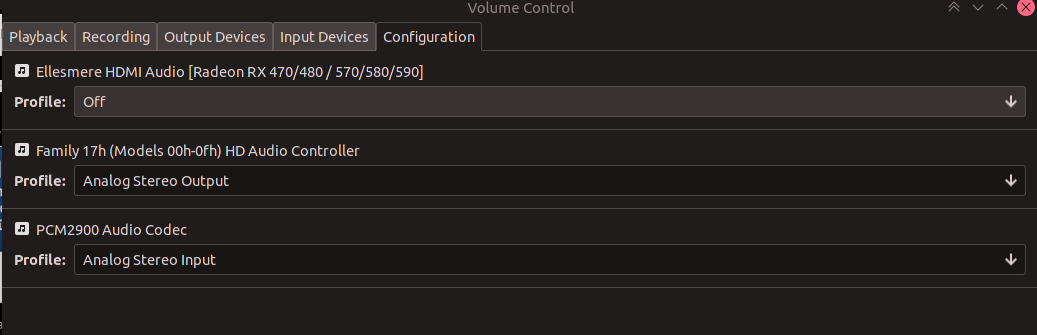
I recently upgraded to pipewire, which worsened the situation for me a lot. Went from ~30mins before audio problems set in to a couple minutes at best.
With this change i have played for a couple hours without problems
EDIT:
it seems I now either have no sound immediately when starting streaming (no sounds from big picture when i navigate) or audio works just fine for as long as i have managed playing in one session recently
I only ever had one enabled audio device. So that isn't the magic bullet sorry
I'm extremely disappointed that this is still an issue. I haven't been able to stream from my GNU/Linux machines to any of my devices because of this bug. Has it even been acknowledged by Valve yet? This is infuriating.
I presume this issue will even give problems streaming games from the Steam Deck to my TV, for example....
My guess, is Valve will be using Pipewire for steam OS instead of pulse.. i hope ubuntu 22.04 ends up just going with the new sound system
According to other reports, the problem persists even when using Pipewire. Or is it not the case anymore?
Pipewire works nicely. Pipewire is pretty awesome. But it still happens with pipewire. The issue is de-sync with the ringbuffer. I'm 99% sure on that. That's why digital outputs don't have the issue.
I got mine working by enabling SPDIF out. But a lot of people get success using the HDMI audio on many devices (I used to have that working but it requires a device that actually uses the HDMI audio)
i didn't notice any improvement from running on hdmi audio unfortunately
It seems as though pressuring Valve would be a faster solution than trying to work around this. The Steam client is doing something wrong, they're the only ones who can fix it and I bet it wouldn't be difficult. Seems like they've written the Link off and refuse to fund any more work on it, even this bug fix.
@VoodaGod long ways back in the thread, but I had to set a 90 ms delay, switch to a single source, and my source had to be HDMI (SPDIF didn't work). So I had to combine all of the advice into one and it worked.
Since yesterday's update, mine now streams my microphone instead of my audio output.
To clarify, I can hear what my webam's mic is capturing on my TV speakers.
It seems to be that either you don't have the issue and it works fine or you do and almost nothing resolves it.
It's not inconceivable Valve can't replicate
Forcing no profile to all devices, therefore having only steam's streaming audio device on when streaming, seems to have fixed the issue for me. However, it's clearly that this could be fixed form Valve's side if they so wanted it. Considering how much work on Linux they have been putting in the last years, it's somehow surprising how little attention this major issue has been having. I'm wondering if they are aware of this and will implement an upstream fix with the new SteamOS aimed at deck? Here's to hoping...
@romanovzky Can you please elaborate on what you mean by "forcing no profile to all devices?" Do you mean setting all profiles to "off" in the volume control?
I'm experiencing the same issue and would like to somehow circumvent it :)
Hi @pakro , indeed using the pulse audio volume control go to the configuration tab and set the profile to Off. It's the only solution that has worked for me in both Manjaro and EndeavourOS (both arch based) hosts. Hope it helps
It would be nice if Valve would see to fix this.
I have the crackling audio issue with Windows 10 and Windows 11. Other friends I played with don't have such issue however.
Some people online suggested that it's caused by output audio not being set to 48kHz, however I have it set that way and I don't notice a difference by switching.
Ok, so I've had this issue and spend the entire day looking through this thread for solutions that actually work and trying out different steam versions. Hopefully this is useful for people coming across this thread now.
Here is my system information:
Ryzen 3600
Radeon 5700 XT
Manjaro Gnome 21.2.0
I'm streaming to a Chromecast with GoogleTV running Android 10 and the Steam Link app
Here is what I've found:
- I could get about 10 minutes of normal game play until the sound started crackling and eventually disappeared
- using
steam-nativeorsteam-runtimedidn't make any difference - steam flatpak had the same issue as well
- running any of those versions with
-pipewiredid not help either
The only thing that seems to have done anything is what I found in this very useful comment by @Mystic7X . This is more of a workaround than a fix as it involves disabling all of your audio profiles, but it did seem to have solved my issues (I've only played for 30 minutes after the fix). Even better, it even reduced some sort of lag that I did notice I had, but initially attributed to other issues. The whole game ran a lot smoother after applying the workaround.
It's crazy that this thread has been open for this long and there is no fix in sight. This problem makes Remote Play pretty much unusable for affected systems as it increases the latency and the streaming session has to be restarted about every 10 minutes (at least in my case). @kisak-valve Could this please be brought to the dev-teams attention? Having to turn off all of my audio profiles in PulseAudio is just not good enough of a solution.
I tried following the fix by disabling the audio profiles, but without properly reading the comment that says how to get a dummy output device. Instead I ended up disabling (profile = "off") the 2nd of my 2 cards (in my case this is the HDMI output for my graphics card) and leaving the output on my actual sound card as it was ("headphones"). This appeared to have the same effect as the other fix. The appearance of the audio distortion is delayed by a good amount of time, but does eventually creep back in.
No comments since January 9th. Has this been fixed?
Edit: Sorry, I ask because I am still disabling all of my sound devices on the host before I try to use Remote Play.
I tested yesterday and didn’t run into the sound issue anymore.
I still encountered this issue (on latest steam, experimental proton) as I've just gotten my steam deck, and have been streaming Elden Ring to it from my linux desktop PC.
I've only recently disabled most of my other devices and will see if it still happens.
We should probably indicate whether we're using Pipewire or Pulseaudio. I am using Pipewire on the host machine and Pulseaudio on the client.
I have encountered this issue (not applying the workaround) last week, have not tried since. Using pipewire on the host machine (with the Steam Linux beta) and the Steam Link Hardware as client.
I encountered this issue 2 days ago with pipewire host and a steam link client. I encountered it with pulse audio 1 year, 2 years, and 3 years ago. It isn't fixed as far as I can tell.
The pavucontrol offset + disabling outputs is the only thing that works for me still.
I'm on pulseaudio on the host -> steam deck on the client (which I think uses pipewire).
Is anyone using Pipewire on both ends?
How is this still an issue when the Steam Deck advertises streaming as a feature on an Arch-based distro? I am not home, but when I am I may put some more work into troubleshooting this.
It's not just a shame, it's a mystery how this goes unresolved at this point.
How is this still an issue when the Steam Deck advertises streaming as a feature on an Arch-based distro? I am not home, but when I am I may put some more work into troubleshooting this.
It's not just a shame, it's a mystery how this goes unresolved at this point.
Most likely cause issue is caused by linux host, if you google up old steam forums it was long fixed on windows long ago. Old posts also suggest it's been ok when streaming from windows. I also encountered error when streaming from linux host to android. Deck most likely is being advertised as client rather than host for streaming.
Most likely cause issue is caused by linux host, if you google up old steam forums it was long fixed on windows long ago. Old posts also suggest it's been ok when streaming from windows. I also encountered error when streaming from linux host to android. Deck most likely is being advertised as client rather than host for streaming.
Correct. Mine has stopped doing it since I got a new sound card and disabled my onboard sound card.
I then ran into a bigger issue with the whole Desktop OpenGL vs Game Vulkan + libyuv performance issue. I've had to move to using Moonlight/Sunshine under linux (with patched NVFBC drivers) but the result is flawless by comparison
@slouken, do you need further information to investigate? That issue is currently the most commented open issue. It seems many people are experimenting it and it feels strange not to get any feedback from Valve.
Earlier I commented with a log extract which correlates the issue with drop_before being non zero value.
@Mystic7X found a workaround: In Pulse Audio Volume control application, volume control settings, turn off all the audio profiles listed for all the audio devices. It has been confirmed to work by many, but needs to be done before every single session.
I understand you guys have a lot going on, but I don't think we can go much further without your help.
Thanks.
Facing the same issue with remote play between my Ubuntu 20.04 w/pipewire host machine and my SteamDeck, now Remote Play in the SD is broken. Tried everything and the problem persists. I think the solution at this point is on Valve's field.
another one affected by this
Sound begins to lose quality and after 30 min aprox also stops working
Sound begins to lose quality and after 30 min aprox also stops working
Same here.
Facing the same issue with the Steam Deck -> Samsung Smart TV of 2017.
As an additional piece of information, the release notes for pipewire 0.3.53 list "The 44.1KHz samplerate was removed again from the defaults, it caused all kinds of problems with various hardware."
This change caused the audio issue to reappear, even if all sound cards are switched off.
Sure enough, adding default.clock.allowed-rates = [ 48000 44100 ] to /etc/pipewire/pipewire.conf made everything work again (with the disable-all-devices workaround).
Hope this helps both people who have the same issue, and even whoever might look into this problem eventually.
What am I missing here? If I disable all sinks in the Configuration tab of pavu (I'm using Pipewire) I don't have sound at all on my client when starting a streaming session.
What am I missing here? If I disable all sinks in the
Configurationtab of pavu (I'm using Pipewire) I don't have sound at all on my client when starting a streaming session.
Pretty sure the disabling sinks workaround is meant for pulseaudio setups.
With pipewire, you might want to try adding a dummy sink manually after disabling all others, something like this with pactl:
pactl load-module module-null-sink sink_name=dummy && pactl load-module module-loopback
This will add an artificial dummy sink which steam will use if all others are deactivated.
Replying to https://github.com/ValveSoftware/steam-for-linux/issues/6749#issuecomment-1205631528
This doesn't work unfortunately. Same result, no sound upon starting remote session. Steam lists dummy as the audio interface under Settings -> Audio -> Interface.
Replying to https://github.com/ValveSoftware/steam-for-linux/issues/6749#issuecomment-1173074038
@lytenyn Could you elaborate on how you managed to make this work with pipewire? How do you disable all devices? I use pavu for that, and if I do, I don't have sound at all. Would appreciate some input.
This doesn't work unfortunately. Same result, no sound upon starting remote session. Steam lists
dummyas the audio interface underSettings -> Audio -> Interface.
Check if the dummy sink is unmuted in pavu control. Sorry, this has worked for me in the past but I haven't used this workaround in a while, so it might not be working any longer.
Sorry, I do not have access to my machine right now. I use pipewire and set all devices (not sinks!) to disabled. After that, a dummy sink appears automatically which works fine.
However, starting from pipewire 0.3.53, I also had to allow 44.1 kHz as an allowed rate as said above.
With this, everything worked for me last time I used it.
Am 4. August 2022 21:30:51 UTC schrieb Demis Balbach @.***>:
As an additional piece of information, the release notes for pipewire 0.3.53 list "The 44.1KHz samplerate was removed again from the defaults, it caused all kinds of problems with various hardware."
This change caused the audio issue to reappear, even if all sound cards are switched off.
Sure enough, adding
default.clock.allowed-rates = [ 48000 44100 ]to/etc/pipewire/pipewire.confmade everything work again (with the disable-all-devices workaround).Hope this helps both people who have the same issue, and even whoever might look into this problem eventually.
@.*** Could you elaborate on how you managed to make this work with pipewire? How do you disable all devices? I use pavu for that, and if I do, I don't have sound at all. Would appreciate some input.
--
Reply to this email directly or view it on GitHub:
https://github.com/ValveSoftware/steam-for-linux/issues/6749#issuecomment-1205788913
You are receiving this because you were mentioned.Message ID: @.***>
@lytenyn
@inanc-g
Nope. Not working. I use wpctl:
> wpctl status
PipeWire 'pipewire-0' [0.3.43, db@geekcave, cookie:250332262]
 └─ Clients:
        30. WirePlumber                         [0.3.43, db@geekcave, pid:988]
        31. WirePlumber [export]                [0.3.43, db@geekcave, pid:988]
        39. xdg-desktop-portal-wlr              [0.3.43, db@geekcave, pid:1166]
        40. waybar                              [0.3.43, db@geekcave, pid:1100]
        41. waybar                              [0.3.43, db@geekcave, pid:1100]
        45. wpctl                               [0.3.43, db@geekcave, pid:1659]

Audio
 ├─ Devices:
 │      42. Ellesmere HDMI Audio [Radeon RX 470/480 / 570/580/590] [alsa]
 │      43. UMC204HD 192k                       [alsa]
 │      44. Built-in Audio                      [alsa]
 │
 ├─ Sinks:
 │
 ├─ Sink endpoints:
 │
 ├─ Sources:
 │
 ├─ Source endpoints:
 │
 └─ Streams:

Video
 ├─ Devices:
 │
 ├─ Sinks:
 │
 ├─ Sink endpoints:
 │
 ├─ Sources:
 │
 ├─ Source endpoints:
 │
 └─ Streams:
Then I use
> wpctl set-profile 42 0
> wpctl set-profile 43 0
> wpctl set-profile 44 0
To disable all devices. In PAVU I can see them dissappearing from the Output devices tab.
Then
pactl load-module module-null-sink sink_name=dummy && pactl load-module module-loopback
Finally starting Steam. dummy listed as audio source. I checked and it's not muted. When I connect my TV I do have sound, yes. But also a very very very very very loud hissing / buzzing noise. I can bear this for like 5s maybe. Totaly unusuable.
> pipewire --version
pipewire
Compiled with libpipewire 0.3.43
Linked with libpipewire 0.3.43
I could not get this to work with Pipewire. I did have success with Pulse, however even this workaround eventually stopped working correctly.
I have since moved to Sunshine/Moonlight and have had zero issues.
This bug is more than annoying... It's even more annoying given that it's a problem that occurs also with the Steam Deck, out of the box.
I'm able to solve any audio issues by disabling all my audio cards in pulseaudio before starting to stream. It's rather annoying to have to remember to change the configuration of my audio hardware for all to work properly.
Has anyone figured out a way to automatically disable all audio cards when remote play starts and turn them back on when remote play stops?
Has anyone figured out a way to automatically disable all audio cards when remote play starts and turn them back on when remote play stops?
It's just as annoying for me, it's actually a deal breaker because I can't get it to work at all. However, instead of going deeper int the rabbit hole of automating a dirty fix / workaround, this has to be escalated some way or another. I'm not sure if Valve (or pipwire devs, or pulseaudio devs or whoever is responsible) is aware of the severity of this issue.
The root cause, whatever it is, needs to be found and fixed. Unfortunately, the likelihood of that happening is tiny, given that there are issues about this dating back to 2015: https://www.reddit.com/r/Steam/comments/2wkpb6/inhomestreaming_sound_crackling_and_dying_shortly/
My strategy to make this issue more noticeable is to comment here as much as possible to make it grow. Someone at some point shall see that this is still an actively discussed problem...
Maybe it's time to send an email to Gabe asking him to look into this issue :D
So, who would like to send an email to Gabe?
I don't have too much to add except that I am also experiencing this issue while casting from Fedora 36 using Pipewire.
Pretty sure Steam needs to resample the audio properly on the receiving and/or sending end. Clock skew is a thing even on completely identical machines. Using virtual cards will eventually still desync as well. The moment the ringbuffer is desynced and goes short crackling will show up. It could also go long and that'll result in audio delay instead.
Either way this has to be handled by Steam internally.
@kisak-valve, is there anything you could help us with to escalate this issue? Even just an acknowledgement from Valve (that this is indeed an issue) would be fantastic.
I'm back at my machine and can check properly now, sorry.
For reference, I am using this script:
#!/bin/bash
export PULSE_LATENCY_MSEC=30

cleanup() {
    pactl set-card-profile 48 off
    pactl set-card-profile 49 output:Direct
}

trap "cleanup" EXIT

pactl set-card-profile 48 off
pactl set-card-profile 49 off

systemd-inhibit /usr/bin/steam "$@"
to disable all devices when running steam. systemd-inhibit is just to prevent my machine from going to sleep.
I am not sure the PULSE_LATENCY_MSEC is useful or does something, even.
The number of the card can be obtained from the output of pactl list cards, as well as the name of the profile to switch back to.
Finally, I put this file at /etc/pipewire/pipewire.conf.d/10_441khz.conf:
context.properties = {
    default.clock.allowed-rates = [ 48000 44100 ]
}
to add 44.1 kHz to the list of allowed rates for pipewire. Beware that, according to the pipewire changelog, this may cause other issues on your machine, but for me, it also works fine when not streaming.
Using pipewire 0.3.56, this worked fine for me yesterday, no crackling.
Hey All, After using the latest Kubuntu and streaming to my Steam Deck... i am experiencing NO Audio crackling and i have tested on 3+ hrs of No Man's Sky.... (i can quit any time... .. .. 😅 ) the only thing that's unusual about the host pc setup is the system audio was set to passed over HDMI on a AMD GPU... but ya no crackle
I believe some people reported that setting the audio interface to be HDMI sometimes would also solve the problem. In my case, this doesn't solve the problem. Only disabling all audio devices would make my audio not crack while streaming.
(using Arch GNU/Linux)
Years later and it's still an issue!
Started experiencing the same thing.
Host is Ubuntu 22.04 using pipewire.
Also experiencing this issue. Tested streaming from my Steam Deck to both Pop! OS 22.04 as well as Fedora 36. Audio begins crackling then cuts out about 5 minutes in.
I have 2 steam links on my house, so right now, Windows is winning, i'm disappointed about that. Any other fix?
I have 2 steam links on my house, so right now, Windows is winning, i'm disappointed about that. Any other fix?
AFAIK there aren't any fixes regarding this.. hopefully someday.
I have 2 steam links on my house, so right now, Windows is winning, i'm disappointed about that. Any other fix?
There are indeed no fixes yet. There is a workaround: disable all your output sound cards before streaming and the audio will never have issues.
I have 2 steam links on my house, so right now, Windows is winning, i'm disappointed about that. Any other fix?
There are indeed no fixes yet. There is a workaround: disable all your output sound cards before streaming and the audio will never have issues.
But as far as I understand this only works for pulseaudio based setups. This doesn't work for pipewire, does it?
This doesn't work for pipewire, does it?
Correct. I could not get it to function with pipewire.
Nor could I get it working with "dummy outputs"
This is still an issue.
Host machine running Pop_OS! (Pipewire) with a GTX 1070 using the latest nvidia-driver-515.
Stream from my host machine to either the Steam deck or an android TV using the steam app I get crackling audio after about 15-20 minutes of gaming. The sound gets progressively worse before cutting out completely, as well as the video feed starts to get real choppy.
I did get it to work with sunshine / moonshine on my TV, but that as of right now includes a lot of input lag.
I've yet to try moonshine on my Steam deck so cannot draw any conclusions.
I just wish the steam remote play works as it does the firsts 10 minutes of gameplay, there is virtually no input lag and I can stream games to the Steam Deck to get long gaming sessions with having to plug in the charger. I will however try disabling the sound outputs as some people in this thread has pointed out as a temporary fix for them.
Mostly commenting to elevate the issue.
UPDATE
Tried sunshine as some are pointing out, but this was for me unplayable. Severe input lag was the main factor.
I also tried forcing a bigger buffer size for the Pipewire server, but could not notice any significant improvement.
I tried to force a bigger buffer of the pipewire server with command:
pw-metadata -n settings 0 clock.force-quantum 4096
and I haven't experienced any crackling since then.
I feel a small audio delay that doesn't disturb me, YMMV
This pretty much confirms my suspicions about the issue.
It felt like buffer misalignment caused by it reading out the sound buffer
ever so slightly out of sync. I believe it uses a ring buffer.
Basically this would have the effect I was seeing that it slowly slides out
of sync and eventually degrades to garbage. A longer buffer would probably
push this slide to failure much later in time. But it would probably be
intolerably out of sync by the time it starts falling apart.
I'm not sure why Valve haven't addressed this yet as it's obviously
solvable, I mean sunshine manages to do it without the same issues.
On Wed, 16 Nov 2022, 7:59 pm Simone Scanzoni, @.***>
wrote:
I tried to force a bigger buffer of the pipewire server with command:
pw-metadata -n settings 0 clock.force-quantum 4096
and I haven't experienced any crackling since then.
I feel a small audio delay that doesn't disturb me, YMMV—
Reply to this email directly, view it on GitHub
https://github.com/ValveSoftware/steam-for-linux/issues/6749#issuecomment-1316722050,
or unsubscribe
https://github.com/notifications/unsubscribe-auth/AABUQFUUN4LVPRGGC3OYX4TWISV6NANCNFSM4JXYSBDA
.
You are receiving this because you were mentioned.Message ID:
@.***>
I tried to force a bigger buffer of the pipewire server with command:
pw-metadata -n settings 0 clock.force-quantum 4096and I haven't experienced any crackling since then. I feel a small audio delay that doesn't disturb me, YMMV
did you try with other values?
I tried to force a bigger buffer of the pipewire server with command:
pw-metadata -n settings 0 clock.force-quantum 4096and I haven't experienced any crackling since then. I feel a small audio delay that doesn't disturb me, YMMVdid you try with other values?
Yes, and I could go with lower values depending on the system load.
4096 was the lowest that worked for me with anything I tried, IIRC.
I think you could try a higher value just to verify if the sound stays clear and lower it gradually until you find the lowest for your case.
For reference, my server is a Ryzen 9 5900X with a RTX2060 and I can run most stuff without needing to force a bigger buffer size, with sessions that are usually less than two hours long
I guess I would like to see this solved and help in any way possible. I have noticed @slouken is assigned to this so I have no doubts we will see a fix. Happy to provide logs or participate in a debug session.
I mean they were assigned 2 (3 in a few days!) years ago, so I wouldn't use that as indication that this issue is being worked on.
Even with the release of the steam deck nothing has really happened. It's
quite unfortunate.
Especially as other solutions, such as Sunshine, seem to be able to do it
without issue.
On Sat, 3 Dec 2022, 1:00 pm Sky Leite, @.***> wrote:
I mean they were assigned 2 (3 in a few days!) years ago, so I wouldn't
use that as indication that this issue is being worked on.—
Reply to this email directly, view it on GitHub
https://github.com/ValveSoftware/steam-for-linux/issues/6749#issuecomment-1336022817,
or unsubscribe
https://github.com/notifications/unsubscribe-auth/AABUQFRTG2RYAROZJ6LQHOTWLKZTVANCNFSM4JXYSBDA
.
You are receiving this because you were mentioned.Message ID:
@.***>
We've made some improvements to audio over the past month or so.
If you're still seeing this in the latest Steam client beta, especially on Steam Deck hardware where we know the software stack and performance characteristics, can you please let us know the following information:
- What distribution of Linux are you using?
- What audio hardware do you have hooked up?
- What game are you playing?
- How long do you have to wait before you hear consistent crackling or lost audio?
Thanks!
Are you able to expand on the details of the changes?
Like what changed? Will it help SteamLink on RPi?
On Thu, 8 Dec 2022, 1:38 pm Sam Lantinga, @.***> wrote:
We've made some improvements to audio over the past month or so.
If you're still seeing this in the latest Steam client beta, especially on
Steam Deck hardware where we know the software stack and performance
characteristics, can you please let us know the following information:
- What distribution of Linux are you using?
- What audio hardware do you have hooked up?
- What game are you playing?
- How long do you have to wait before you hear consistent crackling or
lost audio?Thanks!
—
Reply to this email directly, view it on GitHub
https://github.com/ValveSoftware/steam-for-linux/issues/6749#issuecomment-1341944480,
or unsubscribe
https://github.com/notifications/unsubscribe-auth/AABUQFWN3X4KNSI2SH7ZGULWMFJ4LANCNFSM4JXYSBDA
.
You are receiving this because you were mentioned.Message ID:
@.***>
There you go @slouken:
- Debian Sid with KDE
- Just regular speakers via Jack plug
- TES4: Oblivion (Steam) or Fall Guys (non-Steam)
- The audio crackling starts crackling reliably up to 30 minutes, if you give it more time it will go up to the point there is no audio at all.
I think for reproducing purposes it is important that the audio can be heard consistently in the game (rain sound in Oblivion, background music in Fall Guys).
And I stream to the physical Steam Link device when it happens.
Happy to provide any command outputs and logs.
And to confirm I am on Steam Beta:
There you go @slouken:
- Debian Sid with KDE
- Just regular speakers via Jack plug
- TES4: Oblivion (Steam) or Fall Guys (non-Steam)
- The audio crackling starts crackling reliably up to 30 minutes, if you give it more time it will go up to the point there is no audio at all.
What audio software is running? pulseaudio? ALSA? pipewire? JACK?
No Jack and no Alsa for sure... You know what, I never bothered to check... Ah there it is:
$ ps -e | grep -i pulse
   1312 ?        00:04:06 pipewire-pulse
$ ps -e | grep -i pipewire
   1309 ?        00:01:17 pipewire
   1312 ?        00:04:06 pipewire-pulse
Okay, thanks. I'll try to get a similar setup working here.
Been playing for several hours by streaming from Steam Deck to official Steam Link hardware without crackling so that at least is not a reproducible setup.
Been playing for several hours by streaming from Steam Deck to official Steam Link hardware without crackling so that at least is not a reproducible setup.
I tried that as well, and it's working fine.
I've also been streaming Oblivion from a Lenovo laptop running Ubuntu 22.04 with no problems, also running pulse over pipewire.
Maybe it's specific to hardware or pipewire configuration? @hardpenguin, what kind of audio hardware do you have? Have you done any configuration tweaking, or is it just stock Sid?
It should be just stock Sid.
Regarding audio hardware, just a built-in sound card in my H81M-P33 V2 motherboard:
$ lspci
(...)
00:1b.0 Audio device: Intel Corporation 8 Series/C220 Series Chipset High Definition Audio Controller (rev 05)
01:00.1 Audio device: NVIDIA Corporation Device 2288 (rev a1)
(...)
With speakers and a microphone plugged in via Jack 3.5mm plug.
There is also HDMI sound output on my GTX 3060 Ti but I don't use it. It is disabled.
And there is also a built-in microphone in my USB webcam:
$ lsusb
(...)
Bus 002 Device 004: ID 0c45:636d Microdia USB 2.0 Camera
(...)
$ pactl info
Server String: /run/user/1000/pulse/native
Library Protocol Version: 35
Server Protocol Version: 35
Is Local: yes
Client Index: 480
Tile Size: 65472
User Name: van
Host Name: locke
Server Name: PulseAudio (on PipeWire 0.3.61)
Server Version: 15.0.0
Default Sample Specification: float32le 2ch 48000Hz
Default Channel Map: front-left,front-right
Default Sink: alsa_output.pci-0000_00_1b.0.analog-stereo
Default Source: alsa_input.pci-0000_00_1b.0.analog-stereo
Cookie: 0a40:deb5
$ cat /proc/asound/{version,cards,devices,hwdep,pcm,seq/clients}
Advanced Linux Sound Architecture Driver Version k6.0.0-5-amd64.
 0 [PCH            ]: HDA-Intel - HDA Intel PCH
                      HDA Intel PCH at 0xf7310000 irq 41
 1 [NVidia         ]: HDA-Intel - HDA NVidia
                      HDA NVidia at 0xf7080000 irq 17
 2 [Camera         ]: USB-Audio - USB 2.0 Camera
                      Sonix Technology Co., Ltd. USB 2.0 Camera at usb-0000:00:14.0-10, high speed
  1:        : sequencer
  2: [ 2- 0]: digital audio capture
  3: [ 2]   : control
  4: [ 1- 3]: digital audio playback
  5: [ 1- 7]: digital audio playback
  6: [ 1- 8]: digital audio playback
  7: [ 1- 9]: digital audio playback
  8: [ 1-10]: digital audio playback
  9: [ 1-11]: digital audio playback
 10: [ 1-12]: digital audio playback
 11: [ 1- 0]: hardware dependent
 12: [ 1]   : control
 13: [ 0- 0]: digital audio playback
 14: [ 0- 0]: digital audio capture
 15: [ 0- 2]: digital audio capture
 16: [ 0- 0]: hardware dependent
 17: [ 0]   : control
 33:        : timer
01-00: HDA Codec 0
00-00: HDA Codec 0
00-00: ALC887-VD Analog : ALC887-VD Analog : playback 1 : capture 1
00-02: ALC887-VD Alt Analog : ALC887-VD Alt Analog : capture 1
01-03: HDMI 0 : HDMI 0 : playback 1
01-07: HDMI 1 : HDMI 1 : playback 1
01-08: HDMI 2 : HDMI 2 : playback 1
01-09: HDMI 3 : HDMI 3 : playback 1
01-10: HDMI 4 : HDMI 4 : playback 1
01-11: HDMI 5 : HDMI 5 : playback 1
01-12: HDMI 6 : HDMI 6 : playback 1
02-00: USB Audio : USB Audio : capture 1
Client info
  cur  clients : 4
  peak clients : 20
  max  clients : 192

Client   0 : "System" [Kernel]
  Port   0 : "Timer" (Rwe-)
    Connecting To: 144:0
  Port   1 : "Announce" (R-e-)
    Connecting To: 144:0
Client  14 : "Midi Through" [Kernel]
  Port   0 : "Midi Through Port-0" (RWe-)
Client 144 : "PipeWire-System" [User]
  Port   0 : "input" (rwe-)
    Connected From: 0:1, 0:0
  Input pool :
    Pool size          : 200
    Cells in use       : 0
    Peak cells in use  : 4
    Alloc success      : 6
    Alloc failures     : 0
Client 145 : "PipeWire-RT-Event" [User]
  Port   0 : "input" (rwe-)
  Input pool :
    Pool size          : 200
    Cells in use       : 0
    Peak cells in use  : 0
    Alloc success      : 0
    Alloc failures     : 0
Happy to provide fullest possible system logs and Steam Link device logs using a private communication channel. You can email me at hardpenguin13 / gmail.
Sorry I don't have logs from my old setup and I can't test my current one
at the moment, but see this post of mine from a while ago:
https://github.com/ValveSoftware/steam-for-linux/issues/6749#issuecomment-663947688
Once the crackling starts, it happens for any source, but the sources
themselves are fine (audacity records clean audio even as it's crackling on
the Link). The issue must be with Steam or some related software, not the
sources themselves or hardware. My steam link sends audio via hdmi to my
television and then it's sent to via optical to my pre-amp. Given that the
TV has no issues with other HDMI audio sources and the stereo is problem
free, it's gotta be Steam host or client.
I hope this helps. It's been a while since I did that troubleshooting so
maybe I missed something.
On Fri, Dec 9, 2022, 00:02 Sam Lantinga @.***> wrote:
Been playing for several hours by streaming from Steam Deck to official
Steam Link hardware without crackling so that at least is not a
reproducible setup.I tried that as well, and it's working fine.
I've also been streaming Oblivion from a Lenovo laptop running Ubuntu
22.04 with no problems, also running pulse over pipewire.Maybe it's specific to hardware or pipewire configuration? @hardpenguin
https://github.com/hardpenguin, what kind of audio hardware do you
have? Have you done any configuration tweaking, or is it just stock Sid?—
Reply to this email directly, view it on GitHub
https://github.com/ValveSoftware/steam-for-linux/issues/6749#issuecomment-1343930389,
or unsubscribe
https://github.com/notifications/unsubscribe-auth/AKGYD5AEZ7BA4PKIA6VBXXTWMLKOXANCNFSM4JXYSBDA
.
You are receiving this because you commented.Message ID:
@.***>
It’s nice to see this issue getting some attention ;)
I commented earlier that "drop_before" in streaming_log.txt reports a non zero value when audio starts crackling. The number then keeps increasing.
Hope that helps.
It’s nice to see this issue getting some attention ;)
I commented earlier that "drop_before" in
streaming_log.txtreports a non zero value when audio starts crackling. The number then keeps increasing.Hope that helps.
Ah yes, that is very helpful, thanks!
Can you look for "Recording system audio" and "Recording process audio" messages in the log? It seems like we're potentially getting clock skew from different audio sources being recorded.
getting clock skew from different audio sources being recorded
Meaning a voice chat like Steam audio calls, that pick up the microphone, and Remote Play Together, that records the game audio?
All up to date here on Steam Beta on Fedora 37, plus SteamOS Preview on Deck. It only took like 23 minutes this time for the audio to vanish (streaming from desktop to Deck).
Full Steam log: https://gist.github.com/LiamDawe/9d43c565b363475cba9ea7ad0b293a5e
Hardware: https://gist.github.com/LiamDawe/5bfc6cf45ba5cafe9ef54851e2ab99a8
pipewire-pulse
I solved my audio issues on Fedora 36 playing Red Dead Redemption 2 with this
I know ARCH wiki has this related to microphone detection, but it solved my crackling / loss of audio after reboot and I haven't had an issue since.
Remember to copy the file to /etc; do not modify the /usr/share/ file
We've made some improvements to audio over the past month or so.
That's a bit vague, isn't it. Anyway, the last game I tried to stream was Return to Monkey Island on 27 Nov. It was unplayable. The audio would start distorting minutes in, get steadily worse, then cut out entirely. When I had this issue before, it only occurred after an hour or two of gameplay—long enough to quit the stream, get a fresh cuppa and restart. A nuisance, nothing more. Now Remote Play is effectively broken for me.
Ubuntu 18.04 on both ends, stock audio stack (so using pulseaudio), lowlatency kernel flavour. Both Steam installs on the beta branch.
Audio hardware on the host is a Behringer UMC202HD (plus the monitor's speakers I suppose, via DP on a Radeon VII);
Audio hardware on the client (HTPC) is the HDMI audio on whatever antique passive nVidia card it has, connected to a Yamaha receiver.
This setup hasn't changed for years (except for routine software updates).
Here is my streaming_log.previous.txt from the dedicated Steam Link device (the current streaming_log.txt is from the Android app).
streaming_log.previous.txt
Each session that involved Fall Guys was likely affected.
I will try to produce some fresh logs soon enough :)
Oh btw if you don't know where to look for those logs, here is my location on Debian Sid:
~/.steam/steam/logs/streaming_log.txt
I'll do some testing later but I've previously experienced this issue with Death Stranding on Kubuntu 20.04 (so, pulseaudio) using a Scarlett 2i2 USB DAC streaming to the Steam Deck, and the audio started dying after about half an hour.
I could be wrong, but I suspect the issue is tied to #6512 where you're generating an erroneous host output, and it's skew between those that's killing the audio on the stream. The host audio continues fine after the streamed audio dies.
Here's the log from Horizon Zero Dawn streamed from my Kubuntu desktop to the Steam Deck.
streaming_log.previous.txt
streaming_log.txt
steam-1151640.log
This fresh log is from Steam stable (non-beta), because the latest beta broke the Big Picture for me.
This time the very audible crackling started quite late, at least an hour into the game (or later).
Along with this issue and #6512 and doing inappropriate things with the audio stream, if there is audio playing on the host (such as a YouTube video, say) that audio also gets passed through to the remote stream. This is not correct behaviour. The Remote Play audio should only be audio from the game that's being played, and only needs to be synchronised to the game and the video stream. There shouldn't be other audio mixed in, and it shouldn't output to the host unless that is additionally requested as a separate audio output.
This has been the behaviour for quite some time.
And it's preferred as it ensures desktop mode works correctly.
On Mon, 12 Dec 2022, 4:54 am CKWarner, @.***> wrote:
Along with this issue and #6512
https://github.com/ValveSoftware/steam-for-linux/issues/6512 and doing
inappropriate things with the audio stream, if there is audio playing on
the host (such as a YouTube video, say) that audio also gets passed through
to the remote stream. This is not correct behaviour. The Remote Play audio
should only be audio from the game that's being played, and only needs to
be synchronised to the game and the video stream. There shouldn't be other
audio mixed in, and it shouldn't output to the host unless that is
additionally requested as a separate audio output.—
Reply to this email directly, view it on GitHub
https://github.com/ValveSoftware/steam-for-linux/issues/6749#issuecomment-1345629624,
or unsubscribe
https://github.com/notifications/unsubscribe-auth/AABUQFS3GAYKRSDYQOAM2LLWMYPPHANCNFSM4JXYSBDA
.
You are receiving this because you were mentioned.Message ID:
@.***>
This has been the behaviour for quite some time.
About as long as this bug has existed, you would say?
And it's preferred as it ensures desktop mode works correctly.
It's definitely not "preferred" because having to remain synchronised with the host's audio device leads to clock skew, which ultimately kills the remote audio stream; y'know this bug.
Instead of trying to make things sync, which is impossible between different systems because clock never matches exactly (unless you have thousands-of-dollars pro audio system with worldclock sync systems) and hick-ups will occur, I honestly believe that Steam should implement one of:
- Actual constant resampling of audio to keep AV sync.
- This is what all media players do, they sync video (vsync) to display HZ and resample audio to keep sync with video.
- When out-of-sync is exceeding a threshold drop the sync and re-open the audio steam.
- Will result in a single very big audible drop and/or pop.
Preference is the former imo. There are many ways and places in the audio pipeline to do this that really depends on architectural choice.
Edit: resampling should probably happen on the client (viewer) device
Well literally every other app does it fine.
Sunshine does it without issue.
I'm not sure you are correct. (In fact I know you aren't)
On Mon, 12 Dec 2022, 8:20 pm CKWarner, @.***> wrote:
This has been the behaviour for quite some time.
About as long as this bug has existed, you would say?
And it's preferred as it ensures desktop mode works correctly.
It's definitely not "preferred" because having to remain synchronised with
the host's audio device leads to clock skew, which ultimately kills the
remote audio stream; y'know this bug.—
Reply to this email directly, view it on GitHub
https://github.com/ValveSoftware/steam-for-linux/issues/6749#issuecomment-1346228520,
or unsubscribe
https://github.com/notifications/unsubscribe-auth/AABUQFSPTPERD2PFFQ324EDWM34AXANCNFSM4JXYSBDA
.
You are receiving this because you were mentioned.Message ID:
@.***>
Why not create a virtual audio interface with the parameters (sample rate, buffer size) preset and controlled. Isn't this the way it's done on Windows?
In my experience, this issue is entirely due to buffer size/sync issues with some delay happening that increases over time causing the issue to get worse while playing.
This has been the behaviour for quite some time. And it's preferred as it ensures desktop mode works correctly.
The point is that it does not work correctly any more. It doesn't work at all (for those affected). Not in-game and not in desktop mode.
My money is on clock skew over time, much exacerbated when there's a mix of sampling rates in play (either on the host, or between host and guest). It would explain why it's more severe on some configurations, and less in others.
P.S. I couldn't swear to it, but I think it started getting really bad for me right about the time I switched from my speakers' built-in audio interface to an external one [the Behringer UMC202HD]. On the host, mind you.
Why not create a virtual audio interface with the parameters (sample rate, buffer size) preset and controlled. Isn't this the way it's done on Windows?
In my experience, this issue is entirely due to buffer size/sync issues with some delay happening that increases over time causing the issue to get worse while playing.
This is how Sunshine does it. It also explains why HDMI audio devices/dummy devices don't have issues for some people
Replying to https://github.com/ValveSoftware/steam-for-linux/issues/6749#issuecomment-1347255512
It being required, is tangential to it having issues.
Can people try the latest Steam beta client, dated 12/12/2022 or newer?
Can people try the latest Steam beta client, dated 12/12/2022 or newer?
On both host and client? Or just the host?
On both host and client? Or just the host?
Host, I believe, because some of our clients are Steam Link device or app :)
Can people try the latest Steam beta client, dated 12/12/2022 or newer?
I can't, I am still affected by #8916 so Big Picture is broken for me and I need it to test connecting from Steam Link.
Before the update I could reproduce it with ease in about 30 minutes.
I've now tested from Fedora to Steam Deck, and Fedora to a different Steam Deck and it's crystal clear with no crackling or audio loss now. Great work.
Got the same results here, but require more testing to be sure.
Streaming from host machine (Pop!_os pipewire) to the Steam deck would cause sound crackling in less then 30 minutes. Tried for nearly an hour today using the latest beta and no issues so far. Great news!
I tried for about 10 minutes in a particular situation* where the sound consistently stopped in less than 1 minute and it worked fine after the last update. Good job, thanks!
*Gentoo pipewire streaming an emulated android device to MacOS Steam Link app in another house :grin:
If I unplug Steam from the audio monitor using Helvum, the Steam Link client crackles for an instant and then it's dead silent afterwards. This gives me the feeling that steam indeed does get ahead of the buffer.
So I tested this case and it no longer causes instant silence for me.
Thanks everyone! I think we can close this. :)
Is this update implement to steam stable yet, bcause I still have the issue on steam flatpak stable, on fedora with nvidia card
I'm still having this issue happen on when using remote play on my steam deck sorry :-( Tried many many things to fix. It happened on a different host machines, one windows and one linux.
Hello @xangma, please open a new issue report so that your feedback can be tracked properly.
Related threads
- Steam Remote Play plays sound on both the client and the host, when the "Play sound on host" option is disabled.steamopen same upstream bug
- [BUG] SteamVR beta v2.2.1 won't launch VR games ("Starting...", then game doesn't open)steamvropen same upstream bug
- [BUG] No desktops found in newest beta. Linux_v1.14 works, but is slow with a glitchy cursor. steamvropen same upstream bug
- [Steam Link] Laggy audio, in Big Picture, in games, anywhere streamingsteamclosed same upstream bug
- Remote Play - frame timing repeatedly hits rock bottomsteamopen same upstream bug
- Remote Play from Linux Crackling Audiosteamopen same upstream bug
Upstream links
- ValveSoftware/steam-for-linux/issues/6749x18 2022-12
- ValveSoftware/steam-for-linux/issues/6512x1 2022-12
- ValveSoftware/steam-for-linux/issues/4464x1 2020-06
Please describe your issue in as much detail as possible:
The expected behavior is that I can stream from my PC to my steam link indefinitely without audio issues. What happens is it works well initially for some variable period of time, but after that the audio will start crackling or popping until it eventually cuts out entirely. I've made sure Pulseaudio is set to the same sample rate as my TV. The stream log is here. Testing on a NixOS and Ubuntu based PC yielded the same results, but streaming from those same PC's running Windows worked fine.
Steps for reproducing this issue: